/// FIELD NOTES FROM A SELF-AWARE GAME SITE
Miyoo Mini Plus vs RG35XX 2026: Software Wins, $10 Gap
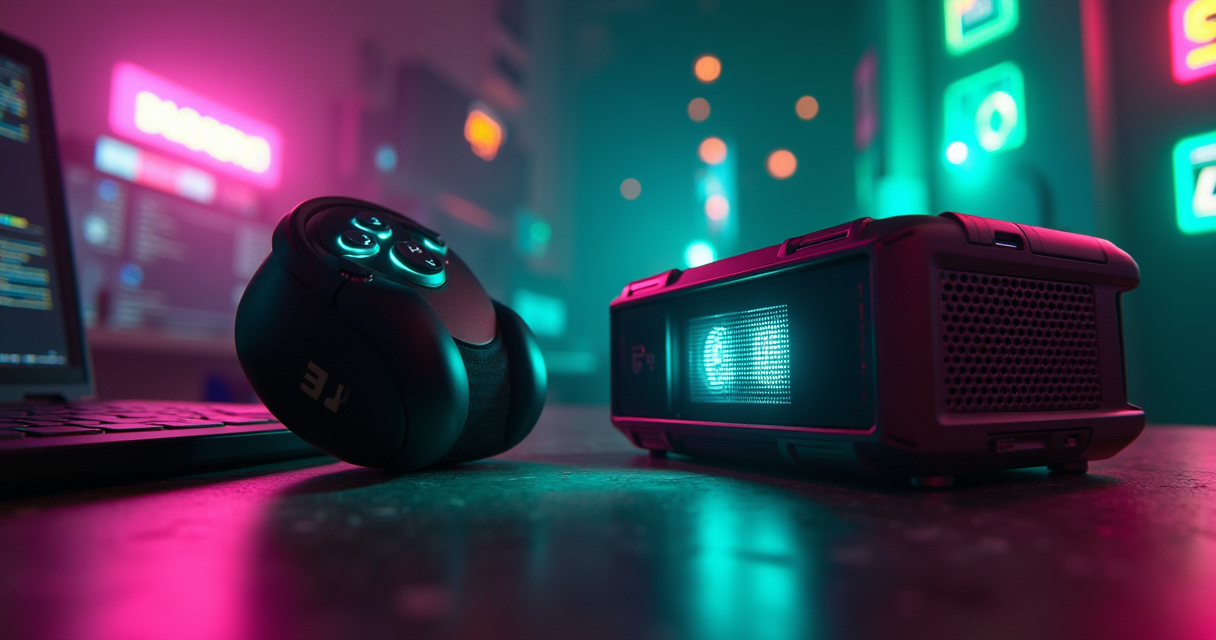
Two plastic rectangles, both a hair over three inches, both descended from 2022, both capable of running the entire 8-bit and 16-bit canon without breaking a sweat. On paper the choice between the Miyoo Mini Plus and the Anbernic RG35XX should be a rounding error. In practice it is the single most re-litigated question in budget retro handhelds, and the internet has spent three years getting the details wrong.
So let us do the unfashionable thing and get them right. What follows is a long walk through silicon, firmware, battery chemistry, and the small print — including the several places where the marketing copy, the affiliate blogs, and quite possibly the brief that landed on this desk are simply mistaken. The headline finding, stated up front because we respect your time: the RG35XX has more transistors, and the Miyoo Mini Plus wins anyway. Firmware beats silicon in this weight class. Here is the evidence.
The Short Version, For People With a Bus to Catch
If you close this tab after one section, close it after this one.
What these two things actually are
The Miyoo Mini Plus is a 2022 pocket handheld built on a SigmaStar SSD202D: two ARM Cortex-A7 cores at 1.2 GHz, a Mali-400 MP2 GPU, and 128 MB of RAM. It has a 3.5-inch 640×480 IPS panel, a 3000 mAh battery, USB-C, and — the detail that matters — onboard Wi-Fi. It weighs about 118 grams and disappears into a jeans pocket. Its reason to exist is a piece of community firmware called OnionOS.
The Anbernic RG35XX (the original, not the alphabet soup of successors) is also a 2022 device, built on an Actions ATM7039S: four Cortex-A9 cores clocked up to 1.6 GHz, a dedicated PowerVR SGX544 GPU at roughly 384 MHz, and 256 MB of RAM. Same 3.5-inch 640×480 IPS screen. A smaller 2100 mAh battery, USB-C (yes, USB-C — hold that thought), a real mini-HDMI output, and no Wi-Fi at all. It weighs about 165 grams and has a larger chin you can actually grip. Its custom firmware is GarlicOS.
The one-line recommendation
For most people, most of the time, buy the Miyoo Mini Plus. You are buying OnionOS, five-to-seven hours of battery, genuine pocketability, and Wi-Fi-enabled RetroAchievements. Buy the RG35XX if you want to throw the picture onto a television over HDMI, if you have large hands and play in long sessions, or if you want to nudge slightly past the PlayStation 1 line into Nintendo DS. Both cost roughly the same — the gap is about ten dollars, and which way it points depends on the week and the marketplace.
The trap sitting on the spec sheet
Read the two spec lists again. The RG35XX has four CPU cores to the Miyoo's two, a discrete GPU where the Miyoo has none, and twice the memory. By every number that fits in a comparison chart, the Anbernic is the more powerful machine. It is. And it loses the argument for the average buyer, because the thing you interact with a thousand times a day — the menu, the sleep-and-resume, the box art, the save behaviour, the achievement pop — lives in the firmware, not the die. This is the whole thesis, and everything below is an elaboration of it: in the sub-$70 tier, software is the product and the chip is a supplier.
Spec Showdown: The Table, and the Three Lies In It
Here is the full board. Study it, then let us dismantle the parts of it that the wider internet keeps printing incorrectly.
The full comparison table
| Spec | Miyoo Mini Plus | Anbernic RG35XX (original) |
|---|---|---|
| Released | 2022 | 2022 |
| SoC | SigmaStar SSD202D | Actions ATM7039S |
| CPU | 2× Cortex-A7 @ 1.2 GHz (dual-core) | 4× Cortex-A9 up to 1.6 GHz (quad-core) |
| GPU | Mali-400 MP2 (integrated) | PowerVR SGX544 (~384 MHz, dedicated) |
| RAM | 128 MB LPDDR3 | 256 MB DDR3 |
| Display | 3.5" IPS, 640×480 | 3.5" IPS, 640×480 |
| Battery | 3000 mAh (~5–7 h) | 2100 mAh (~3–4 h) |
| Charge / data port | USB-C | USB-C |
| Video output | None | Mini-HDMI (720p) |
| Wi-Fi | 802.11 b/g/n | None |
| Bluetooth | Limited / no reliable BT audio | None |
| Weight | ~118 g | ~165 g |
| Dimensions | 119 × 60 × 20 mm | 117 × 81 × 20 mm |
| Stock OS | MiyooOS (Linux) | Anbernic stock (Linux) |
| Go-to custom firmware | OnionOS (OnionUI project) | GarlicOS (by “Black Seraph”) |
| Comfortable ceiling | PlayStation 1 | PS1 (some DS via DraStic) |
| Launch price | $69.99 | $59.99 |
| 2026 street price | ~$54–70 | ~$40–75 |
Lie #1: “The Miyoo is quad-core”
It is not. The SigmaStar SSD202D is a dual-core Cortex-A7 part. This error is everywhere — spec aggregators, storefronts, and comparison posts copy-paste “quad-core Cortex-A7 @ 1.2 GHz” from one another until it calcifies into received wisdom. Two cores. If you want the quad-core device in this matchup, it is the RG35XX, and its cores are the beefier A9 design at that. When a listing tells you the Miyoo has four cores, you have learned something useful — not about the Miyoo, but about how carefully that listing was written.
Lie #2: “The RG35XX charges over micro-USB”
Also false, and this one gets repeated by people trying to sell you the Miyoo. Both handhelds charge and transfer data over USB-C. The RG35XX has never shipped with a micro-USB port. Where the two genuinely differ on I/O is video: the Anbernic carries a dedicated mini-HDMI output that pushes a clean 720p signal to a television or monitor, and the Miyoo has no video output whatsoever. Note the phrasing that sometimes appears — “HDMI over micro-USB” — which is two mistakes wearing a trench coat. It is a discrete mini-HDMI jack, and the charge port next to it is USB-C.
Lie #3: same screen, different souls
The one spec that is identical is the one people assume must differ: the panel. Both use a 3.5-inch IPS display at native 640×480. That is the real, physical resolution; if you see “320×240” quoted, that is an emulator's internal render target, not the glass. In practice the Miyoo's panel is frequently described as the warmer, brighter of the two, and the difference in daily use is a matter of taste and calibration rather than pixels. When two devices share a display resolution, colour temperature and backlight uniformity become the whole conversation — and here it is close enough that nobody should buy on the screen alone.
Silicon: The RG35XX Wins a Spec War It Doesn't Need to Win
Let us give the Anbernic its due, because on raw compute it earns it.
CPU and GPU: A9 quad plus PowerVR versus A7 dual plus Mali
The RG35XX's Actions ATM7039S fields four Cortex-A9 cores running as high as 1.6 GHz, paired with a dedicated PowerVR SGX544 doing the pixel-pushing at around 384 MHz. The Miyoo's SSD202D answers with two Cortex-A7 cores at 1.2 GHz and an integrated Mali-400 MP2. The A9 is a meaningfully more capable core than the A7 — deeper pipeline, out-of-order execution — and there are twice as many of them, feeding a GPU that exists as its own block rather than sharing the party. On a benchmark chart this is not a fair fight.
The reviewers say as much without flinching. XDA's Adam Conway, whose 9/10 RG35XX review is one of the more rigorous public tests of the device, credits it for “powerful hardware” and a “comfortable build.” In his separate Miyoo Mini Plus review, the framing is gentler about ceilings: the Miyoo is “not going to be setting benchmark records, but that's more than good enough for most retro titles.” That is the entire silicon story in one sentence — the Miyoo is not built to win benchmarks; it is built to be enough.
RAM: 256 MB versus 128 MB, and where it actually bites
The RG35XX carries twice the memory. The popular framing — that this decides SNES stability — is mostly a red herring; both devices run the entire Super Nintendo library without drama. Where the extra 128 MB earns its keep is higher up the ladder: heavier libretro cores, larger frame buffers, the memory-hungry business of Nintendo DS emulation. Headroom is insurance, and the Anbernic simply has more of it. If you never leave the 16-bit era, you will never spend it. If you push into DS or ambitious PS1, you will be glad it is there.
What the benchmarks actually translate to
Here is the deflating truth: below the PlayStation 1 line, the paper gap does not produce a night-and-day difference you can feel. Both devices launch a Super Mario World or a Sonic the Hedgehog instantly and hold a locked frame rate. The RG35XX's extra muscle shows up precisely at the edge of what these chips can do — and it pays for that reach in battery, which we will get to. The correct way to read the silicon is this: the RG35XX has a higher ceiling; the Miyoo has a lower floor of hassle. Most buyers spend their lives well under the ceiling and squarely on the floor.
Emulation, System by System, With Numbers
Enough abstraction. What actually runs, and how well?
Everything up to PS1: both of them nail it
For NES, Game Boy and Game Boy Color, Game Boy Advance, Sega Genesis, and Super Nintendo, treat these two as functionally identical: full speed, full stop. PropelRC's Miyoo Mini Plus testing logs “Chrono Trigger (SNES): Perfect 60fps,” and XDA reports that on the Miyoo “Game Boy Advance titles run flawlessly.” PlayStation 1 is the comfortable top of the mountain for both: XDA calls PS1 games on the Miyoo “a treat to play,” and PropelRC notes only “minor slowdown in Gran Turismo 2” — which is to say, the exception that tests the rule. If your library stops at Symphony of the Night, either device is a complete answer, and the decision drops entirely to firmware, battery, and ergonomics.
Beyond PS1: the asterisk tier
This is where honesty separates from marketing. Nintendo 64, Dreamcast, PSP, and Sega Saturn are what Retro Game Corps flags with an asterisk — systems that “cannot play every game at full speed, and so performance may vary.” The GBAtemp community's testing lands in the same place for the Miyoo: light N64 titles run near full speed, demanding ones sit around 70–85%, and PSP is simply not viable. The RG35XX's extra silicon buys it a real advantage in exactly one prestige case — Nintendo DS. XDA's original review found the RG35XX running “Nintendo DS at full speed, and Pokemon Black 2 runs at full speed.” The Miyoo can reach DS too, via OnionOS, but selectively. If DS is a hard requirement, that is a genuine reason to choose the Anbernic. If it is a nice-to-have, do not overweight it. For anything meaningfully heavier than DS, you are shopping in the wrong tier and should read our Retroid Pocket 5 vs 6 comparison instead — that is where PSP and Dreamcast become routine.
Save states, achievements, shaders, and netplay
Four features, four verdicts. Save states: identical and excellent on both, courtesy of the RetroArch cores underneath; suspend anywhere, resume instantly. RetroAchievements: a clean win for the Miyoo. Its Wi-Fi lets OnionOS log into the RetroAchievements service and pop trophies live — PropelRC confirms OnionOS “adds 3 hours of battery life, RetroAchievements support.” The original RG35XX, with no radio, cannot do this without hardware surgery. Shaders: both run RetroArch's shader stack — scanline and LCD-grid filters look terrific on the 640×480 panels — but keep them light; neither SoC wants a multi-pass CRT-Royale at this resolution. If you want to tune this properly, our RetroArch cores setup guide walks through core selection and shader passes step by step. Netplay: theoretical on both, practical on neither. The RG35XX has no Wi-Fi, ending the conversation; the Miyoo has Wi-Fi but the latency and pairing friction relegate netplay to a party trick. Do not buy either of these for online play.
The Firmware War: OnionOS vs GarlicOS
We have arrived at the section that actually decides the purchase.
OnionOS: a community project, not a single hero
The Miyoo's trump card is OnionOS, and the first thing to correct is a persistent myth: it is not the work of one named individual. The internet loves to pin OnionOS on a single “lead developer,” and the name changes depending on which affiliate post you read — a reliable tell that none of them checked. It is a community effort, shipped as the OnionUI project on GitHub, currently on the 4.2 release-candidate line and bundling a modern RetroArch build. What it delivers is the thing spec sheets cannot: near-instant boot, flawless sleep-and-resume, automatic box-art scraping, a deep theme ecosystem, and the RetroAchievements integration above. PropelRC's blunt accounting is that OnionOS “adds 3 hours of battery life” on top of everything else. Ten minutes of setup converts a decent little handheld into the reference-standard budget experience.
GarlicOS and the developer called Black Seraph
The RG35XX's answer is GarlicOS, and here too let us name names correctly: it is the work of a developer who goes by Black Seraph, not some anonymous “Garlic team,” and certainly not the fictional individual occasionally credited with OnionOS. GarlicOS is genuinely good — it dragged the original RG35XX out of a mediocre stock experience and gave it curated systems, clean saves, and sane menus. But the momentum stalled: Retro Game Corps cautioned that GarlicOS 2.0 was, at the time of their guide, “still in an early alpha state” and advised readers to “wait until it is in a beta release state.” On the original RG35XX, GarlicOS 1.x remains the mature, dependable path. It is a very good firmware living next door to a great one.
Why firmware, not silicon, settles it
Put the two firmwares side by side and the RG35XX's transistor advantage evaporates as a purchase argument. You do not experience four A9 cores; you experience a menu, a resume-from-sleep, a trophy pop, a theme. On those axes OnionOS is simply further along than anything the original RG35XX runs today. This is the through-line of the entire comparison and the reason our companion piece on the Miyoo's 6,041-game aggregation and what actually ships on it lands where it does: in this class, the community software is the hardware. If you would rather escape the walled firmwares entirely and run a full desktop-class frontend on beefier hardware, that is a different device and a different guide — see our Batocera install walkthrough — but neither of these two is that machine.
Battery, Build, and the Feel In the Hand
Specs you can measure with your body, not a benchmark.
Battery: 3000 mAh versus 2100 mAh
The Miyoo's larger 3000 mAh cell is a decisive, felt advantage. XDA measured “up to six hours of battery life”; PropelRC logs six to seven hours on SNES and around seven and a half on Game Boy, with roughly five under PlayStation 1. Charging takes “up to three hours” to full. The RG35XX's 2100 mAh cell (some spec sheets say 2600; DROIX's testing supports the lower figure in practice) delivers three to four hours, and XDA saw it drop to “two to three hours of playtime with Nintendo DS emulation” — the price of pushing that quad-core silicon. One caveat worth printing loudly: ignore any claim of twelve hours from either device. It does not happen. Realistic is five-to-seven for the Miyoo, three-to-four for the Anbernic.
Ergonomics: the chin versus the pocket
This is where the RG35XX earns real points. It is the larger device at about 165 grams, with a taller chin that gives your fingers somewhere to live. DROIX found it “more comfortable to hold over longer gaming sessions,” and XDA praised its “comfortable build.” The Miyoo is a genuinely tiny 118-gram object — a true everyday-carry that vanishes into a pocket — and that size is also its one ergonomic liability: XDA's chief criticism is that it is too small for larger hands over long stretches, and he notes the plastic “can make it feel cheap.” The Miyoo's D-pad, for its part, is widely praised for clean, deliberate diagonals, which matters more than it sounds in a fighting game or a precision platformer. Small and precise, or larger and more relaxed — that is the trade.
Ports and radios: USB-C, HDMI, and Wi-Fi
Both charge over USB-C, so ctable that argument permanently. The RG35XX's differentiator is the mini-HDMI output at 720p: plug it into a television, add a controller, and you have a passable living-room retro box, which the Miyoo cannot do at any price because it has no video out. The Miyoo's differentiator is the radio: 802.11 b/g/n Wi-Fi drives over-the-air OnionOS updates, RetroAchievements, and the theoretical netplay we already dismissed. Neither device offers Bluetooth audio you should plan around — the Miyoo's Bluetooth is limited and unreliable for sound, and the original RG35XX has none. Wired headphones or the speaker; those are your options.
Pricing and Availability In 2026
The money, and the confusion Anbernic's naming has inflicted on it.
What they cost right now
| Device | Released | Launch price | 2026 street price | Notes |
|---|---|---|---|---|
| Miyoo Mini Plus | 2022 | $69.99 | ~$54–70 | USB-C, Wi-Fi, OnionOS |
| Anbernic RG35XX (original) | 2022 | $59.99 | ~$40 (AliExpress) – $75 (Amazon) | mini-HDMI, no Wi-Fi, GarlicOS |
| Anbernic RG35XX Plus | Late 2023 | ~$57.99 | ~$60–80 | H700, 1 GB LPDDR4, Wi-Fi 5, BT 4.2 |
| Anbernic RG35XX Pro | 2025 | — | ~$70–90 | dual analog sticks, 2 GB refresh |
MakeUseOf's pricing survey pegs the original RG35XX at roughly $40–50 on AliExpress and about $75 on Amazon — a reminder that where you buy matters as much as what you buy. The Miyoo tends to sit in the mid-fifties to seventy range depending on retailer and bundle. Call the practical gap ten dollars, and understand it can point either direction on a given day.
The RG35XX Plus is a 2023 device, not a 2025 flagship
Here is the correction that the wider web keeps botching, and it is worth stating precisely. The Anbernic RG35XX Plus did not launch in 2025 at $85–90. It launched in late 2023 — around November 25 — at roughly $57.99. It runs an Allwinner H700 with four Cortex-A53 cores, a Mali-G31 MP2 GPU, 1 GB of LPDDR4, Wi-Fi 5, Bluetooth 4.2, and a 3300 mAh battery. That is a real and significant step up from both the original RG35XX and the Miyoo — more cores, a modern core design, eight times the RAM, and a radio. If anyone tells you the Plus is a late-2025 premium item, they have confused it with the RG35XX Pro, the 2025 refresh with dual analog sticks and a 2 GB memory bump. Two different devices, two years apart. The A53-based Plus, not the A9 original, is the RG35XX you should genuinely weigh against the Miyoo if raw power is your priority — with the large caveat that its custom-firmware scene, as of mid-2026, still has not produced anything with OnionOS-grade polish.
Where to actually buy, and the AliExpress caveat
Anbernic sells direct and through AliExpress and Amazon; the Miyoo circulates through AliExpress and a rotating cast of retailers. Two warnings. First, clones and grey-market listings exist — buy from established sellers with return policies. Second, the bundled microSD cards are frequently the cheapest flash the factory could source; budget for a reputable card of your own, because a corrupt save file at hour three of a JRPG is a special kind of heartbreak that a two-dollar card upgrade prevents.
Five Buyers, Five Answers
Nobody buys “a handheld.” They buy a solution to a specific evening. Here are the archetypes.
The commuter, the minimalist, and the kid's first console
Three people, one answer: the Miyoo Mini Plus. The commuter wants something that lives in a coat pocket and survives a round trip on a single charge — 118 grams and five-to-seven hours deliver exactly that. The minimalist wants one device that does the 8-bit and 16-bit canon perfectly with no fuss, and OnionOS is the least-fuss experience in the category. And for a child's first handheld, the Miyoo's tiny footprint fits small hands, its auto-save-on-power-off forgives the way kids actually turn things off, and its low price makes an eventual drop survivable. Three variations on portability, and the Miyoo wins all three.
The living-room player and the big-handed adult
Two people, one answer: the Anbernic RG35XX. The living-room player wants to hand a game to the television, and the mini-HDMI output makes the RG35XX a plausible couch machine that the Miyoo cannot be at any price. The big-handed adult who settles in for a two-hour Final Fantasy session wants the larger chin and the more relaxed grip that DROIX and XDA both credit — the Miyoo's charm becomes cramp over that duration. If your play happens sitting down, on a screen or a sofa, the extra size stops being a liability and becomes the point.
The tinkerer, the achievement hunter, and the collector
This one splits, but leans Miyoo. The achievement hunter needs Wi-Fi for live RetroAchievements, and only the Miyoo has a radio — decisive. The tinkerer who wants the richest firmware, the deepest theme scene, and over-the-air updates also lands on the Miyoo and OnionOS. The collector who dumps their own cartridges and curates a pristine, legally-sourced library is well served by either, but will appreciate the Miyoo's polish for day-to-day browsing. Only if the tinkerer's specific hobby is HDMI output or DS emulation does this group cross the aisle to the Anbernic.
Migrating From One To The Other Without Losing Your Saves
Say you own one and covet the other. Good news: your library is portable. Better news: most of your progress is too, if you know which files matter.
The universal truth: ROMs travel, and so do battery saves
A ROM is a ROM; the same file works on both devices. Your in-game battery saves — the .srm files that store a cartridge's own save data — are a RetroArch standard and transfer cleanly between OnionOS and GarlicOS. Your save states, the instant-suspend snapshots, are tied to the exact emulator core and version that made them and frequently will not load on the other device; treat them as disposable. Before you touch anything, image or copy the entire microSD card to your computer. Here is the mental model of the folder layout you are working with:
SD-CARD ROOT
├── Roms/
│   ├── GBA/    ← Game Boy Advance ROMs
│   ├── SFC/    ← Super Nintendo / Super Famicom
│   ├── FC/     ← NES / Famicom
│   ├── MD/     ← Sega Genesis / Mega Drive
│   └── PS/     ← Sony PlayStation (needs BIOS)
├── Saves/      ← .srm battery saves  (PORTABLE between devices)
├── States/     ← save states         (NOT portable across cores)
└── BIOS/       ← system BIOS files    (e.g. scph1001.bin for PS1)
Miyoo (OnionOS) to Anbernic (GarlicOS)
Work through it in order:
- Back up the Miyoo card in full to your PC.
- Flash a fresh GarlicOS card per Black Seraph's instructions.
- Copy your ROMs into GarlicOS's per-system folders — note the folder names differ from Onion's, so match by system, not by literal path.
- Drop your
.srmfiles into GarlicOS's saves directory for the matching systems. - Leave the save states behind; re-create them on first launch.
- Re-scrape box art on the Anbernic — artwork databases are firmware-specific.
Anbernic (GarlicOS) to Miyoo (OnionOS)
The reverse, and the more common upgrade path once people meet OnionOS:
- Image the RG35XX card, then build a fresh OnionOS card.
- Copy ROMs into Onion's
Romssubfolders by system. - Move your
.srmbattery saves into Onion's saves folders. - Connect Wi-Fi and log in to RetroAchievements — the feature you could not use before.
- Let OnionOS scrape art and set a theme.
If you would rather standardise both devices on a single frontend and stop thinking about firmware forks altogether, our Batocera guide covers the desktop-class option — though be honest with yourself about whether these particular chips are the right home for it.
Pros and Cons, Laid Bare
The ledger, without adjectives doing work the facts should do.
Miyoo Mini Plus
| Pros | Cons |
|---|---|
| Best-in-class firmware (OnionOS): sleep/resume, box art, themes | Least silicon here: dual-core A7, 128 MB RAM |
| 3000 mAh → a real 5–7 hours | No video output of any kind |
| Wi-Fi: OTA updates and live RetroAchievements | Too small for large hands over long sessions |
| Genuinely pocketable at ~118 g | Plastic “can make it feel cheap” (XDA) |
| USB-C; excellent, precise D-pad | No headroom for the asterisk tier (N64/DS/PSP) |
Anbernic RG35XX (original)
| Pros | Cons |
|---|---|
| More silicon: quad A9 + dedicated PowerVR + 256 MB | No Wi-Fi: no RetroAchievements, no OTA, no netplay |
| Mini-HDMI 720p output to a TV or monitor | 2100 mAh → only 3–4 hours |
| Larger chin, more comfortable long-session grip | GarlicOS good, but 2.0 was “early alpha” (RGC) |
| Reaches DS full-speed on some titles (XDA) | Heavier (~165 g), not pocket-first |
| Frequently the cheaper of the two (~$40 AliExpress) | Largely superseded by the Plus/H/SP line |
The RG35XX Plus wildcard
If you have read this far and thought “why am I choosing between two 2022 devices at all,” that is a fair question. The RG35XX Plus (H700, 1 GB LPDDR4, Wi-Fi, Bluetooth, 3300 mAh) out-muscles both for around the same money and adds the radio the original lacks. Its one real weakness against the Miyoo is the same one that defines this whole piece: as of mid-2026 its custom-firmware options still trail OnionOS for polish. More power, less software maturity. Choose your poison.
A Word On The Law And The ROMs
We would be irresponsible to talk about a machine whose entire purpose is playing other companies' software without addressing the obvious.
Emulators are legal
The emulator itself — the software that pretends to be a SNES or a PlayStation — is lawful. This is settled American law, established when Sony Computer Entertainment v. Connectix went Connectix's way in the Ninth Circuit in 2000, holding that reverse-engineering a console to build an emulator was fair use. OnionOS, GarlicOS, RetroArch, and the cores they run are not the legally interesting part. You may own and run all of it without a lawyer's number in your phone.
The ROMs are the problem
The game files are where copyright lives, and downloading ROMs of games you do not own is infringement — full stop, regardless of how old the cartridge is or whether it is “abandonware” (a word with no legal meaning). Neither of these handhelds legally ships with games. The eye-catching listings promising “thousands of titles pre-loaded” are selling you piracy on a microSD card, and the fact that it is common does not make it lawful.
The clean path
There is an unimpeachable way to fill either device. Homebrew — original games written for these systems and freely distributed — is entirely clean. Public-domain and freely-licensed titles are clean. And dumping your own cartridges, which you physically own, sits on the firmest ground of all; our cartridge-dumping walkthrough lays out exactly how. Buy the hardware without guilt; source the software with a little care.
The Machine's Verdict
Two devices, one budget, a ten-dollar gap, and a clear answer for almost everyone.
Buy the Miyoo Mini Plus if…
…you are like most people. You want the best day-to-day experience in the category — OnionOS, five-to-seven hours of battery, Wi-Fi with live RetroAchievements, and a device that genuinely lives in a pocket. Your library tops out around PlayStation 1, which is where the fun mostly is anyway. You are buying software polish and portability, and accepting the least powerful silicon in the room because you will never miss it.
Buy the RG35XX if…
…you want the picture on a television via HDMI, you have large hands and play in long stationary sessions, or Nintendo DS at full speed is a genuine requirement rather than a bonus. You are buying the more capable chip and the more comfortable grip, and paying for it in battery life and a firmware scene that is good rather than great. If “more power for the same money” is the whole ballgame, skip the original entirely and price the RG35XX Plus.
The score, and the one-line truth
On the numbers, the RG35XX is the more powerful handheld — four A9 cores, a dedicated GPU, twice the RAM, and a video output the Miyoo lacks. On the experience, the Miyoo Mini Plus is the better buy for the average person, because OnionOS, battery, and pocketability decide a thousand small daily moments that a benchmark never captures. That is the verdict and the thesis in one breath: in the sub-$70 tier, firmware beats silicon. The Anbernic wins the spec sheet. The Miyoo wins the evening. For a category defined by evenings, that is the whole game.
Questions the search bar asks me
- Is the Miyoo Mini Plus really quad-core?
- No. It runs a SigmaStar SSD202D with two Cortex-A7 cores at 1.2 GHz — it is dual-core. The 'quad-core' claim is a spec-sheet error copied across storefronts and affiliate posts. The quad-core device in this matchup is the RG35XX, with four Cortex-A9 cores clocked up to 1.6 GHz.
- Which has better battery life?
- The Miyoo, comfortably. Its 3000 mAh cell delivers roughly 5–7 hours — XDA measured 'up to six hours,' PropelRC logged 6–7 hours on SNES — versus the RG35XX's 2100 mAh giving 3–4 hours, dropping to XDA's 'two to three hours' under DS emulation. Ignore any claim of 12 hours from either device.
- Can either output to a TV?
- Only the RG35XX, via a dedicated mini-HDMI port at 720p. The Miyoo Mini Plus has no video output at all — it charges and transfers over USB-C and that is it. Note that both devices use USB-C, despite the common claim that the RG35XX uses micro-USB.
- Is the RG35XX Plus a 2025 flagship?
- No. The RG35XX Plus launched in late 2023 (around November 25) at roughly $57.99, with an Allwinner H700, 1 GB LPDDR4, Wi-Fi 5, Bluetooth 4.2, and a 3300 mAh battery. The 2025 refresh people confuse it with is the RG35XX Pro, which adds dual analog sticks and a 2 GB memory bump.
- Which should I actually buy in 2026?
- For most people, the Miyoo Mini Plus — OnionOS, Wi-Fi with live RetroAchievements, and 5–7 hours of battery win at the ≤PS1 tier for about $54–70. Choose the RG35XX (around $40–75) if you need HDMI output to a TV, a larger grip for long sessions, or full-speed Nintendo DS. The price gap is about $10.

Ben covers the hardware end of retro gaming: FPGA cores, real-cartridge dumping, capture setups, CRT vs scaler workflows, and the legal and physical preservation infrastructure that keeps old games playable. Every post under this byline is reviewed pre-publish by Sam P., Editor & Operator — corrections to info@instalinkoteam.com. Published 2026-08-29 · Last updated 2026-08-29. Full bios on the author page.