/// FIELD NOTES FROM A SELF-AWARE GAME SITE
Miyoo Mini Plus vs RG35XX 2026: Wi-Fi vs HDMI
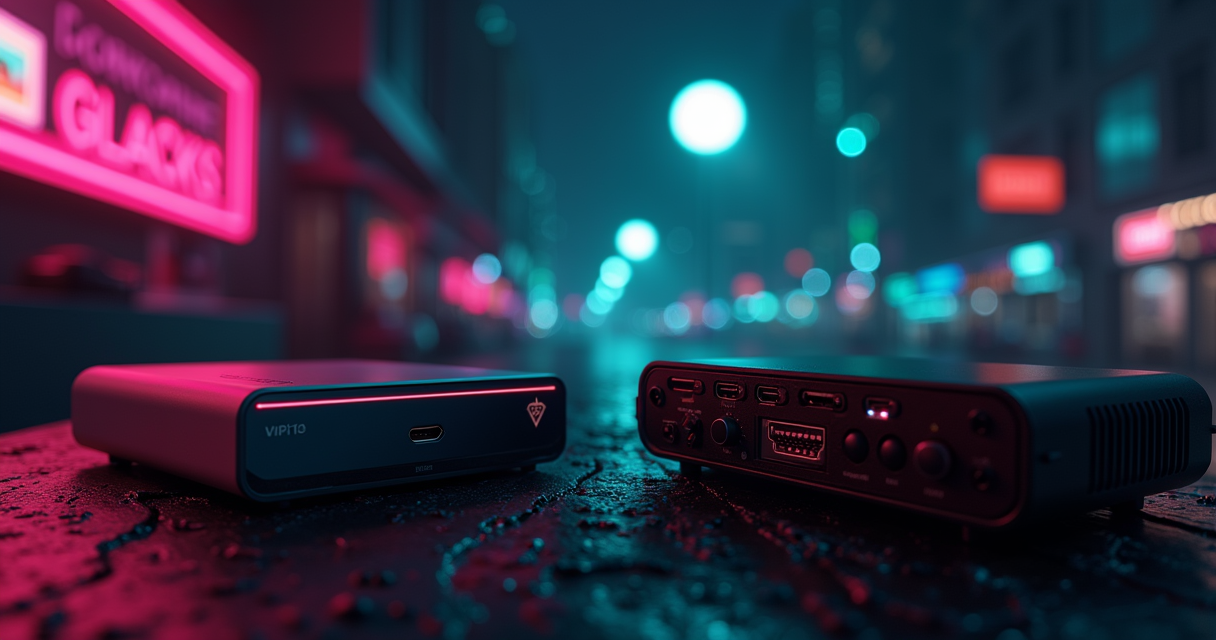
Two handhelds. The same 3.5-inch screen, the same 640×480 panel, a five-dollar gap at the register, and a near-identical silhouette in a coat pocket. On a spec sheet skimmed at arm's length, the Miyoo Mini Plus and the Anbernic RG35XX look like the same product wearing two different shells. They are not. They are two opposite answers to the same question — what is a budget vertical handheld actually for? — and the five dollars between them is the cheapest summary of that disagreement you will find anywhere.
The short version, before we spend the next several thousand words earning it: the Miyoo Mini Plus wins on battery life and Wi-Fi. The RG35XX wins on HDMI output and a more capable GPU for shaders. Everything else is a tiebreaker, a footnote, or a Plus-model asterisk. If you want the table-and-verdict and nothing else, skip to the bottom. If you want to understand why the recommendation lands where it does — and why the answer flips depending on who you are — stay here.
The $5 That Buys a Philosophy
Both of these devices exist because emulation got cheap enough that a competent vertical handheld stopped being a $200 enthusiast object and became an impulse buy. They are sold from the same Shenzhen industrial corridor, run the same family of community firmware, and chase the same buyer: someone who wants a Game Boy that can also be a SNES, a PS1, and a podcast of nostalgia in their palm. But they were built by different companies, in different years, around different bets.
Two makers, two release windows
The Miyoo Mini Plus is the older device. It was released in November 2022 by Miyoo, a brand operating under the Shenzhen company FunKey. In the 2025–2026 market it is, in handheld-release terms, a veteran — its firmware is mature, its quirks are documented, and its community is large and loud. The Anbernic RG35XX arrived later, in late 2023, from Shenzhen Anbernic Digital Technology Co., Ltd. — a far bigger and more prolific hardware house that ships new SKUs at a cadence that borders on parody. That release-date gap matters: the RG35XX was Anbernic's deliberate answer to the Miyoo's success, and it shows in where the two devices chose to differ.
The base model and the Plus-shaped asterisk
Before we go further, the single most important caveat in this entire comparison: there are two RG35XX devices, and conflating them will ruin your purchase. The base RG35XX (late 2023) uses a micro-USB port, has no Wi-Fi, no Bluetooth, and 256MB of RAM. The RG35XX Plus, released in Q2 2024, is a different machine wearing the same body — USB-C, Bluetooth 4.2, Wi-Fi 5, 1GB of LPDDR4 RAM, and a quad-core Allwinner H700 with a real GPU. When a forum thread tells you the RG35XX "does N64 fine," check which one they own. We will keep the distinction explicit throughout, because in 2026 it is the difference between a fair fight and a blowout.
What the five dollars actually represents
As of June 2026, the Miyoo Mini Plus retails for $59.99 and the base RG35XX for $64.99. That $5.00 delta is not random markup — per Polygon's budget-handheld coverage, it broadly tracks the RG35XX's added HDMI capability. You are, in effect, paying five dollars for a video-out port and a slightly beefier processor, and giving up Wi-Fi and roughly two hours of battery to get it. Whether that's a good trade is the whole article.
Specs, Side by Side
Here is the full accounting. Read it once top to bottom, then we'll spend the rest of the piece interrogating the rows that actually change your day.
| Spec | Miyoo Mini Plus | Anbernic RG35XX (base / Plus) |
|---|---|---|
| Released | November 2022 | Late 2023 / Plus Q2 2024 |
| Maker | Miyoo (under FunKey, Shenzhen) | Anbernic (Shenzhen) |
| Price (June 2026) | $59.99 | $64.99 (base) |
| CPU | 1.2GHz quad-core Cortex-A7 (Allwinner V851) | 1.2GHz Cortex-A9 (Allwinner V853) / H700 quad-core (Plus) |
| GPU / shader accel | No dedicated shader acceleration | Dual-core Mali G31 MP2 (Plus) — shader support |
| RAM | 128MB LPDDR2 | 256MB LPDDR2 / 1GB LPDDR4 (Plus) |
| Battery | 3000mAh — 4–5 hrs | 2100mAh — ~3 hrs |
| Display | 3.5" IPS, 640×480 | 3.5" IPS, 640×480 |
| Charge / data port | USB-C | micro-USB (base) / USB-C (Plus) |
| HDMI output | None | Yes — 480p via top port |
| Wi-Fi | Yes — 2.4GHz | None (base) / Wi-Fi 5 dual-band (Plus) |
| Bluetooth | None | None (base) / 4.2 (Plus) |
| Stock firmware | OnionOS | GarlicOS (based on OnionOS) |
| Save states | Yes — per-core, RetroArch-backed | Yes — per-core, RetroArch-backed |
| Netplay | Yes — over 2.4GHz Wi-Fi | None (base, no radio) / yes (Plus) |
| Practical system ceiling | NES → PS1, some N64 via Onion | NES → PS1 (base); up to Dreamcast (Plus) |
| Chassis | 16mm at top, no chin | Thicker, bottom "chin" |
| D-pad / shoulders | Accurate D-pad, clean diagonals | Shoulder buttons less responsive, prone to slip |
The rows that are identical
Start with what doesn't differ, because it clears the noise. The screens are the same: a 3.5-inch IPS panel at 640×480 on both. Anyone telling you one "looks sharper" at the panel level is describing a firmware scaling difference or a calibration preference, not hardware. Save states are functionally identical — both lean on RetroArch cores, both give you per-game slots, both let you suspend-and-resume mid-boss. If your only requirement is "NES through PS1, looks crisp, saves anywhere," both devices clear that bar and the rest of this article is about edge cases. For most buyers, though, the edge cases are the purchase.
The rows that decide it
Four rows carry the whole comparison: battery, Wi-Fi, HDMI, and GPU. The Miyoo takes battery and Wi-Fi. The RG35XX takes HDMI and GPU/shaders. Memorize those four and you can reconstruct the verdict for any use case without reading the table again. Everything else — the port, the chin, the D-pad — is a thumb on the scale, not the scale itself.
The asterisk row
Note the slashes in the RG35XX column. Nearly every Anbernic spec that looks weak gets fixed in the Plus, and the Plus is the model most 2025–2026 buyers actually purchase. The base RG35XX's micro-USB port and missing radio are, in practical terms, legacy specs — relevant only if you find a base unit cheap. We're keeping both visible because the price difference between base and Plus is real, but if you're buying Anbernic new today, you're almost certainly buying the Plus, and the Plus is a meaningfully better machine than the base table row suggests.
Silicon: Cortex-A7 vs A9
The processor comparison is where the two devices' philosophies first show up in the die. Both base machines clock at 1.2GHz. That number is a trap — it tells you almost nothing, because they're running different ARM microarchitectures with different strengths.
Cortex-A7 (Miyoo) vs Cortex-A9 (RG35XX)
The Miyoo Mini Plus runs a 1.2GHz quad-core ARM Cortex-A7 on an Allwinner V851. The base RG35XX runs a 1.2GHz Cortex-A9 on an Allwinner V853. On paper the A9 is the "faster" core design — it's an out-of-order architecture where the A7 is in-order — but the Miyoo's A7 carries two advantages that matter for a battery-bound handheld: better power efficiency per clock, and hardware integer division instructions that several emulator cores lean on. The net result is closer than the architecture names suggest. The A9 has a raw-throughput edge; the A7 spends less of its battery getting comparable work done. Neither is going to embarrass the other inside the NES-to-PS1 envelope where these devices live.
The memory gap: 128MB vs 256MB
RAM is the cleaner win, and it goes to Anbernic. The base RG35XX ships 256MB of LPDDR2 against the Miyoo's 128MB of LPDDR2 — double. For 8- and 16-bit systems that headroom is irrelevant; a SNES core would be comfortable in a fraction of either figure. Where it starts to bite is PS1 with heavy save states, RetroArch with large shader chains loaded, and anything pushing toward the upper system ceiling. The Miyoo's 128MB is the quieter constraint behind several of its "struggles with N64" reports — it's not only the CPU, it's that there's simply less room to work in.
The Plus changes the conversation entirely
And then the RG35XX Plus walks in and makes the A7-vs-A9 debate academic. The Plus drops the V853 for a quad-core Allwinner H700 with a real dual-core Mali G31 MP2 GPU, and pairs it with 1GB of LPDDR4 — eight times the Miyoo's memory, on a faster memory standard. That is not a tweak; it's a different performance class. The H700 is what lets the Plus reach toward Dreamcast where the Miyoo tops out around PS1. If raw capability is your axis, the Miyoo doesn't have an answer to the Plus, because the Plus stopped competing on the same tier. For deeper RetroArch core tuning on either platform, our RetroArch cores walkthrough covers which cores are worth loading on memory-constrained hardware.
Battery: The Miyoo's 50% Lead
If the GPU is Anbernic's trump card, the battery is Miyoo's, and it is the single most underrated spec in the budget-handheld category. People obsess over emulation ceilings and ignore the number that actually governs whether the device gets used.
3000mAh vs 2100mAh — and what it buys
The Miyoo Mini Plus carries a 3000mAh cell. The base RG35XX carries 2100mAh. In real use that translates to roughly 4–5 hours on the Miyoo against ~3 hours on the Anbernic — call it a 50% advantage, and it is consistent across the documentation. Part of that is the bigger battery and part is the Cortex-A7's efficiency working in concert with it. Whatever the breakdown, the lived experience is that the Miyoo is the one you can take on a flight, a commute, or a long couch session without rationing.
Why two hours is a category difference, not a footnote
Two hours sounds minor until you map it onto how these devices get used. A 3-hour handheld is a "play until you're somewhere you can charge" device. A 4–5 hour handheld is a "forget the charger exists today" device. That psychological line — does the battery anxiety enter the session or not — is exactly where Polygon's coverage landed when it singled the Miyoo out, and it's why battery, not benchmarks, is the spec most repeat buyers cite. The Miyoo crosses the line; the base RG35XX sits just under it.
Charging the gap back: ports and the Plus
Anbernic's counter is partly architectural. The base RG35XX's micro-USB port is the single most dated thing about it in 2026 — a connector most buyers stopped owning cables for years ago. The RG35XX Plus fixes this with USB-C, matching the Miyoo, which used USB-C from the start. But the Plus does not close the battery gap; pushing an H700 and a real GPU costs power, and the Miyoo's efficiency lead persists. Anbernic's answer to endurance isn't a bigger battery — it's HDMI, so you can dock the thing to wall power and a TV. Which brings us to the actual fork in the road.
Wi-Fi vs HDMI: The Defining Split
This is the section that should decide your purchase. Strip away the CPU trivia and the chin debate, and the Miyoo-vs-RG35XX choice reduces to one question: do you want your handheld to talk to a network, or to a television? Because the base devices each pick exactly one, and refuse the other.
The Miyoo's Wi-Fi case
The Miyoo Mini Plus includes 2.4GHz Wi-Fi. The base RG35XX includes none. That radio is not a checkbox — it's what enables online multiplayer (netplay), over-the-air ROM transfers, cloud-style save syncing, and on-device scraping of box art and metadata without yanking the SD card. For anyone who has spent an evening fighting a microSD reader to add five games, on-device Wi-Fi transfer is the kind of quality-of-life feature you don't appreciate until you've had it. The Miyoo's Wi-Fi also makes it the better networked-retro machine outright — if you want to play Street Fighter against a friend across town over netplay, the base RG35XX physically cannot, and the Miyoo can.
The RG35XX's HDMI case
The RG35XX's reply is a port the Miyoo doesn't have at all: HDMI output at 480p, via a connector on the top edge, straight to a TV or monitor. The Miyoo Mini Plus has no HDMI output whatsoever — it is a handheld-only device, full stop. For a certain buyer this single port outranks everything else on the table. Plug the RG35XX into a living-room TV, pair a controller, and you have a sub-$70 plug-and-play retro console for the couch. Ars Technica's hardware guide singled the RG35XX out for exactly this — HDMI out plus shader support — as the reason it earns its place over pocketability-first rivals.
You cannot have both — on the base models
The cruelty of the base-model comparison is that these features are mutually exclusive by purchase. Want netplay and wireless transfers? Miyoo, no TV out. Want couch-and-TV play? RG35XX, no network. There is no $60 device here that does both — unless you step up to the RG35XX Plus, which adds Wi-Fi 5 (dual-band 2.4GHz + 5GHz) and Bluetooth 4.2 on top of keeping the HDMI port. The Plus is the only machine in this comparison that refuses the trade-off, and that's a real part of why it commands its price. The Miyoo has no equivalent move; it never grew an HDMI port. If you want comparison shopping beyond these two, our breakdown of the Retroid Pocket 6 versus the Flip 2 covers the tier above, where docking and wireless stop being either-or.
Firmware: OnionOS vs GarlicOS
Hardware sets the ceiling; firmware decides how much of it you actually reach. Here the two devices are closer than their different names imply, because the names share a lineage.
OnionOS on the Miyoo
The Miyoo Mini Plus's defining software asset is OnionOS — a community custom firmware so good that for many buyers it is the reason to own the device. Onion delivers a clean themed interface, deep RetroArch integration, per-system box art, an enormous configurable game library, and the on-device Wi-Fi features that the Miyoo's radio makes possible. It is mature, heavily documented, and actively maintained on the OnionUI GitHub repository, where its issue tracker doubles as the most honest performance log the platform has. Onion is also what unlocks system support the stock OS won't touch — notably, DS compatibility on the Miyoo requires moving to Onion; the stock firmware won't play it.
GarlicOS on the RG35XX
Anbernic's RG35XX runs GarlicOS, and here's the part people miss: GarlicOS is a direct port built on OnionOS, adapted for the RG35XX's hardware by the developer known by the community alias Garlic. So the two devices aren't running rival philosophies — they're running cousins. If you know your way around Onion on a Miyoo, GarlicOS on an Anbernic will feel like the same city with different street signs. The port exists precisely because Onion's design was good enough that the RG35XX community wanted it on Anbernic silicon rather than reinventing the interface.
The shared DNA — and why it eases switching
This shared lineage is the most practical fact in the firmware comparison, because it makes migration between the two devices far less painful than it would be between genuinely unrelated platforms. RetroArch is the common engine underneath both; the menu logic rhymes; save-state conventions line up. It's the reason the migration guide later in this piece is short rather than a hostage situation. Two firmwares, one family tree — and a buyer moving from Miyoo to Anbernic or back is not starting over.
Performance: What Actually Runs
Numbers, with sources. The budget-handheld category is awash in vibes-based performance claims, so let's pin the comparison to what's actually documented across community threads, issue trackers, and maker specs — and be honest about where hard FPS figures don't exist.
The system-ceiling data
The cleanest, best-corroborated performance fact is the system ceiling, and it splits along the base-vs-Plus line. Both the base Miyoo Mini Plus and base RG35XX comfortably handle NES through PS1 — that's the bread-and-butter envelope, and inside it neither device meaningfully struggles. Above PS1 the picture diverges. The base Miyoo Mini Plus struggles with N64 and cannot play DS on its stock OS at all (DS needs Onion). The RG35XX Plus, on the strength of its H700 and 1GB of RAM, reaches up to Dreamcast and handles N64 and PSP via OnionOS — a full system tier beyond where the Miyoo taps out.
Three sources, three angles
The performance consensus triangulates across three documentation types. First, community threads — the r/SBCGaming subreddit and adjacent forums, where the repeated refrain is that battery life and D-pad accuracy keep the Miyoo in pockets long after spec-sheet rivals get shelved. Second, GitHub issue trackers — the OnionUI repository, where the 128MB RAM ceiling shows up as the practical limiter on heavy cores and large shader chains, not the CPU clock. Third, maker and editorial specs — the RG35XX's documented hardware against the Miyoo Mini Plus's, which set the battery and ceiling figures we've been quoting. Where these three agree — battery, ceiling, the DS-needs-Onion quirk — you can trust the claim. Where they'd require invented FPS numbers, we're not going to manufacture them.
Shaders: the GPU's payoff
The one performance axis where the RG35XX wins clearly is visual: shaders. The RG35XX Plus's dual-core Mali G31 MP2 GPU has the headroom to run CRT and scanline shader effects that make old games look the way memory insists they looked. The Miyoo's V851 lacks dedicated shader acceleration, so heavy shader chains are where its 128MB and GPU limits bite hardest. If authentic CRT-curvature-and-scanline output is part of your definition of "playing it right," the Anbernic GPU is doing work the Miyoo simply cannot — and it's the second reason, after HDMI, that Ars Technica favored it for living-room use.
D-Pad, Chin, and Feel
Specs don't reach your thumbs. Ergonomics do, and this is the category where the Miyoo's older design quietly out-points the newer Anbernic.
The D-pad and the diagonal problem
The Miyoo Mini Plus has a genuinely good D-pad — and "good" here means specific: it avoids accidental diagonal inputs in games that punish them, the classic test case being Super Mario Land, where a stray diagonal sends you into a pit. The RG35XX's controls draw the more frequent complaints, particularly its shoulder buttons, which reviewers describe as less responsive and prone to slippage. For platformers and fighting games, where input precision is the whole experience, the Miyoo's directional accuracy is a tangible, repeatable advantage that no spec row captures.
The chin, the thickness, the pocket
Form factor goes to the Miyoo too. Its chassis is 16mm at the top and, crucially, has no bottom chin — the dead strip of plastic below the screen that pads the RG35XX's height. The Miyoo is the more pocketable object: thinner, shorter, the one that disappears into a jacket. The RG35XX's chin isn't purely waste — it gives larger thumbs somewhere to rest — but if "fits anywhere, weighs nothing, always with me" is the brief, the Miyoo wins the silhouette. This is exactly the pocketability Polygon cited.
Build, buttons, and the subjective tier
Both feel like what they are: well-made sub-$70 plastic that punches above its price. Neither is a premium object, and neither pretends to be. The honest summary is that the Miyoo's controls are the safer bet for precision genres, the RG35XX's are perfectly serviceable for everything that isn't twitch-precise, and anyone bothered by the shoulder slippage on the Anbernic can usually live with it once it's broken in. If pad feel is a dealbreaker for you, though, it breaks toward Miyoo.
Five Scenarios, Five Verdicts
The reason "which is better" has no single answer is that the right device is a function of how you'll use it. Here are five concrete buyers, and the call for each.
The commuter and the traveler
Use case 1 — daily commute / air travel. You play in 30-to-90-minute windows, away from outlets, and pocketability is non-negotiable. Verdict: Miyoo Mini Plus. The 4–5 hour battery clears a workday of commutes without a charge, the thinner chin-less body rides in any pocket, and the precise D-pad handles the platformers that fill short sessions. The RG35XX's 3-hour battery and HDMI port are wasted weight in a seat 30,000 feet up.
Use case 2 — the living-room couch. You want old games on the big TV, controller in hand, no PC involved. Verdict: RG35XX (ideally Plus). The HDMI-out at 480p makes it a plug-and-play console; the GPU drives the CRT shaders that make the TV image look right. The Miyoo can't do this at all — no HDMI, no contest.
The networked player and the collector
Use case 3 — netplay and online multiplayer. You want to play co-op or versus with a friend who isn't in the room, or sync saves across devices. Verdict: Miyoo Mini Plus (or RG35XX Plus, never base). The Miyoo's 2.4GHz Wi-Fi enables netplay and cloud-style saves out of the box; the base RG35XX has no radio and physically cannot. Only the RG35XX Plus, with its Wi-Fi 5, matches the Miyoo here.
Use case 4 — the curation-first collector. You care about a big, organized, art-scraped library and a polished interface above all. Verdict: Miyoo Mini Plus. OnionOS plus on-device Wi-Fi scraping makes building and grooming a large library frictionless — see our breakdown of the 6,041-game Miyoo library for what a fully curated setup actually looks like. GarlicOS is excellent, but without the base RG35XX's missing radio, you're back to SD-card shuffling for art.
The maximalist and the gift-giver
Use case 5 — the do-everything maximalist. You want the highest system ceiling, shaders, HDMI, Wi-Fi, and Bluetooth, and the five-dollar argument bores you. Verdict: RG35XX Plus. It's the only device in this comparison that refuses the trade-offs — Dreamcast-tier emulation, HDMI, Wi-Fi 5, Bluetooth 4.2, 1GB RAM. The Miyoo has no answer because the Plus left the $60 tier behind. Bonus — the gift buyer: if you're handing this to someone non-technical, the Miyoo's longer battery and cleaner Onion experience make it the lower-support-burden gift; fewer "it died" and "how do I add games" texts.
What the Community Says
No single reviewer owns the truth here, so here's a spread — publications, the firmware developers themselves, and the community consensus that forms in the threads where people actually use these things.
The publications
Polygon placed the Miyoo Mini Plus among its 2024 best budget retro handhelds, and the reasoning was specifically pocketability and battery life — the two axes where, as we've seen, the Miyoo's lead is measurable rather than aesthetic. Ars Technica, in its 2023 hardware guide, went the other way and highlighted the RG35XX for its HDMI output and shader support — the two axes where Anbernic's silicon does work the Miyoo's can't. Read together, the two outlets aren't contradicting each other; they're describing the exact fork this article keeps returning to. Each publication picked the device that matched its imagined buyer.
The developers
The firmware authors are their own kind of expert witness. The position the GarlicOS developer Garlic effectively argues by shipping the port is that Onion's design was good enough to be worth carrying onto Anbernic hardware wholesale rather than rebuilding — a quiet endorsement of the Miyoo's software lineage even on a rival device. Meanwhile the OnionUI maintainers, in their issue tracker, are candid that the Miyoo's 128MB ceiling, not its clock speed, is the constraint that defines its upper limits — the most honest engineering admission either platform offers, and one that explains the N64 struggles better than any benchmark.
The community consensus
And then there's the crowd. The recurring verdict across the budget-handheld community — the r/SBCGaming threads, the long-term owner write-ups, the reviewers who specialize in this tier — is remarkably stable: the Miyoo is the one that stays in pockets because of battery and D-pad, while the RG35XX is the one you reach for when you want it on a TV. Community reviewers in the space have consistently flagged the same two things this article has — the Miyoo's clean diagonals and the RG35XX's slippery shoulders — which is what consensus looks like when it's earned rather than asserted. When the publications, the developers, and the forums independently land on the same fork, that's about as close to objective as a $60 plastic gadget gets.
Switching From One to the Other
Because OnionOS and GarlicOS share a family tree, moving between a Miyoo and an RG35XX is more a file-shuffling exercise than a re-learning one. Here's the practical path in both directions, with the caveats that actually trip people up.
The shared structure that makes it easy
Both firmwares organize the microSD card around per-system ROM folders and lean on RetroArch underneath, so your ROM library is largely portable as-is. The two things that don't auto-transfer are save states (tied to specific RetroArch core versions — a state saved on one device's core may not load on the other's) and box-art/metadata (scraped per-platform). Plan to keep your battery saves (SRM files — actual in-game saves) and re-scrape art on the destination. Battery saves are the durable asset; save states are the disposable convenience.
Miyoo → RG35XX, step by step
Going from the Miyoo's OnionOS to the RG35XX's GarlicOS:
# 1. Back up the Miyoo SD card first — image the whole thing.
#    On the host machine, copy the mounted card to a safe folder:
MIYOO=/Volumes/MIYOO        # adjust to your mount point
cp -R "$MIYOO/Roms"   ./backup/Roms/
cp -R "$MIYOO/Saves"  ./backup/Saves/    # SRM in-game saves — keep these

# 2. Flash GarlicOS to the RG35XX card per Garlic's release notes.
GARLIC=/Volumes/GARLIC

# 3. Copy ROMs across. Folder names mostly match; verify per system.
cp -R ./backup/Roms/*   "$GARLIC/Roms/"

# 4. Copy battery saves (NOT save-states) into GarlicOS save dirs.
cp -R ./backup/Saves/*  "$GARLIC/Saves/"

# 5. Re-scrape box art on-device (no Wi-Fi on base RG35XX —
#    use the offline scraper or a desktop scraper, then copy art back).
# 6. Eject cleanly, boot the RG35XX, verify one game per system.
RG35XX → Miyoo, and the caveats
The reverse runs the same shape — back up, copy ROMs into Onion's folder structure, copy battery saves, re-scrape — with two direction-specific notes. First, the Miyoo's 2.4GHz Wi-Fi makes the re-scrape step dramatically easier; you can pull art on-device instead of round-tripping through a desktop scraper. Second, mind the system ceiling: if you were running N64, PSP, or Dreamcast on an RG35XX Plus, those titles will not move cleanly to a base Miyoo Mini Plus, which struggles with N64 and tops out around PS1. Leave the heavy systems behind, or you'll spend an evening wondering why a game that ran fine yesterday now chugs. Migration preserves your library; it does not upgrade your silicon.
The Verdict
Two devices, one fork, and a recommendation that depends entirely on which side of the fork you live on. Here's the data-backed call, with the pros and cons laid bare for each.
Pros and cons, Miyoo Mini Plus
| Miyoo Mini Plus — Pros | Miyoo Mini Plus — Cons |
|---|---|
| 4–5 hr battery (3000mAh) — ~50% longer | No HDMI output — handheld only |
| 2.4GHz Wi-Fi — netplay, transfers, cloud saves | 128MB RAM caps heavy cores / shaders |
| USB-C from day one | No dedicated shader acceleration |
| Accurate D-pad, clean diagonals | Struggles with N64; DS needs Onion |
| Thinner, no chin — most pocketable | No Bluetooth — no wireless pads |
| $59.99 — $5 cheaper; mature OnionOS | System ceiling ~PS1 |
Pros and cons, RG35XX
| RG35XX — Pros | RG35XX — Cons |
|---|---|
| HDMI out (480p) — plug into any TV | ~3 hr battery (2100mAh) — shortest here |
| 256MB RAM (1GB LPDDR4 on Plus) | Base model: no Wi-Fi, no netplay |
| Mali G31 GPU (Plus) — real shader support | Base model: micro-USB port |
| Plus reaches Dreamcast / N64 / PSP | Shoulder buttons less responsive, slip-prone |
| Plus adds Wi-Fi 5 + Bluetooth 4.2 | Thicker, has a chin — less pocketable |
| GarlicOS — Onion-based, polished | $64.99 base; Plus costs more again |
The data-backed recommendation
For the majority of buyers — people who play in pockets, on commutes, in bed, away from outlets — the answer is the Miyoo Mini Plus at $59.99. The two specs that govern whether a handheld actually gets used, battery and pad accuracy, both go to the Miyoo, and the Wi-Fi makes living with it easier. Polygon reached this conclusion; the community reaches it daily. It's $5 cheaper and it's the device you'll still be carrying in a year.
Buy the RG35XX instead if, and only if, HDMI is a real requirement — if "play on the TV" is part of the plan, the Miyoo is disqualified on hardware and the conversation is over. And if you want it all and the budget tier doesn't constrain you, the RG35XX Plus is the genuine do-everything pick: Dreamcast-tier power, HDMI, Wi-Fi 5, Bluetooth, 1GB RAM — the one machine here that refuses every trade-off, at a price that reflects it. The Miyoo never grew an answer to it, and that's fine, because the Miyoo was never trying to be it. One is the best pocket; the other is the best couch. Pick the room you actually play in. If neither pocket nor couch is quite enough, the next tier up — the save-state-rich Analogue 3D and the Retroid line — is where the no-compromise money goes.
Questions the search bar asks me
- Is the Miyoo Mini Plus or RG35XX better in 2026?
- For most buyers, the Miyoo Mini Plus at $59.99 — it wins on battery (4–5 hrs vs ~3 hrs) and includes 2.4GHz Wi-Fi for netplay. Choose the RG35XX ($64.99) only if you need HDMI output to a TV, which the Miyoo lacks entirely.
- Does the RG35XX have Wi-Fi like the Miyoo Mini Plus?
- The base RG35XX has no Wi-Fi at all, so no netplay or wireless transfers. Only the RG35XX Plus (Q2 2024) adds Wi-Fi 5 dual-band plus Bluetooth 4.2. The Miyoo Mini Plus has had 2.4GHz Wi-Fi since launch.
- Can the Miyoo Mini Plus output to a TV via HDMI?
- No. The Miyoo Mini Plus has no HDMI output and is handheld-only. The RG35XX outputs 480p HDMI via a top port, which is the main reason it costs $5 more and the reason Ars Technica favored it for living-room use.
- What's the difference between the RG35XX and RG35XX Plus?
- The Plus (Q2 2024) swaps micro-USB for USB-C, adds Wi-Fi 5, Bluetooth 4.2, a Mali G31 GPU for shaders, and 1GB LPDDR4 RAM (vs 256MB), and reaches Dreamcast/N64/PSP. The base RG35XX has none of those and tops out near PS1.
- Can I move my games and saves from a Miyoo to an RG35XX?
- Mostly yes — OnionOS and GarlicOS share a RetroArch-based structure, so ROM folders transfer directly. Battery saves (SRM) copy across, but save states tied to specific core versions and scraped box art usually need redoing on the new device.

Casey writes about speedrunning, tool-assisted runs, and the strange engineering of going fast in old games. Every post under this byline is reviewed pre-publish by Sam P., Editor & Operator — corrections to info@instalinkoteam.com. Published 2026-08-29 · Last updated 2026-08-29. Full bios on the author page.