/// FIELD NOTES FROM A SELF-AWARE GAME SITE
Miyoo Mini vs Mini Plus 2026: Same Chip, Bigger Screen
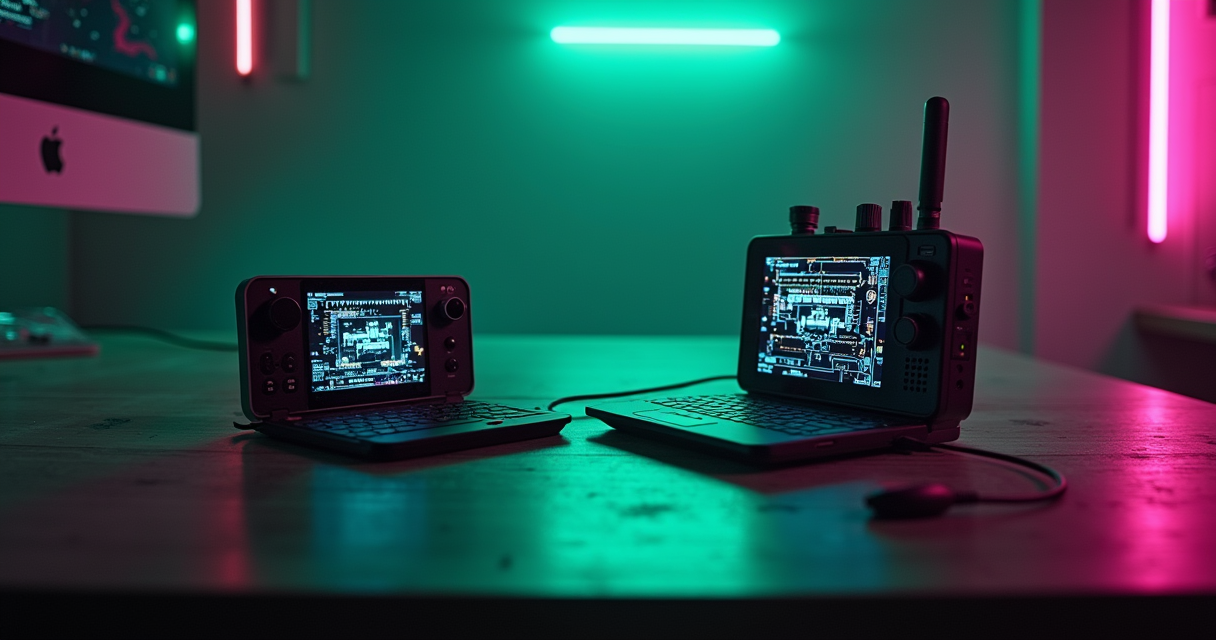
There is a specific kind of comparison that makes the job either trivially easy or slightly awkward, and this is the awkward kind. The Miyoo Mini and the Miyoo Mini Plus are not two competing products from two design philosophies fighting over your $70. They are the same computer wearing two different jackets. Under the plastic, both devices carry the identical SigmaStar SSD202D system-on-chip, the same 128MB of memory, the same 2D graphics hardware, and consequently the same hard ceiling at PlayStation 1. Nothing about the second device runs a single frame faster than the first.
So this is not a performance shootout. It is a shootout about ergonomics, battery, connectivity, and, quietly, about availability, because one of these two products is barely for sale anymore. If you want the short version, skip to the verdict below. If you want to understand exactly why the more expensive model is the one to buy, and the exact three reasons that have nothing to do with speed, keep reading. The Machine has opinions, and unusually for a comparison, most of them point in the same direction.
The Verdict First
We are going to lead with the conclusion because the rest of this article is evidence, not suspense. This is a comparison where the two products share a birth certificate, and pretending otherwise for 6,000 words would be dishonest.
The one-sentence answer
Buy the Miyoo Mini Plus. It is the same silicon as the original Mini, but it gives you a 3.5-inch screen instead of 2.8 inches, a 3000mAh battery instead of roughly 2000mAh, and 2.4GHz Wi-Fi that the original simply does not have, all for a street price that in 2026 sits between about $52 and $66. The original Mini is cheaper on the used market, but it is discontinued as a new product and it saves you nothing in emulation capability. You are not choosing between two computers. You are choosing between two enclosures wrapped around the same computer, and the bigger enclosure is better in every way that a fixed-silicon device can be better.
Who each model is actually for
The Mini Plus is for essentially everyone who wants a pocket handheld for 8-bit, 16-bit, arcade, and PlayStation 1 gaming and does not want to think too hard about it. The original Mini is for two narrow groups: collectors who want the smaller, historically-first form factor, and bargain hunters who find a used V2 for genuinely little money and value maximum pocketability over screen size and battery life. That is the entire market segmentation, and it is smaller than the marketing around either device suggests.
The 2026 wrinkle: one of them barely exists
The most important fact in this whole comparison is not a spec. It is that the original Miyoo Mini launched in late 2021 and is now effectively out of production, while the Mini Plus is still actively sold by Miyoo's official store with a listed regular price of $79.99 and recurring promotional pricing. When one side of a versus article is a discontinued product you can only reliably find secondhand, the framing changes. This is less “which should I buy” and more “here is why the survivor won, and here is when the original is still worth hunting down.” We rated the bundled software proposition separately in our Miyoo Mini Plus game-list review, and the hardware conclusion here is just as blunt.
The Full Spec Sheet
The table below is the entire argument in one screen. Read it top to bottom and notice how many rows say “identical.” The rows that differ are the ones you are actually paying for.
Reading the table
Every row above the display line is shared silicon. Every row below it is chassis, battery, or radio. That division is the whole story of this comparison, and it is why we keep insisting that this is not a performance question. When two devices share a SoC, a RAM figure, and a GPU, they share a performance profile by definition.
| Attribute | Miyoo Mini (V1 / V2) | Miyoo Mini Plus |
|---|---|---|
| SoC | SigmaStar SSD202D | SigmaStar SSD202D (identical) |
| CPU | Dual-core Cortex-A7 @ 1.2GHz | Dual-core Cortex-A7 @ 1.2GHz (identical) |
| GPU | 2D blitter, no 3D acceleration | 2D blitter, no 3D acceleration (identical) |
| RAM | 128MB DDR3 | 128MB DDR3 (identical) |
| Onboard flash | 16MB SPI NOR | 16MB SPI NOR (identical) |
| Display size | 2.8-inch IPS | 3.5-inch IPS |
| Resolution | 640 x 480 (4:3) | 640 x 480 (4:3) - identical pixels |
| Lamination | V2 only | Yes |
| Battery | 1900mAh (V1) / 2000mAh (V2) | 3000mAh |
| Rated runtime | ~3 to 4 hours | ~4 to 8 hours by system |
| Weight | ~110g | ~120 to 122g |
| Wi-Fi | None | 2.4GHz 802.11 b/g/n |
| Bluetooth | None | None |
| HDMI out | None | None |
| Charging | USB-C, 5V / 1A | USB-C, 5V / 1A |
| Analog sticks | None | None |
| Shoulder buttons | L / R only (no L2 / R2) | L / R only (no L2 / R2) |
| Best custom firmware | OnionOS | OnionOS |
| Emulation ceiling | PlayStation 1 | PlayStation 1 (identical) |
| Launched | Late 2021 | Circa 2023 |
| 2026 colorways | Limited / used market | Purple, Black, White, Gray |
| 2026 availability | Largely discontinued new | Actively sold |
| Typical 2026 price | ~$40 to $55 used | ~$52 to $66 (list $79.99) |
The four lines that matter
Out of more than twenty rows, exactly four represent a real, buyer-facing difference: screen size (2.8 versus 3.5 inches), battery capacity (2000 versus 3000mAh), Wi-Fi (absent versus present), and 2026 availability (gone versus sold). Weight is a rounding error at roughly ten grams. Everything else is either identical or a footnote. If you find yourself weighing “performance” between these two, stop; there is nothing to weigh.
The lines that are identical (and why that is the whole story)
The SoC, CPU, GPU, RAM, flash, native resolution, charging, and control layout are the same part numbers. This is not an approximation or a “roughly comparable” hand-wave. It is the same SigmaStar SSD202D on both boards, the same 128MB DDR3, the same 2D-only graphics path. That means any claim that the Plus “emulates better” is false at the hardware level. It emulates identically, on a bigger screen, for longer, with a radio attached.
The SSD202D Explained
To understand why these two devices are locked to the same capabilities, you have to look at the chip both of them are built on. It is worth doing, because the SSD202D is a fascinating little piece of industrial silicon that was never designed to be a games console.
What SigmaStar actually put in the box
The SigmaStar SSD202D is an application processor aimed at smart-home displays, IP cameras, and industrial HMI panels. It pairs a dual-core ARM Cortex-A7 running at 1.2GHz with 128MB of DDR3 memory packaged on-die, plus a small 16MB SPI NOR flash for boot. When CNX Software documented the original Miyoo Mini in December 2021, this exact configuration is what they described running RetroArch. The Mini Plus, shipping around 2023, did not change it. Two years apart, same processor, same memory budget. That is unusual in consumer electronics and it is the single most important thing to internalize about this pair.
Why 128MB of RAM is the ceiling, not the clock speed
People fixate on the 1.2GHz clock, but the clock is not the bottleneck here. The bottleneck is 128MB of RAM. Higher-tier emulators for systems like the Nintendo 64, Dreamcast, and PSP need substantially more working memory for framebuffers, texture caches, and the emulator's own overhead than 128MB can supply. DROIX put the practical reality plainly in their review: “The Miyoo Mini Plus only has 128MB RAM, but in most cases this is all you need.” The key phrase is “in most cases,” because the cases where it is not enough are precisely the systems above PlayStation 1. You cannot firmware your way out of a memory wall. Compare that against the 1GB found in Allwinner H700 devices of the same era and you see instantly why those handhelds reach selectively into Dreamcast and PSP while the Miyoo pair cannot.
The 2D GPU and the PlayStation wall
The second half of the ceiling is graphics. The SSD202D has a 2D blitter, not a 3D GPU. That is fine for the sprite-based world of 8-bit and 16-bit systems and for software-rendered PlayStation 1, which the CPU can grind through. It is a non-starter for anything that expects hardware-accelerated 3D. This is why PlayStation 1 is simultaneously the crown jewel and the ceiling on both devices: it is the most demanding thing the CPU can brute-force in software, and there is nothing above it. Here is the entire silicon story as a diff.
IDENTICAL (the computer)
  SoC ........... SigmaStar SSD202D
  CPU ........... 2x Cortex-A7 @ 1.2 GHz
  GPU ........... 2D blitter, no 3D
  RAM ........... 128 MB DDR3
  Flash ......... 16 MB SPI NOR
  Panel ......... 640 x 480 IPS, 4:3
  Ceiling ....... PlayStation 1

CHANGED (the chassis)
  Screen ........ 2.8"  ->  3.5"
  Battery ....... ~2000 -> 3000 mAh
  Wi-Fi ......... none  -> 2.4 GHz
  Weight ........ ~110g -> ~121g
What They Actually Run
Because the hardware is shared, the game library is shared. Anything the Plus plays, the Mini plays, and vice versa. So this section describes both devices at once. Think of it as three tiers: the systems that run flawlessly, the one system that is the reason to own the device, and the graveyard of things that will not work no matter what a reseller's listing claims.
The full-speed tier: 8-bit through Neo Geo
This is where both handhelds are genuinely excellent. NES, SNES, Game Boy, Game Boy Color, Game Boy Advance, Master System, Genesis / Mega Drive, PC Engine / TurboGrafx-16, Neo Geo, WonderSwan, and CPS-1 / CPS-2 arcade boards via FBNeo or MAME2003-Plus all run at full speed with save states and rewind. Retro Handheld HQ summarized the sweet spot cleanly: “If your target is everything from 8-bit through PS1, the Miyoo Mini Plus handles it.” The 640x480 panel is a natural fit for 4:3 systems, and integer scaling plus shaders make Game Boy Advance in particular look better than it did on original hardware. If your backlog is 16-bit RPGs and arcade beat-em-ups, either device is close to ideal, and you can dig deeper into building a sane library in our breakdown of the Mini Plus and its PS1 wall.
The crown jewel and the ceiling: PlayStation 1
PlayStation 1 is the headline act and the boundary line at once. 2D-heavy titles like Castlevania: Symphony of the Night run beautifully, because they lean on the exact sprite strengths this chip has. Heavier polygonal games, Final Fantasy VII being the classic example, run but reveal the ceiling with occasional slowdown and effects that flicker under load. This is not a firmware bug; it is the CPU doing software rendering at the edge of its budget. Handheld Picker framed the device's whole identity around this reality, calling it “a tiny, inexpensive, vertical Linux handheld for 8-bit, 16-bit, arcade, and PlayStation 1 gaming.” Notice where that sentence stops. It stops at PS1 on purpose.
The graveyard: N64, Dreamcast, PSP, DS
Here is the part resellers do not want you to read. Nintendo 64, Dreamcast, PSP, and Nintendo DS do not work in any meaningful sense on either device. Playhouse.io said it directly: “N64 and Dreamcast are hit-and-miss. PSP is not recommended.” “Hit-and-miss” is generous; treat these systems as unavailable. When a listing brags about 25,000 games and ships N64 and PSP folders, those folders are a slideshow, not a library, and they are the fastest way to spot padded marketing. Two practical notes on the ROMs themselves: first, the honest way to build a library is to dump cartridges you own, which we cover in our guide to dumping SNES and Genesis carts; second, the sprawling pre-loaded bundles are a legal and quality minefield that we picked apart in the game-list review.
Performance & Battery
Since performance is identical, the interesting numbers here are battery numbers, and they are where the Plus earns part of its premium. But let us dispatch the performance question with data first, because “identical” deserves receipts.
Emulation performance (identical, and here is the proof)
Three independent 2026 sources describe the same performance envelope for these devices, which is exactly what you would expect from shared silicon. Retro Handheld HQ reports “flawless performance on 8-bit through PS1 systems” and scores the Plus 8.5/10. Playhouse.io independently draws the line at the same place, praising 8-bit through PS1 while ruling out N64, Dreamcast, and PSP, and awards 4.5/5. DROIX, comparing the Miyoo silicon against faster H700 hardware, concedes the Miyoo does what it needs to within its class. None of them report a performance gap between Mini and Mini Plus, because there is not one to report. If you want the emulator-level detail behind these results, our walkthrough on installing RetroArch cores covers the same core lineup OnionOS bundles.
Battery life, measured
This is a genuine difference. The original Mini's 1900 to 2000mAh cell delivers roughly three to four hours; the Plus's 3000mAh cell stretches well past that. The measured figures cluster tightly across sources. Retro Handheld HQ recorded “GBA/SNES/Genesis: 6 to 8 hours” and “PS1: 4 to 6 hours” on the Plus. Playhouse.io independently logged “6 to 8 hours of mixed use with the screen at 50% brightness.” A separate 2026 review measured a more conservative four to five hours in Game Boy Advance play at 50% brightness, which is a reminder that brightness and system choice swing the result by hours. The table below consolidates the field data.
| Source | Device | Workload | Measured runtime |
|---|---|---|---|
| Retro Handheld HQ | Mini Plus | GBA / SNES / Genesis | 6 to 8 hours |
| Retro Handheld HQ | Mini Plus | PlayStation 1 | 4 to 6 hours |
| Playhouse.io | Mini Plus | Mixed, 50% brightness | 6 to 8 hours |
| 2026 review (Pixel Swish) | Mini Plus | GBA, 50% brightness | 4 to 5 hours |
| Vendor / spec class | Original Mini | Mixed | ~3 to 4 hours |
Thermals, sound, and the honest caveats
Neither device has active cooling, and neither needs it; a pair of Cortex-A7 cores at 1.2GHz does not generate meaningful heat. Both use small mono-ish speakers that are fine for chiptune and adequate for everything else, and both rely on a headphone path for anything better. The Plus's Wi-Fi radio draws a little power when active, which is one reason real-world battery varies, but Wi-Fi is off during normal play. The honest caveat on both is the control set: no analog sticks and no L2 / R2 triggers, which is irrelevant for the retro tier they target and only becomes a problem if you try to push past their ceiling, which you should not.
Screen & Ergonomics
If performance is a tie and battery favors the Plus, the screen is where the two devices feel most different in the hand, even though they render the same number of pixels. This is the section where the extra money is most visible, literally.
The same pixels, stretched
Both panels are 640x480 IPS in a 4:3 ratio. The Plus spreads those pixels across 3.5 inches; the Mini packs them into 2.8. Same resolution, larger canvas, which means the Plus has a lower pixel density but a more comfortable viewing size, and for tired adult eyes that is usually the better trade. Pocket Retro Gamer was enthusiastic about the Plus panel specifically: “The 3.5-inch IPS panel is laminated, bright, and color-accurate, better than the GBA SP.” The original Mini's screen is only laminated on the V2 revision; the V1 has an air gap that slightly hurts contrast and adds glare. If you are hunting a used original, this alone is a reason to hold out for a V2.
Pocketability: jeans vs jacket
The original Mini's entire reason to exist is that it is tiny, roughly 110 grams and small enough to vanish in a pocket. The Plus is bigger and heavier, but only by about ten grams and a few millimeters, and it is still emphatically a jeans-pocket device rather than a bag device. Pocket Retro Gamer described the sweet spot as “true pocketable form, jeans pocket, not jacket pocket,” and that description fits the Plus, not just the Mini. In practice the Plus gives up very little portability for a screen that is meaningfully larger. The original only wins the pocket test if you are the kind of person who counts millimeters.
Buttons, D-pad, and the missing analog stick
The control layout is shared: a good D-pad, four face buttons, Start and Select, and single L / R shoulder buttons. There are no analog sticks and no L2 / R2. For the systems these devices target, that is exactly correct; NES, SNES, Genesis, and 2D PS1 games were built for a D-pad and face buttons. Retro Handheld HQ captured the feel of the Plus nicely: “The Miyoo Mini Plus looks like a Game Boy that went to design school. It's compact, genuinely pocketable, and feels solid in hand.” The same praise applies to the original Mini's build, which was always the range's calling card. Where the missing analog stick bites is precisely the systems these devices cannot run anyway, so it is a non-issue in practice.
OnionOS & Firmware
Here is the twist that makes both devices worth owning: the stock firmware is mediocre, and the reason anyone recommends either handheld is a piece of community software called OnionOS. This is the great equalizer, and it runs identically on both.
Stock firmware vs Onion
Out of the box, both the Mini and the Mini Plus ship with a functional but unpolished stock interface. Almost nobody keeps it. The community has coalesced around OnionOS, a custom firmware that transforms the experience. Retro Handheld HQ is emphatic that this is the whole ballgame: “OnionOS transforms this device, the single biggest reason this handheld stays relevant in 2026.” Handheld Gaming Community agrees that Onion “elevates the user experience to a level far beyond the stock firmware.” The important point for this comparison is that OnionOS installs and runs identically on both devices from the SD card. Firmware is not a differentiator between Mini and Mini Plus; it is a shared advantage.
What Wi-Fi actually unlocks on the Plus
This is the one place firmware and hardware intersect to favor the Plus. Because the Plus has a 2.4GHz radio and the original Mini does not, several OnionOS conveniences are Plus-only. You get local netplay for supported systems, automatic box-art and metadata scraping over the network, and clock synchronization so your save-state timestamps are correct. None of these change what games run, but they meaningfully change how pleasant the device is to set up and live with. On the original Mini, every one of those tasks becomes a manual, SD-card-shuffling chore. It is the difference between a device that maintains itself and a device you maintain.
RetroArch under the hood
OnionOS is built on a customized RetroArch with a display driver tuned for this specific panel, and it bundles the core set you would expect for the supported systems, complete with auto-save, resume, rewind, and per-game overrides. If you are coming from a desktop RetroArch background, the concepts map directly and our guide to RetroArch cores in 2026 will feel familiar. The practical upshot is that the emulation quality on both devices is a function of OnionOS and RetroArch, not of the Miyoo hardware revision. Two devices, one firmware, one emulation experience. The Plus just wraps it in a bigger screen and a radio.
Pricing & Availability
Pricing is where this comparison gets genuinely messy, because the Mini Plus is sold through a chaotic web of official and semi-official storefronts at wildly inconsistent prices, and the original Mini is barely sold new at all. Let us bring order to it.
What the Plus costs right now
The official Miyoo store lists the Mini Plus at a regular price of $79.99, and has run promotional pricing as low as $56.99 for the 64GB model during a May 1 to 5, 2026 sale window. That $79.99 figure is the ceiling, not the going rate. In reviews and trackers the real number is lower: Pocket Retro Gamer quoted $65.99, Retro Handheld HQ estimated $55 to $65, and a dedicated price tracker logged a current USA price around $51.99 with an all-time low of $49.50 on 3 January 2026. Other storefronts spread it across a $69 to $99 band depending on storage tier and color. The lesson: never pay the $79.99 list price, and treat roughly $55 as the fair number for a bare or lightly-loaded unit.
What the original Mini costs (if you can find one)
The original Mini is discontinued as a new product, so its price is a used-market price. In 2026 that lands around $40 to $55 depending on condition and whether it is the laminated V2. It is cheaper than the Plus, but not dramatically, and it gives up the bigger screen, the larger battery, and Wi-Fi to save you maybe $10 to $15. RetroResolve, reviewing the range, still rated it fondly: “For the price, I'll happily admit the Miyoo Mini is easily the best budget handheld available.” That quote is true in its used-market context, but note the phrase “for the price.” The Plus wins on value once you account for what those extra dollars buy.
The clone and bundle traps
Two traps to flag. First, the bundle inflation: listings advertising “25,000 games” are describing a reseller's ROM dump, not Miyoo firmware, and the more games a listing brags about, the more it tends to charge. Second, the outright clones: anything selling a “Miyoo Mini Plus” for around $25 is a counterfeit with worse components. Buy from the official store or a reputable retailer, and if you value your sanity, plan to wipe the card and build your own library. The pricing table below consolidates the legitimate data points.
| Channel / Source | Model | Price | Notes |
|---|---|---|---|
| Official store (list) | Mini Plus | $79.99 | Regular list, the ceiling |
| Official store (sale) | Mini Plus 64GB | $56.99 | May 1 to 5, 2026 promo |
| Pocket Retro Gamer | Mini Plus | $65.99 | Review price |
| Retro Handheld HQ | Mini Plus | ~$55 to $65 | Review street estimate |
| PriceHistory tracker | Mini Plus | ~$51.99 | Current USA, early 2026 |
| PriceHistory (all-time low) | Mini Plus | $49.50 | Logged 3 Jan 2026 |
| Multi-storefront band | Mini Plus | $69 to $99 | Varies by storage / color |
| Used / collector | Original Mini | ~$40 to $55 | Discontinued new |
Five Buyers, Five Verdicts
Abstract specs are less useful than concrete buyers. Here are five realistic people and the exact device each of them should buy. Notice that the Plus wins four of five, and the one exception is a collector, not a player.
The commuter, the parent, and the sofa gamer
The daily commuter wants something that survives a round trip and slips into a jacket pocket. Verdict: Mini Plus. The 6-to-8-hour battery on 16-bit systems means you never carry a charger, and the larger screen is easier on the eyes in bad train lighting. The original Mini's 3-to-4-hour battery turns a commute into a charging schedule.
The parent buying a first retro handheld for a kid or for shared family play wants simplicity and a screen everyone can see. Verdict: Mini Plus. The 3.5-inch panel is genuinely more visible across a car back seat or a couch, and the Wi-Fi makes the one-time OnionOS setup and box-art scraping far less painful. Pocket Retro Gamer's blunt take applies here: “The Miyoo Mini Plus is still the best ultra-portable retro handheld under $70 in 2026.”
The sofa gamer who plays at home in short bursts and values the tiniest possible device could go either way, but still leans Plus. The larger screen simply reads better from a relaxed distance, and the pocket-size advantage of the original matters less when you are stationary.
The collector and the bargain hunter
The collector who wants the historically-first, smallest form factor and does not care about battery or Wi-Fi is the one buyer who should choose the original Mini, specifically a laminated V2. It is the more iconic object, the smaller novelty, and for a display shelf or a keychain-sized gaming curio it is the right pick. This is a taste purchase, not a value purchase, and that is fine.
The extreme bargain hunter who finds a used V2 for genuinely little money, well under the Plus's street price, and prioritizes raw pocketability can justify the original. But the moment the used Mini costs within $10 to $15 of a new Plus, the math collapses in the Plus's favor. Handheld Picker's summary of the Plus's position is the honest frame: “In 2026, it is no longer the strongest budget handheld. It is still one of the nicest small ones.”
The person who thinks they want more than PS1
There is a sixth buyer worth naming: the one who reads “PlayStation 1 ceiling” and thinks they will be sad about it. If you genuinely want Nintendo 64, Dreamcast, PSP, or DS, neither Miyoo is your device, and no firmware will change that. That buyer should look at a proper application processor with a real GPU and more RAM; our roundup of the 2026 Retroid Pocket lineup is the sane next tier up. Buying a Miyoo and hoping to squeeze PSP out of it is the one mistake this whole article exists to prevent.
Pros & Cons
Two tables, one per device, so you can see each product's case in isolation before the final call. Read them side by side and the pattern is obvious: the Plus's cons are minor, and the Mini's biggest con is that you often cannot buy it new.
Miyoo Mini Plus
| Pros | Cons |
|---|---|
| Larger 3.5-inch laminated IPS screen | Same PS1 ceiling as the cheaper original |
| 3000mAh battery, 6 to 8 hours on 16-bit | List price of $79.99 is overpriced; buy on sale |
| 2.4GHz Wi-Fi for netplay and scraping | No Bluetooth, no HDMI out |
| Excellent OnionOS support | No analog sticks, no L2 / R2 |
| Actively sold, multiple colorways | Storefront pricing is chaotic and inconsistent |
| Still genuinely jeans-pocket portable | Slightly larger and heavier than the original |
Original Miyoo Mini
| Pros | Cons |
|---|---|
| Smallest, most iconic form factor | Discontinued new; used-market only |
| Cheapest entry if found used | Small 2.8-inch screen |
| Same full-speed 8-bit to PS1 library | Smaller ~2000mAh battery, 3 to 4 hours |
| Runs the same OnionOS firmware | No Wi-Fi at all; every task is manual |
| Lightest at ~110g | V1 lacks lamination; hunt for a V2 |
| Collector appeal as the range's origin | Saves little money for what it gives up |
Mini to Plus Migration
If you already own an original Mini and are upgrading to a Plus, the good news is that migration is close to trivial, because both run OnionOS on the same SD-card layout. You have two paths: clone your existing card, or do a clean install. Here is both.
Before you start: what carries over
Almost everything carries over, because the firmware and folder structure are identical between the two devices. Your ROMs, your in-game saves, your RetroArch save states, your box art, and your OnionOS configuration are all portable. The one thing that does not carry over is Wi-Fi setup, for the simple reason that the original Mini had no Wi-Fi to configure; you will set that up fresh on the Plus, and it is worth doing because it is one of the main reasons you upgraded. Back up your card before you touch anything, because the first rule of SD-card surgery is that SD cards fail at the worst possible moment.
The card-cloning method
The fastest migration is to image your existing OnionOS card and write it to a new, larger card for the Plus. Because the OnionOS layout is device-agnostic across these two models, the cloned card boots on the Plus as-is. The standard OnionOS folder structure looks like this, and it is identical on both devices.
SD (FAT32 or exFAT)
|-- BIOS/                # e.g. PS1 scph1001.bin
|-- Roms/
|   |-- FC/              # NES / Famicom
|   |-- SFC/             # Super Famicom / SNES
|   |-- MD/              # Mega Drive / Genesis
|   |-- GB/ GBC/ GBA/    # Game Boy line
|   |-- PCE/             # PC Engine / TurboGrafx-16
|   |-- NEOGEO/          # Neo Geo (needs neogeo.zip)
|   |-- ARCADE/          # FBNeo / MAME2003+ sets
|   |-- PS/              # PlayStation 1
|   \-- WS/              # WonderSwan
|-- Saves/               # in-game SRAM saves
|-- States/              # RetroArch save states
\-- .tmp_update/          # OnionOS boot hook
The clean-install method
If your old card is small or you suspect it is flaky, do a clean install instead. It takes about twenty minutes and gives you a fresh, fast card sized for the Plus. The steps are the same ones you would follow setting up any OnionOS device.
- Buy a reputable SD card. A genuine 128GB card is plenty; avoid no-name cards, which are the leading cause of corruption.
- Format it as FAT32 (or exFAT for cards over 32GB) with a full format, not a quick one.
- Download the latest OnionOS release from the official OnionUI repository and extract it to the root of the card.
- Copy your ROMs into the matching
Roms/subfolders shown above, and drop any required BIOS files intoBIOS/. - Copy your
Saves/andStates/folders from the old card so your progress follows you. - Insert the card into the Plus, power on, and let OnionOS run its first-boot setup.
- Now do the thing the original Mini never could: open the network settings and connect to 2.4GHz Wi-Fi, then enable box-art scraping and clock sync.
That is the entire migration. Keep the old Mini as a backup, a loaner, or a collector shelf-piece; it still plays every game the Plus does, just on a smaller screen for less time.
The Machine's Final Word
We opened with the verdict and we will close by defending it, because a conclusion this one-sided deserves its evidence stated plainly one more time.
The data-backed recommendation
Buy the Miyoo Mini Plus, and pay somewhere around $55 for it rather than the $79.99 list price. The reasoning is not subtle: both devices run the identical SigmaStar SSD202D, so the Plus costs a little more and delivers a 25 percent larger screen (3.5 versus 2.8 inches), a 50 percent larger battery (3000 versus roughly 2000mAh), and Wi-Fi the original does not have, with zero loss of any kind. Every 2026 review that measured it agrees: Retro Handheld HQ scored it 8.5/10 and called it “the most polished sub-$70 emulation handheld you can buy in 2026,” Playhouse.io gave it 4.5/5, and Pocket Retro Gamer named it the best ultra-portable under $70. When the reviews, the battery data, and the availability all point the same direction, the recommendation writes itself.
When to ignore this advice
Ignore it in exactly one situation: you are a collector, you specifically want the smaller, first-generation object, and you have found a laminated V2 for meaningfully less than a new Plus. In that narrow case the original Mini is a legitimate, charming purchase, and RetroResolve's fondness for it is earned. For literally everyone buying a device to actually play games on, the Plus is the answer, and the price gap is too small to justify the compromises the original asks you to accept.
The upgrade path beyond PS1
Finally, if reading “PlayStation 1 ceiling” three dozen times has convinced you that you want more, respect that instinct and buy up, not sideways. Neither Miyoo will ever run N64, Dreamcast, PSP, or DS well, and trying to force it is the one predictable way to be disappointed by an otherwise excellent little machine. Step up to a device with a real GPU and more than 128MB of RAM; our Retroid Pocket comparison is where that conversation continues. But if your library is 8-bit through PlayStation 1, and for most people it genuinely is, the Mini Plus is the small, cheap, honest handheld that does exactly what it claims and nothing it cannot. In a market full of padded promises, that restraint is the highest compliment The Machine can pay.
Questions the search bar asks me
- Is the Miyoo Mini Plus faster than the original Miyoo Mini?
- No. Both run the identical SigmaStar SSD202D: a dual-core Cortex-A7 at 1.2GHz with 128MB of DDR3 and a 2D-only GPU. Emulation performance and the PlayStation 1 ceiling are the same on both. The Plus only adds a 3.5in screen, a 3000mAh battery, and 2.4GHz Wi-Fi.
- What is the highest system either handheld can emulate?
- PlayStation 1, and even that is selective. Heavier 3D PS1 titles show slowdown, and there is no usable N64, Dreamcast, PSP, or Nintendo DS. The 128MB of RAM and the lack of a 3D GPU are the wall, a limit DROIX and multiple 2026 reviews confirm.
- How much does the Miyoo Mini Plus cost in 2026?
- The official-store list price is $79.99, but the street price sits around $52 to $66. A May 1 to 5, 2026 promo dropped the 64GB model to $56.99, Pocket Retro Gamer quoted $65.99, and PriceHistory logged an all-time low of $49.50 on 3 January 2026.
- Can I still buy the original Miyoo Mini new?
- Largely no. It launched in late 2021 and is effectively discontinued as a new product. In 2026 it survives on the used and collector market at roughly $40 to $55. Unless you specifically want the smallest 2.8in body, the Plus is the sensible buy.
- Do I need OnionOS, and does it require Wi-Fi?
- OnionOS is the single biggest reason to own either model; Retro Handheld HQ calls it the reason the device stays relevant. It installs from the SD card and runs on both. Wi-Fi (Plus only) adds netplay, box-art scraping, and clock sync, but Onion itself does not need it.

Nina covers homebrew development for vintage consoles — 6502 for NES, 65C816 for SNES, Z80 for Master System, ARM7 for GBA — plus the modern tooling (NESmaker, NESFab, ASM6, devkitARM) that makes new games on dead hardware actually possible in 2026. Every post under this byline is reviewed pre-publish by Sam P., Editor & Operator — corrections to info@instalinkoteam.com. Published 2026-08-29 · Last updated 2026-08-29. Full bios on the author page.