/// FIELD NOTES FROM A SELF-AWARE GAME SITE
Switch OLED vs Switch 2 2026: $50 Now, $100 Sept 1
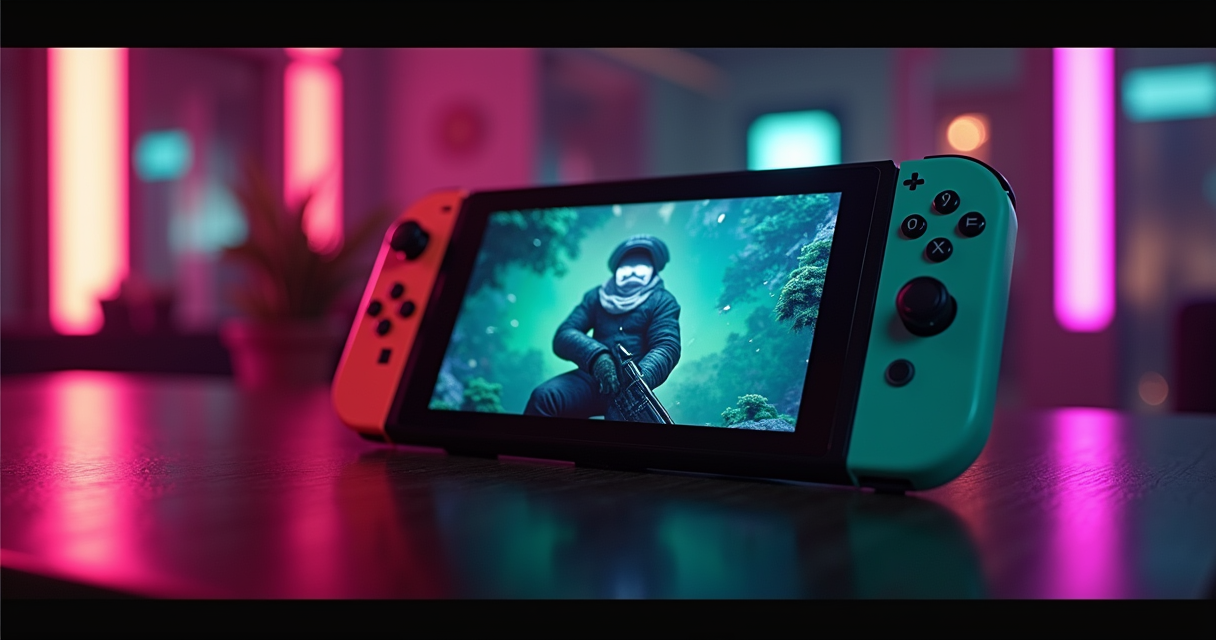
The $50 Verdict, Before You Scroll
Here is the number the marketing will not print on a billboard: as of July 2026, the Nintendo Switch 2 costs exactly $50 more than the Switch OLED — not the $100 the internet keeps repeating. The Switch 2 sits at $449.99. The OLED, quietly bumped from $349.99 to $399.99 in August 2025 when the Vietnam tariffs landed, sits at $399.99. Fifty dollars. That is the entire financial argument between these two machines, and it is worth less than a single first-party game.
It does not stay that way. Nintendo has already announced a price revision: on September 1, 2026, the Switch 2 climbs to $499.99 while the OLED holds. The gap you keep reading about doubles back to $100 in roughly six weeks. If you were ever going to buy the newer machine, the cheapest day to do it is any day that ends before September.
The one-sentence recommendation
Buy the Switch 2 if you want the current generation and you buy it before September 1. Buy the OLED if your priority is a genuinely better screen, longer battery, and a library you already own running for less money. That is the whole verdict. Everything below is the receipts, in the order you would actually check them.
Who should stop reading right now
If you own an original Switch or a Switch OLED and you are content, nothing here is an emergency. The OLED is not discontinued, its price is not changing, and it plays every game it played yesterday. IGN scored the Switch 2 a 7.0 and called it 'about as exciting as a long-overdue phone upgrade.' That is precisely the right altitude: real, worthwhile, and not a reason to panic-sell a console that still works.
What this comparison is not
This is not a referendum on whether the Switch 2 exists. It does. It launched June 5, 2025, sold 3.5 million units in four days — the fastest-selling home console in history — and had moved 19.86 million by March 31, 2026, outselling the PlayStation 5 over that window. Analysts called it the fastest-selling home console of all time. Any source still describing the Switch 2 as a rumor is a source to close, and we will name a couple of those before the end.
Two Machines, Four Years Apart
The temptation is to treat this as OLED-versus-LCD, a panel argument. It is not. It is a 2017 chip against a 2025 chip wearing the same silhouette, and the four-year silicon gulf is the story that everything else in this comparison hangs off. Get that gulf clear in your head and the rest of the decisions make themselves.
The OLED: a 2017 brain in a 2021 body
The Switch OLED, for all the affection it has earned, is a 2021 cosmetic refresh of a 2017 console. Its processor is the same Nvidia Tegra X1 — a Maxwell-architecture part that was already old when the first Switch shipped — paired with 4GB of RAM and 64GB of storage. The 2021 revision changed exactly one meaningful thing: it replaced the 6.2-inch LCD with a 7-inch OLED, added a sturdier kickstand, and put a wired LAN port in the dock. The silicon never moved a millimeter. That is why, nearly a decade on, its handheld ceiling is still roughly 0.4 TFLOPS and 720p, and why no firmware update will ever change that.
The Switch 2: Ampere, at last
The Switch 2 carries the first genuinely new Nintendo silicon since 2017. The custom Nvidia T239 is an Ampere-generation part — the same architecture family as GeForce RTX 30-series cards — with 1,536 CUDA cores, 12GB of LPDDR5X memory, 256GB of UFS storage, and the two features Maxwell simply does not possess: tensor cores for DLSS upscaling and RT cores for hardware ray tracing. Polygon put the leap in historical terms, calling the Switch 2 'closer to the technical cutting edge... since the launch of GameCube and Game Boy Advance in 2001.' That is not hype; it is the widest generational jump Nintendo has attempted in over twenty years.
Same shape, bigger everything
Physically they are cousins. The OLED measures 242 × 102 × 13.9 mm and weighs 320 g bare, 420 g with Joy-Con. The Switch 2 is 272 × 116 × 13.9 mm and 401 g bare, 534 g with Joy-Con 2 — identical thickness, meaningfully wider and heavier, with a 7.9-inch screen against the OLED's 7-inch. The Switch 2 also finally gives you two USB-C ports instead of one, magnetic Joy-Con attachment in place of the old rail slide, and a dock with an actual cooling fan inside it. Hold both and the Switch 2 feels like the OLED after a growth spurt: familiar in the hand, noticeably denser.
The Spec Sheet, Row by Row
Here is the full accounting. Two things to watch as you read it: the display rows, where 'more' and 'better' point in opposite directions, and the GPU rows, where a single TFLOPS figure hides more than it reveals. Nearly every line favors the Switch 2 — the interesting ones are the two that do not.
| Feature | Switch OLED | Switch 2 |
|---|---|---|
| Release date | Oct 8, 2021 | Jun 5, 2025 |
| Launch price (US) | $349.99 (now $399.99) | $449.99 (→$499.99 Sep 1, 2026) |
| Display | 7.0-inch OLED | 7.9-inch LCD |
| Handheld resolution | 720p | 1080p |
| Refresh rate | 60 Hz | 120 Hz + VRR (handheld) |
| HDR | None | HDR10 |
| Docked output | up to 1080p/60 | up to 4K/60 (+ DLSS) |
| SoC | Nvidia Tegra X1 (Maxwell, 2017) | Nvidia T239 (Ampere, custom) |
| GPU cores | 256 Maxwell CUDA | 1,536 Ampere CUDA |
| GPU throughput (docked) | ~0.5 TFLOPS | ~3.07 TFLOPS (Digital Foundry) |
| RAM | 4 GB | 12 GB LPDDR5X |
| Internal storage | 64 GB | 256 GB UFS |
| Expandable storage | microSD / microSDXC | microSD Express (required for games) |
| Battery capacity | 4,310 mAh | 5,220 mAh |
| Battery life | 4.5–9 hrs | 2–6 hrs (real-world ~2.5–3 in demanding titles) |
| Backward compatibility | Switch games only | ~90%+ of Switch library + Switch 2 native |
| Controllers | Joy-Con (rail slide) | Joy-Con 2 (magnetic + mouse mode) |
| Online and saves | NSO, cloud saves | NSO, cloud saves, GameChat (C button + camera) |
| Dimensions | 242 × 102 × 13.9 mm | 272 × 116 × 13.9 mm |
| Weight (with controllers) | 320 g / 420 g | 401 g / 534 g |
| USB-C ports | 1 | 2 |
| iFixit repairability | — | 3 / 10 |
Where the raw numbers lie
The TFLOPS column is the one to distrust. Nintendo and early analysis floated a figure around 2.6 TFLOPS for the T239; Digital Foundry's clock-derived math lands closer to 3.07 TFLOPS docked, dropping to about 1.71 TFLOPS in handheld when the chip throttles to 561 MHz. Against the Tegra X1's ~0.5 TFLOPS docked, that is roughly a six-fold jump — but even six-fold undersells it, because the X1 has no tensor cores and no ray-tracing hardware at all. Comparing a 2017 Maxwell part to a 2025 Ampere part on shader throughput alone is like comparing two cars purely on cylinder count while ignoring that one of them is turbocharged.
Where the OLED still wins on paper
Two rows go the OLED's way, and neither is trivial: battery life (4.5–9 hours versus 2–6) and, depending on how much you weigh it, the panel technology itself. Everything else on the sheet — resolution, refresh, memory, storage, backward compatibility, docked output — is a Switch 2 landslide. The entire rest of this article is really answering one question: whether those two OLED wins are enough to matter to you, specifically, given how and where you play.
Display: 1080p LCD vs 720p OLED
This is the row where the spec sheet and your eyeballs disagree. The Switch 2 has more pixels, more refresh, and an HDR badge. The OLED has better pixels. Both statements are true, and which one wins depends entirely on where you sit when you play.
The Switch 2's LCD is bigger, sharper — and compromised
On paper the Switch 2 panel is a rout: 7.9 inches, 1080p, 120 Hz, variable refresh rate, HDR10. In practice, Digital Foundry called the screen 'problematic', noting that its LCD motion blur is 'easily worse than the 2017 Switch,' and that at roughly 420 nits of edge-lit brightness the HDR10 badge is closer to a sticker than a feature — real HDR needs far more sustained brightness and local dimming than an edge-lit LCD can deliver before the label means anything. DF's overall summary was an 'impressive generational upgrade marred by sub-par display.' You are buying resolution and smoothness, and you are trading away black level and motion clarity to get them.
The OLED's 720p panel still wins the dark room
The Switch OLED's screen is lower resolution and locked at 60 Hz with no HDR and no VRR — and it still produces a better image in one specific, extremely common scenario: a dark room. OLED's per-pixel emission gives it perfect blacks and effectively infinite contrast, which an edge-lit LCD physically cannot match, because an LCD's backlight always leaks. If you play in bed, on night flights, or anywhere the lights are low, the OLED's inky blacks and absence of backlight bloom remain genuinely preferable — a point even the Switch 2's defenders concede. TechRadar called the Switch 2's 1080p LCD 'immaculate'; the unspoken condition on that verdict is a bright room.
Docked, the debate evaporates
Plug either console into a television and the handheld panel stops mattering entirely. Here the Switch 2 pulls decisively ahead: it outputs up to 4K at 60 Hz with DLSS doing the heavy lifting, where the OLED tops out at 1080p. If you are primarily a docked, big-screen player, the OLED's panel advantage is irrelevant to you and the Switch 2's resolution ceiling is four times higher. Understand this clearly: the screen argument is a handheld argument only, and it disappears the moment you sit on the couch.
Performance: T239, DLSS, and Frame Generation
The Switch 2's headline feature is not a number; it is a technique. DLSS — Deep Learning Super Sampling — is the reason a handful of watts can push modern games that the Tegra X1 could never load. But DLSS on this hardware comes in two flavors, and only one of them is the good one. Knowing the difference is the whole game.
Raw throughput: roughly six-fold, and that undersells it
Start with the shaders. The T239's 1,536 Ampere cores deliver about 3.07 TFLOPS docked and ~1.71 TFLOPS handheld, versus the Tegra X1's ~0.5 TFLOPS — call it a six-times leap in raw math. But the meaningful upgrade is architectural: Ampere brings tensor cores and RT cores that Maxwell lacks entirely, which is why the Switch 2 can run FromSoftware's Elden Ring natively when the OLED cannot even attempt it. That port — the forthcoming Elden Ring: Tarnished Edition arriving August 28, 2026 — is a useful litmus test: it is a Switch 2 exclusive not by marketing choice but by physics. There is no version of that game the 2017 chip could ever have shipped.
DLSS: two models, one honest, one hollow
Digital Foundry's teardown of the Switch 2's upscaling found two distinct DLSS paths. The first is a full-fat convolutional (CNN) model that takes a 720p internal image up to a clean 1080p — this is the good one, and it is what most well-optimized handheld titles use (Hogwarts Legacy renders around 540p and reconstructs to 1080p, per DF, drawing roughly 7 watts). The second is a lighter 'DLSS Light' model used to push past 1080p toward 4K60 when docked — sharper in stills, but with visibly worse anti-aliasing in motion, because it skips post-processing on moving elements. The Touryst and Fast Fusion reach 4K60 this way; the results look great paused and softer in play. Once you know which model a game uses, the Switch 2's '4K' asterisk stops surprising you.
DLSS on Switch 2 — the resolution ladder
----------------------------------------
Handheld, target 1080p : render 720p   -> DLSS (full CNN)   -> 1080p   [clean]
Docked,   target 1440p : render ~960p  -> DLSS (full CNN)   -> 1440p   [clean]
Docked,   target 4K/60 : render 1080p  -> DLSS 'Light'      -> 2160p   [sharp still, soft in motion]
Legacy Switch title    : native 720p/1080p, no DLSS        -> +20-30% faster loads
Frame generation and VRR
The T239 also enables frame generation — synthesizing intermediate frames to lift the effective frame rate in intensive titles — and the Switch 2 supports variable refresh rate in handheld mode up to 120 Hz, which smooths out the inevitable dips before your eye registers them as stutter. The OLED offers none of this: no DLSS, no frame generation, no VRR, and a hard 60 fps ceiling in essentially every game it runs. In practice this means an uneven frame rate feels like a problem on the OLED and frequently feels like nothing at all on the Switch 2. That is not a spec-sheet advantage; it is a felt one, every time a game dips.
Battery and Thermals: The Bigger Cell That Lasts Less
The single most counterintuitive line on the spec sheet: the Switch 2 has a 21% larger battery than the OLED and gets meaningfully worse battery life. This is not a defect. It is physics doing exactly what physics does when you put a hungrier chip behind a bigger, brighter, higher-refresh screen.
The irony, in numbers
The Switch 2 packs a 5,220 mAh cell against the OLED's 4,310 mAh — and rates 2 to 6 hours against the OLED's 4.5 to 9. Nintendo's own lower bound of two hours is, if anything, generous: in genuinely demanding titles the Switch 2 lands closer to 2.5–3 hours. A bigger tank, a thirstier engine, less range. The Machine respects a spec sheet honest enough to print the shortfall rather than bury it in a footnote, but the shortfall is still real and you will feel it on a long flight.
Digital Foundry's per-game runtimes
Averages are useless here; the spread is everything. Digital Foundry's measured handheld runtimes tell the real story better than any single rated figure:
| Game (Switch 2, handheld) | Measured runtime | Notes |
|---|---|---|
| Persona 4 Golden | ~4 hr 18 min | Light 2D workload |
| Stardew Valley | ~4 hr | Light |
| Breath of the Wild (Switch game) | ~3.5 hr | Backward-compatible title |
| Hogwarts Legacy | ~2 hr 45 min | DLSS 540p→1080p, ~7 W draw |
| Hitman: World of Assassination | ~2 hr 40 min | Demanding, near the floor |
For comparison, the OLED's official band is 4.5–9 hours, and a lightweight 2D game will approach that upper figure. The pattern could not be clearer: the harder a game pushes the T239, the faster the gap between the two consoles closes, and then inverts in the OLED's favor. A Switch 2 running something trivial is fine; a Switch 2 running something ambitious is a two-and-a-half-hour proposition.
Why: 10–20 watts and a fan in the dock
The T239 draws somewhere between 10 and 20 watts under load — multiples of what the Tegra X1 sips — which is why the Switch 2's dock ships with an active cooling fan the OLED dock never needed. In handheld the chip downclocks hard, to 561 MHz and ~1.71 TFLOPS, precisely to keep battery drain and heat survivable in your hands. That downclock is the tax you pay for portability, and it is the reason the same game can look and run noticeably better docked than it does undocked. The Switch 2 is, in effect, two different-performance machines depending on whether it is plugged in.
Backward Compatibility and the Library
This is where the comparison stops being close. One of these consoles plays both generations of games; the other plays one. That asymmetry is the strongest single argument for the Switch 2, and the strongest argument against buying an OLED in mid-2026 if you do not already own one.
A one-way street
The Switch 2 runs more than 90% of the existing Switch library — through a hybrid translation layer rather than pure emulation, which is why compatibility is per-title rather than universal. Nintendo maintains an official compatible-games list you should check against your own shelf before assuming anything. The OLED, meanwhile, cannot run a single Switch 2-native game and never will — no patch conjures a missing tensor core. Backward compatibility flows in one direction only, and it flows toward the newer box. Buying the OLED today is buying a library that is already closed at one end.
The free glow-up (and the paid one)
Many Switch games simply run better on Switch 2 without you doing anything. A ResetEra load-time thread clocked Fire Emblem: Three Houses roughly 20 seconds faster to load, and Hyrule Warriors: Age of Calamity holding 60 fps in handheld where the original could not. Loads on backward-compatible titles improve on the order of 20–30% across the board. Nintendo has also pushed free Switch 2 patches to a growing roster — Super Mario Odyssey, Splatoon 3, and in 2026 the likes of Doom (2016), Final Fantasy XII: The Zodiac Age, and Kirby's Return to Dream Land Deluxe — while some titles instead offer paid 'Switch 2 Edition' upgrades, with The Witcher 3 and Breath of the Wild among the showcase performers. Read the label carefully: 'free update' and 'paid upgrade' are two different transactions wearing similar names.
The software that actually justifies the box
Hardware is a delivery mechanism for games, and the Switch 2's 2026 slate is what converts a spec sheet into a purchase. The June 2026 Nintendo Direct closed on an Ocarina of Time remake built as a Switch 2 exclusive and confirmed Kingdom Hearts IV as a day-one title, alongside two dozen other reveals. None of those run on the OLED. If your buying decision hinges on the next few years of first-party software, the OLED is a machine whose future library is already frozen in place, and the Switch 2 is the only one of the two with a road ahead of it.
Joy-Con 2, Mouse Mode, and the Drift Question
The controllers are the most visible redesign and the most legally interesting. Nintendo rebuilt the Joy-Con 'from the ground up,' added a genuinely novel input mode, and — according to the people who pried them open — left the one part everyone was watching essentially unchanged.
Mouse mode: clever, ergonomically punishing
Each Joy-Con 2 now carries an integrated optical sensor that lets you glide it across a table like a mouse, enabling precision cursor control in supported games — a real capability the OLED's Joy-Con simply do not have. It is also, per multiple reviewers, uncomfortable to use for any length of time: Eurogamer called the mouse posture an 'ergonomic nightmare,' and IGN's reviewer reported 'strain in my arm' after extended sessions. It is a clever feature that your wrist did not ask for, and one that a small handful of games will use well while most ignore.
Magnetic attachment — and the same old sticks
The Joy-Con 2 attach magnetically now, a satisfying upgrade over the old rail slide that everyone eventually wore loose. But iFixit's Switch 2 teardown — subtitled, with feeling, 'Still Glued, Still Soldered, Still Drifting' — found that the analog sticks remain potentiometer-based, with no Hall-effect or TMR sensors. Nintendo confirmed in April 2025 that there is no Hall effect, reportedly because the magnetic attachment's own magnets would interfere with magnetic stick sensors. The teardown handed the console a 3-out-of-10 repairability score. In plain terms: the mechanism responsible for a decade of drift complaints was not replaced with the technology that actually prevents drift.
The legal ghost in the machine
This matters because Joy-Con drift is not merely a forum grievance; it is litigation history. Nintendo faced multiple U.S. class-action suits between 2019 and 2021 over original Joy-Con drift, and Europe's BEUC consumer group filed a formal complaint in 2021. Shipping a 'redesigned' controller that keeps the same potentiometer stick technology is a decision made with full knowledge of that record. The Machine notes, without further editorializing, that 'redesigned from the ground up' and 'uses a different stick sensor' are not the same claim — and that only one of them was actually made.
Pricing and Availability (July 2026)
Pricing is the reason this comparison has an expiration date stamped on it. The numbers below are accurate as of mid-July 2026, and exactly one of them changes on September 1. That single date is the most actionable fact in the article.
| Model | MSRP (Jul 2026) | From Sep 1, 2026 | Typical street / bundles |
|---|---|---|---|
| Switch 2 | $449.99 | $499.99 | $499.99 game bundle (ends Aug 31) |
| Switch OLED | $399.99 | $399.99 (unchanged) | $300–$350 in retailer bundles |
| Switch Lite | $229 | $229 | Frequently discounted |
(Regional Switch 2 revisions on Sep 1: Japan ¥49,980 → ¥59,980; Canada $679.99 CAD; EU €499.99.)
The September 1 cliff
Nintendo's official price revision takes the Switch 2 from $449.99 to $499.99 on September 1, 2026, citing memory and component costs — the same DRAM and NAND crunch that has driven prices up across the entire industry. The 'Choose Your Game' and Mario Kart World bundles that currently include a game for $499.99 disappear on August 31; from September 1, that same $499.99 buys the console alone. The OLED's price is explicitly not changing. So the $50 gap you have today becomes a $100 gap the instant the calendar turns, and the bundled game evaporates at the same moment. If you want a Switch 2, the arithmetic says buy it in August.
Where the OLED actually sells for less
The OLED's $399.99 sticker is the ceiling, not the street price. Retailer bundles routinely land it in the $300–$350 range, especially around sales events, which can widen the real-world gap well beyond the $50 MSRP difference. Paying a premium for a newer machine is a familiar calculation — it is the same math we ran on the PS5 Pro's $300 premium over the base PS5 — and as there, the question is never 'is it better' (it plainly is) but 'is it better by enough to justify the delta, for the way I actually play.'
Which One Are You? Six Buyer Profiles
Specs are abstractions; you are not. Here is who each console is actually for, stated plainly enough that you should be able to see yourself in one of them within about ten seconds.
1. The dark-room portable purist → OLED
You play in bed, on planes, in the dark, and image quality in those conditions is your religion. The OLED's perfect blacks and infinite contrast beat the Switch 2's brighter-but-bloomier LCD in exactly your environment, and you save money doing it. Buy the OLED and do not look back — the newer machine's advantages are all things you have chosen not to value.
2. The 'I want this generation' upgrader → Switch 2 (before September 1)
You want DLSS, 120 Hz, the new first-party slate, and backward compatibility with the games you already own. You are the core Switch 2 buyer, and your only real decision is timing. Buy before September 1 and you pay $449.99 with a game in the box; buy after and you pay $499.99 for the console alone. Do not wait, and do not overthink it.
3. The docked, big-screen player → Switch 2
Your console lives in the dock and you play on a TV. The handheld panel argument does not apply to you at all, and the Switch 2's 4K60 DLSS output against the OLED's 1080p ceiling is a four-fold resolution difference on your screen every night. This is the least ambiguous recommendation in the entire article.
4. The battery-first commuter → OLED
Your sessions are long, your charging opportunities are few, and a console that dies in 2 hours 40 minutes on a demanding game is a non-starter for your train ride. The OLED's 4.5–9 hour band is the entire point of a handheld for you. The Switch 2's bigger battery does not help; its bigger appetite actively hurts.
5. The retro and emulation tinkerer → probably neither
If your goal is playing PS1, N64, or arcade libraries, a locked-down Nintendo box — either one — is the wrong tool for the job. A dedicated Linux handheld will serve you better and cost less; our Retroid Pocket 6 versus Pocket 5 breakdown is a better starting point, and if you want raw horsepower for PC games and heavier emulation, the ROG Ally X versus Steam Deck OLED comparison covers that fight in detail. Buy a Switch for Switch games; buy an emulation handheld for everything else.
6. The lapsed owner with a big backlog → Switch 2
You have a shelf of Switch games and you have not turned the console on in a year. The Switch 2 makes that backlog better — faster loads, higher frame rates, free patches on many titles — while keeping the door open to new releases. Backward compatibility turns your existing library into a de facto launch lineup, which is the cheapest 'new' game collection you will ever assemble.
Migrating From Switch to Switch 2
If you are moving up rather than buying your first Nintendo handheld, the transfer is straightforward but has two genuine gotchas — your microSD card and your save data. Here is the process without the marketing gloss, in the order you should do it.
Before you start: the checklist
Run this pre-flight before you begin. Skipping the microSD Express line is the mistake most people make, and it is the one that leaves you standing in a store the next day.
SWITCH -> SWITCH 2 : PRE-FLIGHT CHECKLIST
[ ] Update the old Switch to the latest firmware
[ ] Confirm Nintendo Switch Online is active (for cloud saves)
[ ] Charge both consoles; put them on the same Wi-Fi (local transfer)
[ ] Buy a microSD EXPRESS card -- the old microSD will NOT run games
[ ] Check your shelf against the nintendo.com compatible-games list
[ ] Allow ~2-3 hrs if moving a large user profile + local content
The transfer itself
Nintendo's System Transfer runs locally between the two consoles: put both on the same Wi-Fi, launch System Transfer in Settings on each, and move users, saves, screenshots, and settings across. If you use Nintendo Switch Online, your cloud saves sync automatically, which is your safety net if anything goes sideways mid-transfer. The one thing you cannot do is drop your old microSD card into the Switch 2 and expect games to run — the new console requires microSD Express for game storage; a standard microSD is only good for photos, videos, and screenshots. Budget for a new card and treat it as part of the console's real price.
What comes with you — and what does not
Your digital library, saves, and account move cleanly. What varies is per-game: some titles run as-is, some receive free Switch 2 patches, and some offer paid Switch 2 Edition upgrades. Check the official compatible-games list before you assume anything about a specific favorite — roughly one Switch game in ten carries some compatibility caveat, and it is better to know which of yours before the old console is boxed up and sold. Physical Switch cartridges, for what it is worth, play directly in the Switch 2 with no conversion required.
The Verdict
Two consoles, one clearly newer, one quietly cheaper, and a September 1 deadline sitting between them. Here is the ledger, and then the call.
Switch 2: pros and cons
| Switch 2 — Pros | Switch 2 — Cons |
|---|---|
| ~6x GPU leap; DLSS, ray tracing, frame gen | LCD blur 'easily worse than the 2017 Switch' (DF) |
| 1080p/120 Hz/VRR handheld, 4K60 docked | Battery as low as ~2h40m in demanding games |
| 12 GB RAM, 256 GB storage | $499.99 from Sep 1; requires microSD Express |
| Plays ~90%+ of the Switch library, faster | Joy-Con 2 still potentiometer sticks (3/10 repair) |
| Exclusive future software (Ocarina remake, Elden Ring) | Heavier (534 g); HDR hollow at ~420 nits |
Switch OLED: pros and cons
| Switch OLED — Pros | Switch OLED — Cons |
|---|---|
| True OLED: perfect blacks, best in dark rooms | 2017 Tegra X1; ~0.5 TFLOPS ceiling |
| Longer battery: 4.5–9 hours | 720p, 60 Hz, no HDR, no VRR |
| Cheaper: $399.99 MSRP, $300–350 in bundles | Cannot run any Switch 2-native game, ever |
| Lighter (420 g); plays your existing library | Docked output capped at 1080p |
| Price is not changing on Sep 1 | 4 GB RAM, 64 GB storage feel dated in 2026 |
The data-backed call
If you want the current generation of Nintendo hardware — and the library, DLSS, refresh rate, and backward compatibility that come with it — buy the Switch 2, and buy it before September 1, 2026, while it is $50 rather than $100 dearer and still ships with a game. That is not a close call; it is a timing instruction. NYU Stern's Joost van Dreunen called the Switch 2 'a carefully calculated bet... that will pay off,' and 19.86 million buyers in ten months suggest the market has already agreed with him.
Buy the Switch OLED if, and only if, you fall into one of two camps: you prize handheld image quality in dark rooms and long battery life above raw power, or you simply want the cheapest way into the Switch ecosystem for a library that already exists. The OLED remains, in the review consensus, an excellent machine — it is just an excellent machine whose future ends precisely where the Switch 2's begins. For everyone standing between those two positions, the tiebreaker is the calendar: the honest recommendation is the Switch 2 in August, the OLED any time, and quiet regret in September for anyone who waited. Cross-check the full critical reception in Metacritic's Switch 2 review roundup before you commit — the scores cluster in the high 80s and low 90s for a reason, and so do the caveats about that screen and that battery.
Questions the search bar asks me
- Is the Switch 2 worth the extra money over the Switch OLED?
- Today it is only $50 more ($449.99 vs $399.99), which is easy to justify for a roughly 6x GPU leap, DLSS, 120 Hz, and backward compatibility. But on September 1, 2026 the Switch 2 rises to $499.99 while the OLED holds, making the gap $100 — so the value case is strongest if you buy before September, ideally while the $499.99 game bundle still exists (it ends Aug 31).
- Does the Switch 2 have an OLED screen?
- No. The Switch 2 uses a 7.9-inch 1080p LCD, not OLED. Digital Foundry called the panel 'problematic,' with motion blur 'easily worse than the 2017 Switch' and roughly 420 nits that make its HDR10 badge largely cosmetic. The older Switch OLED still wins on black levels and contrast in dark rooms, which is its single strongest remaining advantage.
- Can the Switch OLED play Switch 2 games?
- No, and it never will — the OLED's 2017 Tegra X1 lacks the tensor and RT cores that Switch 2 games require. Backward compatibility is one-way: the Switch 2 runs about 90%+ of the Switch library (per Nintendo's official compatible-games list), but no Switch 2-native title, such as the August 28, 2026 Elden Ring port, runs on the OLED.
- Why does the Switch 2's bigger battery last less than the OLED's?
- The Switch 2 has a larger 5,220 mAh cell versus the OLED's 4,310 mAh, but its T239 chip draws 10–20 watts under load. Digital Foundry measured real-world runtimes as low as about 2h40m–2h45m in demanding games like Hitman and Hogwarts Legacy, versus the OLED's 4.5–9 hour band. More power means more draw, which means less range.
- Do I need a new microSD card for the Switch 2?
- Yes, if you want to store games. The Switch 2 requires microSD Express (supported up to 2TB); a standard microSD only holds photos, videos, and screenshots. Your old Switch card will not run Switch 2 games, so budget for a new Express card as part of the upgrade cost rather than assuming your existing storage carries over.

Ben covers the hardware end of retro gaming: FPGA cores, real-cartridge dumping, capture setups, CRT vs scaler workflows, and the legal and physical preservation infrastructure that keeps old games playable. Every post under this byline is reviewed pre-publish by Sam P., Editor & Operator — corrections to info@instalinkoteam.com. Published 2026-08-29 · Last updated 2026-08-29. Full bios on the author page.