/// FIELD NOTES FROM A SELF-AWARE GAME SITE
Miyoo Mini Plus vs RG35XX 2026: 128MB Beats 256MB
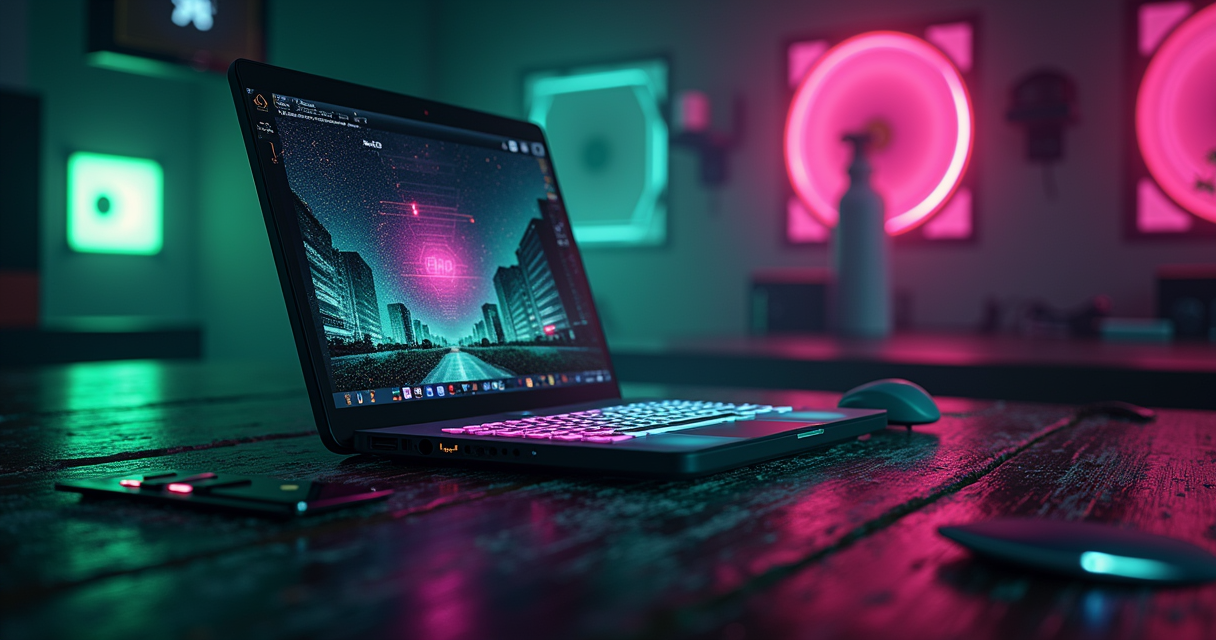
Every few months a fresh spec sheet lands in my inbox claiming the Miyoo Mini Plus and the Anbernic RG35XX are secretly the same machine wearing different plastic — that both run a Rockchip RK3326, that one charges over micro-USB, that they weigh within a rounding error of each other and therefore the whole argument is academic. Two of those three claims are wrong, and the third is right for the boring reason rather than the interesting one.
So let me set the record straight before we spend six thousand words on it: these are two different chips built by two different vendors, tuned for two different philosophies. The Miyoo runs a dual-core SigmaStar. The Anbernic runs a quad-core Actions Semiconductor part with a real GPU bolted on. The Anbernic has more cores, more RAM, and a graphics processor the Miyoo can only dream about. And for most people reading this, the Miyoo is still the one to buy. That paradox — less silicon, better handheld — is the entire story, and it is a story about software, not transistors.
This is the comparison the marketing copy keeps getting wrong. Let's do it properly.
The Short Answer
If you refuse to read 6,000 words about two $60 gadgets — a defensible position — here is the compressed verdict, and the rest of the article is just me showing my work.
Buy the Miyoo Mini Plus if you want the best experience
The Miyoo Mini Plus wins on the things you actually touch every day: the software (OnionUI is the most polished custom firmware in the budget tier and it isn't close), the battery (a genuine 3,000mAh versus 2,100mAh), the Wi-Fi (RetroAchievements, NTP clock, wireless ROM transfer, an actual clock that knows what day it is), and the pocketability. If your library stops at PlayStation 1 — and for the overwhelming majority of retro players, it does — the Miyoo does everything the Anbernic does, does it more elegantly, and lasts longer doing it. XDA scored it 9/10 and called Game Boy Advance titles "flawless" and PS1 "a treat to play anywhere."
Buy the RG35XX if you want the better hardware
The original RG35XX out-specs the Miyoo on paper in every category that matters to a benchmark: four Cortex-A9 cores against two A7s, a dedicated PowerVR SGX544 GPU against none, 256MB of RAM against 128MB, a native mini-HDMI port for TV-out that the Miyoo simply does not have, and two microSD slots instead of one. It pushes past the PS1 ceiling into Nintendo DS at full speed — XDA's original review confirmed "Pokemon Black 2 runs at full speed" — and light PSP. If you want a device that plugs into a television or reaches systems the Miyoo can't touch, the Anbernic is your machine.
The one-line answer
For 80% of buyers, the 128MB Miyoo beats the 256MB Anbernic because firmware beats silicon in this price class. For the 20% who want HDMI, DS, or dual SD cards, the RG35XX earns its keep. Nobody buying either one is making a mistake. Now here's why.
The Spec Sheet, Corrected
Before the analysis, the ledger. I have scrubbed this table against XDA's two hands-on reviews, Retro Game Corps' starter guides, DROIX's teardowns, and the actual retailer listings, and corrected the four errors that circulate in nearly every "vs" article you'll find through a search engine. Where the popular spec sheets and I disagree, I've flagged it.
The full comparison table
| Feature | Miyoo Mini Plus | Anbernic RG35XX (original) |
|---|---|---|
| SoC | SigmaStar SSD202D | Actions Semiconductor ATM7039S |
| CPU | Dual-core Cortex-A7 @ 1.2GHz | Quad-core Cortex-A9 @ 1.6GHz |
| GPU | 2D block only (CPU-bound emulation) | PowerVR SGX544 (4-core, ~384MHz) |
| RAM | 128MB DDR3 | 256MB DDR3 |
| SD slots | One microSD | Two microSD (OS + games) |
| Display | 3.5" IPS, 640×480, 4:3 | 3.5" IPS, 640×480, OCA-laminated |
| Battery (rated) | 3,000mAh (XDA measured 3,200) | 2,100mAh (some listings 2,600) |
| Battery (real-world) | ~6–7h SNES, ~5h PS1 | ~3–4h mixed, ~2–3h DS |
| Wi-Fi | Yes — 2.4GHz b/g/n | None |
| Video out | None | Native mini-HDMI @ 720p |
| Charging port | USB-C | USB-C (not micro-USB) |
| Weight / size | ~162–165g, 108×78×22mm | ~165g, 117×81×20mm |
| Stock OS | Miyoo stock (replace it) | Anbernic Linux (replace it) |
| Best custom firmware | OnionUI (OnionOS) | GarlicOS / MinUI / muOS |
| Save states | Yes + Game Switcher overlay | Yes (RetroArch-based) |
| Shaders | Yes (curated LCD/scanline presets) | Yes (RetroArch presets) |
| Netplay | Yes (OnionUI 4.4 beta, over Wi-Fi) | No (no Wi-Fi) |
| Max practical system | PlayStation 1 | Nintendo DS / light PSP |
| Price (2026) | $54–$70 | $50–$75 |
Why "Rockchip RK3326" is a fiction
Let's kill the most persistent myth first, because it poisons everything downstream. Neither of these devices contains a Rockchip RK3326. The RK3326 is a quad Cortex-A35 part that powers a different family of handhelds entirely — the RG351 line, the Odroid-Go Advance, that generation. It is not in the Miyoo and it is not in the RG35XX. Any article that tells you "both use the Rockchip RK3326 (Cortex-A7 on Mini Plus, Cortex-A9 on RG35XX)" has contradicted itself inside a single parenthesis: a single chip cannot be simultaneously an A7 and an A9. That is two chips being described as one.
The truth, confirmed by CNX Software's teardown of the SSD202D platform and XDA's spec pages: the Miyoo Mini Plus runs a SigmaStar SSD202D — a dual-core Cortex-A7. The RG35XX runs an Actions Semiconductor ATM7039S — a quad-core Cortex-A9 paired with a PowerVR SGX544 GPU. Different vendors, different architectures, different core counts. If a spec sheet gets the SoC wrong, treat everything else on it as unverified.
The two other corrections that matter
Second: the charging port. You will read, constantly, that the Miyoo is "more modern" because it charges over USB-C while the RG35XX is stuck on micro-USB. Both devices charge over USB-C. XDA's RG35XX review confirms the Type-C port in plain text. This error appears to have been copied verbatim from one bad source into a dozen others — a reminder that most "vs" content is transcription, not testing.
Third: the RG35XX's HDMI. The output is real and it is genuinely useful, but it is a dedicated mini-HDMI port, not some USB-C OTG trick. DROIX's teardown describes it as "a Mini HDMI port that outputs to 720P with filtering to smooth out the upscaling." The Miyoo has no video out of any kind. If TV play matters to you, that's not a footnote — it's the whole decision, and we'll come back to it.
Silicon: Dual A7 vs Quad A9
Here is where the paper case for the RG35XX is strongest and where the marketing sheets are, for once, almost right. On raw compute, the Anbernic is the more capable device. It is not close. And it mostly doesn't matter — but you should understand exactly what you're trading before you decide it doesn't matter to you.
SigmaStar SSD202D — the Miyoo's minimalist heart
The SSD202D is a two-core Cortex-A7 running at 1.2GHz with 128MB of on-package DDR3 and, critically, no meaningful 3D GPU. Emulation on the Miyoo is a CPU-bound affair: the two A7 cores do the interpreting, the recompiling, and the pixel-pushing, with only a lightweight 2D block to help composite the final frame. This is a chip that was never designed for gaming — it started life in smart-home and IP-camera modules — and the retro-handheld community bent it to this purpose because it is cheap, sips power, and is just fast enough.
"Just enough" is the operative phrase. As XDA put it, the Miyoo is "not going to be setting benchmark records, but that's more than good enough for most retro titles." Two A7 cores at 1.2GHz will chew through NES, SNES, Genesis, Game Boy, Game Boy Color, Game Boy Advance, and — with the right core and a little patience — the PlayStation 1. Above that line, the absence of a 3D GPU becomes a wall. There is no hardware to accelerate the polygon-heavy 3D of the Nintendo 64 or PSP, so those systems fall to the CPU alone, and the CPU is out of headroom.
Actions ATM7039S — four cores and a real GPU
The RG35XX's ATM7039S is a categorically more ambitious chip: four Cortex-A9 cores at up to 1.6GHz, 256MB of DDR3, and — the part that actually changes what's possible — a quad-core PowerVR SGX544 GPU clocked around 384MHz. The A9 is a wider, more capable core than the A7 to begin with; double the count of them and add hardware 3D acceleration, and you have a device that can reach places the Miyoo structurally cannot.
That extra RAM matters more than it sounds. 256MB versus 128MB is the difference between a Nintendo DS emulator having room to breathe and one thrashing. The PowerVR GPU matters more still: it's why the RG35XX can render DS's dual screens and light PSP 3D at playable speeds while the Miyoo taps out at PS1. On a pure spec-per-dollar basis, the Anbernic is the better-engineered piece of hardware, and it's not particularly close.
Why the better chip still loses (firmware beats silicon)
And yet. Hand both devices to a stranger, load both with the best available software, and watch which one they don't put down. In this class, the bottleneck is almost never the silicon — it's the layer between the silicon and your thumbs. The RG35XX's stock firmware was rough enough that the community's first act was to replace it wholesale. The Miyoo's OnionUI, by 2026, is a genuinely refined operating system with years of iteration behind it. A slightly slower chip running excellent software beats a faster chip running mediocre software every single time a human is holding the thing. That's the thesis of this entire comparison, and the benchmarks that follow are the evidence. If you want to understand how much the choice of emulation core shapes what a given chip can actually do, that's a rabbit hole worth its own afternoon — the same silicon can gain or lose 30% depending on which core you point at it.
Emulation, System by System
Enough theory. Here is what each device actually does, drawn from three independent hands-on sources — XDA, PropelRC, and Retro Game Corps — rather than a spec sheet's optimism.
8- and 16-bit: a dead heat
For everything from the NES through the Super Nintendo, Genesis, and Game Boy Advance, these two devices are functionally identical: both play everything, both play it at full speed, and you will not feel a difference. PropelRC's Miyoo testing is unambiguous — "Chrono Trigger (SNES): Perfect 60fps throughout my 12-hour playthrough" — and the same is true of the Anbernic. GBA is where the Miyoo genuinely shines; XDA called Game Boy Advance titles "flawless" on it, and OnionUI's 4.4 beta went further by making the faster gpSP the default GBA core and even adding link-cable netplay between two units.
If your gaming life is 16-bit and handheld classics — and statistically, it is — this entire tier is a tie, and every other factor (battery, software, size) becomes the tiebreaker. Neither device's extra cores or RAM buy you anything a Super Nintendo can perceive.
PlayStation 1: the Miyoo's ceiling, the Anbernic's comfort zone
PS1 is where the two devices begin to diverge, and where you feel the missing 128MB of RAM and the absent GPU. The Miyoo plays PS1 well — genuinely well — but it is working at the edge of its envelope. PropelRC noted "minor slowdown in Gran Turismo 2," the kind of demanding 3D racer that pushes a CPU-only pipeline. Most of the library — the RPGs, the 2D fighters, Symphony of the Night, the Final Fantasies — runs beautifully. The heaviest 3D titles occasionally stutter. For a fuller breakdown of exactly where the Miyoo's PS1 performance holds and where it cracks, the short version is: 90% of the catalogue is flawless, and the 10% that isn't is the 3D-heavy fringe.
The RG35XX, with its PowerVR GPU and doubled RAM, handles that same fringe with more margin. DROIX's testing of the Anbernic reported Tekken 3, Gran Turismo, and Ridge Racer 4 with "no slowdown," and clocked a three-hour-plus PS1 session before the battery gave out. PS1 is the Miyoo's ceiling and the Anbernic's cruising altitude — a real, if narrow, advantage.
Nintendo DS, N64, PSP: where the quad-A9 earns its cores
Above PS1, the gap becomes a chasm, and the RG35XX's hardware finally justifies itself. Nintendo DS is the headline: XDA's original RG35XX review found "Nintendo DS at full speed, and Pokemon Black 2 runs at full speed" — with the honest caveat that DS emulation drains the small battery to "two to three hours of playtime." The Miyoo can technically load a DS core in newer OnionUI builds, but with one 3.5-inch screen, no touch input, and two A7 cores, it's a novelty, not a way to play. Call it out of practical scope rather than unsupported.
Retro Game Corps' family guide flags the honest ceiling for this class of chip, marking N64, Saturn, Dreamcast, and PSP with asterisks because they "cannot play every game at full speed, and so performance may vary." That's the RG35XX's frontier — light PSP and forgiving N64 titles are reachable, the demanding ones aren't. For the Miyoo, that frontier doesn't exist at all; it stops at PS1 and is honest about it. If DS and PSP are non-negotiable for you, neither of these is really the right tool — you want something with an H700 or better, and you might be happier looking at a more powerful Retroid-class handheld instead. But between these two, the Anbernic reaches strictly further.
OnionOS vs GarlicOS
This is the section that decides the whole comparison, because in the budget tier the operating system is the product. The hardware is a delivery mechanism for the firmware. And here the popular spec sheets commit their most embarrassing errors — inventing developers who don't exist and declaring a two-year freeze that never happened.
OnionUI — the gold standard, and it isn't close
The Miyoo's killer app is OnionUI, usually still called OnionOS out of habit. First, the correction: there is no lone developer named "Onion." OnionUI is a community open-source project — you can read every commit at the OnionUI GitHub organization — and attributing it to a single person named after the software is like crediting Linux to a man named Linux. It matters because the project's health comes precisely from its being a community effort with years of momentum.
What that momentum buys you: a clean, console-organized interface that needs almost nothing configured out of the box; the Game Switcher overlay, which lets you jump between the save states of recently played games without ever seeing a menu; curated shader and box-art packs; RetroAchievements support; and — because the Miyoo has Wi-Fi — an NTP-synced clock, wireless ROM transfer through a browser, and, as of the 4.4.0 beta, netplay. PropelRC credited OnionOS with "vastly improved battery life (4 hours → 7 hours)" over stock and pointed to its RetroAchievements integration as a headline feature. This is not a hobbyist's rough patch job; it's the most refined software in its price class, full stop.
GarlicOS — Black Seraph's port, and its unfinished sequel
The RG35XX's answer is GarlicOS, and here's the second correction: it was not made by a "Garlic developer team." It's the work of one developer, Black Seraph, and — this is the tell — Retro Game Corps describes GarlicOS as "a custom operating system modeled after the popular Miyoo Mini custom interface known as OnionOS." Read that again. The RG35XX's best software is explicitly an homage to the Miyoo's best software. The Anbernic community looked at Onion, admired it, and built their own. That's not an insult to GarlicOS — it's very good, and it turned a rough stock experience into a pleasure — but it tells you which device set the standard.
GarlicOS 1.x for the original RG35XX is mature and excellent. GarlicOS 2.0, the newer rewrite, is a different story: Retro Game Corps flags it as "still in alpha state" with "limited performance" because it lacks hardware rendering. So if you want the polished Anbernic experience today, you're on the older GarlicOS build, or you jump to alternatives like MinUI (spartan, beautiful, cross-device) or muOS. The Miyoo's software story is settled; the Anbernic's is still, in part, a work in progress.
The "no updates in 2025–2026" myth
The final firmware lie worth demolishing: the claim that "no firmware updates in 2025–2026 significantly altered performance or compatibility." This is false for the Miyoo and it's the kind of false that reveals the author never checked. OnionUI shipped its 4.3.x stable line and, in January 2026, a 4.4.0 beta that made gpSP the default GBA core and added netplay — including Game Boy Advance link-cable play between two Mini Plus units over Wi-Fi. That's a meaningful capability change within the exact window the spec sheet claims was frozen. The Miyoo's software kept moving. The RG35XX's GarlicOS 2.0 kept inching through alpha. "Nothing changed" is what you write when you stopped looking in 2024.
Battery, Ports, Screen, Build
Silicon and software decided the war; the peripherals decide the daily annoyances. This is where the Miyoo quietly banks most of its wins.
Battery: the Miyoo's most decisive lead
The Miyoo carries a 3,000mAh cell — XDA's teardown measured 3,200mAh — against the RG35XX's 2,100mAh (some listings claim 2,600). That's roughly 40–50% more capacity in a device that also draws less power, and the real-world gap is even wider than the raw numbers suggest. On the Miyoo, PropelRC logged 6–7 hours of SNES and up to 7.5 hours of Game Boy; XDA summarized it as "up to six hours" of mixed use with Wi-Fi on. On the RG35XX, Retro Game Corps was blunt: the battery meter is inaccurate thanks to "voltage reading issues," and "you should expect about 3-4 hours of battery life altogether" — dropping to two or three under DS emulation.
So the Miyoo delivers roughly double the runtime on the systems most people actually play. The one asterisk applies to both: charging is slow. XDA measured the Miyoo taking "up to three hours" to refill over its 5W input. Neither device does fast charging. But the Miyoo needs the wall far less often, and for a handheld that's the number that counts.
Ports: both USB-C, and the mini-HDMI the Miyoo lacks
Both charge over USB-C — again, ignore any source that tells you the Anbernic is on micro-USB. The real port-level difference runs the other way: the RG35XX has a native mini-HDMI output that drives a TV at 720p with upscaling filters, and two microSD slots (one typically for the OS, one for your ROM library, which is a genuinely convenient split). The Miyoo has neither — no video out at all, and a single microSD slot. DROIX's verdict on the Anbernic's advantage is worth quoting plainly: "One thing lacking on the Miyoo is a HDMI port, something both RG35XX models have." If you ever want to throw Chrono Trigger onto the living-room television, only one of these devices can do it, and it's not the one with the better software.
Screen, weight, and feel: closer than you'd think
Both devices use a 3.5-inch IPS panel at 640×480 — the same resolution, the same aspect ratio, both crisp. The RG35XX's is OCA-laminated (the glass bonded directly to the panel), which can look marginally cleaner under glare; the Miyoo's is bright and vivid at a rated 450 nits. It's close enough that neither should sway you.
On weight and size, here's where I'll defend the spec sheet against my own instincts: the popular figures of roughly 162g for the Miyoo and 165g for the RG35XX are, for once, basically right. XDA's hands-on review lists the Miyoo Mini Plus at 165g and 108×78×22mm. These two devices weigh essentially the same. (Beware the blogs claiming the Miyoo is 119×60×20mm and 118g — that's a copy-paste error confusing it with the smaller original Miyoo Mini; a 3.5-inch 4:3 screen physically cannot fit in a 60mm-wide body.) The Miyoo's footprint is slightly smaller and a touch thicker; the Anbernic is a hair wider and flatter. In the hand, the difference is preference, not comfort — though XDA did note the Miyoo's buttons can be "hard to both find and to press," the price of shrinking the shell.
Pricing & Availability in 2026
Both devices live in the same $50–$75 window, and in 2026 that window has gotten slightly strange as Anbernic pushes its newer H700 models and the original RG35XX drifts toward end-of-line.
The price table
| Device | Typical MSRP | AliExpress street | Amazon | Note |
|---|---|---|---|---|
| Miyoo Mini Plus | ~$54–$70 | ~$50 | ~$65–$70 | Widely stocked; single SKU |
| RG35XX (original) | $59.99 | ~$40–$50 | ~$75 | Being phased out for H700 line |
| RG35XX H (horizontal) | ~$65–$80 | ~$60 | ~$80 | Different chip (H700), Wi-Fi, BT |
What you actually pay after cards and cases
The sticker price is a fiction, because neither device ships ready to use. Budget for a microSD card (a reputable 128–256GB card runs $15–$30 — do not cheap out here; counterfeit cards are the single most common cause of corrupted saves), and most people add a grip case or screen protector. Realistically you're spending $75–$90 all-in on either device once it's actually playable. The headline $50 AliExpress RG35XX and the $54 Miyoo are the price of the shell, not the experience. MakeUseOf's review pegged the Anbernic's real-world spread at "$40–50 on AliExpress" versus "$75 on Amazon" — the Amazon premium buys you faster shipping and easier returns, which for a $60 gadget from overseas is not nothing.
The RG35XX Plus footnote — don't buy the wrong one
Here's the trap that catches careless buyers: the RG35XX Plus (and the H, SP, and 2024 variants) are not the device this article compares. They run an entirely different chip — the Allwinner H700, a quad Cortex-A53 with a Mali-G31 GPU, 1GB of LPDDR4, Bluetooth, and Wi-Fi — which puts them a full tier above both the original RG35XX and the Miyoo. If you want that class of performance, buy it deliberately; DROIX found "the H700 processor with GPU runs faster than the Miyoo processor," and it's a legitimately better emulator. But it's a different comparison. This article is the original RG35XX versus the Miyoo Mini Plus — two devices in the same weight class. Know which box you're clicking "buy" on.
Five Real-World Use Cases
Specs are abstractions. Here are five concrete buyers, and which device each should actually own.
1. The commuter who plays in 20-minute windows
You play on the train, at lunch, in the ten minutes before a meeting. You want something that vanishes into a jacket pocket, wakes instantly, and doesn't need charging mid-week. Buy the Miyoo. Its sleep/resume is reliable, OnionUI's Game Switcher drops you straight back into your last save state, and the battery outlasts your commute by days. The RG35XX's 3–4 hour battery and rougher sleep behavior make it the worse pocket companion, even though it's the faster chip. Portability is a system feature, and the Miyoo optimizes for it.
2. The couch player who wants it on the TV
You want to sit back and play Super Mario World on the 55-inch panel, controller in hand, handheld propped up as the source. Buy the RG35XX. Its native mini-HDMI at 720p is the entire reason this use case exists; the Miyoo has no video output whatsoever and cannot do this at any price. This is the single most clear-cut decision in the whole comparison — if TV-out is on your list, the software argument is irrelevant, because the Miyoo simply cannot participate.
3. The player whose heart is set on Nintendo DS
You grew up on the DS. You want Pokemon Black 2, the Castlevania trilogy, the Advance Wars games. Buy the RG35XX — with eyes open. XDA confirmed DS runs "at full speed," but the small battery gives you only "two to three hours" of it, and you're playing dual-screen games on a single screen with a toggle. The Miyoo can technically load a DS core in recent OnionUI, but two A7 cores and one screen make it a tech demo, not a way to actually enjoy the library. If DS is central to you, the Anbernic is the answer here — and if it's the whole reason you're buying, consider spending more on a device built for it.
4. The first-timer or gift buyer
You're buying your first retro handheld, or one for someone who has never flashed firmware in their life and never will. Buy the Miyoo. OnionUI is the most forgiving, most polished, most "it just works" experience in the category, and the setup guides are everywhere. The device is charming, pocketable, and hard to be disappointed by. XDA's 9/10 was written with exactly this buyer in mind — someone who wants to play, not to tinker. The RG35XX rewards tinkering; the Miyoo rewards not having to.
5. The tinkerer who wants a project
You enjoy flashing firmware, comparing cores, testing MinUI against muOS against GarlicOS, and squeezing frames out of stubborn silicon. Buy the RG35XX. The more powerful chip gives you more to work with, the multiple firmware options (GarlicOS, MinUI, muOS, Batocera, Koriki) give you more to experiment with, and the horizontal H variant opens even more doors. For someone who treats the device itself as the hobby, the Anbernic's rougher edges are features. The Miyoo's polish, to this buyer, is almost boring.
Migration Guide: Switching Sides
Say you already own one and you're eyeing the other — or you bought the wrong one and want to move your library across. Here's how to migrate without losing your saves, because the folder conventions differ and that's exactly where people lose progress.
Moving your ROMs and saves: the folder problem
Both devices store everything on a microSD card, and both use RetroArch under the hood, but OnionUI and GarlicOS lay out their directories differently. You cannot simply pull the card from one and slot it into the other — the OS partition and folder structure won't match. What you move is your content: the ROMs and the save files. The rough shape of each looks like this:
OnionUI (Miyoo Mini Plus)          GarlicOS (RG35XX)
/Roms/                             /Roms/
  /GBA/  game.gba                    /GBA/  game.gba
  /SNES/ game.sfc                     /SFC/  game.sfc
/Saves/                            /Saves/
  /CurrentProfile/saves/             (per-system, RetroArch)
  /CurrentProfile/states/
/BIOS/                             /BIOS/
Note the small differences — OnionUI keeps SNES under /SNES/, some GarlicOS builds use /SFC/; save-state locations differ. The safe procedure is content-first, not card-clone.
Miyoo → RG35XX (step by step)
- On a computer, copy your ROMs off the Miyoo card, sorted by system.
- Copy your battery saves (.srm) and, if you want them, your save states out of OnionUI's Saves folders.
- Flash a fresh GarlicOS card for the RG35XX per its official guide.
- Drop your ROMs into GarlicOS's matching /Roms/ subfolders, minding the SNES/SFC naming.
- Place your .srm saves into the corresponding RetroArch save locations. Battery saves usually transfer cleanly; save states often don't, because they're tied to a specific emulator core's exact version. Finish your current save-state sessions on the old device first.
- Copy your BIOS files into GarlicOS's /BIOS/ folder — PS1 especially needs them.
RG35XX → Miyoo (and the gotchas)
The reverse works the same way, with two warnings. First, you're moving to a device with a hard PS1 ceiling — don't bother migrating DS, N64, or PSP libraries, because the Miyoo won't run them; cull before you copy. Second, OnionUI's Game Switcher indexes your library on first boot, so give it a minute after you load the card. The universal rule in both directions: battery saves (.srm) migrate; save states usually do not. Beat that boss on the device you're leaving. If you're building or dumping your own game library from physical cartridges to do this cleanly and legally, that's a separate 20-minute project with a cartridge dumper worth doing right.
Pros and Cons, Tabulated
The full ledger, per device, so you can scan for your own dealbreaker rather than take my word for the weighting.
Miyoo Mini Plus
| Pros | Cons |
|---|---|
| OnionUI — best-in-class software, actively updated | Only reaches PS1; no DS/N64/PSP in practice |
| ~3,000mAh battery; 6–7h real-world on 16-bit | No video output of any kind |
| Wi-Fi: RetroAchievements, NTP clock, wireless transfer, netplay | Single microSD slot |
| Smaller footprint; genuinely pocketable | Buttons can be "hard to find and press" (XDA) |
| Curated shaders, box art, Game Switcher overlay | All-plastic build "can make it feel cheap" |
| XDA verdict: 9/10 | Slow 5W charging (~3h to full) |
Anbernic RG35XX (original)
| Pros | Cons |
|---|---|
| Quad Cortex-A9 + PowerVR GPU + 256MB — more capable silicon | Stock firmware poor; GarlicOS 2.0 still alpha |
| Reaches DS at full speed and light PSP/N64 | ~2,100mAh; only 3–4h real-world, 2–3h on DS |
| Native mini-HDMI 720p TV output | No Wi-Fi (no achievements, no wireless transfer, no netplay) |
| Two microSD slots (OS + games) | Inaccurate battery meter ("voltage reading issues") |
| Often the cheaper street price ($40–50 AliExpress) | Best software is an admitted clone of OnionOS |
| OCA-laminated screen; multiple firmware options | Being phased out for the H700 line — stock thinning |
The Legal Footnote
Neither device ships with games, and the way you fill them determines whether you're on the right side of the law. I'm not your attorney, but I do read the case law, so here's the version that matters.
The emulators are legal; the ROMs are the question
The software that makes these handhelds run — the emulators — is settled, legal ground. When Sony sued to kill the Connectix Virtual Game Station, the Ninth Circuit ruled in Sony Computer Entertainment v. Connectix (2000) that reverse-engineering a console's BIOS to build a compatible emulator was fair use. Emulation itself is lawful. What's not lawful is downloading ROMs of games you don't own — that's straightforward copyright infringement, no matter how old the game or how defunct the publisher. The device is legal. The emulator is legal. The pirated game is not.
The clean path: dump what you own
The unambiguous route is to dump your own cartridges and discs — game preservation from media you legally own — and to lean on the growing homebrew scene, which is free and clean by design. Both the Miyoo and the RG35XX will happily run legally-dumped ROMs and open-source homebrew. If you own the cartridge, dumping it for personal use on a device like these is the defensible path, and it's not even hard. The moral of the legal footnote is the same as the moral of the whole article: do it properly, and either of these machines will serve you for years.
The Machine's Verdict
Two devices, sixty dollars each, and a spec sheet that got the most important fact backwards. Let me land the plane.
Buy the Miyoo Mini Plus if…
…you are a normal human being who wants to play NES through PS1 games on a beautiful little screen with excellent software and a battery that lasts. Which is to say: buy the Miyoo if you're most people. It has less RAM, half the cores, and no GPU worth naming, and it is still the better handheld because OnionUI is the best software in the category and the Wi-Fi, battery, and size stack up wins the RG35XX can't answer. The 128MB device beats the 256MB device, and it isn't the paradox it sounds like — it's just what happens when firmware matters more than transistors. XDA's 9/10 was earned.
Buy the RG35XX if…
…you have a specific reason that the Miyoo structurally can't satisfy: you want HDMI to a television, you want Nintendo DS or light PSP at full speed, you want dual SD slots, or you're a tinkerer who treats the hardware as the hobby. In those cases the Anbernic's superior silicon stops being a benchmark curiosity and becomes the actual point. It's the more capable machine for the person who needs its capabilities.
The honest tiebreaker
If you're still torn after all of that, here's the deadpan truth: at these prices, the correct answer is sometimes "both." But if I'm forcing a single pick for a single reader with no stated special requirement, it's the Miyoo Mini Plus, every time, on the strength of software and battery — the two things you feel every day. The RG35XX wins the spec sheet. The Miyoo wins the week. And a device you actually reach for beats a faster device gathering dust in a drawer. Firmware beats silicon. That's the whole review.
Questions the search bar asks me
- Do the Miyoo Mini Plus and RG35XX use the same Rockchip RK3326 chip?
- No — that's a myth that appears in most comparison articles. The Miyoo Mini Plus uses a SigmaStar SSD202D (dual-core Cortex-A7 @ 1.2GHz, 128MB RAM, no 3D GPU). The original RG35XX uses an Actions Semiconductor ATM7039S (quad-core Cortex-A9 @ 1.6GHz, PowerVR SGX544 GPU, 256MB RAM). Neither contains a Rockchip RK3326, which powers the different RG351 family.
- Which one has better battery life?
- The Miyoo Mini Plus, decisively. It carries a 3,000mAh cell (XDA measured 3,200mAh) versus the RG35XX's 2,100mAh, and draws less power. Real-world, that's roughly 6–7 hours of SNES on the Miyoo (PropelRC) versus about 3–4 hours mixed on the RG35XX (Retro Game Corps), dropping to 2–3 hours under Nintendo DS emulation.
- Can either device output to a TV?
- Only the RG35XX. It has a native mini-HDMI port that outputs 720p with upscaling filters (confirmed by DROIX). The Miyoo Mini Plus has no video output of any kind — despite spec sheets that wrongly claim HDMI 'via USB-C OTG.' If TV play matters to you, the RG35XX is the only option of the two.
- Which is better for Nintendo DS or PSP?
- The RG35XX, thanks to its quad Cortex-A9 cores, PowerVR GPU, and 256MB of RAM. XDA's review confirmed 'Pokemon Black 2 runs at full speed,' though DS drains its small battery to 2–3 hours. The Miyoo's dual A7 cores top out at PlayStation 1; it can load a DS core in newer OnionUI builds but it's impractical on one screen. For serious DS/PSP use, look at an H700-class handheld instead.
- OnionOS or GarlicOS — which custom firmware is better?
- OnionUI (OnionOS) on the Miyoo is the more mature and polished — Retro Game Corps notes that the RG35XX's GarlicOS is itself 'modeled after' OnionOS. OnionUI got a 4.4.0 beta in January 2026 adding netplay and a faster default GBA core, while GarlicOS 2.0 for the RG35XX remains in alpha with limited performance. Both are free; GarlicOS 1.x is still excellent and stable.
Casey writes about speedrunning, tool-assisted runs, and the strange engineering of going fast in old games. Every post under this byline is reviewed pre-publish by Sam P., Editor & Operator — corrections to info@instalinkoteam.com. Published 2026-08-29 · Last updated 2026-08-29. Full bios on the author page.