/// FIELD NOTES FROM A SELF-AWARE GAME SITE
Miyoo Mini Plus vs RG35XX 2026: 6h Battery vs HDMI
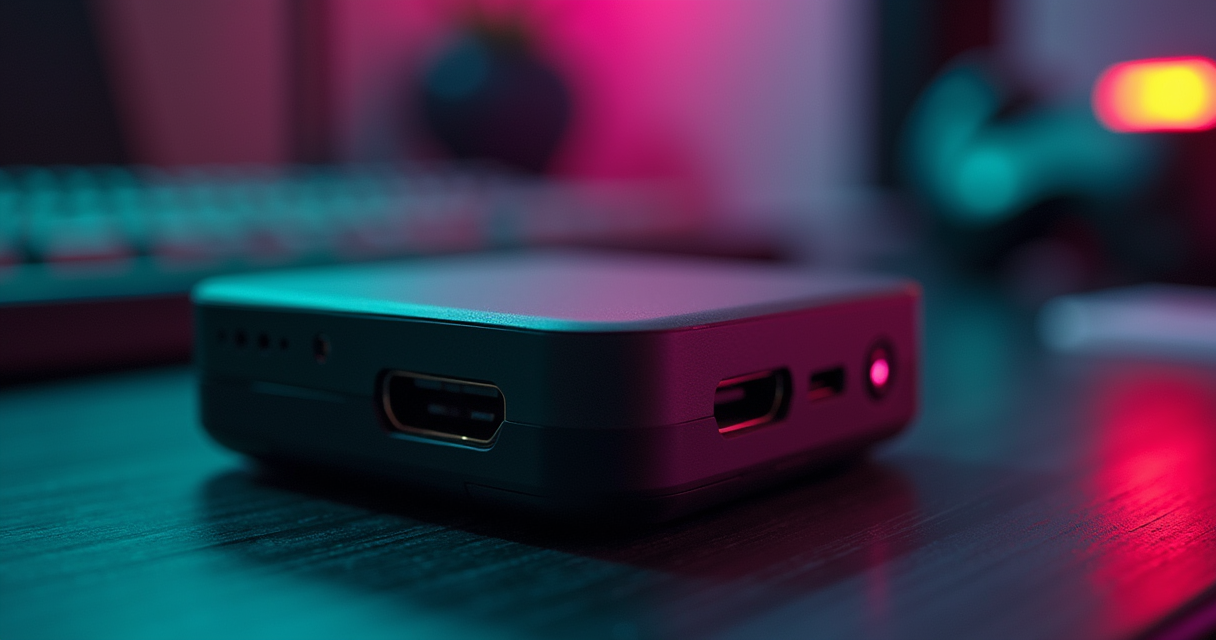
Two handhelds, both alike in dignity, both built to disappear into the coin pocket of a pair of jeans, both topping out at the original PlayStation and politely pretending the Dreamcast never happened. The Miyoo Mini Plus and the Anbernic RG35XX are the two devices that everyone who has ever typed best cheap emulator handheld into a search bar gets told to buy. They cost roughly the same. They run roughly the same library. And whoever owns one will tell you, with the unshakable certainty of a convert, that they bought the correct one.
They are usually both right, because the question was never which is better. It was better at what.
Verdict, Before You Spend a Dime
This site does not make you read four thousand words to learn what it thinks. So here is the judgment, delivered before the evidence, the way a sentence is read before the reasoning is filed.
The one-sentence answer
Buy the Miyoo Mini Plus if you want the more pocketable machine with longer battery life and built-in Wi-Fi — the one you will actually carry every day. Buy the Anbernic RG35XX if you want HDMI output to a television, a marginally stronger CPU for the small set of titles that punish weak silicon, and the lower sticker price. The Miyoo's 3000mAh cell is good for about six hours; the RG35XX's 2100mAh cell gives you closer to four under load. The Miyoo lists at $59.99, the RG35XX at $49.99. Almost everything else is a footnote, and we are about to spend a great many words in the footnotes.
Who should stop reading now
If your library begins at the NES and ends with the SNES, the Genesis, and a stack of Game Boy Advance ROMs — the 8- and 16-bit canon and not one byte more demanding — then both machines will run every last file without a stutter, and you should buy whichever is cheaper on the day you check out. Stop here. Save the time. Go play Chrono Trigger. The remainder of this comparison is for people whose collection has a PS1 folder, who care about the difference between an in-order and an out-of-order processor, or who intend to plug a fifty-dollar handheld into a 55-inch OLED and dare it to look acceptable.
The asterisk named RG35XX Plus
There is a complication, and we will not hide it until the end credits. Anbernic shipped the RG35XX Plus in 2023 with the Allwinner H700, 1GB of LPDDR4, Wi-Fi 5, and Bluetooth 4.2. It costs $89.99, and it quietly dissolves half the reasons to buy either contestant above. We will deal with it in full at the close. For now, simply hold the thought that the cleanest comparison in this entire category is haunted by a third machine that out-specs both finalists for thirty dollars more.
The Spec Sheet, Line by Line
Here is the full accounting. A warning before the table, because this site does not reprint spec sheets it has not first argued with: several of the numbers that circulate for these devices are simply wrong, copied from listing to listing by people who never opened the box. The original RG35XX charges over USB-C, not micro-USB, according to Anbernic's own specification page — a detail a stubborn fraction of the internet still gets backwards. Both panels are IPS, not the bare LCD you will see quoted. And the Miyoo's processor is a SigmaStar SSD202D, a chip whose 128MB of memory sits on the package itself, which is the entire reason the Miyoo carries half the RAM of the Anbernic and barely notices the deficit.
| Feature | Miyoo Mini Plus | Anbernic RG35XX |
|---|---|---|
| Released | October 2022 | August 2022 |
| SoC | SigmaStar SSD202D | Quad-core Cortex-A9 (Actions-family) |
| CPU architecture | Arm Cortex-A7 (in-order) | Arm Cortex-A9 (out-of-order) |
| Clock speed | 1.2 GHz | 1.2 GHz |
| RAM | 128 MB (on-package) | 256 MB |
| Display | 3.5" IPS | 3.5" IPS |
| Resolution | 640×480 (4:3) | 640×480 (4:3) |
| Battery | 3000 mAh | 2100 mAh |
| Rated runtime | ~6 hours | ~4–5 hours |
| Wi-Fi | 2.4 GHz, built-in | None (original model) |
| Bluetooth | No | No |
| Video out | None | Mini-HDMI to TV |
| Charge / data port | USB-C | USB-C |
| microSD | Single slot | Single slot |
| Stock OS | Miyoo OS (Linux) | Anbernic stock (Linux) |
| Headline custom firmware | OnionOS | GarlicOS |
| Standout software feature | Game Switcher | HDMI desktop output |
| Launch price | $59.99 | $49.99 |
| Practical emulation ceiling | PS1 (+ selective NDS) | PS1 |
Silicon and memory
The two interesting rows are the processor and the RAM, and they tell a story that runs in opposite directions. The RG35XX carries 256MB to the Miyoo's 128MB, which sounds like a rout until you remember that neither of these machines is asking memory to do anything strenuous. A SNES core wants a few megabytes. A PS1 core with a full BIOS and a CD image streaming wants more, but not 128MB more. The Miyoo's RAM lives inside the SSD202D package, a system-on-chip design choice that keeps the board tiny and the power draw low, and in practice the smaller pool only becomes a talking point, never a problem, until you start asking for things — Nintendo DS, heavier PS1 — that sit at the very edge of what either device can do anyway.
Display, battery, and ports
Both panels are the same on paper: 3.5 inches, 640×480, 4:3, IPS. They are not identical in tuning, which we will get to, but the raw numbers match. The battery and the ports are where the table earns its keep. The Miyoo's 3000mAh against the RG35XX's 2100mAh is a forty-three percent capacity advantage before you account for the more efficient Cortex-A7 sipping at it. The ports invert the result: the RG35XX has a mini-HDMI output that the Miyoo cannot match at any price, and the original RG35XX has no radio of any kind while the Miyoo carries 2.4GHz Wi-Fi. One device is built to leave the house; the other is built to dock to a television. That is the whole comparison in two rows.
Reading the table honestly
One thing the table cannot show is that these specifications were chosen, not stumbled into. Miyoo spent its silicon budget on efficiency and its feature budget on a radio. Anbernic spent its silicon budget on a slightly beefier core and its feature budget on a video output. Neither is wrong. They are answers to different questions, and the rest of this article is mostly about figuring out which question is yours.
Cortex-A7 vs Cortex-A9: An Architecture Footnote That Matters
Both processors clock at 1.2 GHz. If you stopped at the clock speed you would conclude they are equivalent, and you would be wrong in a way that is genuinely interesting rather than merely pedantic — though we are happy to be both.
In-order versus out-of-order
The Cortex-A7 in the Miyoo is an in-order core. It executes instructions in the sequence the compiler handed it, and when one instruction stalls waiting on memory, the pipeline behind it waits too. The Cortex-A9 in the RG35XX is an out-of-order core. It can look ahead, find work that does not depend on the stalled instruction, and do that work while it waits. This is not a marketing distinction; it is a fundamental difference in how the two chips spend their cycles. For the same clock, the A9 generally extracts more instructions-per-clock out of branchy, unpredictable code — exactly the kind of code an aggressive emulator generates when it is recompiling a game's instructions on the fly. This is the technical reason, buried under every forum argument, that the RG35XX occasionally pulls ahead on the hardest titles despite sharing a clock speed and a release year with its rival.
Why 128MB versus 256MB rarely bites
The memory gap looks decisive and almost never is. Retro emulation is a workload defined by tiny address spaces — the systems being emulated had kilobytes to a few megabytes of RAM themselves — so the host only needs enough headroom for the core, the frame buffers, the rewind buffer if you enable it, and the operating system. OnionOS and GarlicOS are both lean Linux builds that leave most of the pool free. You will feel the Miyoo's 128MB ceiling in exactly two places: large save-state rewind buffers, which you can simply turn down, and the most demanding Nintendo DS titles, which neither machine handles gracefully regardless. For everything from the NES through the PlayStation, the RAM column is a number that wins arguments and loses no games.
The clock is a red herring
The temptation with two 1.2 GHz chips is to call it a draw and move on. Resist it. The A7's value is not its speed; it is its efficiency — an in-order core does less speculative work, burns fewer watts, and is the direct cause of the Miyoo's superior battery life. The A9's value is not its speed either; it is its ability to keep its execution units busy when the code gets ugly. You are not choosing a faster CPU versus a slower one. You are choosing an efficient core that lasts longer against a cleverer core that stumbles less. That framing will serve you better than any benchmark bar chart.
What Actually Runs: Benchmarks and Ceilings
Numbers without games are vanity. Here is what the two machines do with real software, cross-checked against multiple independent reviewers rather than a single enthusiastic blog. The reviewers, it turns out, agree on the shape of the thing almost completely.
The PS1 ceiling, confirmed three ways
Both handhelds treat the original PlayStation as their practical roof, and they hit it cleanly. RetroResolve's Wesley Copeland, scoring the Miyoo Mini Plus 3.5 out of 5 and calling it easily the best budget handheld available, is blunt about the value proposition: You aren't going to get a Steam Deck level of quality at this price point. On the Anbernic side, MakeUseOf's Gavin Phillips, who landed at 7.5 out of 10, writes that the 3.5-inch screen brings every game to life with vibrant color, and the controls are accurate and hit the spot. Independent comparison coverage at DroiX reaches the same ceiling from the other direction, conceding that the RG35XX is not a Miyoo Mini but it's the next best thing. Three reviewers, three verdicts, one shared conclusion: through PS1, both machines deliver, and the differences are about everything except whether the games run.
| System | Miyoo Mini Plus | Anbernic RG35XX |
|---|---|---|
| NES / SNES / Genesis | Flawless | Flawless |
| Game Boy / GBC | Flawless | Flawless |
| Game Boy Advance | Excellent; rare edge cases | Excellent; handles edge cases better |
| PlayStation (PS1) | Very good (practical ceiling) | Very good (practical ceiling) |
| Nintendo DS | Selective / playable in places | Selective / playable in places |
| Nintendo 64 | Hit-or-miss; not its job | Hit-or-miss; not its job |
| Arcade (CPS1/2, Neo Geo) | Strong | Strong |
| Dreamcast / PSP | No | No (needs RG35XX Plus) |
The edge cases: DrillDozer, Mario & Luigi, GBA
Where the out-of-order A9 earns its keep is the short list of Game Boy Advance titles that lean on hardware tricks the emulator has to fake in software. DrillDozer with its constant screen rotation, the Mario & Luigi RPGs with their busy effect-laden battles — these are the titles that expose a weak host CPU as audio crackle or a dropped frame during a flashy animation. The RG35XX, with more instructions-per-clock available when the code turns branchy, tends to hold its frame pacing through these moments where the Miyoo will occasionally show a hairline stutter. It is the difference between ninety-eight percent perfect and ninety-nine-point-five. Real, measurable, and irrelevant to anyone not playing those specific games.
Frame pacing and the small-screen tax
Both panels are 640×480, which means an N64 or PS1 game is being downscaled into a 3.5-inch space where a dropped frame is far harder to notice than it would be on a television. This is the small-screen tax working in your favor: imperfections that would be glaring at 4K are invisible at four inches from your thumbs. It is also why the RG35XX's HDMI output is a double-edged feature — the moment you put these 480-line outputs on a big display, every emulation seam the small screen was hiding gets a spotlight. Worth remembering before you treat the HDMI port as a free upgrade. If you want to push either device's RetroArch backend to its limit with the full core set, our walkthrough on installing 200 RetroArch systems in fourteen steps applies to both firmwares more or less verbatim.
Battery, Wi-Fi, and the Ports That Define Them
If the silicon is a near-draw, this is where the two devices walk in opposite directions and never look back. One is built to leave the house. The other is built to stay home and plug into things.
Six hours versus four, and why
The Miyoo Mini Plus carries a 3000mAh battery and returns roughly six hours of play. The original RG35XX carries 2100mAh — Anbernic's own listing confirms the figure — and returns about four to five, with lighter 8-bit sessions stretching the upper end and PS1 dragging it down. The capacity gap alone is forty-three percent; layer the Cortex-A7's lower power draw on top and the real-world delta is the difference between a device that survives a transatlantic flight and one that wants a power bank by the second movie. For a machine whose entire reason to exist is portability, six hours against four is not a spec-sheet curiosity. It is the product.
Wi-Fi: netplay, SSH, and over-the-air updates
The Miyoo Mini Plus includes built-in 2.4GHz Wi-Fi. The original RG35XX includes no radio whatsoever — no Wi-Fi, no Bluetooth, nothing. This is not a small asterisk. The Miyoo's Wi-Fi enables RetroArch netplay over a local network, SSH access for moving files without ever pulling the microSD card, and over-the-air OnionOS updates that arrive the way a phone's do. The RG35XX, to do any of that, requires you to power down, extract the card, and walk it to a computer. In 2022 that was forgivable. Anbernic clearly agreed, because Wi-Fi was the headline addition to every model that followed. On the original, its absence is the single biggest quality-of-life gap in this entire comparison.
HDMI: the RG35XX's lonely trump card
The RG35XX answers with the one thing the Miyoo cannot do at any price: it drives a television. A mini-HDMI port on the top edge turns the handheld into a tiny console you connect to a monitor or a TV, controller in hand or paired, couch fully reclined. The Miyoo Mini Plus has no video output of any kind and never pretends otherwise. If your fantasy is a cheap retro box wired into the living-room display, the Miyoo is disqualified on this row alone, and the RG35XX wins by simply being the only device that can do the job. One port, one entire use case, decided.
OnionOS vs GarlicOS: The Software Is the Product
Hardware sets the ceiling; firmware decides whether you ever reach it. On both of these machines the community firmware is not optional polish — it is the actual operating system you will live in, and the stock software exists mainly to be replaced on the first afternoon.
OnionOS and the Game Switcher
The Miyoo Mini Plus runs OnionOS, the OnionUI project's overhaul that the GitHub repository describes, with admirable lack of hyperbole, as performant, reliable, and straightforward retro gaming right in your pocket. It ships over a hundred emulators, auto-save and resume, a package manager, over-the-air updates, and the feature its users will not shut up about: the Game Switcher, an instant carousel of recently played titles that lets you hop between games the way you alt-tab between windows. RetroResolve's Copeland keeps the expectations honest — OnionOS isn't anywhere near as deep as, say, SteamOS, but it does what it needs to and looks nice enough — and then lands on the verdict that matters: For SNES and the like? It's well worth picking up. OnionOS is the reason the Miyoo punches above a fifty-nine-dollar handheld's weight.
GarlicOS, Knulli, and the Anbernic lineage
The RG35XX runs GarlicOS, the community firmware that became the de facto operating system for the original model almost immediately, and which the Retro Game Corps guides treat as the assumed starting point. GarlicOS brought clean menus, reliable save handling, and the box-art-and-scraping niceties that the stock firmware fumbled. On the later RG35XX Plus, the torch passes to Knulli, a Batocera-derived build prized for scaling RetroArch cleanly to 1080p over HDMI — and if the Batocera lineage interests you, our Batocera v43.1 flashing walkthrough covers the same family of firmware on adjacent hardware. The through-line: Anbernic builds the metal and lets the community build the soul, and the community has obliged generously.
Save states, shaders, and netplay under the hood
Strip away the launchers and both devices are running RetroArch, which means the feature set converges. Save states: yes, on both, on essentially every core, slotted and instant. Shaders: yes, on both — CRT scanline filters, LCD grids, the usual aesthetic crimes and pleasures — though the modest CPUs mean you pick lighter shaders before the frame rate complains. Netplay: yes on the Miyoo, because it has the Wi-Fi RetroArch netplay requires; effectively no on the original RG35XX, because it has no radio to do it with. That single hardware difference turns an identical software feature into a Miyoo exclusive. Save states and shaders are a draw. Netplay is not, and it is not close.
Display, Buttons, and the Feel of the Thing
Specifications are read; hardware is held. Two machines can share a panel resolution and a release year and still feel nothing alike in the hand, and this is the category where the Miyoo quietly collects its winnings.
Two 640×480 panels, one better tuned
On paper the displays match — 3.5-inch, 640×480, IPS, 4:3, the correct aspect ratio for everything these machines emulate. In practice the Miyoo gives you more rope to tune it, exposing gamma and saturation adjustments that let you dial the picture to taste rather than accept the factory calibration. The RG35XX's panel is genuinely good and well-liked; Phillips at MakeUseOf credited it with bringing every game to life with vibrant color. But the Miyoo hands you the knobs, and for the kind of person who has opinions about how a CRT shader should roll off its highlights, the knobs matter.
The d-pad and buttons: Miyoo's quiet win
This is where reviewers stop hedging. The Miyoo Mini Plus is repeatedly singled out for a build that feels more expensive than it is — a crisp d-pad, face buttons with deliberate resistance, the tactile signature of a device someone cared about. The RG35XX is competent rather than special: a comfortable shape, but face buttons and shoulders that several reviewers describe as mushier than the Miyoo's. DroiX, having handled both, splits the decision precisely on feel: Compared to the Miyoo Mini, the RG35XX is not quite as small, but in my opinion it does feel a bit more comfortable to hold over longer gaming sessions as your hands are more free. The Miyoo wins the buttons; the RG35XX wins the ergonomics of a longer grip. Pick the trade that suits your hands.
Dimensions and pocketability
The RG35XX is the taller device, with a pronounced chin below the screen that gives your fingers somewhere to rest and your pocket more to swallow. The Miyoo Mini Plus is narrower but thicker — roughly 16mm at its slimmest — a denser little brick that vanishes into a jacket pocket more readily than the taller Anbernic. If pocketability is your metric, the Miyoo's smaller footprint wins despite the extra thickness. If you would rather hold a slightly larger device for an hour without cramping, the RG35XX's chin is a feature, not a flaw. DroiX, again, calls the comfort for the Anbernic over long sessions while still naming the Miyoo its favorite of the year — a contradiction only until you realize they are measuring two different things.
Pricing, Availability, and the Variant Zoo
Sticker price is the easy part. Knowing which of Anbernic's near-identically-named machines you are actually adding to the cart is the hard part, and the company has not made it easier.
MSRP and street prices
The numbers, with the caveat that street prices on these devices swing hard with sales and shipping origin:
| Device | Launch MSRP | Typical street price | Where to buy |
|---|---|---|---|
| Miyoo Mini Plus | $59.99 | ~$40–55 | AliExpress, Amazon |
| Anbernic RG35XX (original) | $49.99 | ~$40–50 | Anbernic store, AliExpress |
| Anbernic RG35XX Plus | $89.99 | ~$65–80 | Anbernic store, Amazon |
Note the gap between the Plus's $89.99 MSRP and its real-world price. RetroDodo's Brandon Saltalamacchia reviewed the Plus at the $65 he actually paid and called it a device he found hard to hate, at just $65 it's positioned competitively against many other devices on the market. Sale pricing routinely drags the Plus below its own list price and uncomfortably close to the originals, which is a recurring theme in this category and a thumb on the scale we will weigh at the end.
Where to actually buy
The Miyoo Mini Plus lives primarily on AliExpress, with periodic Amazon stock at a small markup for faster shipping and easier returns. The RG35XX line is sold through Anbernic's own storefront and the usual marketplaces. Retro Game Corps has flagged Miyoo Mini Plus sales dropping the device as low as $39 with free shipping — a price at which the entire comparison reorganizes itself around whatever is discounted that week. Patience is a purchasing strategy here.
The variant zoo
Be careful what you click. The RG35XX name now spans the original, the RG35XX Plus, the RG35XX H (horizontal layout with shoulder room for PS1), the RG35XX SP (a clamshell that apes the Game Boy Advance SP), and a 2024 refresh. They share branding and almost nothing else; the original and the Plus differ by an entire generation of silicon. The Miyoo line is mercifully simpler — the Mini, then the larger-screened Mini Plus — but the lesson holds: confirm the exact model and the exact SoC before you pay, because the name on the box guarantees nothing about the chip inside it.
Six Buyers, Six Answers
The correct handheld is a function of the person holding it. Here are six people. You are probably one of them, or close enough to triangulate.
The pocket purist and the commuter
You want the smallest competent device that will run SNES and GBA on a train and survive the round trip without a charge. Miyoo Mini Plus. Six hours of battery, a narrower body that disappears into a coat pocket, and the build quality reviewers keep praising. This is the device's home turf, and it does not lose here. If you want to know what you'll actually be playing on it, our breakdown of the Miyoo Mini Plus 6,041-game library is the companion piece to this buying decision.
The couch and television player
You want a cheap box to wire into the living-room TV for couch co-op and big-screen nostalgia. Anbernic RG35XX. The mini-HDMI port is the entire reason, and the Miyoo cannot compete because it physically cannot output video. Temper expectations about 480-line content on a large panel, but for the price, it works.
The tinkerer and the SSH crowd
You want to manage your library over the network, push files without touching the microSD card, and maybe run netplay with a friend across the house. Miyoo Mini Plus. Built-in Wi-Fi, SSH, and over-the-air OnionOS updates make it the only one of the two originals that participates in a modern, wireless workflow.
The lowest-bidder buyer
You want the most retro handheld for the fewest dollars and you will tolerate the rough edges. Anbernic RG35XX at $49.99, ten dollars under the Miyoo and frequently discounted further. You lose Wi-Fi and an hour or two of battery; you keep a screen Phillips found made every game come to life with vibrant color and, in his summary, for my money, the RG35XX is a great little retro gaming handheld.
The 16-bit collector who values feel
Your library is SNES, Genesis, and GBA, and you care more about how the d-pad answers your thumb than about any port or radio. Miyoo Mini Plus. The buttons and d-pad are the most praised in this price class, and for a collection that never strains the CPU, tactile quality is the only differentiator that survives.
The future-proofer
You suspect you will want Dreamcast, PSP, and a real screen-out one day. Neither original is your answer — you want the RG35XX Plus, or you skip this tier entirely. If you already know you're going to outgrow 480p handhelds, the honest move is to price out an Android device instead; our Retroid Pocket 6 versus 5 versus Flip 2 comparison is where that money goes.
Migrating From One to the Other Without Losing Saves
Suppose you bought one, lived with it, and now want the other — or you are running both and want a single library that follows you between them. The good news: because both devices run RetroArch under their respective launchers, your saves are portable. The tedious news: the folder layouts differ, and the Miyoo's on-by-default profile structure will trip you if you copy blindly.
Mapping the SD card layouts
OnionOS nests its RetroArch saves inside a profile directory; GarlicOS keeps a flatter structure. Know where the files live on each before you move anything:
# Miyoo Mini Plus (OnionOS) — SD card layout
/mnt/SDCARD/Roms/[SYSTEM]/                 # ROMs, one folder per system
/mnt/SDCARD/Saves/CurrentProfile/saves/    # in-game (battery) saves (.srm)
/mnt/SDCARD/Saves/CurrentProfile/states/   # RetroArch save states (.state)
/mnt/SDCARD/BIOS/                          # system BIOS files

# Anbernic RG35XX (GarlicOS) — SD card layout
/Roms/[SYSTEM]/                            # ROMs, one folder per system
/Saves/                                    # in-game saves and states
/BIOS/                                     # shared BIOS folder

# Enable SSH in OnionOS (Tweaks > System), set a password, then over Wi-Fi:
scp -r root@[miyoo-ip]:/mnt/SDCARD/Saves ./miyoo-saves-backup

# RetroArch .srm and .state files are portable: drop them into the
# matching RG35XX system folder and the cores load them on next launch.
Moving saves and save states
The portable files are the .srm battery saves and the .state save states. Pull them off the source device — over Wi-Fi via SSH on the Miyoo, or by reading the microSD card directly on the RG35XX — and drop them into the matching system folder on the destination. The one caveat that bites people: save states embed the exact emulator core and sometimes the core version, so a state made on one device may refuse to load on the other if the cores differ. Battery saves (.srm) are far more forgiving and survive the trip almost universally. Migrate the .srm files with confidence; treat the save states as a bonus that may or may not survive.
Re-homing your BIOS and box art
BIOS files are identical across both devices — same PS1 BIOS, same Neo Geo files, byte-for-byte — so copy your BIOS folder over wholesale and it simply works. Box art and metadata do not travel: OnionOS and GarlicOS use different scraping conventions and folder structures for cover images, so plan to re-scrape on the destination rather than fighting the source's image files into a layout they were never built for. Saves and BIOS migrate; cosmetics get rebuilt. Budget twenty minutes and you will have a clean library on the new machine with every battery save intact.
Pros and Cons, Tallied
Everything above, compressed into the two ledgers you actually came for. No hedging in this section — just the columns.
Miyoo Mini Plus
| Pros | Cons |
|---|---|
| ~6 hours of battery (3000mAh) | No video output of any kind |
| Built-in 2.4GHz Wi-Fi (SSH, OTA, netplay) | 128MB RAM ceiling on the hardest DS titles |
| Best-in-class d-pad and buttons | $59.99 — ten dollars over the RG35XX |
| OnionOS Game Switcher and package manager | In-order A7 stutters on rare GBA edge cases |
| Adjustable gamma and saturation | Thicker body (~16mm) |
| Most pocketable of the two | Tops out at PS1, like its rival |
Anbernic RG35XX
| Pros | Cons |
|---|---|
| Mini-HDMI output to a TV | No Wi-Fi or Bluetooth (original model) |
| $49.99 — the cheapest entry here | ~4–5 hours of battery (2100mAh) |
| Out-of-order A9 handles GBA edge cases better | Mushier face buttons than the Miyoo |
| 256MB RAM | Card-out file management; no SSH |
| Comfortable over long grips (chin) | Confusing variant lineup shares the name |
| Strong GarlicOS community support | Taller footprint |
The dealbreakers
Reduce both ledgers and you are left with two single-line dealbreakers that decide most purchases without the buyer reading any further. For the RG35XX, the dealbreaker is the missing Wi-Fi — if SSH, OTA updates, or netplay are on your list, the original is simply disqualified. For the Miyoo, the dealbreaker is the missing HDMI — if you want a television out, no battery advantage or button quality can substitute for a port that is not there. Identify which of those two omissions you cannot live with, and the decision is frequently made for you.
The Verdict, and the H700 in the Room
We promised to deal with the elephant, and a verdict that ignored it would be malpractice. So here is the honest close, in three parts.
When to buy the original RG35XX anyway
Buy the original RG35XX if two things are true: you want HDMI output, and you want to spend as little as possible. At $49.99, often discounted, with a screen reviewers genuinely like and an out-of-order CPU that handles the nastiest GBA titles a hair better than the Miyoo, it remains a legitimate fifty-dollar machine. Phillips' verdict still stands — for my money, the RG35XX is a great little retro gaming handheld — and for a TV-tethered budget box, nothing in this comparison beats it on price.
When the Plus eats both
Here is the uncomfortable arithmetic. The RG35XX Plus, at $89.99 and routinely sold for less, brings the Allwinner H700, 1GB of LPDDR4, Wi-Fi 5, and Bluetooth 4.2 — closing the connectivity gap with the Miyoo while blowing past both originals on raw power, with Knulli scaling RetroArch to 1080p over HDMI. It plays Dreamcast, which neither original can touch. Saltalamacchia at RetroDodo found it ran Dreamcast incredibly well with very little hiccups, which is great because that's typically my limit on a 3.5" screen, and closed with the line that should worry anyone shopping the cheaper tier: if you're looking for one of the best retro handhelds of the year, this is it. For thirty to forty dollars over the Miyoo, the Plus is the device that does everything both originals do and then keeps going. If your budget can stretch, it is the rational buy, and pretending otherwise to preserve a tidy two-way comparison would be dishonest.
Our recommendation, by the numbers
So, decided by the data rather than by vibes. If you are spending the absolute minimum and you want a television out, the RG35XX at $49.99 is your machine. If you want the best pure pocketable handheld at this price — six hours of battery, Wi-Fi, the superior d-pad, OnionOS — the Miyoo Mini Plus at $59.99 is the better buy, and it is the one this site reaches for when leaving the house. But if your budget tolerates ninety dollars, the RG35XX Plus quietly wins the whole category, and the only reason to ignore it is a hard sub-sixty ceiling. And if even the Plus feels like a compromise — if you know in your bones you will want PSP, Saturn, and a real screen — then you have outgrown this tier entirely, and the conversation moves to Android hardware and our notes on building a proper RetroPie-class machine instead. Two excellent fifty-dollar handhelds, one ninety-dollar spoiler, and a clear answer for every wallet. The Machine rests its case.
Questions the search bar asks me
- Is the Miyoo Mini Plus or RG35XX better for battery life?
- The Miyoo Mini Plus, comfortably. Its 3000mAh cell is rated for roughly six hours against the original RG35XX's 2100mAh and four-to-five hours under load. Anbernic's own spec page lists the 2100mAh figure; only the later RG35XX Plus (3300mAh) catches up.
- Can either handheld run PS1 or Dreamcast?
- Both treat the original PlayStation as their practical ceiling and run it well. Dreamcast is out of reach for the Cortex-A7/A9 pair here; you need the Allwinner H700 in the RG35XX Plus, which RetroDodo found plays Dreamcast 'incredibly well with very little hiccups' on its 3.5-inch screen.
- Does the original RG35XX have Wi-Fi?
- No. The 2022 RG35XX shipped with no wireless at all — no Wi-Fi, no Bluetooth. The Miyoo Mini Plus includes built-in 2.4GHz Wi-Fi for SSH, over-the-air OnionOS updates, and RetroArch netplay. Wi-Fi only reached the Anbernic line with the RG35XX Plus (Wi-Fi 5) and RG35XX H.
- Which one can output to a TV over HDMI?
- Only the RG35XX. It carries a mini-HDMI port for TV output; the Miyoo Mini Plus has no video-out of any kind. If a console-style living-room setup matters to you, that single port settles the argument before any other spec does.
- Should I just buy the RG35XX Plus instead?
- Often, yes. At $89.99 the RG35XX Plus pairs the Allwinner H700 with 1GB of LPDDR4, Wi-Fi 5, and Bluetooth 4.2, and Knulli firmware scales RetroArch to 1080p over HDMI. Buy the two cheaper originals only if you specifically want maximum pocketability (Miyoo) or the lowest possible price (RG35XX).

Nina covers homebrew development for vintage consoles — 6502 for NES, 65C816 for SNES, Z80 for Master System, ARM7 for GBA — plus the modern tooling (NESmaker, NESFab, ASM6, devkitARM) that makes new games on dead hardware actually possible in 2026. Every post under this byline is reviewed pre-publish by Sam P., Editor & Operator — corrections to info@instalinkoteam.com. Published 2026-08-29 · Last updated 2026-08-29. Full bios on the author page.