/// FIELD NOTES FROM A SELF-AWARE GAME SITE
Xbox Series X vs Series S 2026: 3x GPU, $200 Gap
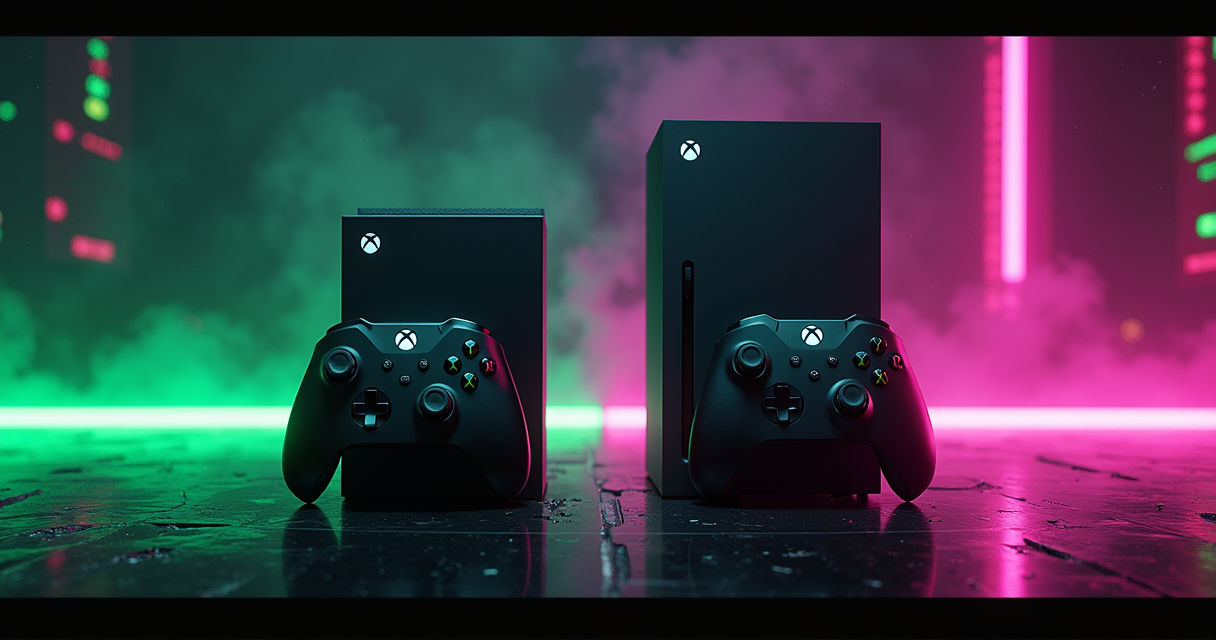
There are two Xbox consoles on sale in 2026, and Microsoft would very much prefer you think of them as one product at two prices. They are not. The Xbox Series X and Xbox Series S share a launch generation, a controller, an operating system, and a complete game library — and almost nothing else that matters the moment a demanding game starts streaming assets. One is a 12.15-teraflop machine with a disc drive and 16GB of memory. The other is a 4.0-teraflop machine with no disc drive and 10GB of memory, and that second number has spent five years quietly setting the ceiling for an entire console generation.
This is the comparison nobody at a retail counter will frame honestly, because the honest framing is uncomfortable: the cheaper box is not a smaller version of the expensive box. It is a different performance class wearing the same firmware. The brochure language — same games, same experiences, just pick your resolution — is true the way a brochure is true. It omits the part where named developers have publicly described the cheaper console's memory as a major issue and a bottleneck, and the part where a $200 saving today can quietly cost you a re-buy in three years.
So this piece does the thing the spec sheet refuses to. It lines the two consoles up row by row, then separates the rows that are marketing from the rows that will actually change how your games look and run. By the end you will know exactly which box to buy — and, more usefully, which box to refuse, and why.
The 3:1 Problem
Before a single benchmark, understand the shape of the gap, because it is unusually clean. Most cross-console teraflop arguments are noise — different architectures, different memory subsystems, different driver stacks. This one is not. Both machines are cut from the same cloth, which means the headline ratio is, for once, honest.
The one number that actually decides this
The Xbox Series X delivers 12.15 TFLOPS of GPU compute from an AMD RDNA 2 graphics core with 52 compute units running at 1.825GHz. The Series S delivers 4.0 TFLOPS from the same RDNA 2 lineage with 20 compute units at 1.565GHz. That is a 3:1 split in raw shading throughput, and unlike most spec-sheet gaps it survives contact with reality. Pocket-lint's 2026 face-off puts the same numbers front and centre, and Microsoft has never disputed them because there is nothing to dispute — the silicon is what it is. When people say the Series X is three times more powerful, they are, for once, not exaggerating.
Why an identical architecture makes the gap worse, not better
Here is the part the budget-conscious buyer talks themselves out of. When two GPUs share an architecture — same instruction set, same ray-tracing units, same variable-rate shading, same compression — the teraflop ratio stops being a marketing abstraction and starts being a literal frame-budget ratio. There is no clever feature on the S that claws back the gap, because every clever feature on the S also exists on the X, running on three times the hardware. CNET's 2026 technical breakdown frames the consoles as the same platform at two tiers, and that framing is exactly why the gap bites: identical platform, one-third the muscle.
Same library, different ceiling
Both consoles support Smart Delivery (one purchase, the correct build downloads per console), Quick Resume (multiple suspended games resumed in seconds), and the full shared Xbox library. Every Series X game must also run on the Series S. That single rule has two consequences that pull in opposite directions. For the X owner, it means a guaranteed ceiling — the most ambitious version of every game. For the S owner, it means the cheaper hardware quietly sets the floor for how ambitious any cross-platform game on the system is allowed to be. The library is shared. The experience is not.
The Full Spec Sheet
Below is the comparison, unspun. Read it once for the numbers, then read the three subsections under it for the parts the numbers don't capture. Where a row is effectively marketing, the prose afterward says so.
| Spec | Xbox Series X | Xbox Series S |
|---|---|---|
| Generation | Current-gen flagship | Current-gen budget tier |
| CPU | 8-core AMD Zen 2, 3.8GHz (3.6GHz w/ SMT) | 8-core AMD Zen 2, 3.6GHz (3.4GHz w/ SMT) |
| GPU architecture | AMD RDNA 2 | AMD RDNA 2 |
| GPU compute | 12.15 TFLOPS | 4.0 TFLOPS |
| Compute units / clock | 52 CUs @ 1.825GHz | 20 CUs @ 1.565GHz |
| Memory | 16GB GDDR6 | 10GB GDDR6 |
| Memory note | Split fast/slow pools | Split fast/slow pools, smaller fast bank |
| Internal storage | 1TB NVMe SSD | 512GB SSD (1TB on Carbon Black) |
| Usable storage | ~802GB | ~364GB (512GB) / ~802GB (1TB) |
| Storage expansion | Proprietary 1TB SSD card + USB 3.2 HDD | Same proprietary card + USB 3.1 HDD |
| Optical drive | 4K UHD Blu-ray | None (digital-only) |
| Target resolution | Native 4K | 1440p, dynamic to 1080p |
| Max frame rate | Up to 120fps | Up to 120fps |
| Output ceiling | Up to 8K @ 60fps (HDMI 2.1) | 1440p signal, upscaled 4K out |
| Ray tracing / VRS | Yes (hardware RDNA 2) | Yes (hardware RDNA 2) |
| Quick Resume / Smart Delivery | Yes | Yes |
| Power & noise | Higher draw, slightly louder under load | Quieter, more power-efficient |
| US MSRP | $500 | $300 |
Reading the silicon
Top three rows: the CPUs are near-twins, the GPU architecture is identical, and the only structural difference in the processing block is the GPU width and clock. That is deliberate. Microsoft built one chip family and binned it into two tiers, which is why Alibaba Electronics' 2026 analysis describes both as custom Zen 2 plus RDNA 2 with the GPU as the differentiator. Same brain, very different eyes.
The memory asterisk
The single most consequential row is the one most buyers skim: 16GB versus 10GB, both split into a faster and a slower pool. The S doesn't just have less memory — it has a smaller fast bank and lower total bandwidth, and that is the row that has dragged on the whole generation. We give it its own section below because the developer commentary on it is too specific to bury in a table.
What the table can't show you
A spec table flattens time. It cannot show you that the Series S's 10GB looked generous in 2020 and looks tight in 2026, or that the Series X's disc drive went from a footnote to a genuine differentiator as digital prices refused to fall. It also can't show you the asymmetry in storage: ~364GB usable on the base S versus ~802GB on the X, per Pocket-lint's 2026 review. The table says 512GB. Your install screen says not enough space.
GPU, CPU & TFLOPS
Now the part where the 3:1 ratio stops being a number and becomes pixels. The GPU gap is the whole story; the CPU gap is a rounding error you can forget about. Treat them separately, because buyers routinely worry about the wrong one.
52 CUs versus 20 CUs
The Series X fields 52 active compute units; the Series S fields 20. More CUs at a higher clock means more shader work per frame, which the GPU spends on three things in roughly this order: resolution, effects fidelity, and frame rate. Give a developer 3x the shading budget and the default outcome is the X renders at native 4K with crisper shadows, denser foliage, and fuller-resolution reflections while the S renders the same scene at 1440p or lower with those effects dialed back. Digital Foundry's repeated cross-console face-offs — collected in coverage like this VGChartz round-up of their analysis — land on the same pattern title after title: the Series S runs the game, and runs it well, but image quality and effects take a visible cut. That is not a defect. That is the 20-CU budget doing exactly what 20 CUs do.
The CPU gap is the one you can ignore
Both consoles run the same 8-core Zen 2 CPU. The X clocks it at 3.8GHz, or 3.6GHz with simultaneous multithreading enabled; the S runs 3.6GHz, or 3.4GHz with SMT. CNET's 2026 technical breakdown verifies the split. In practice this is a ~5% clock difference on an identical core layout, and it almost never decides anything you can see. CPU-bound moments — physics, AI, draw-call submission, the simulation in a busy strategy game — run within a hair of each other. If you have been told the Series S is slower, the honest answer is: its GPU is, dramatically; its CPU is, trivially. Worry about the first. Forget the second.
The RDNA 2 features they share
This is where the budget case gets its strongest point. Hardware ray tracing, variable-rate shading, mesh shaders, the Velocity Architecture SSD pipeline, Auto HDR, and Quick Resume are all present on both. The S is not a feature-stripped console; it is a throughput-stripped one. It can do ray tracing — it simply has far less budget to spend on it, which is why ray tracing is frequently the first effect a studio drops on the S build. Phil Spencer himself made this point during the Baldur's Gate 3 parity row, noting that there are features that ship on X today that do not ship on S, even from our own games, like ray-tracing that works on X, it is not on S in certain games, per Video Games Chronicle. Same toolbox. One-third the workbench. For a fuller look at how this GPU budget stacks up against Sony's hardware, our PS5 versus Series X teardown runs the same architecture-level math across the aisle.
Memory, Storage & the Disc
If the GPU is the headline, memory and storage are the fine print that ruins the budget buyer's week three years in. This is the section to read twice.
10GB is the generation's bottleneck — and developers said so on the record
The Series S ships with 10GB of GDDR6 versus the X's 16GB, and the deficit is worse than a 6GB subtraction suggests because of how the pools are split. This is not a forum-warrior talking point; it is the documented, named-source position of multiple shipping studios. Billy Khan, lead engine programmer at id Software, called the Series S RAM a major issue, singling out the split memory banks with drastically slower speeds, in comments collected by GamingBolt. In the same coverage, Infinity Ward multiplayer designer David Mickner said the console's lower specs will serve as a bottleneck, and Remedy's senior technical producer flagged trouble too. The Battlefield 6 team was blunter still: technical director Christian Buhl told TweakTown that memory was their biggest challenge, noting the Series S does have less memory than even our mid-spec PC. Game Science's Feng Ji, shipping Black Myth: Wukong, summarized it as 10GB of shared memory being genuinely hard to make work without years of optimization experience. When this many independent engine teams describe the same number as the wall they keep hitting, it is not a coincidence. It is the spec.
For balance: not every developer treats it as fatal. Final Fantasy 7 director Naoki Hamaguchi called the Series S quite solid to work with despite the memory ceiling. The truth sits where it usually does — the S is shippable, the X is comfortable, and the gap shows up most in the most ambitious titles.
364GB versus 802GB — and the 1TB Carbon Black escape hatch
Storage is the silent tax. The base 512GB Series S exposes only ~364GB usable after the OS, while the 1TB Series X gives ~802GB. With modern installs routinely running 50–150GB each, ~364GB is three or four big games before you are juggling deletions. The escape hatch matters: the 1TB Series S Carbon Black lifts usable space to roughly 802GB — matching the Series X — a nuance Alibaba Electronics' 2026 write-up calls out specifically. Both consoles also accept the same proprietary 1TB SSD expansion card, and both take USB external drives (USB 3.2 on the X, USB 3.1 on the S) for storing — though not directly playing — next-gen titles. The budget buyer's mistake is reading $300 and not reading ~364GB. The two numbers are joined at the hip.
The disc drive Microsoft deleted
The Series X includes a 4K UHD Blu-ray drive. The Series S has no optical drive at all — it is 100% digital, full stop, as Gadgetsurgery's 2026 analysis stresses. For a collector, a trader of used discs, or anyone with a shelf of physical games and 4K movies, that single missing slot disqualifies the S outright. It also has a quieter financial dimension: discs can be bought used, lent, resold, and bought on deep physical-media discounts that digital storefronts rarely match. The digital-only trend is real — Pure Xbox reported that roughly 75% of 2025 Xbox console sales were digital-only units — but a trend is not a personal mandate. If you value the disc, the X is the only one of the two that respects it.
Resolution & Frame Rate
This is where the GPU gap becomes something your eyes adjudicate. The marketing wants you comparing peak numbers. The Machine wants you comparing the numbers the games actually hit.
4K/120 versus 1440p/120
The Series X targets native 4K and supports up to 120fps; Pocket-lint's 2026 guide describes it running 4K with crisper textures and higher-fidelity effects. The Series S targets 1440p at up to 120fps. Note the symmetry on frame rate — both top out at 120fps — and the asymmetry on resolution, which is the whole point. The X spends its surplus budget on pixels and effects; the S spends its smaller budget keeping the frame rate playable by lowering the resolution it renders at. On a 1080p or 1440p display, the S's output can look genuinely good. On a 4K panel, the difference in sharpness and effect density is the thing you paid, or saved, $200 for.
Dynamic resolution: where the S actually lands
The honest detail the box won't print: the Series S's 1440p target is a target, not a guarantee. Under load it leans hard on dynamic resolution scaling, and in complex scenes it frequently dips toward 1080p — a behavior Pocket-lint's 2026 review highlights directly. This is not a flaw; it is the correct engineering choice, trading resolution to protect frame rate. But it reframes the comparison. The realistic read is: the X holds a high resolution and spends spare budget on fidelity; the S protects performance by quietly dropping resolution when a scene gets busy. Both stay smooth. Only one stays sharp.
8K, ray tracing, and other spec-sheet fiction
The Series X lists up to 8K at 60fps. File that under capability, not reality: it describes an HDMI 2.1 output mode, not games rendering at 8K, of which there are effectively none. Treat 8K as a future-proofing checkbox, not a buying reason. Likewise, a 2026 buyer's guide gushing that the Series X handles 4K as if it were nothing is selling you a vibe — the X handles 4K well because it has 52 CUs and the bandwidth to feed them, not by magic. Read the peak-output rows as ceilings the hardware can reach on paper, and the resolution-target rows as the floors your games will actually live on. The second set is the one that matters.
Pricing & Availability
Now the money, with the asterisks attached. The sticker gap is $200. The real gap is smaller than $200 in one direction and larger in another, depending entirely on how you account for storage and longevity.
| Model | US | UK | AU | Storage (usable) | Disc drive |
|---|---|---|---|---|---|
| Xbox Series X | $500 | £450 | AU$749 | 1TB (~802GB) | 4K UHD Blu-ray |
| Xbox Series S (512GB) | $300 | £250 | AU$499 | 512GB (~364GB) | None |
| Xbox Series S (1TB Carbon Black) | Above the $300 base | Above £250 base | Above AU$499 base | 1TB (~802GB) | None |
MSRP across three regions
Per CNET's 2026 comparative specs table, the Series X lists at $500 (£450 / AU$749) and the Series S at $300 (£250 / AU$499) — a clean $200 / £200 / AU$250 gap on the base configurations. The 1TB Carbon Black Series S exists between them in capability but I am not going to invent a price for it; treat it as a premium over the $300 model and check the retailer, because that variant's pricing has moved around. The two rows with confirmed MSRPs are the two rows above with hard numbers.
The hidden tax of 512GB
The $200 saving is real, but the base Series S's ~364GB usable storage is the catch that shrinks it. If you keep more than three or four modern games installed, you will either be managing deletions constantly or buying a 1TB expansion card — and once you do, the real-world price gap between a well-equipped Series S and a Series X narrows considerably. The cheapest way to be happy on a Series S long term is to buy the 1TB Carbon Black up front rather than the 512GB plus a card later. The most expensive way to own a Series S is to buy the $300 one and discover the storage problem in month two.
Total cost over five years
Future-proofing is where the X's premium earns out. Buying the more capable console up front hedges against the moment — and it comes for every generation — when the budget box is the first to be left behind by ambitious software. With the PS6's rumored 2027 arrival already reshaping how long this hardware needs to last, the five-year math tilts toward the machine with more headroom. Spend $200 less now, and there is a non-trivial chance you spend it again later. That is not fear-mongering; it is just how the 10GB ceiling has behaved for five years and counting.
Five Buyers, Five Verdicts
Specs decide nothing in a vacuum. Here is the same hardware mapped onto the people actually standing at the checkout. Find yourself in the list, then read the two grouped subsections for the reasoning.
- The 4K living-room buyer — has a 4K TV, wants the best-looking version of every game. Verdict: Series X.
- The physical-media collector — owns discs, trades used games, watches 4K Blu-rays. Verdict: Series X, no contest.
- The future-proofer — keeps a console 5+ years and refuses to re-buy. Verdict: Series X.
- The Game Pass / all-digital buyer — plays on a 1080p/1440p screen, buys nothing physical. Verdict: Series S (1TB).
- The second-room / travel buyer — needs a cheap, quiet, compact box for a bedroom, dorm, or trip. Verdict: Series S.
- The retro / emulation tinkerer — cares more about old systems than new 4K showcases. Verdict: either; see below.
The buyers who should spend the extra $200
Three profiles should not hesitate: the 4K-TV owner, the physical-media collector, and the keep-it-five-years future-proofer. All three are buying things the Series S structurally cannot provide — native 4K fidelity, a disc drive, and the GPU/memory headroom to age gracefully. Alibaba Electronics' 2026 conclusion lands in the same place, recommending the X for 4K displays, physical-media users, and anyone prioritizing future-proof performance. For these buyers the $200 is not a premium; it is the price of the feature they specifically came for. Paying it is the cheap option. Saving it is the expensive one.
The buyers who shouldn't
Two profiles should take the savings without guilt: the all-digital player on a 1080p or 1440p screen, and the second-room or travel buyer. Pocket-lint's 2026 recommendation captures the spirit — the choice is not about raw power but about use-case alignment, with the S positioned as the best value for budget-conscious gamers. The S is quieter, more power-efficient, physically smaller, and digitally native; for a bedroom, a dorm, a guest room, or a console you actually carry, those are features, not compromises. The one upgrade I will insist on: buy the 1TB Carbon Black, not the 512GB. The storage ceiling is the only thing about the S that turns a happy budget buyer into an annoyed one. If portability is the real goal, weigh it against a dedicated handheld too — our ROG Ally X versus Steam Deck OLED comparison covers when a portable beats a second console outright.
The edge case: retro and emulation
The sixth buyer is the one this site cares about most, and it is the one where the 3:1 GPU gap matters least. If your real workload is older systems — through Xbox's developer mode and tools like RetroArch — you are rarely GPU-bound. Emulating libraries up to roughly the sixth console generation leans on CPU and accuracy far more than on the 52-versus-20-CU divide, and the CPUs here are near-identical. Where the X pulls ahead is the demanding stuff: 4K internal-resolution upscaling, heavy shader chains, and the most aggressive late-generation cores. For most retro work the S is plenty; for a maxed-out 4K shader stack the X has the headroom. If that is your lane, our guide to installing the full RetroArch core set in about 30 minutes applies cleanly to either box — just temper expectations for ultra-high-res upscaling on the S.
Pros & Cons
The scorecards, separated by console so you can weigh each on its own terms rather than as a single blurred trade-off.
Xbox Series X: the scorecard
| Pros | Cons |
|---|---|
| 12.15 TFLOPS GPU, native 4K, 3x the S | $500 — the higher entry price |
| 16GB RAM — no generational memory wall | Larger physical footprint |
| 4K UHD Blu-ray drive for discs and movies | Higher power draw, slightly louder under load |
| ~802GB usable storage out of the box | 8K spec is theoretical, not a real reason to buy |
| Future-proof headroom for late-gen titles | Overkill for a 1080p display |
Xbox Series S: the scorecard
| Pros | Cons |
|---|---|
| $300 — the cheapest current-gen entry | 4.0 TFLOPS — one-third the GPU |
| Quieter and more power-efficient | 10GB RAM — the generation's documented bottleneck |
| Small, light, ideal as a second or travel console | No disc drive at all — digital-only |
| Full shared library, Quick Resume, Smart Delivery | Base 512GB gives only ~364GB usable |
| 1TB Carbon Black fixes the storage complaint | 1440p target dips to 1080p under load |
The three factors that actually decide it
Strip away everything and three rows do the deciding. One: your display. A 4K TV argues for the X; a 1080p/1440p screen neutralizes the S's biggest weakness. Two: physical media. If you own discs, the S is simply out of the running. Three: how long you keep hardware. The longer your horizon, the more the X's memory and GPU headroom matter, because the 10GB ceiling is the first thing late-generation software pushes against. Everything else — noise, size, power — is real but rarely decisive.
Migration Guide
Upgrading from a Series S to a Series X (or moving the other direction into a second-room S) is mercifully painless, because both consoles run the same OS and your saves live in the cloud. Here is the clean path, plus the two gotchas that trip people up.
Moving saves, games, and your library
Your saves follow your account automatically through Xbox cloud saves — there is no manual export. Games re-download from your library on the new console, or transfer faster over your local network or by moving an external USB drive between the two boxes. The sequence:
# Series S  ->  Series X migration
1. Saves      : automatic via Xbox cloud saves (no action needed)
2. Sign in    : same Microsoft account on the new console
3. Games      : re-download from library, OR
                - local network transfer (console to console), OR
                - move external USB 3.x drive between consoles
4. Quick Resume: do NOT expect transfer; states rebuild per console
5. Storage    : ~364 GB  ->  ~802 GB   (about 2.2x headroom)
The storage and disc gotchas
Two surprises. First, Quick Resume states do not migrate — those suspended sessions are tied to the specific console, so expect to resume games fresh on the new box; it rebuilds within a few launches. Second, the disc gotcha runs one direction only. Moving up to a Series X, your existing digital purchases all carry over and you gain the ability to play discs you may already own. Moving down to a Series S, any physical games you own become unplayable on that console — there is no drive to read them. Plan your library around the destination hardware before you sell the old box, not after.
When NOT to upgrade
Be honest about the trigger. If you game on a 1080p TV, are happy with your install rotation, and own nothing physical, upgrading from a working Series S to a Series X buys you headroom you may never cash in. The upgrade earns its keep when at least one of three things changes: you move to a 4K display, you start collecting physical media, or you keep hitting the storage and memory ceilings on demanding new releases. Upgrade for a specific unmet need, not for the number on the box. The 3:1 GPU gap is meaningless if your screen can't show it.
The Verdict
Two consoles, one library, three times the GPU on one of them. The decision is not which is better — the X is objectively the stronger machine, and the sales data agrees, with current-generation estimates putting the Series X at roughly 62% of Xbox hardware sales against the Series S's 38%. The real decision is which is right for you, and that turns entirely on use-case alignment, exactly as Pocket-lint's 2026 recommendation frames it.
Buy the Series X if…
You own a 4K TV, you own or buy physical discs, or you keep a console five years and refuse to re-buy. Any one of those three is sufficient on its own. You are paying $500 for native 4K, 16GB of memory that sidesteps the generation's documented bottleneck, a 4K Blu-ray drive, ~802GB of usable storage, and the headroom to age well. For this buyer, the premium is the product.
Buy the Series S if…
You play on a 1080p or 1440p display, your library is all-digital, and price is the deciding factor — and if so, buy the 1TB Carbon Black, not the 512GB, so the storage ceiling never becomes your problem. As a second console, a travel box, or a quiet, power-efficient, digitally native entry into the ecosystem, the S is genuinely good and genuinely the better value for that buyer. Just go in clear-eyed that you are buying the floor of the generation, not the ceiling.
What The Machine would put under its own TV
If the TV is 4K — and in 2026 it usually is — the Series X is the only one of the two I would put under it, because the disc drive, the memory, and the GPU headroom each solve a problem the S structurally cannot. For a second room or a suitcase, the 1TB Series S, every time. The 512GB base model I would steer almost everyone away from; it is the configuration that turns a good-value console into a storage-management chore. Here is the decision compressed to logic:
if display == "4K TV" or owns_physical_discs or keep_years >= 5:
    buy Series X            # $500 | 12.15 TFLOPS | 16GB | ~802GB | disc
elif budget_tight and library == "all-digital" and display <= 1440p:
    buy Series S 1TB        # ~802GB usable | quiet | no disc
else:
    reconsider Series S 512GB  # $300 but ~364GB usable — storage will bite
The $200 you save on a Series S is real money. So is the re-buy you risk three years on when the 10GB ceiling finally catches the software you want. Pick the constraint you would rather live with. Just don't let a brochure pick it for you.
Questions the search bar asks me
- Is the Xbox Series S powerful enough in 2026?
- It runs every Series X game, but at 4.0 TFLOPS versus 12.15 — a 3:1 GPU gap — it targets 1440p and frequently dips to 1080p in heavy scenes. Its bigger limiter is the 10GB of RAM; named studios including id Software (which called it 'a major issue') and the Battlefield 6 team have publicly described it as a bottleneck.
- What's the real price difference between Series X and Series S?
- It's $500 versus $300 in the US (£450 vs £250, AU$749 vs AU$499) — a clean $200 gap, per CNET's 2026 specs table. But the $300 Series S ships with only ~364GB usable storage, so a 1TB expansion card or the 1TB Carbon Black model narrows the real-world gap considerably.
- Can the Series S play games in 4K?
- No — it targets 1440p at up to 120fps and upscales to a 4K signal, while the Series X renders native 4K up to 120fps (and lists up to 8K/60 on paper). If you own a 4K TV, the Series X is the only one of the two built to actually feed it native pixels.
- Does the Xbox Series S have a disc drive?
- No. The Series S is 100% digital-only with no optical drive, while the Series X includes a 4K UHD Blu-ray drive. If you own physical games, trade used discs, or watch 4K Blu-rays, the Series S is a non-starter — that single missing slot disqualifies it for collectors.
- Should I buy the 512GB or 1TB Series S?
- The 512GB model gives only ~364GB usable; the 1TB Carbon Black gives ~802GB, matching the Series X. If you keep more than three or four modern games installed (often 50–150GB each), the 1TB version is worth the premium over the $300 base model and saves you constant deletion-juggling.

Ben covers the hardware end of retro gaming: FPGA cores, real-cartridge dumping, capture setups, CRT vs scaler workflows, and the legal and physical preservation infrastructure that keeps old games playable. Every post under this byline is reviewed pre-publish by Sam P., Editor & Operator — corrections to info@instalinkoteam.com. Published 2026-08-29 · Last updated 2026-08-29. Full bios on the author page.