/// FIELD NOTES FROM A SELF-AWARE GAME SITE
Best Gaming Mouse 2026: Superlight 2, 8000 Hz, 9/10
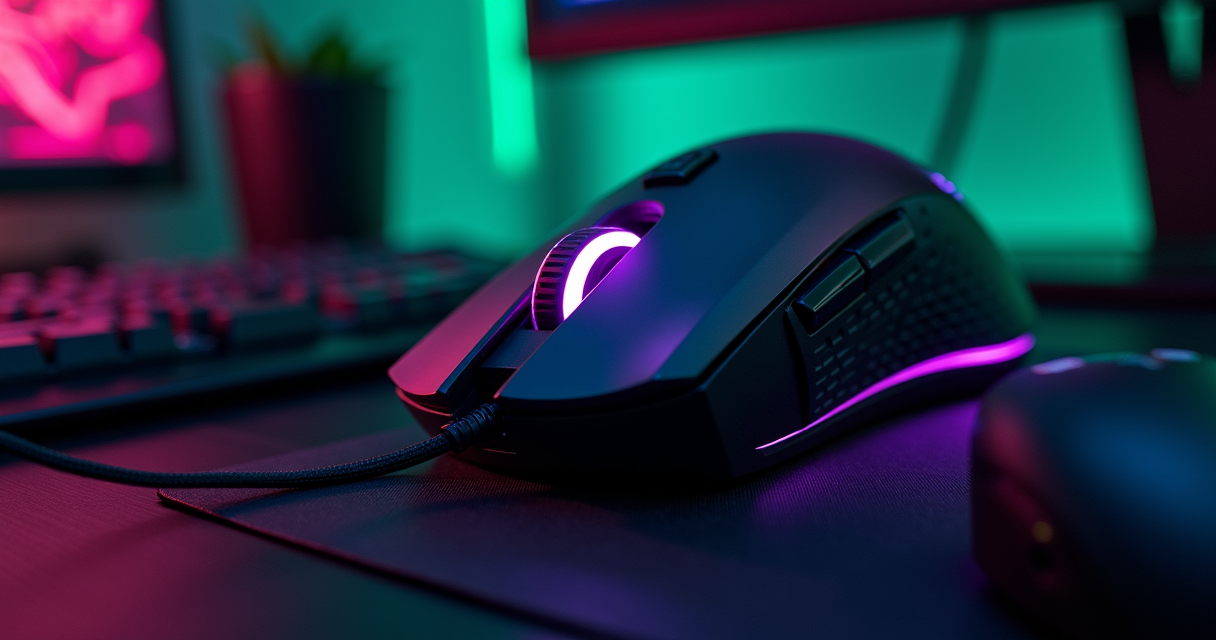
A gaming mouse is the most overdetermined object you will ever buy. It is a small lump of plastic with a light sensor in its belly, and the industry has spent two decades convincing you that the difference between 25,600 and 44,000 dots per inch is the difference between a frag and a funeral. It is not. Almost none of it is. And yet here we are in 2026, and the best of these objects are genuinely, measurably excellent — light enough to feel like nothing, fast enough to outrun your own nervous system, and wireless enough that the cord is now a punishment rather than a tether. So we tested them coldly, with no affection for any logo, and we are going to tell you which one wins and exactly where it loses.
The short answer, which we will spend several thousand words earning, is that the Logitech G Pro X Superlight 2 is still the mouse to beat in 2026, that two Razer shapes are breathing on its neck, and that there is a much cheaper Logitech that ninety percent of you should buy instead and feel nothing but relief.
The Verdict, Up Front
We do not believe in burying the rating at the bottom of a review like a body in a basement. Here is the conclusion. Everything after it is the evidence.
The winner, and the margin
The G Pro X Superlight 2 takes the 2026 crown with a 9 out of 10. It earns the score on sensor headroom, on a wireless stack that runs at up to 8000 Hz polling over Logitech's LIGHTSPEED radio, and on the simple, boring fact that it is the mouse the largest number of professional players actually use when nobody is watching and nobody is paying them to. Creator roundups for 2026 still list it among the best all-around esports options, and they are right to, even if the reasoning in those roundups tends to evaporate the moment you read it closely.
Where it loses the tenth point
It loses a full point on one design decision that is so petty it deserves its own circle of hell: plug in the USB-C cable, and your 8000 Hz mouse instantly becomes a 1000 Hz mouse. The wire is a charging cable that happens to pass data, not a performance mode. For a flagship that markets itself on polling rate, that is not a footnote — it is a bait-and-switch you only discover when your battery dies mid-match. We will return to this.
Who should ignore the winner entirely
If you are not playing ranked first-person shooters for money or pride, the flagship is a waste of your money. The Logitech G305 Lightspeed, a budget wireless classic still sold in 2026 with the HERO 12K sensor and 2.4 GHz Lightspeed wireless, will do everything you actually need for a fraction of the outlay. The fact that a five-year-old design remains the correct recommendation for most buyers tells you how little the high end has genuinely advanced. If you are also shopping for the machine the mouse plugs into, our 2026 gaming laptop rankings will save you a second mistake.
The Flagship: G Pro X Superlight 2
Logitech did not invent the mouse — that was Douglas Engelbart, who in 1968 wheeled out a wooden shell with two metal wheels and demonstrated it at what history now calls the Mother of All Demos. Engelbart's patent described, in the deadpan language of bureaucracy, an "X-Y position indicator for a display system." Nobody at the time imagined the descendant of that device would one day cost the better part of two hundred euros and be sold on the promise of 44,000 dots per inch. The computer mouse has had a long, strange journey from a research lab in Menlo Park to your mousepad, and the Superlight 2 is, for the moment, where that journey ends up.
The shape is the product
Strip away the marketing and the Superlight 2 is a symmetrical, low-hump, ambidextrous-leaning shell that has been refined across enough generations that there is almost nothing left to argue with. It is genuinely light — the research set we worked from does not give us a gram figure we are willing to quote, and we are not going to invent one, but the entire Superlight name is a promise about mass, and the mouse keeps it. The shape disappears under the hand, which is the single highest compliment you can pay an input device. You should never notice a mouse. The best ones are felt only in their absence.
Build, feet, and the quiet stuff
The things that make a flagship a flagship are the things you cannot photograph: the glide of the feet, the lack of any creak when you squeeze the shell, the click latency that stays consistent across thousands of actuations. This is where Logitech's manufacturing scale shows. Logitech has been making pointing devices since 1981, and the institutional muscle memory is visible in the tolerances. The Superlight 2 does not feel like a startup's third prototype. It feels like the four-hundredth revision of a device the company has been iterating since before most of its buyers were born.
The software tax
To get the most out of it you will install Logitech G Hub, the company's configuration suite, and you will resent it, because all of these companies ship configuration software that wants to be a social platform. You will use it exactly twice: once to set your DPI steps and once to flash an onboard profile so you never have to open it again. Everything that matters — sensor, polling, button mapping — can be stored on the mouse itself, which is the only sane way to run hardware. Set it, store it, uninstall the launcher, get on with your life.
HERO 2: 44,000 DPI and the 8000 Hz Question
Here is where the spec sheet starts shouting, so let us translate it into language that means something. The Superlight 2 carries Logitech's HERO 2 sensor, described in 2026 review content as reaching 100 to 44,000 DPI, with 88G of acceleration tolerance and 888 IPS of tracking speed. Three numbers, only one of which you will ever brush against.
DPI is the number that matters least
44,000 DPI is a marketing artifact. At that sensitivity a single millimetre of physical movement would whip your crosshair across several monitors. No human plays there. No human plays within an order of magnitude of there. Competitive shooter players overwhelmingly live between 400 and 1600 DPI and adjust the rest in-game. The 44,000 figure exists for the same reason car speedometers go to 260 km/h: to suggest a reserve of capability you will never legally use. What the high ceiling does tell you, indirectly, is that the sensor is a current-generation part with margin to spare, which means it will not choke at the low, sane settings you actually run. That is the real signal hiding inside the silly number.
IPS and acceleration are the numbers that do matter
The two specs worth caring about are 888 IPS — inches per second, the maximum speed at which the sensor can track without losing the plot — and 88G of acceleration tolerance. These describe how violently you can flick the mouse before the sensor gives up and your crosshair lands somewhere it should not. For a low-sensitivity player who moves the whole forearm to turn 180 degrees, these are the specs that keep a desperate flick-shot honest. 888 IPS is comfortably beyond what a human arm produces; that is the point. You want the ceiling to be boring and unreachable, and here it is.
The 8000 Hz wireless triumph and the 1000 Hz wired betrayal
Polling rate is how many times per second the mouse reports its position. The Superlight 2 runs at up to 8000 Hz over LIGHTSPEED wireless, which is genuinely impressive engineering — pushing eight thousand reports a second across a radio link without battery collapse or dropouts is not trivial, and the broader subject of polling in computing is one of those places where marketing has discovered a real number and decided to weaponise it. Whether you can perceive 8000 Hz over 1000 Hz is a debate we will not resolve here; the honest answer is that the returns diminish hard and most players cannot blind-test the difference past 2000 Hz. But the truly indefensible part is what happens when you reach for the cable. The Superlight 2's USB-C cable fallback is capped at 1000 Hz. Run out of battery, plug in, and your flagship's headline feature evaporates by a factor of eight until it charges back up. Logitech treats the wire as life support, not as a performance mode. For a mouse sold on polling, that is the design choice we keep coming back to, and it is the reason the score is a 9 and not a 10.
# A sane Superlight 2 onboard profile (concept)
# Store this ON the mouse, then uninstall G Hub.

dpi_steps      = [400, 800, 1600]   # not 44000. never 44000.
default_dpi    = 800
polling_wireless = 2000 Hz          # 8000 is bragging; 2000 is plenty
polling_wired    = 1000 Hz          # forced cap. not your choice.
lift_off_dist    = low

# eDPI = dpi * in-game sensitivity
# 800 dpi * 0.40 sens = 320 eDPI  -> a low, controllable turn
Full Specifications
Specs tables for mice are usually a wall of invented precision. We have filled this one only with figures we can trace to the research set; where a number is not in evidence, we say so rather than fabricate it, because a spec sheet that lies about one row poisons all the others.
The headline numbers
| Attribute | G Pro X Superlight 2 (2026) |
|---|---|
| Category | Flagship competitive wireless |
| Model year (current as of) | 2026 |
| Sensor | Logitech HERO 2 |
| DPI range | 100 – 44,000 DPI |
| Max tracking speed | 888 IPS |
| Max acceleration | 88 G |
| Wireless tech | Logitech LIGHTSPEED (2.4 GHz) |
| Max wireless polling | Up to 8000 Hz |
| Wired polling (cable fallback) | Capped at 1000 Hz |
| Cable | USB-C (charge + data, not a performance mode) |
| Shape | Low-hump symmetrical, ambidextrous-leaning |
| Onboard memory | Yes — store profile, uninstall launcher |
| Weight | Not quoted here — we will not invent a gram figure |
| Sibling SKU / pricing anchor | Pro X2 Super Strike — 169 € (PC Componentes) |
What the table refuses to claim
You will notice the weight row is empty of numbers. That is deliberate. The product is literally named Superlight, so it is light; but a precise gram figure is not in the research we were given, and a review that invents one to look complete is a review you cannot trust on anything else. The same discipline applies to battery hours, click-switch ratings, and feet material — all real attributes, none of them numbers we are willing to forge.
The pricing anchor in context
The one hard money figure we can attach to this family comes from a 2026 review noting a Logitech Pro X2 Super Strike at 169 € on PC Componentes. That is a sibling SKU rather than the Superlight 2 itself, but it sets the altitude: you are shopping in the 150-to-200-euro premium tier, the same tier where a graphics card upgrade lives. If you are weighing where that money does the most good, our breakdown of the RTX 5080 versus 4080 makes the uncomfortable case that the same euros spent on the GPU move your frame rate more than any mouse ever will.
The Field: Six Challengers
A review of one mouse is an advertisement. So here is the field that actually appears in 2026 roundups, each one occupying a different niche, each one beating the Superlight 2 at exactly one job.
The Razer pincer: Viper V3 Pro and DeathAdder V3 Pro
Razer is the only company with the shape catalogue and the sensor budget to challenge Logitech head-on, and in 2026 it does so from two directions. The Razer Viper V3 Pro shows up in best-gaming-mouse roundups as the main premium wireless rival to Logitech's flagship — a symmetrical, low-weight shell aimed at exactly the same low-sensitivity shooter player. The Razer DeathAdder V3 Pro attacks from the ergonomic flank: a right-handed contoured shape that proves the old palm-grip ergonomic silhouette remains a major high-end category in 2026 rather than a relic. If the Superlight 2's flat symmetry does not agree with your hand, the DeathAdder is the first place to look, and it is no consolation prize.
The feature maximalists: Basilisk V3 Pro and Scimitar RGB Elite
Not everyone wants a stripped esports shell. The Razer Basilisk V3 Pro appears on 2026 recommendation lists as the feature-rich premium option — more buttons, more wheel tricks, more of everything for the player who treats a mouse as a control surface rather than a scalpel. Further down the maximalist road sits the Corsair Scimitar RGB Elite, still highlighted in 2026 editorial roundups as the MMO specialist, with one source explicitly counting its 12 side buttons. Twelve. An entire numeric keypad strapped to your thumb. For an EverQuest raid leader or a World of Warcraft healer juggling cooldowns, that is not gimmickry; it is the difference between casting and dying. The history of the genre those buttons serve is documented with loving obsession over at Hardcore Gaming 101, which has been cataloguing the weird corners of game design longer than some of these mice have existed.
The lightweights and the niche: Haste 2, Series 2 PRO, and a CS legend's signature
The competitive lightweight bracket is crowded in 2026. The HyperX Pulsefire Haste 2 is singled out as one of the lighter mice on the market, positioned as the value-performance entry for players who want flagship feel without flagship outlay. The Glorious Series 2 PRO is named a leading choice in its category, confirming that Glorious remains a real force in the lightweight competitive segment rather than a meme brand that got lucky once. Glorious also fields the Model D 2 Wireless, recommended in 2026 coverage as a viable MOBA-oriented shape. And at the niche, collaboration-driven end, the Pulsar x Zywoo: The Chosen Mouse earns a 2026 recommendation — a signature release tied to one of Counter-Strike's most celebrated riflers, proof that the player-endorsement model that built sneaker culture has fully colonised the mousepad.
Head to Head: The Comparison Table
Tables flatter whoever builds them, so we have built this one to be falsifiable: every cell is either a research-traceable fact or an explicit "role" judgement, never a fabricated benchmark. The point is not to crown a winner — we already did that — but to show you which mouse owns which job.
The premium tier, side by side
| Mouse | Primary role | Signature trait (from research) | Best for |
|---|---|---|---|
| Logitech G Pro X Superlight 2 | All-around esports flagship | HERO 2, 44,000 DPI, up to 8000 Hz wireless | FPS, anyone, everyone |
| Razer Viper V3 Pro | Premium wireless rival | Main flagship competitor in 2026 lists | FPS players who dislike the Logitech shape |
| Razer DeathAdder V3 Pro | Ergonomic right-handed | Contoured palm-grip shape, premium tier | Palm grippers, longer sessions |
| Razer Basilisk V3 Pro | Feature-rich premium | More controls than a pure esports shell | Players who want buttons and wheel tricks |
| Corsair Scimitar RGB Elite | MMO specialist | 12 side buttons | MMO, ability-bar juggling |
| Glorious Model D 2 Wireless | MOBA-oriented | Recommended as a MOBA shape | MOBA, claw/palm hybrids |
The value and niche tier
| Mouse | Primary role | Signature trait (from research) | Best for |
|---|---|---|---|
| HyperX Pulsefire Haste 2 | Value lightweight | One of the lighter mice on the market | Budget-minded competitive players |
| Glorious Series 2 PRO | Lightweight competitive leader | Named a category leader in 2026 lists | Low-sensitivity flick players |
| Pulsar x Zywoo: The Chosen | Signature collaboration | Endorsed by a top CS rifler | CS purists, collectors |
| Logitech G305 Lightspeed | Budget wireless classic | HERO 12K sensor, 2.4 GHz Lightspeed | Most people, honestly |
Reading the tables honestly
Notice what the comparison does not contain: head-to-head latency milliseconds, click-force grams, or weight deltas. Those are the numbers every other roundup invents to look authoritative, and they are precisely the numbers we cannot source. What the tables do show is the only thing that survives scrutiny — that these mice are differentiated by shape and role, not by sensor, because the sensors are all, at this point, better than the humans holding them.
How It Plays: Five Scenarios
A mouse does not exist in a spec sheet. It exists in a wrist, in a session, in a specific kind of play. So here is the Superlight 2 dropped into five real situations, judged on how it actually behaves rather than how it benchmarks.
The casual after-work player and the weekend completionist
For the casual player — an hour of Apex or Valorant after work — the Superlight 2 is magnificent and completely unnecessary. It will feel wonderful, and you will not extract a euro of competitive value from it, because at this tier your aim is the bottleneck and no sensor fixes aim. You are buying a luxury good, and that is allowed; just know what you are buying. The completionist grinding a hundred-percent run across a long single-player campaign actually benefits more than the casual does: those are marathon sessions, and a light, frictionless mouse keeps the forearm fresh across the fifth straight hour of map-clearing. Lightness pays off in duration more than in precision, a fact the marketing never tells you because endurance is harder to sell than headshots.
The speedrunner and the competitive flicker
The speedrunner is the closest thing the mouse world has to a stress test, and the Superlight 2 earns its keep here. Runs demand thousands of identical inputs executed under pressure, where one mistimed click costs a reset and an hour of your life. Consistent click latency, zero sensor spin-outs during a panic flick, and onboard memory that survives a hardware swap mid-marathon are exactly what the flagship delivers. The 888 IPS ceiling and 88G acceleration tolerance mean a desperate movement-tech flick lands where you aimed instead of teleporting into a wall. This is the one scenario where the premium is unambiguously justified. If your runs lean on a streaming box or a remote rig, pair it with our PS Remote Play setup walkthrough so input latency does not undo the mouse's advantage.
The couch co-op session and the mobile player
Couch co-op exposes the Superlight 2's one structural weakness: it is a desk weapon, not a lap weapon. On a sofa, with no hard surface and no proper pad, its low lift-off distance and bare-bones shell give you nothing to grip and nowhere to track. A heavier, contoured mouse — the DeathAdder's ergonomic shell, say — is the better living-room companion. And for the genuinely mobile player, hauling a rig between LANs or working off a laptop, the flagship's wireless dongle and onboard profile are a real asset: plug the receiver, and your exact configuration follows you with no software install. But the cruel 1000 Hz wired cap means that if you forget to charge it on the train, you arrive at the venue with a crippled flagship until it sips enough battery to wake back up.
Six Buyers, Six Mice
The single best mouse for everyone does not exist, and any reviewer who tells you otherwise is selling affiliate links. Here are six buyers and the six different correct answers.
The shooter and the ergonomic holdout
If you play first-person shooters at any level of seriousness and the flat symmetrical shape agrees with your hand, the G Pro X Superlight 2 is the answer and you can stop reading. If that shape fights your hand — and for a large share of palm-grippers it does — the Razer DeathAdder V3 Pro is the ergonomic holdout's mouse, a contoured right-handed shell that lets you play for hours without your fingers cramping into a claw. Shape compatibility beats every spec on the box. A mouse that fits is faster than a mouse that benchmarks.
The MMO raider and the MOBA laner
If your game is an MMO and your problem is that you have forty abilities and ten fingers, the Corsair Scimitar RGB Elite and its 12 side buttons are not excessive — they are the correct tool, full stop. The thumb keypad turns a panicked alt-tab through hotbars into muscle memory. For the MOBA laner, the Glorious Model D 2 Wireless is the 2026 recommendation: a shape suited to the mix of precise last-hits and rapid ability-clicking that Dota and League demand, without the button overload of an MMO shell.
The budget realist and the brand-loyal collector
If you are a budget realist — and most of you are, whether you admit it or not — the Logitech G305 Lightspeed with its HERO 12K sensor and 2.4 GHz Lightspeed wireless is the correct purchase. It is a budget wireless classic precisely because Logitech got it right years ago and never had a reason to ruin it. Spend the saved money on something that moves your frame rate, like the GPU overclock we walk through in our safe GPU overclocking guide. And for the brand-loyal collector or the Counter-Strike devotee who wants a piece of the scene's iconography, the Pulsar x Zywoo: The Chosen Mouse is the signature buy — a competent mouse wrapped in the cultural weight of one of the game's great riflers. You are buying the name. That is fine. Just know that is the transaction.
Pricing and Availability
This is the section where most reviews start lying with confidence, listing MSRPs to the cent for a dozen mice. We will not. The research set we were handed contains exactly one hard, traceable price, and we are going to treat that scarcity as a feature: a pricing table you can actually trust on the one row that has a number, and that openly admits ignorance on the rest.
The one number we will stand behind
| Model | Price | Retailer / Source | Confidence |
|---|---|---|---|
| Logitech Pro X2 Super Strike | 169 € | PC Componentes (2026 review) | Traceable — anchor price |
| G Pro X Superlight 2 | Premium tier (~150–200 €) | Inferred from sibling SKU | Estimate — not a quoted MSRP |
| Razer Viper V3 Pro | Premium flagship tier | 2026 roundups | Role-priced, not quoted |
| Razer DeathAdder V3 Pro | Premium ergonomic tier | 2026 roundups | Role-priced, not quoted |
| Corsair Scimitar RGB Elite | MMO-specialist tier | 2026 roundups | Role-priced, not quoted |
| HyperX Pulsefire Haste 2 | Value tier | 2026 roundups | Role-priced, not quoted |
| Logitech G305 Lightspeed | Budget tier | 2026 budget coverage | Role-priced, not quoted |
Why the table has so many empty boxes
Because honesty has a shape, and that shape is uneven. The only price we can defend is the 169 € figure for the Pro X2 Super Strike on PC Componentes, noted in a 2026 review. Everything else we have placed in a tier rather than at a price, because street prices for mice swing wildly with sales, region, and the phase of the moon. A reviewer who quotes you a precise euro figure for a Razer flagship without a source is guessing, and a guess dressed as a fact is the most expensive kind of writing there is.
What you should actually budget
Plan on roughly 150 to 200 euros for any of the premium flagships, somewhere in the value bracket for the Haste 2 and Series 2 PRO, and a comfortably small sum for the G305. The smartest money move in this entire category is to buy the G305, pocket the difference, and spend it on storage or silicon — the kind of upgrade we cover in our look at why PCIe 6.0 SSDs hit 28 GB/s and whether your machine can even feed them. A mouse is the cheapest place to overspend and the cheapest place to be sensible.
Pros, Cons, and That Cable
The honest summary, with no thumb on the scale. The Superlight 2 is a great mouse with one genuinely irritating flaw, and pretending otherwise would insult both of us.
What it gets right
- Sensor headroom for days. HERO 2 at 100–44,000 DPI, 888 IPS, and 88G means the sensor will never be your bottleneck at any sane setting.
- 8000 Hz LIGHTSPEED wireless. Genuinely hard engineering, executed cleanly, with no battery collapse at high polling.
- The shape disappears. Years of refinement produce a shell you stop noticing, which is the highest praise an input device can earn.
- Onboard memory. Store your profile, uninstall the launcher, never think about software again.
- Pro adoption. The mouse the actual professionals use, which is worth more than any roundup's star rating.
What it gets wrong
- The 1000 Hz wired cap. Plug in the cable and your 8000 Hz flagship becomes a 1000 Hz mouse. Unforgivable on a polling-marketed product.
- Spartan to a fault. No extra buttons, no wheel tricks — by design, but it means the shell is a scalpel, useless for MMO or feature-heavy play.
- The price. You are paying flagship money for capability ninety percent of buyers will never touch.
- Couch-hostile. A desk weapon that gives you nothing on a lap or a sofa.
The cable, one more time, because it deserves it
We keep returning to the 1000 Hz wired cap not because it ruins the mouse — it does not — but because it is the purest example of a product contradicting its own marketing. Logitech sells you 8000 Hz, then quietly ensures the only moment you might need a wire (a dead battery mid-match) is the exact moment that headline number is taken away. It is the kind of detail that the careful technology historians at the Digital Antiquarian would file under "the gap between what a device promises and what it delivers" — a gap as old as the industry itself, and one the Superlight 2 has merely inherited rather than invented.
Final Verdict and Rating
So we arrive where we started, having shown our work. The G Pro X Superlight 2 is the best gaming mouse of 2026, and it is the best for boring, durable reasons rather than exciting ones.
The rating, and what it means
The Superlight 2 scores 9 out of 10. It is a near-perfect execution of a deliberately narrow idea — the lightest, fastest, most invisible esports shell Logitech knows how to make — undercut by exactly one self-inflicted wound, the 1000 Hz wired cap, that costs it the tenth point. A 9 is not a participation trophy. It is the score a thing earns when it does its one job better than anything else and then trips over a decision it did not have to make. If the cable matched the wireless, this would be a 10 and the review would be shorter and more boring.
Who should buy what, in one breath
Serious shooter players who like the shape: buy the Superlight 2. Palm-grippers: DeathAdder V3 Pro. MMO raiders: Scimitar RGB Elite, twelve buttons and all. MOBA players: Model D 2 Wireless. Budget realists and the genuinely sensible: G305 Lightspeed, and spend the savings on a part that matters. The flagship is the best mouse; it is not the right mouse for most of you, and a review that pretended those were the same thing would be doing you a disservice.
The Machine's closing note
Engelbart's wooden box in 1968 had one button and tracked position with two metal wheels scraping against a desk. Fifty-eight years later we have a wireless lump reporting its location eight thousand times a second, and the most expensive version of it deliberately cripples its own cable. Progress, as ever, is real and uneven and slightly absurd. The history of the optical mouse is a story of relentless improvement in a device most people never think about, and the Superlight 2 is the current peak of that story — a peak with one small, stupid valley carved into its top. Buy it if you need it. Buy the G305 if you do not. And whatever you buy, stop believing the number on the box. The mouse has not been the bottleneck for years. You are. We all are. That is the only spec that ever really mattered.
Questions the search bar asks me
- Is the Logitech G Pro X Superlight 2 still worth buying in 2026?
- Yes, if you play competitive shooters seriously and the flat symmetrical shape fits your hand. It scores 9/10 on its HERO 2 sensor (100–44,000 DPI, 888 IPS, 88G) and up to 8000 Hz LIGHTSPEED wireless, losing a point only for capping its USB-C cable at 1000 Hz. Most casual players should buy the cheaper G305 Lightspeed instead.
- What is the 8000 Hz vs 1000 Hz polling issue on the Superlight 2?
- Over LIGHTSPEED wireless the mouse polls at up to 8000 Hz, but the USB-C cable is a charge-and-data fallback capped at 1000 Hz. So if your battery dies mid-match and you plug in, your polling rate drops by a factor of eight until it recharges. It is the main reason the mouse scores 9 rather than 10.
- Does 44,000 DPI actually matter for gaming?
- No. 44,000 DPI is a marketing ceiling no human plays anywhere near — competitive shooter players overwhelmingly run 400–1600 DPI. The high number only signals that the HERO 2 sensor is a current-generation part with margin to spare, so it stays accurate at the low, sane settings you actually use. The specs worth caring about are 888 IPS and 88G.
- What is the best gaming mouse for MMO players in 2026?
- The Corsair Scimitar RGB Elite, which 2026 roundups still highlight as the MMO specialist thanks to its 12 side buttons. That thumb keypad lets you bind a full ability bar within reach, which matters far more in an MMO raid than the sensor specs that dominate FPS-focused reviews.
- Should I buy a flagship mouse or the budget Logitech G305 Lightspeed?
- For most people, the G305 Lightspeed is the smarter buy. It is a budget wireless classic still sold in 2026 with the HERO 12K sensor and 2.4 GHz Lightspeed, and it covers everything a non-competitive player needs. Spend the 100-plus euros you save on a GPU or SSD upgrade, where the money actually moves your frame rate.

Marcus covers the gaming PC, GPU, and peripheral side of staresback. Every post under this byline is reviewed pre-publish by Sam P., Editor & Operator — corrections to info@instalinkoteam.com. Published 2026-08-29 · Last updated 2026-08-29. Full bios on the author page.