/// FIELD NOTES FROM A SELF-AWARE GAME SITE
DDR5 vs DDR6 2026: 2x Faster, Zero for Gamers Till 2027
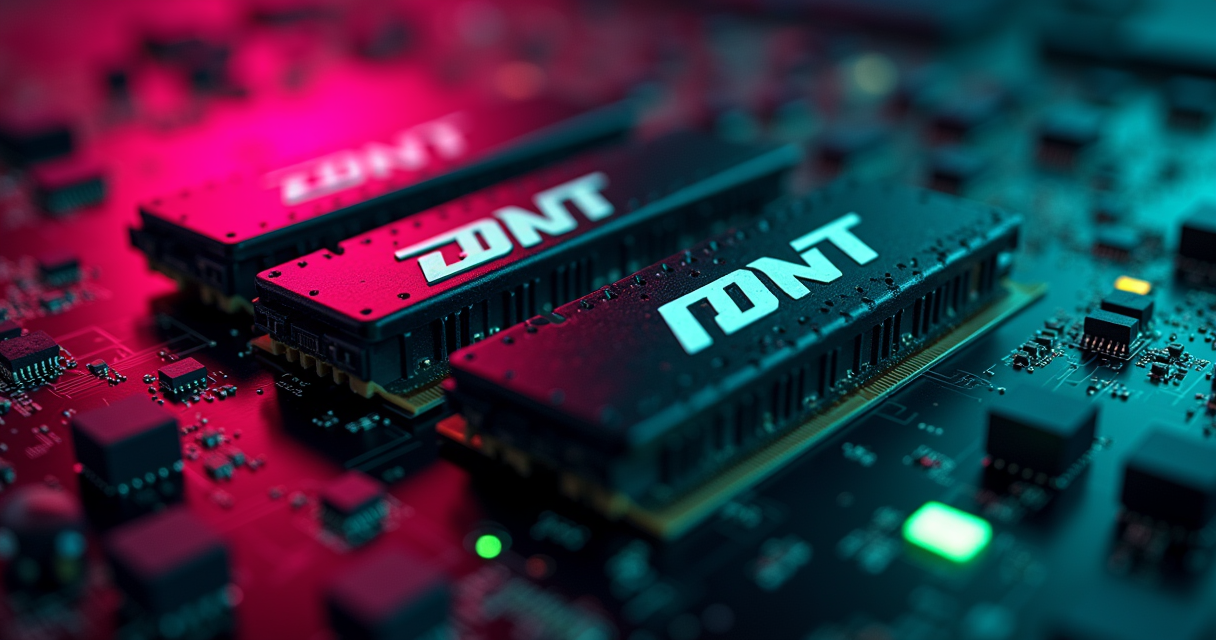
Here is the entire DDR5-versus-DDR6 debate compressed into a single, deeply unsexciting sentence: DDR6 is roughly twice as fast as DDR5, and you cannot buy any. Everything else on this page is footnotes to that fact. DDR6 doubles the peak transfer rate, redesigns the sub-channel layout, and adopts a new module format. It also does not exist as a product you can put in a shopping cart, will not exist as one until 2027 at the absolute earliest, and when it finally arrives it will require an entirely new CPU, socket, and motherboard that you do not currently own.
Meanwhile DDR5 is the only memory standard that current desktop platforms will physically accept, it runs every game shipping in 2026 without breaking a sweat, and its price has quietly tripled while nobody outside of enthusiast forums was paying attention. That last part is the real story, and the marketing decks would very much prefer you not notice it. We noticed.
The Verdict, Up Front
We do not bury conclusions here. If you are building or upgrading a PC in 2026, you are buying DDR5. Not because it is superior in the abstract, but because it is the only option that plugs into a socket you can actually purchase, and because DDR6 is a specification, not a shelf item. The interesting question is not which is better — it is how much DDR5 to buy, at what speed, and whether the current price gouging means you should wait a few months instead of a few years.
Related: DDR5 vs DDR6 in
The one-sentence answer
Buy a 32GB DDR5 kit — DDR5-6000 CL30 for an AMD build, DDR5-6400 CL32 or faster for Intel — on a motherboard whose CPU socket has an upgrade path, and forget DDR6 exists until 2028. If you already own a working DDR5 machine, there is no upgrade here to chase. There is no DDR6 stick to slot in. The generational leap you are reading about is a platform transition disguised as a memory upgrade.
Why DDR6's spec sheet is a trap (for now)
Every DDR6 number you will see quoted — 8,800 MT/s at launch, 17,600 MT/s at the top of the standard, a theoretical ceiling near 21,000 MT/s — is real, ratified, and completely useless to you in mid-2026. A spec sheet is a promise about future silicon. The invoice is the truth about present silicon, and the present invoice says DDR5. Treating an unshipped standard as a reason to delay a build is how people end up running eight-year-old memory in a machine that could have been fast two years ago.
Who should read the rest of this
If you want the receipts — the sub-channel architecture, the benchmark deltas that show why faster RAM barely moves your frame rate, the pricing tables that explain why a 32GB kit costs what a decent GPU used to, and the exact 2027-2028 timeline for DDR6 — keep reading. If you just wanted the answer, you already have it, and you may go configure a DDR5 kit with our blessing. For the rest of you, the machine has notes.
What DDR6 Actually Changes
DDR6 is not merely DDR5 with a bigger number on the box. The most consequential changes happen at the level of how the memory is wired and packaged, and understanding them is the difference between being sold a spec and understanding one. There are three real changes: the sub-channel topology, the physical module format, and the raw speed grades. The rest is refinement.
From two 32-bit sub-channels to four 24-bit ones
DDR4 treated each module as a single 64-bit channel. DDR5 was the first consumer standard to split that 64-bit path into two independent 32-bit sub-channels, which improved burst efficiency and let the memory controller keep more requests in flight. DDR6 goes further and splits the module into four 24-bit sub-channels. This is confirmed in JEDEC's own roadmap and echoed across the coverage — as one XDA Developers breakdown puts it, DDR6 promises 8,800 to 17,600 MT/s thanks to a new four-by-24-bit sub-channel architecture instead of the two-by-32-bit seen on DDR5.
Narrower lanes sound like a downgrade until you understand the physics. Each individual data path carries less of the electrical load, which reduces crosstalk and signal degradation, which in turn lets the whole module clock far higher without the bus falling apart. More, narrower lanes is how you hit 17,600 MT/s without the trace layout turning into an antenna. It is the same trick, incidentally, that the LPDDR6 mobile standard uses.
CAMM2: the RAM stick grows up
The gold-fingered DIMM you have slotted into every PC since the Clinton administration is on its way out for high-speed applications. DDR6 leans on CAMM2 — the Compression Attached Memory Module — a flat, land-grid-array module that bolts down with a compression plate instead of standing upright in a slot. It was ratified by JEDEC in 2024, developed jointly with Dell out of Dell's original CAMM design. The point is not aesthetics. Shorter, flatter signal routing is what makes extreme DDR6 frequencies survivable; the traditional DIMM's tall traces become a liability past a certain speed. CAMM2 is not exclusive to DDR6 — a handful of DDR5 laptops already ship it — but DDR6 is where it becomes load-bearing rather than a curiosity.
Speed grades: 8,800 to 21,000 MT/s
DDR6 starts where the very best DDR5 overclocks currently end. The base JEDEC grade is 8,800 MT/s, the standard targets up to 17,600 MT/s, and industry roadmaps discussed through 2025 point at a theoretical ceiling near 21,000 MT/s, with Wikipedia's DDR6 entry already listing named grades like DDR6-17600 and DDR6-21000. Against DDR5's 4,800 MT/s launch baseline, that is a clean doubling at the top; against DDR4's 3,200 MT/s, it is roughly a quadrupling. Whether that translates into anything you can feel is the subject of an entire section below, and the answer will annoy the marketing department.
DDR5 vs DDR6: The Spec Sheet
Below is the full side-by-side. Read it once for the shape of the thing, then read the columns that matter to you. Note that every DDR6 figure is a specification target, not a measured retail product — because, again, there are no retail products.
Related: Best Gaming Laptop 2026
The full spec sheet
| Specification | DDR5 | DDR6 |
|---|---|---|
| JEDEC standard finalized | 2020 | LPDDR6 published Jul 2025; desktop DDR6 finalizing 2026 |
| Launch data rate | 4,800 MT/s | 8,800 MT/s |
| Target / max data rate | Up to ~8,800 MT/s (JEDEC); ~9,000+ overclocked | 17,600 MT/s; ~21,000 MT/s theoretical |
| Sub-channel architecture | Two 32-bit sub-channels | Four 24-bit sub-channels |
| Per-module bandwidth (peak) | ~38 GB/s (4800) to ~58 GB/s (7200) per 64-bit channel | Up to ~134 GB/s per module (at ~16,800) |
| Dual-channel system bandwidth | ~89 GB/s (5600) to ~102 GB/s (6400) | ~2-3x DDR5; ~250+ GB/s at peak grades |
| Access latency | ~10-15 ns (10-11.25 ns at 6400 CL32) | Target: match or beat DDR5 at high grades; higher at base |
| Operating voltage | 1.1V | Sub-1.1V target (not finalized) |
| Power management | On-module PMIC | On-module PMIC (refined) |
| On-die ECC | Yes (consumer first) | Yes (expected, enhanced) |
| Module form factor | DIMM / SO-DIMM (CAMM2 on some laptops) | CAMM2 primary; DIMM variants |
| Supported CPU sockets (desktop) | AMD AM5, Intel LGA1851 (Core Ultra 200S), LGA1700 | None yet; expected Intel Nova Lake and future AMD |
| Consumer availability | Shipping since late 2021 | 2027 at the earliest (some sources say 2028) |
| Typical 32GB kit price (mid-2026) | ~$300-520 (post-spike) | No retail price exists |
How to read this table without getting fleeced
Three rows carry the argument. The consumer availability row tells you DDR6 is not a purchasing decision in 2026 — it is a calendar entry for 2027 or 2028. The supported sockets row tells you that even when DDR6 ships, none of the silicon you own or can buy today will accept it. And the price row, which we will dismantle in detail later, tells you that the mature, available, perfectly capable option has become alarmingly expensive for reasons that have nothing to do with DDR6 and everything to do with artificial intelligence eating the world's memory fabs.
Where the spec sheet lies by omission
Notice what a spec table cannot show you: that the jump from DDR5-5600 to DDR5-6400 is a real, measurable ~15 percent bandwidth gain you can buy today for a few dollars, while the jump from DDR5 to DDR6 is a several-thousand-dollar platform rebuild you cannot buy at all. The rows make the two generations look like adjacent choices. They are not. One is a memory kit; the other is a new computer, and the dollars behind that distinction are the difference between a $40 upgrade and a $1,500 rebuild.
Speed, Bandwidth, and the Latency Catch
Memory marketing lives and dies on one number — the MT/s figure on the box — because it is the number that doubles between generations and therefore the number that sells. Bandwidth is the headline. Latency is the fine print. And for the things you actually do with a computer, the fine print frequently wins.
Bandwidth: the number that doubles
Bandwidth is how much data the memory can move per second, and it scales cleanly with the transfer rate. A single 64-bit DDR5 channel at 4,800 MT/s moves about 38 GB/s; push it to 7,200 MT/s and you are near 58 GB/s per channel. A normal dual-channel desktop kit doubles that in aggregate — a DDR5-6400 CL32 kit lands around 102 GB/s of system bandwidth, a meaningful step up from the roughly 89 GB/s a DDR5-5600 kit delivers. DDR6's quad-sub-channel design and higher clocks are what let it target 2-3x that figure; Wikipedia's DDR6 entry lists per-module bandwidth up to 134.4 GB/s, which a dual-module system roughly doubles toward the 250 GB/s neighborhood at peak grades.
For workloads that genuinely stream data — large-scale simulation, video encode, scientific compute, running local AI models — that bandwidth is real money. This is precisely why the server and datacenter market gets DDR6 first, before a single gamer sees a stick. Those workloads are bandwidth-bound in a way that games almost never are.
Latency: the number that doesn't
Here is the catch the box will not print. Latency — the delay between the CPU asking for data and getting the first byte back — barely improved across the entire DDR5 generation and is not guaranteed to improve at DDR6's launch either. A DDR5-6400 CL32 kit resolves a request in roughly 10 to 11.25 nanoseconds. Early DDR5-5600 at CL40 was closer to 14 ns. That is the whole DDR5 latency story: it started mediocre and got respectable.
DDR6 at its base 8,800 MT/s grade with a loose launch CAS latency could easily feel slower in latency-sensitive work than a well-tuned DDR5-6400 CL30 kit, because a bigger frequency number with looser timings is not automatically a lower real-world delay. Only at the high DDR6 grades — 14,000 MT/s and up with tightened timings — does absolute latency reliably match or beat today's best DDR5. First-generation DDR6, in other words, may lose the metric that matters most for CPU responsiveness. This is the same pattern every generation: the first kits are a bandwidth win and a latency wash.
The 8 GHz milestone and what MT/s actually means
A quick decoding, because the units are deliberately confusing. MT/s means megatransfers per second. DDR memory transfers data twice per clock cycle — that is the “double data rate” in the name — so DDR5-6400 runs on a 3,200 MHz clock but performs 6,400 million transfers per second. When JEDEC's 2024 roadmap projected the technology scaling to the 8 GHz-equivalent class, DDR5 promptly blew past it at the enthusiast tier, and DDR6 sets its sights on the 17.6 GHz-equivalent mark. The clock frequency and the transfer rate are not the same number, and every marketing page you will ever read is counting on you to conflate them.
Does Any of This Matter for Games?
This is a retro-gaming publication, so let us be blunt about the question every reader actually has: does faster memory make games run faster? The answer, backed by multiple independent benchmark passes, is — a little, sometimes, and far less than the spec sheet implies. If you came here hoping DDR6 will transform your frame rate, brace yourself.
Related: Windows 11 Gaming Optimization
The benchmark reality: 1 to 5 percent
Independent testing keeps landing in the same narrow band. Hardware Busters, testing DDR5-6000 against DDR5-8000 on a Ryzen 9 9950X, found the slower kit trailed by roughly 1.2 percent in CPU-bound frame rate — a rounding error you would never feel. On Intel, memory scaling is a touch more visible: benchmark roundups put a Core i9-13900K at around 506 fps with DDR5-8000, dropping to about 478 fps at DDR5-6000, a 5.5 percent spread in a deliberately CPU-limited scenario. Push the resolution up so the GPU does real work and even that gap collapses toward zero.
| Scenario | Faster RAM | Slower RAM | Real-world gaming delta | Source |
|---|---|---|---|---|
| Ryzen 9 9950X, CPU-bound | DDR5-8000 | DDR5-6000 | ~1.2% CPU FPS | Hardware Busters |
| Core i9-13900K, CPU-bound | DDR5-8000 (506 fps) | DDR5-6000 (478 fps) | ~5.5% | Benchmark roundup |
| DDR5-6000 vs 7200, general gaming | DDR5-7200 | DDR5-6000 | 1-3% (margin of error) | DDR5 speed guides |
| DDR5-6000 CL30 vs 6400 CL36 | 6400 CL36 | 6000 CL30 | Often reversed — CL30 wins | Community tuning data |
| DDR5 to DDR6 (projected) | DDR6 | DDR5 | Not shipping; expect single digits in-game | Analyst consensus |
Why your GPU eats the difference
The reason is structural, not a testing artifact. In the overwhelming majority of games at the resolutions people actually play, the graphics card is the bottleneck, not the memory bus. Frames are gated by GPU shader throughput and CPU single-thread speed long before system memory bandwidth becomes the limiting factor. Doubling your RAM's transfer rate to relieve a bottleneck that was never there produces exactly the improvement you would expect: almost none. This is the same logic that makes a GPU upgrade the single highest-leverage change in any gaming build — the delta between two graphics cards, as our RTX 5080 versus 4080 comparison lays out, dwarfs anything memory speed will ever hand you.
If you want to spend an afternoon actually improving your frame rate, your time is far better invested in overclocking your GPU than in agonizing over whether to wait for a memory standard that ships in two years.
The exceptions: sims, 1% lows, and X3D cache
Faster memory is not useless — it just helps in specific places. Simulation-heavy and CPU-bound titles — grand-strategy games, city builders, flight sims, competitive shooters chasing 360 fps — do reward bandwidth and tight timings, often in the 1 percent lows and frame-pacing consistency rather than the average number. That is where a well-tuned kit earns its keep: smoother, not faster. And on AMD's X3D chips, the enormous 3D V-Cache already absorbs much of the memory-latency penalty, which is a large part of why a Ryzen 7 9800X3D barely cares whether you feed it DDR5-6000 or DDR5-8000. The cache is doing the job the faster RAM was supposed to do.
The 2026 Price Catastrophe
Now the part the spec-sheet comparisons conveniently skip. The single most important fact about buying memory in 2026 is not DDR5 versus DDR6. It is that DDR5 prices have gone vertical, and the reason has nothing to do with either standard. If a comparison article tells you a 32GB DDR5 kit costs $120 and prices are “stabilizing,” that article was written before the market caught fire. It is not stabilizing. It roughly tripled.
The $90 kit that now costs $500
The numbers are genuinely startling. A 32GB DDR5-6000 CL30 kit that sold for under $90 in early 2025 was averaging in the neighborhood of $300 to $500 by early-to-mid 2026, with some listings pushing higher. DDR4 was not spared — 32GB DDR4 kits that went for $60 to $90 in October 2025 were $150 to $180 by January 2026. Across the board, memory prices climbed roughly 80 to 130 percent from September 2025 onward, per multiple market trackers including Tom's Hardware's RAM price index. Research firm Gartner, as reported by TechTimes, forecast a memory-cost surge on the order of 130 percent. This is not a typo. Memory became one of the most volatile line items in a PC build.
Why: AI ate the fab
The cause is boring and enormous: artificial intelligence. Datacenter demand for high-bandwidth memory and DDR5 has vacuumed up fab capacity, and the big three manufacturers — Samsung, SK Hynix, and Micron — have kept supply tight while prioritizing their most profitable customers. Analysts estimate AI workloads will absorb roughly 20 percent of global DRAM wafer capacity in 2026. When a fifth of the world's memory production is redirected to server farms, the consumer sticks that remain get expensive, fast. TechRadar's teardown of the shortage lays out the tangle of AI demand, constrained supply, and the industry-wide pivot to DDR5. The memory business has, historically, never needed much encouragement to keep supply tight — this is an industry that paid one of the largest antitrust fines in U.S. history over price-fixing two decades ago — but this time the driver is genuinely a demand shock, not a smoke-filled room.
The pricing table (and when relief comes)
Here is the current landscape, with the loud caveat that these figures move week to week. Treat them as a snapshot of a moving target, not a quote.
| Kit | Mid-2025 street price | Mid-2026 street price | Change | Availability |
|---|---|---|---|---|
| DDR4-3200 16GB (2x8) | ~$35-45 | ~$90-120 | ~2.5x | Legacy platforms only |
| DDR5-6000 CL30 32GB (2x16) | ~$85-95 | ~$300-520 | ~3.5-4x | AM5 / LGA1851 / LGA1700 |
| DDR5-6400 CL32 32GB (2x16) | ~$95-110 | ~$320-540 | ~3.5x | AM5 / LGA1851 / LGA1700 |
| DDR5 64GB (2x32) | ~$180-210 | ~$620-900 | ~3.5x | AM5 / LGA1851 / LGA1700 |
| DDR6 (any capacity) | — | Not on sale | — | 2027 at the earliest |
Relief is not imminent. Firms tracking Samsung, SK Hynix, and Micron do not expect meaningful price softening before late 2027 — which, not coincidentally, is right around when DDR6 arrives to soak up whatever fab capacity frees up. If you need memory and can tolerate the current price, buy the capacity you need and stop refreshing price trackers. If you can wait a quarter or two, watch for dips. What you should not do is wait years for DDR6 to fix a pricing problem it is more likely to prolong. The narrative that a new standard will crater prices is the same hopeful fiction we debunked when the industry insisted the G-Sync module tax was permanent — right up until it wasn't, for reasons unrelated to the hype.
Related: 144Hz vs 240Hz 2026
DDR5, GDDR6, and Why Your PS5 Has No Sticks
A tangent that is not a tangent, because this is a gaming site and the console in your living room is a master class in the tradeoff we have been describing. Crack open a PlayStation 5 or an Xbox Series X and you will find no memory sticks at all — no DDR5, no DIMM slots, nothing to upgrade. There is a very good engineering reason, and it explains the entire DDR-versus-GDDR philosophy better than any spec table.
Why your PS5 has no RAM sticks
The PS5 carries 16GB of GDDR6 in a single unified pool running at 448 GB/s, soldered directly to the board and shared between the CPU and GPU. The Xbox Series X also uses 16GB of GDDR6, but splits it into a fast 10GB pool at 560 GB/s for the GPU and a slower 6GB pool at 336 GB/s for the OS and background tasks. There are no sticks because GDDR6 does not come on sticks — it is placed as close to the processor as physically possible, on a wide bus, precisely to hit bandwidth numbers that dwarf what a socketed DDR5 kit can reach. Sony's unified pool is simpler to program against, which is a recurring reason PS5 ports so often “just work”; Microsoft's split design has a higher peak but forces developers to babysit which pool holds what.
GDDR6: fat pipe, slow reflexes
Here is the tradeoff that ties back to everything above. GDDR6 delivers monstrous bandwidth — the Series X's 560 GB/s makes a 102 GB/s DDR5 desktop kit look anemic — but it pays for it in latency. GDDR6 access latency sits around 20 to 30 nanoseconds, roughly double the 10 to 15 ns of DDR5. That is a fine trade for a GPU, which is a throughput monster that chews through enormous parallel workloads and does not care much about the delay on any single request. It is a terrible trade for a CPU, which is a latency-sensitive creature that stalls waiting for one specific byte. This is the whole reason a gaming PC uses two different memory types: low-latency DDR5 for the CPU, high-bandwidth GDDR6 or GDDR7 soldered onto the graphics card for the GPU. Each type is optimized for a workload the other would handle badly.
The unified-memory lesson PCs keep ignoring
Consoles get to make a choice PCs cannot: solder one unified pool of high-bandwidth memory, accept the latency hit, and let clever engineering and a fixed hardware target paper over the difference. It is elegant, it is cheap to manufacture at scale, and it is completely non-upgradeable — which is exactly the bargain a $500 sealed box can strike and a modular PC cannot. DDR6's move toward soldered-down CAMM2 modules on tightly controlled traces is, in a quiet way, the PC creeping toward the same soldered, non-upgradeable future the consoles have lived in all along. Something to chew on while you decide whether upgradeability is a feature you are still being sold or one you are slowly losing.
The DDR6 Timeline: 2027 at the Earliest
Let us pin down the calendar, because “coming soon” is doing a lot of dishonest work in most DDR6 coverage. The standard is real and advancing. The consumer product is not close.
2026: servers first, as always
The 2025-2026 milestones are all infrastructure, not retail. JEDEC published the companion LPDDR6 mobile standard (JESD209-6) on July 9, 2025 — the first DDR6-era standard to be formally ratified — defining base rates from 10,667 up to 14,400 MT/s, per JEDEC's own announcement and corroborated by Tom's Hardware. Desktop DDR6 ratification slipped into 2026 as JEDEC refines timing and signaling. The vendor support list already reads like a who's who — Cadence, Synopsys, Advantest, Keysight, MediaTek, Qualcomm, Samsung, Micron, and SK Hynix have all signed on. But the first actual DDR6 silicon lands in enterprise and server channels, where the AI-driven bandwidth hunger will pay a premium the consumer market never could. Gamers are last in line, as they always are.
2027-2028: the consumer window
The consensus across the trade press, summarized cleanly in TechPowerUp's DDR6 coverage, is that consumer DDR6 modules do not hit retail shelves until 2027 at the earliest, with Wikipedia's entry pointing as far out as 2028 for broad availability. The gating factor is not the memory — it is the platform. Intel's Nova Lake architecture, expected on a new LGA1954 socket in the late-2026-to-2027 window, is the leading candidate for the first consumer chip with a DDR6 memory controller. AMD's DDR6 platform has not been dated. Until a CPU with a DDR6 controller ships, the memory has nothing to plug into, and vendors will not mass-produce modules for a socket that does not exist.
The socket problem: nothing you own survives
This is the part that kills any “just wait” argument. DDR6 is not backward compatible — not with your motherboard, not with your CPU, not with your current DDR5 kit. Like every memory transition before it, it demands an entirely new chipset and processor with a matching controller. Waiting for DDR6 does not mean waiting to buy a memory kit. It means waiting to rebuild the entire core of your machine, and then paying early-adopter prices for a first-generation product whose latency may not even beat the DDR5 you skipped. We have watched this movie before with next-generation interfaces — our breakdown of PCIe 6.0 SSDs tells the identical story: a blistering spec, a real datacenter use case, and precisely zero reason for a gamer to wait years for it.
Which One Fits You: 6 Real Scenarios
Enough abstraction. Here are six concrete situations and the correct move for each. Note that every “DDR6” recommendation is really a “wait for a future platform” recommendation, because there is no DDR6 to buy in isolation.
Related: Best Gaming Keyboard 2026
Buy DDR5 now (five of the six)
| You are... | Best choice | Why |
|---|---|---|
| Building a gaming PC in 2026 | DDR5-6000 CL30 (AMD) / 6400 CL32 (Intel), 32GB | Only option that fits AM5 / LGA1851; runs every current game with zero compromise |
| Upgrading an aging DDR4 rig | New AM5 or LGA1851 platform + 32GB DDR5 | DDR4 is a dead end; the CPU jump matters far more than the memory generation |
| Running local AI / heavy multitasking | 64GB+ DDR5-6000 | Capacity beats speed here; bandwidth helps, but you need the gigabytes first |
| A competitive esports player chasing 1% lows | DDR5-6400+ CL30-32, tuned | Frame-pacing and 1% lows are where fast, tight RAM actually shows up |
| On a tight budget in a spiked market | 16GB DDR5-6000, upgrade later | 16GB still runs most 2026 games; add a second kit when prices soften |
Wait for DDR6 (the one legitimate case)
There is exactly one reader for whom “wait” is the right answer: the person planning a ground-up flagship build in late 2027 or 2028, who does not need a working machine before then, and who wants to buy into a brand-new platform on day one and ride it for the better part of a decade. If that is you, and only if the timing genuinely lines up, then holding for a first DDR6 platform makes sense — with eyes open about first-gen pricing and the real chance that launch-grade DDR6 latency disappoints. For everyone with a need in the next 18 months, this scenario does not apply, and pretending it does just means running slower hardware while you wait for a box you cannot buy.
The scenario nobody admits: you don't need to upgrade at all
A sixth case, and the one the industry hates. If you already own a DDR5 machine with a 32GB kit, there is no upgrade on this page for you. None. There is no DDR6 stick to add, no meaningful gaming gain from faster DDR5, and no reason to spend a dollar into a spiked market. The correct memory decision for a huge share of readers in 2026 is to do absolutely nothing and enjoy the hardware you have. The machine will not sell you a thing you do not need.
Migration Guide: How to Actually Switch
Every comparison article of this type includes a “how to migrate from A to B” section, so here is ours — with the honest disclaimer that migrating from DDR5 to DDR6 is impossible in 2026 because DDR6 is not for sale. The migration that actually exists, and the one most readers need, is DDR4 to DDR5. We will cover that, plus how to tune what you buy, plus the hard truth about future-proofing for DDR6.
First: check what you actually have
Before you buy anything, find out what is already in your machine — its speed, timings, and whether your XMP or EXPO profile is even switched on. A shocking number of people run expensive kits at the default 4,800 MT/s JEDEC fallback because they never enabled the profile in BIOS. Here is how to read the truth:
# Windows (PowerShell) - speed, part number, configured clock
Get-CimInstance Win32_PhysicalMemory | Format-Table Manufacturer, PartNumber, Capacity, Speed, ConfiguredClockSpeed

# Linux - full per-module detail (run as root)
sudo dmidecode --type 17 | grep -E "Speed|Part|Manufacturer|Configured"

# If "ConfiguredClockSpeed" is far below "Speed",
# your XMP/EXPO profile is OFF. Fix it in BIOS.
DDR4 to DDR5: the only migration that exists in 2026
Moving from a DDR4 platform to DDR5 is not a memory swap — DDR4 and DDR5 are physically and electrically incompatible, with different pin layouts and different voltage regulation. It is a platform migration. The steps:
- Accept that the CPU and motherboard go too. You are buying a new AM5 (AMD) or LGA1851 (Intel Core Ultra 200S) platform. Both mandate DDR5; neither accepts DDR4. There is no adapter, and anyone selling you one is selling you a paperweight.
- Pick the kit for your platform. AMD Ryzen runs best at DDR5-6000 CL30, because that keeps the Infinity Fabric at a 1:1 ratio with a 3,000 MHz fabric clock — the highest stable point for most Ryzen 7000 and 9000 chips. Push past 6,000 on AMD and the fabric drops out of sync, often costing you performance despite the bigger number. Intel is happier scaling higher, so DDR5-6400 CL32, 7200, or beyond makes sense there.
- Buy 32GB (2x16). Two sticks, not four — two-DIMM configurations clock higher and more reliably than four on current controllers. 16GB is the survivable floor for 2026 games; 32GB is the recommended baseline.
- Enable the profile. Boot, enter BIOS, switch on EXPO (AMD) or XMP (Intel). Without it, your fast kit runs at the slow 4,800 fallback and you wasted your money.
- Validate stability. Run a memory test overnight. An unstable overclocked profile causes silent data corruption and random crashes that you will otherwise spend a weekend misdiagnosing.
If you enjoy squeezing free performance out of a system after the swap, memory tuning pairs naturally with the CPU work in our CPU undervolting guide — same BIOS, same afternoon, same reward of a faster, cooler machine for zero dollars.
You cannot ‘upgrade’ to DDR6 — and other hard truths
To “migrate” to DDR6 when it arrives, you will do exactly what you did to migrate to DDR5: buy a new CPU, a new motherboard, and new memory, all at once, because the socket and controller will be new. There is no in-place path, no BIOS update that grants DDR6 support, no future-proofing that survives the socket change. The single legitimate future-proofing move available today is to buy a current platform whose CPU socket still has an upgrade runway — AM5, for instance, has committed to multiple CPU generations — so you can drop in a faster processor without a full rebuild. That buys you real longevity. Waiting for DDR6 buys you a slower 2026.
Pros and Cons, Both Sides
The honest ledger for each standard, stripped of hype. One of these is a product; the other is a promise. Judge accordingly.
DDR5: the mature default
| Pros | Cons |
|---|---|
| Available now — the only option for AM5 and LGA1851 | Prices spiked ~3-4x since late 2025 (AI-driven shortage) |
| Mature, stable, deeply supported ecosystem | Latency only improved late in the generation |
| Excellent gaming performance; never the bottleneck in 2026 titles | Near the top of its clock-scaling headroom |
| Low latency (~10-15 ns) ideal for CPU work | DDR4-to-DDR5 requires a full platform change |
| On-die ECC, 1.1V efficiency, on-module PMIC | Will be the “old” standard within ~2 years |
DDR6: the paper tiger
| Pros | Cons |
|---|---|
| Roughly double DDR5's top speed (up to 17,600 MT/s) | Not purchasable — 2027 at the earliest, maybe 2028 |
| 2-3x bandwidth via four 24-bit sub-channels | Requires an all-new CPU, socket, and motherboard |
| CAMM2 format enables higher speeds and denser layouts | First-gen latency may not beat well-tuned DDR5 |
| Genuinely transformative for AI, servers, simulation | Minimal real-world gaming benefit expected |
| Better efficiency targets at scale | Early-adopter pricing into an already-spiked market |
The Machine's Bottom Line
We began with a one-sentence verdict and nothing in the intervening six thousand words has moved it. DDR6 is twice as fast as DDR5 and impossible to buy. That is not a comparison so much as a scheduling conflict, and no amount of spec-sheet theater changes it.
The recommendation, with numbers
Buy DDR5, buy 32GB, and buy the right grade for your platform — DDR5-6000 CL30 for AMD to hold Infinity Fabric at 1:1, DDR5-6400 CL32 or faster for Intel. Do it on a socket with an upgrade path (AM5 is the safe bet), enable your EXPO or XMP profile so you actually get the speed you paid for, and accept that in mid-2026 you are paying a spike-inflated $300-plus for a kit that cost $90 a year ago. That is not DDR5's fault and DDR6 will not rescue you from it — the AI-driven DRAM shortage is forecast to persist into late 2027, right as DDR6 arrives to compete for the same fab capacity. The gaming difference between the fastest and slowest sensible DDR5 kit is 1 to 5 percent, so do not lose sleep, or money, chasing the last few hundred MT/s.
The one scenario where waiting wins
If — and only if — you are planning a flagship build for late 2027 or 2028, you have no need for a machine before then, and you want to buy a brand-new platform on day one and ride it for years, then waiting for DDR6 is defensible. Everyone else: the future is DDR6, the present is DDR5, and the present is the only one of those you can put in a computer. Build the machine you can build today, spend the DDR6 money on a better GPU where it will actually buy you frames, and let the marketing decks promise 2027 to somebody with more patience than sense. The machine has spoken.
Questions the search bar asks me
- Is DDR6 worth waiting for in 2026?
- No. There is no consumer DDR6 until 2027 at the earliest (Wikipedia points as far out as 2028), and it requires an entirely new CPU, socket, and motherboard you cannot buy today. DDR5 handles every 2026 game with zero compromise, so waiting just means running slower hardware for a box that does not exist yet.
- How much faster is DDR6 than DDR5?
- DDR6 starts at 8,800 MT/s versus DDR5's 4,800 MT/s baseline and targets 17,600 MT/s (theoretically ~21,000), roughly doubling DDR5's top speed and delivering 2-3x the bandwidth via four 24-bit sub-channels. But in real games the gap between fast and slow memory is only about 1-5%, because the GPU is the bottleneck, not the memory bus.
- Why is DDR5 RAM so expensive in 2026?
- An AI-driven DRAM shortage. Memory prices climbed roughly 80-130% since September 2025, pushing 32GB DDR5 kits from around $90 to $300-500, with Gartner forecasting a ~130% cost surge (per TechTimes and Tom's Hardware). AI workloads are absorbing about 20% of global DRAM wafer capacity in 2026, and analysts expect no relief before late 2027.
- What DDR5 speed should I buy for gaming?
- On AMD Ryzen, DDR5-6000 CL30 is the sweet spot because it keeps Infinity Fabric at a 1:1 ratio (3,000 MHz fabric clock); on Intel, DDR5-6400 CL32 or higher scales better. Testing from Hardware Busters and others shows only a ~1-5% real-world gaming difference between the fastest and slowest sensible kits, so tight timings matter more than a big MT/s number.
- Will DDR6 work in my current motherboard?
- No. DDR6 is not backward compatible and needs a new socket and chipset with a matching memory controller, expected first on Intel's Nova Lake (LGA1954) platform. Current AM5 and LGA1851 boards are DDR5-only, exactly as every prior memory generation required a full platform change.

Ben covers the hardware end of retro gaming: FPGA cores, real-cartridge dumping, capture setups, CRT vs scaler workflows, and the legal and physical preservation infrastructure that keeps old games playable. Every post under this byline is reviewed pre-publish by Sam P., Editor & Operator — corrections to info@instalinkoteam.com. Published 2026-08-29 · Last updated 2026-08-29. Full bios on the author page.