/// FIELD NOTES FROM A SELF-AWARE GAME SITE
G-Sync vs FreeSync 2026: The $500 Module Tax Is Dead
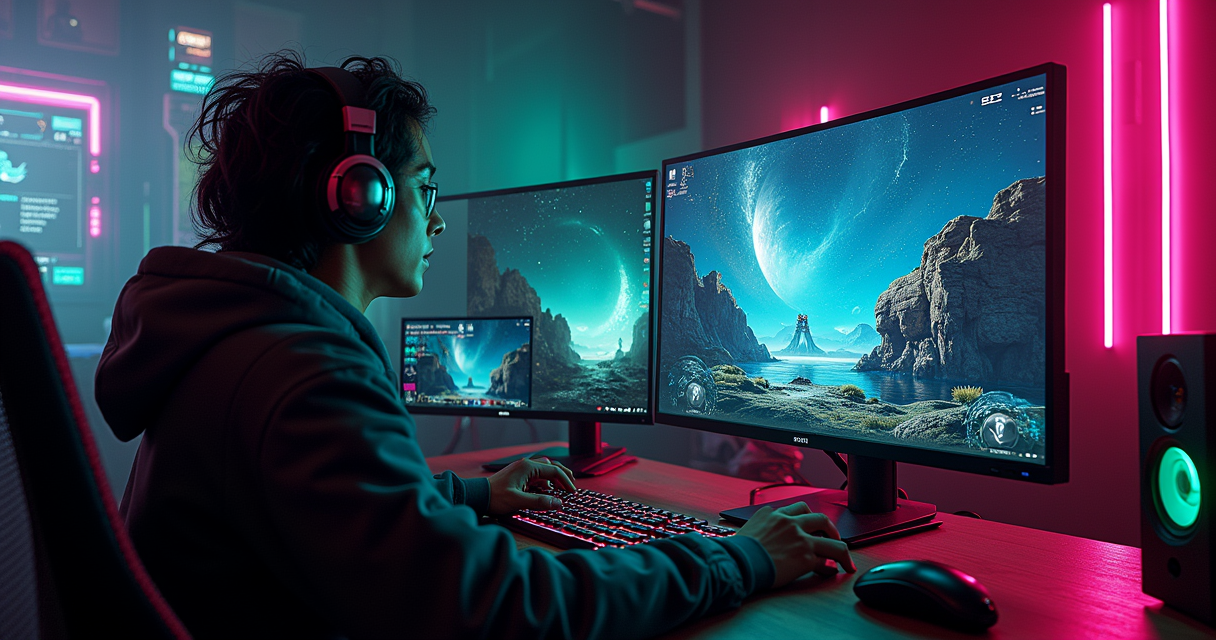
For eleven years the letter that mattered on a gaming monitor's spec sheet was not a resolution or a refresh rate. It was a logo. If it said G-Sync, there was a small, hot, expensive circuit board soldered behind the panel - an FPGA, a slab of dedicated memory, and a licensing agreement - and you paid for all three whether you wanted them or not. If it said FreeSync, there was nothing behind the panel except the open standard already baked into DisplayPort. Same tearing problem, two philosophies: a walled garden with a turnstile, or a public park.
In 2026 the turnstile is gone. At Gamescom 2024 NVIDIA quietly announced it would stop building the G-Sync module and hand the job to MediaTek's off-the-shelf scalers - the same class of silicon that already drives FreeSync panels. The last generation conceived under the old proprietary regime, G-Sync Pulsar, finally reached shelves on January 7, 2026, two years after its CES 2024 unveiling. The module tax, the thing this rivalry was actually about, is dead. What remains is a genuinely interesting fight over input lag, low-framerate behavior, HDR, and - because this is Staresback - how any of it survives contact with a 54Hz Mortal Kombat board running on a 165Hz OLED.
This is the long version. A fourteen-row spec table, three independent sets of latency numbers, a pricing breakdown that names the exact chip that cost you $500, five build recipes, a migration guide with the control-panel settings written out, and a verdict engineered to annoy precisely the people it should. Open the hood.
The Module Tax Is Dead: What 2026 Actually Changed
Start with the news, because the news reframes everything the marketing departments spent a decade telling you. The single most important fact about G-Sync in 2026 is that NVIDIA stopped making the thing that made G-Sync G-Sync. Understand why that module existed, why it cost what it cost, and why it died, and the rest of this comparison stops being a religious war and becomes an accounting exercise.
A Decade of Rent
G-Sync launched on October 18, 2013. The mechanism was a proprietary hardware module - per the public record on the technology's history, an Altera Arria V GX-family FPGA carrying 156,000 logic elements paired with DDR3L memory, bolted into the display in place of a normal scaler. That module did real work: it handled the variable timing, drove NVIDIA's variable overdrive, and guaranteed a validated experience. It also meant every G-Sync monitor shipped with NVIDIA silicon inside and a validation fee attached, and there was no such thing as a cheap one.
The premium got obscene at the high end. The G-Sync Ultimate HDR module was built around an Altera Arria 10 GX 480 FPGA plus three gigabytes of DDR4 - industrial parts. When outlets tore the numbers apart, TechPowerUp, KitGuru and HEXUS all landed near the same figure: roughly $500 of bill-of-materials cost from the module alone on monitors selling around the $2,000 mark. The FPGA by itself listed near $2,600 in low volume. That is not a rounding error. That is a car payment soldered to a scaler board, and you were renting it every time the panel drew a frame.
Gamescom 2024: The White Flag
At Gamescom 2024, NVIDIA announced a partnership with MediaTek to build G-Sync capability directly into MediaTek's commodity scaler chips - no dedicated module required. TFTCentral put it plainly: NVIDIA would abandon the native G-Sync hardware module and bring its capabilities to third-party scalers. The old module had grown into a liability beyond price, too: it topped out at DisplayPort 1.4 and HDMI 2.0, so the very thing you paid a premium for was also the thing capping your bandwidth. The MediaTek route opens the door to newer interfaces.
NVIDIA promised feature parity rather than a stripped-down substitute: full VRR, variable overdrive, vertical-dependent overdrive, ULMB 2, the Reflex Latency Analyzer, and G-Sync Pulsar all survive the transition to MediaTek silicon. The first three monitors announced on the new path were the Asus ROG Swift PG27AQNR, the Acer Predator XB273U F5, and the AOC AGON PRO AG276QSG2 - a matched set of 27-inch 1440p panels running up to 360Hz. The distinction that justified the price is, functionally, over.
January 7, 2026: Pulsar Finally Ships
There is one twist that keeps the module's ghost employed. G-Sync Pulsar, revealed at CES 2024 and shipped on January 7, 2026 after a long delay, is a backlight-strobing system that runs simultaneously with variable refresh - historically an either/or choice. Rather than flashing the whole backlight at once, Pulsar splits it into ten segments and pulses them top-to-bottom in a rolling scan, illuminating each band only after its pixels have finished transitioning. NVIDIA claims roughly 4x the effective motion clarity, which it frames as over 1,000Hz-equivalent when you feed it 250fps. Panels like the ASUS ROG Strix Pulsar XG27AQNGV carry it. It is the one place NVIDIA's proprietary engineering still buys something FreeSync has no direct answer to - and we will come back to whether that is worth a dime to most of you.
How Adaptive Sync Actually Works Under Both Logos
Before the table, the physics. G-Sync and FreeSync are two brand names for one idea, and the idea is old enough to have a grudge. If you already know what tearing is, skim; if you have been buying monitors on vibes, this is the section that makes the spec sheet legible.
Tearing, Stutter, and the 60Hz Prison
A traditional display refreshes at a fixed cadence - 60, 144, 240 times per second, metronomically - while your GPU renders frames whenever it happens to finish them. When those two clocks disagree, you get one of two failures. Turn V-Sync off and the monitor draws a new frame mid-refresh, splicing two half-frames into one image with a visible horizontal seam: tearing. Turn V-Sync on and the GPU is forced to wait for the next refresh boundary, adding latency and, when it misses that boundary, dropping to a hard fraction of the refresh rate - the stutter of 60fps collapsing to 30. For decades those were the only two doors, and both of them were bad.
Variable Refresh Rate is the third door. Instead of forcing the GPU to match the monitor, VRR lets the monitor match the GPU - the panel holds each frame until the next one is ready, then refreshes on demand. Render 83fps and the panel refreshes 83 times that second, at irregular intervals, with no tear and no forced wait. That is the entire trick, and both G-Sync and FreeSync implement it. Everything else is packaging.
Adaptive-Sync: The Standard Underneath Both
Here is the part the branding buries. In 2014 VESA folded variable refresh into the DisplayPort standard as Adaptive-Sync, an open, royalty-free protocol. AMD's FreeSync was, from the start, essentially a certification program layered on top of Adaptive-Sync - which is why FreeSync could be free: AMD was not selling silicon, it was blessing panels that already spoke a standard language. NVIDIA went the other way in 2013 with proprietary hardware, then reversed in January 2019 when a driver update let GeForce GTX 10-series and newer cards drive Adaptive-Sync displays directly. NVIDIA calls the panels it has personally validated G-Sync Compatible, but underneath, a G-Sync Compatible monitor and a FreeSync monitor are the same monitor.
Why the Brand on the Box Stopped Mattering
Once both companies were riding the same VESA standard, the logo became a marketing overlay rather than a technical wall. AMD's own tally counted roughly 4,000 FreeSync-certified displays by late 2023; NVIDIA's certified list is a curated subset of the same Adaptive-Sync universe. The honest 2026 framing, echoed by outlets from RTINGS to ViewSonic's library, is that for the average buyer both deliver excellent, tear-free motion and the decision collapses to GPU brand, budget, and a short list of edge features. Which is exactly why we need a table that lists those edge features honestly instead of pretending the whole thing is a coin flip.
G-Sync vs FreeSync: The Full Spec Sheet
Three columns, because collapsing this into two lies to you. Native G-Sync (the module path), G-Sync Compatible (NVIDIA's Adaptive-Sync certification), and the FreeSync family are genuinely different animals, and the useful distinctions live between the first and the last.
| Feature | Native G-Sync (module / Ultimate / Pulsar) | G-Sync Compatible | AMD FreeSync / Premium / Premium Pro |
|---|---|---|---|
| First shipped | Oct 18, 2013 (module); Jan 7, 2026 (Pulsar) | Jan 2019 (driver) | 2015 (Radeon RX 200-era) |
| Underlying tech | Proprietary FPGA / MediaTek scaler | VESA Adaptive-Sync | VESA Adaptive-Sync (open) |
| Certifying body | NVIDIA (strict, every unit) | NVIDIA (tested models) | AMD (~4,000 displays) |
| Licensing / royalty | Yes - module BOM up to ~$500 (HDR) | Certification only, no royalty | Royalty-free / open |
| GPU support | GeForce GTX 10-series and newer | GeForce GTX 10-series and newer | Radeon RX 200+; also GeForce via Adaptive-Sync |
| Console / HDMI VRR | Panel-dependent | Panel-dependent | Yes - PS5, Xbox Series X over HDMI VRR |
| Low Framerate Compensation | Yes, guaranteed | Panel-dependent | Premium & Premium Pro only (guaranteed) |
| Variable overdrive | Yes (module-tuned) | No - fixed overdrive | Vendor-dependent |
| VRR floor | Effectively 1Hz (LFC handles low end) | Panel range, often 48Hz+ | ~48Hz typical; wider on good panels |
| HDR tier | G-Sync Ultimate (Lifelike HDR) | Via panel spec only | Premium Pro: DisplayHDR 400+, 90% DCI-P3 |
| Strobe + VRR together | G-Sync Pulsar (2026) | No | No (separate blur-reduction modes) |
| Max interface (legacy module) | DP 1.4 + HDMI 2.0 (old module cap) | Any Adaptive-Sync port | DP + HDMI, incl. HDMI VRR |
| Cross-brand use | Runs on FreeSync panels since 2019 | Same | Runs tear-free on NVIDIA GPUs |
| Typical price premium | +$100-$300 (historically +$500 HDR) | None | Baseline (cheapest path) |
Reading the Table
Two rows carry most of the weight: Licensing and Variable overdrive. Licensing is the whole economic story - one column has a chip and a fee, the other two do not. Variable overdrive is the most defensible technical brag native G-Sync ever had: the module dynamically retunes pixel overshoot as the refresh rate swings, so ghosting stays controlled across the entire VRR window. G-Sync Compatible panels use fixed overdrive tuned for one refresh rate, which can smear or overshoot at the extremes. FreeSync's overdrive quality is a per-monitor lottery - some AMD panels nail it, some do not.
Where G-Sync Still Has Teeth
Strip away the price argument and native G-Sync retains three real advantages: guaranteed variable overdrive, guaranteed Low Framerate Compensation down to a 1Hz-equivalent floor, and factory validation on every single unit rather than per-model. Add Pulsar in 2026 and you have a fourth: simultaneous strobing and VRR that nobody else ships. These are not nothing. They are just not $300 for the median buyer, and the first two are increasingly matched by good FreeSync Premium Pro panels.
Where FreeSync Wins on Paper
FreeSync's advantages are structural rather than featural. It is royalty-free, so it appears on budget panels G-Sync never reached. It is ubiquitous - roughly 4,000 certified displays versus a curated NVIDIA list. It carries native HDMI VRR, which is why your PS5 and Xbox Series X lean on it. And because it is the same VESA standard NVIDIA now rides, a FreeSync monitor is a safe buy regardless of which GPU you own today or swap to next year. If you value optionality, the open standard is the one that keeps its options.
Input Lag and Frame Pacing: The Benchmarks
The marketing claim that G-Sync is 'lower latency' has been tested to death by people with high-speed cameras, and the results are more interesting - and more annoying to NVIDIA - than the box copy. Here are three independent bodies of evidence.
Blur Busters G-SYNC 101: 5,080 Samples
The definitive public dataset is Blur Busters' G-SYNC 101 series, which measured real in-game latency with a high-speed camera across an almost absurd matrix: 42 test scenarios, 508 runs, 5,080 individual samples, two games (Overwatch and CS:GO), six refresh rates spanning 60Hz to 240Hz. The headline finding was not 'G-Sync is faster.' It was that VRR technology itself is nearly latency-neutral when configured correctly, and that the settings dominate the outcome far more than the logo does.
Battle(non)sense and the FreeSync Surprise
Independent latency tester Battle(non)sense ran his own comparison and, in certain V-Sync-off configurations, measured AMD FreeSync coming in with slightly lower input lag than NVIDIA G-Sync - a result Blur Busters found notable enough to publish, while cautioning that game, driver, and monitor differences muddy any single comparison. The point is directional, not a scoreboard: the two technologies trade blows within the margin of testing noise. Anyone selling you a clean, universal 'G-Sync is X milliseconds faster' number is selling you a number that does not survive contact with a second reviewer.
The Settings That Actually Matter
Both datasets converge on the same practical recipe, and it is worth more than the brand debate: cap your frame rate a few frames below the panel's maximum refresh so you never slam into the V-Sync ceiling, and enable V-Sync in the driver as a safety net for the rare frames that overshoot. Blur Busters' concrete guidance is to set the limiter at least 3fps under max - 57 at 60Hz, 117 at 120Hz, 141 at 144Hz, 237 at 240Hz - with V-Sync ON in the NVIDIA Control Panel and OFF in-game. Do that and VRR feels like V-Sync's smoothness with V-Sync-off latency. The corollary: staying inside the VRR window matters more than which VRR you bought, so a card that comfortably feeds your refresh rate is the real latency upgrade. If your frames are the bottleneck, an afternoon with our GPU overclocking walkthrough buys more smoothness than any logo swap.
Price and Availability: The $300 Question
Street pricing shifts weekly, and this article is not going to pretend a specific SKU costs a specific number forever. The figures below are representative 2026 street ranges by class, not fixed MSRPs. The only numbers we will stake the byline on are the sourced ones: the roughly $500 module BOM on flagship HDR units, and the $100-$300 premium native G-Sync historically carried over a comparable FreeSync panel.
| Class | Representative spec | Sync tech | Approx. 2026 street | Note |
|---|---|---|---|---|
| Budget FreeSync | 1080p 180Hz IPS | FreeSync | ~$130-$180 | No guaranteed LFC below range |
| Mainstream | 1440p 180Hz IPS | FreeSync Premium | ~$220-$300 | LFC + 144Hz-min requirement |
| HDR value | 1440p 240Hz QD-OLED | FreeSync Premium Pro | ~$350-$550 | DisplayHDR True Black, 90% DCI-P3 |
| NVIDIA-tested | 1440p 165-240Hz | G-Sync Compatible | ~$250-$450 | Same panels, NVIDIA-validated |
| Native G-Sync (legacy) | 1440p 240-360Hz | Module | ~$500-$800 | Variable overdrive, module premium |
| G-Sync Ultimate | 4K 144Hz mini-LED | Module (HDR) | ~$900-$1,600 | Historically +$500 BOM |
| G-Sync Pulsar | 1440p 360Hz | MediaTek scaler | ~$800-$1,000 | Strobe + VRR, shipped Jan 7 2026 |
The $500 That Lived on the BOM
The reason G-Sync monitors cost more was never mysterious, only well-hidden. On the HDR flagships, the Altera Arria 10 GX 480 FPGA and its 3GB of DDR4 added around $500 to what it cost to build the monitor before anyone stamped a margin on top. On mainstream G-Sync panels the standard module was cheaper but still real, which is how the $100-$300 street premium materialized on otherwise identical hardware. FreeSync carried no such line item because there was no chip to buy - it rode the DisplayPort standard for free. That single accounting difference is the entire price gap, and the MediaTek transition is what erases it going forward.
Street Prices in 2026
In practice, 2026 shopping looks like this: the cheapest tear-free monitor on any shelf is a FreeSync panel, and it will run fine on an NVIDIA card. The best value HDR gaming monitors are FreeSync Premium Pro QD-OLEDs that NVIDIA also certifies as G-Sync Compatible - one panel, two logos, no premium. Native-module monitors survive at the high end as legacy stock and as the Pulsar halo line, where you are paying for motion clarity, not for the sync itself. If you are budgeting a whole build, the GPU is where sync value is really decided - our RTX 5080 vs 4080 breakdown covers which card actually keeps you inside the VRR window at 4K.
Availability: 4,000 vs a Curated Few
Selection is not close. AMD counted roughly 4,000 FreeSync-certified displays by late 2023, spanning TVs, ultrawides, laptops, and budget office panels that happen to do VRR. NVIDIA's certified list is a deliberately smaller, higher-bar catalog. If you have an exotic requirement - a specific size, a bargain price, a TV that does console VRR - the odds it exists as a FreeSync product are simply higher. Ubiquity is a feature, and it is the one FreeSync never stops winning.
LFC, HDR, and the Tier Alphabet Soup
Both brands splintered into tiers, and the tier names are where buyers get fleeced by ambiguity. Here is the decoder ring, and the two features - Low Framerate Compensation and real HDR - that the tiers are actually gatekeeping.
FreeSync's Three Doors
AMD's ladder has three rungs. FreeSync is baseline tear-free VRR with no HDR or LFC guarantee. FreeSync Premium mandates Low Framerate Compensation and, since AMD's spec tightening that went live in September 2023 and was reported widely in 2024, a minimum 144Hz refresh for displays under 3440 horizontal pixels - AMD effectively calling time on the 60Hz FreeSync monitor. FreeSync Premium Pro keeps all of that and adds HDR requirements: HDR10 support, at least 90% DCI-P3 coverage, a DisplayHDR 400 floor (most ship 600 or a True Black OLED rating), and low-latency HDR tone mapping so the color pipeline does not add lag. The official AMD FreeSync page keeps the current definitions.
G-Sync's Three Doors
NVIDIA's ladder maps loosely onto AMD's. G-Sync Compatible is the Adaptive-Sync tier - validated FreeSync, essentially. G-Sync (native) is the module tier with guaranteed variable overdrive and LFC. G-Sync Ultimate is the HDR halo tier, historically the one carrying that $500 module and a 'Lifelike HDR' badge tied to high peak brightness and full-array backlights. Sitting beside the ladder now is Pulsar, which is not a VRR tier at all but a motion-clarity feature layered on top of native G-Sync hardware. The naming implies a clean hierarchy; the reality is that a top FreeSync Premium Pro QD-OLED outperforms a mid G-Sync Ultimate LCD on most metrics that matter.
LFC: The Feature That Saves You Below 48Hz
Low Framerate Compensation is the tier feature nobody markets and everybody needs. Every VRR panel has a floor - commonly around 48Hz - below which it can no longer stretch the refresh interval. Without compensation, dropping under that floor reintroduces tearing or stutter exactly when your frame rate is already struggling. LFC fixes it by multiplying frames: a 40fps output gets displayed as 80Hz worth of refreshes, two identical scans per frame, keeping you inside the panel's valid range. Native G-Sync has always guaranteed this behavior down to an effective 1Hz floor. On the FreeSync side it is guaranteed only at Premium and Premium Pro - which is the single best reason to skip the baseline FreeSync tier if your GPU ever dips low. This detail becomes central the moment you point VRR at emulators, which is where we go next.
The Retro Angle: VRR for 50Hz PAL and 54Hz Arcade Boards
This is a retro-gaming site, so here is the part the monitor reviewers skip. Variable refresh is not just an FPS-smoothness gadget - it is arguably the most important display technology to happen to emulation since the flat panel, because it finally solves a problem that CRTs solved by accident and LCDs made worse for twenty years: content that does not run at 60Hz.
54Hz Mortal Kombat and the PAL 50Hz Problem
Original hardware did not respect your monitor's refresh rate. Arcade boards ran at whatever frequency the designers wanted - some Mortal Kombat hardware pushes around 54Hz, plenty of boards land at 61Hz or higher, a few climb toward 70Hz. PAL consoles ran at 50Hz. The NES did not even run at a clean 60Hz. On a fixed 60Hz LCD, an emulator has two bad choices: force the content to 60Hz and introduce judder as frames are unevenly repeated, or let it run free and tear. For decades the workaround was to slow the game down or drop frames, and it always looked slightly wrong to anyone who grew up on the real thing. VRR erases the compromise by letting the panel refresh at the content's exact native rate.
What RetroArch Developers Actually Say
This is not theoretical, and it is not our claim - it is written into the emulation community's own record. The original RetroArch G-Sync support request (issue #1633) spells out the mechanism precisely. In the reporter's words, 'With G-Sync, the emulator doesn't have to sync the video and a 60.01hz game will display at the exact 60.01hz on the monitor.' The generalization follows: 'A 50Hz game will display at 50Hz. A 75Hz game will display at 75Hz, etc.' That is the whole promise - the display bends to the content instead of the content bending to the display.
Users who run it back this up. On the Libretro forums, one long-time user, RealNC, describes VRR on a hardware G-Sync panel as working 'flawlessly' and says plainly, 'I couldn't live without it,' noting it 'looks like you're using vsync ON but with input lag that's the same as vsync OFF' - the exact V-Sync smoothness, V-Sync-off latency result Blur Busters measured on the FPS side. Another user, petran791, makes the retro case sharper: for games sitting right at 60Hz a good CRT is as smooth as a G-Sync panel, but for something like Mortal Kombat 1 at its non-standard rate, 'smooth motion is only possible with a VRR monitor.' The CRT crowd finally has a flat-panel answer.
Config: Sync to Exact Content Framerate
The practical setup lives in one RetroArch toggle. The official Libretro documentation tells you to enable Sync to Exact Content Framerate (G-Sync, Freesync), which lets the core drive the panel at its true speed rather than snapping to a 60/120Hz multiple. Two warnings from the same docs matter. First, do not stack blur-reduction on top: black frame insertion and VRR are, in the documentation's words, 'each separate methods to sync the display and audio, and they should not be combined.' Second, mind your headroom - a 60Hz core wants a panel that reaches at least 75Hz so there is room above the content for low-lag operation, and a VRR window wide enough (roughly 35-80Hz or better) that a 50Hz or 54Hz title stays inside the variable range instead of tripping LFC. For a full emulation box, our Batocera 43.1 setup guide pairs naturally with a wide-range FreeSync panel, and for VRR on the go, the handheld comparison in our Retroid Pocket 6 vs 5 breakdown covers which portables actually carry variable refresh. On this specific job - and this is the retro buyer's punchline - FreeSync and G-Sync perform identically. The panel's VRR range and overdrive tuning decide your experience, not the sticker.
Five Builds, Five Verdicts: Which Sync for Whom
Abstract comparisons help nobody at checkout. Here are six concrete profiles - because the sixth is the exception that proves the rule - each with a recommendation and the reasoning behind it.
The Competitive FPS Player and the Cinephile
1. Competitive shooter on NVIDIA (240Hz+). Buy a fast G-Sync Compatible or native OLED, cap frames 3 under refresh, run V-Sync on in the driver plus in-game Reflex. The sync brand is almost irrelevant here; the panel speed and your frame delivery are everything. Latency is a full chain - a high-refresh panel is wasted behind a laggy input device, so pair it with something like a Hall-effect rapid-trigger keyboard before you spend $300 chasing a logo.
2. HDR single-player cinephile. A FreeSync Premium Pro QD-OLED (DisplayHDR True Black, 90%+ DCI-P3) beats a mid G-Sync Ultimate LCD on contrast and color for less money. If you want the absolute brightest full-array mini-LED HDR and money is no object, G-Sync Ultimate still competes - but it is no longer the automatic pick.
The Budget Builder, the Console Hybrid, and the Emulation Station
3. Budget all-rounder (any GPU). A FreeSync Premium 1440p panel. Guaranteed LFC, a sane 144Hz+ floor after AMD's spec update, works on NVIDIA and AMD alike, cheapest path to tear-free gaming. This is the correct default for most people and most wallets.
4. Console-plus-PC hybrid. FreeSync with HDMI 2.1 VRR, full stop. Your PS5 and Xbox Series X speak HDMI VRR natively, so a FreeSync display does double duty across the desk and the living room. Native G-Sync's legacy HDMI 2.0 cap was actively hostile to this use case.
5. Emulation / retro station. Any wide-range VRR panel that reaches 75Hz+ with a VRR floor near 35-48Hz. As covered above, FreeSync and G-Sync are indistinguishable for this - optimize for range and overdrive quality, not brand.
The Motion-Clarity Purist
6. The one who wants zero motion blur. This is the single profile where NVIDIA still sells something unique in 2026: G-Sync Pulsar, shipped January 7, 2026, is the only system that strobes the backlight and runs VRR at the same time. If you chase CRT-grade motion clarity and will pay the Pulsar premium to get it alongside variable refresh, there is currently no FreeSync equivalent. Everyone in profiles 1 through 5 can and should ignore it.
Switching Sides: A Migration Guide
Say you are moving between camps - new GPU, new monitor, or you finally want VRR on your emulation rig. The good news is that in 2026 'switching' is mostly toggling settings, because the hardware wall is gone. Here is the concrete path for each direction.
From Native G-Sync to a FreeSync Panel (NVIDIA GPU)
You do not need to sell your GeForce card to use a FreeSync monitor - you just need to turn it on. Plug in over DisplayPort (or HDMI on newer panels), then in the NVIDIA Control Panel enable G-Sync for the Adaptive-Sync display and set the safety-net options Blur Busters recommends.
NVIDIA Control Panel -> Display -> Set up G-SYNC
  [x] Enable G-SYNC, G-SYNC Compatible
  (o) Enable for full screen mode
  [x] Enable settings for the selected display model

Manage 3D settings -> Vertical sync            = On
Manage 3D settings -> Low Latency Mode         = Ultra   (or in-game Reflex)
Manage 3D settings -> Max Frame Rate           = refresh - 3
  # 57 @ 60Hz | 117 @ 120Hz | 141 @ 144Hz | 237 @ 240Hz

# If the monitor is not on NVIDIA's certified list, the toggle still
# appears - enable it manually and test for flicker in dark scenes.
From NVIDIA to AMD (or Vice Versa)
Swapping GPU brands does not strand your monitor. A FreeSync panel works on both; a G-Sync Compatible panel is a FreeSync panel. On Radeon, the equivalent setup lives in Adrenalin:
AMD Software: Adrenalin -> Gaming -> Display
  AMD FreeSync            = On
  Frame Rate Target Ctrl  = refresh - 3   (matches the cap logic above)
  Radeon Anti-Lag         = On

# Native-module G-Sync monitors are the ONLY ones that will not do VRR
# on a Radeon card - they need NVIDIA silicon to talk to. Everything
# built on Adaptive-Sync (i.e. almost everything post-2019) is fine.
Verifying VRR Actually Works
Do not trust the on-screen menu; verify. Run a pendulum or VRR test, watch the monitor's own refresh-rate readout dance with your frame rate, and confirm you get no tearing with V-Sync off in-game. For emulation, flip the RetroArch settings and confirm the core reports its true rate:
RetroArch -> Settings -> Video
  Sync to Exact Content Framerate (G-Sync, Freesync) = ON
  Vertical Sync (V-Sync)                              = OFF
  Black Frame Insertion                               = OFF   (never with VRR)

# Sanity checks:
#  - Panel OSD refresh counter should track 50/54/60/61Hz content live
#  - Need 75Hz+ headroom for low-lag 60Hz cores
#  - VRR window should cover ~35-80Hz so PAL/arcade stays in range
#  - If it drops below the floor, LFC (Premium/native only) must kick in
If the refresh counter tracks the content and there is no tear and no judder, the migration is done. There is no firmware to flash and no module to install - the wall this whole rivalry was built on has already fallen.
Pros and Cons, Laid Bare
Every comparison owes you an honest ledger instead of a conclusion smuggled in as a summary. Here are both columns for both camps, with nothing rounded up.
G-Sync: Pros and Cons
| Pros | Cons |
|---|---|
| Guaranteed variable overdrive across the VRR range | Historically +$100-$300, up to +$500 BOM on HDR |
| Guaranteed LFC to an effective 1Hz floor | Legacy module capped at DP 1.4 / HDMI 2.0 |
| Factory validation on every unit | Native modules do not do VRR on Radeon GPUs |
| G-Sync Pulsar: strobe + VRR, unique in 2026 | Smaller certified catalog than FreeSync |
| Reflex Latency Analyzer on high-end panels | The proprietary module is discontinued going forward |
FreeSync: Pros and Cons
| Pros | Cons |
|---|---|
| Royalty-free - cheapest path to tear-free motion | Overdrive quality varies wildly by monitor |
| ~4,000 certified displays; enormous selection | LFC only guaranteed at Premium / Premium Pro |
| Native HDMI VRR for PS5 / Xbox Series X | Baseline tier can have narrow VRR windows |
| Runs tear-free on NVIDIA GPUs since 2019 | No single-vendor strobe+VRR answer to Pulsar |
| Open VESA standard - future-proof optionality | HDR implementation quality is inconsistent |
The Overlap Nobody Advertises
Read those tables side by side and the punchline writes itself: most rows are about the monitor, not the technology. Overdrive quality, VRR window width, HDR execution, panel type - these vary more between two FreeSync monitors than they do between a good FreeSync monitor and a good G-Sync one. The branding wants you to believe you are choosing a sync technology. You are actually choosing a panel, and the sync logo is a footnote on the spec sheet. Which brings us to the only recommendation that survives scrutiny.
The Verdict: Buy the Panel, Not the Logo
After the table, the benchmarks, the pricing autopsy, and the emulation deep-dive, the conclusion is almost rude in its simplicity. In 2026 you should not choose between G-Sync and FreeSync. You should choose a monitor, and let the sync sort itself out.
The Data-Backed Recommendation
The evidence points one direction for the median buyer: buy a well-reviewed FreeSync Premium or Premium Pro monitor and enable it on whatever GPU you own. It is the cheapest tear-free option, LFC is guaranteed at those tiers, AMD's 2023 spec bump killed off the garbage 60Hz panels, and it works identically on NVIDIA hardware via the same VESA standard NVIDIA itself now depends on. The latency data from Blur Busters and Battle(non)sense shows the two technologies trading blows inside the margin of testing error, which means the historical $100-$300 G-Sync premium bought you validation and variable overdrive - nice to have, not worth a car payment. With the module discontinued and Pulsar the only proprietary trick left standing, the case for paying up has never been weaker.
Buy the Panel, Not the Logo
Concretely: pick your monitor on panel type, resolution, refresh rate, VRR range, HDR rating, and overdrive quality from a real review. Then check that it carries whichever certification matches your GPU - and in almost every 2026 case, it carries both. A modern QD-OLED that is simultaneously FreeSync Premium Pro and G-Sync Compatible is not a compromise; it is the market admitting the war is over. The retro crowd gets the cleanest verdict of all: for running 50Hz PAL and 54Hz arcade content at native speed, the two are indistinguishable, so optimize the VRR window and forget the sticker entirely.
The One Time the Module Still Wins
Give NVIDIA its due where it earned it. If you are a motion-clarity absolutist - the kind of person who misses CRT phosphor decay and resents every pixel of sample-and-hold blur - G-Sync Pulsar, shipped January 7, 2026, is genuinely the only game in town: simultaneous backlight strobing and variable refresh, ten-segment rolling scan, a claimed 4x effective motion clarity. That is the sole remaining reason to pay the NVIDIA premium on purpose in 2026, and it has nothing to do with tearing. For everyone else, the module tax is dead, the standard won, and the smartest thing you can do with the money you were about to spend on a logo is put it toward a better panel - or a faster GPU to keep it fed.
Questions the search bar asks me
- Is native G-Sync still worth paying extra for in 2026?
- For most people, no. The proprietary module added roughly $500 to the bill of materials on flagship HDR displays and $100-$300 to street price, and blind A/B tests rarely separate a well-tuned FreeSync Premium panel from a native G-Sync one. The exception is G-Sync Pulsar, which shipped January 7, 2026 and is still the only strobe-plus-VRR system on the market.
- Does FreeSync work on an NVIDIA GPU?
- Yes. Since the January 2019 driver, every GeForce GTX 10-series and newer card supports VESA Adaptive-Sync, which is the exact standard FreeSync rides on. NVIDIA brands the ones it has tested 'G-Sync Compatible,' but any FreeSync monitor with a sane VRR range will run tear-free on an RTX card - just toggle it on in the NVIDIA Control Panel.
- What VRR range do I need for retro emulation?
- You want headroom, not just coverage. For low-lag 60Hz cores you need a panel that reaches at least 75Hz, and a VRR window wide enough to hold odd content - roughly 35Hz to 80Hz or better - so a 54Hz arcade board or 50Hz PAL title stays inside the variable window instead of triggering Low Framerate Compensation below ~48Hz.
- What is the difference between FreeSync, Premium, and Premium Pro?
- Baseline FreeSync is just tear-free VRR. FreeSync Premium adds mandatory Low Framerate Compensation and, since AMD's 2023 spec update, a 144Hz-or-higher requirement below 3440px. Premium Pro keeps all of that and layers on HDR: DisplayHDR 400 minimum, at least 90% DCI-P3, and low-latency HDR tone mapping.
- What is G-Sync Pulsar and do I need it?
- Pulsar is NVIDIA's rolling-scan backlight strobe that runs at the same time as variable refresh, splitting the backlight into ten independently pulsed segments. NVIDIA claims '4x' the effective motion clarity - over 1,000Hz-equivalent at 250fps. It shipped January 7, 2026 on panels like the ASUS ROG Strix Pulsar XG27AQNGV. You need it only if motion clarity is your religion; everyone else can skip it.
Marcus covers the gaming PC, GPU, and peripheral side of staresback. Every post under this byline is reviewed pre-publish by Sam P., Editor & Operator — corrections to info@instalinkoteam.com. Published 2026-08-29 · Last updated 2026-08-29. Full bios on the author page.