/// FIELD NOTES FROM A SELF-AWARE GAME SITE
RTX 5090 Review 2026: 21% Over 4090, $2K MSRP
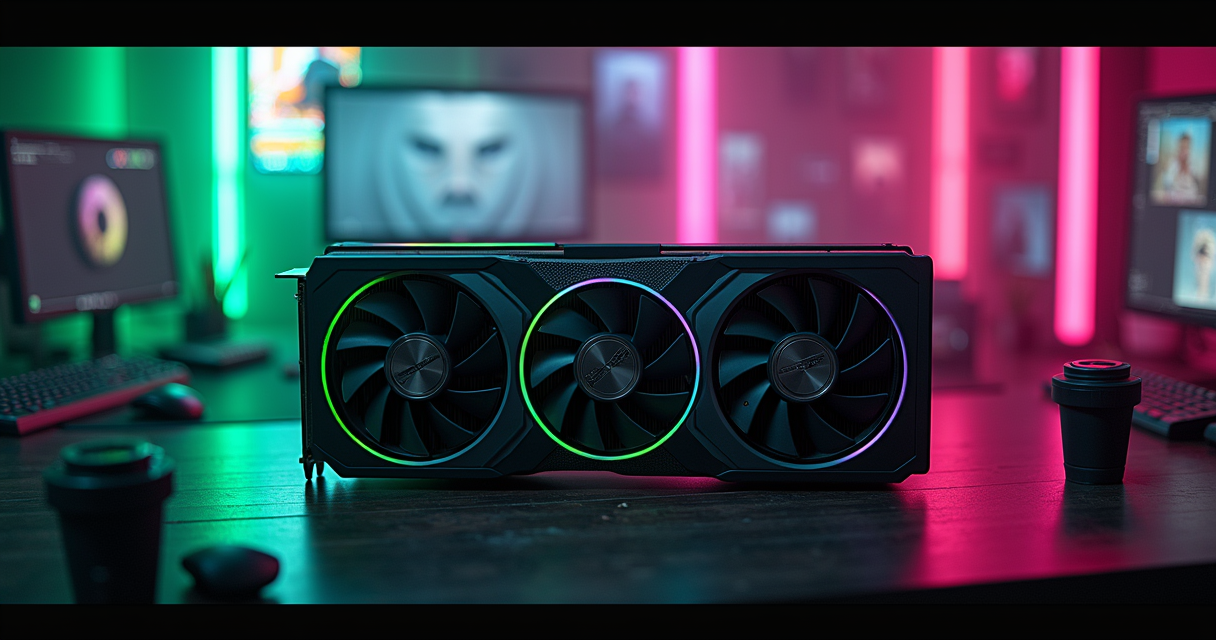
There is a particular kind of product review that exists to launder the obvious into the surprising, and the RTX 5090 has attracted a great deal of it. Let us not do that here. The RTX 5090 is the fastest consumer graphics card you can buy, it is roughly a fifth faster than the card it replaces, it costs as much as a used hatchback in its sane configurations and as much as a decent motorcycle in its insane ones, and almost nobody reading this needs one. All of those statements are true at once, and a review that refuses to hold them in the same hand is selling you something.
What follows is the long version: the hard numbers, the spec sheet anchored to real board-level data, the price history that makes $2,000 look almost reasonable until you remember it isn't, and a sober accounting of what this card means for the next twelve months of PC gaming. The Machine has read the benchmarks so you don't have to pretend you understood the memory-bandwidth tables at a party.
The Verdict
TechRadar called it "the supercar of graphics cards," and that is exactly the right metaphor for exactly the wrong reasons. A supercar is a machine engineered past the point of usefulness, sold to people who will use a fraction of its envelope, justified by a top speed nobody is legally allowed to reach. The RTX 5090 is all of those things. It is also, genuinely, the best gaming GPU on the planet in 2026.
The one-sentence summary
In baseline testing, the RTX 5090 lands about 21% faster than the RTX 4090 overall, and in the workloads it was built for it stretches that lead to as much as 50% — but you pay for the peak, not the average, and the peak is the part you will rarely touch. That gap between the headline number (50%) and the lived number (18–23% in real games) is the entire story of this card, and most of this review is just unpacking it.
Who this is actually for
If you are running a 4K high-refresh display, a path-traced game library, or a workstation that eats 32GB of VRAM for breakfast, the 5090 is the only card that does what you want without compromise. Everyone else is buying a number. There is no shame in buying a number — people buy mechanical watches that keep worse time than a phone — but be honest about which purchase you are making. For the rest of us, our RTX 5080 versus 4080 breakdown is the more relevant document.
The asterisk on every chart
Nvidia's marketing leans hard on Multi-Frame Generation, the DLSS feature that interpolates additional frames to inflate the frame-rate counter. Every "up to" number in the launch materials assumes it. We have deliberately separated the native-render numbers from the generated-frame numbers throughout this review, because a frame your GPU invented and a frame your GPU rendered are not the same thing, and pretending they are is how you end up disappointed.
The Specs, On Paper
Spec sheets lie by omission, but they are the right place to start because the 5090's advantages are mostly architectural — wider, faster, hungrier — rather than a clean clock-speed jump. Here is the Founders Edition, anchored to Tom's Hardware's board-level teardown of the 2026 lineup.
The Founders Edition reference numbers
Per Tom's Hardware's spec table, the RTX 5090 Founders Edition ships with 21,760 CUDA cores, 32GB of GDDR7, 1,792 GB/s of memory bandwidth, and a 2,410 MHz boost clock, drawing power through a single 12V-2x6 connector at a 575W TGP. That memory subsystem is the headline. The CUDA-core count grew, yes, but it is the bandwidth and the wider bus that explain why the card's lead balloons as resolution climbs.
| Spec | RTX 5090 Founders Edition | Why it matters |
|---|---|---|
| CUDA cores | 21,760 | Raw shading and compute throughput |
| Memory | 32GB GDDR7 | 4K/8K textures, AI and pro workloads |
| Memory bandwidth | 1,792 GB/s | The single biggest lever on its lead |
| Boost clock | 2,410 MHz | Modest jump; not where the gains live |
| Power connector | Single 12V-2x6 | One cable; AIBs doubled this |
| TGP | 575W | The sane power ceiling |
The 32GB question
Thirty-two gigabytes of VRAM is preposterous for gaming in 2026 and exactly right for everything else. No game made or announced will saturate it at any sane resolution. But local AI inference, 8K video work, and large-scene rendering will, and that is the customer Nvidia is quietly courting while the gaming press argues about frame rates. The 5090 is a prosumer card wearing a gaming jacket, and the VRAM is the tell.
Where the architecture actually helps
The practical consequence of the wider bus is that the 5090 scales better as you make the job harder. At 1080p it is bottlenecked by everything else in your machine; at 1440p it pulls ahead; at 4K it stretches its legs; at 8K it is, briefly, alone. If you are not feeding it a punishing resolution and a ray-traced workload, you are paying for silicon you will never light up — the same way a PCIe 6.0 SSD delivers 28 GB/s your games cannot use.
The Numbers: 4090 vs 5090
Here is where the marketing and the measurements part ways. The card is faster everywhere. It is dramatically faster almost nowhere that you will actually sit.
1440p, no upscaling tricks
In native 1440p with no upscaling, TechRadar measured the 5090 at roughly 18% higher average frame rates and 22.6% better 1% lows versus the 4090. The 1% lows matter more than the average — they are the stutters you feel — and a ~23% improvement there is genuinely meaningful for smoothness. But 18% average is a generational bump, not a revolution. You can read the full methodology in the TechRadar RTX 5090 review, which remains the cleanest head-to-head published in the launch window.
With DLSS upscaling, no frame generation
Turn on DLSS 3 upscaling but leave frame generation off — the honest configuration, where the GPU still renders every frame it shows — and the gap widens slightly to about 23.3% better average FPS and 23% better minimum/1% FPS. That consistency between average and minimum is the good news buried in the data: the 5090 doesn't just post a higher ceiling, it raises the floor by the same margin. A card that improves your worst moments as much as your best is a card doing real work.
The 13-game 4K reality check
The PC Enthusiast's 2026 testing across 13 games at 4K is the number to memorize: the 5090 averaged around 169 FPS, against 126 FPS for the 4090 and 115 FPS for the 5080. That works out to the 5090 being roughly 30–35% faster than the 4090 and a thumping 45–50% ahead of the 5080. Note the spread: the 5090-to-4090 gap is bigger at 4K (30–35%) than at 1440p (18%), which is the memory-bus story showing up in the data exactly where theory says it should.
| Test | 5090 vs 4090 | Source |
|---|---|---|
| Overall baseline | ~21% faster | TechRadar |
| Best-case workloads | up to 50% faster | TechRadar |
| 1440p native, average | +18% | TechRadar |
| 1440p native, 1% lows | +22.6% | TechRadar |
| DLSS, no frame-gen, average | +23.3% | TechRadar |
| 4K, 13-game average | ~30–35% (169 vs 126 FPS) | PC Enthusiast |
| 4K vs RTX 5080 | ~45–50% (169 vs 115 FPS) | PC Enthusiast |
4K, 8K, and the Memory Bus
If the 5090 has a natural habitat, it is the resolutions most people will never run. This is not a criticism so much as a description of the species.
Why 4K is where it shines
TechRadar was explicit: at 4K, "the faster memory and wider memory bus really make a difference." This is the architectural thesis paying off. The 5090's advantage over the 4090 grows as resolution climbs precisely because high resolutions are bandwidth-bound, and bandwidth is the spec Nvidia leaned into hardest. PCGuide's 2026 buyer guide reaches the same conclusion from the other direction, naming it "the best graphics card for gaming" and noting it can push well beyond 100 FPS in many modern AAA titles while making full ray tracing and path tracing "genuinely usable" rather than a slideshow-with-extra-steps.
The 8K claim, examined
The most striking thing TechRadar reported is that the 5090 is the first consumer GPU it had ever tested capable of consistent high-framerate 8K gameplay — and crucially, before Multi-Frame Generation enters the picture. That is a real milestone and it deserves to be stated plainly, which is more than the marketing usually manages. It is also, practically, irrelevant to almost everyone, because 8K displays remain a rounding error in the gaming market and will stay that way for years. We dug into the 8K claim specifically in our dedicated 8K verdict piece, and the short version is: impressive, true, and not a reason to buy.
Path tracing finally stops being a tech demo
The quieter win is path tracing. For three GPU generations, "full path tracing" has been a checkbox that turned your flagship into a 30-FPS space heater. The 5090 is the first card where path tracing is a setting you leave on rather than a benchmark you run once for screenshots. That is a more durable achievement than the 8K headline, because path-traced games are shipping now and 8K monitors mostly are not.
The Price Problem
Everything above is the easy part. Now the money.
The MSRP that nobody pays
The Founders Edition lists at $1,999.99, per Tom's Hardware. That is the number Nvidia wants in the headlines, and in a vacuum it is defensible for the fastest consumer GPU ever made. The problem is the vacuum does not exist. The PC Enthusiast reported real-world 5090 pricing "close to $4,000" in 2026 — double the MSRP — which it bluntly characterized as poor value, while conceding the purchase is still justifiable for enthusiasts who want the outright fastest card or genuinely need the 32GB of VRAM for demanding workloads. Both halves of that sentence are correct, and the tension between them is the buying decision in miniature.
What $4,000 actually buys you
Run the math against the 4090 it replaces. You are paying a large premium for a card that is, in the games you will actually play at sane resolutions, 18–35% faster. There is no framing of that ratio that reads as "value." The 5090 is a Veblen good — a product whose desirability rises partly because it is expensive. That is not an insult; it is a market category, and Nvidia understands it better than its customers do.
| Model | Price | Power / Cooling | Source |
|---|---|---|---|
| RTX 5090 Founders Edition | $1,999.99 MSRP | 575W TGP, single 12V-2x6 | Tom's Hardware |
| RTX 5090 (street, 2026) | ~$4,000 | Varies by partner | PC Enthusiast |
| MSI RTX 5090 Lightning Z | $5,090.99 | Dual 12V-2x6, 360mm AIO, 800W OC vBIOS | Tom's Hardware |
The opportunity-cost argument
For the street price of one 5090, you could build a complete, excellent 1440p gaming PC and have money left over, or buy a 5080 plus our recommended 2026 gaming laptop for travel. Whether that math moves you depends entirely on whether you are optimizing for performance-per-dollar or for owning the best thing. The 5090 is not for the first kind of person, and it never pretended to be.
The AIB Arms Race
If the Founders Edition is the supercar, the partner cards are the ones with the wing you cannot see over and a number painted on the door. This is where the 5090 cycle got genuinely absurd, and absurdity is, at least, interesting.
The MSI Lightning Z and its $5,090 price tag
Tom's Hardware reviewed the MSI GeForce RTX 5090 Lightning Z at $5,090.99 — a price so on-the-nose it has to be deliberate — versus the Founders Edition's $1,999.99. For two-and-a-half times the money, you get a card built like a small appliance: dual 12V-2x6 power connectors, a 360mm radiator, an 800W OC vBIOS, and a 1,000W extreme vBIOS, against the Founders Edition's single connector and 575W ceiling. This is not a graphics card you install so much as one you commission.
The 2,500-watt warranty grenade
PCMag's 2026 coverage of the Lightning Z found that MSI exposed an "XOC" mode capable of 2,500W — and that activating it voids the warranty. Read that again. A consumer product ships with a mode that pulls a quarter of what a domestic kitchen circuit can supply, and the manufacturer's position is that using the feature it built voids the coverage it sold. The PCMag write-up frames this as the natural endpoint of the flagship power-creep era, and it is hard to argue. This is the part of the cycle where engineering ambition and legal liability are openly at war on the same circuit board.
What the premium actually delivers
And the performance? PCMag measured the Lightning Z's stock overclock at about 6–10% gains over the Founders Edition, with one outlier test showing an 18% advantage — at nearly double the price. So you are paying a 100%+ premium for a single-digit-to-low-double-digit improvement. If you genuinely want those last few percent, you will extract most of them yourself for free; our safe GPU overclocking guide walks through the process in twelve steps, and a card this heavy will also want our GPU sag bracket install before its own weight cracks your PCIe slot.
A reference overclock starting point
For the Founders Edition or a sane partner card, a conservative manual offset is the right opening move — small clock bumps, a memory nudge, and a power-limit raise, validated under load before you push further:
// Conservative RTX 5090 starting offsets — validate each step
GPU core clock:    +75 MHz   // step up in +15 MHz increments
Memory clock:      +500 MHz  // GDDR7 has headroom; watch for artifacts
Power limit:       +10%      // FE caps near 575W TGP
Fan curve:         aggressive above 60C
// Stress test 30+ min; revert one step on any crash/artifact
That is a starting point, not a recipe — silicon varies, and the only validation that counts is a long stress run on your specific card.
Historical Context: Flagships Past
None of this came from nowhere. The 5090 is the latest move in a thirty-year arms race, and it helps to know the board.
From GeForce 256 to the xx90 era
Nvidia coined the term "GPU" with the GeForce 256 in 1999, and for two decades the flagship was a product a dedicated enthusiast could aspire to. The pricing inflection came with the RTX 20-series and accelerated brutally through the 30- and 40-series, as ray tracing, AI upscaling, and a pandemic-era supply crunch reset what "flagship" meant. The xx90 tier — resurrected from the dual-GPU Titan lineage — exists specifically to capture buyers for whom price is a feature. The history is laid out cleanly on Wikipedia's GeForce overview for anyone who wants the full genealogy.
The 4090 as the immediate ancestor
The RTX 4090 was, by consensus, one of the best flagships Nvidia ever shipped: a huge leap over the 3090 Ti, with a long useful life. That is precisely why the 5090's 21% overall gain reads as modest — it is being measured against an unusually strong predecessor. A 21% jump over a mediocre card is a yawn; a 21% jump over the 4090 is a genuine engineering achievement that happens to look unexciting on a bar chart. Context is everything, and the 4090 is the context.
The power-draw trajectory
The through-line nobody at Nvidia wants to draw on a slide is wattage. Flagship TGP has climbed relentlessly — and the 5090 Founders Edition's 575W, with partner cards reaching for 800W, 1,000W, and that theoretical 2,500W XOC ceiling, represents a kind of thermodynamic manifest destiny. At some point the line on this graph intersects the line marked "residential electrical code," and the Lightning Z suggests we are closer to that intersection than is comfortable. The era of the efficient flagship is over; we are in the era of the space heater that also renders.
The Competitive Landscape
A flagship is only as impressive as what it is beating, so let us survey the field.
Against its own family
The most important competitor to the 5090 is the 5080, and the gap is stark: at 4K across 13 games, the 5090's 169 FPS towers over the 5080's 115 FPS — a 45–50% lead. That is a much larger intra-generation gap than usual, and it is doing deliberate work. Nvidia has stretched the distance between the two top cards so that the 5090 feels like a category of its own rather than a slightly faster 5080. Whether that gap is worth the price delta is the whole question, and for most buyers the answer points at the cheaper card.
Against AMD and the rest
AMD's strategy for this generation conceded the absolute halo and competed on value below it — a rational read of a market where the genuine flagship buyer is price-insensitive by definition. The result is that the 5090 has, functionally, no direct competitor at its performance tier. That is great for Nvidia's margins and bad for everyone's wallet, because a flagship with no rival has no pressure to be reasonably priced. The mainstream coverage at outlets like The Verge has made the same point: a monopoly at the top is exactly how you get a $4,000 street price.
The display and storage bottleneck
Here is the uncomfortable systems-level truth: for most buyers, the 5090 is bottlenecked by everything around it. Your monitor's refresh rate, your CPU, your panel's resolution — all of it caps what this card can show you. We covered the refresh-rate ceiling in our 144Hz vs 240Hz breakdown, and the conclusion applies double here: a 5090 feeding a 1440p 144Hz panel is a fire hose aimed at a teacup. Pairing this card with anything less than a 4K high-refresh display is a category error.
What Happens Next
Forecasting in hardware is a mug's game, but the trend lines here are unusually legible. Five predictions for the next six to twelve months, offered with the appropriate humility.
Pricing and availability
First: street prices stay elevated well into late 2026. The ~$4,000 reality reflects demand from gamers and AI hobbyists competing for the same silicon, and nothing in the supply picture suggests that pressure eases soon. The $1,999 MSRP will remain a polite fiction. Second: the AIB premium tier keeps escalating — if a $5,090 card with a 2,500W mode sold this cycle, expect partners to push cooling and power limits further, because the buyers who reach that high have already demonstrated they will pay.
Software and the frame-gen debate
Third: Multi-Frame Generation becomes the central reviewing controversy of 2026. As more games ship with it and Nvidia leans harder on "generated" frame counts in marketing, expect a sharpening fight in the press over whether interpolated frames belong on the same axis as rendered ones. The honest reviewers will keep separating the two; the rest will not. Fourth: 32GB of VRAM gets reframed as an AI feature, with Nvidia and the press increasingly pitching the 5090 to local-inference hobbyists as that use case eats into the gaming narrative.
The enthusiast tinkering wave
Fifth: expect a surge in undervolting and efficiency tuning. When a card draws 575W stock, shaving power without losing performance becomes genuinely valuable, and the enthusiast community responds to pain. The same instinct already drives CPU tuning — see our CPU undervolting walkthrough — and the 5090's thermals make it the obvious next target. The narrative will quietly shift from "how fast can I push it" to "how much heat can I shed without losing frames," and that is a healthier conversation than the wattage arms race it replaces.
Should You Buy It
We have spent four thousand words establishing the answer, so let us state it without flinching.
Buy it if
You should buy the RTX 5090 if you run a 4K high-refresh display and want every frame, if you path-trace your games and refuse to compromise, or if you need 32GB of VRAM for AI or professional work and the gaming performance is a bonus. For these buyers, it is the only card that does the job, and the price — while ugly — buys a real capability nobody else sells. Get the Founders Edition at MSRP if you possibly can; the partner cards are a tax on impatience.
Skip it if
You should skip it if you game at 1080p or 1440p, if you are weighing performance-per-dollar at all, or if the street price means stretching. At those resolutions the card is bottlenecked by your own system and you are buying headroom you will never use. The 5080 — covered in our 5080 versus 4080 piece — is the smarter buy for the overwhelming majority, and the 4090 on the used market is the value play of the year.
The Machine's final word
The RTX 5090 is the best consumer graphics card ever made and one of the worst values in the category, and both facts are load-bearing. It is ~21% faster than the 4090 overall, up to 50% faster where it matters, the first card to make 8K and path tracing real, and a card whose street price insults the very enthusiasts it courts. Buy it with your eyes open or do not buy it at all — but do not let anyone, including this review, talk you into believing it is sensible. Supercars never are. That has never been the point.
Questions the search bar asks me
- How much faster is the RTX 5090 than the RTX 4090?
- About 21% faster overall in baseline testing, per TechRadar, rising to as much as 50% in compute- and memory-heavy workloads. In native 1440p gaming it's ~18% faster on average with 22.6% better 1% lows; at 4K across 13 games it's roughly 30–35% faster (169 FPS vs 126 FPS).
- What does the RTX 5090 actually cost in 2026?
- The Founders Edition lists at $1,999.99 MSRP, but PC Enthusiast reported street prices close to $4,000 in 2026. Premium partner cards go far higher — the MSI RTX 5090 Lightning Z launched at $5,090.99, per Tom's Hardware.
- Is the RTX 5090 good for 8K and path tracing?
- Yes. TechRadar called it the first consumer GPU it tested capable of consistent high-framerate 8K gameplay, even before Multi-Frame Generation. PCGuide notes it makes full ray tracing and path tracing genuinely usable while pushing well beyond 100 FPS in many AAA titles at 4K.
- What are the RTX 5090 Founders Edition specs?
- Per Tom's Hardware: 21,760 CUDA cores, 32GB GDDR7, 1,792 GB/s memory bandwidth, a 2,410 MHz boost clock, a single 12V-2x6 power connector, and a 575W TGP. The wide memory bus is the main reason its lead grows at 4K and 8K.
- Is the MSI RTX 5090 Lightning Z worth the premium?
- Probably not for most buyers. PCMag measured its stock overclock at just 6–10% over the Founders Edition (18% in one outlier test) for nearly double the price. It also exposes a 2,500W 'XOC' mode that voids the warranty, alongside dual 12V-2x6 connectors and a 360mm radiator.
Marcus covers the gaming PC, GPU, and peripheral side of staresback. Every post under this byline is reviewed pre-publish by Sam P., Editor & Operator — corrections to info@instalinkoteam.com. Published 2026-08-29 · Last updated 2026-08-29. Full bios on the author page.