/// FIELD NOTES FROM A SELF-AWARE GAME SITE
Miyoo Mini vs Mini Plus 2026: Same Chip, 3.5in Screen
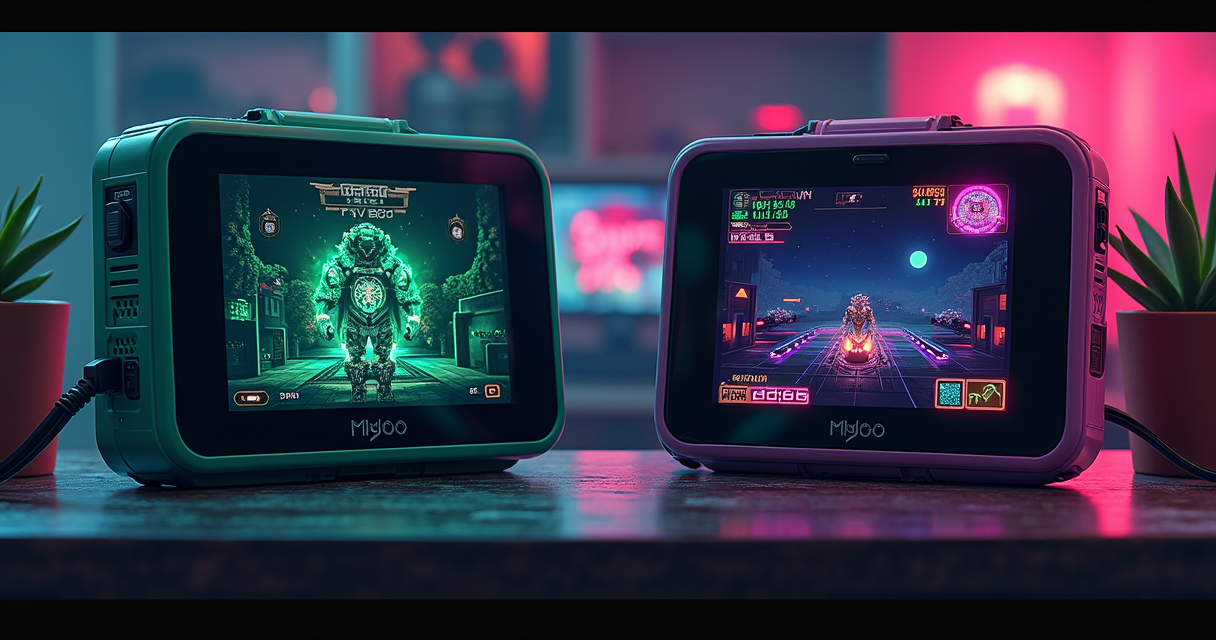
The question "Miyoo Mini or Miyoo Mini Plus?" gets asked as if it were a performance question. It is not. Both devices are built on the same SigmaStar SSD202D: the same dual-core Cortex-A7, the same 128MB of RAM, the same 2D-only GPU, the same PlayStation 1 ceiling. Nothing you emulate runs a single frame faster on the Plus. Anyone who tells you the Plus is more powerful is selling you a bigger battery and calling it a CPU.
So this comparison is not about silicon. It is about ergonomics, availability, and one genuinely useful antenna. The Plus is bigger (3.5-inch versus 2.8-inch), lasts longer (3000mAh versus 1900 to 2000mAh), and, crucially, has Wi-Fi that the original line never did. It also costs roughly $20 more when you can find the original at all, which in 2026 you mostly cannot. That is the entire trade, and the rest of this article is about whether it is worth making.
Set expectations before the deep dive: both are pocket Linux machines that top out at PlayStation 1. Neither does Nintendo 64, Dreamcast, or PSP with a straight face. The real product on both is OnionOS, the community firmware that makes either device worth owning in the first place. Everything below is about which body you want that firmware to live in, and which revision of that body you should actually buy.
The Same Chip Problem
Before you can choose sensibly, you have to internalize the one fact the marketing works hardest to bury: these are two enclosures for the same computer. Get that straight and every other decision falls into place.
One SoC, four bodies
The SigmaStar SSD202D is not a gaming chip. It is an industrial and IoT part, the kind of system-on-chip that runs a smart doorbell or a point-of-sale display, which Miyoo repurposed because it is cheap, sips power, and drives a 640x480 panel without complaint. CNX Software documented it back in December 2021 when the original Mini first surfaced: a "SigmaStar SSD202D dual-core Cortex-A7 processor @ 1.2 GHz," 128MB of DDR3, a 2.8-inch IPS 640x480 screen, selling "on Aliexpress for $50 including shipping." Every Miyoo Mini since then, the V2, the V3, the V4, and the Plus, uses that same SoC. The bodies changed. The brain did not.
That single fact collapses the entire "which is faster" debate into one word: neither. A SNES game that runs at full speed on a V1 runs at exactly that speed on a Plus. A PS1 game that drops frames on the original drops the same frames on the Plus. There is no thermal headroom to exploit, no clock bump hiding in the larger shell, no extra RAM. The Plus's bigger enclosure does not buy a single additional megahertz, and no firmware update ever will. We laid this out in detail in our full same-chip breakdown, and nothing since has changed the arithmetic.
What the PS1 ceiling actually means
The 2D-only GPU is the wall. The SSD202D has no 3D acceleration worth the name, so anything that leans on hardware polygons, N64, Dreamcast, PSP, is either emulated in software on those two little A7 cores or not at all. PlayStation 1 sits right at the edge of what those cores can brute-force, which is why it is the ceiling and not the floor. Playhouse's emulation guide states it without hedging: "PlayStation 1 is the performance ceiling of the Miyoo Mini Plus, and for the majority of the library it handles it well."
The phrase "handles it well" is doing honest work in that sentence. It means most 2D-heavy PS1 titles, the fighters, the sprite-based RPGs, the pre-rendered adventure games, run at or near full speed. It does not mean every PS1 game is playable, and it certainly does not mean the systems above it are within reach. If your want-list has Ocarina of Time or God of War on it, you are shopping for the wrong family of device, and no revision of the Mini fixes that. We counted the genuinely reliable library, and it maps to ten systems up to PS1, no further.
Why the marketing will not tell you this
Walk through any AliExpress or Amazon listing for these devices and you will find spec sheets that shout about storage capacity and "25,000 games" while studiously avoiding the SoC. That is deliberate. The number a reseller wants you to compare is the microSD size, because 128GB sounds enormous and "same industrial chip as the last three models" does not. We took apart the inflated 28,000-games claim separately; the short version is that the count describes a copyright-infringing ROM bundle a seller pre-loads, not anything Miyoo ships, and most of those "games" are duplicates, bad dumps, and folders for systems the hardware physically cannot run.
The honest framing, the one the box will never print, is this: you are choosing between two shells for the same $50 computer. Decide on that basis, and the marketing loses all of its power over you.
Specs, Head to Head
With the performance question settled, the spec sheet is where the actual differences live: screen, battery, weight, and radio. Here is the whole family in one place, the original small-form line, the higher-resolution V4, and the Plus.
The full spec sheet
| Feature | Miyoo Mini V1/V2/V3 | Miyoo Mini V4 | Miyoo Mini Plus |
|---|---|---|---|
| SoC | SigmaStar SSD202D | SigmaStar SSD202D | SigmaStar SSD202D |
| CPU | Dual Cortex-A7 @1.2GHz | Dual Cortex-A7 @1.2GHz | Dual Cortex-A7 @1.2GHz |
| GPU | 2D-only (no 3D accel) | 2D-only (no 3D accel) | 2D-only (no 3D accel) |
| RAM | 128MB DDR3 | 128MB DDR3 | 128MB DDR3 |
| Display size | 2.8" IPS | 2.8" IPS | 3.5" IPS |
| Resolution | 640x480 | 750x560 (Onion docs: 752x560) | 640x480 |
| Pixel density | ~286 PPI | ~334 PPI | ~229 PPI |
| Screen lamination | V1 no / V2-V3 yes | Yes | Yes |
| Battery | 1900mAh (V1) / 2000mAh (V2-V3) | 2000mAh | 3000mAh |
| Weight | ~110g | ~107g | ~121g |
| Wi-Fi | None | None | 2.4GHz |
| Bluetooth | None | None | None |
| HDMI / video-out | None | None | None |
| Charging | USB-C | USB-C | USB-C |
| OnionOS firmware floor | ≥20220419**** | ≥202310271401 | ≥20230505**** (202305052130) |
| Emulation ceiling | PlayStation 1 | PlayStation 1 | PlayStation 1 |
| Save states | Yes (RetroArch/Onion) | Yes (RetroArch/Onion) | Yes (RetroArch/Onion) |
| Netplay | No (no Wi-Fi) | No (no Wi-Fi) | Yes (Wi-Fi) |
| Shaders | Yes (RetroArch, perf-limited) | Yes (RetroArch, perf-limited) | Yes (RetroArch, perf-limited) |
| OTA firmware updates | No | No | Yes (Wi-Fi) |
| Launch | Late 2021 | ~2023-2024 | ~2023 |
| 2026 status | Discontinued (used market) | Current (small form) | Current (mainstream) |
The screen paradox
Here is the detail that quietly embarrasses the Plus: it has the worst screen in the family and the highest price. All three bodies share the same panel resolutions, but pixel density is a function of how far you spread those pixels, and the Plus spreads them the thinnest. Do the arithmetic. A 640x480 panel has an 800-pixel diagonal; across 2.8 inches that is roughly 286 PPI, but across the Plus's 3.5 inches it is about 229 PPI, a 25 percent drop in sharpness bought with a bigger sheet of glass. The V4 goes the other direction entirely: its 750x560 panel packs a roughly 936-pixel diagonal into the same 2.8 inches, about 334 PPI, the densest display Miyoo has ever shipped in this line.
Gizmodo caught this in 2023 and did not sugarcoat it. On the Plus, their review noted, "titles like Yoshi's Island for the SNES still look muddy, undersaturated, and just plain ugly," and next to a rival, "the RG35XX's display makes the Miyoo Mini Plus' look absolutely terrible." There is a reason for the compromise beyond cost: per that same review, the original's 2.8-inch screen "was incredibly hard for the company to reliably source." The bigger screen was not an upgrade. It was a supply-chain decision that happened to make the display less sharp.
Battery, weight, and what Wi-Fi buys you
The Plus earns its size back in two measurable places. Battery: 3000mAh against the original line's 1900 to 2000mAh, which in practice means Playhouse's measured seven to eight hours on 8-bit and 16-bit content instead of the original's roughly five. Weight: about 121g versus roughly 107 to 110g, still trivially pocketable. Handheld Picker measured the whole device at "just four inches tall and three inches wide," which is to say the size difference between the two is real in the hand but negligible in a bag.
The one feature that is a true capability difference rather than a size trade is Wi-Fi. The Plus has a 2.4GHz radio; the original Mini and the V4 have none. That antenna is the entire reason the Plus can do OnionOS netplay, over-the-air firmware updates, box-art scraping, and clock sync without a card reader and a PC. It is not Bluetooth, which is still absent on every model, so there is no wireless audio on either device, and it is not HDMI, also absent on both. DROIX's long-standing complaint stands: "one thing lacking on the Miyoo is a HDMI port." But Wi-Fi is the single spec that lets the Plus do something the original physically cannot.
Why the Revision Matters
"Buy the original" is not a complete instruction, because the original is not one device. It is a four-generation lineage, and in 2026 the differences between those generations decide whether you get a bargain or a paperweight with the wrong firmware.
V1 versus V2 versus V3
The original Mini is a family, and the differences are small but real. The V1 shipped in late 2021 with a 1900mAh cell and an unlaminated screen. The V2 raised the battery to 2000mAh and laminated the panel, bonding the glass directly to the LCD, which kills the air gap and the glare that comes with it. The V3 is a manufacturing revision, minor shell and internal tweaks, that behaves like a V2 for every emulation purpose that matters. Across all three, OnionOS is the destination firmware, and the setup guides converge on a single floor: you need stock firmware dated 20220419 or later before Onion installs cleanly.
None of these revisions touches the SoC, the RAM, or the emulation ceiling. If you are buying an original on the used market, a laminated V2 or V3 is the one to want; a V1 is perfectly serviceable, but you will notice the glare under a lamp or in daylight. This is the kind of distinction that never makes it into a listing title and matters enormously to how the thing feels to use.
The V4 curveball
The V4 is the interesting one, and the reason "which revision" is a genuine question rather than pedantry. It keeps the 2.8-inch form factor but swaps in a higher-resolution 750x560 panel, which Onion's own documentation references as 752x560, pushing pixel density past both the earlier Minis and the Plus. On paper the V4 has the sharpest screen Miyoo makes and the smallest body it sells. It is the enthusiast's pick, provided you can live without Wi-Fi.
The catch is firmware, and it is not optional. To actually drive that 750x560 panel at native resolution, a V4 needs to be on build 202310271401 or newer, running Onion 4.3 or later. Older firmware will boot and run, but not at the panel's native resolution, which defeats the entire reason to buy a V4 in the first place. If you order one, checking the firmware date is step one, not an afterthought you get to later. A V4 on stale firmware is just a more expensive V3 with a blurrier-than-necessary image.
Firmware floors by model
Because the version numbers are the one thing that genuinely gates compatibility, here they are collected in a single place. These are the minimum stock-firmware dates before OnionOS behaves the way the guides promise:
OnionOS firmware floors (minimum stock build before Onion behaves)

  Miyoo Mini  V1 / V2 / V3   >=  20220419****
  Miyoo Mini  V4             >=  202310271401   (needed for native 750x560 / 752x560)
  Miyoo Mini  Plus           >=  20230505****   (RetroGameCorps: 202305052130)

  Card format : FAT32 + MBR   (use Rufus for cards larger than 32 GB)
  Onion build : must match your model; V4 native resolution needs Onion 4.3+
Get these wrong and the symptoms are subtle rather than obvious. Onion installs but Wi-Fi will not associate, or the V4 renders at the wrong resolution, or over-the-air updates fail silently and you never learn why. Get them right and the rest of the setup is honestly a ten-minute job. The version number is the difference between a device that works and a device that half-works in ways you will spend an evening diagnosing.
Performance: What the Numbers Say
Neither device is fast, but both are fast enough for the job they were built for, and the numbers from independent reviewers tell a consistent story across three tiers: the systems they nail, the system they can just about reach, and the systems that expose the ceiling.
8-bit and 16-bit, flawless for hours
This is the tier both devices were built for, and they nail it. NES, Game Boy, Game Boy Color, GBA, SNES, Genesis and Mega Drive, Neo Geo, PC Engine, and arcade up to the CPS and Neo Geo era all run at full speed, all day. The only meaningful difference between Mini and Plus here is how long "all day" lasts. Playhouse's measured battery figures at 50 percent brightness on the Plus break down like this:
- NES / SNES / GBA: 7 to 8 hours
- Mega Drive / Neo Geo: 7 to 8 hours
- PlayStation 1: 5 to 6 hours
- Nintendo 64: 4 to 5 hours
- Dreamcast: 3 to 4 hours
On the original's smaller 1900 to 2000mAh cell, expect roughly a third less runtime across the board. Nobody buys either of these devices and comes away disappointed by 16-bit performance; it is the reason the platform has the reputation it does, and it is why the whole conversation is about screen and battery rather than frames per second. If you want to understand how deep the software support goes, it rides on the same RetroArch core ecosystem that powers far larger machines.
PlayStation 1, the ceiling in practice
PS1 is where "it depends" enters the conversation, and where the two A7 cores start to sweat. 2D-heavy titles, Symphony of the Night, the 2D fighters, the sprite-based JRPGs, run at or near full speed and look terrific for it. Heavier 3D games are a coin flip: some hold a steady 30fps, some do not, and the ones that do not will tell you immediately with stutter and audio crackle. Playhouse measures PS1 at five to six hours of battery on the Plus, a meaningful drop from the 16-bit figure precisely because the cores are working harder to get there.
The honest way to hold this in your head is that PS1 is a bonus tier, not a guarantee. Buy the Mini or the Plus for everything up to and including 2D PlayStation, treat the 3D PS1 games that happen to run well as a pleasant surprise, and you will never be let down. Buy it expecting the full PS1 catalogue at a locked framerate and you will spend your first week disappointed by the specific titles that do not cooperate. The ceiling is real, and it is lower than the marketing implies.
N64, Dreamcast, and PSP, where it falls apart
Don't. That is the one-word review, but it deserves detail because resellers cheerfully list these systems on the box. Playhouse's guide is blunt: if N64, Dreamcast, or PSP "are your target games, the Miyoo Mini Plus is the wrong device," and PSP specifically is filed under "NOT RECOMMENDED" with the plain reason that the "framerate too low to be enjoyable on most titles." The 2D-only GPU is the cause, and no firmware update grants hardware the transistors it was never given.
Battery tells the same story from another direction. Playhouse clocks N64 at four to five hours and Dreamcast at three to four, not because those systems are efficient but because the cores are pegged trying and failing to keep up, and even at that power draw the framerate is not there. If your list is heavy with 3D consoles, you want a device with an actual GPU, which is where something like a Retroid Pocket enters the conversation at more than triple the price. That is not a knock on the Miyoo. It is simply a different class of machine solving a different problem.
OnionOS: The Real Differentiator
Strip away the community firmware and both devices are unremarkable. Add it and they become the reference budget emulators. If there is a single reason either the Mini or the Plus is worth your money in 2026, it is OnionOS, and understanding what it does is the key to understanding why the Wi-Fi gap actually matters.
What Onion actually adds
On stock firmware, both devices are serviceable Linux handhelds with a plain menu. Flash Onion and they become the machines everyone recommends. The project describes itself, on its GitHub page, as "an enhanced operating system for your Miyoo Mini and Mini+, featuring fine-tuned emulation with 100+ built-in emulators, auto-save and resume, a wealth of customization options, and much more," promising "performant, reliable, and straightforward retro gaming right in your pocket." For once that is not marketing overreach; it is an accurate description of what changed the device's reputation from "cheap toy" to "the one to buy."
Retro Handheld HQ puts the dependency in the correct order. "OnionOS transforms this device," their 2026 review states. "It's a community-built firmware specifically designed for the Miyoo Mini and Mini Plus, and it's the single biggest reason this handheld stays relevant in 2026." Underneath the themes and box art, Onion is a RetroArch front-end with sane defaults, per-system cores, and auto-save that actually works, wrapped in a UI tuned for a d-pad and two face buttons rather than a mouse.
The Wi-Fi features are Plus-only
Here is where the hardware difference finally cashes out in software. Several of Onion's nicer conveniences ride entirely on the Plus's Wi-Fi radio: over-the-air firmware updates with no card reader and no PC, automatic box-art and metadata scraping, real-time clock sync, and netplay against another player. On the original Mini and on the V4, none of that exists. You update firmware by pulling the microSD, copying files on a computer, and putting it back, and you scrape box art the same manual way.
This is the strongest single argument for the Plus that has nothing to do with screen size. If you like the idea of a handheld that maintains itself over Wi-Fi and can occasionally link up for two-player, only one of these two does it, and it is not close. If you genuinely do not care, if you are happy managing the card on a PC and never wanted netplay, then the original loses nothing here and you can weigh the decision purely on screen and battery.
Firmware first, always
One rule governs both devices without exception: firmware before everything. Onion is a custom OS you flash onto a correctly formatted card, and it has non-negotiable prerequisites, the version floors from the table above, a FAT32 and MBR card (reach for Rufus on anything over 32GB), and the correct Onion release for your specific model. Retro Handheld HQ's verdict is worth repeating because it is the reason to bother at all: with Onion, the Plus is "still the most polished sub-$70 emulation handheld you can buy in 2026," and "it hasn't been surpassed in its specific niche."
That polish is entirely downstream of getting the firmware right. Skip the step and you have a muddy-screened Linux toy running a mediocre stock menu. Do it correctly and you have the exact thing every reviewer recommends. The gap between those two outcomes is about ten minutes of careful setup, and it is the highest-leverage ten minutes in the entire hobby.
Pricing and Availability in 2026
Pricing on these devices is genuinely chaotic, which is precisely why a table earns its place. The Plus swings by tens of dollars depending on the sale window and the retailer; the original swings by hundreds depending on whether a collector is bidding. And underneath both sits a layer of clone and bundle listings designed to confuse you.
What the Plus costs
| Model / configuration | Price | Where | Notes |
|---|---|---|---|
| Mini Plus, 64GB (sale) | $56.99 | Miyoo official store | Holiday sale window |
| Mini Plus, 64GB (regular) | $79.99 | Miyoo product page | Standard list price |
| Mini Plus (street) | $62.99 to $69.99 | Resellers | Varies by storage/retailer |
| Mini Plus, UK | £55.99 to £59.99 | UK retailers | 64GB / 128GB, sub-£100 tier |
| Mini Plus, EU (bundle) | €109.90 | EU storefront | "25,000 games" ROM bundle, avoid |
| Mini Plus (flash deal) | ~$32 + 64GB card | Deal aggregators | Intermittent; the real floor |
| Mini Plus (tracker low) | ~$49.50 to $51.99 | Price trackers | US historical floor |
| Mini V4 | ~$50 to $70 | Amazon / DROIX / official | Current small-form model |
| Original Mini V1/V2 | up to ~$200 | Used / collector market | Out of production |
| Sub-$25 "Mini Plus" | <$25 | Amazon third-party | Clone, not genuine |
Miyoo's own store has listed the Plus at $56.99 for 64GB color variants during sale windows against a $79.99 regular price. Street pricing through resellers runs $62.99 to $69.99 depending on storage and retailer. In the UK it sits around £60, roughly £55.99 for 64GB and £59.99 for 128GB, firmly in the sub-£100 tier. Price trackers put the honest US floor around $49.50 to $51.99, and flash-deal aggregators occasionally bundle it with a 64GB card near $32, which is the genuine rock bottom.
The original's collector tax
The original Mini is the opposite problem: not chaotic, just scarce and occasionally absurd. Gizmodo, writing when the Plus launched, noted the original "couldn't keep them in stock for more than a couple of minutes," and floated that "paying $200 for an out-of-production Miyoo Mini" was the alternative to simply living with the Plus's screen. That is the collector tax in one line: a discontinued small-screen device with a cult following can command more than triple the Plus's price on the used market, bought by people who want the specific artifact rather than the specific performance.
RetroResolve describes the reality on the ground more plainly: "the Plus is the one that's in current circulation and is easy to get hold of." The V4 is the honest exception to the scarcity, a current small-form-factor model you can still buy new for roughly $50 to $70 depending on retailer and bundle. So if you specifically want the small body in 2026, the V4, not a hunted-down used V2, is the sane way to get it.
The clone and bundle trap
Two traps deserve naming outright. The first is the "25,000 games" listing, though the number floats to 28,000 or 11,000 depending on the seller. That count is reseller marketing for a pre-loaded ROM bundle, not a Miyoo feature, and those bundles are padded with duplicates, bad dumps, and folders for systems the hardware cannot emulate. We counted the real playable library elsewhere and it is a fraction of the advertised figure; the €109.90 EU bundle is that trap wearing a European price tag. The second trap is the sub-$25 "Miyoo Mini Plus" on Amazon: those are clones, not the genuine device, and they do not run OnionOS the way the real article does.
The rule of thumb is simple. The genuine Plus bottoms out near $32 with a card on a real flash deal and sits around $50 to $70 the rest of the time. If a listing is cheaper than that while promising an enormous game count, it is a clone or a scam, and the SoC inside it may not even be the SSD202D you think you are buying.
Which One Fits Your Scenario
The right answer depends entirely on how you play, not on a spec you can put in a chart. Here are the five scenarios that cover almost everyone, and which device each one points to.
Pocket-first minimalists want the small body
If the whole appeal is "the smallest possible thing that plays SNES on a train," the original form factor wins, and in 2026 that means the V4. It is the sharpest screen in the entire line at roughly 334 PPI, the lightest body at about 107g, and it disappears into a jacket pocket in a way the Plus does not quite manage. You give up Wi-Fi and an hour or two of runtime. For a purist who manages ROMs on a PC anyway and never wanted netplay, that is not a sacrifice, it is the entire point of choosing this device over the bigger one.
Couch and travel players want the Plus
If you actually sit and play for a couple of hours at a stretch, on a couch, a flight, or a long commute, the Plus's 3000mAh cell and larger screen are worth the density penalty. Seven to eight hours of 16-bit gaming without hunting for a charger is the difference between a device you carry everywhere and one you leave at home. The bigger screen is easier on adult eyes at arm's length, and the Wi-Fi means the thing keeps itself current without ceremony. This is the mainstream pick, and it is why every 2026 review lands on it as the default recommendation.
Collectors, gift-buyers, and tinkerers
Three more scenarios round it out. Collectors want the original V1 or V2 as an artifact, the device that kicked off the sub-$50 renaissance, and they will pay the collector tax knowingly; that is a purchase about provenance, not performance, and there is nothing wrong with it as long as you know that is what you are doing. Gift-buyers want the Plus, full stop, because it is available, cheap, and idiot-proof once Onion is installed, and it spares you explaining four hardware revisions to someone who just wants to play Pokemon. Tinkerers want whichever is already in the parts bin, since both run the same community firmware, both are trivially moddable, and the SSD202D's sheer ubiquity means the ecosystem is not going anywhere. Handheld Picker's summary fits all three: the Plus "knows exactly what it is: a tiny, inexpensive, vertical Linux handheld for 8-bit, 16-bit, arcade, and PlayStation 1 gaming."
Migrating From Mini to Plus
Plenty of people already own an original and are eyeing the Plus for the battery and the Wi-Fi. The good news is that the hard part, your library and your progress, moves across cleanly. The catch is that you cannot simply swap the card between bodies, because the Onion build is model-specific.
Moving the card and your saves
Both devices run OnionOS off a microSD, and Onion's folder structure is identical across models, so your ROMs and saves are portable. What is not portable is the OS install itself: pop a card from a Mini straight into a Plus and it will not boot correctly, because the build targets specific hardware. The migration is therefore best understood as "carry your data across, then reinstall the OS on the destination." Do it in this order:
- On a PC, copy the entire card from your original Mini to a folder as a full backup, paying attention to the Roms, Saves, and Media folders in particular.
- Format the destination card as FAT32 with an MBR partition scheme (use Rufus if the card is larger than 32GB).
- Unzip the correct Onion release for the Plus onto the freshly formatted card.
- Boot the Plus once from that card and let Onion expand and initialize.
- Power off, then copy your backed-up Roms and Saves folders onto the card, merging into Onion's structure.
Re-flashing Onion for the Plus
The Plus needs its own Onion install on stock firmware dated 20230505 or later, which is the floor RetroGameCorps documents, specifically build 202305052130. Once the card is formatted and the correct Onion release is unzipped onto it, the first boot expands the OS, and from there you restore your Roms and Saves. Because the Plus has Wi-Fi, once it is up and running you can handle future updates over the air rather than at the desk with a card reader, which is the one migration perk the original never offered and never will.
What carries over and what breaks
Carries over cleanly: your ROMs, most in-game battery saves (the .srm files), your box art if you copied the Media folders, and your general muscle memory for the menus. Needs attention or may break: RetroArch save states are not guaranteed to survive a version jump, and Onion itself warns that some states may not migrate cleanly across major updates, so beat the boss you are stuck on before you switch rather than after. Themes and per-system configuration may need reapplying by hand. And anything tuned to the original's exact screen, custom shaders dialed in for 2.8 inches, will look different on the Plus's larger, lower-density panel. Budget ten minutes and one "why isn't this save loading" moment, and you are done.
Pros and Cons, Side by Side
With everything on the table, here is the compressed version for each side. The originals, including the V4, in one column of trade-offs; the Plus in another. Read them together and the shape of the decision becomes obvious.
Original Miyoo Mini (V1/V2/V3/V4)
| Pros | Cons |
|---|---|
| Smallest, most pocketable body in the line | No Wi-Fi: no netplay, OTA updates, or box-art scraping |
| Sharpest screens (V4 ~334 PPI; V1-V3 ~286 PPI) | Smaller 1900 to 2000mAh battery (~5 hours) |
| Roughly $20 cheaper than the Plus at launch parity | V1/V2 largely out of production; collector tax up to ~$200 |
| V4 still buyable new (~$50 to $70) | Four revisions to track, each with a different firmware floor |
| Identical OnionOS and identical emulation ceiling | V4 needs build 202310271401+ for native resolution |
Miyoo Mini Plus
| Pros | Cons |
|---|---|
| Larger 3.5-inch screen, easier on adult eyes | Lowest pixel density (~229 PPI); "muddy" per Gizmodo |
| 3000mAh battery: 7 to 8 hours on 16-bit content | Roughly $20 more; the €109.90 bundle is a trap |
| Wi-Fi enables netplay, OTA updates, box-art scrape | No Bluetooth and no HDMI, same as the original |
| In stock and easy to buy new throughout 2026 | Same SSD202D and same PS1 ceiling, not a speed upgrade |
| The consensus 2026 recommendation from reviewers | Clone listings under $25 muddy the market |
The dealbreakers
Cut through both tables and there are exactly two dealbreakers, one per device. For the original, it is the combination of no Wi-Fi and near-zero new stock, the V4 excepted. If either matters to you, if you want OTA updates and netplay, or you simply want to buy the thing today without trawling used listings, the original is out and the decision is made. For the Plus, it is the screen. Gizmodo called the muddy panel "a dealbreaker," and while that is a strong word, they are not wrong that it is the device's weakest point; if you are coming from a denser display you will see it immediately. Everything else on both lists is a preference you can rationalize either way. Those two are the actual fork in the road.
The Verdict
After all of that, the recommendation is refreshingly simple, because the hardware refuses to complicate it. There is one answer for almost everyone, one narrow exception, and one honest "buy neither."
Buy the Plus
For almost everyone, in 2026, the answer is the Plus, not because it is faster, it is not, but because it is the one you can actually buy, it lasts longer on a charge, and its Wi-Fi turns OnionOS from good into self-maintaining. Every major 2026 review lands in the same place. Retro Handheld HQ calls it "still the most polished sub-$70 emulation handheld you can buy in 2026." Handheld Picker's verdict is that while it is "no longer the strongest budget handheld," it remains "one of the nicest small ones." Pay $56.99 on sale or $62 to $70 on the street, put Onion on it, and do not overthink it. Just do not buy the €109.90 "25,000 games" bundle or a sub-$25 clone.
When the original still wins
The original, realistically the V4, wins in exactly one scenario: you want the smallest, sharpest screen, and you genuinely do not need Wi-Fi. The V4's roughly 334 PPI panel is the best display in the family, and RetroResolve's verdict still holds for the line as a whole: "for the price, I'll happily admit the Miyoo Mini is easily the best budget handheld available." If you manage ROMs on a PC and netplay was never on your list, the V4 is the connoisseur's Mini. A used V1 or V2 is only worth it if provenance genuinely matters to you more than convenience does, because you will pay for the privilege and get a smaller battery in return.
When to skip both
And the uncomfortable one: if your want-list includes N64, Dreamcast, PSP, or DS, skip both entirely. The SSD202D's PS1 ceiling is a wall, not a speed bump, and no revision, firmware update, or oversized SD card changes it. That is not a flaw, it is the design, and pretending otherwise only sets you up for disappointment. The honest recommendation for a 3D-console shopper is to spend more: a Retroid Pocket or a similar device with an actual GPU costs three or more times as much and does three or more times as much work, and if you would rather run a full desktop-class emulation stack, our systems breakdown shows exactly where the Miyoo line stops. If you want a pocket 2D and PS1 machine, buy the Plus and enjoy it for years. If you want more than that, the Mini family, either body, was never going to be the answer.
Questions the search bar asks me
- Is the Miyoo Mini Plus faster than the original Miyoo Mini?
- No. Both use the same SigmaStar SSD202D (dual Cortex-A7 at 1.2GHz, 128MB RAM, 2D-only GPU) and share the identical PlayStation 1 emulation ceiling. The Plus's advantages are a bigger 3.5-inch screen, a 3000mAh battery, and 2.4GHz Wi-Fi, not a single extra megahertz of performance.
- Can either device handle N64, Dreamcast, or PSP?
- No, and no revision fixes it. Playhouse's emulation guide states that if N64, Dreamcast, or PSP are your target games, the Miyoo Mini Plus is the wrong device, with PSP filed under NOT RECOMMENDED for framerate too low to be enjoyable. The shared 2D-only GPU caps both at PlayStation 1.
- Which one actually has the better screen?
- Counterintuitively, the smaller ones. The Plus spreads 640x480 across 3.5 inches (~229 PPI), while the V4's 750x560 panel on a 2.8-inch screen reaches ~334 PPI. Gizmodo described the Plus's panel as muddy, undersaturated, and just plain ugly next to a rival. You trade sharpness for size.
- What firmware version do I need for OnionOS?
- It depends on the model. The original V1/V2/V3 need stock firmware dated 20220419 or later; the Plus needs 20230505 or later (RetroGameCorps cites build 202305052130); and the V4 needs 202310271401 or newer to drive its 750x560 panel natively with Onion 4.3 and up.
- How much should I pay in 2026, and what should I avoid?
- The Plus runs about $56.99 on sale ($79.99 regular) or $62.99 to $69.99 on the street; the V4 is roughly $50 to $70. Avoid the 109.90 euro 25,000-games bundle (you are paying for a ROM-loaded microSD, not a better device) and any sub-$25 Mini Plus on Amazon, which are clones that do not run genuine OnionOS.

Casey writes about speedrunning, tool-assisted runs, and the strange engineering of going fast in old games. Every post under this byline is reviewed pre-publish by Sam P., Editor & Operator — corrections to info@instalinkoteam.com. Published 2026-08-29 · Last updated 2026-08-29. Full bios on the author page.