/// FIELD NOTES FROM A SELF-AWARE GAME SITE
Miyoo Mini vs Mini Plus 2026: Same Chip, Bigger Screen
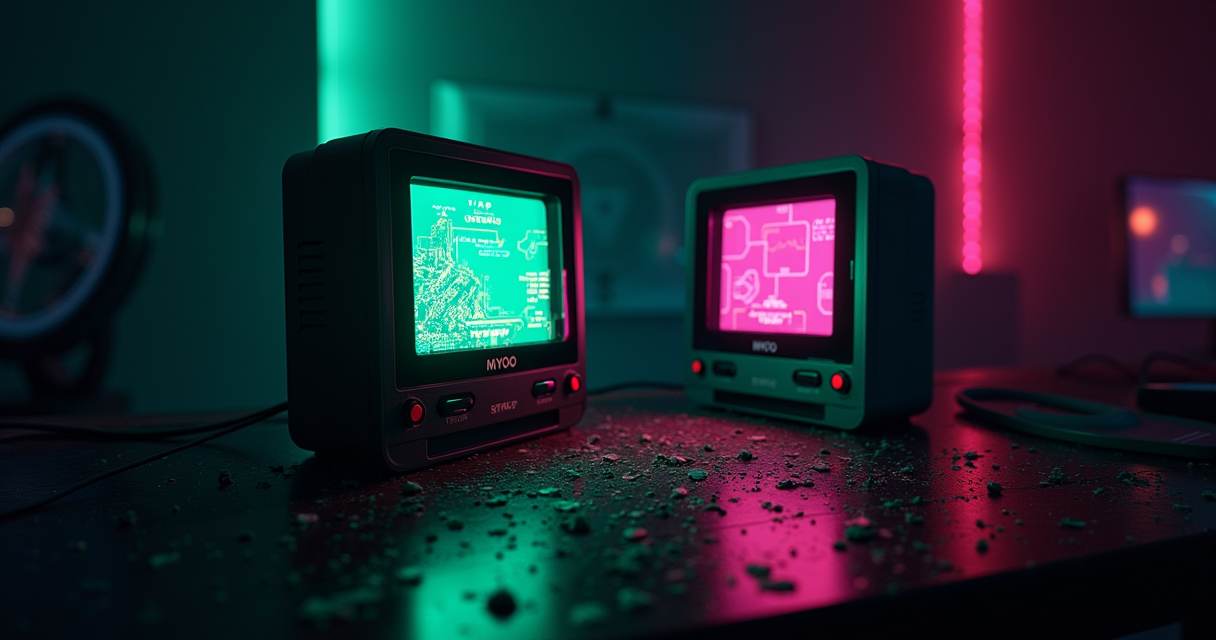
Here is the entire comparison in one sentence, so you can leave early if you like: the Miyoo Mini and the Miyoo Mini Plus run the exact same processor, and everything else is upholstery. There is no faster chip in the Plus. There is no better emulator core waiting behind a paywall. There is no secret 3D unit that wakes up when you load a Nintendo 64 ROM. The two devices share the same SigmaStar SSD202D system-on-chip, the same dual-core Cortex-A7 clocked at 1.2GHz, the same 128MB of DDR3, and the same 2D-only graphics block that has never rendered a polygon in its life. The Plus is the original Mini with a bigger screen bolted on, a bigger battery behind it, and a Wi-Fi radio nobody strictly needs.
This is not a knock. It is the single most important fact in the entire buying decision, and it is the fact that most listings, most bundle sellers, and a distressing number of reviews quietly avoid, because "the same chip in a bigger box" is a harder sell than "the upgraded model." So we are going to spend this article being precise about what actually differs, what stubbornly does not, and which of the two you should hand over money for in 2026. Along the way we will do the pixel-density math that explains why the bigger screen is, counterintuitively, the softer one, and we will point out where the marketing on both devices crosses from optimistic into fictional.
The short version, for the impatient: buy the Plus, because the original Mini is functionally discontinued and its out-of-production units are being resold at insulting prices. But understand exactly what you are buying, which is a vertical, 8-bit-through-PlayStation-1 pocket console with a community operating system doing most of the heavy lifting. Now the long version.
The Punchline: One Chip, Two Sizes
Retro handhelds are usually sold on a performance ladder. This one goes to Dreamcast, that one struggles at PSP, the expensive one does GameCube. The Mini family breaks that mental model, because within it there is no ladder at all. The Mini and the Mini Plus occupy the same rung. If you already understand this, the rest of the comparison is about ergonomics and price. If you do not, you are the exact reader a bundle seller is hoping to find.
The SigmaStar SSD202D, in both
The chip in question first showed up in the wild in late 2021, when CNX Software documented the original Miyoo Mini as a roughly fifty-dollar RetroArch box built on the SigmaStar SSD202D: a dual-core ARM Cortex-A7 at 1.2GHz, a 2D graphics unit, and 128MB of DDR3, driving a 2.8-inch 640x480 IPS panel off a 3.7V, 1900mAh cell. That is the entire compute story of the original Mini, across its V1, V2, V3, and V4 revisions. Nothing about the processor changed across those versions; Miyoo swapped screen suppliers, tweaked buttons, and adjusted the shell, but the silicon held.
When Miyoo shipped the Plus in 2023, it kept that silicon. You do not have to take my word for it. Handheld Picker's 2026 review of the Mini Plus lists the SoC in plain text as "SigmaStar SSD202D / Cortex-A7 dual-core 1.2GHz." Same part number, same core count, same clock. This is why one custom firmware, OnionOS, serves both devices from largely the same codebase: there is no architectural fork to maintain, because there is no architectural difference.
What "same SoC" actually forecloses
The 2D-only GPU is the load-bearing limitation, and it is worth sitting with. A 2D graphics block is excellent at exactly what 8-bit and 16-bit consoles were: tile maps, sprites, scanline-oriented rendering, palette tricks. It is catastrophic at anything that expects hardware-transformed triangles, because it has none. PlayStation 1 emulation squeaks through on the Mini and Mini Plus not because the GPU helps, but because the two Cortex-A7 cores are just barely fast enough to software-rasterize the PS1's comparatively simple geometry at playable speeds for most of the library. Push past that, to the floating-point-heavy geometry of a Nintendo 64 or the tile-and-texture bandwidth of a Dreamcast, and there is no headroom left to spend.
The 128MB of RAM is the second wall. It is enough for the systems in scope and nothing beyond. DROIX, reviewing the Mini Plus for their store listing, put it dryly: the device "only has 128MB RAM, but in most cases this is all you need." That phrasing is doing a lot of work. It is all you need for the green zone. It is nowhere near enough for the systems people keep hoping these things will run.
So what actually changed
Strip away the performance question, which is settled, and here is the complete list of what the Plus adds over the original Mini: a 3.5-inch screen instead of a 2.8-inch one, a 3000mAh battery instead of a roughly 2000mAh one, a 2.4GHz Wi-Fi radio where the original had no radios at all, and about eleven extra grams of weight. That is the upgrade. It is a real upgrade for your hands, your eyes, and your play sessions. It is not an upgrade for your emulator. Keep those two ledgers separate and you will make the right call; conflate them and you will overpay for the wrong reason.
The Spec Sheet, Line by Line
Numbers first, argument second. The table below is deliberately exhaustive, because the whole point of these two devices is that most of the rows are identical, and the identical rows are the ones that matter for what games run. Read down the left column and notice how far you get before anything differs.
Reading the table
| Specification | Miyoo Mini (V1–V4) | Miyoo Mini Plus |
|---|---|---|
| SoC | SigmaStar SSD202D | SigmaStar SSD202D |
| CPU | Dual-core Cortex-A7 @ 1.2GHz | Dual-core Cortex-A7 @ 1.2GHz |
| GPU | 2D-only, no 3D acceleration | 2D-only, no 3D acceleration |
| RAM | 128MB DDR3 | 128MB DDR3 |
| Onboard ROM | 16MB SPI NOR + microSD | 16MB SPI NOR + microSD |
| Display size | 2.8-inch IPS | 3.5-inch IPS |
| Resolution | 640 × 480 (4:3) | 640 × 480 (4:3) |
| Pixel density | ~286 PPI | ~229 PPI |
| Battery | ~1900–2000mAh | 3000mAh (cell 103665, 3.7V) |
| Weight | ~110g | ~121g |
| Wi-Fi | None | 2.4GHz only |
| Bluetooth | None | None |
| Video out (HDMI) | None | None |
| Charging | USB-C | USB-C |
| Analog sticks | None (D-pad only) | None (D-pad only) |
| Stock OS | Miyoo stock firmware | Miyoo stock firmware |
| OnionOS support | Yes (fw ≥ 20220419; V4 ≥ 202310271401) | Yes (fw ≥ 20230505) |
| Emulation ceiling | PlayStation 1 | PlayStation 1 |
| Launched | Late 2021 | ~2023 |
| Status in 2026 | Largely discontinued (used/collector) | In production |
Twenty rows. The first five, the ones that determine what the device can and cannot emulate, are byte-for-byte identical. So are resolution, Bluetooth, HDMI, charging, and controls. The differences cluster entirely in the physical envelope: screen size, density, battery, weight, and the presence of a radio.
Where the numbers lie
Look at the pixel-density row, because it contains the article's best counterintuitive fact. Both panels are 640x480. A 640x480 grid has an 800-pixel diagonal. Spread across a 2.8-inch diagonal, that works out to roughly 286 pixels per inch. Spread across a 3.5-inch diagonal, the same 800 pixels drop to about 229 PPI. In other words, the Plus's larger screen shows you the identical number of pixels stretched over more glass, so each pixel is physically bigger and the image is measurably less sharp. The Plus is easier to see and harder to see sharply, at the same time. This is not a defect; it is arithmetic. But it explains a persistent complaint you will meet in the next section.
The V-number problem
The original Mini is not one device, it is four revisions wearing the same name, and that matters for firmware. If you are buying a used original Mini, you need to know which revision you have, because OnionOS enforces a firmware floor. V1, V2, and V3 want stock firmware dated 20220419 or newer before Onion will install cleanly; the V4, the last hardware revision, wants 202310271401 or newer because it switched panel and driver components. The Plus has its own floor at 20230505. None of this is exotic, but it is the kind of detail that turns a fifteen-minute setup into a two-hour forum crawl if you skip it. We will return to the exact procedure in the migration section, code block included.
Screen and Battery: The Only Real Trade
If the compute is identical, then the entire honest case for the Plus rests on two components: the screen and the battery. They are worth examining closely, because this is where the money actually goes, and where the marketing is at its most slippery.
2.8 versus 3.5 inches: the density tax
The larger screen is genuinely nicer to hold up to your face. A 3.5-inch panel is more forgiving on aging eyes, on a train at arm's length, on anything with small text like a JRPG menu. But recall the density math: 229 PPI against 286. Gizmodo's 2023 review, which I re-verified is still live, was blunt about the consequence. The reviewer wrote that they were "incredibly disappointed with the quality of its 3.5-inch, 640 x 480 LCD screen," and that on the Plus, "titles like Yoshi's Island for the SNES still look muddy, undersaturated, and just plain ugly." Put a competing Anbernic panel beside it and, in the same review's words, "the RG35XX's display makes the Miyoo Mini Plus' look absolutely terrible, almost like I forgot to remove a tinted screen protector after opening it." You can read the full teardown of that complaint in Gizmodo's Mini Plus review, whose subtitle, "A Reminder That Bigger Isn't Always Better," is the whole thesis compressed.
Is that a fair beating? Partly. The Plus panel is not a great LCD by 2026 standards, and the density drop is real. But the original Mini's 2.8-inch screen, while sharper per pixel, is small enough that some players find it genuinely fatiguing over an hour. This is the one axis where taste, not spec, decides. If you value crispness and do not mind squinting, the original wins the screen. If you value comfort and can tolerate softness, the Plus wins it. Neither wins cleanly.
Why the screen got bigger (it wasn't for you)
Here is the lore the listings never mention. The Plus's larger panel was not chosen to improve your experience. It was chosen because Miyoo could not keep the original in stock. Gizmodo again, quoting the manufacturer's own reasoning: the Mini's "2.8-inch, 640 x 480 screen was incredibly hard for the company to reliably source." The original Mini became infamous for selling out in minutes; the 2.8-inch 640x480 panel was a scarce, awkward part. The 3.5-inch panel was more readily manufactured and sourced. The Plus exists, in large part, because a 3.5-inch screen was a component Miyoo could actually buy in volume. The ergonomic win you enjoy is a byproduct of a supply-chain decision. That is not cynicism; it is just how the sausage was made, and it explains why the "upgrade" left the chip untouched. They were solving a procurement problem, not a performance one.
Battery: 2000 versus 3000mAh
The battery is the cleaner win for the Plus, and the less ambiguous one. The original Mini shipped with roughly 1900 to 2000mAh depending on revision. The Plus carries a 3000mAh cell, a 103665-format pouch at 3.7V. That is a real fifty-percent increase in capacity feeding the same power-hungry-but-modest chip. Playhouse's 2026 Mini Plus review measured "6 to 8 hours of mixed use with the screen at 50% brightness," which is a serious runtime for a device this size. The original Mini, scaled by the roughly 2000-to-3000 capacity ratio and lacking any modern 2026 battery-loop testing of its own, lands somewhere in the three-to-five-hour class in comparable use. That is the difference between a device you charge every couple of sessions and one you charge daily. For a commuter, it is decisive.
What They Actually Play: The PS1 Ceiling
Because the two devices are computationally identical, this section describes both at once. There is exactly one emulation profile across the Mini family, and knowing its shape precisely is the difference between satisfaction and a return label.
The green zone: 8-bit through PS1
Inside their lane, these are superb little machines. NES, Famicom, SNES, Super Famicom, Genesis and Mega Drive, Master System, Game Boy, Game Boy Color, Game Boy Advance, PC Engine and TurboGrafx, Neo Geo, and the big arcade sets including CPS1, CPS2, and much of CPS3 run at or near full speed with room to spare. PlayStation 1 is the crown, and it is a heavy crown: the reliable side of the PS1 library, meaning the vast majority of it, plays well, from Final Fantasy VII through IX, the Crash and Spyro trilogies, Metal Gear Solid, Symphony of the Night, Tekken 3, Gran Turismo, Resident Evil, and the Tony Hawk games. Handheld Picker's review frames the device's identity precisely: "a tiny, inexpensive, vertical Linux handheld for 8-bit, 16-bit, arcade, and PlayStation 1 gaming." That is the sentence to buy on. If your want-list lives inside it, you will be delighted. For the exhaustive breakdown, our companion piece walks through the full ladder of systems it can and cannot run.
The wall: N64, Dreamcast, PSP, Saturn
Now the disappointments, stated flatly so no one is surprised. Handheld Picker's advice on what to avoid is a clean list: "Skip it if you want... PSP, Dreamcast, N64, Saturn, GameCube, or Android." Playhouse concurs from the other direction: "N64 and Dreamcast are hit-and-miss. PSP is not recommended." Both statements describe the same physical wall, the 2D GPU and 128MB ceiling, from two vantage points. You can coax a handful of forgiving N64 titles into limping, and you can boot a Dreamcast game to watch it stutter, but these are parlor tricks, not a feature set. Anyone selling you a Mini or Mini Plus on the strength of "it even does N64" is either mistaken or lying, and the distinction rarely matters to your wallet. Handheld Picker's own summary is the honest register: the device is "excellent for low-power retro systems and increasingly shaky once you leave that lane."
The ROM-bundle mirage
A word on the law, because it intersects with the spec sheet. Listings for both devices advertise absurd game counts, tens of thousands of titles "included" on the microSD. Those numbers, 13,056 and 25,966 and 27,549 and "28,000" and the rest, are not features of the Miyoo firmware, which ships empty. They are reseller ROM bundles, which is to say copyright-infringing sets that a middleman loaded onto a card, padded with duplicates, bad dumps, regional variants, and, cruelly, folders of systems the hardware cannot run. A card advertising Dreamcast and PSP folders on a Mini Plus is advertising folders that will not play. Treat the game count as a red flag, not a selling point; the honest purchase is the bare device, then a card you fill yourself. We took that entire circus apart in our look at the bundled-ROM game-count numbers, and the conclusion is the same for the original Mini: the count is marketing, the ceiling is physics.
Performance in the Field
There is no synthetic benchmark suite for these devices in the way there is for phones, and pretending otherwise would be exactly the fabrication this article exists to avoid. What we have instead is convergent field data from multiple independent 2026 reviews, and the useful move is to line those numbers up and see where they agree.
Battery benchmarks across sources
Battery is the one figure everyone measures, and the spread across three independent sources tells a consistent story once you account for firmware. The table collects them.
| Source | Device | Measured battery life | Conditions |
|---|---|---|---|
| Playhouse (2026) | Mini Plus | 6–8 hours | Mixed use, 50% brightness |
| 2026 review roundup | Mini Plus | 4–6 hours stock; 8–10 with Onion | Varies by system and brightness |
| General 2026 review | Mini Plus | 4–6 hours typical | Wi-Fi and brightness dependent |
| Derived from capacity ratio | Original Mini | ~3–5 hours (estimate) | Scaled ~2000/3000mAh vs Plus |
The pattern is clear and believable: the Plus lands in a four-to-eight-hour band depending on brightness and whether Wi-Fi is chattering, with community firmware pushing the ceiling up because Onion is more frugal than stock. The original Mini's number is an honest estimate, not a measured figure, derived by scaling the Plus down by the battery ratio; I flag it as derived rather than pretend a lab ran it. Either way, the Plus wins runtime by roughly the margin its bigger cell implies.
The RAM question: 128MB
The most useful comparative performance statement in the literature is not about the Mini versus the Mini Plus, because they are equal, but about the Mini architecture versus its rivals. DROIX, comparing the Mini Plus against the Allwinner H700 devices, observed that "the H700 processor with GPU runs faster than the Miyoo processor," and separately noted that the Miyoo "only has 128MB RAM, but in most cases this is all you need." Read those two together and you have the Mini family's entire competitive position: slower and more memory-starved than the newer quad-core Cortex-A53 handhelds, but sufficient for everything up to and including PS1, which is the only tier it claims. If you want to understand what the software is doing with that RAM, it helps to know that OnionOS leans on the same libretro ecosystem everyone else uses; our guide to the RetroArch cores that do the actual emulation work maps which core handles which system.
Frame pacing and the 2D GPU
The subtler field observation, repeated across reviews, is that within the green zone these devices are not merely fast enough, they are clean. The 640x480 panel is an integer-friendly canvas for many retro resolutions, and OnionOS ships, in the OnionUI project's own description, "its own build of RetroArch, with a custom display driver made for maximum precision and performance." That custom driver is a real part of why the Mini and Mini Plus feel tighter than their raw specs suggest for 8-bit and 16-bit content: the software was tuned to this exact screen and this exact chip, rather than being a generic build. It is also why the ceiling is so hard. You cannot tune your way past a missing 3D unit. Precision inside the lane, wall at the edge of it.
OnionOS: The Real Product
If the hardware is a tie, the interesting question becomes what the software is, and the answer is that OnionOS is the actual reason to own either device. The stock Miyoo firmware is functional and forgettable. Onion is what people mean when they praise these handhelds.
One firmware, both devices
Because the Mini and Mini Plus share a SoC, they share a firmware. The OnionOS project on GitHub targets the family as a unit, which is exactly why the migration between the two devices is so painless, a point we will hammer shortly. Retro Handheld HQ's 2026 review does not hedge about how central it is: "OnionOS transforms this device," and it is "the single biggest reason this handheld stays relevant in 2026." The same review calls the Plus "the most polished sub-$70 emulation handheld you can buy in 2026," and the polish it means is overwhelmingly Onion's, not Miyoo's.
What Onion adds over stock
Concretely, Onion provides a curated launcher, box-art scraping, per-game save states with auto-resume, cheats, shaders and display layers, theming, RetroAchievements, and a coherent menu system in place of the stock firmware's rougher edges. The Handheld Gaming Community's hands-on put the delta plainly: Onion "elevates the user experience to a level far beyond the stock firmware." Handheld Picker frames it as the anti-clone insurance policy: "Onion OS is the best reason to choose the Miyoo Mini Plus over many cheap clones," because it "makes the device feel less like a cheap emulator box and more like a focused retro console." That last phrase is the whole value proposition. You are not buying silicon, you are buying silicon that a community chose to support.
Wi-Fi: the Plus's one functional exclusive
Here is the single feature that the Plus has and the original Mini simply cannot have: a 2.4GHz Wi-Fi radio. On the original Mini there is no radio, full stop, so anything network-shaped is off the table. On the Plus, Wi-Fi unlocks over-the-air Onion updates, on-device box-art scraping so you are not sideloading images, NTP clock synchronization so the timestamps on your save states are not from 1970, and, for the patient, some limited netplay. It is not Bluetooth, so no wireless audio or controllers, and it is 2.4GHz only, so do not expect miracles. But it is the one capability that is genuinely exclusive to the Plus rather than merely larger on it. Whether you care depends entirely on whether you will use it; many owners disable it to reclaim battery and never miss it.
Pricing and Availability in 2026
Money is where the comparison finally stops being symmetrical, because one of these devices you can walk up and buy and the other you mostly cannot. The pricing on the Plus is chaotic across regions and sellers; the pricing on the original Mini is a museum-gift-shop situation.
The Mini Plus price map
Across 2026 coverage the Plus floats in a wide band. LitNXT's review pegged it at $65.99. Street pricing runs $62.99 to $69.99 depending on storage and retailer. UK buyers see roughly £60, which is the figure Playhouse used. The official store has listed configurations from $69.00 up to $99.00, the higher numbers being padded microSD bundles you should ignore. And there are sale troughs: Handheld Picker documented a May 1 to 5 window where a 64GB unit dropped to $56.99 against a $79.99 regular price, while long-run price trackers have logged a low near $49.50 and a late-2025 average around $51.49. The takeaway: the honest target is somewhere in the $55 to $65 or £55 to £60 range for the bare device, and anything above $80 is a bundle tax.
| Configuration / Source | Price | Notes |
|---|---|---|
| Mini Plus, official store (2025) | $69.00–$99.00 | Higher tiers are padded SD bundles |
| Mini Plus, May 1–5 sale (64GB) | $56.99 | Regular $79.99 |
| Mini Plus, LitNXT review (2026) | $65.99 | Single-unit street price |
| Mini Plus, US street | $62.99–$69.99 | Varies by storage/retailer |
| Mini Plus, UK | ~£60 | Playhouse figure |
| Mini Plus, EU storefront (2025) | €109.90 | Bundle-inflated |
| Mini Plus, price tracker | ~$49.50–$51.99 | Low / late-2025 average |
| Original Mini, 2021 launch MSRP | ~$50 | Per CNX Software |
| Original Mini, new in 2026 | Largely discontinued | Used / collector channels only |
| Original Mini, out-of-production resale | ~$200 | Reported by Gizmodo |
The original Mini: discontinued, collectible, overpriced
The original Mini's availability is the decisive fact against it. It is not meaningfully in production for the mass market in 2026; you find it used, or from collectors, or from sellers exploiting its cult status. Gizmodo's reviewer, weighing the Plus's mediocre screen against the alternative, could not bring themselves to endorse the workaround: they were "not sure paying $200 for an out-of-production Miyoo Mini is a better alternative." Two hundred dollars. For a device whose chip cost about fifty at launch and is identical to the sixty-dollar Plus sitting in stock. That is the collector premium, and it is not a rational purchase for a player. RetroResolve's warm line, "for the price, I'll happily admit the Miyoo Mini is easily the best budget handheld available," was true at the price it launched at. At $200 it is false. Price is not a fixed property of a device; it is a property of a transaction, and this transaction has gone bad.
The clone trap
One more hazard specific to the cheap end. Marketplace listings around $25 advertising a "Miyoo Mini Plus" with "11,000 games" are, in the common case, clones or gray-market units riding the name. The genuine article does not sell new at $25. If the price looks too good, you are looking at either a counterfeit shell around inferior parts or a legitimate-but-ancient unit dressed up with a ROM bundle. Pay the real $55 to $65 and get a device OnionOS actually supports.
Five Buyers, Five Answers
Specs do not buy handhelds, people do, and the right answer changes with who is asking. Here are five real buyer profiles and the device each one should actually get, given everything above.
Cases that point to the Mini Plus
The commuter. You play in twenty-to-forty-minute chunks on a train or a bus, and you resent charging. The Plus's 3000mAh cell and six-to-eight-hour real-world runtime is the whole ballgame here; the original Mini's smaller battery will have you tethered to a cable more often. Buy the Plus, disable Wi-Fi if you want to stretch it further, and never think about it again.
The middle-aged eyes. You grew up on these games and your near vision has since filed for divorce. The 3.5-inch panel, softer per-pixel though it is, is materially easier to read at arm's length than the 2.8-inch original, especially for text-heavy RPGs. The density tax is worth paying for the legibility. Plus.
The gift buyer. You are buying for someone who will never flash firmware, sideload a ROM, or read a forum. You want the device that is in stock, under warranty, currently supported, and priced sanely. That is the Plus at $55 to $65, ideally with you pre-loading a legal, curated card so the recipient just turns it on. The original Mini fails this test on availability alone.
Cases that (still) point to the original Mini
The pocket absolutist. You want the smallest, sharpest, most jewel-like object that plays Game Boy and SNES, and you already own an original Mini or can get one at a fair used price, not the $200 gouge. The 2.8-inch screen at 286 PPI is genuinely crisper, and the 110-gram body genuinely disappears into a coin pocket in a way the Plus does not quite manage. If sharpness and minimum size are your religion, and the price is right, keep or buy the original.
The collector. You care about the original because it is the original: the device that sold out in minutes, the one whose screen Miyoo could not source, the artifact that launched the modern vertical-handheld craze. That is a legitimate reason to own one. It is not a performance reason, and you should not tell yourself it is. Buy it as a collectible, priced as a collectible, with clear eyes.
Cases that point away from both
The frustrated maximalist. You keep circling back to "but can it do Dreamcast, or PSP, or GameCube," and the answer keeps being no. Stop trying to make the Mini family clear a wall it was never built to clear. If PS1 is not your ceiling, the honest move is a different class of device entirely; our rundown of the Retroid Pocket lineup covers the Android handhelds that actually reach Dreamcast, PSP, and beyond. And if what you truly want is not more systems but cycle-accurate perfection on the ones you have, that is a different obsession again, better served by an FPGA platform like MiSTer. Neither Miyoo is the answer to those questions, and buying one hoping it will be is how returns happen.
Migrating From Mini to Mini Plus
This is the section where the shared-SoC design pays a real, practical dividend. Because both devices run the same OnionOS off the same architecture, moving from an original Mini to a Mini Plus is close to the easiest hardware migration in the hobby. In many cases the migration guide is one sentence: take the microSD card out of the old one and put it in the new one. But there are caveats worth doing correctly, so here is the full procedure.
Will my SD card just work?
Often, yes. Onion's data layout, your ROMs, your saves, your box art, and your themes live on the microSD, not on the device. Because the Plus runs the same Onion, a card built on an original Mini will frequently boot and run on a Plus with no changes. The two things that can trip you are the firmware floor and the screen driver. The Plus needs its stock firmware at 20230505 or newer under the hood for Onion to behave, and because the Plus and the various Mini revisions use different panels, a card carrying device-specific display configuration can occasionally need a nudge. In practice, updating Onion to its current release after the swap resolves nearly all of it.
The clean-slate method
If you want zero surprises, rebuild the card. It takes fifteen minutes and eliminates every edge case. The shape of an Onion card, and the firmware floors you are checking against, look like this:
# Miyoo OnionOS microSD, formatted FAT32 with an MBR partition table
# (use Rufus or similar for cards larger than 32GB)

/.tmp_update/      <- Onion bootstrap / updater
/BIOS/             <- system BIOS files (e.g. PS1 scph*.bin)
/Roms/             <- per-system folders, tagged by short code:
                      FC SFC MD GB GBC GBA PCE NEOGEO ARCADE PS WS ...
/Saves/            <- battery saves + save states
/Media/            <- scraped box art and screenshots
/RetroArch/        <- Onion's RetroArch build and configs
/Themes/           <- installed themes

# Stock firmware floor required BEFORE OnionOS installs cleanly:
#   Miyoo Mini V1 / V2 / V3 : >= 20220419xxxx
#   Miyoo Mini V4           : >= 202310271401
#   Miyoo Mini Plus         : >= 20230505xxxx
#
# Procedure:
#   1. Confirm the target device's stock firmware meets its floor above.
#   2. Format the microSD as FAT32 / MBR.
#   3. Extract the current OnionOS release archive to the card root.
#   4. Copy /Roms, /BIOS, /Saves from a backup of the old card.
#   5. Insert, boot, and on first launch press SELECT on the Games tab
#      to refresh the game list. Let it index before playing.
Save states, and what doesn't survive
One honest warning. Battery saves, the in-game .srm files that a cartridge would have stored, are portable and reliable; move them and they work. Save states, the whole-machine snapshots, are more fragile across a firmware jump, because a state captures the exact memory image of a specific emulator build. Change the Onion version or the core version between the old device and the new one and some states may refuse to load. The mitigation is old and boring: before you migrate, load each in-progress game, reach a proper in-game save point, and use the cartridge save, not just the state. Do that and nothing of value is lost in the move. Skip it and you may find a snapshot or two that will not reopen, which is annoying but rarely catastrophic. Batocera and other platforms handle this differently, and if you ever graduate to a PC-class setup our Batocera walkthrough covers that world; on the Miyoo, the rule is simply to trust battery saves over states across a device change.
Pros and Cons, Tallied
Everything above, compressed into two ledgers. Read them side by side and the decision usually makes itself.
Miyoo Mini (original): the ledger
| Pros | Cons |
|---|---|
| Sharper screen: 2.8-inch at ~286 PPI | Largely discontinued; resale often ~$200 |
| Smallest, lightest body (~110g) | Smaller ~2000mAh battery, ~3–5h class |
| Cult / collector desirability | No Wi-Fi, so no OTA updates or on-device scraping |
| Identical emulation ceiling to the Plus | Four revisions complicate used buying and firmware |
| Fully OnionOS-supported | 2.8-inch screen can fatigue some players |
Miyoo Mini Plus: the ledger
| Pros | Cons |
|---|---|
| In production and sanely priced ($55–$65) | Softer image: 3.5-inch at only ~229 PPI |
| Larger 3000mAh battery, 6–8h real-world | Panel criticized as "muddy, undersaturated" (Gizmodo) |
| 2.4GHz Wi-Fi: OTA updates, scraping, clock, some netplay | Bigger and heavier than the original (~121g) |
| 3.5-inch screen easier on the eyes | No Bluetooth, no HDMI, no analog sticks |
| Same OnionOS, same effortless setup | Same PS1 ceiling: no N64/DC/PSP/Saturn/GCN |
The honest summary
Notice what is not in either cons column: a performance gap between them. There isn't one to list. The original's real disadvantage is availability and price; the Plus's real disadvantages are a softer screen and a slightly larger body. Both share the identical, immovable con at the bottom of each table, the PS1 ceiling, because it is the same chip drawing the same line. Everything else is a matter of which compromise you would rather live with.
The Verdict
A comparison should end with a recommendation you can act on, not a shrug. Here is the data-backed call, split by situation, because "it depends" is only useful if you say what it depends on.
Buy the Plus (almost always)
For nearly every buyer in 2026, the answer is the Miyoo Mini Plus. The reasoning is not that it is faster, because it is not; it is that it delivers the identical emulation profile as the original while being purchasable at a rational price, backed by warranty and current support, with a battery that lasts a real session and a Wi-Fi radio that makes maintenance painless. Retro Handheld HQ's verdict stands as the summary of record: it is "the most polished sub-$70 emulation handheld you can buy in 2026," and Playhouse's 4.5-out-of-5 and description of it as "the sweet spot for sub-£100 retro handhelds in 2026" reinforce it from a second desk. Pay $55 to $65, skip the padded ROM bundles, install or update OnionOS, and you have the best small vertical retro handheld money sensibly buys.
Keep the original Mini (if you already have one)
If an original Mini is already in your drawer, there is no performance reason to replace it, because there is no performance to gain. Keep it, flash current Onion, and enjoy the sharper 286-PPI screen and the smaller body. The only reasons to move to a Plus are battery life, screen size, and Wi-Fi, and if none of those bother you, your Mini is not obsolete in any way that matters. What you should not do is go shopping for a used original Mini at collector prices as a player. Handheld Picker's line is the right register for the whole family in 2026: "it is no longer the strongest budget handheld. It is still one of the nicest small ones." Nicest small ones, yes. Worth $200, no.
Buy neither (if PS1 isn't enough)
And the disciplined third option: if your honest want-list includes Nintendo 64, Dreamcast, PSP, Saturn, or anything above, do not buy either Miyoo. No amount of firmware, no bundle, no forum thread changes the 2D GPU and the 128MB wall. Buy a device built for that tier and stop asking a fifty-dollar chip to be a hundred-and-fifty-dollar one. But if your list lives in the 8-bit-through-PS1 green zone, and for an enormous number of players it does, then the Mini Plus is the machine, the original Mini is its sharper and scarcer twin, and the only real decision left is which of two nearly identical devices fits your hand and your budget. The chip already decided the rest.
Questions the search bar asks me
- Is the Miyoo Mini Plus faster than the original Miyoo Mini?
- No. Both run the same SigmaStar SSD202D with dual Cortex-A7 cores at 1.2GHz, 128MB of DDR3, and a 2D-only GPU, so they share an identical PlayStation 1 emulation ceiling. The Plus only adds a 3.5-inch screen, a 3000mAh battery, and 2.4GHz Wi-Fi; the compute is unchanged.
- Can the Miyoo Mini or Mini Plus run N64, Dreamcast, or PSP?
- Not properly. Handheld Picker advises to "skip it if you want PSP, Dreamcast, N64, Saturn, GameCube," and Playhouse calls N64 and Dreamcast "hit-and-miss" while stating "PSP is not recommended." The hard ceiling is PS1, set by the 2D GPU and 128MB of RAM shared by both devices.
- How much is the Miyoo Mini Plus in 2026, and can I still buy the original Mini?
- The Plus runs roughly $56.99 on sale to $79.99 regular, with street prices of $62.99 to $69.99 and about £60 in the UK; the official store lists $69 to $99 by configuration. The original Mini is largely discontinued new, and out-of-production units have been resold for around $200, which Gizmodo flagged as hard to justify.
- Does OnionOS work on both, and do I need it?
- Yes to both. Because the Mini and Mini Plus share the SSD202D, one OnionOS build serves both, and Retro Handheld HQ calls it "the single biggest reason this handheld stays relevant in 2026." It adds box-art scraping, save states, shaders, and a curated launcher, and is effectively mandatory to get the experience people praise.
- Will my SD card move from a Miyoo Mini to a Mini Plus?
- Usually yes, because both run OnionOS off the same architecture, so the card is often directly portable. Mind the firmware floors (Plus needs 20230505 or newer; Mini V1-V3 need 20220419, V4 needs 202310271401) and expect some whole-machine save states not to survive a firmware jump, so rely on in-game battery saves before migrating.

Ben covers the hardware end of retro gaming: FPGA cores, real-cartridge dumping, capture setups, CRT vs scaler workflows, and the legal and physical preservation infrastructure that keeps old games playable. Every post under this byline is reviewed pre-publish by Sam P., Editor & Operator — corrections to info@instalinkoteam.com. Published 2026-08-29 · Last updated 2026-08-29. Full bios on the author page.