/// FIELD NOTES FROM A SELF-AWARE GAME SITE
RetroPie PC 2026: v4.8 Frozen, 16GB Pi Hits $300
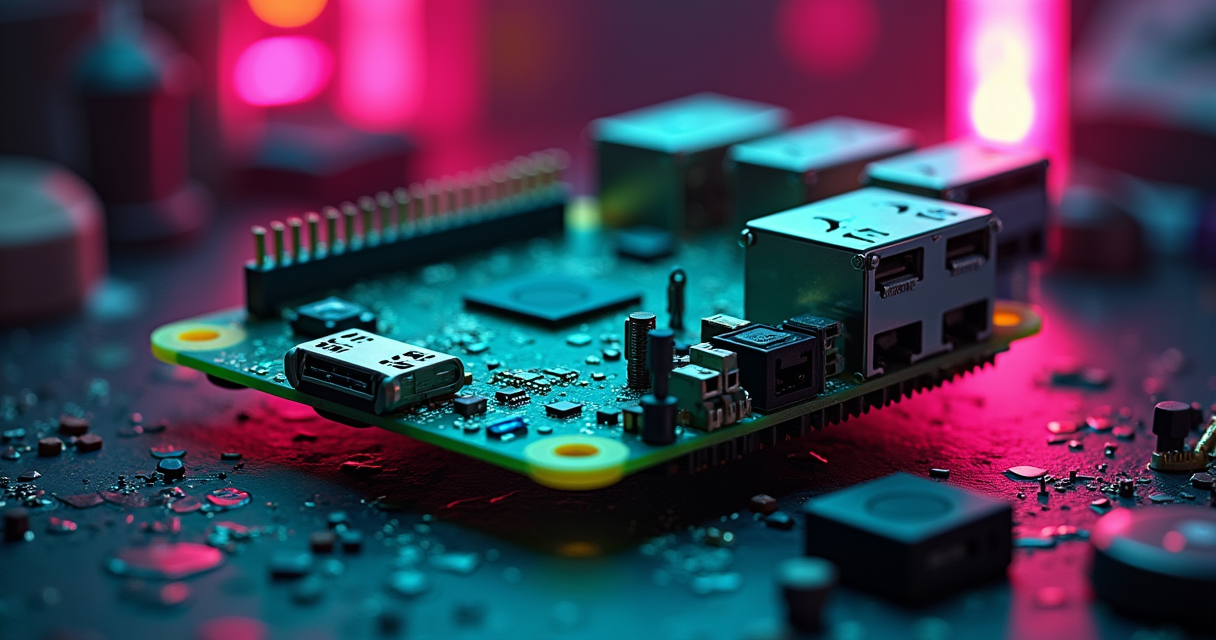
RetroPie did not ship a new image in 2026. It did not ship one in 2025, 2024, or 2023 either. The last time the project pushed a pre-built, flash-it-and-boot image to its download page was version 4.8, on 14 March 2022 — four years ago, back when a Raspberry Pi 4 with 4GB of RAM was a $55 impulse buy and the phrase “AI memory shortage” would have read like science fiction. That image is still the current one. That is the news, and everything downstream of it is a consequence.
The temptation is to file this under “abandonware” and move on. Resist it. RetroPie in 2026 is a strange animal: a frozen front door bolted onto a workshop that is still very much occupied. The pre-built image has not moved in four years, but the RetroPie-Setup script underneath it still takes commits, supports the Raspberry Pi 5, and installs cleanly onto a desktop PC running Debian or Ubuntu. The gap between “no new image” and “no new development” is the entire subject of this piece — and it happens to land in the worst stretch for Raspberry Pi pricing in the board’s history.
So this is a story about two freezes and one spike. The software froze in 2022. The Raspberry Pi hardware RetroPie was built to run on has, meanwhile, roughly 2.5×’d in price at the top of the range because of a DRAM shortage nobody in retro gaming asked for. If you arrived looking for a turnkey “RetroPie PC 2026 edition,” you are about to be disappointed twice. Here is why, in order.
A Frozen Image, a Living Script
The last official image is four years old
Precision matters here, because precision is the whole point. RetroPie’s download page currently offers pre-built images for the Raspberry Pi 1/Zero, the Pi 2/3/Zero 2 W, and the Pi 4/400. Every one of them is stamped v4.8 and dated 14 March 2022. There is no Pi 5 image. There is no bootable x86 image. There has been no v4.9, no v5.0, and certainly no “2026 edition.” A project that once cut point releases every few months simply stopped cutting images the year the Pi 4 was still the newest board on the shelf.
The script never stopped moving
Now the counterintuitive half. The RetroPie-Setup repository — the shell script that actually assembles the system — is alive. Its GitHub description reads, verbatim, “Shell script to set up a Raspberry Pi/Odroid/PC with RetroArch emulator and various cores,” and its commit history runs into 2026. That script supports the Pi 5. What is missing is not the code; it is the packaged, tested, downloadable image. As RetroPie contributor “abj” explained in a forum thread cited by SlashGear: “RetroPie supports RPi5, but we don’t have an iso image yet, because some things needs time to be 100% ready for a new image release.”
What “no Pi 5 image” actually costs you
In practical terms, the freeze costs you about fifteen minutes and a command line. “For now,” abj continued, “you have to install manually RetroPie on top of Pi OS Bookworm Lite 64 bit.” That is the whole penalty: flash Raspberry Pi OS Lite, clone the repo, run one script, wait for the cores to build. It is not hard. It is, however, the difference between a beginner-friendly appliance and a hobbyist project, and in 2026 that difference is exactly what pushes newcomers toward the competition.
What “RetroPie PC” Actually Means
A setup script, not an operating system
This is the single most misunderstood thing about “RetroPie PC,” so let’s nail it down. RetroPie is not a standalone console OS. It is a layer that installs on top of Raspberry Pi OS (formerly Raspbian), which is itself Debian. The RetroPie-Setup README states the supported bases plainly: it runs on Raspberry Pi OS, but also on “Ubuntu on the ODroid-C1 or a PC.” There is no “RetroPie.iso” you burn to a USB stick and boot on a desktop. “RetroPie PC” means: take an existing Debian or Ubuntu install and run the script on it.
The EmulationStation + RetroArch stack
Under the hood, two projects do the work. EmulationStation is the graphical front end — the scrollable, box-art carousel you actually navigate. RetroArch is the emulator back end, a shell that loads dozens of libretro cores (one per system). RetroPie bundles them, wires them together, and hands you a single front end for “over 50 systems,” per the project’s own feature list. Save states, shaders, rewind, and one universal controller configuration that carries across every core — those are the headline usability features, and they are the reason the stack still feels coherent in 2026 rather than like fifty separate apps.
Why the PC route is a manual route
The honest summary: on a PC, RetroPie is a power-user’s choice, not a lazy one. You are opting into a general-purpose Linux box that happens to boot into EmulationStation, with a full desktop one keystroke away. That is a genuinely attractive proposition for anyone who wants a media server, a file share, and an emulation front end on one machine. It is a terrible proposition for someone who just wants to plug in a controller and play. Know which one you are before you start.
The RAM Crisis That Broke the Build
Three price hikes in five months
Here is where the hardware story turns ugly. The Raspberry Pi — RetroPie’s natural home — has been battered by a memory-driven price spiral. The flagship 16GB Pi 5 launched at $120. It nudged to $145 in December 2025, jumped to $205 on 2 February 2026 in a round Raspberry Pi bluntly titled “More memory-driven price rises,” and then absorbed another $100 on 1 April 2026, landing near $300. Tom’s Hardware clocked the February figure alone at more than 70% over the original MSRP. That is roughly 2.5× the launch price on the top SKU, in under half a year.
The AI infrastructure connection
The cause is not retro gaming; it is the datacenter. Raspberry Pi co-founder Eben Upton attributed the spiral, in the February announcement, to “an unprecedented rise in the cost of LPDDR4 memory, thanks to competition for memory fab capacity from the AI infrastructure roll-out.” The same post warned that “price rises have accelerated as we enter 2026, with the cost of some parts having more than doubled over the last quarter.” By April the company was citing, in its 3GB Pi 4 announcement, “a seven-fold increase over the last year in the price of the LPDDR4 DRAM used on Raspberry Pi 4 and 5,” while insisting that “providing low-cost general-purpose computing remains a non-negotiable priority for us at Raspberry Pi.”
Street prices versus official list
There is a silver lining buried in the same February post: Raspberry Pi framed “the current situation” as “ultimately a temporary one,” adding that it looks forward to “unwinding these price increases once it abates.” Believe that when it happens. In the meantime, the official list price is the optimistic number. Retail is worse — Amazon street pricing on the 16GB board has drifted toward $380 as stock tightens. For a build that was supposed to cost “well under $250” all-in, the flagship board alone can now eat the entire budget. If that math offends you, the sensible move in 2026 is a used Pi 4, a cheaper 4GB Pi 5, or a turnkey handheld like the $50-ish Miyoo Mini Plus — none of which need you to win a DRAM lottery.
| Date | Event | 16GB Pi 5 (official) | Change |
|---|---|---|---|
| 2024 | 16GB model introduced | $120 | launch |
| Dec 2025 | 1GB board lands at $45; range nudged | $145 | +$25 |
| 2 Feb 2026 | “More memory-driven price rises” | $205 | +$60 |
| 1 Apr 2026 | Third hike in five months | ~$300 | +$100 |
| Aug 2026 | Amazon street price | ~$380 | market premium |
From a $35 Board to a 10,000-Star Repo
2012: a $35 board and a shell script
To understand why RetroPie can sit frozen and still dominate, you have to remember what it grew up alongside. The original Raspberry Pi Model B arrived in 2012 at $35 — a deliberately disposable, general-purpose computer. RetroPie began, on the petrockblock blog, as a way to turn that board into a games machine without hand-compiling a dozen emulators. The pitch never changed: point one script at a cheap Linux computer, get a console. Thirteen years later the pitch is identical; only the board prices have gone insane.
The EmulationStation lineage
RetroPie’s durability is partly inherited. It did not write its own front end or its own emulators; it married EmulationStation to RetroArch and libretro, three projects with their own momentum and their own maintainers. That was a smart architectural bet. When RetroArch adds a core or fixes an emulator, RetroPie benefits without lifting a finger — which is precisely why a “frozen” 2022 image can still run software that improved in 2026, once you update the cores. The front end froze; the guts kept flowing.
How RetroPie won the documentation war
The real moat is not code. It is the archive. RetroPie has accumulated well over a decade of documentation, wiki pages, and forum threads — the single largest body of “why won’t this ROM boot” knowledge in the hobby. Its GitHub repository sits around 10,400 stars, against roughly 3,100 for Batocera. Search any obscure emulation error and the top result is usually a RetroPie forum post from 2017 that still applies. That institutional memory is worth more than a fresh image, and it is why the project keeps winning the long tail even while it loses the newcomer.
Installing RetroPie on a PC or Pi 5
The manual install, start to finish
Because there is no image, you install the RetroPie way: on top of an existing OS. On a Pi 5, flash Raspberry Pi OS Lite (64-bit); on a PC, start from a minimal Debian or Ubuntu. Then the sequence is short and identical on both:
# On Raspberry Pi OS Lite (64-bit), Debian, or Ubuntu
sudo apt update && sudo apt install -y git lsb-release
cd $HOME
git clone --depth=1 https://github.com/RetroPie/RetroPie-Setup.git
cd RetroPie-Setup
sudo ./retropie_setup.sh
# Pick "Basic install" -> builds EmulationStation, RetroArch,
# and the standard set of libretro cores. Expect a long compile.
That “long compile” is the tax for having no pre-built image: the script builds cores from source, which can take the better part of an hour on a Pi. On a modern PC it is far quicker. When it finishes, you reboot into EmulationStation.
Where the ROMs and BIOS files live
RetroPie’s file layout is one folder per system, plus a single BIOS directory. Learn these paths and 90% of “the game won’t launch” problems solve themselves — nine times out of ten it is a missing BIOS in the wrong folder.
# Default RetroPie ROM layout (one folder per system)
~/RetroPie/roms/nes/
~/RetroPie/roms/snes/
~/RetroPie/roms/megadrive/
~/RetroPie/roms/n64/
~/RetroPie/roms/dreamcast/

# BIOS files live here: dc_boot.bin, scph1001.bin, gba_bios.bin, ...
~/RetroPie/BIOS/
On the sourcing question, this site’s position does not change: own the cartridge. If you want the legally clean route, a hardware dumper is the answer — see our walkthrough on dumping your own carts with a Retrode. RetroPie ships no games, and any “all-in-one” image that does is someone else’s legal problem you are inheriting.
SAMBA, splash screens, and controller config
The quality-of-life features are the same ones petrockblock advertised years ago and they still hold up: EmulationStation starts automatically on boot, splash screens are customizable, and RetroPie exposes network SAMBA shares so you can drag ROMs from your desktop into the roms folder without ever touching the SD card again. Enable the share, browse to the RETROPIE machine from your file manager, drop files in the matching system folder, done. It is genuinely the nicest part of the experience, and it costs nothing.
What a Pi 5 Really Emulates in 2026
Everything through the Dreamcast
The Pi 5 is a real generational jump: community benchmarks put it at roughly 3× the single-core and 2.8× the GPU throughput of the Pi 4. In practice that means everything up to and including the sixth console generation’s easier cases runs well. N64 is mostly full speed. The Dreamcast is comfortable — Soulcalibur holds 60fps at 1080p. PSP runs light titles at 60fps, with heavier 3D games dropping to the 25–30fps range. For a board that fits in your palm, that is a staggering amount of console history covered.
The sixth-gen wall
Then you hit the wall, and it is a hard one. GameCube on the Pi 5 is, generously, a “proof of concept” — 20–30fps in the titles that boot, not a play-it-through experience. PlayStation 2 is simply not viable. This is not a RetroPie limitation; it is silicon. If your want list is heavy on PS2, GameCube, or Wii, an ARM single-board computer is the wrong tool, and no front end changes that. This is also where dedicated hardware re-enters the conversation: an FPGA solution like the MiSTer Multisystem 2 nails cycle-accurate 8- and 16-bit systems that emulation only approximates, and purpose-built boxes like the Analogue 3D for N64 sidestep the accuracy debate entirely for one platform.
PC hardware tiers by console generation
If you run RetroPie on a PC instead of a Pi, the calculus flips — commodity x86 hardware chews through everything a Pi struggles with. The rough tiers, drawn from long-standing community spec guidance, look like this:
| Target systems | Minimum CPU | RAM | Notes |
|---|---|---|---|
| 8/16-bit (NES, SNES, Genesis) | Pentium 4 @ 2.0GHz | 2GB | A Pi 4 already clears this |
| PS1 / N64 | Core 2 Duo @ 2.0GHz | 4GB | Accuracy cores want more headroom |
| PS2 / GameCube / Dreamcast | Core i3 @ 3.0GHz (i5 preferred) | 8GB | GPU matters as much as CPU here |
RetroPie vs. Batocera vs. Recalbox
The script-versus-OS divide
The cleanest way to separate the big three is by what you download. RetroPie is a setup script; Batocera and Recalbox are full operating systems. That single distinction explains almost every downstream difference. RetroPie gives you a general-purpose Linux box with emulation added; Batocera and Recalbox give you a locked, immutable appliance that boots straight to games and forgets it is Linux. Neither approach is wrong. They are aimed at different people, and in 2026 the appliance crowd is the larger one.
Batocera and Recalbox ship what RetroPie won’t
Here is the decisive gap. Both rivals ship official, current, flash-and-boot images for the Pi 5 and for x86_64 PCs. RetroPie ships neither. Batocera v43 “Glasswing” landed on 8 May 2026, with a v43.1 point release on 30 May, bundling 200+ pre-configured systems and a dedicated x86_64-v3 image using Wayland and the LabWC compositor for modern handhelds. Recalbox offers the same flash-and-go convenience on Pi and PC. If your priority is “insert SD card, play games tonight,” the honest answer is Batocera — and we have a step-by-step Batocera install for exactly that.
| RetroPie | Batocera | Recalbox | |
|---|---|---|---|
| What it is | Setup script on Pi OS / Debian / Ubuntu | Full standalone OS | Full standalone OS |
| Latest release | Image v4.8 (Mar 2022); script live 2026 | v43 “Glasswing” (May 2026) | Recalbox 10 |
| Official Pi 5 image | No (manual install) | Yes | Yes |
| Official x86_64 image | No (run script on Linux) | Yes | Yes |
| Systems advertised | 50+ | 200+ | Broad |
| GitHub stars | ~10,400 | ~3,100 | Lower |
| Best for | Tinkerers who want a real computer | Plug-and-play breadth | Plug-and-play simplicity |
Why RetroPie still wins the long tail
So why hasn’t RetroPie lost? Because a locked appliance is a liability the moment you want to do anything unusual. RetroPie users can drop to a shell, install arbitrary Debian packages, run a media server on the same box, and script their setup end to end. Batocera’s read-only OS makes that deliberately hard. Add the documentation moat, and RetroPie remains the answer for people who see “it is really just Linux” as a feature, not a bug. It is losing the mainstream and keeping the enthusiasts. In 2026 that is a defensible, if shrinking, position.
The “2026 Suite” Is Not a Real Release
The upload that isn’t official
Search “RetroPie 2026” and you will trip over a “RetroPie 2026 Suite” — a YouTube-promoted, pre-loaded all-in-one that is not a RetroPie project release. It is an unofficial upload with no connection to the maintainers, typically stuffed with ROMs it has no right to distribute. There is no v5, no “Suite,” no 2026 image. The only image RetroPie has ever shipped remains v4.8. Anyone selling or seeding a “2026 edition” is selling you someone else’s copyright problem with a fresh coat of paint.
How to tell a real release from AI slop
2026 has a broader disease: SEO-farm domains and AI-generated “guides” that invent version numbers and fabricate release dates. Two names recur in RetroPie and Batocera searches — tech-insider.org and shattered.io — and both should be treated as fabricated; we do not cite them and neither should you. The tell is always specificity without a primary source: a confident “12-step 2026 setup” that never links the actual repo, or a “RetroPie 5.0” that exists nowhere on GitHub. If a claim can’t be traced to retropie.org.uk or the project’s GitHub, it isn’t a fact. It is content.
The canonical download, for the record
For the avoidance of doubt: the only legitimate sources are the official site, retropie.org.uk, and the RetroPie-Setup repository on GitHub. The site hosts the v4.8 images and the setup assets; the repo hosts the living script and its release tracker. Everything else — every “mega image,” every “Suite,” every 512GB pre-filled card on a marketplace — is at best unofficial and at worst a lawsuit with a heatsink.
What Happens Next: 6-12 Months Out
Predictions 1-2: the image stays frozen
1. No official Pi 5 image before mid-2027. abj’s “100% ready” bar has held for years, and nothing suggests it drops this cycle; the manual RetroPie-Setup route remains the only route through at least early 2027, likely pinned to a stable Pi OS / Debian base before any image ships. 2. The script keeps advancing anyway. Expect continued commits, core updates, and Pi 5 fixes landing in RetroPie-Setup on a monthly cadence — the development-versus-image gap widens rather than closes.
Prediction 3: the hardware stays expensive
3. Board prices stay elevated deep into 2026. With DRAM contract prices still climbing on AI demand, the 16GB Pi 5 does not un-spike this year; the “temporary” increases Raspberry Pi promised to unwind stay in place through the holidays. The knock-on effect is a real hobbyist exodus — more buyers pivot to used Pi 4 boards, 4GB Pi 5s, or self-contained handhelds, and the “$35 computer” identity keeps eroding.
Predictions 4-5: the forks pull ahead, the fakes multiply
4. Batocera and Recalbox extend their turnkey lead. Every quarter RetroPie goes without a Pi 5 image, the two full-OS rivals absorb more newcomers; RetroPie’s share concentrates further into the power-user niche it already owns. 5. The AI-slop problem gets worse before it gets better. Expect more fake “2026 Suite” uploads and more fabricated SEO guides as generative content floods the hobby — which, perversely, raises the value of the exact primary sources the fakes refuse to cite.
The Verdict: Frozen, Not Finished
If you want a computer that also emulates
RetroPie in 2026 is still the right call for one specific person: the builder who wants a general-purpose Linux machine with a great emulation front end layered on top, and who is unbothered by a fifteen-minute manual install. You get the deepest documentation in the hobby, a shell that does anything, and a stack — EmulationStation over RetroArch — that ages gracefully because its guts update even when its face doesn’t. For that person, the frozen image is a non-issue.
If you want to plug in and play
For everyone else — the “I just want it to work tonight” crowd — RetroPie is the wrong recommendation in 2026, and it is not close. Batocera’s current, Pi-5-and-x86 image does the same job with none of the setup ceremony. There is no shame in choosing the appliance over the workshop. Most people should.
The one-line answer
RetroPie is frozen, not finished. The image is a museum piece; the script is a working tool; the board it runs on is caught in a DRAM crisis that has nothing to do with games. Judge it on what it actually is — a maintained setup script with a four-year-old front door — and it holds up. Judge it on the turnkey 2026 image it never shipped, and you will keep looking for a “Suite” that does not exist.
Questions the search bar asks me
- Is there an official RetroPie image for the Raspberry Pi 5 in 2026?
- No. The last official pre-built image is v4.8 from 14 March 2022, which predates the Pi 5 entirely. You install on a Pi 5 (or a PC) by running the RetroPie-Setup script on top of Raspberry Pi OS Lite 64-bit; the script is still maintained, but no packaged Pi 5 image has shipped.
- Can RetroPie run on a regular PC?
- Yes, but not as a bootable image. RetroPie ships no x86 ISO — "RetroPie PC" means running the RetroPie-Setup script on top of an existing Debian or Ubuntu install. If you want a flash-and-boot x86 image instead, Batocera and Recalbox both offer one; RetroPie does not.
- Why has the Raspberry Pi gotten so expensive?
- An AI-driven LPDDR4 memory shortage. Raspberry Pi raised prices three times in five months; the 16GB Pi 5 went from $120 to roughly $300 official (street prices near $380). Eben Upton blamed "competition for memory fab capacity from the AI infrastructure roll-out," citing a seven-fold jump in DRAM cost over the year.
- Is the "RetroPie 2026 Suite" an official release?
- No. It's an unofficial YouTube/download upload with no connection to the RetroPie project, usually pre-loaded with ROMs it has no right to distribute. The only canonical sources are retropie.org.uk and the RetroPie-Setup GitHub repo. There is no v5 and no "Suite" — the newest official image is still v4.8.
- RetroPie or Batocera in 2026?
- Batocera if you want a maintained, flash-and-go image that officially supports the Pi 5 and x86_64 (v43 "Glasswing," May 2026, 200+ systems). RetroPie if you want a general-purpose Linux box with emulation layered on top, plus the deepest documentation and forum archive — roughly 10,400 GitHub stars versus Batocera's ~3,100.

Casey writes about speedrunning, tool-assisted runs, and the strange engineering of going fast in old games. Every post under this byline is reviewed pre-publish by Sam P., Editor & Operator — corrections to info@instalinkoteam.com. Published 2026-08-29 · Last updated 2026-08-29. Full bios on the author page.