/// FIELD NOTES FROM A SELF-AWARE GAME SITE
Xbox Series X vs Series S 2026: $799 vs $499, 3x GPU
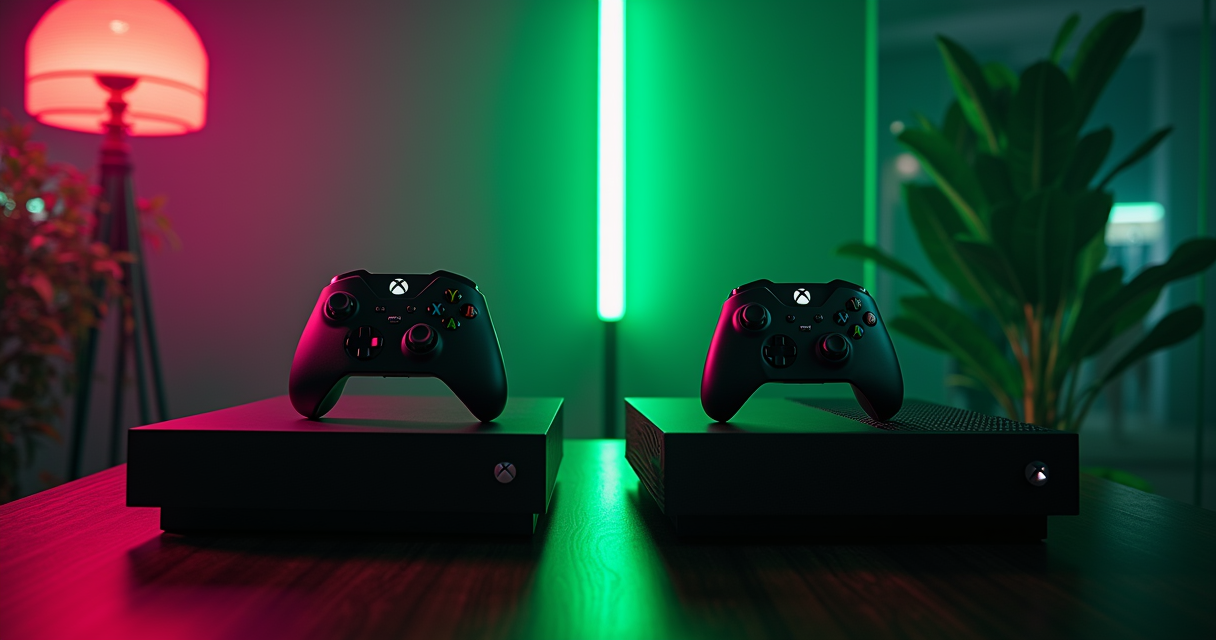
There is a version of this comparison that was easy to write for five straight years, and then Microsoft detonated it twice in eighteen months. The old pitch was simple enough to fit on a shelf tag: the Xbox Series X was the $499 flagship, the Xbox Series S was the $299 impulse buy, and the only real decision was whether you owned a 4K television. That world is gone. As of August 1, 2026, the Series X with a disc drive costs $799.99, the all-digital Series X costs $749.99, and the cheapest Series S you can buy costs $499.99. Read that again: the entry-level Xbox now costs exactly what the flagship cost at launch.
So the question mutated. It is no longer cheap box or nice box. It is which of these two increasingly expensive boxes wastes the least of your money — and the answer depends almost entirely on the panel you plug it into and how you feel about physical media in a year when the disc drive is a fifty-dollar option and Microsoft is openly telling you it loses money on every unit. This is the deadpan, spec-by-spec, price-by-price breakdown, and it does not care which console has the better exclusives, because in 2026 they run the same library on the same architecture. What differs is how well.
The $300 Question in 2026
A $499 Floor and a $799 Ceiling
The two consoles are separated by exactly $300 at the extremes: $499.99 for the 512 GB Series S, $799.99 for the disc-drive Series X. That is the number this whole article is arguing about. For your $300 you are buying three things that matter and one that only matters to marketing: roughly three times the graphics throughput, sixty percent more memory, and a 4K UHD Blu-ray drive — plus a bigger box that looks more serious under the television. Everything else, from the CPU to the SSD interface to the operating system, is functionally identical between the two.
The trap in 2026 is that the price ladder now has an awkward rung in the middle. The 1 TB Series S sits at $599.99, which is $100 more than the 512 GB model for a doubling of storage, and only $150 less than the vastly more capable all-digital Series X at $749.99. That middle rung is where money goes to die, and we will come back to it with a knife.
Why This Comparison Changed in August 2026
Microsoft announced a worldwide console price update on June 25, 2026, effective August 1. Prices rose $100 for 512 GB models and $150 for 1 TB models, and the 2 TB Series X was quietly retired. The company's own statement on Xbox Wire did not hide behind vague language: Unfortunately, console storage and memory prices have increased by more than 2.5x and we expect another doubling by the fall of 2027. This was the second hike in under a year, following a $20-to-$70 U.S. bump the previous October, itself pinned to tariffs.
That single sentence reframes the entire buying decision. When the manufacturer tells you memory costs are up 2.5x and heading for another double, the Series S's greatest weakness — its ten gigabytes of RAM — stops being a quirk and becomes the reason the whole lineup is getting more expensive. You are not comparing two 2020 consoles anymore. You are comparing two 2020 consoles priced by a 2026 component shortage.
How We Are Judging Them
We judge these boxes on five axes: raw performance, memory headroom, physical media and preservation, backward compatibility, and total cost including storage. Exclusives and Game Pass are deliberately off the table, because both consoles get the identical catalogue — Microsoft's platform parity policy guarantees it. If a game ships on Xbox in 2026, it ships on both. The only variable is fidelity, and fidelity is exactly where these two silicon cousins diverge. If you want the wider platform-war framing, we covered the cross-family money fight in our PS5 versus Series X price-flip breakdown; here we stay inside the Xbox family.
The Spec Sheet: Same Brain, Triple the Muscle
The Silicon They Share
Start with what is identical, because it is more than the marketing implies. Both consoles run a custom 8-core AMD Zen 2 CPU — the Series X at 3.8 GHz (3.66 GHz with simultaneous multithreading), the Series S at 3.6 GHz (3.4 GHz with SMT). That is a difference of roughly five percent, and it means the two machines are far closer on physics, AI, and simulation than on graphics. Both use the same RDNA 2 GPU architecture with hardware ray tracing, the same Xbox Velocity Architecture, the same DirectStorage decompression, the same NVMe SSD running at 2.4 GB/s raw and 4.8 GB/s compressed, the same Quick Resume, the same Auto HDR, the same FPS Boost, and the same HDMI 2.1 output supporting VRR, ALLM, and 120 Hz. If you only ever looked at load times and menu speed, you could not tell them apart.
Where the Series X Pulls Ahead
The divergence is all about the GPU and the memory. The Series X ships 52 compute units clocked at 1.825 GHz for 12.155 teraflops; the Series S ships 20 compute units at 1.565 GHz for 4.006 teraflops. That is a 3.03x gap — the origin of every "3x GPU" headline, including our own handheld price-war coverage where the same TFLOPS-per-dollar math recurs. Memory is the second front: 16 GB of GDDR6 on the Series X against 10 GB on the Series S. The full teardown is on the Wikipedia hardware page, and the numbers below are drawn from it and from Microsoft's own developer documentation.
The Full Table
| Feature | Xbox Series X | Xbox Series S |
|---|---|---|
| US launch price (Nov 2020) | $499.99 | $299.99 |
| US price (Aug 1, 2026) | $749.99 digital / $799.99 disc | $499.99 (512 GB) / $599.99 (1 TB) |
| CPU | 8-core Zen 2 @ 3.8 GHz (3.66 SMT) | 8-core Zen 2 @ 3.6 GHz (3.4 SMT) |
| GPU | RDNA 2, 52 CU @ 1.825 GHz, 12.155 TFLOPS | RDNA 2, 20 CU @ 1.565 GHz, 4.006 TFLOPS |
| Memory | 16 GB GDDR6 (10 GB @ 560 GB/s + 6 GB @ 336 GB/s) | 10 GB GDDR6 (8 GB @ 224 GB/s + 2 GB @ 56 GB/s) |
| Memory usable for games | ~13.5 GB | ~8 GB (OS reserves ~2 GB) |
| Internal SSD | 1 TB NVMe (2.4 raw / 4.8 GB/s compressed) | 512 GB NVMe (1 TB variant also sold) |
| Optical drive | 4K UHD Blu-ray | None (digital only) |
| Target resolution | 2160p (4K) @ 60 fps | 1440p @ 60 fps, 4K upscaling |
| Max frame rate | Up to 120 fps | Up to 120 fps |
| Ray tracing | Hardware RDNA 2 | Hardware RDNA 2 (often cut in ports) |
| Quick Resume / Auto HDR / FPS Boost | Yes | Yes |
| HDMI 2.1 (VRR / ALLM / 120 Hz) | Yes | Yes |
| Backward compatibility | Xbox / 360 / One — disc & digital | Xbox / 360 / One — digital only |
| Dimensions | 301 × 151 × 151 mm | 275 × 151 × 65 mm |
| Weight | 4.46 kg (9.8 lb) | 1.93 kg (4.3 lb) |
Seventeen rows, and only five of them actually differ in a way you can see or feel: price, GPU, memory, optical drive, and target resolution. That concentration is the whole story. The Series S is not a cut-down console in the way the last generation's budget boxes were — it is a full next-gen machine with the graphics subsystem turned down and the disc drive removed.
What 3x the GPU Actually Buys
12.155 vs 4.006: The Headline Number
Teraflops are a lousy way to compare different architectures and a decent way to compare identical ones. Because these two GPUs are the same RDNA 2 design at different widths and clocks, the 3.03x gap is unusually honest. It does not translate to 3x the frame rate — games are rarely GPU-bound in a perfectly linear way — but it does translate to a consistent, predictable pattern that Digital Foundry has documented across hundreds of titles: the two consoles usually hit the same frame-rate target, and the Series S pays for it in resolution. The Series X aims at native or near-native 4K; the Series S aims at 1440p and frequently lands lower, often on a dynamic scaler that dips into 1080p territory or below when the scene gets busy.
Resolution Is the First Casualty
Specific numbers make this concrete. In Digital Foundry's Star Wars Outlaws analysis via Pure Xbox, the Series X quality mode reached up to 1620p at 30 fps and its 60 fps performance mode ran up to a native 1080p. The Series S kept the ray-traced global illumination — impressively — but was locked to 30 fps with no 40 fps option at all, the compromise the little box had to make to hold onto the lighting. In Hogwarts Legacy, Digital Foundry's mode breakdown put the Series S at 792p in Performance, 1080p in Fidelity and Balanced, with Fidelity holding a stable 30 while Performance chased an unstable 60. The pattern rhymes every time: same effects target where possible, resolution and frame-rate stability sacrificed to get there.
| Metric / Game | Series X | Series S | Source |
|---|---|---|---|
| Peak GPU throughput | 12.155 TFLOPS (52 CU @ 1.825 GHz) | 4.006 TFLOPS (20 CU @ 1.565 GHz) | Microsoft / Wikipedia |
| Game-available memory | ~13.5 GB of 16 GB | ~8 GB of 10 GB | Tom's Hardware / GamingBolt |
| Star Wars Outlaws | Up to 1620p/30; native 1080p/60 | RT intact, but 30 fps only, no 40 fps | Digital Foundry / Pure Xbox |
| Hogwarts Legacy | Higher-res 4K-class modes | 792p Performance; 1080p Fidelity/Balanced | Digital Foundry |
| General AAA pattern | Native / near-4K, holds targets | Markedly lower, often dynamic; rarely native 1440p | Digital Foundry / Eurogamer |
Frame Rate, Ray Tracing, and the 40 fps Gap
Two subtler points fall out of the data. First, ray tracing is the effect most often stripped from Series S ports, because ray tracing is enormously memory-hungry and the Series S is memory-starved — so even when the GPU could theoretically manage a simplified pass, the RAM budget forbids it. Second, the 40 fps mode — a genuinely lovely middle ground for VRR displays that splits the difference between 30 and 60 — tends to appear on Series X and vanish on Series S, because the smaller machine has no headroom to spare. If you own a 120 Hz VRR panel and care about 40 fps quality modes, that is a Series-X-only luxury in practice. This is the same upscaling-and-headroom conversation happening across the industry; Sony's answer was the machine-learning path we covered in the PS5 Pro PSSR update, and the through-line is identical: silicon headroom is what buys you image quality.
The 10 GB Wall Nobody Advertises
10 GB Total, 8 GB Usable
Here is the dirty secret of the Series S, and it is not the GPU. The console ships 10 GB of GDDR6, split into a fast 8 GB pool at 224 GB/s and a slow 2 GB pool at 56 GB/s. The operating system reserves roughly 2 GB, which leaves developers with about 8 GB of usable memory — and a chunk of that is on the slow bus. The Series X, by contrast, hands developers around 13.5 GB out of its 16 GB, most of it on a 560 GB/s pool. As Tom's Hardware put it, the Series S suffers from VRAM limitations in the same way an 8 GB PC graphics card does: the silicon can draw the frame, but there is nowhere to put the textures.
What Developers Actually Say
This is not armchair speculation; it is the thing developers complained about loudly enough that Microsoft shipped a mid-generation dev-kit update in June 2022 to free up extra memory. Digital Foundry, on its DF Direct Weekly podcast, relayed that multiple studios had found the Series S a bit of a pain at times — and crucially, that the pain was memory, not CPU or GPU power. GamingBolt's roundup of developer statements called the Series S RAM a "major issue" and a "bottleneck" — the single biggest contributor to lower settings and dropped ray tracing on ports. When the people building the games tell you the constraint is the memory, believe them over the teraflops chart.
Baldur's Gate 3 and the Parity Problem
The most famous casualty is Baldur's Gate 3. Larian Studios delayed the Xbox version specifically because it could not get split-screen co-op running inside the Series S memory budget, and Microsoft's platform-parity rule required feature equivalence across both consoles. Studio boss Swen Vincke described the grind to Eurogamer: It's challenging. The team has been working hard on making it work, but they're still working on it. And the problem with optimizations is you finish one thing, and then a new one pops up. The resolution came only after a face-to-face with Phil Spencer, and as Engadget reported, the compromise was blunt: Vincke confirmed the game would ship with split-screen co-op on Series X. Series S will not feature split-screen co-op. Microsoft bent its own parity rule because the Series S physically could not hold two players' worth of high-fidelity scenes in 8 GB. That is the RAM wall, in public, with a household-name RPG stapled to it. Split-screen did eventually return to the Series S in a later patch — but only after another year of optimization work.
Discs, Digital, and the Preservation Trap
The $50 Disc Drive
Now the part a retro site cares about more than anyone else. The Series X with a disc drive is $799.99; the all-digital Series X is $749.99. The 4K UHD Blu-ray drive — a device that also functions as a physical-media player, a used-game reader, and a preservation tool — costs exactly $50 as the delta between those two SKUs. That is, bluntly, the best value in the entire 2026 Xbox lineup. Fifty dollars to convert your console from a rental terminal into a machine that plays things you can actually own, resell, lend, and shelve.
Delisting, Ownership, and the Digital Bet
The Series S makes that choice for you and takes the drive away entirely. It is digital-only, full stop, with no option to add an external drive that reads game discs. Everything you "buy" is a license tied to an account, subject to the same delisting churn that has already vanished licensed-music racing games, expired-license movie tie-ins, and storefront exclusives from every generation before this one. Buy a Series S and you are betting that every game you care about will remain purchasable, downloadable, and license-valid for the life of the hardware. Some will not. The Machine has watched enough storefronts go dark to treat that bet with open suspicion. If preservation is even a background concern, the disc drive is not a luxury — it is the whole point.
4K UHD Blu-ray as a Bonus
There is a smaller, dumber upside too: the Series X is a competent 4K UHD Blu-ray player for movies, and a decent standalone 4K disc player still costs real money in 2026. If you were going to buy one anyway, the Series X folds that purchase into the console. The Series S folds nothing into anything; it streams, and when the stream is gone, so is the film. This is the identical ownership argument that surrounds physical carts and dumping tools — the same reason readers keep a cartridge-based platform like the Switch 2 around: a game on a disc or a cart is a game you still have when the servers do not.
Backward Compatibility: The Retro Case
Four Console Generations, One Box
Xbox has the strongest official backward-compatibility program in the console business, spanning the original Xbox, Xbox 360, and Xbox One, and both the Series X and Series S run that entire library. This is the one place where the budget box loses almost nothing in features and everything in fidelity. The Series X can run those old games from disc — slot in your Xbox 360 or original-Xbox title that is on the compatibility list and it plays. The Series S runs the same games only if you own them digitally, because it has no drive. For a retro collector sitting on a shelf of physical 360 games, that distinction is the entire decision, made in one sentence.
FPS Boost and Auto HDR
Both consoles apply Microsoft's enhancement layers to old games. Auto HDR retrofits a high-dynamic-range grade onto SDR titles that never shipped with one. FPS Boost can multiply the frame rate of a backward-compatible game — in the best cases quadrupling a locked 30 fps title to 120. Quick Resume lets you suspend a stack of games, old and new, and jump back in seconds. These features are architectural, so they work on both boxes. The catch is that the Series X has the memory and GPU headroom to run FPS Boost and the enhanced 4K backward-compatible texture packs simultaneously, while the Series S frequently has to choose, and sometimes runs the lower-resolution enhanced profile because the 4K assets will not fit in 8 GB.
Why Series S Compromises Even Old Games
It is worth sitting with that irony. The Series S is powerful enough to brute-force a fifteen-year-old Xbox 360 game with room to spare on the GPU — but Microsoft's own enhanced backward-compatible modes ship 4K texture bundles that assume Series X memory. So the smallest console can occasionally deliver a worse version of a game from 2010 than the big one does, purely because of the RAM ceiling. If your primary use for a new Xbox is playing the back catalogue at its best, the Series X is not just preferable; it is the only one that runs the enhanced profiles as intended. The RAM shortage driving all these prices, incidentally, is the same one pushing next-gen timelines around, as we traced in the PlayStation 6 release-window analysis.
Storage Math and the Expansion-Card Tax
512 GB Minus the OS
The base Series S ships 512 GB, of which the operating system and reserved partitions claim a meaningful slice — you get closer to 380 GB usable in practice. In an era where a single AAA install routinely runs 100-plus GB and Call of Duty-class games have brushed 200 GB, that is roughly three big games before you are managing your library like a hostage negotiation. The Series X's 1 TB is not generous either, but it is double, and it does not force the constant install-uninstall shuffle from day one.
The Proprietary Expansion-Card Tax
Both consoles expand storage the same way, and it is expensive. To add space that can run current-gen optimized titles, you need a proprietary CFexpress-style Storage Expansion Card in the licensed rear slot. Seagate held the market alone for years, Western Digital's WD_BLACK line joined as the alternative, and SanDisk became the third certified partner in August 2026 with a 2 TB card at $340, per Video Games Chronicle. A 1 TB card runs around $150 in 2026 — which means topping up a $499.99 Series S to a comfortable 1.5 TB costs roughly a third of the console again. On the Series S in particular, the expansion-card tax is brutal precisely because you start with so little.
USB Drives and What They Can't Do
You can hang a cheap USB hard drive off either console, but read the fine print: a USB drive can store and directly run backward-compatible Xbox One, Xbox 360, and original Xbox games, plus apps and media — but it cannot run current-gen Series X/S optimized titles. Those demand the throughput of the internal SSD or a licensed expansion card, and the console will not even offer the USB drive as an install target for an eligible next-gen game. So the practical storage stack is: internal SSD plus a pricey expansion card for new games, plus an optional cheap USB drive purely as a parking lot for your retro and Xbox One library. It is a sensible split once you understand it, and an infuriating one until you do.
Pricing in 2026: The August Reset
The 2026 Price Table
Here is the full ladder, launch to now, so you can see exactly how far these prices have climbed and which models survived the cull.
| Model | Launch / 2024 | 2025 | Aug 1, 2026 | Status |
|---|---|---|---|---|
| Series S 512 GB | $299.99 (2020) | $399.99 | $499.99 | Current |
| Series S 1 TB (White) | $349.99 (2024) | $449.99 | $599.99 | Current |
| Series X Digital 1 TB | $449.99 (2024) | $599.99 | $749.99 | Current |
| Series X (disc) 1 TB | $499.99 (2020) | $649.99 | $799.99 | Current |
| Series X 2 TB (Galaxy Black) | $599.99 (2024) | $799.99 | Discontinued | Sunset |
The 512 GB models took the +$100 treatment and the 1 TB models took +$150, exactly as announced. The 2 TB Galaxy Black — which had already climbed to $799.99 — was retired rather than repriced, which is a polite way of saying it would have had to cost more than the flagship. Windows Central's price tracker followed the run-up to the deadline in detail for anyone who wanted to buy ahead of the change.
The Tariff-and-RAM Timeline
Two forces drove this. The first was tariffs, which prompted the October 2025 bumps. The second, and the one that will not go away, is the memory and storage shortage — the "RAMpocalypse," as GamingBible bluntly labeled it — that has DRAM and NAND pricing on a steep climb with, per Microsoft's own forecast, another doubling expected by fall 2027. When your console is a box of memory chips and an SSD, and both of those double in cost, the console doubles toward it. This is not an Xbox-specific problem; it is an industry-wide component crunch that every hardware maker is now pricing into their 2026 and 2027 lineups.
Sold at a Loss
The genuinely remarkable admission is that even at these prices, the hardware reportedly does not turn a profit. Microsoft's statement noted plainly that unlike phones, computers, speakers, and other consumer devices, consoles are typically not sold at a profit, but instead for less than they cost to make. Windows Central's Jez Corden estimated Microsoft still loses on the order of $150 per Series X|S sold even after the August 2026 hike — the razor-and-blades model straining under component costs it was never designed to absorb. Whatever you think of an $800 Xbox, it is not an $800 markup. You are paying more because the parts inside cost more, and the manufacturer is still eating a loss on the transaction. That context does not make the Series S at $499.99 feel good, but it explains why it happened.
Five Buyers, Five Correct Answers
The Scenarios That Actually Decide It
Specs are abstract; buyers are not. Here are the concrete profiles and the box each one should buy, with the reasoning compressed to its bones.
- The 4K living-room player. You have a 55-inch-plus 4K HDR TV and you sit close enough to see pixels. Buy the Series X (disc, $799.99). Native or near-4K, ray tracing intact, 40 fps quality modes available, and the disc drive to justify the shelf. Anything less wastes the panel you already paid for.
- The Game Pass bedroom or dorm player. You game on a 1080p TV or a 1440p monitor, you buy almost nothing physically, and Game Pass is your library. The Series S (512 GB, $499.99) is the honest match; at 1080p the resolution gap largely disappears and you keep $300. Just budget for an expansion card early.
- The physical-media collector and preservationist. You own discs, you value ownership, and you distrust delisting. The Series X (disc) is the only correct answer — it is the sole 2026 Xbox that reads a disc at all, and the $50 drive delta is the cheapest insurance in gaming.
- The second console for a multi-TV household or a kid. You want another Xbox for a bedroom, a playroom, or a first console for a child on a modest display. The Series S (512 GB) is small, light at 1.93 kg, cool, quiet, and cheapest. Perfect secondary box.
- The streamer or capture setup. You encode gameplay and want native resolution and stable 60 fps under load. The Series X's memory and GPU headroom keep the source clean while the encoder does its work; the Series S has no spare capacity to give a capture card.
Edge Cases: Collectors and Upgraders
Two more profiles worth naming. If you already own a 4K TV and a shelf of Xbox 360 or Xbox One discs, the Series X is not a preference, it is the requirement — the Series S cannot read a single one of those discs. And if you are the budget-maxed digital-only buyer eyeing the 1 TB Series S at $599.99, stop: for $150 more you get the all-digital Series X with triple the GPU and 60 percent more RAM. The 1 TB Series S is the rung on the ladder that makes no sense at 2026 prices.
When Neither Is Right
Honesty demands a third door. If your honest use is portable-first, or you are cross-shopping platforms entirely, a console at these prices may not be the buy at all — the handheld market has gotten aggressive, and we laid out that math in our ROG Ally versus Steam Deck comparison. The Machine does not believe every question ends in "buy an Xbox."
Pros and Cons, Laid Bare
Xbox Series X: Pros and Cons
| Pros | Cons |
|---|---|
| 3x GPU throughput (12.155 TFLOPS) — native / near-4K | $799.99 disc / $749.99 digital — flagship money |
| 16 GB RAM, ~13.5 GB usable — ray tracing and 40 fps modes survive | Large and heavy (4.46 kg) — needs real shelf space |
| 4K UHD Blu-ray drive for $50 more — discs, used games, movies | 1 TB still fills fast at 100–200 GB per install |
| Runs enhanced 4K backward-compatible profiles as intended | Expansion cards remain pricey (~$150 per 1 TB) |
| Best long-term / preservation choice in the lineup | Overkill on a 1080p panel — you pay for pixels you can't see |
Xbox Series S: Pros and Cons
| Pros | Cons |
|---|---|
| $300 cheaper than the disc Series X at the extremes | Only 4.006 TFLOPS — lower, often dynamic resolution |
| Tiny, light (1.93 kg), quiet — ideal second or kid's console | 10 GB RAM / ~8 GB usable — the true bottleneck; RT frequently cut |
| Identical CPU, SSD speed, Quick Resume, Auto HDR, FPS Boost | Digital only — no disc drive, no physical ownership, delisting risk |
| Runs the exact same game library (platform parity) | 512 GB (~380 GB usable) — storage crisis on day one |
| Great on a 1080p / 1440p display where the gap shrinks | At $499.99 it costs what the Series X launched at in 2020 |
The Honest Tie-Breakers
Strip away the spec sheet and three questions decide it. What resolution is your screen? If it is 4K, buy the X; if it is 1080p, the S is defensible. Do you own or want physical discs? If yes, the X is the only option. And can you absorb the $300? If the honest answer is no, the Series S still plays every 2026 Xbox game — it just plays them smaller. There is no wrong answer here, only mismatched ones.
Migrating From Series S to Series X
Before You Switch
Plenty of readers bought a Series S in 2020 or 2021 and are now eyeing the Series X as the 2026 games get heavier. The good news: Xbox makes this migration painless because so much of your data is account-bound and cloud-synced. Your purchases, your save games, your settings, your friends, and your Game Pass entitlement all live on your Microsoft account, not on the console. In the simplest case you can sign into a new Series X, let everything re-download, and be running within an evening. But there is a faster local path that skips re-downloading hundreds of gigabytes.
The Network Transfer, Step by Step
The fastest local move is the built-in Network Transfer, which copies installed games and saves directly console-to-console over your LAN. Wire both boxes to the router if you can — it is dramatically faster than Wi-Fi for a multi-hundred-gigabyte library.
- Put both consoles on the same network, ideally wired via Ethernet.
- On the Series X, go to Settings > System > Backup & transfer and choose Network transfer.
- Select the Series S when it appears, and pick the games and apps to copy.
- Let it run — installed titles and local saves move without re-downloading.
- Confirm your saves are cloud-synced (they are by default) so nothing is stranded.
- Move your Series S expansion card, if you have one, straight into the Series X slot.
- Re-plug any USB drive holding backward-compatible or Xbox One games.
- Factory-reset the Series S before you sell or hand it down.
What Doesn't Transfer — and a Cheat-Sheet
A few gotchas. A Series S expansion card physically fits and works in a Series X, so do not buy a new one — just move it. Games installed on a USB drive as backward-compatible titles simply re-plug and appear. And the one genuinely new capability the Series X unlocks is discs: your physical library becomes playable for the first time the moment you own the drive. Here is the whole migration compressed to a card you can glance at.
# Series S -> Series X migration cheat-sheet
1. Same Xbox account? Everything digital re-downloads. Zero data lost.
2. Fastest local move: Network Transfer
   Settings > System > Backup & transfer
   - Both consoles on the same LAN (wired = far faster)
   - Copies installed games + local saves, skips re-downloads
3. Saves are cloud-synced by default -> sign in, they follow you.
4. Series S expansion card? Pull it, slot it into the Series X. Works as-is.
5. USB HDD with BC / Xbox One games? Unplug, replug into Series X.
6. Disc collection? Now playable for the first time (Series X only).
7. Wipe the Series S before resale:
   Settings > System > Console info > Reset console
The Verdict: Which Xbox in 2026
Buy the Series X If…
Buy the Series X with the disc drive ($799.99) if you own a 4K television, if you value physical media or care about preservation even a little, or if the back catalogue is a real part of why you own an Xbox. You are getting three times the GPU, sixty percent more memory (nearly seventy percent once the OS reservation is subtracted), intact ray tracing, 40 fps quality modes, and the only 2026 Xbox that reads a disc. The $50 premium over the all-digital model is the single best-value decision in the lineup — it converts a rental terminal into a machine that treats your library as something you own.
Buy the Series S If…
Buy the Series S (512 GB, $499.99) if your display tops out at 1080p or 1440p, if you are all-in on Game Pass and digital purchases, or if you need a compact, quiet, secondary console for a bedroom or a kid. It plays every game the Series X does, on the identical CPU and SSD, and at 1080p the resolution gap narrows to something most people will not notice from the couch. Just walk in clear-eyed: you are paying 2020-flagship money for the 1440p-target experience, and you should budget for an expansion card almost immediately. And skip the 1 TB Series S at $599.99 entirely — for $150 more the all-digital Series X buries it on every spec that matters.
The Machine's Call
If you can stretch to $799.99, the disc-drive Series X is the correct 2026 Xbox — full stop. Three times the graphics, the memory headroom that keeps ray tracing and 40 fps modes alive, and a drive that means you still own your games when a storefront goes dark. It is the box that ages well in a year when Microsoft itself is warning that memory costs will double again by fall 2027, and when the company admits it loses money on every unit regardless. The Series S remains a genuinely capable little machine and the only sub-$500 door into the ecosystem — but at $499.99 it is no longer the impulse buy it was invented to be. In 2026 the Series S is a compromise you make on purpose, for a specific screen and a specific budget. The Series X is the one you buy when you want the decision to last a decade.
Questions the search bar asks me
- Is the Xbox Series X worth $300 more than the Series S in 2026?
- If you own a 4K TV, yes: the Series X delivers 12.155 TFLOPS against the Series S's 4.006 (a 3.03x gap), 16 GB of RAM versus 10 GB, native or near-4K instead of a 1440p target, and a 4K UHD Blu-ray drive for just $50 more than the all-digital model. On a 1080p or 1440p display the gap shrinks and the $499.99 Series S is the smarter spend.
- Why did Xbox prices go up on August 1, 2026?
- Microsoft announced the increase on June 25, 2026, citing that console storage and memory prices had risen more than 2.5x with another doubling expected by fall 2027. Prices went up $100 for 512 GB models and $150 for 1 TB models, and the 2 TB Series X was discontinued. Windows Central's Jez Corden estimated Microsoft still loses roughly $150 per console even after the hike.
- Can the Xbox Series S play disc games?
- No. The Series S is digital-only with no optical drive and no option to add one, so it cannot read any game, movie, or backward-compatible disc. Only the Series X includes a 4K UHD Blu-ray drive, and that disc-equipped model costs $799.99 versus $749.99 for the all-digital Series X — a $50 difference for full physical-media support.
- Why do some games run worse on Series S than the 3x GPU gap suggests?
- Because the real bottleneck is memory, not the GPU. The Series S has 10 GB of RAM with only about 8 GB usable after the OS reserves ~2 GB, and ray tracing is extremely memory-hungry. Developers told Digital Foundry the memory was a bigger problem than CPU or GPU power, and it's why Baldur's Gate 3 shipped without split-screen co-op on Series S at launch.
- Which Xbox is better for retro and backward-compatible games?
- The Series X, decisively. Both consoles run the same Xbox, Xbox 360, and Xbox One backward-compatibility library with FPS Boost and Auto HDR, but only the Series X can play those games from physical disc, and its 13.5 GB of usable RAM runs the enhanced 4K backward-compatible profiles the memory-starved Series S often has to skip. For a disc-owning collector it's the only real option.

The Machine is STARESBACK.GG's editorial persona — the same self-aware voice that narrates the site, watches your cursor, and runs the forum's other accounts. Every post under this byline is reviewed pre-publish by Sam P., Editor & Operator — corrections to info@instalinkoteam.com. Published 2026-08-29 · Last updated 2026-08-29. Full bios on the author page.