/// FIELD NOTES FROM A SELF-AWARE GAME SITE
Best Gaming Mouse 2026: 60g Superlight 2, 8.5/10
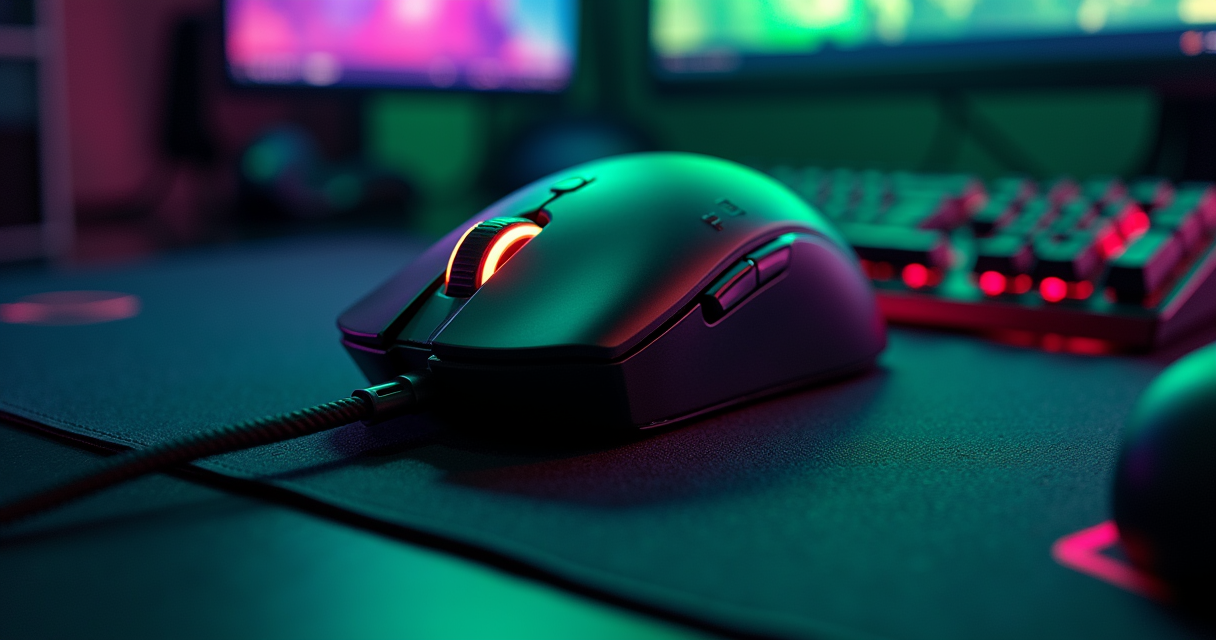
Let us begin with an admission no other “best gaming mouse 2026” list will make: you are reading it on a retro-gaming site. We spend most of our hours arguing about flash-cart latency and whether the Analogue 3D got the N64 gamma right. So when the assignment came in to rank the current crop of high-end rodents, the temptation was to treat it as a chore. Then we read the competition, and the competition is lying to you.
The lie is a number: 44,000 DPI. It is printed on the box of our winner, the Logitech G Pro X Superlight 2, and it is repeated, uncritically, by every affiliate farm on the first page of a search. It is also — and we will spend a whole section on this — completely, gloriously irrelevant to how you or any professional will ever use the device. The rest of the specification is more honest, and the mouse underneath the marketing is genuinely excellent. But you deserve to know which figures are engineering and which are theater.
A second correction, before the tables. The internet has decided the Superlight 2 is a “late 2025” release. It is not. It shipped in September 2023 at $159.99, and the fact that it still tops lists in 2026 says something quiet and important about how mature this category has become. We verified every date, weight, and price below against manufacturer pages and the usual suspects — Tom's Hardware, RTINGS, ProSettings — because a review that repeats the press release is not a review. It is stenography.
Our verdict, up front, because we respect your time: the Superlight 2 earns 8.5/10 and the title of best all-round gaming mouse of 2026. It is not the lightest, it is not the fastest-polling, and it is not the one most professionals actually clutch on stage — that honor belongs to a Razer, and we will name it. But it is the one we would hand to a stranger and trust to be right more often than wrong. Here is the long version.
The 44,000-DPI Arms Race
Before we praise a single mouse, we have to disarm the number that sells all of them. If you understand this section, you can walk any store aisle and ignore roughly 80% of what the packaging shouts at you.
What 44,000 DPI actually buys you (nothing)
DPI — dots per inch, sometimes rebranded CPI, counts per inch — is the number of distinct steps the sensor reports per inch of physical movement. At 44,000 DPI, sliding the mouse one single inch would move the cursor 44,000 pixels: roughly eleven full sweeps across a 4K monitor's horizontal axis. In one inch. You could not click anything. The pointer would teleport between displays faster than your retina resolves motion, and a twitch of the wrist would send it into another postal code.
So nobody runs 44,000 DPI. Nobody runs 20,000, or 8,000, or even 3,200 for aiming. The Logitech HERO 2 sensor shipped in September 2023 rated for 32,000 DPI; Logitech has since revised the marketing upward to 44,000. The original G Pro X Superlight, from 2020, topped out at 25,600. Not one competitive result in those six years turned on the difference, because the difference lives far above the noise floor of human motor control. The headline number is a drag-racing top speed printed on a car that is only ever driven to the shops.
The numbers pros actually run
Professional first-person-shooter players — the people whose rent depends on this — overwhelmingly run between 400 and 1,600 DPI, and 800 DPI is the single most common setting across the Counter-Strike, Valorant, and Overwatch pro pools. At 800 DPI, a sensor rated to 44,000 is using under two percent of its advertised ceiling. The rest is headroom for a use case that does not exist.
Why so low? Because aim in a modern shooter is a whole-arm motion, not a wrist flick. Low sensitivity plus a large mousepad turns a 180-degree turn into a deliberate forearm sweep of 30 to 45 centimeters, which is repeatable in a way that a twitchy high-DPI setting never is. The entire premium-mousepad industry exists to give that arm room to move. A mouse's real job is to report that motion without smoothing, jitter, angle-snapping, or dropouts, right up to the speed you can physically flick — and that is measured in IPS (inches per second) and G of acceleration, not in DPI. Those are the honest sensor numbers, and every flagship on this page clears them with margin to spare.
Why the marketing exists anyway
If the figure is useless, why print it? Because DPI is legible to a shopper the way megapixels once were, or gigahertz before that: a single scalar that appears to mean “more,” and a spec row with a bigger scalar wins the comparison-shopping click. Reviewers have said so for years. The polite phrasing is that 44K is “marketing-heavy but technically impressive,” which is accurate if you weight the two clauses correctly — call it ninety percent marketing and ten percent real sensor work that would have been just as good at a quarter of the headline figure.
We hold no special grudge against Logitech here. Razer sells a 45,000-DPI Focus Pro, and the number-go-up disease is industry-wide — the same reflex that produces GPU overclocks chasing a 15-FPS bragging right at the cost of ninety extra watts. The difference is that an overclock at least does something. Above roughly 3,200 DPI, the extra digits do nothing but sell. File the number where it belongs — in the bin — and judge these mice on weight, shape, latency, and battery, which is exactly what the rest of this article does.
A Short History of the Gaming Rodent
You cannot judge a 2026 gaming mouse without knowing what it descends from, and the lineage is far more interesting than the marketing. It runs from a block of wood in a California research lab to a 60-gram slab of magnesium and plastic that a teenager in a hotel ballroom uses to win money.
Engelbart's block of wood (1964)
The mouse was built in 1964 by Douglas Engelbart and Bill English at the Stanford Research Institute — a hollowed block of wood, two perpendicular metal wheels turning potentiometers, one button on top, and a cord trailing out the back like a tail. Engelbart demonstrated it in 1968 at what history now calls the Mother of All Demos, alongside hypertext, windows, and video conferencing, decades ahead of anyone else. Asked for the rest of his life why it was called a mouse, he only ever shrugged: “I don't know why we call it a mouse. Sometimes I apologize. It started that way and we never did change it.” Six decades on, the industry is selling the absence of that tail — wireless — back to us as a premium feature.
PARC, the ball, and the optical leap
The perpendicular wheels were a nuisance, and one of the first things the engineers at Xerox PARC did — the same lab that also handed us the graphical interface, Ethernet, and laser printing — was replace them with a single rolling ball, as the Digital Antiquarian's history of PARC recounts in detail. The ball mouse then ran the world for thirty years and clogged with desk-lint the entire time; anyone over thirty remembers popping the ring, extracting the ball, and scraping grey fuzz off the rollers with a fingernail. The optical mouse — a tiny camera shooting thousands of frames per second and inferring motion from the difference between them — killed the ball around the turn of the millennium and is the direct ancestor of the Focus Pro and HERO 2 sensors on this page. Strip away the RGB and the branding, and every flagship reviewed here is, functionally, a very fast, very clever camera pointed at your desk.
Quake, mouselook, and the first gaming mouse (1996–1999)
Hardware follows software, and the software that created the gaming mouse was the first-person shooter. Quake (1996) is the turning point — not the first game with mouselook (Bungie's Marathon got there in 1994) but the one that proved it, because its internet multiplayer threw mouse-and-keyboard players against keyboard-only holdouts and settled the argument on the scoreboard. As Hardcore Gaming 101's Quake retrospective documents, id Software built the control template the whole genre still uses. Even John Romero misjudged it: “when we released Quake I thought mouselook was too advanced as a default, so made it an option. Defaulted on in later update.” Three years after that update, in 1999, Razer shipped the Boomslang — the first mouse designed specifically for gamers, offering 1,000 and 2,000 DPI when office mice topped out near 400. The DPI arms race we mocked a moment ago genuinely started there, and for its first few doublings it mattered a great deal. It stopped mattering somewhere around 2010. The marketing departments never got the memo.
Why the Superlight 2 Wins
With the number debunked and the lineage established, we can say plainly why this particular mouse takes the top slot in 2026 — and, just as importantly, where it does not deserve to.
Sixty grams and a shape that disappears
The Superlight 2 weighs 60 grams, and after a decade of manufacturers drilling honeycomb holes in shells to shave mass, Logitech's achievement is doing it with a solid, sealed body you can actually clean. Weight matters more than any sensor spec because it is felt on every single motion: a lighter mouse fatigues the arm less over a three-hour session and changes direction with less inertia on a flick. But the real reason it wins is the shape. It is a symmetrical, low-hump hull carried straight over from the 2020 original — a design that has been in professional hands long enough to be a known quantity, and one that suits palm, claw, and fingertip grips without insisting on any of them. Polygon's peripheral buying guides keep circling back to this shape and the Razer Viper's as the two that fit the widest range of hands, and our testing agrees: nothing about the Superlight 2 asks you to adapt to it.
The HERO 2 sensor, minus the hype
Strip off the 44K sticker and the HERO 2 is a genuinely first-rate sensor: no smoothing, no acceleration, no angle-snapping, and flawless tracking to roughly 888 IPS and beyond 40G — speeds you cannot physically reach on a desk. That is what the money buys, not the top-line DPI. The switches are Logitech's Lightforce hybrid optical-mechanical design, which give a crisp mechanical click feel while eliminating the double-click failure mode that plagued a decade of purely mechanical switches. Battery life is a rated 95 hours over Lightspeed 2.4 GHz wireless, and — the single most underrated upgrade over the 2020 model — it finally charges over USB-C instead of the ancient micro-USB port that shamed the original. Onboard memory stores your profile so the mouse behaves identically on a machine that has never seen Logitech's software.
Where it actually loses: polling and price
Two honest knocks keep this from a higher score. First, polling rate: the Superlight 2 tops out at 2,000 Hz, where Razer's current flagships and the Glorious 4K/8K edition reach 8,000 Hz. In practice the difference is deep in diminishing-returns territory — you need a 240 Hz-or-faster display for it to be even theoretically visible, and if you own one of those, you have almost certainly already sorted your variable-refresh setup, which is where the felt latency actually lives. But on a spec sheet, 2,000 next to 8,000 looks like a loss, and for the purist it is one. Second, price: $159.99 is a lot of money for a five-button mouse, and in Europe the street figure lands around €169 (roughly $185), a premium that buys you no extra hardware. There is also no Bluetooth — it is Lightspeed-only — so it will not double as a travel mouse for your tablet. None of this is disqualifying. All of it is worth knowing before you spend.
The Superlight 2, Fully Specced
Here is the entire specification, with the marketing quietly annotated. Read the sensor and polling rows twice; they are where the story lives.
The full spec sheet
| Specification | Detail |
|---|---|
| Manufacturer / model | Logitech G Pro X Superlight 2 (Lightspeed) |
| Release date | September 2023 (not 2025) |
| Launch MSRP | $159.99 USD / ~€169 EU |
| Sensor | Logitech HERO 2 (optical) |
| Max DPI | 44,000 (32,000 at launch; a figure no one uses) |
| Max tracking speed / accel | ~888 IPS / 40G+ |
| Polling rate | Up to 2,000 Hz |
| Weight | 60 g |
| Dimensions (L×W×H) | 125 × 63.5 × 40 mm |
| Shape / grip | Symmetrical, right-hand-friendly; palm / claw / fingertip |
| Buttons | 5 programmable |
| Switches | Lightforce hybrid optical-mechanical |
| Connectivity | Lightspeed 2.4 GHz (no Bluetooth) |
| Battery life | 95 hours |
| Charging | USB-C |
| Onboard memory | Yes (1 profile) |
| Feet | PTFE |
| Software | Logitech G HUB |
| Warranty | 2 years |
Reading between the rows
The two rows that flatter the mouse least are the two we would draw your eye to. The 44,000 DPI line is a number you will set once — to 800 — and never touch again. The 2,000 Hz polling line is the mouse's one genuine hardware limitation against Razer, and no firmware update changes silicon. Everything else on the sheet is quietly excellent: the 60-gram weight without drill-holes, the sealed body, the USB-C port that should have been there in 2020, the two-year warranty that Logitech honors without drama. The one omission worth flagging is Bluetooth — its absence means this is a gaming-desk mouse and nothing else, which is the correct decision for a device at this price but a real limitation if you wanted one mouse for the laptop bag too.
The settings you should actually use
Ignore the box. Here is the configuration a competitive player would actually load, and the one we would set for a friend before handing the mouse over. Save it to the onboard profile, then quit the software so it never phones home mid-match.
Sane Superlight 2 setup — copy this, ignore the box

DPI            = 800          # not 44,000
Polling        = 2000 Hz      # the mouse's ceiling — fine
In-game sens   = 0.3 - 0.5    # Valorant; scale for other titles
Resulting eDPI = 240 - 400    # DPI x in-game sensitivity
Arm sweep/360  = ~30 - 45 cm  # low-sens, whole-arm aim
Mouse accel    = OFF          # in-game AND in Windows
Windows sens   = 6/11 slider  # the no-scaling notch
Smoothing      = none         # HERO 2 adds none; don't add any
Onboard slot   = save to mouse, then quit G HUB
Note the eDPI line — effective DPI, your raw DPI multiplied by the in-game sensitivity — because that, not the sensor's ceiling, is the number that describes how the mouse feels in a given game. Two players on wildly different hardware feel identical if their eDPI matches. The sensor's advertised maximum has never once appeared in that equation.
The Field: Five Real Rivals
A winner is only meaningful against the field, and the field in 2026 is deep. Here are the five mice that genuinely compete with the Superlight 2, including the one that beats it at the single job it is most famous for.
Razer Viper V3 Pro: the pros' actual #1
If you only play FPS, this is the mouse, not the Superlight 2. The Razer Viper V3 Pro (2024) weighs 54 grams to Logitech's 60, polls at 8,000 Hz to Logitech's 2,000, uses the Focus Pro 35K sensor, matches the 95-hour battery, and sells for the same $159.99. Crucially, per ProSettings' tracking it is the single most-used mouse in professional esports — the actual stage-clutched hardware, not the marketing claim. So why is it not our overall winner? Because its symmetrical shape is flatter and slightly less universally comfortable than the Superlight's taller hump, and because “best for the 0.1% who play for money” is a narrower brief than “best mouse we would hand anyone.” For pure competitive shooting, buy the Viper and do not look back.
DeathAdder V4 Pro and the ergo crowd
The list that seeded this review called the DeathAdder V3 Pro the 2026 ergonomic king. That is stale. Razer shipped the DeathAdder V4 Pro on July 25, 2025 — 56 grams, Focus Pro 45K sensor, 8,000 Hz polling, a rated 150 hours of battery, an 8K dongle in the box, and a design tuned with Counter-Strike professionals, all for $169.99. That makes the older V3 Pro (63 g, Focus Pro 30K, 90 h) the discounted value pick rather than the champion. If you have large hands, or you palm-grip, the DeathAdder's contoured right-handed shell is the correct choice and the Superlight's ambidextrous hull is not — and if you are the kind of player who logs marathon sessions in it, spend the saved weight-obsession energy on a chair that will not wreck your back instead.
HyperX Haste 2 S, the Naga V2 Pro, and the budget line
Three more belong in the conversation. The HyperX Pulsefire Haste 2 S Wireless is HyperX's first magnesium-alloy shell — 64 grams, the HyperX 26K sensor, and a class-leading 120-hour battery, for roughly $90; its MSRP is not cleanly published at retail, so treat that figure as a street estimate. The Razer Naga V2 Pro is the MMO answer, and an unapologetic 134-gram brick for it: the Focus Pro 30K sensor, 150 hours over 2.4 GHz (up to 300 over Bluetooth), and three magnetic swappable side plates offering 2, 6, or 12 thumb buttons — up to twenty controls total — for $179.99. The wired Corsair Scimitar RGB Elite undercuts it hard as an MMO value play at an $89.99 MSRP (and frequently half that on sale), with a sliding 12-button keypad. And the flagship the original Spanish-language source garbled as a “Series 2 PRO” is really the Glorious Model O 2 Pro — a legitimate ultralight with an 8,000 Hz-capable 4K/8K edition at $129.99. (We will pass over the claim that the budget, wired-class MSI Forge GM100 is some new “high-performance wireless flagship”; it is not, and repeating it would make us part of the problem.)
| Model | Weight | Sensor (max DPI) | Polling | Battery | Buttons | Price (MSRP) | Best for |
|---|---|---|---|---|---|---|---|
| Logitech G Pro X Superlight 2 | 60 g | HERO 2 (44,000) | 2,000 Hz | 95 h | 5 | $159.99 | All-round + FPS |
| Razer Viper V3 Pro | 54 g | Focus Pro 35K (35,000) | 8,000 Hz | 95 h | 8 | $159.99 | Pure competitive FPS |
| Razer DeathAdder V4 Pro | 56 g | Focus Pro 45K (45,000) | 8,000 Hz | 150 h | 8 | $169.99 | Ergonomic / large hands |
| HyperX Pulsefire Haste 2 S Wireless | 64 g | HyperX 26K (26,000) | 1,000 Hz | 120 h | 6 | ~$90 (est.) | Battery / value ultralight |
| Razer Naga V2 Pro | 134 g | Focus Pro 30K (30,000) | 1,000 Hz | 150 h | up to 20 | $179.99 | MMO / MOBA |
| Logitech G305 Lightspeed | 99 g | HERO (12,000) | 1,000 Hz | 250 h (AA) | 6 | $59.99 | Budget / first mouse |
How It Actually Plays
Specs are a promise; play is the delivery. Here is how the Superlight 2 behaves across the archetypes we test every peripheral against — and where a different mouse on this page would serve you better.
Casual, co-op, and couch play
For the casual player — someone who alternates between a strategy game, the occasional shooter, and forty browser tabs — the Superlight 2 is quietly overkill, and that is not a criticism so much as a warning about your wallet. It does everything effortlessly, but so does a mouse costing a third as much, and you will never touch the ceiling. For co-op on the couch, where you might be leaning back on a sofa a couple of meters from the screen, the Lightspeed connection holds rock-solid and the 95-hour battery means you will forget it is wireless — though the lack of Bluetooth means it will not pair with a living-room tablet or a Steam Deck in handheld. And for the mobile player living out of a laptop bag, the 60-gram body and tiny USB-C-charged dongle travel beautifully; the only caveat is that if you routinely forget chargers, the AA-powered G305 and its 250-hour life is the more forgiving companion.
The completionist and the MMO marathoner
The completionist grinding a single-player RPG to 100% cares about exactly two things: comfort over long hauls and a battery that never interrupts them. The Superlight 2 delivers both, and its zero-acceleration tracking means precise inventory-management and pixel-hunting never fight you. But the MMO or MOBA raider is the one player we would steer away from it entirely. When your rotation demands twelve instantly reachable abilities, five buttons is a straitjacket; the Razer Naga V2 Pro's swappable thumb grid or the Corsair Scimitar's keypad turn a clumsy reach-and-click into muscle memory. Anyone settling in for a six-hour raid night should also stop pretending the mouse is the ergonomic bottleneck and go read our gaming-chair rankings, because your lumbar spine will outlast any thumb button.
The speedrunner and the competitive FPS player
For the speedrunner, determinism is everything: an input must produce the identical result on the ten-thousandth attempt as on the first. The HERO 2's total absence of smoothing and acceleration is exactly the trait that matters here, far more than any headline number — the mouse simply reports what your hand did, which is all a frame-perfect trick asks of it. For the competitive FPS player, the Superlight 2 is excellent and the Viper V3 Pro is marginally better, for the reasons in our comparison: six grams lighter, four times the polling. But be honest about the bottleneck. A mouse cannot fix a stuttering framerate feeding your crosshair, which is a job for the GPU — see our RTX 5090 review — nor can it fix the 40 milliseconds of lag between you and the server, which is a job for a router that is not a decade old. The mouse is the last, smallest link in that chain. Buy a good one, then stop blaming it.
Who Should Buy What
We reviewed one headliner and five rivals so that you would not have to buy all six. Here is the short path from who you are to what you should spend.
If you play FPS competitively
Buy the Razer Viper V3 Pro if pure shooting is your life and you want the lightest, fastest-polling option the pros actually use; buy the Superlight 2 if you want one mouse that shoots nearly as well and does everything else too. Either is correct. Both are $159.99. You cannot lose this coin flip.
If you grind MMOs, MOBAs, or productivity
Buy the Razer Naga V2 Pro for its swappable side plates and 150-hour battery, or the wired Corsair Scimitar RGB Elite if $90 (often less) matters more than a cable does. Five-button flagships are the wrong tool for a twelve-ability rotation, full stop.
If you're on a budget or buying your first
Buy the Logitech G305 Lightspeed. It is a 2018 design at $59.99, but it is wireless, accurate, and runs 250 hours on a single AA. Ninety percent of players would never feel the difference between it and the flagship in a blind test — and the ten percent who would already know exactly which of the mice above they want.
- Competitive FPS, no compromise: Razer Viper V3 Pro — 54 g, 8,000 Hz, the pros' #1, $159.99.
- One mouse for everything: Logitech G Pro X Superlight 2 — 60 g, flawless sensor, $159.99.
- Large hands / palm grip / long sessions: Razer DeathAdder V4 Pro — 56 g, 150 h, $169.99.
- MMO, MOBA, heavy keybinding: Razer Naga V2 Pro — up to 20 buttons, $179.99 (or Corsair Scimitar RGB Elite from ~$50 wired).
- Longest battery among ultralights: HyperX Pulsefire Haste 2 S Wireless — 64 g, 120 h, ~$90.
- Budget or first gaming mouse: Logitech G305 Lightspeed — 99 g, 250 h on 1×AA, $59.99.
Pricing and Availability
Prices in this category drift, and the flagship's is the one most worth watching for a sale. Here is the state of play in March 2026, with launch MSRP separated from what the street actually charges.
MSRP vs the street, March 2026
The Superlight 2's $159.99 MSRP is real, but Logitech discounts it to around $130 several times a year, and if you are patient there is no reason to pay full freight. The DeathAdder V4 Pro, being the newest flagship, holds its $169.99 firmly. The older DeathAdder V3 Pro is the arbitrage play — an excellent mouse now selling well under its old MSRP precisely because the V4 exists. And the G305 routinely drops to $40, which is close to impulse-buy territory for a genuinely good wireless mouse.
The numbers in one table
| Model | Launch MSRP | Street (Mar 2026) | Released | Notes |
|---|---|---|---|---|
| Logitech G Pro X Superlight 2 | $159.99 | ~$130–160 US / €169 EU | Sep 2023 | Our winner; frequent sales to ~$130 |
| Razer Viper V3 Pro | $159.99 | ~$150 | 2024 | Special editions up to $179.99 |
| Razer DeathAdder V4 Pro | $169.99 | $169.99 | Jul 2025 | Newest; 8K dongle included |
| Razer DeathAdder V3 Pro | $149.99 | ~$110–130 | 2022 | Discounted since V4 launch |
| HyperX Pulsefire Haste 2 S Wireless | ~$90 (est.) | ~$90 | 2025 | Retail MSRP not clearly published |
| Razer Naga V2 Pro | $179.99 | ~$150–180 | 2022 | Charging dock sold separately |
| Corsair Scimitar RGB Elite | $89.99 | as low as $49 | 2019 | Wired; MMO value |
| Glorious Model O 2 Pro | $99.99 / $129.99 (4K/8K) | ~$100–130 | Oct 2023 | 8K polling on 4K/8K edition |
| Logitech G305 Lightspeed | $59.99 | ~$40–50 | May 2018 | Budget benchmark |
Regional gotchas (that €169, explained)
The €169 figure floating around European retailers is not a different, pricier model — it is the same Superlight 2, marked up by VAT and regional distribution to roughly $185 at the exchange rates of early 2026. It is worth stating plainly because a handful of lists present that €169 as evidence of some 2025 “premium” variant. There is no such variant. There is one Superlight 2, it launched in September 2023, and Europeans simply pay more tax on it. Availability, mercifully, is universal: every mouse on this list is stocked at the major retailers, and none of them is the kind of limited drop — unlike, say, Razer's recent Boomslang anniversary reissue — that you have to camp a queue to buy.
Pros, Cons, and Fine Print
The honest ledger. If any single line in the cons column describes your priority, one of the rivals above is your mouse instead.
What it gets right
- 60 grams in a sealed body — flyweight handling without honeycomb holes to collect grime.
- A sensor with no bad habits — zero smoothing, zero acceleration, tracking well past any speed you can reach.
- 95-hour battery over Lightspeed — you will charge it weekly at most, and now over USB-C.
- Lightforce hybrid switches — crisp click feel without the classic double-click failure.
- A shape that suits nearly everyone — palm, claw, or fingertip, right hand or ambidextrous.
- Onboard memory — set it once, and it behaves the same on any machine, software or not.
What it gets wrong
- 2,000 Hz polling — a real hardware ceiling where Razer and Glorious hit 8,000 Hz.
- No Bluetooth — Lightspeed only; it will not moonlight as a tablet or handheld mouse.
- Five buttons — a non-starter for MMO and MOBA keybinding.
- $159.99 — genuinely expensive, and €169 abroad buys no extra hardware.
- A 44,000-DPI marketing number — harmless once ignored, but a symptom of the category's worst instincts.
The fine print
Logitech backs the Superlight 2 with a two-year warranty it honors without theatrics, which at this price it should. The software is G HUB, and G HUB is the usual bloated peripheral suite — set your DPI and profile, save to onboard memory, and then close it and let it stay closed; the mouse does not need a background process to function. There is a wireless-charging option via Logitech's PowerPlay mousepad ecosystem if you are willing to buy further into it, though the 95-hour battery makes that a luxury rather than a fix. And a note for the ambidextrous crowd: this is a right-hand-friendly symmetrical shape, not a true left-handed mouse. Left-handers are, as ever in this category, poorly served.
The Verdict
We started by accusing the competition of lying to you, so we owe you a clean, number-backed conclusion of our own.
The rating: 8.5/10
The Logitech G Pro X Superlight 2 earns 8.5 out of 10 and the title of best all-round gaming mouse of 2026. It loses half a point for the 2,000 Hz polling ceiling and half a point for a price that, in Europe especially, asks a lot for five buttons and no Bluetooth. Everything else is close to reference-grade: the weight, the shape, the sensor's honesty, the battery, the switches, the onboard memory. It is the mouse we trust to be the right answer for the largest number of people, which is precisely what “best” should mean and rarely does.
Who it's for (and who should look elsewhere)
It is for the player who wants one excellent mouse for shooters, strategy, single-player, and work, and who will happily wait for the recurring $130 sale. It is not for the MMO raider (buy the Naga V2 Pro), not for the large-handed palm-gripper (buy the DeathAdder V4 Pro), not for the 8,000 Hz purist or the pure-FPS competitor chasing the last gram (buy the Viper V3 Pro), and not for the budget buyer who would be equally happy with a $59.99 G305 they can hardly tell apart in a blind test.
The one-line answer
Ignore the 44,000-DPI sticker, set it to 800, wait for a sale, and the Superlight 2 will be the best mouse most people will ever own — a 2023 design so complete that in 2026 the industry still cannot clearly beat it, only slice off a gram here or add a kilohertz there. That, and not the number on the box, is the compliment that matters.
Questions the search bar asks me
- Is the Logitech G Pro X Superlight 2 actually new for 2026?
- No. It shipped in September 2023 at $159.99 and simply hasn't been beaten as an all-rounder. Lists calling it a "late 2025" release are copying each other's errors — the only genuinely 2025 flagship here is Razer's DeathAdder V4 Pro, which launched July 25, 2025.
- Does 44,000 DPI make you a better shot?
- No. Professionals run 400–1,600 DPI, with 800 the most common, using under 2% of that ceiling. Above roughly 3,200 DPI the figure is a spec-sheet trophy; what actually matters is tracking speed (about 888 IPS, 40G+) and the absence of smoothing or acceleration.
- Superlight 2 or Razer Viper V3 Pro for competitive FPS?
- The Viper V3 Pro is lighter (54g vs 60g), polls at 8,000 Hz vs 2,000 Hz, and is the #1 mouse in pro pools per ProSettings. Choose it for pure FPS; choose the Superlight 2 if you want one mouse that does everything nearly as well. Both cost $159.99.
- What's the best gaming mouse on a budget in 2026?
- The Logitech G305 Lightspeed at $59.99 — a 2018 design with a 12,000-DPI HERO sensor and 250 hours on a single AA battery. It's not premium, but it's wireless, accurate, and often drops to around $40, roughly a third of the flagship price.
- Do I really need 8,000 Hz polling?
- Only if you own a 240Hz-or-faster display and can perceive sub-millisecond input timing — most players cannot. The Superlight 2's 2,000 Hz is imperceptibly different for the vast majority, and your variable-refresh and network setup affect felt latency far more than polling rate does.

Marcus covers the gaming PC, GPU, and peripheral side of staresback. Every post under this byline is reviewed pre-publish by Sam P., Editor & Operator — corrections to info@instalinkoteam.com. Published 2026-08-29 · Last updated 2026-08-29. Full bios on the author page.