/// FIELD NOTES FROM A SELF-AWARE GAME SITE
Miyoo Mini vs Mini Plus 2026: Same Chip, Plus Wins
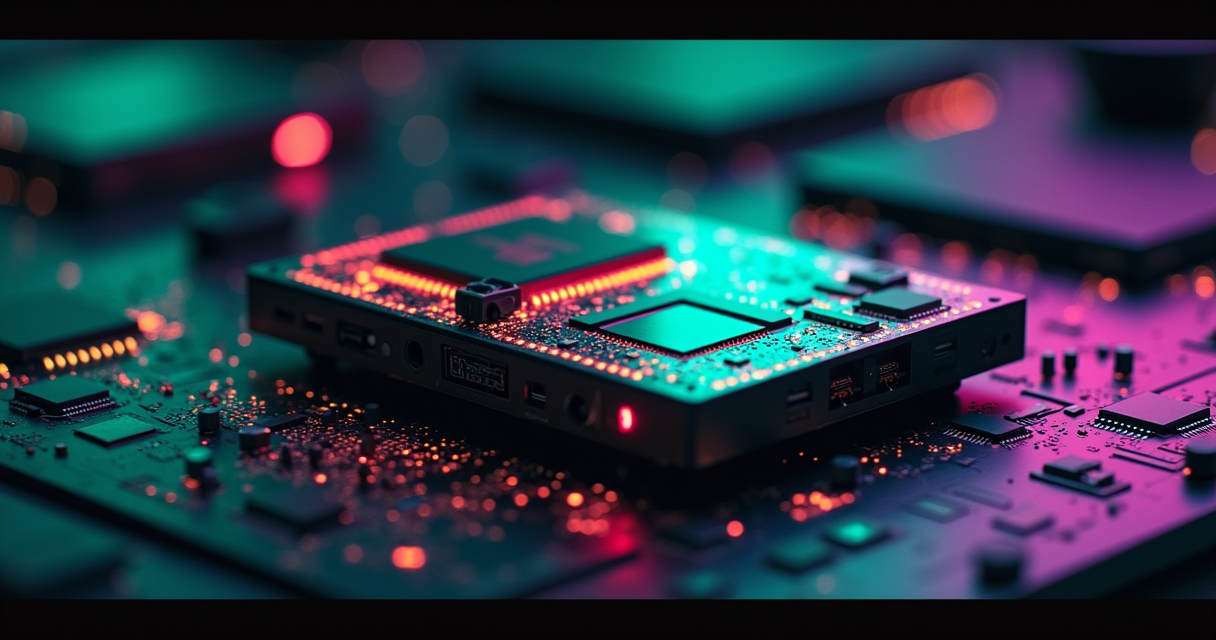
Here is the entire comparison in one sentence, and you are welcome to close the tab afterward: the Miyoo Mini and the Miyoo Mini Plus are the same computer wearing two different coats, and the coat you want is the Plus. That is not a hedge, and it is not an affiliate nudge. Both handhelds are built on the identical SigmaStar SSD202D system-on-chip. Same dual-core CPU, same 128MB of RAM, same 2D-only graphics block, same emulation ceiling that stops dead at the original PlayStation. Nothing that determines which games run is different between them. What changes is the screen size, the battery capacity, the presence of a Wi-Fi radio, and roughly ten grams of plastic. That is the whole product delta, and this article is going to spend several thousand words explaining why that delta still lands squarely in favor of the Plus, and where the small minority of buyers who should ignore that advice actually live.
The Verdict, Before You Scroll
Most comparison articles bury the recommendation under 4,000 words of throat-clearing. We are not going to do that, because the answer is unusually clean and the reasoning is more interesting than the suspense.
The one-sentence answer
Buy the Mini Plus. In 2026 it sells for roughly $53 to $70 depending on the seller and whether a sale window is live, it is still in production, and it is the device the entire OnionOS community now treats as the default target. The original Mini is smaller, technically sharper, and largely discontinued as a new product, which means buying one boxed today involves paying a collector premium for hardware that plays the exact same games slightly worse in every practical dimension except one. PropelRC scored the Plus an 8.5 out of 10 and described it, verbatim, as a device that “handles everything up to PlayStation 1 flawlessly, with selective Nintendo DS support and perfect performance for 16-bit era games.” That is the whole proposition. It is also the whole proposition on the original Mini. The difference between them is comfort, not capability.
What you are actually paying for
When you spend the extra few dollars on a Plus over a used Mini, you are not buying performance. You cannot buy performance here, because the silicon is fixed. You are buying a 3.5-inch screen instead of a 2.8-inch one, a 3000mAh battery instead of a 1900 or 2000mAh cell, and a 2.4GHz Wi-Fi radio that the original model simply does not have. Those three upgrades sound minor written down. In the hand, across a two-hour session, they are the difference between a device you reach for and a device you admire in a drawer. Ergonomics is the entire story of this comparison, and ergonomics is worth paying for.
Who is allowed to ignore this advice
Exactly two kinds of buyer should walk past the Plus. The first is the pocket minimalist who genuinely wants the smallest possible object that plays Game Boy Advance on a train, and who has done the math on the denser screen and decided the tiny panel is a feature rather than a compromise. The second is the collector who wants the original because it is the original, the way people want first-run pressings of records that also exist on streaming. Both of those are legitimate. Neither of them is “most buyers,” and if you are reading a versus article to decide, you are almost certainly most buyers. Everyone else: the Plus.
Same Silicon, Different Shell
The thing that makes this comparison unusual is that the two products are not competing on the axis the marketing implies. A “Plus” suffix in consumer electronics almost always signals more compute. Here it signals more plastic and a bigger battery. Understanding why requires looking at the chip, because the chip is the argument.
One SoC, listed twice
Both the Miyoo Mini and the Miyoo Mini Plus run on the SigmaStar SSD202D. This is not a rumor or a teardown guess; it is the same processor CNX Software documented back in December 2021 when the original Mini first surfaced running RetroArch. The SSD202D pairs two Arm Cortex-A7 cores clocked at 1.2GHz with 128MB of DDR3 memory and a small 16MB SPI ROM for firmware, and critically it includes a graphics block that does 2D composition only. There is no 3D accelerator on this die. When the Plus launched around 2023, Miyoo did not change the processor, the RAM, or the graphics capability. They reused the exact same platform. If you dumped the two devices’ CPU information side by side, you would not be able to tell which readout came from which handheld. For a fuller teardown of why these two share a brain, our companion piece on the same chip and the 3.5-inch screen debate walks the board-level detail.
Why Plus is a suffix, not a spec bump
Because the compute is identical, everything downstream of compute is identical. Frame rates are identical. Emulator compatibility is identical. The list of systems that run full speed, the list that stutters, and the list that will not boot at all: identical. A game that holds 60fps on the Mini holds 60fps on the Plus, and a game that drops frames on one drops the same frames on the other. This is the single most important fact in the entire comparison and it is the one most easily lost in a spec sheet, because a spec sheet lists screen size and battery capacity in the same visual weight as the processor, when in reality the processor is the only line that decides what the machine can do. The Plus is newer. It is not more powerful. Those are different claims and the industry routinely conflates them.
The 2D GPU is the ceiling
The reason both devices top out at the original PlayStation comes straight from that 2D-only graphics design. Sixth-generation 2D consoles - the NES, SNES, Genesis, PC Engine, Neo Geo, the whole 8-bit and 16-bit canon plus the Game Boy line - are exactly the workload a fast 2D compositor with two A7 cores was born to run. The PlayStation is the interesting edge case: its 3D rendering is handled in software by the emulator, and the SSD202D has just enough CPU headroom to brute-force the majority of the PS1 catalog without a hardware GPU doing the geometry. That is the key mechanical detail. The chip is not accelerating PS1 3D; it is muscling through it on general-purpose CPU cycles, which is why the heaviest PS1 titles are exactly where the occasional slowdown appears. Push past that, to the Nintendo 64 or the Dreamcast or the PSP, and you are asking two 1.2GHz cores to software-render 3D geometry they were never specified for. It does not work well, and no firmware update will change the physics. The wall is made of transistors, and both devices have the same transistors. As DROIX put it in their own coverage, the Miyoo “only has 128MB RAM, but in most cases this is all you need” - which is another way of saying the platform is correctly sized for its job and pointless to expect more from.
Full Specifications Compared
With the thesis established, here is the full teardown in table form. Read it with one instruction in mind: the top block of rows is identical between the two columns, and that is the point. The differences do not begin until you reach the screen.
Reading the table
| Specification | Miyoo Mini (V2) | Miyoo Mini Plus |
|---|---|---|
| SoC | SigmaStar SSD202D | SigmaStar SSD202D |
| CPU | Dual-core Cortex-A7 @ 1.2GHz | Dual-core Cortex-A7 @ 1.2GHz |
| GPU | 2D-only (no 3D acceleration) | 2D-only (no 3D acceleration) |
| RAM | 128MB DDR3 | 128MB DDR3 |
| Firmware ROM | 16MB SPI | 16MB SPI |
| Emulation ceiling | PlayStation 1 / GBA | PlayStation 1 / GBA |
| Screen size | 2.8-inch IPS | 3.5-inch IPS |
| Resolution | 640 x 480 (4:3) | 640 x 480 (4:3) |
| Pixel density | ~286 PPI | ~229 PPI |
| Battery | 1900mAh (V1) / 2000mAh (V2) | 3000mAh |
| Rated endurance | ~3-5 hours | ~6-8 hours (50% brightness) |
| Weight | ~110g | ~121g |
| Wi-Fi | None | 2.4GHz |
| Bluetooth | None | None |
| HDMI out | None | None |
| Charging | USB-C | USB-C |
| Analog sticks | None | None |
| Local multiplayer / link | None | None |
| Default community CFW | OnionOS | OnionOS |
| Launch | Late 2021 (~$50) | ~2023 |
| 2026 availability | Discontinued / used | In production |
The rows that are identical
Count them: SoC, CPU, GPU, RAM, firmware ROM, emulation ceiling, resolution, Bluetooth, HDMI, charging port, analog sticks, local multiplayer, and default firmware. Thirteen rows that read the same in both columns. Every one of those is a capability line. When two devices share every capability line, they are the same device functionally, and the disagreement is confined to physical comfort. Note in particular the rows that say “None” twice: no Bluetooth on either, so no wireless audio or controllers; no HDMI on either, so no TV output; no analog sticks on either, which is why anything needing a genuine analog axis is off the table; and no link cable or local multiplayer on either, so trade evolutions in Pokémon and four-player Bomberman are not happening on this hardware. Those limits are shared. They are not differentiators. They are the price of admission to the whole product line.
The rows that actually differ
Now the short list that matters: screen size, pixel density, battery capacity, rated endurance, weight, Wi-Fi, and 2026 availability. That is seven rows, and four of them (battery, endurance, Wi-Fi, availability) point unambiguously at the Plus. Two of them (screen size, weight) are trade-offs where your preference decides. Exactly one row - pixel density - is a clean technical win for the original Mini, and we are going to give that row its own section because it is the only real argument the original has and it deserves a fair hearing. The takeaway from the table is blunt: the spec sheet has one column of ties, one column of Plus wins, and a single asterisk for the original. If you were scoring on rows alone, it would not be close.
The Screen: 2.8in vs 3.5in
This is the only section where the original Mini gets to win a technical argument, so we are going to be honest about it, then honest about why it does not change the recommendation.
The PPI math nobody runs
Both panels are 640 x 480. That is a fixed pixel budget. The original Mini spreads those pixels across a 2.8-inch diagonal, which works out to roughly 286 pixels per inch. The Plus spreads the identical pixel budget across 3.5 inches, which drops it to about 229 PPI. That is a real density difference of around 25 percent, and density is what your eye reads as sharpness. The smaller screen is objectively crisper. There is a second, subtler issue that afflicts both: 640 x 480 does not integer-scale most of the systems these things emulate. A SNES frame is 256 x 224; a Game Boy frame is 160 x 144. None of those divide cleanly into 640 x 480, so the scaler is always doing fractional interpolation, and the result is soft edges on both devices. The original just hides that softness better because it is packing the same fuzz into a tighter grid.
The muddy complaint
When the Plus launched, the sharpest criticism came from Gizmodo, whose review was literally titled around the idea that bigger is not better. Their reviewer wrote that on the Plus panel, “titles like Yoshi’s Island for the SNES still look muddy, undersaturated, and just plain ugly,” and went further, saying that next to an Anbernic RG35XX the difference in “quality, brightness, and color saturation” made the Miyoo screen look like he had “forgot to remove a tinted screen protector.” That is a genuinely harsh assessment and it is worth taking seriously. The bigger panel on the Plus is not just less dense; in that reviewer’s testing it was also dimmer and less saturated than competing displays. If image quality is the single thing you optimize for, the original Mini’s tighter screen is the better panel, full stop.
Bigger was a supply decision, not a quality one
Here is the twist that reframes the whole screen debate. The Plus did not get a bigger screen because bigger was better. The same Gizmodo review reported that the original “Miyoo Mini’s 2.8-inch, 640 x 480 screen was incredibly hard for the company to reliably source,” which is why the original was perpetually out of stock and, in the reviewer’s words, the company “couldn’t keep them in stock for more than a couple of minutes.” The move to a 3.5-inch panel was a manufacturing decision to escape a supply bottleneck, and the larger, more available panel happened to be less dense. So the original’s sharper screen is not a lovingly-tuned premium feature; it is a component that became commercially impossible to buy, which is a large part of why the original is discontinued and the Plus is what actually ships. You can prefer the sharper panel. You mostly cannot buy a new one.
What They Actually Emulate
Because the silicon is shared, this section describes both devices at once. Anywhere it says “the Plus,” substitute “the Mini” and the sentence stays true.
The comfort zone: 8-bit through GBA
This is where the SSD202D lives happily. The NES, Master System, Genesis, SNES, PC Engine / TurboGrafx-16, Neo Geo, and the full Game Boy line - original, Color, and Advance - all run at full speed with room to spare. Arcade boards up through CPS1, CPS2, and much of the Neo Geo MVS catalog are comfortable. This is not a device that struggles with 2D; it is a device engineered for it, and the experience across roughly a dozen classic systems is essentially flawless. If your library is Zelda, Metroid, Sonic, Streets of Rage, Chrono Trigger, Super Mario World, Gunstar Heroes, and a stack of shmups, both Minis will play every last one of them without a hiccup, and they will do it while fitting in a shirt pocket. For the fuller breakdown of exactly which systems land inside the comfort zone, we mapped out the ten systems these handhelds run cleanly up to PS1.
The PS1 reality
PlayStation is the headline feature and the honest ceiling. The Playhouse emulation guide found that with PlayStation, “the PS1 library is large and the vast majority of it runs without needing any per-game tuning” - which matches the community shorthand of roughly 90 to 95 percent of the catalog running full speed out of the box. In practice that means the comfort picks all deliver: Final Fantasy VII, VIII, and IX; Crash Bandicoot 1 through 3; the Spyro trilogy; Metal Gear Solid; Symphony of the Night; Tekken 3; Gran Turismo 1 and 2; Resident Evil 1 and 2; Tony Hawk 1 and 2; Wipeout; Ridge Racer. The heavier, more 3D-intensive corners of the PS1 library are where you occasionally meet slowdown, but the hit rate is high enough that PS1 is a legitimate reason to own either device rather than an aspirational checkbox.
The wall: N64, Dreamcast, PSP, DS
Above PS1, the story changes fast and it changes identically on both units. Playhouse measured that on the Nintendo 64, “light games run at or near full speed” while “demanding N64 games are a different story - typically 70 to 85 percent, with noticeable slowdowns in complex areas,” and their blunt verdict was that you should not buy this for N64 emulation. PSP is worse: “framerate too low to be enjoyable on most titles,” filed flatly under not recommended. Dreamcast is hit-and-miss, and Nintendo DS is only selectively playable and hampered by the lack of a touchscreen and a second display. If your dream library is Ocarina of Time at full speed, Crazy Taxi, or God of War on PSP, neither Miyoo is your device, and the correct move is to step up to something with an actual 3D GPU. Our rundown of the six Retroid Pocket models from $139 to $244 is where that search should start.
Benchmarks From the Reviewers
There is no synthetic 3DMark run for a $60 Linux handheld, so the meaningful benchmarks here are review scores and measured emulation behavior across multiple independent outlets. The useful part is that they converge.
Review scores side by side
Across the 2026 coverage, the Plus lands in a tight band in the mid-to-high 8s. RetroHandheldHQ gave it 8.5 out of 10 and called it, quote, “the most polished sub-$70 emulation handheld you can buy in 2026.” PropelRC independently arrived at the same 8.5, praising “genuine pocket portability and excellent emulation at an unbeatable $53 price point.” GamePadSquire went a notch higher at 8.6 out of 10, describing the device as “the best ultra-portable emulator handheld in 2026.” Playhouse rated it 4.5 out of 5. Four separate outlets, four scores within a hair of each other, all clustered around “very good for the money.” That kind of agreement is more trustworthy than any single glowing review, and none of those scores would move if you ran them on the original Mini instead, because - one more time - it is the same chip.
PS1 and N64, measured
| System | Measured behavior | Source |
|---|---|---|
| PS1 (full catalog) | Vast majority runs full speed, no per-game tuning | Playhouse |
| PS1 (community consensus) | ~90-95% of library at full speed | Community / Playhouse |
| N64 (light titles) | At or near full speed | Playhouse |
| N64 (demanding titles) | ~70-85%, slowdowns in complex areas | Playhouse |
| PSP | Framerate too low to be enjoyable; not recommended | Playhouse |
| 8-bit / 16-bit / GBA | Full speed throughout | PropelRC / RetroHandheldHQ |
Why the numbers agree
The pattern is a cliff, not a slope. Everything at or below PS1 is fine; everything above it degrades sharply. There is no meaningful middle ground where careful settings buy you a playable N64 experience across the board, and any reviewer promising otherwise is describing one lucky title, not the platform. The reason three unrelated outlets land on the same shape - full speed to PS1, a hard drop above it, mid-8s scores - is precisely that they are all benchmarking the same SSD202D running the same RetroArch cores under OnionOS. When the hardware and the software are both fixed, the results converge, and convergence across independent testers is the closest thing this category has to a controlled benchmark. It also means you can read any credible Mini Plus review as a review of the original Mini’s internals, and vice versa.
Battery endurance by system
Endurance is the one place where a hardware difference produces a measurable benchmark gap, because the Plus carries a 3000mAh cell against the original’s 1900 to 2000mAh. Playhouse logged the Plus at roughly 7 to 8 hours on GBA, SNES, and NES, dropping to 5 to 6 hours on PS1 and 4 to 5 hours on N64, with real-world mixed use landing around 6 to 8 hours at 50 percent brightness. Scale those numbers down by the roughly one-third smaller battery in the original and you are looking at closer to 3 to 5 hours for the same workloads. Both are fine for a commute. Only one is fine for a transatlantic flight, and it is not the one with the smaller cell.
OnionOS: The Real Differentiator
If the hardware is a tie, software is where the two devices quietly separate - not because the firmware is different, but because one of them has the radio that unlocks half of what the firmware can do.
What OnionOS actually is
Neither Miyoo ships in its final form. Both boot a workable stock firmware, and both get transformed by OnionOS, the community operating system that the project describes on its own repository as “an enhanced operating system for your Miyoo Mini and Mini+, featuring fine-tuned emulation with 100+ built-in emulators, auto-save and resume, a wealth of customization options, and much more.” Note the name in that description: Mini and Mini+. OnionOS supports both devices as first-class targets, which is exactly why the emulation behavior is identical - they are running the same RetroArch cores under the same launcher. RetroHandheldHQ was blunt about how central this is, writing that “OnionOS transforms this device” and is “the single biggest reason this handheld stays relevant in 2026.” If you want to understand the emulator layer underneath it, our guide to installing 200-plus RetroArch cores in about 30 minutes covers the machinery Onion is wrapping.
Why Wi-Fi matters, and only the Plus has it
Here is where the identical-software situation produces a different lived experience. OnionOS has features that assume a network connection: over-the-air firmware updates, box-art scraping so your game list looks like a proper library instead of a wall of filenames, clock synchronization so timestamps on your saves are correct, and netplay. Every one of those requires Wi-Fi. The Plus has a 2.4GHz radio and does all of it out of the box. The original Mini has no radio at all, so on the original you are updating firmware by sideloading files over USB, scraping box art on a PC and copying images across, and setting the clock manually. The firmware is the same firmware. The Plus simply has the antenna that lets the firmware reach outward, and that turns a handful of Onion’s best features from “possible with effort” into “works when you turn it on.” Handheld Gaming Community summarized the broader point neatly: OnionOS “elevates the user experience to a level far beyond the stock firmware.” On the Plus, it elevates a little further.
Firmware floors and the gotchas
One practical warning that trips up buyers of either device: OnionOS has firmware baseline requirements. The original Mini generations want a base firmware dated 2022-04-19 or later, and the Plus wants 2023-05-05 or later, before Onion will install cleanly. If you buy a used original Mini with ancient firmware, budget an afternoon to update the base image first. Beyond that, the SD-card rules are shared: format the card FAT32 with an MBR partition table, use a tool like Rufus if the card is larger than 32GB, and copy the Onion folder set to the card root. The card, and much of the setup knowledge, moves between the two devices almost unchanged, which is exactly what you would expect from two machines running the same operating system on the same chip.
Pricing and Availability in 2026
Pricing on these devices is genuinely chaotic, so this section exists to give you a defensible number to pay and a few traps to avoid.
What the Plus costs now
| Source / retailer | Config | Price | Notes |
|---|---|---|---|
| PropelRC review | Mini Plus | $53 | 2025 review, 2026 update |
| Miyoo store (sale) | Mini Plus 64GB | $56.99 | May 1-5 2026 window |
| Handheld Picker | Mini Plus 64GB | $56.99 | Same sale; black/white/gray/purple |
| RetroHandheldHQ | Mini Plus | ~$55-65 | Typical street price |
| SpawningPoint | Mini Plus | $62.99-$69.99 | Varies by storage |
| Playhouse (UK) | Mini Plus | ~£60 | Sub-£100 niche |
| Miyoo store (regular) | Mini Plus | $79.99 | List price off-sale |
| GamePadSquire | Mini Plus | $80.97 | One storefront snapshot |
| EU storefront (2025) | Mini Plus + ROM bundle | €109.90 | Marketing bundle, not firmware |
| Slickdeals promo | Mini Plus + 64GB card | ~$32 | Intermittent flash deal |
| Original Mini (new) | Mini V2 | Up to ~$200 | Collector / out-of-production |
The honest target is $53 to $70 for a Plus. PropelRC’s $53 and the recurring $56.99 sale figure represent the floor of normal pricing; the $79.99 list and the $80.97 storefront snapshot represent the ceiling you should refuse to pay when a sale is one search away. Handheld Picker framed the value succinctly: the Plus “is old by handheld standards, but its $56.99 sale price, Onion OS support, Wi-Fi, and pocketable 3.5-inch screen keep it relevant for retro gaming in 2026.”
The original Mini’s collector tax
The original Mini launched around $50 and historically sold for roughly $20 under the Plus. That era is over. Because the sourceable 2.8-inch panel dried up and the model went out of production, a boxed new original now commands a collector premium. Gizmodo captured the absurdity of the situation in a single line, admitting that even with the Plus’s screen flaws, “I’m not sure paying $200 for an out-of-production Miyoo Mini is a better alternative.” Sit with that: the sharper-screened original can cost roughly four times a sale-priced Plus, to play the identical games with a smaller battery and no Wi-Fi. The used market is more reasonable, but you are buying someone else’s battery-cycle history, and the price advantage the original once held has inverted into a premium.
The flash-deal floor and the clone trap
Two edges of the price distribution deserve flags. On the low end, aggregators like Slickdeals occasionally surface the Plus around $32 bundled with a microSD card; that is real but intermittent flash-deal territory, not a price you can count on, so treat it as a lucky catch rather than the going rate. On the high end and the sketchy end, watch the ROM-bundle marketing. That €109.90 European listing and the endless “25,000 games included” storefronts are selling you a copyright-questionable ROM set on the SD card, not more device, and the very cheapest “11,000 games” listings on marketplaces are frequently outright clones rather than genuine Miyoo hardware. The stock Miyoo firmware ships empty. We pulled that thread apart in our look at why the Plus really holds around 5,819 legitimate games, not 28,000. Buy the bare device, wipe the card, and build your own library from backups of games you own.
Five Real-World Use Cases
Specs are abstract. Here is how the choice actually resolves across the situations people buy these things for.
Cases that point to the Plus
The commuter and couch player. If the device lives in a jacket pocket or a bag and comes out for 30-to-90-minute sessions, the Plus wins on both axes that matter here: the 3.5-inch screen is easier on your eyes across a session, and the 3000mAh battery clears a full day of intermittent use without a charger. This is the median buyer and the Plus is the median answer.
The PlayStation nostalgia run. If the plan is to finally replay Final Fantasy IX or grind through the Spyro trilogy, you want the bigger battery specifically, because PS1 is the most power-hungry workload the chip handles well and it drops the Plus to 5-6 hours. On the original’s smaller cell that same marathon becomes a charger-tethered affair. Same emulation, more runway.
The gift or first handheld. Buying for someone who has never touched a custom-firmware device? The Plus, because Wi-Fi means OnionOS can update itself and scrape box art without the recipient learning to sideload files over USB. A polished, self-updating out-of-box experience matters enormously for a non-hobbyist, and only the Plus offers it.
Cases that point to the original Mini
The true pocket minimalist. If the actual goal is the smallest, lightest object that plays GBA on a train, the original’s 2.8-inch body and ~110g weight are genuinely more pocketable, and its ~286 PPI screen is sharper for someone who values crispness over size. This is a real, defensible preference - it is just a minority one, and it is the only scenario where the density win outranks everything the Plus adds.
The collector and display piece. If you want the original because it is the original, the first-run object that defined the category, that is a collecting decision and collecting decisions do not need to be justified on spec-per-dollar grounds. Just go in knowing you are paying a premium for provenance, not performance.
Cases that point away from both
The N64, Dreamcast, or PSP dreamer. If your must-play list lives above the PS1 ceiling, neither Miyoo is the answer, and no amount of tinkering closes that gap. Buy a device with a real 3D GPU. The living-room or multiplayer player. If you want HDMI out to a TV, Bluetooth headphones, analog sticks, or local link-cable multiplayer, both Minis are the wrong tool - every one of those features is a shared “None” on the spec sheet. Match the device to the job, and if the job is any of these, this whole product line is off the table.
Migrating From Mini to Plus
Say you already own the original and you are upgrading. Good news: because the two run the same OS on the same chip, migration is close to trivial, with two specific things to watch.
The good news: your SD card mostly just moves
OnionOS on the original and OnionOS on the Plus use the same folder structure, the same RetroArch cores, and the same ROM tagging convention. In many cases you can pull the microSD from the Mini, drop it into the Plus, and boot straight into your existing library. The card formatting rules are identical - FAT32, MBR partition scheme - so nothing about the storage layout needs to change. This is the payoff of the shared platform: the thing that makes the Plus a boring hardware upgrade also makes it a painless one.
Save states and the firmware floor
Two caveats keep this from being fully automatic. First, save-state compatibility is not guaranteed across a firmware jump; RetroArch save states are tied to specific core versions, and if the Plus is running newer cores than your old card, some states may not resume cleanly. In-game battery saves (the .srm files) are far more portable than save states, so lean on those for anything you cannot afford to lose. Second, mind the firmware floor: the Plus needs a base firmware of 2023-05-05 or later for Onion, so if you are moving a card from a very old Onion install, update the Plus’s base image before expecting the newest features to work.
Step by step
The clean migration path, start to finish:
MIGRATION CHECKLIST: Miyoo Mini -> Mini Plus

1. On the OLD Mini, finish any active game and let it
   auto-save (Onion writes state on power-off).
2. Power down. Remove the microSD card.

3. On a PC, back up the ENTIRE card to a folder first:
   /Backup-YYYY-MM/   <- copy everything here before touching it

4. Card layout you should see at the root:
   /.tmp_update/      (Onion boot loader)
   /BIOS/             (system BIOS files)
   /Roms/             (tagged: FC SFC MD GB GBC GBA PCE ARCADE PS ...)
   /Saves/            (.srm battery saves + save states)
   /Media/            (box art, scraped)
   /RetroArch/        (cores + configs)
   /Themes/

5. Insert the SAME card into the Mini Plus. Power on.
   - If it boots to your library: done.
   - If not: reflash Onion for the Plus, then restore
     /Roms and /Saves from your backup.

6. Update Onion over Wi-Fi (Plus only): Onion OTA update app.
7. Verify /Saves: prefer .srm battery saves; re-test any
   save STATES, which may not survive a core-version jump.
8. Re-scrape box art over Wi-Fi (now automatic on the Plus).

Estimated time: 15-30 minutes.
That is the entire process. The hardest part is remembering to back up the card first, which you should do because SD cards fail and because a five-minute copy is cheaper than re-downloading and re-tagging a whole library.
Pros and Cons, Side by Side
The full scorecard for each device, with nothing hidden. Notice how many of the Plus’s cons are simply the shared platform limits, not failures unique to the Plus.
Mini Plus scorecard
| Miyoo Mini Plus - Pros | Miyoo Mini Plus - Cons |
|---|---|
| Larger 3.5-inch screen, easier for long sessions | Same SSD202D - zero performance gain over the original |
| 3000mAh battery, ~6-8h real-world use | Lower ~229 PPI; Gizmodo called it “muddy, undersaturated” |
| 2.4GHz Wi-Fi enables OTA, box art, netplay, clock | No Bluetooth, no HDMI (shared platform limit) |
| In production and cheap ($53-$70) | No analog sticks, no local multiplayer (shared) |
| Default OnionOS target, best community support | Non-integer scaling softens 2D on 640x480 |
| Multiple 8.5-8.6/10 review scores in 2026 | Slightly larger, less trouser-pocket-friendly |
Original Mini scorecard
| Original Miyoo Mini - Pros | Original Miyoo Mini - Cons |
|---|---|
| Denser ~286 PPI screen, technically sharper image | Discontinued new; collector prices up to ~$200 |
| Smallest form factor, true pocketability | Tiny 2.8-inch panel is harder on the eyes |
| Lightest at ~110g | 1900-2000mAh battery, ~3-5h endurance |
| Identical emulation ceiling - loses no games | No Wi-Fi: no OTA, netplay, box-art scrape, or clock sync |
| First-run collector appeal | 2.8-inch panel was a chronic supply-chain problem |
| Runs the same OnionOS as the Plus | Community focus has shifted to the Plus |
The honest tie-breaker
Line the two scorecards up and a pattern emerges. The original Mini’s pros are real but narrow - sharper, smaller, lighter, collectible - and every one of them serves a minority preference. Its cons are broad and practical: hard to buy new, expensive when you do, worse battery, no wireless anything. The Plus’s cons, meanwhile, are dominated by shared-platform limits that the original suffers equally (no Bluetooth, no HDMI, no analog, no multiplayer), which means they are not really strikes against the Plus specifically - they are strikes against the whole line. Strip those shared limits out and the Plus’s only unique weakness is the lower-density screen. One unique con against a device that is cheaper to buy, lasts longer on a charge, and has the radio that unlocks half its software. That is not a close scorecard, and no amount of goodwill toward the original changes the arithmetic.
The Bottom Line
We opened with the answer and we are going to close with it, now that the reasoning is on the table.
The data-backed pick
Buy the Miyoo Mini Plus. It scores 8.5 to 8.6 across four independent 2026 reviews, sells for $53 to $70, is still in production, carries the bigger battery and the Wi-Fi radio, and runs the exact same emulation as the original because it runs the exact same chip. RetroHandheldHQ’s framing is the whole verdict in a sentence: with OnionOS, it is “the most polished sub-$70 emulation handheld you can buy in 2026.” The original Mini gives up its old price advantage, its battery, and its wireless features in exchange for a sharper but dimmer smaller screen and collector bragging rights. For most buyers that is a bad trade, and Handheld Picker said the quiet part plainly: in 2026 the Plus “is no longer the strongest budget handheld” in absolute terms, but “it is still one of the nicest small ones.”
When to skip both
Do not buy either Miyoo if your library lives above the PlayStation. N64 lands at 70 to 85 percent on demanding titles, PSP is “too low to be enjoyable,” Dreamcast is a coin flip, and no firmware fixes a missing 3D GPU. Do not buy either if you need HDMI to a television, Bluetooth audio, analog sticks, or local multiplayer, because those are shared “None” entries on both spec sheets. In those cases the money belongs in a different, more powerful class of device entirely - and you should shop by the systems you actually want to play, not by the game-count sticker on the box.
The 30-second answer
Same silicon. Same PS1 ceiling. Same OnionOS. The Plus adds a bigger screen, a bigger battery, and Wi-Fi, costs about the same or less than a boxed original now costs, and is the device the whole community has standardized on. Unless you specifically want the tiniest possible body with the sharpest possible panel and are willing to pay a collector premium for it, the Plus is the buy. It was the buy at the top of this article, and the better part of 6,000 words of spec sheets, review scores, and battery graphs did not find a single reason to change the recommendation - they just explained it.
Questions the search bar asks me
- Is the Miyoo Mini Plus faster than the original Miyoo Mini?
- No. Both use the same SigmaStar SSD202D SoC: a dual-core Cortex-A7 at 1.2GHz, 128MB of DDR3, and a 2D-only GPU. Every game runs identically on both, and both top out at PS1. The Plus only adds a bigger 3.5-inch screen, a 3000mAh battery, and Wi-Fi.
- Which Miyoo Mini has the better screen?
- Technically the original. Both panels are 640x480 IPS, but the original spreads that over 2.8 inches (~286 PPI) versus the Plus's 3.5 inches (~229 PPI), so it is about 25% denser and sharper. Gizmodo still called the Plus panel "muddy, undersaturated," though most buyers prefer the Plus's larger, easier-to-read display for long sessions.
- How much should I pay for a Miyoo Mini Plus in 2026?
- Roughly $53 to $70. PropelRC cites $53; Miyoo's own store and Handheld Picker logged a $56.99 sale on 64GB units against a $79.99 regular price; SpawningPoint saw $62.99 to $69.99. Above $80 (GamePadSquire logged $80.97 at one storefront) you are overpaying, and a boxed original Mini can hit ~$200 as a collector item.
- Can either Miyoo Mini run N64, Dreamcast, or PSP?
- Not well. Playhouse measured demanding N64 titles at 70 to 85 percent speed with slowdowns, rated PSP "too low to be enjoyable" and not recommended, and found Dreamcast hit-and-miss. Both Minis top out at PS1 because the SSD202D has no 3D GPU; for those systems buy a more powerful handheld.
- Should I install OnionOS, and does the original Mini support it?
- Yes, install it on either. OnionOS is the community firmware with 100+ emulators and auto-save/resume, and reviewers call it the single biggest reason the hardware stays relevant. It supports both the Mini and Mini+, but only the Plus has Wi-Fi, so netplay, box-art scraping, over-the-air updates, and clock sync work out of the box only there.

Casey writes about speedrunning, tool-assisted runs, and the strange engineering of going fast in old games. Every post under this byline is reviewed pre-publish by Sam P., Editor & Operator — corrections to info@instalinkoteam.com. Published 2026-08-29 · Last updated 2026-08-29. Full bios on the author page.