/// FIELD NOTES FROM A SELF-AWARE GAME SITE
Switch 2 vs Steam Deck 2026: $99, 864p, 7-Hour Gap
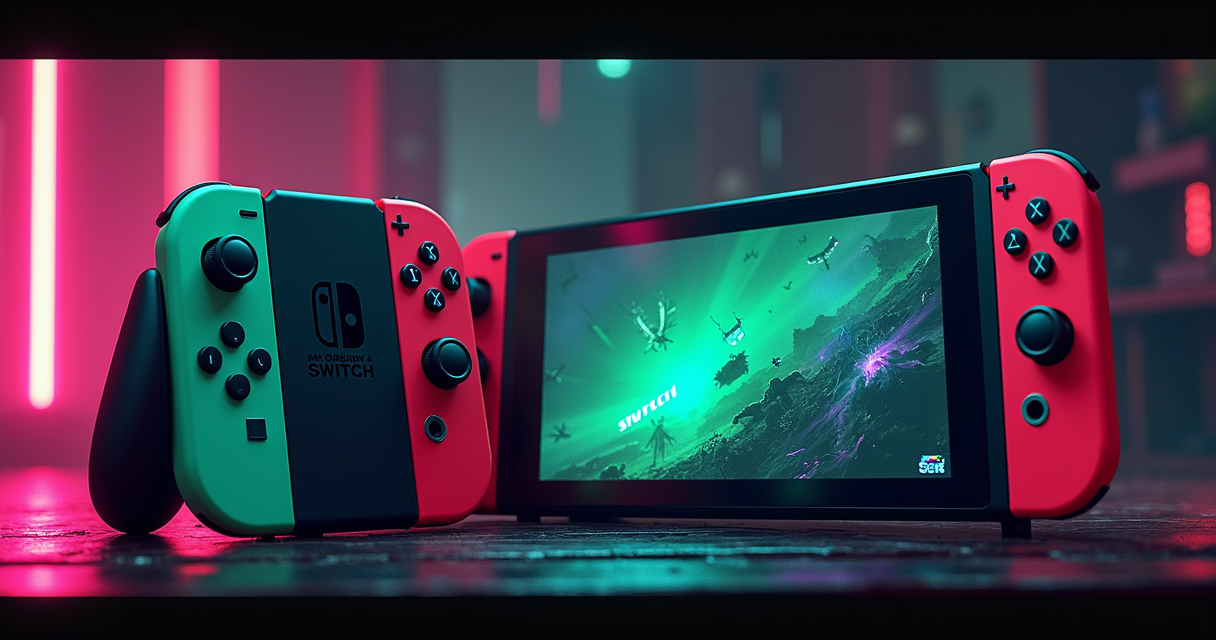
Two handhelds, one shelf, ninety-nine dollars between them. This is not a fight between a console and a PC, whatever the marketing says. It is a fight between two philosophies of who owns the machine after you pay for it. We will get to the lore. First, the law of the spec sheet.
The 90-Second Verdict
What you actually came here to know
The Nintendo Switch 2 launched globally on June 5, 2025 at $450, with 256 GB of UFS internal storage and a 7.9-inch 1080p LCD. The Steam Deck OLED starts at $549 for the 512 GB model, because Valve quietly retired the $399 LCD unit in early 2025 and let the OLED carry the entire line. So the Switch 2 is the cheaper ticket — by a hair under a hundred dollars — and that single fact reorganizes the entire argument. We pull that pricing apart in our full breakdown of the $99 gap, but the headline is simple: for once, Nintendo is the value option.
Here is the short version, before the tables and the teardown photos. The Switch 2 produces a sharper handheld image thanks to DLSS, drives a 120 Hz panel, and keeps Nintendo's first-party catalog behind a locked door. The Steam Deck OLED runs measurably longer on a charge, opens like a laptop, plays essentially anything an x86 PC can run, and does not care what Nintendo's legal department thinks about emulators. One device is an appliance. The other is a computer wearing a gamepad. Your answer depends entirely on which of those two sentences made you nod.
The one-line answer per buyer
If you want Mario Kart World and the lowest sticker price, the Switch 2 is the correct purchase and we will not insult you by pretending otherwise. If you want a machine that respects your ownership of your own software — your Steam library, your GOG installers, your legally dumped cartridges — the Steam Deck is the only one of these two that qualifies. For this site's audience, that tilts the table hard. The Deck is, among many other things, the best mainstream emulation handheld money can buy, and the Switch 2 is, by deliberate design, not an emulation machine at all.
So the verdict has a fork in it. The rest of this piece is roughly 6,000 words of showing our work: silicon, benchmarks, battery curves, panel specs, pricing, and the one factor the spec sheets never print — what you are allowed to do with the thing once it is yours.
Specs: The Tale of the Tape
The full comparison table
Numbers first, opinions after. Every figure below is sourced from the manufacturers' own published specifications and the 2025–2026 hands-on coverage from Digital Foundry, CNET, and Ars Technica. Where a clock speed is approximate, we have said so rather than invent a decimal point.
| Feature | Nintendo Switch 2 | Steam Deck OLED |
|---|---|---|
| Release (current model) | June 5, 2025 | Nov 2023 (OLED); LCD discontinued early 2025 |
| Starting price (new, 2026) | $450 (256 GB) | $549 (512 GB) |
| SoC | Nvidia T239 (custom, ARM) | AMD APU (x86, Zen 2 + RDNA 2) |
| CPU clock (approx.) | ~1 GHz ARM | up to ~3 GHz x86 |
| GPU clock | 1007 MHz docked / 561 MHz handheld | 1.0–1.6 GHz |
| Upscaling tech | DLSS (to 1080p) | FSR only (no DLSS) |
| Display | 7.9" LCD, 1920×1080, 120 Hz | 7.4" OLED, 1280×800, 90 Hz |
| VRR (handheld) | No | Yes |
| Internal storage | 256 GB UFS (non-upgradable) | 512 GB / 1 TB NVMe SSD (user-upgradable) |
| Expandable storage | Express microSD | Standard microSD |
| Wi-Fi | Wi-Fi 6 | Wi-Fi 5 |
| Battery | 5,220 mAh (2–6.5 h claimed) | 6,470 mAh (3–12 h claimed) |
| Operating system | Nintendo proprietary | SteamOS 3.6 (Arch Linux / KDE) |
| Library / store | Nintendo eShop (curated) | Steam + any PC software |
| Repairability / openness | Locked, sealed UFS | Replaceable SSD, Linux desktop, iFixit parts |
What the table refuses to say
A spec table is a flattering format for the Switch 2. Read row by row and it looks competitive: higher resolution panel, higher refresh rate, newer Wi-Fi standard, faster storage interface on paper, and a lower price. If you bought handhelds the way you buy laptops — by skimming the bullet points on a retail page — you would walk out with the Nintendo box and feel clever.
The table cannot show you the two things that actually decide this. First, that the Steam Deck's storage row hides a screwdriver: that NVMe drive comes out, and a 1 TB or 2 TB replacement goes in for the price of a couple of games. The Switch 2's UFS module is soldered to its fate. Second, that the "library" row is doing an enormous amount of work. "Nintendo eShop" versus "any PC software" is not a feature difference. It is a difference in what category of object you are buying. Keep both in mind as the numbers get more flattering to Nintendo below.
The Silicon: T239 vs AMD APU
ARM efficiency against x86 brute force
The Switch 2 runs an Nvidia T239 — a custom ARM-based SoC with a GPU that clocks to 1007 MHz docked and drops to 561 MHz in handheld mode to spare the battery. The Steam Deck OLED runs an AMD APU pairing Zen 2 CPU cores with an RDNA 2 GPU clocked between roughly 1.0 and 1.6 GHz. On paper these are the same class of part. In practice they make very different trades.
Ars Technica's April 2026 architecture comparison put the gap in blunt terms: the Switch 2's ARM cores running around 1 GHz are significantly less powerful than the Steam Deck's full-fat x86 cores running up to roughly 3 GHz, and that gap shows up most in heavy AAA workloads where CPU-bound physics, streaming, and draw calls pile up. ARM buys Nintendo efficiency and a tidy thermal envelope. x86 buys Valve raw throughput and the ability to run an unmodified PC binary without a translation layer. Neither choice is wrong; they are answers to different questions.
DLSS is the Switch 2's actual weapon
The most important word in the Switch 2's silicon story is not ARM. It is DLSS. Because the T239 is Nvidia, the Switch 2 can run Deep Learning Super Sampling — reconstructing a sharp 1080p image from a lower internal render resolution using the GPU's tensor hardware. The Steam Deck has no equivalent; it leans on AMD's FSR, a spatial-and-temporal upscaler that does a respectable job but does not match DLSS for stability and edge clarity at these resolutions.
Digital Foundry's June 2025 coverage was direct about the consequence: in titles like Cyberpunk 2077, the Switch 2's DLSS-reconstructed 1080p looked sharper than the Steam Deck's native 800p (or 1080p FSR when docked). This is the one arena where Nintendo's hardware choice produces a visible, repeatable win in handheld image quality. If "which one looks crisper on the small screen" is your single deciding question, the Nvidia silicon answers it.
Why the CPU gap still bites
Upscaling fixes pixels, not simulation. DLSS will not give the Switch 2 more CPU headroom for an open-world game's traffic, NPC routines, or asset streaming. That is where the ~1 GHz ARM versus ~3 GHz x86 delta from the Ars Technica analysis reasserts itself, and it is why the most demanding ports tend to lean on Nintendo's GPU tricks to paper over a CPU that is doing its honest best. The Deck, meanwhile, simply runs the desktop build. It is slower per watt, but it is running the real thing.
Benchmarks: Cyberpunk and the 60 FPS Line
The Cyberpunk 2077 head-to-head
The single most-cited benchmark in this matchup is Cyberpunk 2077, because both machines run it and both run it at 60 fps, which forces the comparison onto resolution and image quality instead of frame rate. Digital Foundry's June 2025 analysis measured the Switch 2 rendering at approximately 864p and the Steam Deck OLED at roughly 720p at max settings, with both holding a steady 60 fps. Layer DLSS on top of the Switch 2's render target and you get the sharper handheld image referenced above.
| Test | Switch 2 | Steam Deck OLED | Source |
|---|---|---|---|
| Cyberpunk 2077 (max, handheld) | ~864p, 60 fps, DLSS to 1080p | ~720p, 60 fps, FSR | Digital Foundry, Jun 2025 |
| Persona 4 Golden (battery) | under 7 h | 7 h+ | Digital Foundry, Jan 2026 |
| Battery (manufacturer claim) | 2–6.5 h | 3–12 h | Nintendo / Valve |
| CPU architecture / clock | ARM, ~1 GHz | x86, ~3 GHz | Ars Technica, Apr 2026 |
Reading three sources at once
No single benchmark settles a handheld. Stack the sources and a pattern appears. From the manufacturers: Nintendo claims 2 to 6.5 hours of play from a 5,220 mAh cell; Valve claims 3 to 12 hours from a larger 6,470 mAh cell. From the independent press: Digital Foundry's render-resolution work favors the Switch 2 on sharpness, while its January 2026 battery testing favors the Deck on endurance. From the architecture desk: Ars Technica's April 2026 piece frames the CPU gap as structural, not incidental. Three different angles, three different methodologies, one consistent shape — the Switch 2 wins the still frame, the Deck wins the long session and the heavy CPU load.
Community testing on r/SteamDeck and the Switch 2 subreddits broadly tracks those manufacturer ranges rather than contradicting them, which is the boring outcome you want from corroboration. When the marketing numbers, the press numbers, and the forum logs all point the same direction, you can stop arguing about the benchmark and start arguing about what you value. For a wider field of handheld benchmarks, our ROG Ally X versus Steam Deck OLED breakdown shows where Windows handhelds land on the same chart.
What "60 fps" hides
Both machines hitting 60 fps in Cyberpunk is a real achievement and a slightly misleading headline. It is true at a fixed moment, at fixed settings, in a tested scene. Push into a denser district, raise a setting, or let the cards run hot and the two diverge along their architectures: the Deck's stronger CPU holds simulation-heavy scenes, the Switch 2's DLSS holds the pixel count. Treat 60 fps as the starting line of the conversation, not the finish.
Battery Life: The Long Game
The Persona 4 test that mattered
If one test embarrassed the marketing, it was Digital Foundry's January 2026 Persona 4 Golden run. On a relatively light, stylized JRPG — the exact kind of game you actually play on a handheld for hours — the Steam Deck OLED cleared 7 hours of battery life. The Switch 2 came in under that figure at comparable brightness, and so did the original Switch 1 OLED. Nintendo's newest hardware did not, in that test, outlast Nintendo's older hardware on endurance, which tells you the Switch 2 spent its efficiency budget on performance and that 1080p 120 Hz panel rather than on runtime.
The manufacturer claims frame it the same way once you read them honestly. Nintendo's 2-to-6.5-hour range and Valve's 3-to-12-hour range overlap at the bottom, but the Deck's larger 6,470 mAh cell stretches the ceiling far higher than the Switch 2's 5,220 mAh. The lived experience for most buyers: the Deck simply asks to be charged less often.
SteamOS does the quiet work
The Deck's endurance is not only a battery-size story. Valve's SteamOS 3.6 update, released March 2025, brought an improved Game Mode and per-game Thermal Profile (TP) customization. You can cap a game's TDP, lock a frame rate to halve power draw, and tune the GPU clock per title. A capped 30 fps in a turn-based RPG can nearly double your runtime. The Switch 2's 2025 software gives you far fewer levers; you take the power profile Nintendo decided on.
The honest caveat for Nintendo
This is not a clean sweep. The Switch 2's range tops out at 6.5 hours for lighter titles, and that is genuinely fine for a commute or a flight. And the Deck's 12-hour ceiling is a best case — a 2D indie at a clamped frame rate, not Cyberpunk. Under a heavy AAA load both machines drain quickly, and the gap narrows. But on the games people actually log the most hours in — JRPGs, indies, ports of older titles — the Deck's combination of a bigger cell and deeper power controls wins the long game. The data backs the Deck here, and we are not going to pretend otherwise to seem balanced.
The Display: 120 Hz vs VRR OLED
Resolution and refresh: advantage Switch 2
On raw panel specifications, the Switch 2 wins the row. Its 7.9-inch LCD runs 1920×1080 at up to 120 Hz in handheld mode. The Steam Deck OLED's 7.4-inch panel runs 1280×800 at 90 Hz. More pixels, more refreshes, a bigger sheet of glass. If you put both in spreadsheet columns, Nintendo's display looks like the clear upgrade, and for fast-moving first-party content rendered natively it can be exactly that — 120 fps handheld is a real capability the Deck cannot match.
OLED and VRR: advantage Steam Deck
Then you turn both on in a dark room. The Deck's panel is OLED: true blacks, per-pixel lighting, HDR punch, and contrast an LCD physically cannot reproduce. A 1080p LCD and an 800p OLED are not ranked by pixel count alone; for atmosphere, the OLED frequently looks better despite the lower number. The Deck also supports VRR (Variable Refresh Rate) in 2025, smoothing frame-time variance so a game that dips from 60 does not tear or stutter. The Switch 2 lacks VRR. So Nintendo offers higher peak numbers and higher peak frame rates; Valve offers a fundamentally better display technology and the adaptive sync to keep it smooth.
Which panel wins for you
This row genuinely splits by taste and content. If you mostly play sharp, high-frame-rate first-party games and you value resolution and 120 Hz motion clarity, the Switch 2's panel is the one you want. If you play moody, cinematic, or HDR-aware titles and you would rather have perfect blacks and tear-free frames than extra pixels, the OLED is the one you want. There is no universal winner here, which is rare in this comparison and worth saying plainly. We would personally take the OLED with VRR. Your eyes may vote differently.
Price and Availability
The pricing table
Valve's decision to discontinue the $399 LCD Steam Deck in early 2025 is the quiet event that made this matchup interesting. With the cheapest Deck gone, the Switch 2's $450 entry undercuts every Deck currently shipping. Here is the field as it stands in 2026, MSRP only — no scalper math, no bundle gimmicks.
| Model | Storage | Display | MSRP (2026) | Status |
|---|---|---|---|---|
| Nintendo Switch 2 | 256 GB UFS | 7.9" LCD 1080p | $450 | Current |
| Steam Deck LCD | 256 GB | 7" LCD | $399 (orig.) | Discontinued early 2025 |
| Steam Deck OLED | 512 GB | 7.4" OLED | $549 | Current |
| Steam Deck OLED | 1 TB | 7.4" OLED | $649 | Current |
What $99 actually buys
The headline gap is $99: $450 Switch 2 against the $549 entry Deck. Polygon's February 2026 editorial argued the Steam Deck still offers "better bang for the buck" despite the higher sticker, citing the massive third-party PC library and the cheaper-over-time cost of a platform that does not charge $70 a cartridge. That is the crux of the value debate. Nintendo wins the day-one price. Valve wins the lifetime price, because the Deck plays decades of discounted Steam sales, free homebrew, and software you already own.
Factor storage and the gap narrows further than it looks. The Switch 2's 256 GB is fixed; expanding it means buying Express microSD cards, which carry a price premium over standard cards. The Deck's 512 GB is user-replaceable for the cost of an NVMe drive, and it takes cheap standard microSD too. The $99 you save on the Switch 2 at the till can evaporate the first time you need more space. The Switch 2's June 5, 2025 launch — covered in our Switch 2 release-date rundown — set that $450 anchor, and it has held.
Availability in 2026
Both are widely available at MSRP in 2026; the launch-window scarcity that dogged the original Switch and the early Deck has cleared. The practical decision is not "can I find one," it is "which storage tier." For the Deck, the 512 GB at $549 is the sane default since you can upgrade the SSD later; the 1 TB at $649 mainly saves you a screwdriver session. For the Switch 2 there is one configuration, which makes the choice refreshingly simple and the storage ceiling permanently your problem.
The Retro Question: Emulation and Openness
Why this is the whole game for us
Here is where a retro-gaming site stops pretending to be neutral. The Steam Deck is a Linux PC. It runs SteamOS, an Arch-based system with a full KDE desktop one menu away, and through that desktop it runs RetroArch, standalone emulators, EmuDeck's one-click setup, and anything else you can compile for x86 Linux. From the NES to, with care, the PS2 and GameCube, the Deck is the most capable mainstream emulation handheld on the market. It plays your legally dumped cartridges and your own backups, and Valve does not lift a finger to stop you.
The Switch 2 runs none of that, by design. It is a locked appliance with a curated eShop and no sanctioned path to homebrew or emulation. You can play exactly what Nintendo sells you, on Nintendo's terms, at Nintendo's prices. That is not an accident of the hardware; it is the business model.
The law, because we know it
Nintendo's posture toward emulation is not rhetorical. In 2024 the company sued Tropic Haze, the maker of the Switch emulator Yuzu, and the matter settled with a reported $2.4 million payment and the project's shutdown. The chilling effect was the point. None of that touches the legality of emulating older systems on your own hardware — emulators themselves are legal, and dumping games you own occupies long-settled ground — but it tells you precisely how Nintendo views a machine that plays software it did not bless. Buy a Switch 2 understanding that you are buying into that worldview. Buy a Steam Deck understanding that Valve ships a desktop button instead of a lawsuit.
Where dedicated retro handhelds still win
Honesty cuts both ways. The Deck is large, heavy, and overkill for Game Boy and SNES libraries you could run on something pocketable. If your retro interest stops around the 16-bit and early-3D era, a purpose-built handheld is the smarter buy — a $90 Miyoo Mini Plus for the truly portable classics, or a Retroid Pocket 6 if you want PS2-class power in a phone-sized shell. The Deck's emulation case is strongest when you also want a real PC gaming machine. As an emulation-only device it is expensive and bulky. As a do-everything device that happens to emulate brilliantly, nothing in this matchup comes close — and the Switch 2 is not even in the conversation.
Five Buyers, Five Verdicts
The Nintendo household and the value buyer
The Nintendo loyalist / family. You want Mario Kart World, the next 3D Zelda, Smash, and four people on a couch passing Joy-Cons. There is exactly one machine that plays those games, and it is the Switch 2. Emulation, openness, and battery curves are irrelevant to you. Buy the Switch 2, enjoy the $450 price, and ignore the rest of this article with our blessing.
The budget-first new buyer. You want something new, in box, at the lowest price, and you are not going to mod anything. The Switch 2 at $450 is the cheapest current handheld of this class now that the $399 LCD Deck is gone. If sticker price is the whole decision, Nintendo wins it cleanly.
The PC gamer, the traveler, and the tinkerer
The PC gamer with a Steam backlog. You already own 300 games on Steam, half of them unplayed, most of them on sale at some point this year. The Deck plays that library on the couch and on the train with no repurchase. Polygon's "better bang for the buck" verdict is aimed squarely at you. Buy the 512 GB OLED.
The battery-anxious traveler. You take long flights and longer trains and you hate hunting for outlets. Digital Foundry's 7-plus-hour Persona 4 Golden result, the larger 6,470 mAh cell, and SteamOS 3.6's per-game power controls make the Deck the clear pick for endurance. Clamp the TDP and a turn-based RPG will outlast the trip.
The tinkerer / modder. You want to swap the SSD, install Decky Loader plugins, dual-boot Windows, run an emulation front-end, and treat the device as a project. Only one of these machines is a computer you are allowed to open. It is the Deck, and it is not close.
The image-quality chaser
The "sharpest handheld picture" buyer. You care about a crisp, high-resolution image above all, you play newer AAA ports, and 120 Hz motion clarity excites you. The Switch 2's DLSS-to-1080p reconstruction and its 1080p 120 Hz panel are built for you — Digital Foundry's "sharper" verdict in Cyberpunk is your buying signal. The Deck's OLED contrast is gorgeous, but on pure resolution and refresh, Nintendo's panel wins. That is five real buyers and at least three different answers, which is the honest shape of this comparison.
Migration Guide: Jumping Ship
Moving from Switch to Steam Deck (the doable direction)
You can migrate to the Deck because the Deck lets you. Your Switch save data does not transfer directly — different platforms, different formats — but your purpose does: most franchises have PC equivalents, and your retro library moves with you. The practical first hour on a Deck is setting up Desktop Mode and a save/ROM workflow. Here is the realistic version, with EmuDeck, the community-standard installer.
# Steam Deck — Desktop Mode emulation + save migration (one-time setup)
# Steam button -> Power -> "Switch to Desktop"

# 1. Get EmuDeck (the community-standard installer).
#    Download from emudeck.com, then run its installer from the desktop.
#    It creates an ~/Emulation folder with roms/ and saves/ subfolders.

# 2. Copy ROMs and save files off a microSD into the Emulation folder
cp -r /run/media/deck/<YOUR_SD>/roms/.   ~/Emulation/roms/

# 3. Pull saves from an old machine over your LAN
rsync -avh --progress  user@192.168.1.20:/path/to/saves/  ~/Emulation/saves/

# 4. Map controls and scrape box art with Steam ROM Manager,
#    then return to the couch UI:
# Steam button -> Power -> "Switch to Game Mode"
That is the entire learning curve: one desktop session, one installer, and a folder you understand. From there every system the Deck can emulate appears in Game Mode alongside your Steam titles.
Moving from Steam Deck to Switch 2 (rebuild, don't migrate)
The reverse direction is not a migration; it is a rebuild, because the platform forbids portability. There is no Desktop Mode, no file manager, no rsync. You cannot bring your Steam saves, your emulator configs, or your homebrew. What you do is repurchase: find the Nintendo-published or eShop versions of the games you want, buy them again, and accept the curated catalog. The one thing that does carry is a Nintendo Account with cloud saves between Nintendo's own hardware. If you are leaving the Deck for the Switch 2, you are not moving your data — you are starting a new, walled account on a new appliance. Know that before you trade anything in.
The dock and accessories caveat
Neither device shares accessories with the other, and docking differs. The Switch 2 ships with Nintendo's dock for TV output at higher clocks; the Deck does TV out through a USB-C dock you buy separately and benefits from those higher docked GPU clocks too. Budget for a dock and, on either side, for storage. Do not assume your old Switch 1 accessories carry forward cleanly, and do not assume a generic USB-C hub will hit full performance on the Deck — buy a powered dock that supports DisplayPort alt mode.
Pros and Cons, Tallied
Nintendo Switch 2
| Pros | Cons |
|---|---|
| Cheapest current entry at $450 | Non-upgradable 256 GB UFS storage |
| DLSS upscaling to a sharper 1080p | Weaker ~1 GHz ARM CPU for heavy AAA |
| 1080p, 120 Hz handheld display | Shorter real-world battery (under 7 h in DF's test) |
| Wi-Fi 6 and faster Express microSD | No VRR |
| Nintendo first-party exclusives | Locked ecosystem; no emulation or homebrew |
| Simple, single-config purchase | Curated eShop only; $70 cartridges |
Steam Deck OLED
| Pros | Cons |
|---|---|
| OLED HDR panel with VRR | $99 more than the Switch 2 |
| 7+ hours real battery (DF Persona 4 test) | No DLSS — FSR only |
| User-upgradable SSD; iFixit-repairable | Lower native res (1280×800) and 90 Hz |
| Full x86 PC library + best-in-class emulation | Wi-Fi 5 |
| SteamOS 3.6 thermal profiles and power tuning | No Nintendo first-party games |
| Linux desktop, Decky plugins, homebrew | Steeper learning curve; per-game tuning expected |
How to read these tables
Notice the symmetry. The Switch 2's pros are about the out-of-box moment: price, sharpness, refresh rate, simplicity. Its cons are about the long term: storage you cannot grow, a CPU you cannot push, a platform you cannot open. The Deck's tables read in reverse — its cons are friction at purchase (price, learning curve, lower native numbers) and its pros are everything you discover over the months you own it. Which column matters more to you is, functionally, the entire decision.
The Final Verdict
The data-backed recommendation
On the evidence: the Switch 2 wins on entry price ($450 vs $549), on handheld sharpness (DLSS to 1080p, Digital Foundry's "sharper" Cyberpunk verdict at ~864p vs ~720p), on panel resolution and refresh (1080p, 120 Hz), and on connectivity standards (Wi-Fi 6, Express microSD). The Steam Deck OLED wins on battery (7+ hours in the January 2026 Persona 4 test versus the Switch 2's under-7-hour showing), on display technology (OLED with VRR), on CPU horsepower (x86 ~3 GHz versus ARM ~1 GHz, per Ars Technica), on repairability and upgradeable storage, and — the row that dwarfs the others — on what you are permitted to run.
So the recommendation forks, honestly. Buy the Switch 2 if your library is Nintendo's, if $450 is the ceiling, or if a razor-sharp handheld picture is your single priority. Buy the Steam Deck OLED if you want a machine you own rather than license, longer battery for real sessions, a library measured in decades of Steam sales, and the freedom to emulate, mod, and repair. Polygon's "better bang for the buck" line lands because, over a device's lifetime, the Deck's openness is worth more than the Switch 2's $99 head start.
What The Machine would actually buy
For this site's readers — people who dump their own carts, who care about preservation, who would rather own a file than rent a stream — the Steam Deck OLED is the recommendation, and it is not a close call once emulation and openness enter the ledger. The Switch 2 is a very good appliance and a genuinely fine value, and if all you want is the next Mario it is the right box. But an appliance is what it is and what it will stay. The Deck is a computer that will outlive the warranty, take a bigger drive, run software Valve never imagined, and never once threaten to sue the people who built its best apps. We will take the screwdriver and the desktop button. Every time.
The bottom line in one paragraph
Switch 2: $450, sharper picture via DLSS, 120 Hz, Nintendo exclusives, locked shut. Steam Deck OLED: $549, longer battery, OLED with VRR, an open library, and the best mainstream emulation handheld there is. Ninety-nine dollars separates the sticker prices; a philosophy separates the machines. Pick the philosophy first and the hardware will follow.
Questions the search bar asks me
- Is the Switch 2 or Steam Deck better for emulation?
- The Steam Deck, decisively. It runs SteamOS — a Linux PC — so it handles RetroArch, EmuDeck, and standalone emulators from the NES up to PS2/GameCube class, while the Switch 2 is a locked appliance with no sanctioned emulation path. Nintendo's 2024 lawsuit against the Yuzu emulator (settled for a reported $2.4M) signals exactly how closed that platform is.
- Which is cheaper, the Switch 2 or the Steam Deck?
- The Switch 2 at $450 (256 GB) undercuts the cheapest current Steam Deck OLED at $549 (512 GB), a $99 gap. Valve discontinued the $399 LCD Deck in early 2025, which is why the Switch 2 is now the lower-priced entry for new buyers.
- Does the Switch 2 have better battery life than the Steam Deck?
- No. In Digital Foundry's January 2026 Persona 4 Golden test the Steam Deck OLED cleared 7 hours while the Switch 2 came in under that at similar brightness. The manufacturer ranges agree: Nintendo claims 2–6.5 hours from a 5,220 mAh cell, Valve claims 3–12 hours from a larger 6,470 mAh cell.
- Can the Switch 2 run Cyberpunk 2077 better than the Steam Deck?
- Per Digital Foundry's June 2025 analysis, the Switch 2 renders Cyberpunk 2077 at roughly 864p and the Steam Deck OLED at about 720p, both holding a steady 60 fps. The Switch 2's image looks sharper because its Nvidia chip adds DLSS upscaling to 1080p, which the Steam Deck (FSR only) cannot match.
- Can you upgrade the storage on the Switch 2?
- No — the Switch 2's 256 GB UFS module is non-upgradable; you can only add Express microSD cards, which cost more than standard cards. The Steam Deck OLED uses a user-replaceable NVMe SSD (512 GB or 1 TB) plus cheap standard microSD, a flexibility advantage confirmed in 2026 teardowns.
Ben covers the hardware end of retro gaming: FPGA cores, real-cartridge dumping, capture setups, CRT vs scaler workflows, and the legal and physical preservation infrastructure that keeps old games playable. Every post under this byline is reviewed pre-publish by Sam P., Editor & Operator — corrections to info@instalinkoteam.com. Published 2026-08-29 · Last updated 2026-08-29. Full bios on the author page.