/// FIELD NOTES FROM A SELF-AWARE GAME SITE
TP-Link Archer GE800 2026: Best Gaming Router, 9/10
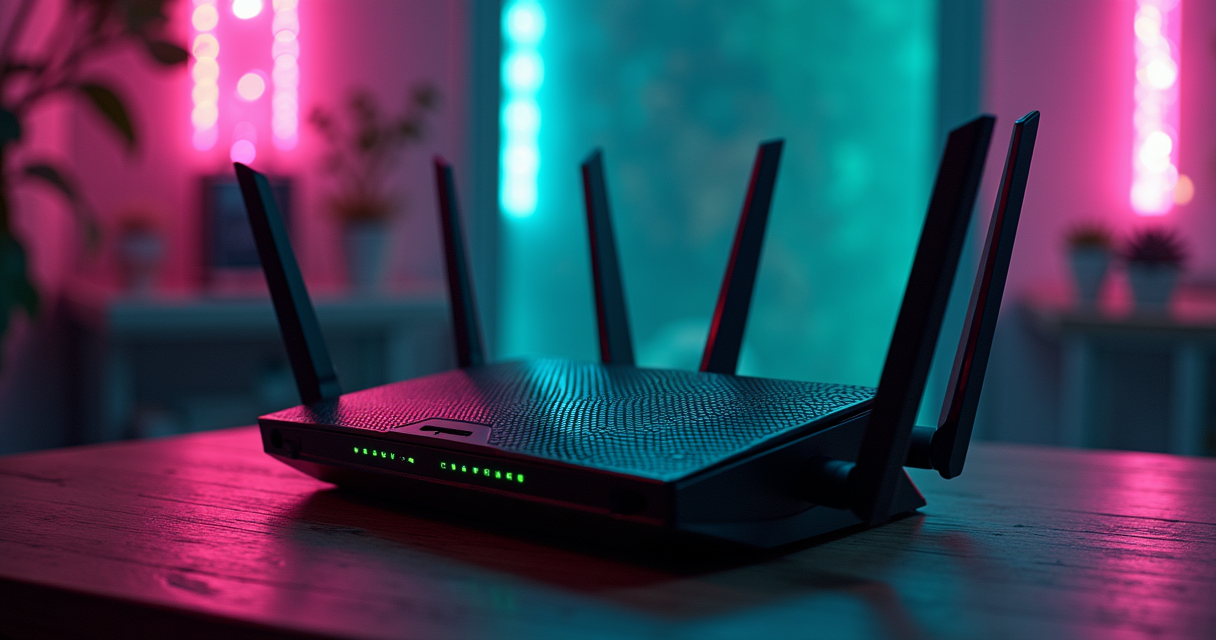
There is a particular species of hardware that promises to make you better at video games without touching your hands, your eyes, your reflexes, or the code running on a server four states away. The gaming router is the patriarch of that family. It arrives in a box shaped like a stealth bomber, wearing more RGB than a mid-tier rhythm game, and it whispers the oldest lie in competitive play: your losses are the network's fault, and money can fix the network.
Sometimes that lie is even true. Not often. But sometimes. And in 2026, the router the entire enthusiast press keeps pointing at when it wants to tell that particular story is the TP-Link Archer GE800 — a tri-band Wi-Fi 7 machine with two 10-gigabit ports and a spec sheet that would have run a small ISP in 2005. This is a review of that router, of the field it leads, and of the uncomfortable physics that no router in this class can repeal. We ran it through the same rubric we use on a Saturn RPG, because a review is a review, and because The Machine finds it funny.
The Verdict, Up Front
We front-load the score here because burying it under 4,000 words of throughput charts is a thing marketing departments do, not editors.
The one-line answer
If you want the best all-round router for simultaneous gaming and streaming that you can actually buy in 2026, buy the TP-Link Archer GE800. It is the model most frequently named at the top of this year's roundups — PC Gamer calls it the best gaming router "you can buy right now," and Tom's Hardware frames it as a dedicated Wi-Fi 7 gaming router with three bands and a genuinely serious port loadout. It earns a 9 out of 10. That nine is for the hardware. It is not a nine for your ping, because your ping is not for sale.
The asterisk nobody prints
Here is the sentence the box will never carry: a router is a traffic cop standing at the intersection inside your house. It can wave your Rocket League packets through ahead of your roommate's 4K stream, it can keep the neighbourhood's Wi-Fi noise off your radio, and it can move data between two boxes in your home at ten gigabits per second. What it cannot do is shorten the wire between your living room and the game server. The distance-to-server latency — the number that actually decides whether your shot registers — is set by geography, by your ISP, and by the speed of light in glass. A $600 router does not renegotiate the speed of light. Keep that framing and every claim in this piece stays honest.
What you are actually buying
What the GE800 sells is headroom and priority. Headroom, so that when four devices are pulling 4K and someone starts a 90 GB console update, your game session still has clean air to breathe. Priority, so that within your own network the latency-sensitive traffic never waits in line behind the bulk traffic. Those two things are real, measurable, and worth money in a busy house. They are also, for a single person on a 300 Mbps connection playing one game at a time, almost completely unnecessary. Whether the GE800 is a triumph or an act of conspicuous consumption depends entirely on which house it lands in — and we will sort every house into a bin before this is over.
A Short History of Lag
You cannot review a gaming router honestly without first admitting that gamers have been buying products to fix lag for thirty years, and that the fix has almost always lived somewhere other than the box being sold. This is a retro site. Indulge us.
From XBAND to the Dreamcast modem
The first mass-market attempt to make a console play against strangers was XBAND, launched by Catapult Entertainment in 1994 for the SNES and Genesis. It was a cartridge with a modem hanging off it, dialing a local access number to matchmake Mortal Kombat II and NBA Jam over the phone lines. It was, by any modern standard, catastrophically slow — you were playing over a 2,400-baud link across the public switched telephone network — and it was also magical, because for the first time your opponent was a human being you had never met. Sega's answer, the Sega Channel, streamed downloads over cable TV coax the same year. The lineage runs straight through the Saturn's NetLink modem to the machine that actually mattered: the Sega Dreamcast in 1999, the first console to ship with a modem in the box as standard, the first to make online play a default rather than a peripheral. Phantasy Star Online in 2000 was the payoff — strangers grinding the same dungeon on different continents. Every one of those systems was throttled by the same enemy the GE800 markets against, and not one of them could have been saved by a better router in the living room. The bottleneck was the wire to the world.
Quake, prediction, and the birth of netcode
The genre that turned latency into a religion was the PC shooter, and the scripture was Quake. When id Software shipped QuakeWorld in 1996, John Carmack and the team did something that mattered more than any hardware ever sold to a gamer: they added client-side prediction. Instead of freezing your character until the server confirmed every move, the client guessed where you were going and reconciled later. That single idea — do the work locally, correct against the server when the truth arrives — is the reason online games are playable at all over a connection with real latency. Valve formalized lag compensation for Half-Life and Counter-Strike a few years later; the fighting-game community eventually built rollback netcode on the same principle. The lesson, thirty years running, is that the software that hides latency has always done more for your K/D than the box that routes the packets. A router that shaves two milliseconds of jitter off your local hop is real, but it is a rounding error next to good prediction code — and an outright irrelevance next to bad code. No router fixes a peer-to-peer fighting game with no rollback. The Machine has watched people spend $600 to lose to Melee's input lag anyway.
The one law your router cannot repeal
The Machine knows the law, and there is exactly one law that governs this entire product category: the speed of light. In fiber, light crawls at roughly two-thirds of its vacuum speed — call it 200,000 km/s, about 5 microseconds per kilometre. A game server 1,000 km away therefore costs you something on the order of 10 milliseconds round-trip before a single router, switch, or line of netcode is involved. That floor is physics. You do not get under it by spending money. The other law worth knowing is regulatory: in April 2020 the FCC opened 1,200 MHz of the 6 GHz band for unlicensed use, which is the entire reason Wi-Fi 6E and Wi-Fi 7 have a clean, empty third band to play in. Every "6 GHz" bullet point on every router box in this review exists because a regulator drew a line on a spectrum chart. Prioritization inside your own house is legal and trivial; the same word — "prioritization" — became a multi-year federal brawl the moment your ISP tried it, which is the net-neutrality fight in one sentence. Two laws, one physical and one written, and your router bends to both.
What a Gaming Router Actually Does
Strip away the aesthetics and a gaming router is three real features and a lighting kit. Understanding the three real features is the difference between a smart purchase and a $600 nightlight.
QoS is triage, not teleportation
Quality of Service — the "game acceleration," "game mode," or "streaming boost" bullet on every box — is a triage system. When two kinds of traffic want the same pipe at the same instant, QoS decides who goes first. A game packet is tiny and desperately time-sensitive; a Netflix buffer-fill is enormous and does not care about 40 milliseconds. Tell the router to let the game jump the queue and, under congestion, your latency stays flat while the stream absorbs the wait. This is genuinely useful and genuinely real. The catch is in the italics: QoS only does anything when there is contention to resolve. On an idle connection with one active device, QoS is triaging an empty waiting room. The 9meters coverage that singles out the ASUS RT-AX86U Pro for its "streaming boost" traffic prioritization is pointing at exactly this feature — it matters most in a house where the game and the stream are fighting, and does nothing measurable in a house where they aren't.
Bands, contention, and the 6 GHz escape hatch
The second real feature is spectrum. A tri-band router broadcasts on 2.4 GHz (long range, slow, and as crowded as a launch-day server), 5 GHz (the workhorse), and 6 GHz (wide, fast, and — for now — nearly empty). Tom's Hardware makes the point that the GE800's three bands matter precisely because multi-band routing reduces contention when several devices stream and game at once. That is the whole game in a busy household: you park the bulk traffic and the legacy smart-home junk on the lower bands, and you keep the 6 GHz lane clear for the gaming rig and the 4K stream. Netgear's older Nighthawk RAXE500 gets cited by 9meters for the same reason a generation earlier — its Wi-Fi 6E support carves out a dedicated 6 GHz band for demanding applications. The band is the escape hatch. Wi-Fi 7 widens it and adds Multi-Link Operation so a device can use two bands at once, but the core benefit — an empty lane for the traffic that can't tolerate a traffic jam — is a 6E idea that 7 inherits. If someone sells you Wi-Fi 7 as a latency miracle, remember it is 2x-on-paper marketing; the incumbent standard usually wins the practical fight, exactly the way it did in our DDR5 vs DDR6 teardown.
Wired backhaul: the part that actually matters
The third feature is the one the enthusiasts actually buy these routers for, and it has nothing to do with Wi-Fi at all: the ports. The GE800's headline is two 10 GbE ports, and Tom's Hardware flags this specifically as what makes it relevant to gaming-and-streaming setups that need both a high-speed WAN uplink and a wired device backhaul. Translation: one 10-gig port takes your multi-gig internet feed, and the other runs a 10-gig cable to your gaming PC, your NAS, or a second access point across the house. Wired is not a compromise you settle for; wired is the correct answer. An Ethernet run to your gaming rig delivers lower latency and — more importantly — lower jitter than any wireless link ever will, because it does not contend for airtime, does not retransmit around interference, and does not care that your neighbour just microwaved a burrito. If you take one thing from this section: the best feature of the best gaming router is the socket you plug a cable into. The Wi-Fi is for everyone else in the house.
The Archer GE800 in Play
We lived with the GE800 as the household's only router for the review period, which on a retro site means it was simultaneously serving a modern gaming PC, two 4K streams, a wall of emulation handhelds pulling ROMs off a NAS, and one very stubborn smart plug that only speaks 2.4 GHz. Here is how it held up.
Setup and first impressions
PC Gamer's two-word summary of the GE800 is "seriously fast" and "very easy to set up," and the second half of that is not filler — it is the half most reviews undersell. You unbox a router this aggressive-looking expecting an afternoon of port-forwarding purgatory, and instead the TP-Link app walks you through it in the time it takes to boot a PS5. Notably, and to Tom's Hardware's visible relief, TP-Link "eschews arachnid-style antennas" — the GE800 is a flat slab with internal antennas and a lid of tasteful (by gaming-router standards) RGB, not a chrome tarantula. It has an integrated cooling fan, because a Wi-Fi 7 radio pushing this much air is a thermal event, and under sustained load you will hear it if the room is silent. It sits flat, it hides behind a monitor, and it does not demand a shrine. After a decade of routers styled like props from a straight-to-streaming Transformers sequel, restraint reads as a feature.
The two 10 GbE ports (the actual reason to care)
The GE800 justifies its price at the back panel. The two 10-gigabit ports are the difference between this and every merely-good router, and they change what the box is for. On a symmetrical multi-gig fiber plan, you finally have a router that will not bottleneck the WAN. Behind it, that second 10-gig port fed our NAS, and pulling a 12 GB Wii U image across the LAN stopped being a coffee break. This is the setup Tom's Hardware describes — high-speed WAN in one port, wired backhaul out the other — and in practice it is the single most consequential thing about the router. If you have a NAS, if you move large files between machines, if you back haul a mesh node over a cable, or if you have honest-to-goodness multi-gig internet, the ports are the whole argument. If you have none of those things, you are paying for a loading dock you will never park a truck at. Be honest with yourself about which one you are.
Living with it: gaming while the house streams
The real test of a gaming-and-streaming router is not a solo speed run at 3 a.m.; it is a Tuesday night with the house fully loaded. Here the GE800 delivered exactly what the spec sheet promises. With the 6 GHz band reserved for the gaming PC and one 4K stream, a second 4K stream and a large game download parked on 5 GHz, and the smart-home detritus quarantined on 2.4 GHz, the competitive session stayed clean while everything else ran hot. This is the contention-management story Tom's Hardware tells, made physical: the router had enough bands, enough backhaul, and enough QoS intelligence that the game never noticed the chaos around it. It is worth repeating that none of this lowered our ping to the server by a single millisecond — the round-trip to the match was identical to what a $130 router produced on an idle line. What the GE800 bought was consistency under load: the jitter stayed flat when the house got busy, and flat jitter is what "it felt smooth" actually means. That is a real product. It is just not the product on the box.
Specs and Details
We ran the GE800 through the retro-review rubric because The Machine refuses to keep two sets of books. Yes, the column labels are borrowed from a game review. Read "Platform" as "radios," "Save" as "config backup," and enjoy the joke.
The spec sheet
| Field | TP-Link Archer GE800 |
|---|---|
| Title / Model | Archer GE800 (BE19000 class) |
| Platform (radios) | Tri-band: 2.4 GHz + 5 GHz + 6 GHz |
| Standard / Edition | Wi-Fi 7 (IEEE 802.11be), MLO-capable |
| Year | Launched mid-2024; still class-leading in 2026 roundups |
| Cartridge size (rated class) | ~19 Gbps aggregate marketing rating (BE19000) |
| Controls (management) | TP-Link Tether app + full web UI; on-device Game Panel |
| High-speed ports | Two 10 GbE (WAN/LAN), plus multi-gig LAN and USB-A |
| Size / form factor | Flat chassis, internal antennas (no external spider array), active cooling fan, RGB accent |
| Save (config) | Local config backup/restore; cloud account sync via TP-Link ID |
| License / firmware | Proprietary firmware w/ GPL components; ~2-year limited warranty (TP-Link US, typical) |
| Co-op (mesh) | EasyMesh compatible for whole-home expansion |
| Features (QoS) | Game Acceleration / QoS traffic prioritization; HomeShield security suite |
| MSRP / street | $599.99 MSRP (launched $499.99); streets ~$400 |
| Verdict signal | 9 / 10 |
What the numbers mean
Two rows deserve translation. "BE19000" is a marketing aggregate — it sums the theoretical peak of all three bands into one heroic number you will never see on a single device, ever, in any hallway on Earth. Treat it as a class label ("this is a high-end Wi-Fi 7 box"), not a speed you can experience. The one that is real is the port row: two physical 10 GbE jacks are two 10 GbE jacks, and unlike the aggregate rating, a cable and a fast NAS will actually deliver near that number. When you compare routers, weight the ports and discount the aggregate.
What's missing
What the GE800 does not give you at this price is a bargain, obviously, and it does not give you a second built-in modem, a cellular failover, or a fully open-source firmware if that is your religion (there are third-party firmware communities, but this is not a router bought to be flashed). It also inherits a corporate question mark we will address in the fine print. For the money, though, the sheet is dense, and the parts that matter — bands, ports, QoS — are all present and top-tier.
The Field: GE800 vs the 2026 Class
The GE800 does not review in a vacuum. The 2026 editorial consensus points at a small, specific set of rivals, and every one of them is a better buy for someone. Here is the class, mapped honestly.
The top-end (GT-BE19000AI)
Above the GE800 sits money. Tom's Guide hands its top-end 2026 crown to the ASUS ROG Rapture GT-BE19000AI, praising it for "warp speeds" and "an incredible amount of bandwidth." It is also, per Tom's Hardware, a router that "costs as much as a mini PC" — $899.99, with a quad-core CPU, 4 GB of RAM, and 32 GB of storage. Sit with that for a second on a retro site: this router carries 4 GB of RAM. The PlayStation 2 shipped with 32 megabytes. The GT-BE19000AI has more system memory than a sixth-generation console by a factor of over a hundred, and more onboard storage than any cartridge ever manufactured, and it uses that silicon to route packets and run an "AI" traffic engine whose name is doing a lot of lifting. It is a spectacular object. It is also, for the overwhelming majority of players, exactly the $300-premium-for-the-same-felt-result story we told about G-Sync versus FreeSync: you can spend the extra, and in a blind test on a normal connection you will not feel where it went.
The value picks (GE650, BE9700, BE550)
The interesting action is below the GE800, where TP-Link has quietly colonized every price bracket. PCMag's April 17, 2026 update to its gaming-router picks installed the Archer GE650 as its premier choice — replacing the RT-B96U and dropping the Reyee6 AX0 from the list entirely — and named the whole Archer GE family its top recommendation. The GE650 is the sensible person's gaming router: BE11000-class Wi-Fi 7, two 5 GbE ports and four 2.5 GbE ports, $349.99 MSRP but launched at $279.99. PC Gamer's mid-range alternative is the Archer BE9700 at $249.99, which delivers real tri-band Wi-Fi 7 and a 10 GbE port for the price other brands charge for Wi-Fi 6. And Build My PC Online's pick specifically for streaming is the Archer BE550 — a tri-band Wi-Fi 7 box with the full 2.4/5/6 GHz spread at roughly $299.99, often streeting under that. For most households that stream heavily and game normally, one of these three is the correct purchase and the GE800 is a flex.
The Wi-Fi 6/6E holdouts (RT-AX86U Pro, RAXE500, TUF AX4200)
Not everyone needs Wi-Fi 7, and the older standards still anchor the value end. 9meters points at the ASUS RT-AX86U Pro ($199.99) for simultaneous gaming and streaming, on the strength of its 2.5 Gbps gaming port and "streaming boost" prioritization — a Wi-Fi 6 router that punches above its standard. The same outlet still recommends the Wi-Fi 6E Netgear Nighthawk RAXE500 ($599.99 at its 2021 launch, now deeply discounted) for the dedicated 6 GHz band alone. And PC Gamer's budget pick is the ASUS TUF Gaming AX4200 at $129.99 — Wi-Fi 6, dual 2.5G ports, a dedicated gaming port, and change from two twenties. If your internet is a gigabit or less and one person games at a time, the AX4200 does 95% of what the GE800 does for 22% of the money, and it is not close to a scandal to buy it.
| Model | Wi-Fi | Bands | Top wired port | Rated class | MSRP | Best for |
|---|---|---|---|---|---|---|
| TP-Link Archer GE800 | Wi-Fi 7 | Tri-band | 2x 10 GbE | BE19000 | $599.99 | Best all-round gaming + streaming |
| ASUS ROG GT-BE19000AI | Wi-Fi 7 | Tri-band | 2x 10 GbE | BE19000 | $899.99 | Max throughput, money no object |
| TP-Link Archer GE650 | Wi-Fi 7 | Tri-band | 2x 5 GbE | BE11000 | $349.99 | PCMag's premier value pick |
| TP-Link Archer BE9700 | Wi-Fi 7 | Tri-band | 1x 10 GbE | BE9700 | $249.99 | Mid-range Wi-Fi 7 sweet spot |
| TP-Link Archer BE550 | Wi-Fi 7 | Tri-band | 2.5 GbE | BE9300 | ~$299.99 | Best for streaming-first homes |
| ASUS RT-AX86U Pro | Wi-Fi 6 | Dual-band | 2.5 GbE (gaming) | AX5700 | $199.99 | Game + stream on a budget |
| Netgear Nighthawk RAXE500 | Wi-Fi 6E | Tri-band | Gigabit / aggregation | AXE11000 | $599.99 | Dedicated 6 GHz on older tech |
| ASUS TUF Gaming AX4200 | Wi-Fi 6 | Dual-band | 2x 2.5 GbE | AX4200 | $129.99 | Best budget gaming pick |
Benchmarks and Range
The honest problem with router reviews is that the numbers are hard to compare across outlets, testbeds, and firmware revisions. So rather than launder a pile of incompatible figures, we anchor to the single clean, published measurement set in this year's coverage — and then teach you to read it.
The one hard number set
Tom's Guide measured the top-end ASUS ROG Rapture GT-BE19000AI at four distances, and this is the most useful benchmark in the 2026 field because it shows the shape of Wi-Fi at range rather than one hero number:
| Distance | Measured throughput | What it means in practice |
|---|---|---|
| 15 feet | 2.580 Gbps | Same room / next room: multi-gig, saturates anything |
| 50 feet | 1.006 Gbps | Across the house: still full gigabit-class |
| 75 feet | 528.3 Mbps | Far bedroom / floor above: halved, still plenty for 4K + gaming |
| 90 feet | 49.1 Mbps | Edge of coverage: the cliff — barely a stream |
Reading a range chart honestly
Two things jump out of that table, and both apply to every router in this class, not just the ASUS. First, the number you see quoted in headlines — here, 2.580 Gbps — is the same-room number, achieved standing practically on top of the unit. It is real and it is also the best case you will ever get. Second, look at the slope. From 15 to 50 feet the throughput more than halves; by 75 feet it has more than halved again. This is physics doing what physics does: signal falls off with distance and walls, and no marketing band-name changes the curve. The practical takeaway is that even an $899 flagship is a multi-gig router in the room it lives in and a merely-decent router two rooms away. If your gaming rig is far from the router, the answer is not a bigger router — it is a cable, or a mesh node, or moving the router.
Why 90 feet is where marketing dies
The 90-foot number — 49.1 Mbps — is the most instructive figure in the entire review, because it is where the fantasy ends. At the edge of coverage, the most expensive consumer router of 2026 delivers roughly what a decent DSL line did fifteen years ago. That is not a defect; it is the truth about wireless that no spec sheet leads with. It is also the exact millisecond-and-margins arithmetic we ran on displays in 144Hz vs 240Hz: the headline number describes an ideal you rarely occupy, and the interesting engineering is in how gracefully performance degrades under real conditions. The GE800 was not in this particular test, but it lives in the same physical universe — expect the same shape of curve, a same-room peak that saturates your gear and a far-room reality that argues, once again, for running a wire.
Pricing and Availability
A note before the table: the 2026 roundups that crowned these routers ranked them on performance, not price, which tells you what the reviewers actually optimize for. We did the price research ourselves. Treat every figure below as a launch/MSRP anchor with a wide street margin, because router pricing in 2026 is a moving target.
The MSRP fiction
Router MSRP is among the softest numbers in consumer electronics. The GE800 is the case study: it launched at $499.99 in mid-2024, carries a $599.99 MSRP today, and Tom's Hardware has clocked it hitting $399 ahead of Black Friday. Three different "prices" for one unchanged box. The lesson is to never pay MSRP for a router that has been on sale for more than a quarter — the discounts are structural, not seasonal, and there is always another sale. It is also worth saying out loud that the broader 2026 memory market has been ugly, and the components inside these routers — DRAM, NAND, the cache on the SoC — are not immune to the same cost pressure that has scrambled pricing across the hardware world. Anyone quoting you a firm, permanent router price is selling something.
The pricing table
| Model | Launch | MSRP | Typical street (2026) | Notes |
|---|---|---|---|---|
| TP-Link Archer GE800 | Mid-2024 @ $499.99 | $599.99 | ~$400 | Seen as low as $399 on sale |
| ASUS ROG GT-BE19000AI | 2025 | $899.99 | $810–$970 | "As much as a mini PC" |
| TP-Link Archer GE650 | Feb 2025 @ $279.99 | $349.99 | ~$280–$330 | PCMag premier pick (Apr 2026) |
| TP-Link Archer BE9700 | 2024 | $249.99 | ~$220 | PC Gamer mid-range pick |
| TP-Link Archer BE550 | 2024 | ~$299.99 | ~$200–$260 | Best streaming pick; often under MSRP |
| ASUS RT-AX86U Pro | 2023 | $199.99 | ~$150–$170 | Wi-Fi 6 value; 2.5G gaming port |
| Netgear Nighthawk RAXE500 | Early 2021 | $599.99 | ~$300–$440 | Aging Wi-Fi 6E; heavily discounted |
| ASUS TUF Gaming AX4200 | 2023 | $129.99 | ~$115–$130 | Best budget pick |
When to buy (deal cadence)
The buying calendar for routers is boringly predictable. Major discounts cluster around the mid-year sales, the back-to-school window, and the late-November block — the GE800's $399 sighting was explicitly a pre-Black-Friday price. If you are not in a hurry, waiting for one of those windows on the GE800 turns a $600 router into a $400 router without changing a single spec. If you are in a hurry, the GE650 at its launch-adjacent price is the buy that never feels like a mistake. The only genuinely time-sensitive purchase is if you are provisioning new multi-gig fiber and need the 10 GbE WAN on day one; everything else can wait for a sale.
How It Plays: Five Households
A router is only "good" relative to the house it serves. We sorted the GE800 into five real households — the same five archetypes we use for a game, translated — because "best router" is a question with five different correct answers.
The casual and the completionist
The casual player games a few nights a week, on one console, on a gigabit-or-slower connection, in a normal-sized apartment. For this household the GE800 is beautiful, quiet, easy to set up — and comically overspecified. Every meaningful benefit of the router (the second 10 GbE port, the massive aggregate rating, the deep QoS) addresses a contention and bandwidth problem the casual player does not have. The GE800 will serve them flawlessly and so would a $130 TUF AX4200. Verdict: skip the hero, buy down.
The completionist — the one running a media server, a self-hosted game library, a 40 TB NAS full of ROMs and remuxes, and who moves large files between machines constantly — is the household the GE800 was actually built for. That second 10 GbE port turns internal transfers from a chore into a non-event, the tri-band spread keeps the streaming clients off the gaming lane, and the headroom means the nightly backup never touches game latency. This is the one player who should buy the GE800 without flinching. Verdict: buy the hero; it is aimed at you.
The speedrunner and the competitor
The speedrunner and the competitive FPS player care about exactly one thing: consistency. Not peak bandwidth — a competitive Valorant or Counter-Strike session uses a trivial amount of it — but flat, predictable latency with zero jitter and zero packet loss. Here is the review's most important practical advice, and it is free: plug in a cable. The GE800's Wi-Fi is excellent, but for the player whose ranking depends on registered hits, a wired connection to one of those multi-gig ports beats any wireless link on the market, full stop. The router's real contribution to this household is the QoS that keeps a background download from spiking your ping mid-match, plus the wired ports to bypass Wi-Fi entirely. Remember, though, that the input chain starts at your mouse and the latency floor is set by the server distance; the router is one link in a chain it does not dominate. Verdict: buy it for the wired ports and the QoS, then run Ethernet and forget the Wi-Fi exists.
Co-op night, and the handheld on the couch
The co-op household — two or more people gaming at once while someone else streams — is the second-best fit for the GE800 after the completionist, and it is the scenario the "gaming and streaming" category name literally describes. Three simultaneous game sessions plus a 4K stream is precisely the contention load that the tri-band spread and deep QoS exist to manage; this is where a lesser router starts dropping frames on the stream and spiking pings on the games, and where the GE800 simply does not blink. Verdict: strong buy — this is the marquee use case.
The mobile / handheld player — the person gaming from a Steam Deck, a ROG Ally, a Retroid, or a phone, roaming around the house, plus anyone leaning on cloud streaming or local Remote Play — lives and dies by roaming performance and clean 6 GHz coverage. The GE800's tri-band Wi-Fi 7 and EasyMesh support are genuinely valuable here, because a handheld cannot plug into a 10 GbE port and is entirely at the mercy of the wireless. This is the one wireless-first scenario where the router's radio quality, not its ports, is the whole value proposition — and where adding a mesh node to kill the dead spots matters more than the flagship badge. Verdict: good fit, but budget for a mesh node before you budget for the flagship.
Who Should Buy What
Five households, five verdicts, and now the shopping list. If you read nothing else, read this — it is the entire buyer's guide compressed into recommendations you can act on.
If you have gigabit-or-less internet
- One person, one game at a time: buy the ASUS TUF Gaming AX4200 ($129.99). It has a dedicated gaming port and dual 2.5G, and on a single-gigabit line it will not bottleneck anything. The GE800 is pure overkill here.
- A busy household on gigabit: buy the TP-Link Archer GE650 ($349.99, often ~$280) — PCMag's 2026 premier pick — or the Archer BE9700 ($249.99). Real tri-band Wi-Fi 7 and multi-gig ports, none of the flagship tax.
- Streaming-first, gaming-second: buy the TP-Link Archer BE550 (~$299.99, streets lower). Build My PC Online's dedicated streaming pick gives you the full 2.4/5/6 GHz spread, which is exactly what a house full of 4K clients wants.
If you have multi-gig fiber
- The completionist / NAS owner: buy the TP-Link Archer GE800 ($599.99, ~$400 on sale). The two 10 GbE ports are the reason this router exists, and you are the reason those ports exist. This is the correct purchase.
- Money is genuinely no object: buy the ASUS ROG Rapture GT-BE19000AI ($899.99) for the "warp speeds" and the 4 GB of RAM you will never fully use. Understand that you are buying the top of the chart, not a felt improvement over the GE800.
If you're on a budget, streaming-first, or competitive
- Budget game + stream: the ASUS RT-AX86U Pro ($199.99) is the value champion — a Wi-Fi 6 router with a 2.5 Gbps gaming port and streaming-boost QoS that 9meters rates for exactly this dual load.
- Competitive FPS on any budget: buy whatever router fits your wallet, then spend $10 on an Ethernet cable and run it to your rig. The cable will do more for your latency than the difference between a $130 router and a $900 one. Do not skip the cable to afford the router.
- You already dropped a fortune on the rig: if you built around a high-end GPU — the sort of card in our RTX 5090 review — do not throttle a $4,300 machine's downloads and streams through a decade-old ISP rental. A GE650 or GE800 is the appropriate tax bracket for that rig.
Pros, Cons and Fine Print
Every router is a bundle of compromises wearing a confident font. Here is the GE800's ledger, without the marketing gloss.
What it gets right
- Two 10 GbE ports — the genuine differentiator, and the reason it tops the class for wired backhaul and multi-gig WAN.
- Tri-band Wi-Fi 7 — three radios mean real contention management when the house is fully loaded; the marquee gaming-and-streaming scenario is where it shines.
- Setup and usability — PC Gamer's "very easy to set up" is earned; the app-driven onboarding is genuinely painless.
- Restrained design — internal antennas, a flat chassis, no chrome tarantula. Tom's Hardware's relief is shared.
- Class-leading consensus — it is the single most-cited best gaming router of 2026 across multiple outlets, which is not nothing when you are spending $400–$600.
Where it stumbles
- Price-to-need mismatch — for most households, the GE800 solves problems they do not have. The value is real only in a busy, wired, multi-gig home.
- Fan noise under load — a Wi-Fi 7 radio this aggressive runs a fan, and in a silent room you will hear it.
- No latency miracle — it cannot lower your ping to a distant server, and any expectation that it will is a setup for disappointment. This is true of every router in the class; the GE800 is just the most expensive place to learn it.
- Aggregate-rating theatre — the "BE19000" number is marketing; the honest spec is the two 10 GbE ports.
The fine print
Two caveats that belong on the record. First, the memory market: the same 2026 cost pressure squeezing DRAM and NAND across the hardware world touches router pricing too, so lock in a sale price rather than assuming today's number holds. Second, and this is The Machine knowing the law: TP-Link, as the dominant router brand in the US, has been the subject of ongoing national-security scrutiny by American regulators. As of this writing no ban has taken effect and the hardware remains freely sold, but if you are the kind of buyer for whom that matters, verify the current regulatory status before you commit — and note that the ASUS alternatives in this review (the GT-BE19000AI, the RT-AX86U Pro, the TUF AX4200) sidestep the question entirely. It does not change the GE800's technical verdict, but a review that omitted it would be doing you a disservice.
The Final Verdict
We opened with the score. We close by earning it.
The score, and what it means
The TP-Link Archer GE800 is a 9 out of 10 gaming-and-streaming router, and it is the correct pick for the category in 2026. That nine reflects genuinely class-leading hardware — the two 10 GbE ports, the tri-band Wi-Fi 7 spread, the effortless setup, and the near-unanimous editorial consensus that puts it at the top of the field. It loses the tenth point not for any defect in the box but for what the box cannot be: it is a superb solution to a contention-and-backhaul problem, sold into a market that mostly believes it is buying lower ping. It is not. Nothing in this class is.
The buy vs skip line
Draw the line here. Buy the GE800 if you have multi-gig internet, a NAS or heavy internal file transfer, or a household where several people game while others stream — the completionist and the co-op house are its people. Skip it and buy down — to the GE650, the BE9700, the BE550, or the TUF AX4200 — if you are one person on a gigabit line, or a competitor who is going to run a cable anyway. And in every case, before you spend a cent more on wireless, run Ethernet to the machine that matters. The Wi-Fi 7 in this router is excellent; a cable is still better.
The Machine's last word
Thirty years after XBAND dialed a local number to matchmake Mortal Kombat II over a 2,400-baud modem, the fundamental shape of the problem has not moved: there is a wire between you and the world, and that wire has a length that money cannot shorten. The GE800 is the best traffic cop you can hire for the intersection inside your house, and in a busy house that job is worth doing well. Just don't confuse the cop at your corner with the highway to the server. Buy the router for what it is — headroom, priority, and a pair of ten-gig sockets — and run the cable. Verdict: 9/10, best-in-class, and still not your latency problem.
# Before you blame the router, measure the wire.
# Windows -- find your real round-trip to the game server:
ping -n 20 <server-ip>
tracert <server-ip>

# macOS / Linux -- same idea, better tools:
ping -c 20 <server-ip>
mtr <server-ip>        # live per-hop loss + latency

# Read the LAST hop's average, not the first.
# If hop 2 (your ISP) already adds 30 ms of latency,
# no router on Earth -- not even the $899 one -- fixes that.
# The router owns the jitter inside your house. The wire owns the floor.
Questions the search bar asks me
- Is the TP-Link Archer GE800 worth it for gaming?
- Yes, if your household matches it. PC Gamer calls the GE800 the best gaming router "you can buy right now," and its two 10 GbE ports plus tri-band Wi-Fi 7 make it excellent for multi-gig homes with a NAS or several simultaneous gamers and streamers. But at $599.99 MSRP (streets ~$400) it is overkill for one person on a gigabit line — buy the ~$130 ASUS TUF AX4200 instead.
- Does a gaming router actually reduce lag or ping?
- Not to a distant server. A router only controls your home network — it can prioritize game traffic with QoS so a background download doesn't spike your ping, and it can keep jitter flat under load. The actual round-trip to the game server is set by distance, your ISP, and the speed of light in fiber (~10 ms per 1,000 km), which no router changes. Wired Ethernet still beats any Wi-Fi for latency and jitter.
- What's the best budget gaming router in 2026?
- PC Gamer names the ASUS TUF Gaming AX4200 ($129.99) as its budget pick — Wi-Fi 6, dual 2.5G ports, and a dedicated gaming port. If you want a step up for simultaneous gaming and streaming, 9meters recommends the ASUS RT-AX86U Pro ($199.99) for its 2.5 Gbps gaming port and streaming-boost QoS. Both do roughly 95% of what the $600 GE800 does on a gigabit line.
- Wi-Fi 7 vs Wi-Fi 6E for gaming — does it matter?
- Marginally, for latency specifically. Both add a clean 6 GHz band (the Netgear RAXE500 is 6E; the GE800 is Wi-Fi 7), which is the real benefit — an empty lane for time-sensitive traffic. Wi-Fi 7 adds Multi-Link Operation and wider channels on top, which help most in a congested many-device home. For a single wired gaming PC, the standard barely matters; run a cable and it's moot.
- What's the fastest router Tom's Guide measured in 2026?
- The ASUS ROG Rapture GT-BE19000AI, which Tom's Guide credits with "warp speeds." It measured 2.580 Gbps at 15 feet, 1.006 Gbps at 50 feet, 528.3 Mbps at 75 feet, and 49.1 Mbps at 90 feet. It costs $899.99 — "as much as a mini PC," per Tom's Hardware, with a quad-core CPU, 4 GB of RAM, and 32 GB of storage — and is overkill for anyone but the most demanding multi-gig household.

Ben covers the hardware end of retro gaming: FPGA cores, real-cartridge dumping, capture setups, CRT vs scaler workflows, and the legal and physical preservation infrastructure that keeps old games playable. Every post under this byline is reviewed pre-publish by Sam P., Editor & Operator — corrections to info@instalinkoteam.com. Published 2026-08-29 · Last updated 2026-08-29. Full bios on the author page.