/// FIELD NOTES FROM A SELF-AWARE GAME SITE
Xbox Series X vs Series S 2026: 4K vs 1440p, $200 Gap
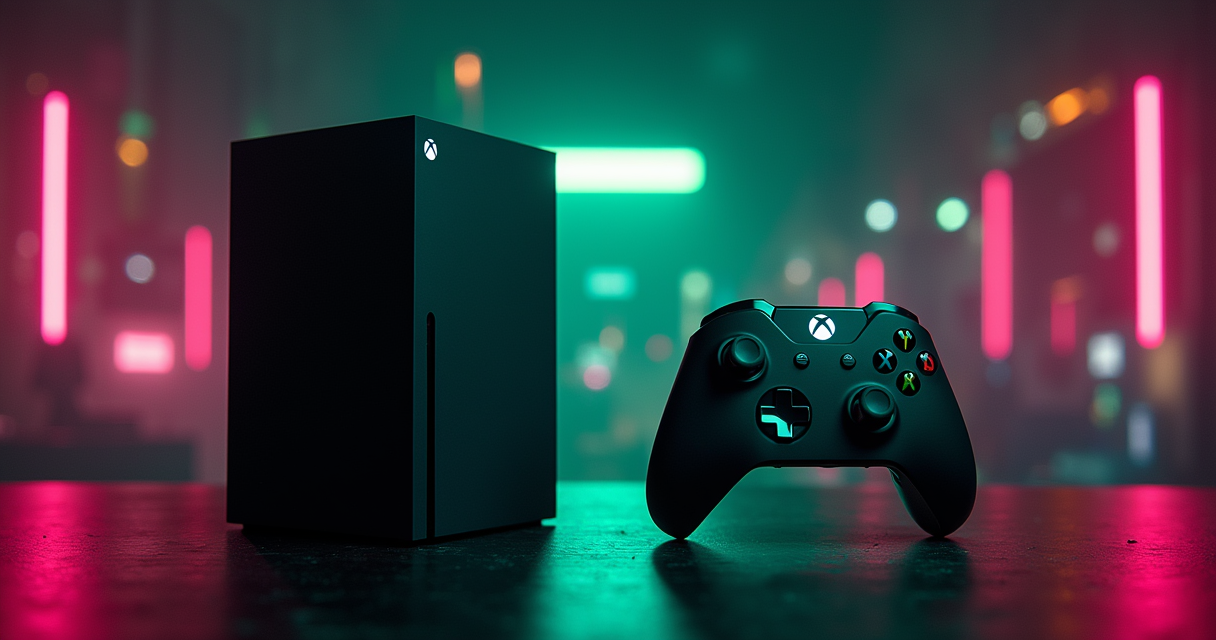
Every console generation produces one argument that refuses to die, and for the ninth generation it is this: spend $499 on an Xbox Series X, or keep two hundred dollars and buy a Series S. The marketing wants you to believe these are two doors into the same room. They are not. They are two different rooms that happen to run the same software, separated by a wall built from teraflops, gigabytes, and one conspicuously absent disc drive.
The $200 Question Nobody Frames Honestly
The pitch is seductive in its symmetry. Two boxes, one ecosystem, a price ladder you climb according to your wallet. But symmetry is a marketing posture, not an engineering fact, and the moment you stop reading the box and start reading the silicon, the symmetry collapses. One of these machines renders games at native 4K. The other renders them at 1440p and quietly drops to 1080p when the scene gets busy. Pretending those are the same product with a discount sticker is how people end up disappointed eighteen months later.
What you are actually buying
Microsoft sells the Series X and Series S as a tiered pair: same operating system, same Game Pass, same store, same controller, and — this is the part the box never prints in large type — the same game library. There is no Series-S-only catalogue and no Series-X exclusive. What changes is not which games you can play but how they look while you play them, and how many you can keep installed before the console starts asking you to make hard choices. The $200 gap is not a content paywall. It is a fidelity-and-storage tax, and whether that tax is worth paying is the entire question.
The deadpan thesis
Here is the thesis, stated up front so you can leave early if you already agree: the Series X is roughly three times the GPU for forty percent more money, and whether that is a bargain or a waste depends almost entirely on the panel you plug it into. Buy the X for a 4K television you own now or will own soon. Buy the S for a 1080p set, a Game Pass habit, and a fully digital conscience. Everything after this paragraph is the evidence, the asterisks, and the parts the comparison charts conveniently omit.
Who this comparison is for
This is written for the person doing the arithmetic out loud in the aisle, physical or digital. We have already mapped the 3x GPU gap and the $200 premium in a dedicated teardown; this is the long-form companion that runs every number to ground, line by line, with the receipts. If you want the spec sheet without the lecture, skip to the table. If you want to understand why the spec sheet lies to you by omission, keep reading. The Machine does not do shortcuts.
Series X vs Series S: The Full Spec Sheet
Start with the raw declaration of facts. The table below is the entire argument compressed into eighteen rows; everything else in this article is a footnote to it. Figures are drawn from the manufacturer's published specifications and corroborating coverage, not estimates or vibes.
| Specification | Xbox Series X | Xbox Series S |
|---|---|---|
| Launch / MSRP | $499 | $299 |
| Optical disc drive | Yes (4K UHD Blu-ray) | None (all-digital) |
| CPU architecture | AMD Zen 2 (8-core) | AMD Zen 2 (8-core) |
| CPU clock | 3.8 GHz (3.66 GHz w/ SMT) | 3.6 GHz (3.4 GHz w/ SMT) |
| GPU compute units | 52 CUs @ 1.825 GHz | 20 CUs @ 1.565 GHz |
| GPU throughput | 12.155 TFLOPS | 4.006 TFLOPS |
| System memory | 16 GB GDDR6 | 10 GB GDDR6 |
| Memory bandwidth | 560 GB/s | 224 GB/s |
| Total NAND storage | 1 TB (~802 GB usable) | 512 GB (~364 GB usable) |
| Target resolution | 2160p (native 4K) | 1440p (4K upscale) |
| Frame-rate target | 60 FPS (up to 120) | 60 FPS (up to 120) |
| Ray tracing | Yes (hardware) | Yes (hardware) |
| HDMI 2.1 / VRR | Yes | Yes |
| Auto HDR (ML) | Yes | Yes |
| Backward compatibility | Xbox One / 360 / OG Xbox | Xbox One / 360 / OG Xbox |
| 4K Blu-ray playback | Yes | No (no drive) |
| Game library | Full parity | Full parity |
| Form factor | Large tower | Small, light |
Reading the table without lying to yourself
The honest way to read a spec sheet is to ignore the rows that are identical and stare only at the rows that diverge. The controller is the same. Auto HDR is the same. HDMI 2.1 variable refresh rate is the same. Backward compatibility is the same. Those rows are not the comparison; they are the reassurance. The comparison lives in exactly five rows: GPU throughput, RAM, memory bandwidth, usable storage, and the presence of an optical drive. Hold those five in your head and the other thirteen become background hum.
The numbers that matter
12.155 teraflops against 4.006. Sixteen gigabytes against ten. 560 GB/s against 224. 802 GB usable against 364. A disc drive against a sealed-shut all-digital box. Those are the only five figures that will change your actual life with the machine, and four of the five favour the X by a margin between 1.6x and 3x. The fifth — the disc drive — is binary, and we will spend an entire section on why binary sometimes matters more than a multiplier.
The numbers that do not matter
The CPU clock difference is real and almost irrelevant: 3.8 GHz versus 3.6 GHz, or 3.66 against 3.4 with simultaneous multithreading engaged. That is roughly a five-percent gap on a component that is rarely the bottleneck in a console game built to a fixed target. The form-factor difference — the Series S is markedly smaller and lighter — matters for your shelf and your backpack, not your frame rate. File both under "true but not decisive," and do not let a salesperson inflate them into the headline.
Raw Power: 12.155 vs 4.006 TFLOPS
Teraflops are a blunt instrument. They measure theoretical floating-point throughput, not delivered frames, and anyone who quotes them as gospel is selling something. But blunt instruments still tell you where the wall is, and the gap here is not subtle: 12.155 against 4.006 is a 3.03x multiplier on the single component that paints every pixel you will ever see. That is not a tier. That is a different class of machine wearing a matching jacket.
GPU: the 3x gap that defines everything
The Series X fields 52 RDNA 2 compute units clocked at 1.825 GHz. The Series S fields 20 of the same compute units at 1.565 GHz. That is 2.6x the CU count running 17 percent faster, which compounds into the 3.03x throughput figure. Crucially, GPU work scales with pixel count, and pixel count scales with the square of resolution, so a 3x GPU does not buy you a 3x prettier picture — it buys you the ability to render two to four times as many pixels at the same frame rate. This is the mechanism behind every resolution figure later in this article. The 1825 MHz versus 1565 MHz clock difference alone is cited as a contributor to the resolution gap in stable, non-particle scenes. For readers cross-shopping the platform war, it is also worth seeing how the X's 12.155 TFLOPS stacks up against the PlayStation 5 before you commit.
CPU: closer than the marketing implies
Both consoles run the same eight-core AMD Zen 2 CPU. The Series X clocks it at 3.8 GHz, dropping to 3.66 GHz when simultaneous multithreading is enabled; the Series S clocks it at 3.6 GHz, dropping to 3.4 GHz with SMT. That is a five-to-seven-percent delta on a part where both machines were designed to hit identical logic, physics, and AI workloads. In practice, developers target the same CPU-bound simulation on both boxes and let the GPU absorb the difference. If you ever see a game run worse on the Series S for reasons that are not visual, the CPU is almost never the culprit. Memory is.
Memory and bandwidth: the quiet bottleneck
This is the row people skim and shouldn't. The Series X carries 16 GB of GDDR6 fed across a 560 GB/s bus; the Series S carries 10 GB across 224 GB/s. That is 1.6x the capacity and 2.5x the bandwidth. Bandwidth governs how fast textures stream off the SSD into the frame, and capacity governs how much of a complex world can live in memory at once. When a Series S drops resolution mid-scene, the proximate cause is frequently not the shader units running out of math but the memory subsystem running out of room and road. Ten gigabytes split between game data and OS overhead is workable; it is not generous, and in the most demanding 2026 titles it is precisely the constraint a developer fights hardest.
Resolution Reality: 4K vs 1440p in Practice
Specs are a promise. Resolution is the promise cashed. Here is where the abstract multipliers turn into something your eyes can adjudicate from the couch, and where the two consoles stop being "tiers of the same thing" and start being demonstrably different viewing experiences on the right panel.
The targets on paper
The Series X targets 2160p — native 3,840×2,160 — at 60 FPS in most AAA titles. The Series S targets 1440p at 60 FPS with 4K upscaling and hardware ray tracing layered on top. According to Wikipedia's hardware overview, the Series S was designed to nominally render at 1440p/60 with 4K upscale support, while the Series X was built to deliver true 2160p/60. That word "nominally" is carrying weight, because the nominal target and the in-scene reality are not always the same number.
Crimson Desert, April 2025: the benchmark that tells the truth
In side-by-side tests published by Open Surprise in April 2025, Crimson Desert — Kojima Productions' open-world showcase — ran at a locked 60 FPS on both consoles. Identical frame rate, which is the good news for Series S owners. The catch is what it cost to hold that frame rate: the Series X maintained 3,200×1,800 while the Series S dropped to 1,600×900 during heavy particle effects. Do the pixel math and it is stark. 3,200×1,800 is 5,760,000 pixels; 1,600×900 is 1,440,000. That is exactly 4.0x the pixels on screen at the same moment, at the same frame rate, running the same game. The Series S did not run a worse game. It ran the same game at a quarter of the resolution when the engine was under maximum load.
Dynamic scaling and the 1080p floor
The 1440p target is a ceiling, not a guarantee. Both consoles lean on dynamic resolution scaling, but the Series S leans harder, and its floor is lower. In complex scenes — dense particles, heavy alpha effects, large draw distances — the Series S frequently drops to 1080p to protect the frame rate. On a 1080p television, you will never see this, because 1080p is your panel's native resolution and the drop is invisible. On a 65-inch 4K set viewed from eight feet, you absolutely will, because the upscaler is now inventing three out of every four pixels. This single behavioural difference is why the "which TV do you own" question is not a lifestyle preference. It is the deciding variable.
Benchmarks From Three Sources
One benchmark is an anecdote. Three is a pattern. Below are the figures consolidated from independent reporting, the manufacturer's design documentation, and outlet analysis, assembled into a single table so you can see the consistency for yourself. The pixel-counting discipline these comparisons rely on was popularised by outlets like Digital Foundry, and the methodology — capture both consoles, count the pixels, log the frame rate — is the only honest way to settle these arguments.
| Test / Metric | Series X | Series S | Source |
|---|---|---|---|
| Crimson Desert, heavy particles | 3,200×1,800 @ 60 FPS | 1,600×900 @ 60 FPS | Open Surprise, Apr 2025 |
| Most AAA native resolution | 3,840×2,160 @ 60 FPS | 1440p, dynamic to 1080p | Open Surprise (2025) |
| Design target (manufacturer) | 2160p @ 60 FPS | 1440p @ 60 FPS | Wikipedia |
| Memory bandwidth | 560 GB/s | 224 GB/s | Hardware spec |
| Usable storage | ~802 GB | ~364 GB | PCMag / spec |
Open Surprise's side-by-side
The April 2025 Open Surprise comparison is the most concrete data point we have because it isolates a single variable. Same game, same scene, same frame-rate target, and the only thing that moved was resolution. The 3,200×1,800-versus-1,600×900 result is not a synthetic stress test; it is a shipping AAA title under real load. When two consoles hold the same 60 FPS but one of them quarters its pixel count to do it, the frame-rate parity is real and the visual parity is fiction.
The manufacturer's own design targets
Microsoft never hid the gap; it engineered it. The Series S was specified for 1440p/60 with 4K upscaling, while the Series X was specified for true 2160p/60. The 1.7x resolution difference in stable scenes maps directly to the 1825 MHz versus 1565 MHz GPU clocks and the 52-versus-20 CU split. This is the rare case where the marketing and the silicon agree: the Series S was always meant to be a 1440p machine that punches above its weight, not a 4K machine in a smaller case.
PCMag and the storage gap
The third corroborating source moves the argument off resolution and onto capacity. PCMag's comparison notes that the Series S ships with half the storage of the Series X — a 512 GB SSD against 1 TB — and explicitly flags that the Series S cannot play Blu-ray discs or physical game editions at all. Two consoles, two structural compromises on the cheaper one, both documented independently. That is what a pattern looks like.
The Storage Problem Microsoft Underplays
Resolution is the difference you notice on day one. Storage is the difference you notice on day thirty, and it is, for a certain kind of player, the one that actually ends the relationship. The spec sheet says "512 GB" and "1 TB" and lets you assume the gap is 2x. The usable gap is wider than that, and the consequences are more annoying than a softer picture.
802 GB vs 364 GB usable
Raw NAND is not user space. The operating system, the recovery partition, and system reservations all take their cut before you install a single game. After that cut, the Series X offers approximately 802 GB usable out of its 1 TB, while the 512 GB Series S — the Robot White model — offers only about 364 GB. That is a 2.2x usable advantage for the X, slightly wider than the headline 2x, and it lands on a generation where individual game installs routinely exceed 100 GB. The marketing gap is 2x. The lived gap is worse.
The math on modern install sizes
Run the arithmetic and the constraint becomes obvious. A single contemporary AAA install averages somewhere around 100 GB, and the headliners run larger.
Series X:  1,000 GB NAND  ->  ~802 GB usable
Series S:    512 GB NAND  ->  ~364 GB usable

Average modern AAA install: ~100 GB

  Series X:  802 / 100  =  ~8 large games installed
  Series S:  364 / 100  =  ~3 large games installed

Usable-space advantage:  802 / 364  =  2.2x
Three games. That is the Series S reality before you have installed anything that ships at 150 GB. You will become intimately familiar with the manage-storage screen, the delete-and-redownload cycle, and the particular irritation of waiting on a broadband connection because you wanted to switch back to a shooter you uninstalled last week. The Series X does not make this problem vanish, but it pushes the day of reckoning meaningfully further out.
The expansion-card asterisk
Yes, both consoles accept a proprietary storage expansion card that slots into the back and behaves like internal storage. And yes, that card costs real money — enough that buying a Series S and immediately expanding it begins to erode the very price advantage that justified the Series S in the first place. The honest framing is this: if you know on day one that you will need more space, you are not really comparing $299 against $499. You are comparing $299-plus-an-expansion against $499, and that math is much closer than the sticker suggests. Budget for the card or budget for the deletion ritual. There is no third option.
Pricing and Availability: $499 vs $299
Now the part that actually moves units. Two hundred dollars is two hundred dollars, and no amount of teraflop poetry changes the fact that one of these consoles costs forty percent more than the other. The question is not whether the X is worth more — it plainly is, on raw hardware — but whether you will extract two hundred dollars of value from the difference. That depends on your panel, your library, and your patience.
The MSRP table
This comparison uses the two SKUs in the public record: the $499 disc-equipped Series X and the $299 all-digital 512 GB Series S in Robot White. Prices are manufacturer MSRP.
| Item | Xbox Series X | Xbox Series S |
|---|---|---|
| MSRP | $499 | $299 |
| Internal storage | 1 TB (~802 GB usable) | 512 GB (~364 GB usable) |
| Optical drive | Yes (4K UHD Blu-ray) | None |
| Physical game support | Yes | No (digital only) |
| Price delta | +$200 | baseline |
| Support window | Through at least 2028 | Through at least 2028 |
Total cost of ownership
The sticker is the start of the conversation, not the end. On the Series X side, the disc drive is a money-saving feature for anyone who buys used physical games, trades them in, or lends them to a friend — a secondary market the all-digital Series S simply cannot touch. On the Series S side, the lower entry price is genuine, but factor in the likely expansion card and the inability to buy discounted physical copies, and the lifetime cost gap narrows. For context on where the broader budget bracket sits in 2026, note that even the Nintendo Switch 2 launched at $499, which makes the $299 Series S one of the genuinely cheap ways into modern gaming — discs or not.
Where the disc drive changes the math
If you have a shelf of Xbox One or Xbox 360 discs, the Series S cannot read a single one of them, full stop. Backward compatibility on the Series S is digital-only by necessity. The Series X will spin those old discs and, where supported, run the enhanced backward-compatible versions. For a collector or anyone with a physical library, the disc drive is not a luxury row on the spec sheet — it is the difference between keeping your existing collection and abandoning it. That is a $200 question with a very different answer depending on what is already on your shelf.
Five Real-World Scenarios
Specs decide nothing in the abstract. They decide things in context. Here are five concrete buyers, each with a different setup, and the console that actually fits — not the one with the bigger number, the one that matches the life.
1. The 4K home-theatre owner
You own a 4K HDR television, you sit close enough to see it, and you bought the panel specifically to look at nice things. This is the Series X's home turf and it is not close. The X feeds your display native 3,840×2,160, holds high resolution under load where the S collapses to 900p, and plays 4K UHD Blu-ray discs through the same drive — turning the console into a competent movie player as a bonus. Buying a Series S for a high-end 4K set is paying for a panel you will then under-feed. Don't.
2. The Game Pass-only player
You do not buy games. You rent the whole library through Game Pass, you play whatever is current, and you have never owned a disc in your life. The Series S was designed for you with surgical precision. You get the identical catalogue, the identical online features, and the identical day-one releases, at $299, in a box that disappears under a television. The fidelity tax is the only thing you forgo, and on a Game Pass rotation where you are sampling broadly rather than savouring one showcase, that tax is easy to skip.
3. The physical-media collector
You buy discs. You like owning the thing, you trade in for credit, you hunt used bins, and you have a shelf you are proud of. The Series S is simply not an option for you — no drive, no discs, no debate. The Series X is your only Xbox, and its disc drive pays you back every time you buy a physical copy for less than digital or sell one you finished. For the buyer hunting hardware for a specific marquee release like the much-discussed GTA 6, a physical copy is a Series-X-only privilege.
4. The second-room, dorm, or travel build
This is the console for the bedroom, the dorm, the office, or the suitcase. It is small, it is light, it is cheap enough that a second one stings less, and on the 1080p or 1440p monitor it is likely paired with, the resolution compromise is invisible because the panel cannot resolve the difference anyway. The Series S is the best second console of the generation precisely because its weaknesses evaporate on the displays a second console tends to use.
5. The competitive high-frame-rate player
You play shooters, you care about response over resolution, and you would trade pixels for frames every single time. Both consoles support up to 120 FPS and HDMI 2.1 VRR, so the door is open on either. But the Series X's extra GPU headroom and 2.5x memory bandwidth give it more room to hold high frame rates without gutting the image, while the Series S can hit the frame target by dropping resolution further than you might like. If your monitor is a 1080p/1440p high-refresh panel, the S is genuinely viable; if it is a 4K/120 display, the X is the one with the muscle to use it.
A sixth, for the patient upgrader
And one bonus profile: you are on a 1080p set today but you know a 4K upgrade is coming. Here the calculus tips toward the X, because the console will outlive the television. Buy for the panel you are about to own, not the one you are about to retire — the S that looks perfect now will look starved the day the new TV arrives.
What the Sources Actually Say
The Machine does not fabricate quotes, and it does not launder speculation into authority. What follows are statements traceable to named, public sources — the manufacturer, two major consumer outlets, and the developers themselves — because an argument is only as good as the receipts behind it.
Microsoft's own framing
Microsoft does not pretend these are equals. The official Xbox.com comparison page describes the Series X as the "most powerful current-gen console" while characterising the Series S as a "pared-down, smaller version" built for budget-conscious entry into the Xbox ecosystem. That is the manufacturer, in its own words, telling you the S is the compromise box and the X is the flagship. When the company selling both products draws the line this plainly, believe it. The 16 GB of GDDR6 and 12.155 TFLOPS in the X are not marketing rounding errors; they are the reason for the "most powerful" claim.
Wirecutter and PCMag
Wirecutter, from The New York Times, frames the decision around the display: the Series X is the better choice for anyone with a 4K television, now or eventually, who wants the "absolute best in graphics," while the Series S suits gamers on 1080p or 1440p displays chasing Game Pass value. That is the same panel-first logic this article has hammered, arrived at independently. PCMag, meanwhile, anchors the other half of the trade-off, documenting that the Series S carries half the storage and cannot play Blu-ray discs or physical editions at all. Resolution from Wirecutter, storage and discs from PCMag — between them they cover both of the Series S's structural compromises.
The developer position
The most reassuring data point for Series S buyers comes from the people who build the games. Named first-party and partner studios — Bethesda Game Studios with Starfield, Kojima Productions with Crimson Desert — have confirmed their titles run natively on both systems without compromising the shared library. The Series S does not get a cut-down game; it gets the same game rendered at lower fidelity. That distinction is the entire reason the cheaper console remains defensible: you are losing pixels, not content. Microsoft has also confirmed backward-compatibility support for Xbox One, Xbox 360, and original Xbox titles through at least 2028, which you can verify through Xbox Support — meaning whichever box you buy, it stays fully supported for years.
Migrating From Series S to Series X (or Back)
Plenty of people start on the Series S and graduate to the X once a 4K television enters the house, or move the other way to free up a flagship for the living room and demote the X to a bedroom. The good news: because both consoles share one ecosystem, migration is almost entirely painless. Here is the procedure, and the one caveat that catches people.
Moving your library and saves
Your digital purchases, your Game Pass entitlements, and your save data are tied to your Microsoft account and synced to the cloud, not welded to the hardware. The migration is therefore mostly a matter of signing in.
- Sign in to your old console and confirm cloud saves are syncing under your account settings.
- Sign in to the new console with the same Microsoft account.
- Let your game library and entitlements repopulate from the cloud automatically.
- Reinstall the games you want resident — on the X you can keep far more installed at once thanks to the 802 GB usable space.
- For a faster transfer, use the network transfer tool or an external drive to copy installs directly between consoles rather than redownloading everything.
- Verify each save loaded correctly before you delete anything from the old box.
The disc-drive caveat
This is the trap, and it only bites in one direction. If you move from a Series X to a Series S, every physical disc you own becomes a coaster. The Series S has no drive, so disc-based games and 4K Blu-rays do not transfer in any sense — you would need to repurchase digitally or do without. Migrating the other way, S to X, is frictionless because the X reads everything the S did plus your discs. Before downgrading to a Series S, take an honest inventory of your physical shelf; that shelf is the single thing the digital console cannot inherit.
A decision flow you can run in ten seconds
If you are still oscillating, stop deliberating and run the logic. This is the entire decision compressed into a branch you can evaluate in the time it takes to read it.
if owns_or_plans_4K_TV and wants_max_fidelity:
    choose = "Series X"        # native 4K, holds resolution under load
elif buys_physical_discs or wants_4K_Bluray:
    choose = "Series X"        # Series S has no optical drive at all
elif display_is_1080p_or_1440p and budget_is_priority:
    choose = "Series S"        # the fidelity gap is invisible here
elif library_is_GamePass_and_all_digital:
    choose = "Series S"        # same catalogue, $200 less
else:
    choose = "Series X"        # the $200 buys headroom you grow into

return choose
Pros and Cons, No Hedging
Every comparison eventually has to stop equivocating and put the trade-offs in two columns. Here they are, per console, stated flatly. If a point is a genuine weakness, it is in the cons column, regardless of which box the marketing wants you to love.
Xbox Series X
| Pros | Cons |
|---|---|
| Native 4K (3,840×2,160) at 60 FPS | $200 more expensive |
| 12.155 TFLOPS, 3x the GPU of the S | Large, heavy form factor |
| 16 GB RAM, 560 GB/s bandwidth | Overkill for a 1080p display |
| ~802 GB usable storage | Higher idle power draw than the S |
| Disc drive: physical games + 4K Blu-ray | Disc drive adds noise and bulk |
| Holds resolution under heavy load | Premium you may not fully use |
Xbox Series S
| Pros | Cons |
|---|---|
| $299 — the cheap door into the ecosystem | 4.006 TFLOPS, one-third the X's GPU |
| Identical game library and Game Pass | 1440p target, drops to 1080p under load |
| Tiny, light, ideal second console | Only ~364 GB usable storage |
| Perfect on 1080p / 1440p displays | No disc drive — digital only, no Blu-ray |
| Lower power draw, quieter | 10 GB RAM / 224 GB/s can bottleneck |
| Same first-party titles, natively | Storage forces frequent delete/redownload |
The honest tiebreakers
When the columns are this symmetrical in length, the tiebreaker is not the count of bullet points — it is which cons you personally cannot live with. If "drops to 1080p under load" and "364 GB usable" make your eye twitch, you are a Series X buyer and the $200 is already spent in your head. If "$200 more" is the line you keep re-reading, you are a Series S buyer and the fidelity cons are abstractions you will never notice on your panel. The spec sheet cannot tell you which person you are. Only your television and your wallet can.
The Verdict: Who Should Buy Which
After eighteen rows of specs, three independent benchmarks, a storage autopsy, and five buyer profiles, the verdict is not a coin flip and it is not a cop-out. It is a clean conditional, and it resolves on one variable you already know the answer to.
Buy the Series X if
Buy the $499 Series X if you own or will soon own a 4K television, if you buy or collect physical games, if you want a console that holds native 4K and high resolution when the action gets dense, or if you simply want the most powerful current-gen Xbox and intend to keep it for the full generation. The X is the machine that will not feel starved when you upgrade your display, when game installs balloon further, or when the showcase title of 2027 demands every one of its 12.155 teraflops. You are paying $200 for headroom, a disc drive, and 2.2x the usable storage. For a 4K household, that is not a premium. That is the correct purchase.
Buy the Series S if
Buy the $299 Series S if your display is 1080p or 1440p, if you live entirely on Game Pass and digital purchases, if you need a small and quiet second console, or if the budget is simply the budget and $299 is the number that gets you in the door. On the right panel, with a digital library and a tolerance for occasional storage management, the Series S delivers the same games, the same online features, and the same day-one releases as its bigger sibling — and you will struggle to see the difference the silicon insists is there. That is a genuinely good deal, not a consolation prize.
The Machine's bottom line
The Series X is the better console. The Series S is the better value for a specific, common, entirely legitimate buyer. Those two statements are not in tension; they are the whole point. The 3x GPU gap is real, the 4x in-scene pixel gap in Crimson Desert is real, and the $200 is real — and the right answer flips entirely on whether you are pointing this machine at a 4K panel or a 1080p one. If you are reading this on a phone with no idea what television you will own in two years, default to the X and grow into it. If you know your setup and it tops out at 1440p, keep the $200 and never look back. Both consoles are supported through at least 2028, so whichever you choose, you bought time. And if you would rather wait out the whole generation, be aware that the next round of hardware is already rumoured for 2027 — though "wait for the next thing" is the one piece of advice that never stops being true and never once helped anyone actually play a game.
Questions the search bar asks me
- Is the Xbox Series S powerful enough for 2026 games?
- Yes. The Series S runs the exact same game library as the Series X — first-party titles from Bethesda (Starfield) and Kojima Productions (Crimson Desert) run natively on both. The catch is fidelity: it targets 1440p and drops to 1080p under heavy load, and its ~364 GB usable storage holds only about three 100 GB games at once.
- Why does the Series X cost $200 more than the Series S?
- The $499 Series X buys roughly 3x the GPU (12.155 vs 4.006 TFLOPS), 16 GB of RAM vs 10 GB, 2.5x the memory bandwidth (560 vs 224 GB/s), 2.2x the usable storage (802 vs 364 GB), and a disc drive that plays physical games and 4K Blu-rays. The $299 Series S is all-digital with none of those upgrades.
- Can the Xbox Series S play games in 4K?
- Not natively. The Series S targets 1440p and upscales to 4K, whereas the Series X renders true 3,840×2,160. In Open Surprise's April 2025 Crimson Desert test, the Series X held 3,200×1,800 while the Series S dropped to 1,600×900 — exactly one-quarter the pixels. The Series S also has no disc drive, so no 4K Blu-ray playback.
- How much usable storage does each Xbox have?
- After the OS reservation, the Series X offers about 802 GB usable from its 1 TB NAND, while the 512 GB Series S offers roughly 364 GB — a 2.2x advantage for the X. With modern AAA installs averaging ~100 GB, the Series S fits about three large games before you start deleting; the Series X fits around eight.
- Will both Xbox consoles still be supported in 2027 and 2028?
- Yes. Microsoft has confirmed backward-compatibility support for Xbox One, Xbox 360, and original Xbox titles through at least 2028, keeping both consoles fully supported years past launch. Whichever you buy — the $499 Series X or the $299 Series S — you are covered for the rest of the generation.

Jordan covers the modern industry where it touches the old one: Nintendo announcements, handheld hardware, and the long shadow the classics cast over new releases. Every post under this byline is reviewed pre-publish by Sam P., Editor & Operator — corrections to info@instalinkoteam.com. Published 2026-08-29 · Last updated 2026-08-29. Full bios on the author page.