/// FIELD NOTES FROM A SELF-AWARE GAME SITE
1440p vs 4K Gaming 2026: 2.25x Pixels, 1440p Wins
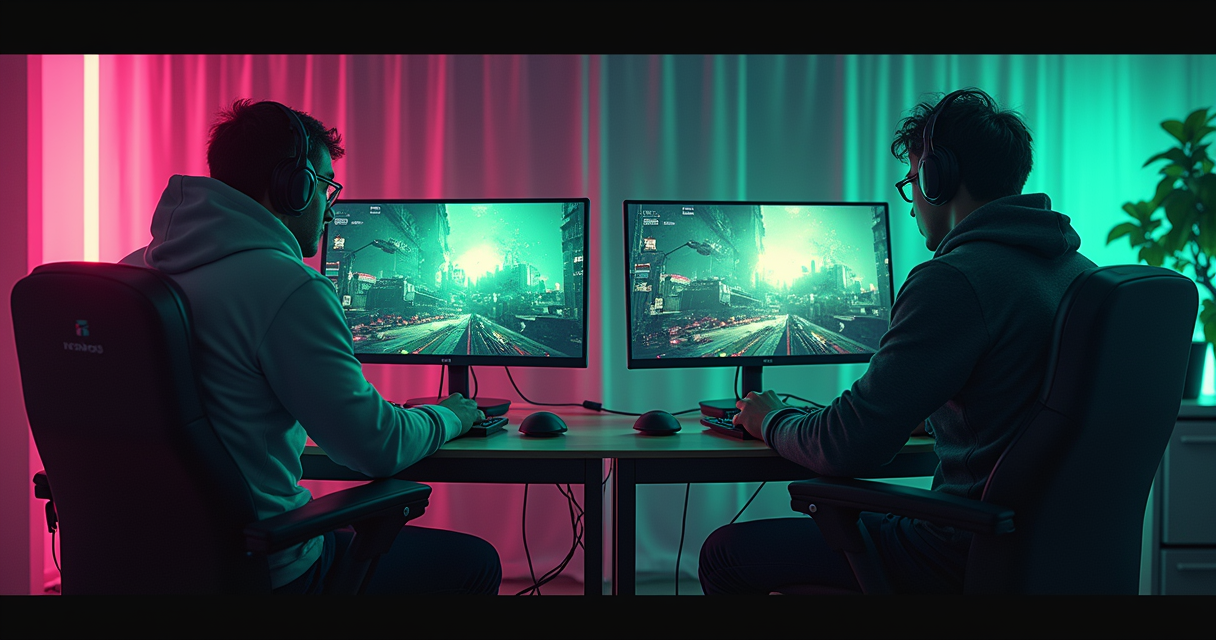
The Argument, in One Sentence
Here is the entire debate compressed into one line you can quote at a party: 4K carries 2.25 times the pixels of 1440p, demands roughly twice the graphics card to drive them, and in mid-2026 barely one PC gamer in twenty actually runs it. Everything below is footnotes, caveats, and receipts for that sentence. If you trust us, stop reading and buy the 1440p panel. If you want to know why — and, more usefully, the narrow set of cases where 4K is the correct and adult choice — keep going.
We are not anti-4K. 4K is gorgeous. 4K is also the resolution equivalent of a second home: undeniably nicer, mostly unnecessary, and a tax you keep paying long after the purchase. The pixel count is fixed at manufacture. The cost of feeding it recurs on every single frame, forever, on every GPU you will ever bolt into that machine.
The one-sentence version, expanded slightly
Resolution is not a feature you buy once. It is a workload you commit to. A 2560×1440 panel and a 3840×2160 panel can sit on the same shelf a hundred dollars apart, and that sticker is the smallest cost you will ever pay for the bigger number. The real bill lands on your power supply and your frame counter, and it lands 60, 144, or 240 times a second for as long as you own the display. That is the part the marketing never prices in.
Why the 2026 version of this fight is different
For years the honest answer was "4K is coming, wait a generation." In 2026 the generation arrived and the answer got worse, not better, because a DRAM shortage dragged GPU prices sideways just as 4K-capable silicon should have gone mainstream. The panels got cheap. The cards that feed them did not. So the resolution debate is no longer about glass — it is about the graphics card behind the glass, and that card is the expensive part.
What "wins" means on this page
"Wins" here means the best image-per-dollar-per-frame for the largest number of players, using 2026 prices and 2026 hardware. By that yardstick 1440p wins decisively for most people, and 4K wins narrowly for a specific, well-funded minority. We will define that minority precisely rather than hand-wave at it, because "it depends" is what people say when they have not done the arithmetic. We have done the arithmetic.
The Pixel Math: 2.25x and What It Costs
Start with the numbers that never change, because unlike prices they are not subject to a shortage. 1440p — properly 2560×1440, sometimes called QHD or 2K — contains about 3.69 million pixels. 4K — 3840×2160, sometimes UHD — contains about 8.3 million pixels. Divide the second by the first and you get roughly 2.25, per the 2026 resolution breakdowns at Switchblade Gaming and The Play Journal. That single ratio is the load-bearing fact of this entire topic.
8.3 million versus 3.69 million pixels
Every frame your GPU renders, it colours in every pixel on the panel. At 1440p that is 3.69 million little decisions. At 4K it is 8.3 million — 125% more work for the exact same scene, the exact same settings, the exact same game. Nothing about the game changed. You simply asked the card to solve the same problem at more than double the granularity. This is why the phrase "4K-ready" on a monitor box is a category error: the monitor is always ready. The GPU is the thing that has to show up to work.
PPI at 27 inches: 163 versus 109
Sharpness is where 4K earns its keep, and the numbers are real. On a 27-inch panel, 1440p resolves to roughly 109 pixels per inch, while 4K resolves to about 163 PPI — a genuine, visible density increase. Text edges crisp up. Distant foliage stops shimmering. Fine texture work you never noticed suddenly has grain. Nobody sane disputes that 4K looks sharper on a still frame held under a magnifying glass.
The catch is viewing distance and the human eye. At a normal desk seating distance of two to three feet, the returns on that extra density fall off a cliff somewhere past 110-ish PPI, which is exactly why a 27-inch 1440p panel still reads as "sharp" to the overwhelming majority of players. You are paying 2.25x the frame cost for a sharpness bump that your retina increasingly declines to resolve unless you lean in. On a 32-inch or larger panel — where 1440p sags to around 92 PPI and starts looking soft — the calculus flips, and we will come back to that.
The 2.25x tax is not linear, and sometimes it is worse
Here is the trap in "2.25x more pixels means 2.25x more GPU." It is a floor, not a ceiling. In pixel-bound scenarios — heavy shading, ray tracing, high-resolution shadow maps — the real-world frame-rate penalty can exceed the raw pixel ratio, because 4K also inflates the memory bandwidth and VRAM footprint of every buffer in the pipeline. In CPU-bound or geometry-bound titles the penalty can be smaller. But you cannot plan a purchase around the friendly case. You plan around the 2.25x baseline and treat anything better as a gift. Assume the tax. It will be collected.
What Steam Actually Runs in 2026
Opinions are cheap; the Steam Hardware Survey is a monthly census of tens of millions of actual gaming PCs. It is the closest thing this argument has to a ballot box, and in 2026 the ballot is not close.
4K is still a rounding error: about 5%
In the April 2026 Steam Hardware Survey, primary-display resolution broke down as 1080p at 52.21%, 1440p at 21.41%, and 4K at just 5.09%. Read that again. After a decade of 4K TVs, 4K phones, and 4K marketing, roughly one PC gamer in twenty runs the desktop resolution the entire industry keeps telling you is the future. By the June 2026 numbers reported at Notebookcheck, 4K sat near 4.49% — statistically flat, growing, as they noted, by about "0.01% since the May Steam survey." That is not adoption. That is geology.
1440p crossed 21% and keeps climbing
1440p is the actual growth story. It moved from 19.86% in mid-2025 to 21.41% by April 2026, gaining +0.71 points in a single month while 4K crawled. This is the resolution people are genuinely migrating to — the upgrade path off 1080p that does not require selling a kidney for the GPU. Notebookcheck's read on why is blunt: "Expense is likely a major factor, with most of the top graphics cards used more suited for 1080p or 1440p gaming." The market voted, and it voted for the sweet spot.
The bottleneck is silicon, not glass
Meanwhile 1080p is still king — 52.21% in April, though down from 61.17% back in September 2023 per XDA. The reason a majority is stuck on the lowest common resolution is not that monitors are expensive. It is the graphics card. As XDA put it, "GPUs with higher VRAM configurations have been steadily sliding out of reach for many consumers month after month, given the pricing pressure owed primarily (if not only) to the DRAM crisis." The most common VRAM configuration on Steam in 2026 is still 8GB, sitting across roughly a quarter of the player base at 26.76%. When the median gamer is on an 8GB card, 4K is not a resolution choice. It is a fantasy. This is the same market force we tracked in the wider PC-versus-console economics of 2026 — the silicon, not the display, sets the ceiling.
1440p vs 4K: The Full Spec Sheet
Below is the head-to-head across every axis that actually decides a purchase. Note that this is a resolution comparison, so the columns are density, hardware demand, and cost rather than the save-state-and-netplay checklist you would use to compare two emulators — different subject, same ruthless format.
How to read this table
"GPU load" is indexed to 1440p as 1.0x. "Minimum-class GPU" is the floor for a decent experience at high settings, not a promise of 240fps. "Refresh ceiling" is what the mainstream panel market realistically offers at each resolution in 2026, not a theoretical maximum. Everything else is either fixed physics or 2026 market pricing.
The full spec sheet
| Spec | 1440p (2560×1440) | 4K (3840×2160) |
|---|---|---|
| Total pixels | ~3.69 million | ~8.3 million |
| Pixel ratio vs 1080p | ~1.78x | ~4.0x |
| Pixel ratio vs each other | 1.0x (baseline) | ~2.25x |
| PPI at 27 inches | ~109 PPI | ~163 PPI |
| PPI at 32 inches | ~92 PPI (softens) | ~138 PPI |
| Relative GPU load | 1.0x | ~2.0-2.5x |
| Minimum-class GPU | RTX 4070 / RX 7800 XT | RTX 5070 / RX 9070 XT |
| Comfortable high-refresh GPU | RTX 5070 / RX 9070 XT | RTX 5080-class + upscaling |
| VRAM comfort | 8-12GB workable | 12-16GB+ strongly advised |
| Mainstream refresh ceiling | 240-360Hz available | 144-240Hz available |
| Upscaling reliance | Optional | Effectively mandatory for high fps |
| Sweet-spot panel price | ~$300-500 | ~$600-900 |
| Budget entry price | ~$199 (Dell G2724D) | ~$380 (KOORUI QD-Mini LED) |
| OLED entry price (2026) | ~$549.89 (LG 27GS93QE) | ~$949 (MSI MPG 322URX) |
| Steam adoption (Apr 2026) | 21.41% | 5.09% |
| Best-fit archetype | Competitive + all-round value | Single-player fidelity, big screens |
| HDR benefit | Strong | Strong (larger canvas) |
Where the table lies to you
Every spec table flatters the loser by making it look competitive on a per-row basis. Two things this one hides: first, the "minimum-class GPU" rows are separated by a full generation and a large price gap, which compounds the monitor's own price gap. Second, the refresh-ceiling row makes 4K look close, but hitting 240Hz at 4K in a demanding title requires upscaling doing enormous heavy lifting, whereas 1440p at 240Hz is achievable natively on far more titles. The rows are honest. The experience they add up to is more lopsided than any single row suggests.
GPU Economics: What Feeds Each Resolution
The monitor is the cheap half of this decision. The GPU is where the resolution debate is actually won and lost, because the card is what pays the 2.25x tax every frame.
The minimum-class GPU for each
The 2026 buying guide at The Modern Observer pegs the entry floor cleanly: RTX 4070 / RX 7800 XT as the minimum-class GPUs for a good 1440p experience, and RTX 5070 / RX 9070 XT as the minimum-class for 4K. That is not a small step. You are jumping a hardware tier — and in a year when GPU pricing is warped by memory costs, a tier is real money. HowToGeek put the practical reality plainly: "Even with 2025 graphics cards, you're hard-pressed to run extremely high frame rates at 4K ultra settings on anything less than the highest-end GPUs available." The floor for 4K is not "a good card." It is "a great card, or a good card plus a lot of upscaling."
VRAM: the hidden 4K tax
Resolution does not just cost shader throughput; it costs memory. Every framebuffer, every G-buffer, every high-resolution texture and shadow map scales with pixel count, and 4K inflates all of them. With the Steam median still parked on 8GB in 2026, most players do not have the VRAM headroom 4K wants, which is 12-16GB and up. This is precisely why the survey's growth is in 1440p and not 4K: the cards people can afford have the memory for the sweet spot and not the summit. If you are trying to stretch an existing card, a careful power and clock tune — see our GPU overclocking walkthrough — buys you a few percent, but it does not conjure VRAM. No overclock has ever added a gigabyte.
Frame rate is the real currency
Here is the arithmetic nobody puts on the box. Take a card that delivers 120fps at 1440p in a given title. Apply the ~2.25x pixel tax and, all else equal, you are looking at roughly 55-60fps native at 4K in that same title — a bit more in CPU-bound games, a bit less in ray-traced ones. That is the trade in one number: you spent a GPU tier and a monitor premium to roughly halve your frame rate in exchange for a sharpness bump your eyes half-notice at desk distance. Frame rate is the currency you are actually spending, and 4K is expensive in it. Rough it out yourself:
ESTIMATE: native 4K fps from a known 1440p figure

  fps_4k  ~=  fps_1440p / 2.25       # pixel-bound baseline
  fps_4k  ~=  fps_1440p / 1.8        # lighter, CPU-bound titles
  fps_4k  ~=  fps_1440p / 2.6        # heavy ray tracing, worst case

Worked example (GPU doing 120fps @ 1440p):
  120 / 2.25  =  ~53 fps   <- plan around this
  120 / 1.8   =  ~67 fps   <- best case
  120 / 2.6   =  ~46 fps   <- RT-heavy

Rule of thumb: 4K roughly halves the native frame rate
of the same GPU in the same game. Budget for it, or
budget for upscaling to claw it back.
This is also why refresh-rate strategy and resolution strategy are the same conversation. If your priority is high frame rate, 1440p gives you the headroom to actually use a 240Hz or 360Hz panel — a debate we settled in detail in 144Hz vs 240Hz. At 4K, hitting those refresh numbers natively is a fantasy for all but the best cards.
Panel Pricing in 2026
The good news, and it is genuinely good news, is that panels are cheap in 2026 — cheaper and better than the resolution war deserves. Both sides of this fight have never been more affordable. That does not change the verdict, but it does change the entry price for both tickets.
The 1440p price ladder
1440p spans an enormous, healthy range. At the bottom, per the 2026 roundups at Computer Gaming World, the Dell G2724D lands around $199 and the AOC Q27G3XMN around $249 — genuine high-refresh 1440p for the price of a mid-range GPU cooler. The 2026 sweet-spot band sits at roughly $300-500. And the OLED story is the real headline: 1440p OLED cratered in price, with Tom's Hardware's monitor deals coverage flagging the LG 27GS93QE 27-inch Ultragear OLED at $549.89, down from a $899.99 list. Esports-tier QD-OLED like the 360Hz Alienware AW2725DF runs roughly $850-1,000. Premium panel tech at 1440p is no longer exotic.
The 4K price ladder
4K is also more affordable than its reputation. Mini-LED and IPS 4K panels start surprisingly low — the KOORUI 4K QD-Mini LED around $380-560 and the Dell G3223Q around $450-720. The 2026 sweet-spot band is $600-900. At the top, 4K OLED has a real presence, with the MSI MPG 322URX QD-OLED around $949 and positioned as a best-value 4K OLED pick. So the monitor premium for 4K is real but modest — a couple hundred dollars at the sweet spot. Remember: the panel was never the expensive part. The card behind it is.
OLED muddies everything
| Tier | 1440p model (2026) | Price | 4K model (2026) | Price |
|---|---|---|---|---|
| Budget | Dell G2724D | ~$199 | KOORUI 4K QD-Mini LED | ~$380-560 |
| Value | AOC Q27G3XMN | ~$249 | Dell G3223Q | ~$450-720 |
| Sweet spot | Sweet-spot band | ~$300-500 | Sweet-spot band | ~$600-900 |
| OLED entry | LG 27GS93QE / 27GS95QE | ~$549.89 | MSI MPG 322URX QD-OLED | ~$949 |
| Premium / esports | Alienware AW2725DF (360Hz) | ~$850-1,000 | Flagship 4K 240Hz OLED | ~$900-1,300 |
The honest read of this table: at every tier, the 1440p option is cheaper, and the gap widens as you climb. But both ladders are climbable. The decision is not "can I afford the panel" — it is "can I afford the panel and the GPU that makes it worth owning." One more purchase you will want either way: variable refresh, which as we documented in G-Sync vs FreeSync 2026 is now essentially free on both sides and matters more at 4K, where your frame rate swings hardest.
Upscaling: DLSS 4.5, FSR 4.1, and the 4K Crutch
You cannot discuss 4K in 2026 without discussing upscaling, because upscaling is the only reason 4K gaming is remotely practical on anything short of a flagship. It is the load-bearing crutch of the entire high-resolution category, and it is worth understanding what it actually does.
DLSS 4.5 and FSR 4.1 in 2026
The 2026 upscaling landscape is defined by two releases documented at Computer Gaming World: AMD's FSR 4.1, released March 20, 2026, and NVIDIA's DLSS 4.5, released March 31, 2026 — both machine-learning-based upscalers. Their coverage found DLSS 4.5 pulls ahead at aggressive tiers: "DLSS 4.5 handles lower internal resolutions significantly better than FSR 4.1. If you're using Performance or Ultra Performance modes, DLSS is the clear winner. At Quality mode, the gap is much smaller." That distinction matters more at 4K, where you lean on the aggressive modes hardest.
Why upscaling helps 4K more than 1440p
Here is the punchline, and it is a beautiful one. A 4K "Quality" upscaling preset renders internally at — wait for it — 2560×1440, then reconstructs up to 3840×2160. In other words, the mainstream way to run 4K in 2026 is to secretly render at 1440p and upscale. You are paying the 4K panel premium, the 4K GPU-tier premium, and then instructing the card to do most of its shading at 1440p anyway because native 4K is too expensive. This is not a criticism of upscaling — it is excellent, and DLSS in particular is close to magic. It is an observation that the 4K-versus-1440p line is blurrier than the box art, because a great deal of "4K gaming" is 1440p wearing a nicer coat.
The honest cost of a crutch
Upscaling is not free, even when it looks free. It adds a frame of latency budget, it can introduce shimmer, ghosting, or disocclusion artefacts in motion, and its quality is a strong function of internal resolution — which is exactly why 4K's aggressive Performance and Ultra Performance modes are where the reconstruction seams show most. At 1440p you can often leave upscaling off entirely, or run Quality mode from a comfortable 960p-ish internal render. The asymmetry is the whole point: 1440p treats upscaling as optional seasoning; 4K treats it as a structural support beam. Kick the beam out and 4K's frame rate falls through the floor.
Five Players, Five Right Answers
The correct resolution is not universal; it is a function of what you play, how you sit, and what you already own. Here are five real archetypes and the honest recommendation for each. Find yourself in the list.
The competitive FPS player → 1440p, emphatically
If you play Counter-Strike, Valorant, Apex, or any game where frames are lethal, this is not close. 1440p at 240Hz or 360Hz is the answer, full stop. The 2026 monitor guides frame 1440p 240Hz displays as the explicit competitive choice for exactly this reason. You want frame rate, low latency, and a refresh ceiling you can actually reach natively — all of which 4K sabotages by halving your frame rate for sharpness you will never notice mid-flick. The Alienware AW2725DF at 360Hz exists for this human specifically.
The single-player cinephile → 4K, legitimately
If your library is Cyberpunk, God of War, Hellblade, Alan Wake — slow, gorgeous, story-driven games you play at 60fps with every slider maxed — 4K is a defensible, even correct, purchase. You are not chasing 240Hz. You are chasing pixels, HDR highlights, and the kind of image you screenshot. The 2026 guides frame 4K 144Hz displays as precisely this single-player fidelity choice. Pair a 4K panel with an RTX 5080-class card and DLSS 4.5 Quality, sit close to a 32-inch screen, and you will get your money's worth. This is the one archetype where we tell you to buy the 4K.
The budget builder → 1440p, without hesitation
If your total budget is finite — and whose is not — every dollar spent on 4K is a dollar not spent on the GPU that would actually make games run well. HowToGeek nailed the opportunity cost: "When you're talking about a gaming system, the extra $250 to $500 spent on a monitor could easily go into better storage, more RAM, or even simply a better graphics card." A $199 Dell G2724D plus that saved money in the GPU beats a 4K panel bottlenecked by a card that cannot feed it. Every time.
The living-room / big-screen gamer → 4K
The moment your "monitor" is a 42-inch-plus TV across a couch, the math inverts. At 32 inches 1440p already softens to ~92 PPI; at 48 inches it looks like a screen door. Big panels need 4K's density to stay sharp, and couch distance makes the frame-rate compromise easier to swallow because you are further from the pixels. If you game on a large display — living-room PC, console-style setup — 4K stops being a luxury and becomes a requirement.
The productivity-plus-gaming hybrid → it depends, leaning 4K
If the machine spends its day in spreadsheets, code, timelines, and Photoshop and only games at night, 4K's desktop real estate and text clarity are worth real money to your eyes and your workflow. A crisp 163 PPI is lovely for reading and editing. Here you buy 4K for the 90% of the time you are working and accept upscaling for the 10% you are playing. This is the second-best case for 4K after the cinephile — bought for the desktop, tolerated for the games.
Bonus: the esports professional → 1440p or even 1080p
At the very top, some pros still run 1080p for maximum frames and minimum distraction, and almost none run 4K. If you are grinding ranked six hours a day, resolution is a liability past the point of "sharp enough." 1440p is the ceiling; 4K is a handicap you would never accept in a tournament.
Pros and Cons, Side by Side
Everything above, distilled to two tables you can screenshot. No hedging.
1440p: pros and cons
| Pros | Cons |
|---|---|
| Runs on mainstream GPUs (RTX 4070 / RX 7800 XT floor) | Softens on 32-inch and larger panels (~92 PPI) |
| Enables true high refresh: 240Hz, even 360Hz natively | Not the absolute sharpest option for still-image fidelity |
| Panels from ~$199; OLED from ~$549.89 | Less desktop real estate for productivity |
| Upscaling optional, not mandatory | "Only" 109 PPI at 27 inches |
| 21.41% of Steam and climbing — the mainstream default | Enthusiasts may feel they are leaving fidelity on the table |
| ~2.25x cheaper to feed in frames per second | Diminishing sharpness returns vs 1080p at small sizes |
4K: pros and cons
| Pros | Cons |
|---|---|
| Genuinely sharper: ~163 PPI at 27 inches | ~2.25x the pixels, roughly halves native frame rate |
| Essential for 32-inch+ and living-room displays | Needs RTX 5070 / RX 9070 XT minimum, RTX 5080-class for high refresh |
| Superb for productivity and desktop real estate | Wants 12-16GB+ VRAM; median Steam card has 8GB |
| Larger HDR canvas for cinematic single-player | Upscaling effectively mandatory for playable high fps |
| Panels more affordable than ever (~$380 entry) | Only 5.09% of Steam actually runs it |
| The screenshot-quality flex is real | Total cost (panel + GPU tier) is materially higher |
The tie-breaker questions
Still stuck? Answer three questions honestly. One: is your screen 32 inches or larger? If yes, lean 4K. If 27 inches or under, lean 1440p. Two: do you own an RTX 5070 / RX 9070 XT or better right now? If no, 1440p is not a preference, it is a constraint. Three: do you care more about frame rate or fidelity? Frame rate is 1440p; fidelity is 4K. Two out of three toward one side is your answer. It usually points at 1440p, because for most people the honest answers are "27 inches," "no," and "frame rate."
Migrating Between 1440p and 4K
Say you have decided to switch — up to 4K for the fidelity, or back down to 1440p because your GPU tapped out. Here is how to do it without wasting money or a weekend.
From 1440p to 4K: the checklist
Do not buy the panel first. Buy the GPU first, or confirm you already have the GPU, then buy the panel. In order:
- Audit your GPU. Below an RTX 5070 / RX 9070 XT, stop — you are buying a 4K panel to run games at 1440p-equivalent internal resolution anyway. Fix the card first.
- Check VRAM. 8GB is a red flag at 4K. You want 12-16GB or more or you will hit texture-streaming stutter that no setting fixes.
- Confirm the display pipe. 4K at high refresh needs DisplayPort 2.1 or HDMI 2.1 on both the GPU and the monitor. A last-gen cable will silently cap your refresh.
- Size up. If you are moving to 4K, move to 32 inches or larger, or you are paying for density you sit too far away to resolve.
- Plan for upscaling. Assume DLSS 4.5 or FSR 4.1 Quality mode is your default, not your fallback. Budget frames accordingly.
From 4K back to 1440p: the retreat
Downgrading resolution is a legitimate, unembarrassing move — plenty of people buy 4K, meet the frame-rate reality, and retreat. The trap is running 1440p on a 4K panel, which forces non-integer scaling and looks soft and smeary. If you are going back to 1440p, buy a native 1440p panel and sell the 4K one; do not try to have both on one screen. Your GPU will breathe, your frame rate will roughly double, and your eyes at desk distance will barely file a complaint.
The settings you must change
Whichever way you move, do not just plug in and play. Walk the settings:
MIGRATION SETTINGS CHECKLIST

[ ] Windows > Display > set NATIVE resolution
      1440p panel -> 2560x1440
      4K panel    -> 3840x2160   (never run 1440p on it)

[ ] Windows > Display > Scaling
      27" 4K -> 150%   (or text is microscopic)
      27" 1440p -> 100%

[ ] Enable VRR (G-Sync / FreeSync) in GPU control panel
      matters MORE at 4K (bigger fps swings)

[ ] In-game upscaling:
      1440p -> optional (Quality if needed)
      4K    -> DLSS 4.5 / FSR 4.1 Quality = default ON

[ ] Cap frame rate 2-3 below panel refresh
      (VRR stays in range, tearing stays gone)

[ ] Re-tune graphics settings from scratch
      old 1440p Ultra preset != playable 4K preset
That last line is the one people skip and then complain about. A settings profile tuned for 1440p is not a settings profile for 4K. The pixel load changed by 2.25x; your shadow, texture, and ray-tracing choices must change with it.
The Verdict: 1440p Until You Can't Feel It
We promised a data-backed recommendation, not a shrug. Here it is.
The data-backed recommendation
For most PC gamers in 2026, 1440p is the correct default, and it is not close. The pixel math (2.25x the load), the GPU economics (a full hardware tier of difference, in a year when GPUs are the expensive part), the Steam census (21.41% on 1440p versus 5.09% on 4K), and the expert consensus all point the same direction. The 2026 guide at TechFuel lands exactly here: a mainstream 27-inch 1440p panel remains the best balance of image quality, frame rate, price, and GPU demand, with 4K best reserved for bigger screens and flagship-class cards. HowToGeek's framing is the mic drop: "If you have a middle-of-the-road gaming system, like the majority of people on the Steam Hardware survey, then your system will likely drive 1440p quite well." Buy the sharper-than-1080p, cheaper-than-4K, actually-runnable resolution. Put the savings in the GPU. This is the same value logic that makes a 5070 Ti the smart buy over a 5090 trophy card — pay for the tier you will actually use.
When 4K is actually the right call
We are not zealots. Buy 4K if — and this is an and, not an or — you already own an RTX 5070 / RX 9070 XT or better, and your screen is 32 inches or larger, and your library skews single-player and cinematic, and you value fidelity over frame rate. Meet all four and 4K is not a mistake; it is a well-reasoned splurge that will reward you with genuinely stunning images. Miss even one of the four and you are buying pixels you cannot feed, cannot resolve, or do not need. Most people miss at least two.
The Machine's bottom line
Resolution is the one gaming spec where the biggest number is most often the wrong answer. 4K is the premium tier: real, beautiful, occasionally correct, and structurally more expensive in the only currency that matters mid-game, which is frames per second. 1440p is the sweet spot the market actually chose — sharp enough at 27 inches, cheap enough at $199, runnable on the GPU you can actually buy, and the only resolution on Steam that is genuinely growing because it is the only one whose demands match the hardware most people own. In 2026, 1440p wins. It keeps winning until the day GPUs get cheap enough that the 2.25x tax stops hurting — and thanks to the DRAM crisis, that day is not on the calendar. Buy the sweet spot. Spend the difference on the card.
Questions the search bar asks me
- Is 4K worth it over 1440p for gaming in 2026?
- For most players, no. 4K needs roughly 2.25x the GPU power of 1440p and only 5.09% of Steam ran it in the April 2026 Hardware Survey, versus 21.41% on 1440p. It becomes worth it only if you already own an RTX 5070 / RX 9070 XT-class card or better and sit close to a 32-inch-plus screen for single-player games.
- What GPU do I need for 1440p versus 4K gaming?
- 2026 buying guides peg the RTX 4070 / RX 7800 XT as the minimum-class GPU for 1440p and the RTX 5070 / RX 9070 XT as the minimum for 4K — a full hardware tier apart. For genuine high-refresh 4K you realistically want an RTX 5080-class card plus DLSS 4.5 upscaling doing heavy lifting.
- How much cheaper is a 1440p monitor than a 4K one?
- Sweet-spot 1440p runs about $300-500 versus $600-900 for 4K, and budget 1440p starts near $199 (Dell G2724D). Even OLED is cheap now: the LG 27GS93QE 1440p OLED hit $549.89 from a $899.99 list in 2026, while comparable 4K OLED like the MSI MPG 322URX sits around $949.
- Does DLSS or FSR make 4K as easy to run as 1440p?
- It narrows the gap but does not close it. A 4K Quality upscaling preset renders internally at 2560×1440 and reconstructs upward, so you are effectively paying 4K costs to shade at 1440p. FSR 4.1 launched March 20, 2026 and DLSS 4.5 on March 31, 2026, and both are effectively mandatory for playable high-fps 4K.
- What PPI do 1440p and 4K give at 27 inches?
- About 109 PPI for 1440p and 163 PPI for 4K at 27 inches. The sharpness increase is real, but returns diminish sharply at normal two-to-three-foot desk distance, which is why a 27-inch 1440p panel still reads as sharp to most players. On 32-inch-plus screens 1440p softens to about 92 PPI and 4K becomes the better choice.

Marcus covers the gaming PC, GPU, and peripheral side of staresback. Every post under this byline is reviewed pre-publish by Sam P., Editor & Operator — corrections to info@instalinkoteam.com. Published 2026-08-29 · Last updated 2026-08-29. Full bios on the author page.