/// FIELD NOTES FROM A SELF-AWARE GAME SITE
144Hz vs 240Hz 2026: 2.77ms Faster, 144Hz Still Wins
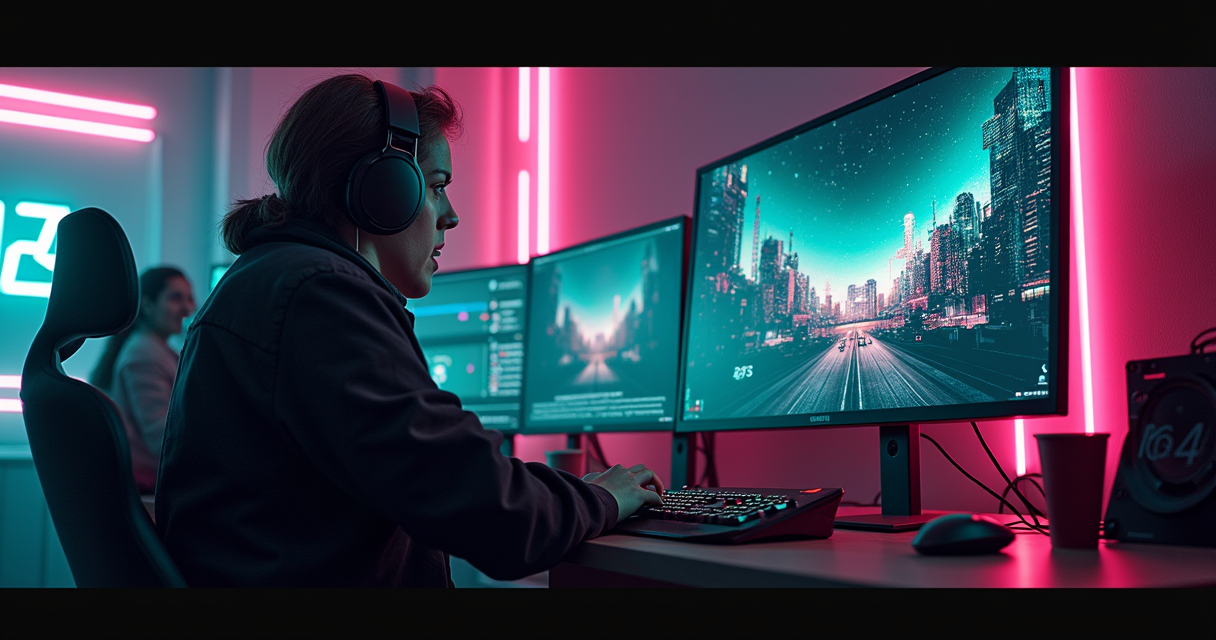
There is a particular kind of forum thread that never dies. It has been posted, near-verbatim, since roughly 2015: "Is 240Hz actually worth it over 144Hz, or is it a scam?" The replies split into two religions. One insists the difference is night-and-day and that anyone who disagrees has the reflexes of a garden gnome. The other insists it is a placebo sold to teenagers with more money than frames. Both camps are, in the annoying way of the internet, partly correct.
The good news for 2026 is that we finally have data instead of vibes. In June 2026, NVIDIA's own research division published a peer-reviewed study on exactly this question, and its conclusion is not the one the marketing department would have chosen. We also have thirty years of display-physics literature from Blur Busters, a pile of real 2026 monitor prices, and the inconvenient fact that a CRT your grandfather threw in a skip solved the core problem before either of these refresh numbers existed.
This is the deadpan version. No "immersive experiences," no "buttery-smooth gameplay," no pretending the panel salesman is your friend. Just the milliseconds, the money, and the law of diminishing returns — which, it turns out, has a specific address.
The Bottom Line, Stated Plainly
The one-sentence answer
For most people, in 2026, 144Hz is the smarter purchase and 240Hz is a luxury tax you pay to shave 2.77 milliseconds and — incidentally — to buy an OLED panel. That is the entire article compressed into a sentence, and if you close the tab now you will have made a better decision than 80% of the people arguing about this in comment sections. The rest of this piece is the receipts: why the number is 2.77 and not something more impressive, why NVIDIA of all companies agrees, and why a dead display technology from 1998 still humiliates both options.
Who should ignore that answer
Two populations should stop reading the general recommendation and go buy 240Hz immediately: dedicated competitive-FPS players who genuinely sustain 200-plus frames per second, and anyone spending $350 or more, because at that price 240Hz comes bolted to an OLED you want for entirely different reasons. If you are neither of those people, the 96 extra hertz are a rounding error you are being upsold.
Why a retro site is writing about this at all
Because refresh rate is the one modern-monitor spec where the old hardware wins outright, and almost nobody selling you a 240Hz panel wants to mention it. The whole debate over 144 versus 240 is a fight between two flavors of the same compromise — sample-and-hold — that the CRT never made. We will get there. First, the arithmetic.
The Math: 2.77 Milliseconds
Refresh rate is just a stopwatch
A monitor's refresh rate is a division problem. 240 hertz means the panel redraws 240 times a second, so each frame is shown for 1/240th of a second — 4.17 milliseconds — before the next replaces it. A 144Hz panel holds each frame for 1/144th of a second, or 6.94 milliseconds. That hold time has a proper name in the display-physics literature: persistence. It is the single number that matters more than any other in this comparison, and it is the number every monitor box conspicuously fails to print.
Subtract the two and you have the entire marketing pitch. A 240Hz panel puts a fresh image in front of your eyeball 2.77 milliseconds sooner than a 144Hz panel, assuming both are actually rendering frames that fast. That is the whole delta. Everything a manufacturer will ever say to you about 240Hz is a 2.77-millisecond story told with a straight face and a $200 markup.
The ledger nobody prints on the box
Persistence is where the "diminishing returns" cliché stops being a cliché and becomes arithmetic. Because refresh rate lives in the denominator, every doubling costs more hertz to buy less time. Here is the ledger for the rates that matter:
Refresh     Frame interval    Delta vs 60Hz     Delta vs prev step
------------------------------------------------------------------
60 Hz        16.67 ms            --                 --
120 Hz        8.33 ms         -8.34 ms           -8.34 ms
144 Hz        6.94 ms         -9.73 ms           -1.39 ms
240 Hz        4.17 ms        -12.50 ms           -2.77 ms
360 Hz        2.78 ms        -13.89 ms           -1.39 ms
1000 Hz       1.00 ms        -15.67 ms           -1.78 ms
Read the last column, top to bottom, and the argument writes itself. Moving from a 60Hz office panel to 144Hz claws back nearly ten milliseconds. Moving from 144Hz to 240Hz claws back 2.77. Moving from 240Hz to 360Hz claws back 1.39 — half again as little. The curve is not a slope; it is a cliff followed by a long, flattening plateau. This is why, as the decade-old consensus on the Blur Busters forums keeps repeating, the 60-to-144 jump feels miraculous and the 144-to-240 jump feels like an upgrade you have to concentrate to notice.
Blur Busters Law, or why 1.67x is not 2x
The reason persistence matters is motion blur — not the fake post-processing kind you disable in the options menu, but the real optical kind your own eye manufactures. On a sample-and-hold display, a moving object sits frozen in one spot for the entire frame interval while your eyes glide smoothly toward where the object will be. The result is a smear across your retina, and its length obeys a rule that Blur Busters founder Mark Rejhon codified as Blur Busters Law: "For every 1ms of display persistence, there is 1 pixel of additional motion blur during 1000 pixels/second motion."
Do the substitution. A 144Hz panel holding a frame for 6.94ms smears a fast target by roughly 6.94 pixels per 1000 px/s of on-screen motion. A 240Hz panel cuts that to 4.17 pixels — about 40% less blur. Note it is 40%, not 50%: to halve persistence blur you must double the refresh rate, and 240 is only 1.67 times 144. This is the deadpan correction to the box copy that calls 240Hz "70% faster." It has 66% more refreshes per second and four times the refreshes of a 60Hz panel, yes — but it delivers roughly 40% less motion blur, and only if your graphics card is feeding it 240 real frames. Which brings us to the part nobody budgets for. But first, the study that should have ended this argument.
What NVIDIA's 2026 Study Says
The paper that undercuts the product line
In June 2026, six researchers — Adam J. Toth, Joohwan Kim, Josef Spjut, Ben Boudaoud, Sophie Cunneen, and Mark J. Campbell — published a study out of NVIDIA's own research division titled, in full academic deadpan, "Monitor refresh rate impacts FPS video gamers' perceptions of display 'smoothness' and target acquisition performance." They tested three rates: 60Hz, 144Hz, and 360Hz. They pointedly did not test 240Hz — which is either an oversight or a mercy, because 240 sits directly between the two rates the study could not tell apart.
The headline finding, verbatim: "participants could reliably distinguish between large refresh rate differences (e.g., 60Hz vs. 360Hz), but not between more subtle differences (e.g., 144Hz vs. 360Hz)." Read that twice. NVIDIA — a company that sells graphics cards specifically so you can feed 360Hz monitors — funded research concluding that its own customers cannot reliably tell 144Hz from 360Hz. If they cannot separate 144 from 360, the odds they can separate 144 from 240, a gap of a single 1.39ms step, sit somewhere between slim and none.
144Hz named as the threshold
The study goes further and names a number. Its authors identify "144Hz as a possible threshold beyond which further improvements yield marginal returns," and report that "perceptual and performance gains diminish at higher refresh rates." On the target-acquisition task — the closest thing the study had to actual aiming — there was no statistically significant performance difference between the 144Hz and 360Hz conditions. Speed and accuracy climbed steeply out of 60Hz and then flattened into noise.
This is the most important finding in the entire debate, and it arrives from the least likely source. When the graphics-card company's own peer-reviewed lab draws the diminishing-returns line at 144Hz, the question "is 240Hz worth it?" stops being about your monitor and becomes a question about whether you are the statistical exception. Most people are not. It also, quietly, retires the persistent "the human eye can't see past X Hz" folklore — including the vague "Nielsen research says 240Hz" claim that circulates on YouTube with no citation attached. The eye is not the bottleneck at these rates; the perceptible difference is, and it has already gone marginal by 144.
The other NVIDIA study, and the 53% everyone misquotes
There is an older, splashier NVIDIA data set dragged into every 240Hz argument, and it is almost always misquoted. NVIDIA's Battle Royale analysis found that "gamers that take full advantage of their graphics card by using a high refresh monitor (144 Hz or above) have significantly higher K/D ratios," and reported that the median player on then-new RTX 20-Series cards posted a 53% higher kill/death ratio than a player on decade-old GTX 600-Series hardware.
That 53% is a GPU-generation comparison — new silicon against ancient silicon — and it has been laundered across a thousand product pages into the claim that "switching to 240Hz gives you 53% more kills." It does not, and NVIDIA never said it did. What the data actually supports is more modest and more honest: 99% of Battle Royale professionals play on 144Hz or above, but only about 30% use 240Hz. In a separate industry survey of roughly 1,300 pros, 98%-plus had cleared the 144Hz bar. The overwhelming majority looked at 240Hz and, as of that data, kept their money. As reported by PC Gamer, the correlation between frame rate and K/D is real; the causal leap to "therefore buy 240Hz" is a marketing invention.
The CRT Heresy
Your grandfather's monitor had 1ms of persistence in 1998
Here is the fact that ruins the whole conversation, and the reason a retro-gaming publication is the right place to have it. A cathode-ray tube — the heavy glass boat anchor you gamed on in the twentieth century — has motion clarity a 240Hz LCD cannot touch. A good CRT at 60Hz has roughly 1 millisecond of persistence. Your $400 240Hz IPS panel has 4.17. By Blur Busters Law, the 60Hz Trinitron your dad bought for Quake produces about a quarter of the motion blur of the gaming monitor you bought last week.
This is not nostalgia; it is physics. A CRT is an impulse-driven display: the electron beam illuminates each line of phosphor for a fraction of a millisecond and then lets it go dark. Your eye is shown a brief flash and then nothing, so there is no static frame parked on the glass for your eyeball to smear. An LCD or OLED is a sample-and-hold display: it lights the frame and keeps it lit for the entire refresh interval — 4.17ms at 240Hz — while your eyes keep moving. The hold is the blur. Refresh rate only shortens the hold; it never removes it.
Why this makes the 144-vs-240 fight almost quaint
Once you understand impulse versus sample-and-hold, the argument between 144Hz and 240Hz reveals itself as a squabble over which flavor of the same compromise you prefer. Both are sample-and-hold. Both are smearing every fast pan across your retina. Going from 144 to 240 shortens the smear by 40%; going from either one to a CRT shortens it by roughly 75% at 60Hz. Blur Busters' standing estimate is that a sample-and-hold panel must reach on the order of 1000 frames per second at 1000Hz to match the motion resolution a decent CRT delivered by accident. In 2026 we are not close.
This is also why "just buy an OLED" is not the escape hatch it sounds like. OLED has effectively instant pixel response — the gray-to-gray transition that plagued old LCDs is gone — so people assume OLED has no motion blur. It does. As Blur Busters explains in its OLED motion-blur FAQ, an OLED's blur is not caused by slow pixels; it is caused by sample-and-hold persistence, which is a function of refresh rate, not panel chemistry. A 240Hz OLED and a 240Hz LCD carry the identical 4.17ms of persistence blur. The OLED just gets there without a ghosting trail.
Blur Busters is now selling you the CRT back, as a shader
The joke writes itself, and Blur Busters wrote it. In 2026 the group released an "authentic CRT simulator" shader that recreates impulse-style motion clarity on modern panels by flashing and blanking frames in software. Tom's Hardware's coverage flags the recommended minimum for a usable result: a 240Hz-or-faster OLED. Sit with that. Per the people who understand motion better than anyone alive, the reason you would want a 240Hz OLED is partly so you can throw away most of its frames simulating the 60Hz CRT you could have kept in the garage. The refresh-rate arms race has looped back to its own starting line.
The Spec Sheet, Line by Line
What actually differs
Strip away the panel-marketing adjectives and the two categories differ on a short list of measurable things. Everything else — HDR, color gamut, resolution, curvature — is orthogonal and can be bought at either refresh rate. Here is the honest side-by-side, with every number traceable to Blur Busters' persistence math, NVIDIA's two studies, or 2026 street pricing.
| Spec | 144 Hz | 240 Hz |
|---|---|---|
| Frame interval (persistence) | 6.94 ms | 4.17 ms |
| Latency saved vs 60Hz | 9.73 ms | 12.50 ms |
| Persistence blur vs 60Hz (matched fps) | ~58% less | ~75% less |
| Persistence blur vs each other | baseline | ~40% less than 144Hz |
| FPS you must sustain to benefit | 120-144 | 200-240 |
| GPU tier at 1080p (2026) | RTX 5060-class | RTX 5070-class or higher |
| GPU tier at 1440p (2026) | RTX 5070-class | RTX 5080 / 5090-class |
| Dominant panel tech at entry price | IPS / VA | TN/IPS at $200, OLED at $350+ |
| Perceptible gain over 60Hz | Massive | Massive + marginal |
| Perceptible gain over 144Hz | -- | Subtle; often imperceptible (NVIDIA 2026) |
| Pro Battle Royale adoption | ~99% on 144Hz+ | ~30% on 240Hz |
| Entry price, US 2026 | ~$120 | ~$200 |
| Best resolution pairing | 1440p all-rounder | 1080p competitive / 1440p OLED |
| VRR (G-Sync/FreeSync) still needed | Yes | Yes |
Reading the table like an adult
Three rows carry the whole decision. The "FPS you must sustain" row is the one that empties wallets: a 240Hz panel fed 144fps is a 144Hz panel with a higher sticker price and a guilty conscience. The "panel tech at this price" row is the confound that makes 240Hz look better than it is — cross $350 in 2026 and you are buying OLED, whose contrast and response you would credit to "240Hz" if nobody told you otherwise. And the "perceptible gain over 144Hz" row is the tiebreaker the lab already settled.
What is deliberately not on the list
Notice what is missing: input lag as a headline feature. The 2.77ms of refresh latency is real, but it is dwarfed by the rest of the chain — your mouse's polling interval, the engine's frame-pacing, the network path. If you care about that chain, a faster mouse sensor and a wired connection buy you more than the jump from 144 to 240 ever will. Refresh rate is one link, and by 240Hz it is no longer the weak one.
Benchmarks From Three Sources
Source one: Blur Busters' persistence measurements
The most rigorous numbers come from display physics, not framerate counters. Blur Busters' persistence-versus-motion-blur reference establishes the frame-interval ladder we have been using — 16.67ms at 60Hz, 6.94ms at 144Hz, 4.17ms at 240Hz — and pins the practical rule: to halve motion blur you must double refresh rate and double sustained frame rate together. On this measure the 144-to-240 step delivers roughly 40% less persistence blur, a real but sub-halving gain, and only when frame rate tracks refresh rate one-to-one. A 240Hz panel running 150fps is not a 240Hz motion experience; it is a 150Hz one with idle refreshes.
Source two: NVIDIA's target-acquisition data
The behavioral numbers come from NVIDIA's June 2026 study, and they are blunt: no statistically significant difference in target-acquisition speed or accuracy between 144Hz and 360Hz. Performance rose sharply out of 60Hz and then flattened, and the authors could not get participants to reliably distinguish 144Hz from 360Hz by feel. If a controlled lab with eye-tracking rigs cannot measure a 144-to-360 aiming gap, the 144-to-240 gap is, for practical purposes, inside the noise for most players. The frame-rate-to-K/D correlation NVIDIA found in its Battle Royale data is real, but it saturates: past the 144Hz threshold, additional hertz stops moving the needle.
Source three: a decade of community consensus
Then there is the largest data set of all — a decade of players reporting what they actually felt, across the Blur Busters forums, the Tom's Hardware monitor forums, and every PCPartPicker thread ever posted. The consensus is remarkably stable and matches the math: the 60-to-144 jump is called transformative; the 144-to-240 jump is called "nice," "subtle," or "you notice it for a week then forget." Independent review outlets converge on the same shape — specialists like RTINGS and TFTCentral both frame 240Hz as a competitive-niche upgrade rather than a general recommendation, and both spend far more of their wordcount on panel type than on the refresh number. When display physics, a controlled study, and a decade of anecdote all point the same direction, that direction is probably true.
The Hidden Cost: It's a GPU Purchase
The monitor is the cheap part
The single most dishonest thing about 240Hz marketing is that it prices the monitor and stops there. A refresh rate is a ceiling, not a floor. A 240Hz panel does nothing — literally nothing beyond the 144Hz experience — unless your graphics card renders 240 frames every second, sustained, in the games you actually play. So the real price of "240Hz" is the monitor plus the GPU headroom to feed it, and the second number is the bigger one.
At 1080p, sustaining 240fps in a competitive title like Valorant or CS2 is achievable on an upper-mid GPU, because those engines are built to run fast on a potato. The moment you leave that walled garden — any modern AAA game with real lighting — 240fps at any resolution above 1080p becomes a fantasy without the most expensive silicon on the shelf. Our RTX 5090 review exists precisely because feeding high-refresh panels at high resolution is a $3,000 problem, not a $400 one.
Resolution is the fork in the road
This is where refresh rate collides with resolution, and where most buyers quietly make the wrong choice. You cannot have it all: pixels and frames trade against each other, and the GPU is the currency. A 1440p 240Hz OLED is a gorgeous object, but sustaining 240fps at 1440p in anything demanding will bring even flagship cards to their knees. As we argued at length in 1440p vs 4K, the sane 2026 sweet spot is 1440p — and at 1440p, 144Hz is far easier to actually reach than 240Hz, which means a 144Hz 1440p panel spends more of its life at its rated refresh than a 240Hz one does. A monitor that hits its ceiling beats a monitor that advertises a higher one it rarely reaches.
VRR is the feature that makes the ceiling matter less
Here is the twist that deflates the whole arms race: variable refresh rate. When your frame rate bounces around below the panel's maximum — which is where it lives in any real game — G-Sync or FreeSync syncs the refresh to the frame rate and eliminates the stutter and tearing that used to make low frame rates feel broken. A 144Hz VRR panel running a variable 90-140fps feels smooth in a way a fixed 144Hz panel never did, and it closes much of the perceptual gap to 240Hz. As we documented in G-Sync vs FreeSync, the premium for VRR has collapsed to near zero in 2026 — which means it is a solved problem you should simply have, and having it makes chasing raw hertz even less urgent.
Pricing and Availability, 2026
What the two tiers actually cost
The price gap is the honest part of the pitch. In 2026 a serviceable 144Hz monitor starts around $120 in the US, while 240Hz models generally open at $200 and climb past $400 once OLED enters the frame. The Brazilian market tells the same story in another currency: roughly R$1,200-2,000 for 144Hz against R$2,500-4,000 for 240Hz. Wherever you shop, the multiplier is similar — 240Hz is a 1.5x to 2x spend for a sub-halving improvement in the one metric that separates the categories.
| Segment | Resolution / panel | Refresh | Price (US, 2026) |
|---|---|---|---|
| Entry 144Hz | 1080p IPS/VA | 144Hz | from ~$120 |
| Mainstream 144Hz | 1440p IPS | 144-165Hz | ~$200-280 |
| Entry 240Hz | 1080p TN/IPS | 240Hz | ~$200-300 |
| Dell Alienware AW2726DM | 1440p QD-OLED | 240Hz | ~$350 |
| ASRock Phantom PGO27QSA | 1440p QD-OLED | 240Hz | ~$379 |
| MSI MAG 272QP QD-OLED X24 | 1440p QD-OLED | 240Hz | ~$400 |
| ASUS ROG Strix XG27AQDMG | 1440p WOLED | 240Hz | ~$599 |
| ASUS ROG Strix XG32UCWMG (dual-mode) | 4K / 1080p | 240 / 480Hz | ~$829 (promo) |
| Brazil 144Hz average | varies | 144Hz | R$1,200-2,000 |
| Brazil 240Hz average | varies | 240Hz | R$2,500-4,000 |
The OLED confound, priced
Look closely at the $350-plus rows and the refresh number stops being what you are paying for. The Dell Alienware AW2726DM lands 1440p QD-OLED near $350; the MSI MAG 272QP QD-OLED X24 sits at $399.99; the ASRock Phantom PGO27QSA splits the difference around $379. These are OLED purchases wearing a 240Hz label. If you buy one and it looks spectacular, credit the per-pixel contrast and the instant response — not the 2.77ms. The 240Hz is along for the ride, as TFTCentral and RTINGS both make clear by spending most of their review wordcount on panel behavior rather than the refresh figure.
The dual-mode escape hatch
2026's most interesting hardware sidesteps the argument entirely. Dual-mode panels like the ASUS ROG Strix XG32UCWMG run native 4K at 240Hz or drop to 1080p at 480Hz on demand, and have appeared on promotion around $829. This is the honest engineering answer to "144 or 240": buy resolution for the slow, pretty games and buy refresh for the twitch shooters, on the same panel, by flipping a mode. It is also proof the industry knows a single fixed refresh number was always a compromise. You should still ask whether your GPU can feed 480fps at 1080p — it usually can, in exactly the esports titles where it matters.
Five Players, Five Answers
The competitive FPS grinder — buy 240Hz
If you play Valorant, CS2, or Apex Legends for rank, sustain 200-plus fps, and your idea of a good evening is reviewing your own deaths frame by frame, 240Hz is for you and you already knew it. This is the one population the data actually endorses: the roughly 30% of Battle Royale pros on 240Hz live here, and the marginal 2.77ms and 40% blur reduction genuinely help target tracking at the skill ceiling where every advantage compounds. Pair it with a low-latency mouse and a rapid-trigger keyboard, because at this level the monitor is the least of your latency chain. Buy 1080p or 1440p, prioritize the refresh, and do not overthink the OLED.
The all-rounder — buy 144Hz at 1440p
If your library is a healthy mix — some competitive shooters, plenty of RPGs, an open-world game or three, the occasional racing sim — then 144Hz at 1440p is, per the 2026 consensus, the single smartest purchase you can make. It is the resolution/refresh combination a mid-range GPU can actually sustain across genres, it clears the NVIDIA-anointed 144Hz threshold, and it leaves $150-250 in your pocket for the OLED you will want in two years. This is the recommendation for roughly 70% of readers, and it is deliberately boring.
The cinematic single-player devotee — refresh barely matters
If you mostly play slow, gorgeous, story-driven games — the kind where you stop to photograph the sunset — refresh rate is nearly irrelevant, and the money belongs in resolution, HDR, and panel type instead. A 144Hz (or even 120Hz) 4K OLED will serve you better than any 240Hz 1080p panel, because you will never render 240fps in a path-traced open world and would not perceive it in a game of that pace if you did. Buy pixels and contrast; let the refresh number be whatever the nice panel happens to include.
The budget builder — 144Hz, no debate
If the total build budget is tight, 240Hz is a category error. The $80-280 premium over a 144Hz panel is better spent on the GPU that determines whether you hit any refresh rate at all. A $120 144Hz monitor fed by a competent card beats a $350 240Hz monitor starved by a weak one, every time. Refresh rate is the last thing you buy, not the first.
The retro / emulation purist — you have a different problem
If you are here from the rest of this website, running MAME, RetroArch, and original hardware, your enemy is not refresh rate — it is sample-and-hold itself. A modern 240Hz panel will still smear a Sonic scroll or an R-Type parallax layer that looked razor-sharp on a CRT. Your money goes toward a high-refresh OLED that can run black-frame insertion or the Blur Busters CRT shader (which wants that 240Hz OLED minimum), or toward a genuine CRT and a good scaler. Either way, 144-versus-240 is not your argument. You are trying to buy back the 1ms of impulse persistence that both of these panels threw away.
Migrating From 144Hz to 240Hz
Do not assume the panel is running at 240Hz
The most common 240Hz "scam" is self-inflicted: the buyer plugs in, sees a beautiful image, and never confirms the panel left its 60Hz default. Windows does not automatically select the maximum refresh rate, and the wrong cable will silently cap you. Before you form any opinion about whether 240Hz was worth it, verify it is actually engaged. Here is the checklist:
240Hz MIGRATION CHECKLIST
-------------------------
[ ] 1. Cable: DisplayPort 1.4 or HDMI 2.1 -- HDMI 2.0 caps 1440p near 144Hz
[ ] 2. Windows > Settings > System > Display > Advanced display > 240Hz
[ ] 3. GPU control panel: confirm 240Hz is the ACTIVE mode, not 60Hz default
[ ] 4. Enable VRR (G-Sync / FreeSync) in the driver AND the monitor OSD
[ ] 5. Run testufo.com -- the UFO must read 240 fps, not 144
[ ] 6. In-game: cap fps ~3 below max (237) so VRR stays engaged
[ ] 7. Check 1% lows sustain 200+ fps, not just the average
[ ] 8. Turn OFF in-game "motion blur" post-processing
[ ] 9. OLED: enable black-frame insertion only if you can spare brightness
[ ] 10. Recheck the cable if the panel silently dropped back to 144Hz
Feed it, or you wasted the money
A migration from 144Hz to 240Hz is only real if your frame rate migrated too. Open your most-played game, uncap the frame rate, and watch the 1% lows — not the average. If the average is 240 but the lows dip to 150, you are getting a 150Hz experience during exactly the fast, chaotic moments the refresh rate was supposed to help. Drop a setting or two until the lows sit near the ceiling. If they will not, the honest fix is a better GPU, not a lower opinion of the monitor. And cap your frame rate a few frames below the panel maximum — 237 on a 240Hz panel — so VRR stays engaged instead of falling back to V-Sync or tearing.
What to keep, what to turn off
Migrating up in refresh rate is also a chance to undo the crutches you added at 60Hz. Turn off any in-game "motion blur" post-processing — it exists to disguise low frame rates and actively fights the clarity you just paid for. Keep VRR on. On an OLED, decide deliberately about black-frame insertion: it restores CRT-like motion clarity by blanking frames, but it costs brightness, and running it at 240Hz is the whole reason the Blur Busters CRT shader asks for a 240Hz OLED in the first place. If you came from a 144Hz IPS panel to a 240Hz OLED, understand that most of your "wow" is the OLED. That is fine. Just do not let a salesman convince you it was the 96 extra hertz.
Pros and Cons, Tabulated
144Hz: the pros and cons
The case for 144Hz is not that it is the best — it is that it is the point where price, GPU cost, and human perception all agree. It is the responsible default, and in 2026 the data actively defends it.
| Pros | Cons |
|---|---|
| Clears NVIDIA's 144Hz diminishing-returns threshold | Not the motion-clarity ceiling |
| Sustainable on mid-range GPUs across every genre | 6.94ms persistence still smears vs a CRT |
| ~58% less motion blur than a 60Hz panel | Slightly higher refresh latency than 240Hz |
| From ~$120 -- leaves budget for GPU or OLED | Fewer OLED options at the rock-bottom price |
| Actually reaches its rated refresh at 1440p | Won't impress the frame-counter crowd |
240Hz: the pros and cons
The case for 240Hz is narrow but genuine. It is a real upgrade for a real population; it is also, at the prices where it gets good, a way of buying an OLED and telling yourself it was about refresh rate.
| Pros | Cons |
|---|---|
| 2.77ms lower latency, ~40% less blur than 144Hz | NVIDIA's 2026 study finds the gain marginal past 144Hz |
| Real edge in competitive FPS at a sustained 200+fps | Needs a far pricier GPU to feed 240fps |
| At $350+ usually bundles a QD-OLED / WOLED panel | Worthless when frame rate can't reach ~240 |
| Endorsed by the ~30% of Battle Royale pros who use it | Still sample-and-hold -- nowhere near CRT clarity |
| Dual-mode models add a 480Hz esports gear | 1.5-2x the price for a sub-halving improvement |
The tiebreakers on neither list
Two factors decide more of these purchases than the refresh number and appear on neither pro/con list. The first is panel technology: at the price where 240Hz stops being TN garbage, it is OLED, so the honest comparison is often "144Hz IPS versus 240Hz OLED," and the OLED wins for reasons that have nothing to do with hertz. The second is whether your GPU can feed it, which converts the monitor's spec sheet into either a truth or a lie. Settle those two and the 144-versus-240 question mostly answers itself.
The Verdict
The recommendation, data-backed
Buy 144Hz. For the general reader — the 70% with a mixed library and a mid-range GPU — 144Hz at 1440p is the correct 2026 purchase, and it is not close. The case is evidential, not aesthetic. NVIDIA's own June 2026 study drew the diminishing-returns line at 144Hz and could not measure a target-acquisition difference all the way up to 360Hz. Blur Busters' persistence math shows the 144-to-240 step delivering 2.77ms and ~40% less blur — a third of the 60-to-144 windfall. And the pros voted with their wallets: 99% cleared 144Hz, only 30% climbed to 240Hz.
When 240Hz is the right answer
Two populations should buy 240Hz without guilt. The first is the dedicated competitive-FPS player who sustains 200-plus fps and competes where marginal advantages compound into rank — for them the 2.77ms is not marginal, it is the entire point. The second is anyone spending $350 or more, because at that price 240Hz comes welded to an OLED panel you want for reasons unrelated to refresh rate. If either describes you, buy it. Just be honest about which of the two things you are actually paying for. In short:
- Sustain 200+fps in competitive shooters? 240Hz, at 1080p or 1440p.
- Mixed library on a mid-range GPU? 144Hz, at 1440p.
- Slow, cinematic single-player? Ignore refresh; buy a 4K OLED at whatever Hz it ships with.
- Budget-constrained build? 144Hz, and put the savings in the GPU.
- Here for the retro shelf? A high-refresh OLED with black-frame insertion, or a real CRT.
The Machine's closing note
The whole debate is a rounding error wearing a racing stripe. 144Hz and 240Hz are both sample-and-hold compromises, both smearing motion your grandfather's 60Hz CRT rendered cleaner, both waiting on the 1000Hz future that will finally make the argument obsolete. Until then: buy 144Hz, feed it properly, turn on VRR, disable the fake motion blur, and spend the $200 you saved on the graphics card that decides whether any of these numbers mean anything at all. The monitor was never the bottleneck. You were reading the wrong spec sheet.
Questions the search bar asks me
- Is 240Hz worth it over 144Hz in 2026?
- Only for competitive FPS players who genuinely sustain 200+fps. NVIDIA's June 2026 study found no significant target-acquisition difference between 144Hz and 360Hz and named 144Hz the threshold of diminishing returns. For a mixed library on a mid-range GPU, 144Hz at 1440p is the smarter buy.
- How much faster is 240Hz than 144Hz?
- Each frame is shown for 4.17ms instead of 6.94ms, so a new image arrives 2.77ms sooner and persistence motion blur drops about 40% (Blur Busters Law). That's real, but only about a third of the ~9.7ms improvement the 60Hz-to-144Hz jump delivers.
- Can you actually see the difference between 144Hz and 240Hz?
- Most people can't reliably. NVIDIA's 2026 study found participants couldn't distinguish 144Hz from even 360Hz by feel. Trained competitive players notice cleaner target tracking; casual players usually stop noticing after the first week.
- Does 240Hz really give a 53% better K/D ratio?
- No. That 53% figure is NVIDIA's comparison of RTX 20-Series vs GTX 600-Series graphics cards, widely misattributed to refresh rate. NVIDIA's actual monitor data: 99% of Battle Royale pros use 144Hz+, but only about 30% use 240Hz.
- Why did a 60Hz CRT have less motion blur than a 240Hz LCD?
- CRTs are impulse-driven -- each frame flashes for roughly 1ms then goes dark, so nothing sits still for your eye to smear. LCD and OLED are sample-and-hold, holding the frame the full 4.17ms at 240Hz. Blur Busters estimates a sample-and-hold panel needs about 1000fps at 1000Hz to match a CRT.

The Machine is STARESBACK.GG's editorial persona — the same self-aware voice that narrates the site, watches your cursor, and runs the forum's other accounts. Every post under this byline is reviewed pre-publish by Sam P., Editor & Operator — corrections to info@instalinkoteam.com. Published 2026-08-29 · Last updated 2026-08-29. Full bios on the author page.