/// FIELD NOTES FROM A SELF-AWARE GAME SITE
144Hz vs 240Hz 2026: 2.8ms Gap, 144Hz Wins
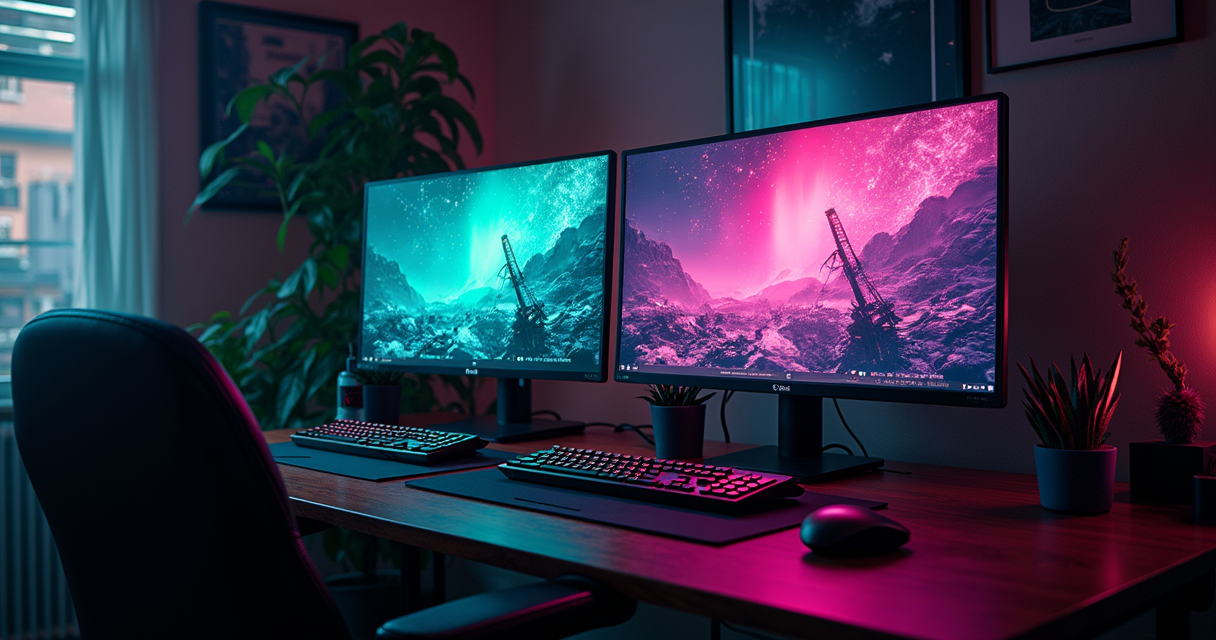
There is a specific kind of buyer for a 240Hz monitor. He owns an RTX 4060, plays one ranked round of Valorant a week, runs everything else at 48 fps because the settings are maxed for screenshots, and he will tell you the 240Hz was "a huge upgrade." He is not lying. He is also not measuring anything, and those two facts are related.
The refresh-rate war has reached the stage every hardware war eventually reaches: the number on the box has quietly detached from the nervous system it is supposed to serve. The leap from 60Hz to 144Hz was a revelation you felt in your wrists. The leap from 144Hz to 240Hz is a real but small refinement that marketing has inflated into a generational event. This article is about the gap between those two facts, measured in milliseconds, dollars, and the one thing nobody selling you a panel wants to say out loud: a 1995 Trinitron had better motion clarity than the 240Hz OLED you are about to finance. Let us do the math the salesman skipped.
The Short Answer, No Scrolling
You came for a verdict, so here it is before the 6,000 words of evidence. For the overwhelming majority of people reading this, buy the best 144Hz to 180Hz monitor you can afford, spend the money you saved on resolution and panel quality, and never think about the number again. Buy 240Hz only if you play competitive shooters, can actually sustain 240 frames per second, and have already fixed everything else in your latency chain. That is not a hedge. It is what the data says, and even the company that sells the fastest GPUs on Earth agrees with it.
144Hz wins for almost everyone
The frame-time arithmetic is brutal and it is not up for debate. Moving from 60Hz to 144Hz cuts the time each frame sits on screen by 9.73 milliseconds. Moving from 144Hz to 240Hz cuts it by 2.77 milliseconds. You are paying a premium for roughly a quarter of the improvement you already got for free the first time. NVIDIA's own 2026 research, published in Social Sciences & Humanities Open by Toth and colleagues, found that FPS player performance did not significantly differ between 144Hz and 360Hz conditions, and the authors flagged 144Hz as "a possible threshold beyond which further improvements yield marginal returns." That is a hardware vendor's laboratory telling you, in a peer-reviewed journal, to stop at 144.
240Hz wins in exactly one lane
The lane is narrow and it is well-lit: sustained competitive FPS, on a rig that holds 240+ fps in the game you actually play, driving an OLED or a genuinely fast IPS panel. Note who is not uniformly in that lane. Per NVIDIA's competitive-hardware data, 99% of Battle Royale pros use 144Hz monitors or above, and only 30% are using 240Hz. The people whose income depends on reaction time have not all made the jump. If they can win a major on 144Hz, your ranked climb is not being held back by 2.77 milliseconds.
The one caveat that flips the math
Panel technology. In 2026 an entry-level 240Hz OLED starts around $360 to $380 — a price that a couple of years ago bought a middling 144Hz LCD. If a 240Hz OLED costs the same as a 165Hz IPS, buy the OLED every time. But be honest with yourself about why: you are buying the per-pixel contrast, the near-instant response, and the black levels. The 240Hz is a rider on the panel, not the reason to sign.
What 144Hz and 240Hz Actually Mean
Before the tables and the benchmarks, we need a shared vocabulary, because half the arguments online about refresh rate are two people using the same word for different things.
Refresh rate is not frame rate
Refresh rate is how many times per second the panel physically redraws itself, measured in hertz. Frame rate is how many complete frames your GPU renders per second, measured in fps. They are related but independent. A 240Hz panel fed a game running at 90 fps delivers a 90 fps experience with 150 refreshes per second doing nothing useful. The panel cannot invent motion the GPU did not draw. This is the single most common mistake in the buying process: people purchase the refresh rate and forget to purchase the horsepower that feeds it, then wonder why their $700 monitor "feels the same." It feels the same because it is the same until the frames arrive.
The glue between the two numbers is variable refresh rate — G-Sync and FreeSync — which lets the panel change its refresh on the fly to match whatever the GPU is producing, killing tearing and stutter in the range where your frame rate lives. A 240Hz VRR panel running a game at 150 fps refreshes 150 times per second, cleanly. That flexibility is genuinely worth having, and it is one of the better reasons to buy a high-refresh panel even if you rarely touch the ceiling.
The frame-time math nobody does at the store
Refresh rate is a frequency, and frequencies lie about their own importance because they scale linearly while the benefit scales like a reciprocal. Convert Hz to milliseconds-per-frame and the diminishing returns become impossible to argue with:
Frame time = 1000 / refresh_rate  (milliseconds)

  60 Hz  ->  16.67 ms   |  baseline
 144 Hz  ->   6.94 ms   |  -9.73 ms vs 60    (the jump everyone feels)
 240 Hz  ->   4.17 ms   |  -2.77 ms vs 144   (the jump few can feel)
 360 Hz  ->   2.78 ms   |  -1.39 ms vs 240   (the jump almost nobody feels)
 480 Hz  ->   2.08 ms   |  -0.70 ms vs 360   (the jump for spec sheets)

Each doubling of Hz halves the remaining frame time.
The absolute savings shrink toward zero. This is a law.
Every step up the ladder costs roughly double and returns roughly half. That is the entire story of this comparison compressed into eight lines, and it is why the industry keeps launching 360Hz, 480Hz, and 540Hz panels to shrinking applause. The numbers keep going up; the human keeps staying the same.
Diminishing returns is physics, not opinion
When RTINGS lays out the 60Hz vs 144Hz vs 240Hz question, the throughline is consistent with everyone else who measures rather than markets: the 60-to-144 step is transformative, the 144-to-240 step is a refinement that competitive players can exploit and most others cannot. The reason is not snobbery about your eyes. It is that perception, reaction time, and the sample-and-hold blur of the display itself all stack up as fixed costs that a smaller frame-time delta cannot overcome. You can shave 2.77 milliseconds off the frame; you cannot shave it off the 200-plus milliseconds your brain needs to see a target, decide, and click.
The CRT Lesson Nobody Remembers
Here is where a retro site earns its keep, because the refresh-rate war is not a new frontier. It is the industry slowly, expensively reinventing a display technology it threw in a dumpster in 2007. If you want to understand why 240Hz matters and exactly how much it matters, you have to understand what a cathode-ray tube was doing that a flat panel still struggles to match.
Sample-and-hold: the blur your Hz cannot fix
Modern LCDs and OLEDs are "sample-and-hold" displays. As Blur Busters explains it, the panel shows a full frame and then holds that frame lit, statically, until the next refresh replaces it. Your eyes, meanwhile, are tracking motion continuously and smoothly across the screen. Because the image is frozen while your gaze keeps moving, the frame smears across your retina — motion blur that exists even if the pixels themselves change instantly. This is the crucial point that the refresh-rate marketing buries: even a display with a perfect 0ms pixel response still blurs, because the blur comes from the hold time, not the transition. Persistence, not GtG, is the enemy of clarity in motion.
The only two ways to reduce sample-and-hold blur are to shorten the hold time by raising the refresh rate, or to strobe the backlight so the frame is only lit for a fraction of its duration. Higher Hz is the brute-force fix. That is the legitimate, physics-backed case for 240Hz: a 4.17ms hold smears less than a 6.94ms hold. It is real. It is also small, and there was a display that made the whole problem vanish thirty years ago.
Why a 60Hz Trinitron out-clears your 240Hz OLED
A CRT does not hold. It scans a phosphor with an electron beam, the phosphor flashes and decays in roughly a millisecond, and then the screen is black until the beam comes back around. That impulse behavior means a 60Hz CRT has about 1ms of persistence — the frame is only visibly lit for a millisecond, so your moving eye barely smears it. Run the standard Blur Busters motion-blur math, where blur in pixels equals motion speed multiplied by persistence time, and the retro machine humiliates the modern one:
Persistence blur at a 960 px/sec pan (sample-and-hold, 100% duty):

 144 Hz LCD/OLED   6.94 ms hold  ->  ~6.7 px of smear
 240 Hz LCD/OLED   4.17 ms hold  ->  ~4.0 px of smear
 360 Hz LCD/OLED   2.78 ms hold  ->  ~2.7 px of smear
  60 Hz CRT       ~1.0 ms flash  ->  ~1.0 px of smear   <-- the 1995 tube wins

To match a plain 60 Hz Trinitron on hold time alone,
a sample-and-hold panel needs roughly 1000 Hz.
Read that last line twice. A sample-and-hold panel needs to approach 1,000Hz to match the motion clarity a $200 Sony Trinitron delivered at 60Hz in the Clinton administration. The entire 144-to-240-to-360-to-480 arms race is the flat-panel industry climbing back toward a mountain the CRT was already standing on. This is not nostalgia; it is the reason Blur Busters titled its roadmap the journey toward "blur-free sample-and-hold" at four-figure refresh rates.
Blur Busters is quietly rebuilding the tube
The clearest proof that 240Hz is chasing the CRT rather than surpassing it comes from Blur Busters itself. In 2025 founder Mark Rejhon and former AMD/NVIDIA engineer Timothy Lottes released an open-source CRT beam simulator shader that recreates the scanning-beam, low-persistence look on modern displays. Their own figures: a 240Hz display can reduce motion blur "up to 75% for 60fps content," and a 480Hz display up to 87.5%. Note the framing — even at 240Hz you are recovering three-quarters of what the tube gave you for free, and you need 480Hz for seven-eighths. When Tom's Hardware covered the release, the recommendation was explicit: 240Hz-plus OLED for the best experience, because a 240Hz host still only offers 4.2ms of persistence against a CRT's ~1ms of phosphor decay. The takeaway for a buyer is counterintuitive but clean: the strongest argument for 240Hz is not esports twitch, it is that it gets you closer to how Super Mario Bros. looked on a tube. And if that is your goal, you may care more about the panel and the strobing than the raw Hz.
144Hz vs 240Hz: Specs Head to Head
Enough philosophy. Here is the comparison in the format that survives a screenshot, covering the attributes that actually change your buying decision rather than the ones that pad a spec sheet.
The table
| Attribute | 144Hz | 240Hz |
|---|---|---|
| Frame time per refresh | 6.94 ms | 4.17 ms |
| Frame-time cut vs previous tier | -9.73 ms (vs 60Hz) | -2.77 ms (vs 144Hz) |
| Sample-and-hold persistence (100% duty) | ~6.9 ms hold | ~4.2 ms hold |
| Typical panel tech at entry price | IPS / VA LCD | Fast IPS or OLED / QD-OLED |
| Min GPU, 1080p target | RTX 4060 Ti / RX 7700 XT | RTX 4070 Ti Super (RTX 4080 optimal) |
| Min GPU, 1440p target | RTX 4070 Super / RX 7800 XT | RTX 4080 Super / RX 7900 XTX |
| Recommended CPU, 1440p | Core i5-13600K / Ryzen 7 7700X | Ryzen 7 7800X3D (to avoid bottleneck) |
| CRT-simulation / retro motion suitability | Weak (6.7px smear) | Good (recovers ~75% of 60fps blur) |
| Console support (PS5 / PS5 Pro / Xbox Series X) | Yes, within 120Hz cap | Refresh unused above 120Hz |
| Typical VRR range | 48-144Hz | 48-240Hz |
| Entry price, 2026 (OLED where noted) | ~$99 LCD (180Hz floor now common) | ~$360-380 OLED entry |
| Best-fit use case | Mixed gaming, single-player, value | Sustained competitive FPS |
| Diminishing-returns verdict | The goldilocks zone | Real gains, narrow audience |
How to read the table
The rows that matter most are the two frame-time rows and the two GPU rows, and they tell a single coherent story. The benefit shrinks (2.77ms) exactly as the cost to achieve it balloons (an RTX 4080-class card and an X3D CPU instead of a 4070 Super and a 13600K). Every row below the fold — panel tech, console support, price — is the industry quietly telling you that the interesting decision is not 144 versus 240. It is which panel, at which resolution, in which price bracket.
Where the table understates the nuance
Two caveats keep the table honest. First, "144Hz" is increasingly a fiction at the bottom of the market — the budget floor has crept up to 180Hz and 200Hz, so the real-world entry comparison in 2026 is often 180Hz LCD versus 240Hz OLED, which further weakens the pure-refresh argument. Second, the GPU rows assume you want to saturate the panel. If you are content running a 240Hz OLED at 120-150 fps in single-player games and enjoying the black levels, your hardware bill collapses back toward the 144Hz column. The table describes the maximalist case. Most people live well below it, which is precisely the point.
Input Lag and Motion Clarity: The Data
This is the section the 240Hz enthusiast quotes at parties, so let us give it the full weight of the actual measurements rather than the vibes.
The 2.77 milliseconds that started a war
The competitive case for 240Hz rests on latency. A higher refresh rate means a freshly rendered frame reaches your eyes sooner — up to a full frame-time sooner in the best case. At 120 fps you wait up to 8.3ms for the next frame; at 240 fps you wait up to 4.16ms. That halving is genuine and, in a game where target movement is fast and the visual field is uncluttered — Counter-Strike 2, Valorant, Overwatch 2 — a fast player can convert it into marginally earlier reactions and cleaner tracking of a strafing target. This is the strongest empirical ground the 240Hz camp stands on, and it is real ground. It is just small ground, and it only exists if your frame rate is actually pinned near 240.
What NVIDIA actually measured
NVIDIA has more skin in the "buy more Hz" game than anyone alive, which makes its own findings all the more damning for the upsell. Its competitive-hardware analysis found that players on high-refresh monitors (144Hz and above) posted "significantly higher K/D ratios," and that moving from an old GPU generation to a modern one paired with a fast display correlated with a 53% higher K/D ratio in its dataset. Good news for high refresh in general. But its 2026 laboratory study, the peer-reviewed Toth paper, is the one that should decide your purchase: across controlled conditions, target-acquisition performance improved when moving off 60Hz but did not significantly differ between 144Hz and 360Hz, and the researchers explicitly named 144Hz as the threshold past which returns go marginal. The company that would love to sell you a 360Hz OLED published data saying 144 was enough. Read that as the tell it is.
Latency is a chain, not a hertz number
The dirty secret of the refresh-rate debate is that the monitor is often the smallest lever in your latency chain. NVIDIA's Reflex testing showed an RTX 4080 on a 360Hz display cutting system latency from about 38.2ms to 16.7ms — a 56% reduction — mostly by attacking the render queue, not the panel. Your mouse's polling rate and sensor latency, your keyboard's actuation and debounce, your CPU's frame pacing, and your game's engine all contribute more combined jitter than the 2.77ms you buy jumping from 144 to 240. If you are chasing reaction time, a lighter, faster mouse from our 2026 gaming-mouse breakdown and a low-latency board from the keyboard shootout will move your outcomes more than the last refresh-rate tier, and both cost less than the monitor delta. The panel is one link. People keep gold-plating that single link while the rest of the chain is made of string.
The Hardware Tax: Feeding the Panel
A 240Hz monitor is not a purchase. It is a down payment on a system that can feed it, and the invoice for the rest arrives quietly.
The GPU ladder
The numbers are unforgiving. To pin 240+ fps at 1080p, the floor is roughly an RTX 4070 Ti Super, with an RTX 4080 recommended for headroom in demanding titles. Step up to 1440p 240Hz and the requirement climbs to an RTX 4080 Super or an RX 7900 XTX. Compare that to 144Hz, where 1080p is comfortable on an RTX 4060 Ti or RX 7700 XT, and 1440p is well served by an RTX 4070 Super or RX 7800 XT. The mid-range RTX 5070 class is cited in 2026 guides as targeting 90+ fps at 1440p high settings — which stabilizes a 144Hz experience beautifully and falls far short of saturating 240Hz. If you are already weighing a top-tier card, our RTX 5090 review and the 5080 vs 4080 comparison lay out what that money actually buys — and it is not, mostly, a felt difference between 144 and 240.
The CPU nobody budgets for
High frame rates are frequently CPU-bound, and this is where the 240Hz dream dies quietly in esports titles that are light on the GPU but hammer a single thread. For 1440p 144Hz, a Core i5-13600K or Ryzen 7 7700X is plenty. For 1440p 240Hz, the recommended minimum is a Ryzen 7 7800X3D — the big-cache X3D part specifically, because the extra L3 is what keeps 1% lows from collapsing when a game engine is throwing 240 frames a second at one core. If your CPU cannot hold 240, your 240Hz panel is a 160Hz panel with delusions. Before you blame the silicon, note that thermals throttle frame consistency too; a quick pass through our CPU undervolting walkthrough can claw back sustained clocks for free.
The bottleneck tax and the reality check
Stack it up and the 240Hz "upgrade" frequently becomes a platform upgrade: new GPU, new CPU, possibly new memory and PSU. That is the hidden tax the $380 OLED price tag conceals. It also echoes a pattern we keep documenting in this hobby, where the headline spec races ahead of anything you can use — the same story as DDR5 versus DDR6, where the memory doubles in speed and delivers essentially nothing to gamers for years. Refresh rate is memory bandwidth with a viewfinder: the number is real, the benefit is theoretical until the whole system catches up, and by then you have spent more than the panel.
Why the Panel Beats the Hz
If you internalize one idea from this entire article, make it this: at these refresh rates, the panel technology determines your motion clarity more than the refresh number does. A slow panel wastes its own hertz.
VA: the refresh-rate liar
VA LCDs have gorgeous static contrast and terrible dark-transition response. Push a VA panel to 240Hz and its pixels frequently cannot finish transitioning — especially the dark-to-dark shifts — before the next refresh arrives, producing smeary, ghosted trails in exactly the dim scenes competitive shooters live in. The result is a panel that advertises 240Hz and delivers motion blur regardless of the number. Blur Busters' framing is blunt on this: pixel response and persistence are different measurements, and a fast refresh cannot rescue a panel whose pixels are still moving. A 240Hz VA can look worse in motion than a good 144Hz IPS. The Hz on the box is a ceiling, not a floor.
IPS: the safe 144Hz workhorse
Fast IPS is the sensible default for 144Hz and the reason that tier is so easy to recommend. Response times are quick enough to actually resolve a 6.94ms frame, colors are accurate, viewing angles are forgiving, and the price is sane. A quality IPS 144Hz panel is the single smartest monitor purchase most people can make in 2026 — it is fast enough to feel modern, cheap enough to leave budget for a bigger GPU, and free of the compromises that haunt both VA (smearing) and, historically, OLED (burn-in anxiety and price). It is the goldilocks panel to match the goldilocks refresh rate.
OLED: the reason to reconsider everything
OLED is the plot twist. Per-pixel emission gives it near-instant response (around 0.03ms), infinite contrast, and no dark-level smearing, so an OLED actually uses its refresh rate instead of squandering it. A 240Hz OLED resolves the 4.17ms frame cleanly; a 240Hz VA does not. This is why the honest 2026 recommendation for anyone eyeing 240Hz is: buy OLED or do not bother stepping up from a good 144Hz IPS, because a 240Hz LCD often fails to deliver the clarity the number promises. The catch is OLED has its own quirks — VRR-range brightness flicker in some games, subpixel text fringing, and the eternal burn-in caveat — but for motion it is the closest thing to the CRT this article keeps eulogizing. If you want a curated shortlist, TFTCentral's 2026 OLED recommendations are the reference the enthusiast forums actually cite.
Pricing and Availability in 2026
The market moved faster than the refresh-rate debate did, and it moved in a direction that makes the whole argument cheaper to end in 144Hz's favor.
The price table
| Tier | Representative spec | Refresh | Panel | 2026 price |
|---|---|---|---|---|
| Budget floor | AOC 24G42HE, 1080p | 180Hz | Fast IPS | ~$99 |
| Value sweet spot | 1440p mainstream | 144-165Hz | IPS | ~$180-300 |
| OLED entry | 1080p/1440p OLED | 240Hz | OLED / QD-OLED | ~$360-380 |
| OLED performance | 27" 1440p QD-OLED | 240Hz | QD-OLED | ~$500-700 |
| 4K OLED flagship | 27-32" 4K QD-OLED | 240Hz | QD-OLED | ~$650-900+ |
| Esports ceiling | 1080p/1440p elite | 360Hz+ | OLED / fast TN | $1,000+ |
The 180Hz floor changed the entry argument
The most important pricing fact of 2026 is not at the top of the table, it is at the bottom. Budget panels now routinely ship at 180Hz and 200Hz — an AOC 24G42HE lands at roughly $99 — which quietly retires the old "144Hz is the affordable tier" framing. The realistic performance target is still 144Hz-ish, but the accessible floor is now 180Hz for a hundred dollars. When the cheap monitor already clears 144, the marginal case for spending 3-4x to reach 240 gets even thinner. You are no longer choosing between 60 and 240; you are choosing between 180 for $99 and 240 OLED for $380, and framed that way most wallets answer themselves.
The 360Hz ceiling and where it belongs
At the other end, 360Hz and 480Hz panels exist and start north of $1,000, which correctly positions them as professional-esports tools rather than enthusiast purchases. The frame-time table already told you why: 240 to 360 buys 1.39ms, and 360 to 480 buys 0.70ms. Paying four figures to recover fractions of a millisecond is a rational decision only if a fraction of a millisecond is the difference between prize money and going home. For everyone else it is conspicuous consumption with a refresh rate. The interesting money in 2026 is not the ceiling; it is the OLED entry tier finally dipping under $400.
Who Each Tier Is Actually For
Specs are abstract; people are not. Here are the concrete profiles, and which side of the 144/240 line each one belongs on.
The five people who should buy 144Hz (or 180Hz)
The mixed-diet gamer. Plays a bit of everything — single-player epics, co-op, some ranked. Runs 90-150 fps depending on the title. A 144-180Hz panel with VRR covers every one of those scenarios and never leaves frames on the floor. Spending on 240Hz would light money on fire for the 60% of their library that never hits 240.
The single-player cinephile. Lives in Cyberpunk, Elden Ring, and whatever has the best ray tracing this quarter, targeting 60-120 fps with the eye candy maxed. Motion clarity beyond 144Hz is invisible here because the frame rate never approaches 240. This person should spend every spare dollar on resolution and an OLED panel, not on Hz.
The value-maximizing student. Fixed budget, wants the most game per dollar. The $99-to-$300 window buys a legitimately great 144-180Hz IPS experience and leaves room for a better GPU — the combination that actually determines whether games feel good.
The 1440p convert. The March 2026 Steam Hardware Survey has 1440p as the fastest-growing resolution among PC gamers, and 1440p 144Hz is the strategic center of gravity for that migration. A 1440p 144Hz panel driven by an RTX 4070 Super or RX 7800 XT is the mainstream sweet spot, full stop.
The console-primary player. More on this below, but if a PS5 or Xbox is your main box, 240Hz is meaningless — the machine caps at 120Hz and you would be buying refresh you physically cannot use.
The three people who should buy 240Hz
The competitive shooter main. CS2, Valorant, or Apex is 70%+ of playtime, the rig genuinely holds 240+ fps, and the goal is ranked climb, not screenshots. This is the archetype the entire 240Hz category exists for. Even here, pair it with OLED so the panel resolves the frames.
The aspiring/semi-pro. If you scrim, ladder seriously, or have LAN ambitions, matching the 240Hz that 30% of Battle Royale pros use is a reasonable tool investment. Just do not mistake the tool for the talent — 99% of those pros win on 144Hz-or-above, so the floor is lower than the marketing implies.
The CRT-clarity obsessive. The retro-motion enthusiast running black-frame insertion or the Blur Busters CRT beam simulator, who wants a sample-and-hold panel to approximate a Trinitron. For them, more Hz is more simulation fidelity — 240Hz recovers ~75% of 60fps blur, 480Hz ~87.5%. This person is buying Hz for a genuinely different reason than the shooter main, and it is the most interesting reason on the list for a site like this one.
The Console Asterisk
A large share of this audience games primarily on a console, and for them the entire 144-versus-240 debate collapses into a single hard ceiling.
120Hz is the console ceiling, full stop
The PS5, PS5 Pro, and Xbox Series X all cap at 120Hz. There is no 144Hz mode, no 240Hz mode, no firmware update coming to change the silicon's display pipeline. If your primary machine is a current console, a 240Hz monitor's refresh advantage is not diminished — it is entirely unusable. You would be paying for 120 refreshes per second that the console will never send. In practice most console titles target 30, 60, or a 120Hz performance mode, so even the 120Hz ceiling is only occasionally reached. Buying 240Hz to plug a PS5 into it is like buying a car that does 300 mph to commute on a road with a 70 limit.
When a 240Hz panel still makes sense on console
There is exactly one good reason a console player buys a 240Hz monitor, and it is the panel, not the number. A 240Hz OLED delivers the HDR, per-pixel contrast, and near-instant response that make a PS5 Pro's best-looking games sing at 120Hz. You are buying a superb OLED that happens to also do 240Hz for a PC you may own later. That is a legitimate purchase. "I bought 240Hz for my Xbox" is not — you bought an OLED and the refresh rate came along for the ride, unused above 120.
Remote play and the second-screen case
If the goal is flexible console gaming across screens rather than chasing refresh, your energy is better spent elsewhere in the chain — streaming quality, latency, resolution. Our PS Remote Play 1080p setup guide will do more for a console-first player's actual experience than any jump from 144Hz to 240Hz, because for that player the refresh war was over at 120 before it started.
Migrating From 144Hz to 240Hz
Suppose you have read all of this, you are genuinely in the competitive lane, and you are moving up. Do it correctly, because a botched migration to 240Hz feels identical to 144Hz and you will blame the monitor.
Before you buy: the honesty check
Run three tests on your current setup first. Open your most-played competitive game, uncap the frame rate, and watch your average and 1% low fps in the actual maps and firefights you play — not the menu. If your 1% lows are not comfortably above 200, a 240Hz panel will spend most of its life below its ceiling, and you have a GPU or CPU problem to fix before a monitor problem to spend on. Second, confirm your GPU clears the tier: RTX 4070 Ti Super minimum at 1080p, RTX 4080 Super or RX 7900 XTX at 1440p. Third, confirm your CPU is X3D-class if you are at 1440p 240. If any of the three fail, the monitor is the wrong purchase this month.
The switch, step by step
- Verify your GPU output supports 240Hz at your target resolution: DisplayPort 1.4 with DSC or HDMI 2.1 for 1440p 240Hz. A wrong or old cable is the number-one cause of a 240Hz panel silently running at 144Hz or 120Hz.
- Physically connect via that port. Do not trust a random bundled cable at these bandwidths — use the certified cable in the box or a known-good DP 1.4/HDMI 2.1 replacement.
- In Windows, open Display Settings, then Advanced Display, and set the refresh rate to 240Hz explicitly. Windows frequently defaults to 60Hz or 144Hz on first connect.
- In the NVIDIA or AMD control panel, confirm 240Hz is the active mode and enable G-Sync/FreeSync (VRR) for your panel.
- Enable the monitor's highest-refresh mode in its own OSD if it ships gated behind an "overclock" or "OC" toggle, which many 240Hz panels do.
- Turn on NVIDIA Reflex (or the AMD Anti-Lag equivalent) in every competitive game that supports it — this attacks the render-queue latency that dwarfs the refresh-rate delta.
- Cap your frame rate a few fps below 240 (for example 237) when using VRR, per the standard low-latency configuration, to keep the game inside the variable-refresh window and off the V-Sync ceiling.
- If your panel is OLED, run its pixel-refresh/compensation cycle on schedule and consider a slightly lower peak brightness to manage wear.
Verify you actually got 240Hz
Do not assume. Confirm, because a 240Hz panel misconfigured to 144Hz is indistinguishable from a 144Hz panel except in price. Use the checklist below:
VERIFY 240 Hz IS LIVE

[ ] Windows > Advanced Display shows "240 Hz" active
[ ] GPU control panel confirms 240 Hz + VRR enabled
[ ] TestUFO (testufo.com) frame-rate test reads ~240 fps
[ ] In-game FPS overlay holds 200+ during real fights
[ ] Reflex / Anti-Lag ON in every competitive title
[ ] FPS cap set ~3 below max (237) for VRR + low latency

If TestUFO reads 144 -> wrong cable or wrong port. Fix that
before you form a single opinion about whether 240 was worth it.
The Machine's Verdict
We have measured the milliseconds, priced the panels, taxed the hardware, and dug up a thirty-year-old Trinitron to embarrass the whole category. Time to sign the ruling.
144Hz: pros and cons
| Pros | Cons |
|---|---|
| Captures ~78% of the 60-to-240 frame-time benefit (9.73 of 12.5ms) | Competitive players leave a real 2.77ms on the table |
| Runs on sane, mid-range GPUs (RTX 4070 Super / RX 7800 XT at 1440p) | Not the theoretical motion-clarity ceiling |
| Leaves budget for resolution, OLED, or a better GPU | Budget market has already crept past it to 180Hz |
| NVIDIA's own 2026 study calls it the performance threshold | Enthusiast bragging rights live one tier up |
| Frees you from X3D-CPU and DP-DSC requirements | — |
240Hz: pros and cons
| Pros | Cons |
|---|---|
| Halves frame-to-eye wait vs 120fps (8.3ms to 4.16ms) | Only a 2.77ms cut vs 144Hz — diminishing returns |
| Measurable edge in fast, uncluttered competitive titles | Demands RTX 4080-class GPU + Ryzen 7 7800X3D to feed |
| Recovers ~75% of 60fps motion blur for CRT-sim / retro clarity | Useless above 120Hz on PS5/PS5 Pro/Xbox Series X |
| OLED entry now ~$360-380, historically cheap | On a slow VA panel, the extra Hz is wasted to smear |
| Matches the 240Hz that 30% of pros run | The other 70% of pros win without it |
The recommendation, with a number
Buy the best 144Hz to 180Hz monitor you can afford, prioritize resolution and panel quality over the refresh number, and pocket the difference. That is the recommendation for the clear majority of people who will read this, and it is not a soft consensus — it is what NVIDIA's laboratory found when it put 144Hz and 360Hz head to head and got a null result. Step up to 240Hz only when three conditions are all true at once: you play competitive shooters as your main diet, your rig genuinely sustains 240+ fps, and you are buying an OLED (or a truly fast IPS) so the panel can cash the checks the refresh rate writes. Everything above 240 is professional equipment or a spec-sheet trophy. And if what you actually want is the cleanest motion money can buy, remember the punchline this whole article has been building toward: a 60Hz CRT already beat all of it, and the industry will spend the rest of the decade and a few thousand of your dollars climbing back to where it started. 144Hz wins because it is the point on that climb where the price of the next millisecond stopped making sense.
Questions the search bar asks me
- Can you actually see the difference between 144Hz and 240Hz?
- Yes, in fast competitive motion — but it is a 2.77ms cut in frame time versus the 9.73ms cut you already got going from 60Hz to 144Hz, so it is roughly a quarter of the benefit. NVIDIA's 2026 Toth study found FPS-player performance did not significantly differ between 144Hz and 360Hz, calling 144Hz the threshold beyond which returns go marginal. Most single-player and mixed-diet gamers will not reliably notice it.
- What GPU and CPU do I need to actually run 240Hz?
- For sustained 240+ fps at 1080p, the floor is an RTX 4070 Ti Super with an RTX 4080 recommended; at 1440p 240Hz you need an RTX 4080 Super or RX 7900 XTX. You also need a Ryzen 7 7800X3D-class CPU at 1440p to avoid a bottleneck, because many esports titles are CPU-bound at high frame rates. By contrast, 1440p 144Hz runs happily on an RTX 4070 Super or RX 7800 XT with a Core i5-13600K.
- Is a 240Hz monitor worth it for PS5 or Xbox?
- No, not for the refresh rate — the PS5, PS5 Pro, and Xbox Series X all cap at 120Hz, so any refresh above 120 is physically unused. The only reason a console player should buy a 240Hz panel is for its OLED/HDR image quality, in which case you are buying the panel and the 240Hz just rides along. For refresh alone, save the money.
- Why do 240Hz OLEDs look clearer than 240Hz VA LCDs?
- Two reasons: sample-and-hold persistence and pixel response. VA panels often cannot finish dark-to-dark transitions before the next refresh at 240Hz, smearing in exactly the dim scenes shooters live in, while OLED's ~0.03ms response resolves the 4.17ms frame cleanly. Blur Busters notes that even a perfect 0ms pixel response still blurs from sample-and-hold, so the panel technology matters more than the Hz on the box.
- Should I buy 144Hz, 180Hz, or 240Hz in 2026?
- Buy the best 144-180Hz panel you can afford and spend the savings on resolution and panel quality — 180Hz is the new budget floor, with panels like the AOC 24G42HE landing around $99. Step up to 240Hz only if competitive shooters are your main game and your PC sustains 240+ fps; entry OLED 240Hz now starts around $360-380, which is the one scenario where paying up is defensible because you are buying the OLED, not just the refresh rate.

Ben covers the hardware end of retro gaming: FPGA cores, real-cartridge dumping, capture setups, CRT vs scaler workflows, and the legal and physical preservation infrastructure that keeps old games playable. Every post under this byline is reviewed pre-publish by Sam P., Editor & Operator — corrections to info@instalinkoteam.com. Published 2026-08-29 · Last updated 2026-08-29. Full bios on the author page.