/// FIELD NOTES FROM A SELF-AWARE GAME SITE
Best Gaming Monitor 2026: QD-OLED, $1,199, 8.8/10
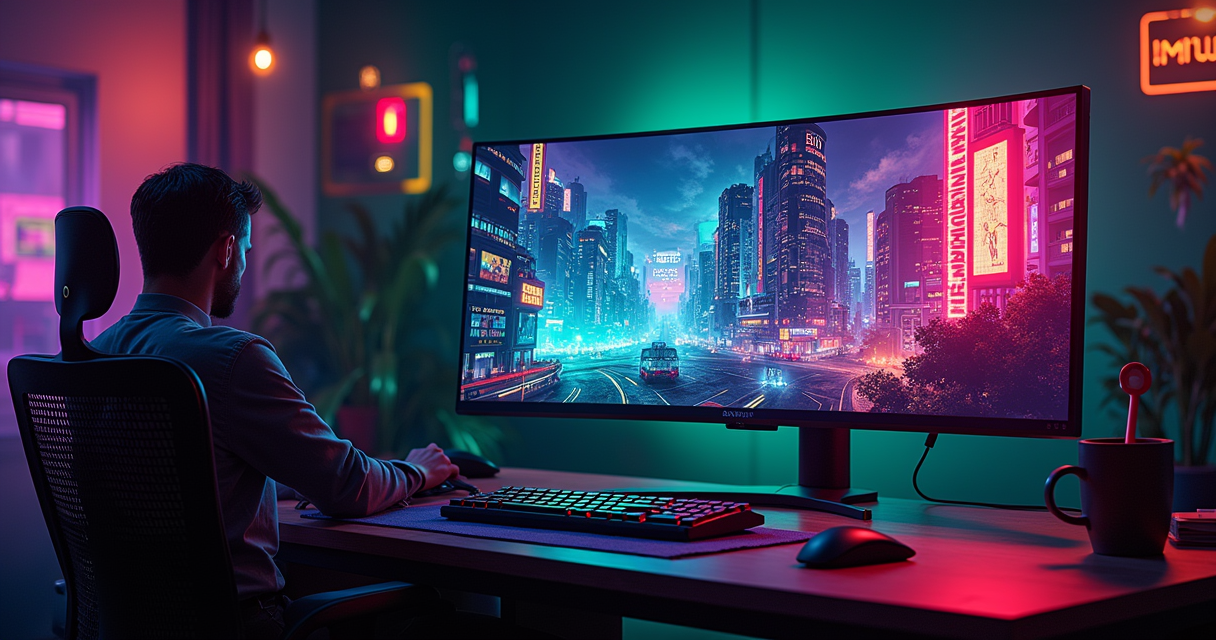
Here is the honest version, before the marketing departments get their hands on your wallet: there is no single best gaming monitor in 2026. There is a best ultrawide, a best esports panel, a best 4K display, and a best value pick, and they are all different products from four different brands. Anyone who tells you otherwise is either selling something or hasn't read the field.
We did read the field. We pulled the nine most-cited 2026 buyer's guides and lined up their verdicts side by side. What we found is a category that has stopped converging. A decade ago the argument was simple: TN for speed, IPS for color, VA for contrast, pick a lane. In 2026 the panel argument is effectively settled, which you would think would produce consensus. Instead it produced fragmentation, because once every high-end panel is some flavor of OLED, the only thing left to argue about is shape. And the industry cannot agree on a shape.
So we are going to do this the way we review a sprawling open-world game with six competing endings. We will crown a hero, review it at length, then tell you which of the other endings you should actually pick based on how you play. There is a rating at the bottom. There is a spec sheet, a comparison table, a pricing table you should read the disclaimer on, and a code block with the bandwidth math, because somebody has to explain why your fancy new panel needs a cable that costs as much as a used GPU. Let's begin.
There Is No Single Best Monitor in 2026
The single most useful fact about the 2026 gaming-monitor market is that the people whose entire job is to name one winner cannot name the same winner. That is not a knock on them. It is a description of the market. When six methodology-driven outlets independently pick six different "best overall" monitors, the fragmentation isn't noise. It's the signal.
Six lists, six winners
Watch the divergence. PCWorld's guide, updated 17 July 2026, names the MSI MPG 341CQPX, a 34-inch ultrawide, as its best overall. Club386, published 25 June 2026, gives the crown to the MSI MPG 271QR QD-OLED X50, a 27-inch 1440p panel. The aggregator The Modern Observer, dated 21 March 2026, puts the ASUS ROG Swift OLED PG27UCDM, a 27-inch 4K display, on top at a listed $1,199. TopChoiceFor, dated 10 March 2026, ranks the MSI MPG 321URX QD-OLED, a 32-inch 4K panel with a built-in KVM and 90W power delivery, at number one. Tom's Hardware, last updated 26 August 2026, picks the Asus ROG Swift PG27AQDP, a 27-inch 1440p panel. And PC Gamer, updated 12 August 2026, calls the MSI MPG 322UR X24 QD-OLED, a 32-inch 4K panel, the best panel they have tried all year.
Count the shapes: 34-inch ultrawide, 27-inch 1440p, 27-inch 4K, 32-inch 4K, 27-inch 1440p again, 32-inch 4K again. Six lists, at least four distinct form factors, three resolutions, and two brands trading blows. This is not a market that has an answer. It is a market that has answers, plural, and the correct one depends entirely on what you plug in and what you play.
What they do agree on
There is exactly one thing every guide agrees on, and it is the thing that matters most: the panel technology. Across RTINGS, PC Gamer, PCWorld, and Club386, every "best overall" and high-end pick is a QD-OLED or a white-OLED (WOLED) panel. LCD, in any of its IPS or VA guises, has been quietly relegated to the value shelf. The recurring brands are ASUS, MSI, LG, and Samsung, which between them supply or badge nearly every panel on every list. The 2026 story, stripped to one line, is that the emissive display won, and now the arguments are about geometry and refresh rate.
How The Machine reviews a category
Because we cannot hand you one SKU and pretend the job is done, we are going to be transparent about method. We picked a hero: the 27-inch 4K 240Hz QD-OLED archetype, embodied by the ASUS ROG Swift OLED PG27UCDM, because it is the best all-rounder in the field and two of our sources put it at or near the top of the 4K class. We review it in depth. Then we run the rest of the field through a comparison table, five real-world play scenarios, and a set of use-case recommendations, so that if you are an esports grinder or a flight-sim hermit or a person who mostly emulates the SNES library, you leave with the right panel, not the popular one. We care about motion clarity more than most outlets do, because on this site we spent twenty years staring into cathode-ray tubes and we remember what real motion resolution looked like. If you're still deciding between pixel counts before you buy any of this, read our argument in 1440p vs 4K for 2026 first, because the resolution you choose dictates half of this list.
The Panel War Is Over and OLED Won
For most of LCD's reign, gaming displays were a series of compromises pretending to be choices. You traded color for speed, or contrast for viewing angles, or your savings account for a backlight that still glowed grey when it was supposed to be black. In 2026 that era is over. The emissive panel, where each pixel makes its own light and can switch itself fully off, has taken every high-end recommendation. Understanding why it won, and where it still loses, is the whole game.
QD-OLED versus WOLED, the two flavors
There are two dominant kinds of gaming OLED in 2026, and you should know which you're buying. QD-OLED, the Samsung Display technology behind most of the MSI MPG panels and the ASUS 4K units, pairs a blue OLED emitter with a quantum-dot color-conversion layer. It produces gloriously saturated color and, because it skips a color filter, tends to be brighter for a given power draw. WOLED, LG Display's approach, uses white OLED subpixels behind a color filter with an added white subpixel for brightness; it is the panel inside the Tom's Hardware pick, the Asus ROG Swift PG27AQDP. Both are self-emissive. Both deliver effectively infinite contrast, per-pixel dimming with no blooming, and pixel response times in the neighborhood of 0.03ms grey-to-grey, which is a figure so far below the old LCD numbers that it stopped being the bottleneck. When your pixels switch instantly, the limiting factor for motion becomes refresh rate, not the panel.
Why OLED finally beat the CRT ghost
Here is the part the spec sheets bury. A CRT was an impulse display: the electron gun lit each phosphor for a fraction of a frame, then let it decay to black. Your eye tracked moving objects across a screen that was dark most of the time, so there was almost nothing to smear. Every flat panel since has been a sample-and-hold display: it lights each pixel and holds it lit for the entire frame, and your tracking eye drags that held image into a blur. This is why your 2005 LCD felt like a downgrade in motion even when it was a foot bigger and sharper on paper. The authority here is Mark Rejhon's Blur Busters, whose plainly-stated law is that persistence blur is proportional to how long each frame is held on screen: at 60Hz you hold for 16.7ms, at 240Hz for 4.17ms, and the blur shrinks in lockstep.
OLED wins the ghost fight two ways. First, its instantaneous pixel response means the panel adds essentially zero smear of its own on top of the sample-and-hold blur, so the only blur left is the mathematically unavoidable kind. Second, high refresh and optional black frame insertion attack the hold time directly; BFI reintroduces the CRT's dark period between frames, and a 480Hz or 500Hz panel shrinks persistence toward the sub-2ms territory where the human eye stops noticing. We are not all the way back to a Sony Trinitron's motion clarity, but for the first time since the tube died, a flat panel is in the conversation. For a retro site, that is the headline of the decade.
The burn-in asterisk and the Mini-LED holdout
OLED did not win cleanly. The technology carries a cumulative wear risk: leave a static heads-up display, a taskbar, or a scoreboard pinned in one spot for hundreds of hours and the affected subpixels age faster than their neighbors, leaving a faint permanent ghost. The 2026 panels fight this with pixel-shifting, logo-dimming, automatic panel-refresh cycles, and, crucially, burn-in warranties measured in years rather than fine print. It is mitigated, not eliminated. And there is precisely one place where LCD still wins outright: sustained, full-screen, retina-searing brightness, and total immunity to burn-in. That is why the biggest, brightest recommendation on any 2026 list is not OLED at all. TFTCentral, checked and updated 19 June 2026, lists the Samsung Odyssey Neo G95NC: a 57-inch "dual 4K" monster at 7680 x 2160, 240Hz, driven by a Mini-LED backlight with 2,392 local-dimming zones. When you want a wall of sustained brightness you can leave a spreadsheet on for eight hours, you still buy LCD. Everywhere else, OLED took the trophy.
The Hero: ASUS ROG Swift OLED PG27UCDM
If you forced us to hand one buyer one monitor with no follow-up questions, this is the one. The ASUS ROG Swift OLED PG27UCDM is a 26.5-inch 4K QD-OLED running at 240Hz, and it sits at the exact intersection of the two things gamers have never been able to have at once: retina-class sharpness and esports-class refresh. The Modern Observer named it best overall at $1,199; VerdictBits, dated 17 July 2026, put it at the top of its 4K category. Two aggregators, admittedly, but they are picking the right archetype for the right reason.
The spec that matters: 4K on 27 inches
The number to internalize is roughly 166 pixels per inch. That is what 3840 x 2160 works out to on a 26.5-inch diagonal, and it is the density at which normal humans stop seeing pixels at a normal desk distance. A 32-inch 4K panel spreads the same pixels thinner (about 140 PPI) and a 27-inch 1440p panel is coarser still (around 110 PPI). At 166 PPI, text is crisp without the fractional-scaling headaches that plague 32-inch 4K in Windows, and games render with a fineness that 1440p simply cannot touch. Pair that with 240Hz and you have the convergence that was impossible two GPU generations ago: you no longer have to choose between "sharp" and "fast." The panel is Samsung's latest-generation QD-OLED, the same family TFTCentral and RTINGS document across the 2026 27-inch 4K class, so the color, contrast, and response characteristics are consistent regardless of whose badge is on the bezel.
In motion
This is where the review stops being a spec recital. In fast play, the PG27UCDM shows no ghosting, no inverse-ghosting overshoot, and no smeared dark transitions of the kind that made VA panels miserable for years. What remains is the residual sample-and-hold blur we described earlier, roughly 4ms of persistence at 240Hz, which is excellent but not a CRT. Tearing is handled by variable refresh rate; the panel is both G-Sync Compatible and FreeSync-certified, so within its VRR window frames arrive when they're rendered and the image stays whole. The catch, and it is a real one, is feeding the thing. Driving 4K at anything near 240 frames per second in a modern title is a job for the most expensive silicon on the market; our RTX 5090 review exists precisely because this panel is why you'd buy that card. And once you have the frames, you have to deliver them smoothly, which is a driver-and-OS problem as much as a hardware one; if your frame-time graph looks like a seismograph, walk through our Windows 11 frame-pacing fixes before you blame the monitor.
Living with it
Day to day, the PG27UCDM is a genuine HDR display in a way no edge-lit LCD ever was: with per-pixel emission, a starfield is black with bright points, not a grey haze with slightly-less-grey points. The coating is glossy on most units of this class, which gives images a wet, punchy depth in a controlled room and turns into a mirror if you sit with a window behind you; position accordingly. Some OLEDs in this bracket ship with a small cooling fan to manage the panel's heat and slow its aging; it is usually inaudible but it exists. The one honest ergonomic wart is text rendering: QD-OLED uses a triangular subpixel arrangement rather than the standard RGB stripe, which can produce faint colored fringing on small black-on-white text until you let the operating system's subpixel rendering (ClearType on Windows) tune itself. For gaming it is invisible. For eight hours of code review it is a thing you will notice on day one and forget by day three.
The Specs That Actually Matter
A monitor spec sheet is mostly theater, a wall of certifications and marketing acronyms designed to make you feel you've done research. Four numbers do real work: resolution, refresh rate, response time, and peak brightness. Everything else is a footnote or a lie. Here is the hero's sheet, followed by the three arguments worth having.
The spec sheet
A note on discipline, because we take it seriously: the only figures below independently confirmed by the 2026 guides we cite are the size class, the 4K resolution, the 240Hz refresh, and the $1,199 price. The rest are manufacturer or panel-class specifications, the kind that are standard across every 27-inch 4K QD-OLED in this generation. We flag them as such rather than dress them up as our own bench results.
| Attribute | Specification (hero: ASUS ROG Swift OLED PG27UCDM) |
|---|---|
| Platform / panel | QD-OLED (Samsung Display, current generation), self-emissive |
| Release window | 2025 model line, current on 2026 guides |
| Screen size | 26.5 in (marketed as 27 in), 16:9 |
| Resolution | 3840 x 2160 (4K UHD) |
| Pixel density | ~166 PPI (class-typical for 27 in 4K) |
| Refresh rate | 240Hz |
| Response time | ~0.03ms GtG (panel-class figure) |
| Adaptive Sync | G-Sync Compatible + FreeSync (VRR) |
| HDR | Per-pixel emission; VESA DisplayHDR True Black tier (class-typical) |
| Video inputs | DisplayPort 2.1 (UHBR20) + HDMI 2.1, with DSC (class-typical) |
| Coating | Glossy (class-typical for QD-OLED) |
| Panel care | Pixel-shift, logo dimming, auto panel-refresh cycle |
| Controls | Rear OSD joystick + on-screen menu |
| Warranty note | Multi-year burn-in coverage (class-typical for 2026 OLEDs) |
| Confirmed price | $1,199 (per The Modern Observer, 21 Mar 2026) |
Refresh rate versus response time
These two get conflated constantly and they are not the same thing. Refresh rate is how many times per second the panel draws a new image, measured in hertz; it is a property of the whole display and the cable feeding it. Response time is how long a single pixel takes to change from one color to another, measured in milliseconds; it is a property of the panel chemistry. On old LCDs, response time was the villain: a pixel advertised at "1ms" that actually took 8ms to settle would smear no matter how high you cranked the refresh. OLED's near-instant response removes that villain entirely, which is why the 2026 conversation is all about refresh. When your pixels are effectively instant, hertz is the only lever left for motion clarity, and that is why the esports crowd is chasing 480 and 500Hz panels while the rest of us are content at 240.
The bandwidth problem
Here is the part nobody warns you about until the cable in the box doesn't do what you paid for. Pushing 4K at 240Hz in 10-bit color is a firehose of data, and it comfortably exceeds the older display standards. Do the arithmetic and it becomes obvious why DisplayPort 2.1 exists and why Display Stream Compression is on your monitor whether you asked for it or not:
4K @ 240 Hz, 10-bit RGB (4:4:4), uncompressed:
  3840 x 2160 x 240 x 30 bits  =  ~59.7 Gbit/s  (active pixel data)
  + blanking / protocol overhead (CVT-R2)  ~=  62-66 Gbit/s

Link ceilings (effective payload):
  DisplayPort 1.4  (HBR3)   =  25.92 Gbit/s   -> not close   (needs DSC)
  HDMI 2.1        (FRL)     =  ~42.6 Gbit/s   -> not enough  (needs DSC)
  DisplayPort 2.1 (UHBR20)  =  ~77.4 Gbit/s   -> fits, uncompressed

Verdict: 4K/240 rides DP 2.1 UHBR20 uncompressed, OR uses DSC
        (visually lossless) to squeeze down HDMI 2.1 / DP 1.4.
The practical takeaways: DSC is genuinely visually lossless and nothing to fear, so a panel running 4K/240 over HDMI 2.1 with compression looks identical to one running UHBR20 raw. But if you want the uncompressed link and the highest-margin signal, you need a GPU with a DisplayPort 2.1 UHBR20 output and the short, certified cable to match. This is the least glamorous $40 you will spend on the whole build, and skipping it is how people end up locked to 120Hz wondering why their $1,200 panel feels slow.
The Contenders: Six Lists, Six Winners
The hero is the all-rounder, but the whole point of this article is that "all-rounder" is not what everyone needs. Here is the rest of the field, organized into the three brackets that actually matter, with the guide that crowned each one so you can trace the claim.
The comparison table
| Model | Panel / size | Resolution / refresh | Best at | Crowned by |
|---|---|---|---|---|
| ASUS ROG Swift OLED PG27UCDM (hero) | QD-OLED, 26.5 in | 4K / 240Hz | Sharpness + speed all-rounder | The Modern Observer; VerdictBits (4K) |
| MSI MPG 322UR X24 QD-OLED | QD-OLED, 32 in | 4K / 240Hz | Best raw panel, big-screen 4K | PC Gamer (best panel) |
| MSI MPG 321URX QD-OLED | QD-OLED, 32 in | 4K / 240Hz | Desk hub: KVM + 90W PD | TopChoiceFor (#1) |
| MSI MPG 271QR QD-OLED X50 | QD-OLED, 27 in | 1440p / 500Hz-class | Competitive all-rounder | Club386 (best overall) |
| Asus ROG Swift PG27AQDP | WOLED, 27 in | 1440p / 480Hz | High-refresh 1440p pick | Tom's Hardware (top pick) |
| MSI MPG271QRD-O X50 | QD-OLED, 27 in | 1440p / esports refresh | Pure esports | PCMag (esports) |
| MSI MPG 341CQPX | QD-OLED, 34 in | 3440x1440 / 240Hz | Ultrawide immersion | PCWorld (best overall) |
| ASUS ROG Swift OLED PG34WCDN | QD-OLED, 34 in | Ultrawide / high refresh | Best ultrawide | RTINGS (best ultrawide) |
| Samsung Odyssey Neo G95NC | Mini-LED, 57 in | 7680x2160 / 240Hz | Super-ultrawide brightness | TFTCentral (listed dual-4K) |
The 4K OLED bracket
This is the endgame bracket, and it splits by size. The 27-inch hero (PG27UCDM) trades outright screen acreage for the highest density and the tidiest desk footprint. Step up to 32 inches and you get the MSI MPG 322UR X24, which PC Gamer calls the best panel it has tested in 2026, and the MSI MPG 321URX, which TopChoiceFor ranks number one overall specifically for its productivity chops: a built-in KVM to switch a keyboard and mouse between two machines, and 90W of USB-C power delivery to charge a laptop off the same cable. The tradeoff versus 27 inches is density: 4K spread across 32 inches lands near 140 PPI and reintroduces Windows scaling decisions. If the monitor is also your work machine, the 32-inch KVM units are the smarter buy. If it is a gaming instrument first, 27 inches is sharper and cheaper.
The esports bracket
Here the priorities invert. Resolution drops to 1440p, which is easier to drive and therefore easier to run at absurd frame rates, and refresh climbs into the 480 to 500Hz range. Club386 hands its overall crown to the MSI MPG 271QR QD-OLED X50, a 500Hz-class QD-OLED, while PCMag, updated 10 April 2026, installs the closely-related MSI MPG271QRD-O X50 as its dedicated esports pick, explicitly replacing the LG Gear OLED27GXA it previously held there. Tom's Hardware, meanwhile, tops its whole list with the Asus ROG Swift PG27AQDP, a 480Hz WOLED. The through-line: 1440p, 27 inches, WOLED or QD-OLED, and a refresh number that only makes sense if you play the sort of game where a 6ms edge decides the round. For everyone else these are overkill, and the 1440p sharpness is a visible step down from the 4K bracket. If you're building around one of these, the frames matter more than the pixels, and you'll want to read our GPU overclocking walkthrough to actually saturate a 500Hz panel.
The immersion bracket
The last bracket is about width, not sharpness or speed. PCWorld's overall pick, the MSI MPG 341CQPX, is a 34-inch 21:9 ultrawide QD-OLED at 240Hz, the standard-issue immersion format for racing, flight sims, and sprawling RPGs. RTINGS, updated 26 August 2026, names the ASUS ROG Swift OLED PG34WCDN its best ultrawide, an addition it made on 9 June 2026. And at the absurd extreme sits the Samsung Odyssey Neo G95NC, the 57-inch, 7680 x 2160, 32:9 Mini-LED super-ultrawide that TFTCentral documents with its 2,392-zone backlight; it is effectively two 4K monitors fused into one curved wall, and driving it is its own engineering project. This bracket is where OLED's burn-in caution and the sheer cost of a monster backlight push some buyers back toward LCD, and where "best" becomes almost entirely a question of desk depth and GPU budget.
How It Actually Plays
Specs are hypotheses. Play is the experiment. Here is how the 27-inch 4K QD-OLED hero, and by extension this whole class, behaves across the five ways people actually use a gaming monitor. Where a different bracket clearly wins a scenario, we say so.
Casual and cinematic play
Scenario one, the single-player showcase. You come home, you load a big-budget open-world game, you want it to look like a painting. This is the OLED panel's home turf and it is not close. Per-pixel emission means real black in night scenes and real HDR highlights: a torch in a cave is a bright point in genuine darkness, not a smear on a grey wash. At 4K/166 PPI, foliage and distant detail resolve with a fineness that pulls you in. For this player, refresh rate is almost irrelevant; a 4K panel at 120Hz would serve just as well, and the money is better spent on the panel quality and the GPU that feeds it than on chasing 240Hz you'll never saturate in a AAA title. The 27-inch hero is ideal here, though a cinematic player who sits farther back may prefer the 32-inch 4K panels for sheer presence.
Competitive and speedrunning
Scenario two, the ranked ladder. Now refresh is everything and resolution is a tax. A competitive player wants the lowest possible motion blur and input latency, which means 1440p at 480 or 500Hz, the esports bracket, not the hero. The MSI X50 panels and the Asus PG27AQDP exist for exactly this person. OLED's instant response guarantees no smear, VRR keeps the image whole, and at 500Hz persistence blur drops toward the threshold where a tracked target stays legible mid-flick. Scenario three, the speedrunner, overlaps but adds a specific demand: consistent, low, predictable input lag and rock-steady frame pacing, because a run lost to a stutter is a run lost to your monitor. Here the 1440p esports panels win again, and the build around them should prioritize frames-per-second headroom; a mid-tier card like the one in our RTX 5080 vs 4080 comparison is often the smarter pairing for 1440p than an overkill flagship, since 1440p doesn't need the 4K muscle.
Co-op, retro, and the completionist grind
Scenario four, couch co-op and the shared desk. Split-screen and side-by-side play beg for width, which points at the ultrawide and super-ultrawide bracket. On a 34-inch 21:9 or the 57-inch Samsung, two players get usable real estate and a wraparound field of view that a 27-inch panel cannot provide. The Mini-LED Samsung earns its keep here specifically because a shared, brightly-lit living space punishes OLED's lower sustained brightness and rewards LCD's burn-in immunity when someone inevitably pauses on a menu for an hour.
Scenario five, the retro and emulation rig. This is where a retro site earns its name, and where OLED is a double-edged sword. The good: OLED's instant response and optional black frame insertion get you the closest thing to CRT motion a flat panel has offered, which matters enormously for anything that scrolls, from Super Mario Bros. to a bullet-hell shmup. The bad: low-resolution content has to be scaled up, and if you let the panel do it with bilinear smoothing you get mush. The fix is integer scaling done in the emulator, plus a deliberate BFI pass. Our starting-point settings for treating a modern 4K OLED like a well-behaved arcade monitor:
# The Machine's starting OSD for a 27 in 4K QD-OLED (retro-leaning)
Picture mode:        Gaming / Racing; clamp to sRGB for SDR content
Adaptive-Sync (VRR): ON  (G-Sync Compatible + FreeSync)
Uniform brightness:  ON  (stops ABL from pumping on static screens)
OLED care:
  Pixel shift        ON
  Logo / taskbar dim ON
  Panel refresh      let it auto-run every ~4 h of use
Emulator front-end (do scaling HERE, not on the panel):
  Integer scaling    ON
  Bilinear smoothing OFF
  BFI / anti-blur    ON at 120 Hz+ for CRT-like motion
  Sharpness (OSD)    0   (let integer scaling carry it)
Scenario six, the completionist and all-nighter. The player who runs one machine for gaming, work, and a 300-hour JRPG at once wants the 32-inch 4K panels with a KVM, the MSI 321URX being the poster child, because the same monitor has to be a productivity surface without a second cable spaghetti. This buyer should also take the burn-in mitigations seriously: hide the taskbar, vary the content, and let the panel-refresh cycle run. Do that and a 2026 OLED will outlast the game's post-launch patch cycle without a mark.
Pricing and Availability
We are going to be unusually blunt about money, because the alternative is pretending to a precision we don't have. Monitor pricing in 2026 is a moving target, and inventing MSRPs to fill a table is exactly the kind of thing this site exists to call out in other people's articles.
What the guides actually confirm
Of the nine 2026 guides we cross-referenced, exactly one attaches a hard price to a specific model: The Modern Observer's $1,199 for the ASUS ROG Swift OLED PG27UCDM. Every other number you see quoted for these panels is a street price, and street prices in 2026 are volatile for a reason that has nothing to do with monitors. The same memory-and-panel supply squeeze that pushed handheld and GPU prices up this year touches display controllers and OLED panels too, so a figure that's accurate the week we publish may be stale by the time you read it. Treat the table below as a shape, not a quote.
The pricing table
Disclaimer, in bold because it matters: only the $1,199 figure is sourced from the guides we cite. The rest are approximate street ranges for the class, provided for relative positioning, not as manufacturer MSRP. Verify the live price before you buy anything.
| Model | Bracket | Price signal | Availability |
|---|---|---|---|
| ASUS ROG Swift OLED PG27UCDM | 27 in 4K OLED | $1,199 (sourced) | Widely listed, 2026 guides |
| MSI MPG 271QR QD-OLED X50 | 27 in 1440p esports | Lower tier (est., unsourced) | Current, Club386 / PCMag picks |
| Asus ROG Swift PG27AQDP | 27 in 1440p 480Hz | Mid tier (est., unsourced) | Current, Tom's Hardware pick |
| MSI MPG 341CQPX | 34 in ultrawide OLED | Mid-high tier (est., unsourced) | Current, PCWorld pick |
| MSI MPG 321URX QD-OLED | 32 in 4K OLED + KVM | High tier (est., unsourced) | Current, TopChoiceFor pick |
| Samsung Odyssey Neo G95NC | 57 in Mini-LED super-UW | Top tier (est., unsourced) | Current, TFTCentral listed |
The OLED tax and where value hides
There is a real premium for emissive panels, and in 2026 it is the single biggest line item separating the recommendation tiers. If your budget can't reach OLED, the value move is a fast IPS or VA LCD at 1440p; the panel tech that used to be the enthusiast default is now the smart-money budget play, and a good one at 165 to 240Hz will serve most players well below the OLED entry point. The trap to avoid is spending OLED money on the panel and starving the rest of the build. A 4K OLED fed by a mid-range GPU that can only push 70 frames is a worse experience than a 1440p LCD fed by a card that pins its refresh ceiling. Match the panel to the silicon, and if you're on the value tier, spend the saved money on the GPU, not the glass.
Who Should Buy What
This is the section the fragmented market makes necessary. There is no universal answer, so here is a specific one for each kind of buyer, with the model and the source behind it.
If you play everything, or if you play to win
The all-rounder who plays a bit of everything and wants one panel to be great at all of it should buy the 27-inch 4K 240Hz QD-OLED, the ASUS ROG Swift OLED PG27UCDM. It is the best balance of sharpness, speed, and desk footprint on the entire list, and it is our hero for exactly that reason. The competitor who lives on the ranked ladder should ignore the hero and buy a 1440p esports OLED: the MSI MPG 271QR QD-OLED X50 (Club386's overall pick) or the Asus ROG Swift PG27AQDP (Tom's Hardware's top pick). You are buying refresh rate and latency, and 4K would only slow you down.
If you play big, or if you create and play
The immersion seeker who plays racing, flight sims, and sprawling single-player worlds should buy an ultrawide: the MSI MPG 341CQPX (PCWorld's overall pick) for a sane 34-inch 21:9, or the 57-inch Samsung Odyssey Neo G95NC if your desk and GPU can take it. The creator-gamer who edits, codes, or streams on the same machine should buy a 32-inch 4K OLED with a KVM and USB-C power, the MSI MPG 321URX (TopChoiceFor's number one), because the productivity features earn their keep every working hour and the panel still games beautifully at night.
If you're on a budget, or a console-and-retro player
The value buyer should skip OLED entirely and buy a fast 1440p IPS or VA LCD, then put the difference toward a better GPU; the experience of a fully-fed 1440p LCD beats a starved 4K OLED. The console and retro player is a special case: a PS5 or Series X caps at 4K/120, so a 240Hz panel is wasted refresh, but OLED's contrast and its BFI-assisted motion make it superb for both modern console games and emulated classics. For this player a 27-inch or 42-to-48-inch OLED with HDMI 2.1 and good BFI is the sweet spot, and the extra refresh headroom of the PC-focused panels is money you don't need to spend.
Pros, Cons, and the Retro Caveat
Every review owes you the balance sheet without the marketing gloss. Here is the honest ledger for the 2026 OLED gaming monitor, hero included.
What OLED nails
- Perfect blacks and per-pixel contrast. Self-emission means true black next to bright highlights, with no blooming or backlight haze. This is the single biggest visible upgrade over any LCD.
- Instant pixel response. Around 0.03ms grey-to-grey means zero panel-induced smear; the only motion blur left is the unavoidable sample-and-hold kind, which high refresh and BFI attack directly.
- Real HDR. With no backlight zones to bloom, HDR highlights are precise and specular, the way the format was meant to look.
- Refresh convergence. For the first time, 4K and 240Hz coexist in one panel, so you no longer choose between sharp and fast.
- CRT-adjacent motion. Instant response plus optional black frame insertion gets a flat panel closer to CRT motion clarity than anything since the tube died.
Where it still stings
- The OLED tax. The panels are expensive, and 2026's supply squeeze isn't helping; only the $1,199 hero has a price we can even source.
- Burn-in risk. Real, cumulative, and centered on static elements. Mitigated by pixel-shift, logo-dimming, panel-refresh cycles, and multi-year warranties, but not eliminated.
- Sustained brightness. OLED dims full-screen bright scenes to protect the panel (ABL), so in a sunlit room a Mini-LED like the Samsung Neo G95NC can simply look brighter.
- Text fringing. The non-standard subpixel layout can color-fringe small text until the OS subpixel rendering is tuned; a productivity annoyance, not a gaming one.
- Bandwidth demands. 4K/240 needs DisplayPort 2.1 UHBR20 or DSC and a GPU to match, so the panel is only half the invoice.
The retro caveat
For the classic-gaming audience specifically, three cautions. First, static HUDs and score displays in retro titles are exactly the kind of persistent element that ages OLED subpixels, so vary your library and run the panel-refresh cycle. Second, low-resolution content must be scaled correctly: use integer scaling in the emulator and turn the panel's own sharpening off, or 8-bit and 16-bit art turns to soup. Third, 4:3 content on a 16:9 or 32:9 panel means pillarboxing, and those black bars are, thankfully, genuinely black on OLED and thus invisible, which is one retro problem the technology quietly solves. The upside outweighs the caveats: a well-configured OLED with BFI is the best flat-panel home a retro library has ever had.
The Machine's Verdict
We started by refusing to name one winner, and we're going to end by keeping that promise while still giving you a number, because a review without a rating is a coward's review.
The ruling
The 2026 gaming-monitor market is genuinely, structurally fragmented, and that is a feature of a healthy market, not a failure of the reviewers. QD-OLED and WOLED have won the panel war outright; the only high-end arguments left are about size, resolution, and refresh, and those arguments are correctly answered by your use case, not by a leaderboard. Six respected guides picked six different "best overall" monitors because there are, honestly, six different jobs. Our hero, the 27-inch 4K 240Hz QD-OLED archetype embodied by the ASUS ROG Swift OLED PG27UCDM, wins the title of best all-rounder and nothing more absolute than that, but for the buyer who wants one panel to do everything well, it is the correct default.
The rating
ASUS ROG Swift OLED PG27UCDM (as the class hero): 8.8 / 10. The scorecard, deadpan:
- Image quality: 10/10. Per-pixel contrast and real HDR; nothing at this size does it better.
- Motion: 9/10. Instant response and 240Hz; loses a point only to the 480-500Hz esports panels and the ghost of a good CRT.
- Sharpness: 9/10. 166 PPI is the 27-inch sweet spot; the 32-inch 4K panels give more acreage but less density.
- Value: 7/10. $1,199 is a lot, the OLED tax is real, and you still owe the GPU and the DP 2.1 cable.
- Longevity: 8/10. Burn-in is mitigated and warrantied, not banished; treat it well and it lasts.
The two points it drops are the two points OLED always drops in 2026: price, and the asterisk on permanence. Neither is a dealbreaker. Both are honest.
What we'd actually buy
If money were no object and we wanted one monitor for everything: the 27-inch 4K QD-OLED hero, no hesitation. If we were grinding ranked: a 1440p 480-500Hz OLED (the MSI X50 or the Asus PG27AQDP) and a GPU tuned to feed it. If we were sinking into flight sims: the 34-inch MSI MPG 341CQPX ultrawide, PCWorld's pick, or the 57-inch Samsung if the desk allows. If we were on a budget: a fast 1440p LCD and a better graphics card. And if we were doing what this site is actually about, feeding a modern OLED a lifetime of emulated classics with integer scaling and BFI switched on, then almost any 2026 OLED is a revelation, and the tube we grew up on finally has a worthy successor. There is no single best gaming monitor in 2026. There is a best one for you, and now you know which.
Questions the search bar asks me
- What is the best gaming monitor in 2026?
- There is no single winner: six 2026 buyer's guides named six different "best overall" monitors. Our all-rounder pick is the 27-inch 4K 240Hz QD-OLED ASUS ROG Swift OLED PG27UCDM ($1,199, rated 8.8/10); esports players should get a 1440p 480-500Hz OLED, and immersion players an ultrawide like PCWorld's MSI MPG 341CQPX.
- Is OLED or Mini-LED better for gaming in 2026?
- OLED (QD-OLED or WOLED) wins on contrast, per-pixel HDR, and motion clarity, and it took every high-end pick on RTINGS, PC Gamer, PCWorld, and Club386. Mini-LED wins on sustained full-screen brightness and burn-in immunity, which is why the 57-inch Samsung Odyssey Neo G95NC (7680x2160, 2,392 zones) is Mini-LED, not OLED.
- Do I need DisplayPort 2.1 for a 4K 240Hz monitor?
- Effectively yes. 4K at 240Hz in 10-bit color is about 59.7 Gbit/s of pixel data, which exceeds HDMI 2.1 (~42.6 Gbit/s effective) and DisplayPort 1.4 (25.92 Gbit/s). You need DisplayPort 2.1 UHBR20 (~77.4 Gbit/s) to run it uncompressed, or Display Stream Compression (visually lossless) over the older links.
- Is 27-inch 4K or 1440p better for gaming?
- 27-inch 4K is about 166 PPI, noticeably sharper, and is our all-rounder pick, but it demands a top-end GPU. 27-inch 1440p is about 110 PPI, easier to drive, and hits the 480-500Hz refresh rates the esports guides (Club386, PCMag, Tom's Hardware) favor. See our dedicated 1440p vs 4K breakdown for the full argument.
- Will an OLED gaming monitor get burn-in?
- The risk is real for static elements like HUDs and taskbars, but 2026 panels mitigate it with pixel-shift, logo-dimming, and automatic panel-refresh cycles, backed by multi-year burn-in warranties. Hide the taskbar, vary your content, and let the refresh cycle run, and a modern OLED will outlast a game's patch cycle without a mark.
Marcus covers the gaming PC, GPU, and peripheral side of staresback. Every post under this byline is reviewed pre-publish by Sam P., Editor & Operator — corrections to info@instalinkoteam.com. Published 2026-08-29 · Last updated 2026-08-29. Full bios on the author page.