/// FIELD NOTES FROM A SELF-AWARE GAME SITE
Best 4K Gaming Monitor 2026: PG27UCDM Wins, 8.5/10
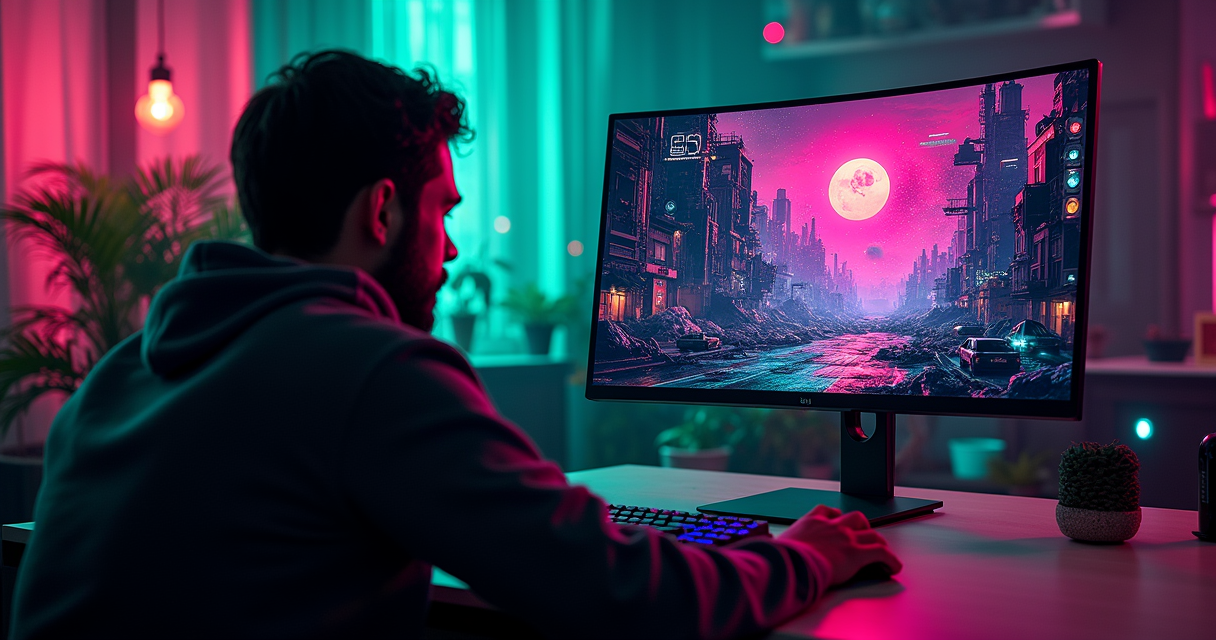
There is no single "best 4K gaming monitor," the way there is no single best sword in an RPG with a loot table this deep. But there is a right answer, and in the middle of 2026 the right answer is a 27-inch 4K QD-OLED panel that costs roughly what a used car costs, wears about five different brand names, and is — under the badge — one screen made by one company in one factory. Buy the ASUS ROG Swift PG27UCDM, or buy its cheaper cousin the Alienware AW2725Q, and stop reading. Everything after this is me showing my work, arguing with the marketing, and explaining why the 32-inch flagships that win everyone else's "best of" lists are the wrong call for most of you.
This is a review of a category, not a cartridge, so treat it like one: a long play-through of the entire genre, with the good endings and the bad ones marked. I have opinions. The reviewers I trust have opinions. And the panel makers, bless them, have a marketing department that would like you to believe every one of these displays is a unique snowflake. They are not. Let us begin.
The State of 4K in 2026
The One-Line Answer
The best all-round 4K gaming monitor you can buy right now is the ASUS ROG Swift PG27UCDM: 27 inches, 3840×2160, 240 Hz, Samsung's fourth-generation QD-OLED panel, full DisplayPort 2.1 UHBR20, and a three-year warranty that explicitly covers burn-in. It launched on 2 January 2025 at an MSRP of $1,099.99 and has drifted down toward the $930–$1,000 range on sale in 2026. RTINGS ranks it as the best 4K gaming monitor of 2026; so does TFTCentral. I agree with them, which almost never happens.
If you want it cheaper, the Alienware AW2725Q uses the same panel and launched at $899.99 — two hundred dollars under the competition — with weaker ports. If you want it bigger, the 32-inch options exist and I will get to them, but they are lower resolution-per-inch and I think most people are buying them for the wrong reason. Rating for the winning class, out of ten: 8.5. It loses a point and a half to price, burn-in anxiety, and a DisplayPort naming scheme designed by sadists.
OLED Ate the Category
A decade ago, "4K monitor" meant a $3,000 30-inch IGZO panel running at 30 Hz over two tiled DisplayPort streams, and you thanked it for the privilege. The first desktop 4K displays in 2013 were productivity curiosities, not gaming hardware. It took until roughly 2019–2020 for 4K 144 Hz IPS to arrive, and until June 2022 for the first 4K 240 Hz monitor of any kind — Samsung's VA Mini-LED Odyssey Neo G8, which launched at $1,499.99 and was, politely, a smeary contrast-blooming compromise wearing a spec sheet it couldn't cash.
Then 2024 happened. Samsung Display shipped a 32-inch third-generation QD-OLED panel and every monitor brand on earth bought it: ASUS, MSI, Dell, Gigabyte, Samsung's own monitor division. In 2025 the 27-inch fourth-generation panel followed, and that is the one that matters, because at 27 inches 4K stops being a productivity flex and becomes the sharpest gaming image money can buy. OLED's per-pixel light emission — true blacks, no backlight, near-instant response — simply beats every LCD backlight scheme ever devised, and the category tacitly admitted it. In 2026, every serious "best 4K" list is topped by an OLED. The LCDs are the budget tier now.
The DRAM Crunch Is the Real Story
Here is the thing nobody selling you a monitor wants to lead with: prices are going the wrong way, and it has almost nothing to do with the panels. A memory shortage that TrendForce projected at north of 100% quarter-over-quarter PC DRAM contract-price growth in Q1 2026 has turned a 16 GB module from a ~$40 part into a ~$170–$200 part. MSI has said it is raising gaming-hardware prices by 15–30%. The scan-and-scaler boards inside these monitors use that memory. LCD and OLED glass prices, meanwhile, are stable-to-falling. So when a monitor's street price creeps up in 2026, it is the DRAM crunch and tariffs, not the display, and it means the smart move is often to buy the two-year-old panel at a clearance price rather than the 2026 refresh at a crunch premium. Hold that thought; it recurs.
The Panel Lottery
One Samsung Panel, Five Badges
The single most useful fact in this entire market: the premium 4K OLED monitors are, at the glass level, the same monitor. The three headline 27-inch 4K 240 Hz displays — the ASUS PG27UCDM, the MSI MPG 272URX, and the Dell Alienware AW2725Q — all use one Samsung QD-OLED panel, the fourth-generation "five-layer tandem" unit. Same 3840×2160 resolution, same 240 Hz ceiling, same ~0.03 ms response, same ~1,000-nit HDR peak in a small window, same DisplayHDR True Black 400 certification. TFTCentral's teardown-level panel analysis confirms the shared lineage; the review sites confirm the measured numbers land within a rounding error of each other.
What differs is everything around the glass: the ports, the USB-C charging wattage, the stand, the on-screen menu, the warranty length, and the price. That's it. This is not a conspiracy; it is how the display industry has always worked (the same LG IPS and AUO panels showed up under a dozen brands for years). But it means "which 4K OLED is best" is really "which enclosure and warranty do you want wrapped around the identical Samsung panel," and that is a much more boring, much more answerable question.
Third-Gen vs Fourth-Gen: 32 vs 27
The 32-inch flagships — ASUS PG32UCDM, MSI MPG 321URX, Alienware AW3225QF, Samsung Odyssey OLED G8, Gigabyte AORUS FO32U2 — use the third-generation 32-inch QD-OLED panel from 2024. The 27-inch models use the newer fourth-generation panel from 2025. The generational bump brought a genuinely brighter, more efficient emitter stack, but the bigger deal is pure geometry. A 4K image spread across 31.5 inches works out to roughly 140 pixels per inch. The same 4K image on a 27-inch screen is about 166 PPI. That is the difference between "sharp" and "I cannot resolve a single pixel at a normal desk distance."
Why 166 PPI Changes the Math
QD-OLED has one real image-quality wart: its triangular RGB subpixel layout produces slight color fringing on text and fine edges, because Windows' ClearType assumes a standard RGB stripe. At 140 PPI on a 32-inch panel, you can see it if you look. At 166 PPI on a 27-inch panel, the pixels are small enough that the fringing all but vanishes into the density. The 27-inch 4K OLED is therefore the first OLED that is genuinely excellent for desktop text as well as games — and since most of you stare at a browser far more than a boss fight, that matters. It is why I, and RTINGS, and TFTCentral, all land on 27-inch 4K as the sweet spot rather than the flashier 32. Bigger is not sharper. Bigger is just bigger.
The Picks That Win
The Winner: ASUS ROG Swift PG27UCDM
The PG27UCDM is the one I would put my own money on. It takes the best current 27-inch panel and gives it the best current connectivity: a single DisplayPort 2.1 UHBR20 input (80 Gbps, enough to carry 4K/240/10-bit with zero compression — more on why that's rare in a moment), two HDMI 2.1 ports for consoles, and a 90 W USB-C input that will charge and drive a laptop off one cable. It has a bonded heatsink and a proximity sensor for burn-in mitigation, Dolby Vision, and a three-year burn-in warranty. PCWorld's Matthew S. Smith, who does not hand out praise cheaply, called it flatly: "Asus's ROG Swift PG27UCDM is a solid 4K QD-OLED monitor." "Solid" from Smith is a rave from anyone else.
It is not cheap and ASUS does not pretend otherwise. The premium over the identical-panel Alienware is real, and you are paying it for the UHBR20 port and the 90 W USB-C. If you own an RTX 50-series GPU and want the absolute cleanest signal path 4K OLED can deliver, this is the monitor. If you don't, read the next paragraph before you spend the extra $200.
The Value Play: Alienware AW2725Q
Dell did something quietly aggressive with the AW2725Q: it took the same fourth-gen Samsung panel and launched it at $899.99, undercutting the $1,099.99 crowd by two hundred dollars. PCWorld's review of it puts the point bluntly — "The AW2725Q released at an MSRP of $899.99, while most competitors released at $1099.99." The catch is the ports: you get DisplayPort 1.4 with DSC instead of DP 2.1, and a 15 W data-only USB-C with no video and no meaningful charging. In practice DSC is visually lossless and you will never see the difference in a game. So unless you specifically need UHBR20 or laptop-over-USB-C, the Alienware gives you 100% of the image for 80% of the money, backed by Dell's three-year advanced-exchange warranty that covers burn-in. It is the value pick of the whole category and it isn't close.
The 32-Inch Alternatives and the Mini-LED Holdouts
If you are set on 32 inches — and for a couch, a living room, or a sim rig, that's legitimate — the pick is the curved Alienware AW3225QF. Tom's Hardware's Christian Eberle, reviewing it, wrote that "it's hard to say anything other than that it's the best HDR monitor I've yet reviewed" and gave it "my highest recommendation." It launched at $1,199 and now street-prices around $800, having touched an all-time low near $700 in early 2026 — the DRAM crunch's silver lining is that 2024 panels are clearing out cheap. The flat-panel 32-inch alternative is the MSI MPG 321URX, which KitGuru's Dominic Moass scored 9.0/10, writing that "the combination of the 4K resolution, 240Hz refresh and other benefits of OLED technology is as good as I hoped," and which permanently dropped to $949.99 at launch — PC Gamer's outright "best overall" 4K pick.
The Mini-LED LCDs are the holdouts for people who need brutal sustained brightness in a bright room, where OLED's small-window peak and abuse-limiter can't keep up. The ASUS ROG Swift PG32UQX remains the halo — 1,152 dimming zones, DisplayHDR 1400, a real G-Sync hardware module — and Moass called it "the most impressive gaming monitor I have ever used," immediately adding "it is hugely expensive though, while the lack of HDMI 2.1 is a shame." (Yes: a $2,999 flagship shipped with HDMI 2.0. Read spec sheets.) On a budget, the Mini-LED bargains are real: TechPowerUp called the INNOCN 32M2V — which uses the same AUO panel family as that $2,999 ASUS — "practically a steal," and Forbes' Mark Sparrow called the KTC M27P20 Pro "a genuine bargain" at a fraction of the flagship price.
The Spec Sheet, Row by Row
The Full Spec Table
Here is the winner, the PG27UCDM, broken out the way you would break out a game's manual page. Fourteen rows, no marketing adjectives.
| Field | ASUS ROG Swift PG27UCDM |
|---|---|
| Panel type | Samsung QD-OLED, 4th-gen (five-layer tandem) |
| Panel source / licensor | Samsung Display (shared with MSI 272URX, Alienware AW2725Q) |
| Release year | 2 January 2025 |
| Size | 26.5 in viewable, flat |
| Resolution | 3840 × 2160 (4K UHD) |
| Pixel density | ~166 PPI |
| Refresh rate | 240 Hz |
| Response time | 0.03 ms GtG (rated); ~0.5 ms measured avg |
| Peak brightness (HDR) | ~1,000 nits, small window; DisplayHDR True Black 400 |
| Adaptive sync | G-Sync Compatible, FreeSync Premium Pro, AdaptiveSync 240 |
| DisplayPort | 1 × DisplayPort 2.1 UHBR20 (80 Gbps, no DSC needed) |
| HDMI | 2 × HDMI 2.1 (48 Gbps) |
| USB-C | Yes, 90 W Power Delivery + DisplayPort Alt Mode |
| Warranty (burn-in) | 3 years, burn-in explicitly covered |
| Launch MSRP / mid-2026 street | $1,099.99 / ~$930–$1,000 |
The DisplayPort Column Nobody Reads
The most misunderstood row above is the DisplayPort one, so here is the actual math. Driving 4K at 240 Hz in 10-bit color (which is what HDR needs) with no compression takes about 66 gigabits per second of link bandwidth. Almost no connector on almost any monitor can carry that uncompressed. Watch what fits and what doesn't:
4K HDR at 240 Hz, uncompressed
  3840 x 2160 px  x  240 Hz  x  30 bit (10-bit RGB)
  ~= 66 Gbit/s required (with CVT-R2 blanking)

Link tier          Raw     Usable*   Carries 4K/240/10-bit?
-----------------  ------  -------   ----------------------
DisplayPort 1.4    32.4    25.9      No  - DSC required
HDMI 2.1           48.0    42.7      No  - DSC required
DP 2.1 UHBR13.5    54.0    52.2      No  - DSC required
DP 2.1 UHBR20      80.0    77.4      YES - no compression

* usable = after channel-encoding overhead, in Gbit/s
So only DP 2.1 UHBR20 carries the full signal raw. Everything else leans on DSC — Display Stream Compression, which VESA and every reviewer agree is visually lossless, so in a game you will not perceive a difference. Which means the UHBR20 badge is a nice-to-have, not a must-have, and paying a $200 premium purely for it (PG27UCDM over AW2725Q) is a purist's tax, not a necessity. The link-rate figures come straight from the DisplayPort specification; the practical upshot is that the whole "DP 2.1" argument is smaller than the marketing makes it sound.
The Warranty Column That Actually Matters
Every premium OLED here ships with a three-year warranty that names burn-in as a covered defect — ASUS, MSI, and Dell all do it. That is the single most important row for a panic-prone buyer, and it is the reason OLED went mainstream: the manufacturers put their money where the FUD was. The lone asterisk is LG, whose UltraGear OLED warranty is two years, not three — TechRadar had to publicly pin LG down before the company clarified that burn-in was covered at all. If you are cross-shopping an LG dual-mode panel against an ASUS or MSI, dock it a year of coverage before you compare prices.
Versus the Field
Six Monitors, One Table
This is the comparison that matters — the winner against its five most credible rivals, the peers in its genre. Prices are launch MSRP and approximate mid-2026 street; treat street figures as snapshots in a volatile market.
| Monitor | Size / Panel | Refresh / PPI | DisplayPort | USB-C | Warranty | MSRP / street |
|---|---|---|---|---|---|---|
| ASUS PG27UCDM | 27" QD-OLED (4th-gen) | 240 Hz / 166 | 2.1 UHBR20 | 90 W | 3 yr | $1,099 / ~$950 |
| Alienware AW2725Q | 27" QD-OLED (4th-gen) | 240 Hz / 166 | 1.4 (DSC) | 15 W data | 3 yr | $899 / ~$800 |
| MSI MPG 272URX | 27" QD-OLED (4th-gen) | 240 Hz / 163 | 2.1 UHBR20 | 98 W | 3 yr | $1,099 / ~$900 |
| Alienware AW3225QF | 32" QD-OLED curved | 240 Hz / 140 | 1.4 (DSC) | 15 W data | 3 yr | $1,199 / ~$800 |
| MSI MPG 321URX | 32" QD-OLED flat | 240 Hz / 140 | 1.4 (DSC) | 90 W | 3 yr | $949 / ~$949 |
| Gigabyte M28U | 28" IPS LCD | 144 Hz / 157 | 1.4 (DSC) | ~15 W | 3–4 yr | $599 / ~$330 |
Reading the Comparison
The three 27-inch OLEDs are the identical panel; pick by ports and price. The PG27UCDM and MSI 272URX split the UHBR20 + high-wattage-USB-C crowd (PCWorld gave the 272URX its Editors' Choice, calling it "not just a superb 4K gaming monitor… a great all-around display," and measured a healthy 934 nits at a 10% HDR window). The AW2725Q is the value shortcut. The two 32-inch OLEDs trade sharpness (140 PPI) for size and, in the Alienware's case, a 1700R curve that wraps a couch nicely and a desk awkwardly. And then there is the Gigabyte M28U, the odd one out and the most interesting entry on the table.
The One That Refuses to Die
The Gigabyte M28U is a 2021 28-inch 4K 144 Hz IPS LCD that launched at $599.99 and, thanks to age and the panel-glut, now sells for around $330. It is not an OLED. Its DisplayHDR 400 badge is a cruel joke next to True Black 400. Its blacks are gray and its contrast is LCD-mediocre. And PC Gamer still calls it "our best 4K pick" for the money, writing that "as a do-it-all monitor for a high-end PC and a console, it is superb value." It has two HDMI 2.1 ports, a KVM, 157 PPI of real sharpness, and it costs a third of the OLEDs. If your budget has a ceiling well under a grand, the genre's best value isn't an OLED at all — it's this stubborn four-year-old LCD.
How It Plays: Five Players
The Casual Buyer and the Completionist
The casual player — someone who plays a few hours a week, mixes gaming with Netflix and a browser, and is buying one screen for everything — is exactly who the 27-inch 4K OLED was built for. The per-pixel contrast makes a dim room feel cinematic; the 166 PPI makes text crisp for the 90% of screen-time that isn't a game; the burn-in warranty removes the one real worry. You will not use all 240 Hz and that is fine. You are buying image quality, and this is the best consumer image quality there is. Pair it with a decent desk setup — a good chair matters more than people admit over long sessions, and our 2026 gaming-chair rankings lay out why.
The completionist — the 120-hour-single-player-RPG, every-side-quest, HDR-drinking immersion player — is the OLED's ideal audience and should consider going to 32 inches for the sheer envelopment, accepting the softer 140 PPI as the cost of scale. This is the one player for whom the Alienware AW3225QF's curve is a feature, not a compromise: Eberle's "best HDR monitor I've yet reviewed" was written with exactly this player in mind. A starfield, a torch-lit dungeon, a neon skyline — OLED's infinite contrast is doing work no LCD can match, and the completionist is the one with the hours to notice.
The Competitive Player (the Speedrunner Question)
The competitive / speedrunning player is where I have to talk you down. 4K at 240 Hz is a genuinely fast, low-latency display — OLED's ~0.03 ms pixel response destroys motion blur, and measured input lag on these panels sits around 3 ms. But if frame-perfect inputs are your religion, resolution is not your ally: pushing 4K at a locked 240 fps in a demanding title needs a top-tier GPU, and the honest competitive answer is often a lower-resolution, higher-refresh panel. This is why the dual-mode monitors exist. The ASUS ROG Swift PG32UCDP runs 4K/240 for pretty games and flips to 1080p/480 for tryhard sessions; Tom's Hardware measured its input lag at a category-record 11 ms and Eberle wrote that it is "about as close" to perfect "as I've seen." Whether the jump past 240 Hz is even perceptible is its own debate — we ran the numbers in 144 Hz vs 240 Hz, and the gap is smaller than the marketing wants. If you're this player, spend the monitor savings on a lighter mouse — see the 60 g superlight pick — it'll matter more than the last 40 Hz.
Couch Co-Op and the Cramped Desk
The couch co-op / console player cares about exactly one row on the spec sheet: two HDMI 2.1 ports. A PS5 or Xbox Series X outputs 4K/120 over HDMI 2.1, and any of these monitors — OLED or the budget M28U — will take it and split-screen a co-op session beautifully. OLED response time makes couch fighting games and racers feel razor-sharp. The one caveat: OLED's automatic brightness limiter can dim a mostly-white co-op UI, and burn-in from a static HUD is a (small, warrantied) risk on hundreds of hours of the same game. For a console-first living-room screen the 32-inch panels earn their size.
The small-desk / mixed-use player — the one on a shallow desk, a dorm, or a laptop-plus-monitor setup — is the strongest case for 27 inches and for USB-C. The PG27UCDM's or MSI 272URX's 90–98 W USB-C means a single cable charges and drives a laptop, then swaps to the desktop GPU for games. Twenty-seven inches sits comfortably at arm's length where 32 forces you to turn your head. This player should skip the Alienware's 15 W data-only USB-C specifically, and pay the premium for the real charging port. It is the one scenario where the extra $200 is genuinely worth it.
Who Should Buy What
The Five-Line Buying Guide
Cut through everything above with a decision list. Pick your row.
- Best overall, price no object: ASUS ROG Swift PG27UCDM ($1,099.99). Best panel, best ports, UHBR20, 90 W USB-C, three-year burn-in cover. The default answer.
- Best value OLED: Alienware AW2725Q ($899.99). Identical panel, DP 1.4 with DSC you won't see, $200 saved. The smart-money pick.
- Best for immersion / big-screen single-player: Alienware AW3225QF (~$800 street). 32-inch curved QD-OLED, Tom's Hardware's Editor's Choice, cheap now that it's the outgoing gen.
- Best budget, sub-$400: Gigabyte M28U (~$330). Not OLED, but PC Gamer's "best 4K pick" for the money, dual HDMI 2.1, 157 PPI.
- Best for competitive flexibility: ASUS PG32UCDP or LG 32GS95UE dual-mode — 4K/240 for looks, 1080p/480 for tryhard.
Two More Niches Worth Naming
Beyond the core five: if you game in a bright room and OLED's peak brightness worries you, the Mini-LED LCDs are your tier — the ASUS PG32UQX at the top, or the INNOCN 32M2V and KTC M27P20 Pro at the bargain end, both using flagship-grade Mini-LED panels for a fraction of flagship money. And if you are a console-only buyer who never touches a PC, do not spend OLED money at all: a good 4K/120 LCD like the M28U over HDMI 2.1 gives you everything a PS5 can output, and you keep $600 for games.
The Case for Waiting
One more option: don't buy yet. LG Display began mass production on 28 May 2026 of a new 27-inch 4K 240 Hz Tandem WOLED panel with a true RGB-stripe subpixel layout — which would kill the text-fringing problem entirely — and the first monitor to use it, the ASUS ROG Swift PG27UCWM, is expected around September 2026. If you can hold out a quarter and you care about desktop text, that panel is the genuine next step, not a refresh. If you need a screen this month, buy the PG27UCDM and don't look back; there is always a better panel one quarter away, forever.
Pricing in a Broken Market
The Pricing Table
Every price in this market is a moving target in 2026, so here is availability and pricing with confidence noted. "Street" figures are mid-2026 snapshots from price trackers, not live quotes.
| Monitor | Launch MSRP | Mid-2026 street | Status |
|---|---|---|---|
| ASUS PG27UCDM | $1,099.99 | ~$930–$1,000 | Widely available |
| Alienware AW2725Q | $899.99 | ~$750–$900 | Widely available |
| MSI MPG 272URX | $1,099.99 | ~$900 | Widely available |
| Alienware AW3225QF | $1,199.00 | ~$800 (low ~$700) | Outgoing, discounted |
| MSI MPG 321URX | $949.99 (perm.) | ~$949 | Widely available |
| Samsung Odyssey OLED G8 (G80SH, 2026) | $1,299.99 | $1,299.99 | New, May 2026, DP 2.1 UHBR20 |
| Samsung Neo G8 (Mini-LED) | $1,499.99 | ~$1,299 list | Aging flagship |
| ASUS PG32UQX (Mini-LED) | $2,999.99 | ~$1,500–$1,900 | Superseded halo |
| Gigabyte M28U (IPS) | $599.99 | ~$330 | Best budget |
The DRAM Crunch Tax
Notice the shape of that table: the 2024 panels (AW3225QF, MSI 321URX) are cheaper than the 2026 refreshes, and it's not just age. The 2026 refreshes launched into the teeth of the memory shortage. Samsung's own 2026 flagship, the Odyssey OLED G8 G80SH — which finally adds DP 2.1 UHBR20 and a brighter True Black 500 rating — came out on 26 May 2026 at $1,299.99 with no discount, while its 2024 predecessor drifts toward $720. When the new model costs more and does less-per-dollar than last year's, that is the DRAM crunch and tariffs talking, not progress. The correct 2026 move is frequently to buy the clearing-out 2024 panel.
Where to Actually Buy
Buy from an authorized seller, full stop — the burn-in warranty is the entire value proposition of an OLED, and it evaporates on gray-market imports. Dell sells Alienware direct with the three-year advanced-exchange program; ASUS, MSI, and the big retailers honor the manufacturer warranty on first-party stock. Watch the 2024 32-inch panels around sales events, where the AW3225QF has hit $700. And if you are building the rest of the machine to feed this thing, a 4K/240 signal wants a serious GPU — our RTX 5080 vs 4080 in 4K breakdown covers what actually drives these resolutions, and the 50-series is also the first consumer GPU line to carry DP 2.1 UHBR20, which is the only reason that port on the monitor is usable at all.
Burn-In, DisplayPort, and the Catches
Burn-In: The Data vs the Anxiety
Burn-in is the objection everyone raises and almost nobody has measured. The people who have measured it are Monitors Unboxed, who have run an MSI MPG 321URX — the same third-gen QD-OLED in half these monitors — as a torture-test daily driver for years. Their finding after 5,000-plus hours: roughly 2% brightness loss and only minor, slowly-increasing burn-in emerging around the 6,500-hour mark, with the verdict that it "shouldn't be a major concern for most buyers today — unless you're an extremely heavy productivity user" hammering static taskbars eight hours a day. Combine that with the three-year warranty and burn-in is a managed risk, not a reason to avoid OLED. Run the panel's pixel-refresh cycles, hide the taskbar, and stop worrying.
The technology is also actively outrunning the problem. Samsung Display's new "Penta Tandem" five-stack QD-OLED pushes peak brightness to around 1,300 nits and full-screen SDR to 300 nits (up from 250), and LG Display's "Tandem WOLED 2.0" targets up to 1,500 nits — and the entire point of these multi-stack designs is to spread the luminance load across more emitter layers, which directly slows the wear that causes burn-in. Every panel generation makes this objection weaker.
The DisplayPort 2.1 Alphabet Soup
Here is the catch that actually catches people. "DisplayPort 2.1" on a spec sheet means nothing on its own, because the standard has multiple speed tiers and manufacturers love to print the version number and bury the tier. Only UHBR20 (80 Gbps) carries 4K/240/10-bit uncompressed. UHBR13.5 (54 Gbps) is still DP 2.1 and still needs DSC for that signal. The LG UltraGear 27GX790A wears a "DP 2.1" badge that is UHBR13.5. The ASUS PG32UQXR wears a "DP 2.1" badge that TFTCentral flags as DSC-dependent, never confirmed as UHBR20. Meanwhile several of the best OLEDs — the PG32UCDM, the Alienware AW3225QF, the LG 32GS95UE — are plain DP 1.4 and rely on DSC, and are excellent anyway. The lesson: DSC is fine, the version number is marketing, and the only figure that means anything is the UHBR tier. Adaptive sync has the same trap, incidentally — the badges converged and the old hardware-module premium is dead, as we covered in G-Sync vs FreeSync 2026.
Mini-LED's Blooming Tax and the Matte-vs-Glossy War
The two remaining catches are about LCD and coatings. Mini-LED buys you OLED-beating sustained brightness — the Neo G8 hits 2,000 nits, the PG32UQX 1,400 — but it pays a blooming tax: even 1,152 dimming zones can't perfectly follow a bright object on a black field, so you get haloing OLED simply never shows. In a bright room that trade can be worth it; in a dark one it's a downgrade. And the matte-vs-glossy question is real: glossy QD-OLED (most of these) gives the punchiest, deepest image but throws every lamp in the room back at you; matte coatings (Samsung's OLED G8 line) tame reflections but slightly raise black levels and can add a faint haze. There is no right answer — it is your lighting, your call — but nobody at the store will warn you, so consider yourself warned.
Pros, Cons, and the Verdict
The Pros
- The best consumer image quality that exists. Per-pixel OLED contrast, true blacks, ~0.03 ms response, ~1,000-nit HDR highlights. Nothing LCD touches it in a controlled room.
- 166 PPI at 27 inches is razor-sharp for both games and desktop text — the first OLED that's genuinely great at both.
- 240 Hz plus near-instant pixel response means motion clarity that shames every 60 and 144 Hz panel you've owned.
- Three-year burn-in warranties across ASUS, MSI, and Dell turn the scariest OLED objection into a managed, covered risk.
- Real price competition: the identical panel is available from $899 (Alienware) to $1,099 (ASUS/MSI), and last year's 32-inch panels have fallen under $800.
The Cons
- Four-figure entry price for the OLEDs, into the teeth of a DRAM crunch that's pushing 2026 refreshes up, not down.
- Burn-in is real, if manageable — heavy productivity users with static UIs should think hard, and everyone should run the maintenance cycles.
- The DisplayPort 2.1 naming scheme is actively deceptive; you have to know to look for "UHBR20" or you'll pay for a badge that means nothing.
- Glossy coatings mirror every light in a bright room; OLED's abuse-limiter dims large bright scenes; Mini-LED alternatives bloom. Every option has a coating or contrast tax.
- Something better is always one quarter out — the RGB-stripe Tandem WOLED landing around September 2026 will make today's QD-OLED text-fringing look dated.
The Verdict: 8.5/10
The best 4K gaming monitor of 2026 is a 27-inch 4K QD-OLED, and the specific pick is the ASUS ROG Swift PG27UCDM — or the identical-panel, $200-cheaper Alienware AW2725Q if you don't need the fancy port. It is the sharpest, fastest, best-looking gaming display most people can reasonably buy, it's warrantied against its own worst failure mode, and for the first time it's genuinely excellent at the boring desktop work you actually spend your hours on. It loses a point and a half for a price the memory market is actively making worse, for a burn-in risk that's small but non-zero, and for a DisplayPort naming convention that should embarrass VESA. Forbes' Mitch Wallace said of this panel's 32-inch sibling that it is "the cream of the crop when it comes to gaming monitors, and you'll pay for such quality." That's the whole review in one sentence. Best in class, priced like it, worth it anyway. 8.5 out of 10.
Questions the search bar asks me
- What is the best 4K gaming monitor in 2026?
- The ASUS ROG Swift PG27UCDM — a 27-inch 4K 240 Hz QD-OLED with DisplayPort 2.1 UHBR20, launched January 2025 at $1,099.99 and now ~$950 on sale. RTINGS and TFTCentral both rank it #1. For $200 less, the Alienware AW2725Q ($899.99) uses the identical Samsung panel with weaker ports.
- Is 4K 240 Hz worth it over 4K 144 Hz?
- For image quality and immersion, yes; for competitive play, it's diminishing returns. OLED 4K/240 gives ~0.03 ms response and superb motion, but you need a top-tier GPU to hit 240 fps at 4K, and the perceptual jump past 240 Hz is small. Many esports players are better served by a dual-mode panel that drops to 1080p/480.
- Do I need DisplayPort 2.1 for a 4K 240 Hz monitor?
- No. Only DP 2.1 UHBR20 (80 Gbps) carries 4K/240/10-bit with zero compression; DP 1.4 and even DP 2.1 UHBR13.5 use DSC, which VESA and reviewers agree is visually lossless. Excellent monitors like the Alienware AW3225QF run DP 1.4 with DSC and look flawless. UHBR20 is a nice-to-have, not a requirement — and the RTX 50 series is the first consumer GPU line that even supports it.
- Should I worry about OLED burn-in on a gaming monitor?
- It's a managed risk, not a dealbreaker. Monitors Unboxed's multi-year test of an MSI QD-OLED showed ~2% brightness loss past 5,000 hours and only minor burn-in near 6,500 hours — a concern mainly for extremely heavy static-UI productivity use. Every premium OLED (ASUS, MSI, Dell) covers burn-in for three years; LG covers it for two.
- 27-inch or 32-inch 4K — which is better?
- 27-inch, for most people. A 4K image at 27 inches is ~166 PPI (razor-sharp, minimal QD-OLED text fringing); at 32 inches it drops to ~140 PPI. The 27-inch panels are also the newer fourth-generation Samsung QD-OLED. Choose 32 inches only for couch or living-room distance and single-player immersion, where the softer density doesn't matter.
Marcus covers the gaming PC, GPU, and peripheral side of staresback. Every post under this byline is reviewed pre-publish by Sam P., Editor & Operator — corrections to info@instalinkoteam.com. Published 2026-08-29 · Last updated 2026-08-29. Full bios on the author page.