/// FIELD NOTES FROM A SELF-AWARE GAME SITE
G-Sync vs FreeSync in 2026: $300 Premium, Same VRR
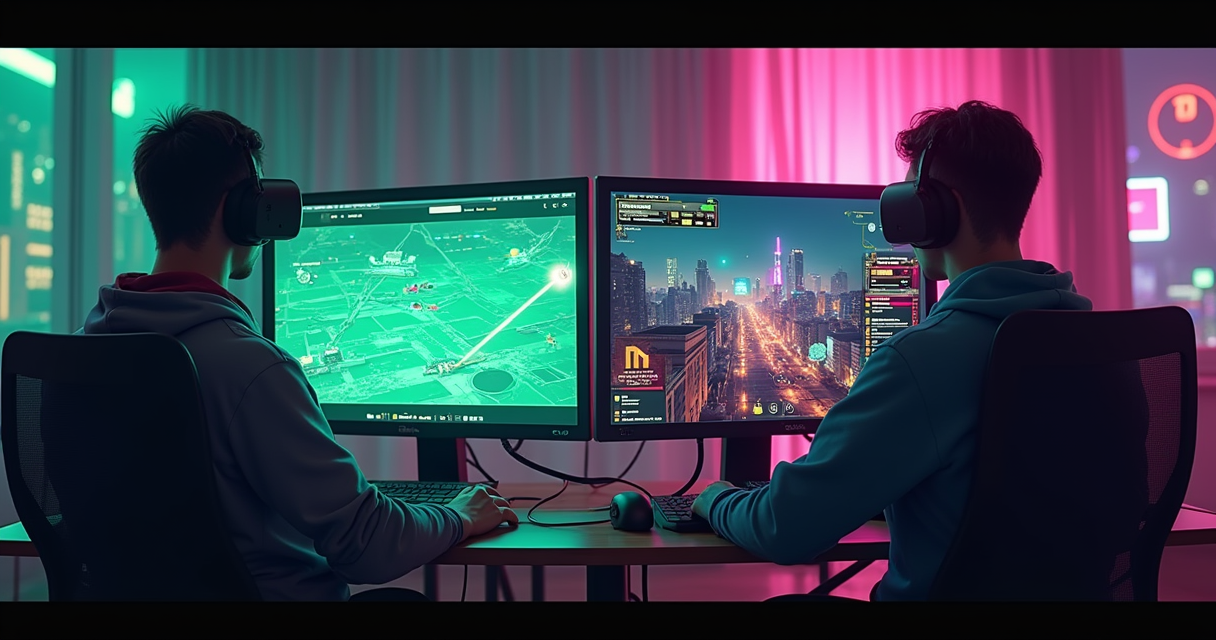
For eleven years the honest answer to G-Sync or FreeSync? was another question: how much do you enjoy paying NVIDIA a hardware tax to solve a problem that a free VESA standard already solved? That was the whole argument. One camp bought a monitor with a fan-cooled FPGA soldered inside it; the other camp bought a monitor without one and spent the difference on games. Everything else — the tiers, the certifications, the marketing decks about “true” variable refresh — was branding wrapped around a single component and its price.
In 2026 the argument finally changed, and not because FreeSync got better. It changed because NVIDIA quietly conceded. The dedicated G-Sync module — the little programmable chip that justified a $150–$300 premium for over a decade — is being retired in favor of a MediaTek scaler that does the same job without the cooling fan or the markup. The first monitors built the new way shipped on January 7, 2026. So this comparison is really about a technology in the middle of dissolving into the thing it competed with. We are going to take it apart anyway, because you still have to buy a panel this year, the old module hardware is still on shelves, and the badge on the box still moves the price.
The Module Tax Is Over
Start with the single fact that reframes the entire debate: the thing that made G-Sync G-Sync — a proprietary hardware module inside the monitor — is on its way out, and the premium that module justified is going with it. If you understand that, you already understand 80% of the 2026 answer. The rest is footnotes and edge cases, and we love footnotes and edge cases.
What the FPGA actually was
NVIDIA launched G-Sync to the public on October 18, 2013, per Wikipedia's G-Sync page, and for that entire run the defining ingredient was a field-programmable gate array bolted to the panel's timing controller. On premium G-Sync Ultimate models the part was an Intel Altera Arria 10 GX 480 — 480,000 logic elements, twenty-four 17.4 Gbps transceivers — paired with 3 GB of DDR4-2400 lookaside buffer. The original 2013 module shipped with 768 MB. This is a genuinely capable piece of silicon. It is also, at the low volumes a monitor line orders, an expensive one: single-unit FPGA pricing runs into the thousands, and industry teardowns from PCPer, KitGuru and TechPowerUp put the added bill-of-materials cost around $500 on the HDR models once you fold in the RAM and licensing.
An FPGA is a generalist. It can be reprogrammed, which is why it was the right call in 2013 when nobody knew what VRR silicon should look like — but generalists run hot and cost more than a purpose-built chip. German outlet heise put it bluntly: FPGAs are “expensive and get hot compared to specialized ASICs,” and G-Sync monitors “actively cool the FPGA with a small, potentially annoying fan.” If you ever wondered why a $2,000 display had a whirring fan and a warm bezel, that is your answer. You were cooling a programmable chip that AMD's approach never needed in the first place.
MediaTek folds it into the scaler
At Gamescom in August 2024, NVIDIA and MediaTek announced a partnership to co-design monitor scalers that fold the full G-Sync feature set — variable overdrive, vertical-dependent overdrive, ULMB 2, the Reflex Latency Analyzer, and Pulsar — directly into the scaler ASIC. No separate module, no fan, no $500 lookaside buffer. The first such part was the MT9810. The first monitors were the Asus ROG Swift PG27AQNR, the Acer Predator XB273U F5, and the AOC AGON PRO AG276QSG2, all 27-inch 1440p 360 Hz panels. FlatpanelsHD summarized it as NVIDIA ditching the separate G-Sync module outright, and PC Gamer was less diplomatic, headlining that the deal “killed the module which made G-Sync monitors so damned expensive.” NVIDIA's own framing, relayed by TFTCentral, was forward-looking corporate: “As we bring G-SYNC to more MediaTek scalers it will allow the G-SYNC MediaTek solution to stay current with latest display standards.” Translation: the FPGA could not keep pace with new DisplayPort and HDMI revisions without a hardware respin, and the ASIC route is cheaper to iterate.
Pulsar shipped, and it matters here
The headline consumer product from all this arrived on January 7, 2026: G-Sync Pulsar monitors, starting around $599, from Acer, AOC, ASUS and MSI, all 27-inch 1440p 360 Hz IPS. Pulsar is a backlight-strobing technique synchronized to the variable refresh rate, claiming north of 1,000 Hz of effective motion clarity by pulsing the backlight in rolling segments. That it ships on module-less MediaTek-scaler hardware is the point: the flagship G-Sync feature of 2026 does not require the component that defined G-Sync for a decade. For a retro-focused reader there is a bonus buried in the firmware, and we will get to it — Blur Busters has already documented an optional 60 Hz strobe mode aimed squarely at MAME and RetroArch. Hold that thought.
What VRR Actually Is
Both technologies are brand names for the same underlying trick: variable refresh rate. Before you can judge which badge to pay for, you need to know what the badge is selling, because in 2026 the honest description of the difference is “less than the marketing implies.”
Fixed refresh and the tearing tax
A conventional display refreshes at a fixed cadence — 60, 120, 144, 240 times a second, on a metronome that does not care what your GPU is doing. Your GPU, meanwhile, renders frames whenever it finishes them, at a rate that swings with scene complexity. When a new frame arrives mid-refresh, the monitor shows the top of the old frame and the bottom of the new one at once. That horizontal seam is screen tearing. The classic fix, V-Sync, forces the GPU to wait for the next refresh boundary before presenting — which eliminates tearing but adds input lag and, when the frame rate dips below the refresh rate, causes stutter as the GPU misses a boundary and holds the previous frame for another whole interval.
Variable refresh rate inverts the relationship. Instead of making the GPU wait for the monitor, the monitor waits for the GPU: each frame is displayed the instant it is ready, and the panel's refresh interval stretches or compresses to match. No tearing, no V-Sync input penalty, no judder from missed boundaries — inside the supported window. Longtime RetroArch contributor RealNC described the felt result on the Libretro forums as VRR behaving like “vsync ON but with input lag that's the same as vsync OFF.” That sentence is the entire value proposition in fourteen words.
VESA Adaptive-Sync, the shared substrate
Here is the part the marketing buries. AMD FreeSync is a certification program layered on top of an open, royalty-free industry standard: VESA Adaptive-Sync, itself an extension of the DisplayPort spec. Corsair notes FreeSync works natively over DisplayPort 1.2 and newer, with no proprietary silicon required — the timing controller in any compliant scaler already speaks it. G-Sync, historically, rode NVIDIA's own module instead of the VESA path. But in January 2019 NVIDIA blinked: it added a driver mode called “G-Sync Compatible” that lets GeForce cards drive ordinary VESA Adaptive-Sync (read: FreeSync) monitors with no module at all. Since that day, the two ecosystems have been running on the same rails for the majority of monitors sold. G-Sync Compatible is FreeSync with an NVIDIA sticker of approval.
Two badges, one idea
The practical upshot, as the June 2025 Profesional Review breakdown put it, is that FreeSync can be driven by Intel, AMD and NVIDIA GPUs, whereas native G-Sync — the module kind — can only be driven by NVIDIA. FreeSync is the more universal of the two by construction. And per ViewSonic's monitor explainers, G-Sync is simply the older branded ecosystem, public since late 2013, which is why it accreted a proprietary-hardware reputation that FreeSync — arriving in 2015 on an open standard — never carried. Same core idea, two release dates, two business models, and in 2026, a rapidly converging reality.
The Tier Maze, Decoded
Both brands split into three tiers, and both sets of tier names are designed to sound like a ladder you must climb. They are not. Here is what each rung actually gates, cross-checked against Newegg's 2026 comparison.
G-Sync's three tiers
G-Sync Compatible is a software certification: NVIDIA tested a VESA Adaptive-Sync panel, confirmed it does not flicker or misbehave, and blessed it. No dedicated hardware, no premium — it is a FreeSync monitor that passed NVIDIA's QA. G-Sync (unqualified) is the classic module tier: a monitor with the proprietary hardware inside, which per Newegg typically supports a VRR window from 1 Hz all the way to the panel's maximum refresh — wider at the low end than most FreeSync implementations manage without frame-doubling tricks. G-Sync Ultimate sits on top with an enhanced module and premium HDR ambitions; Newegg pegs it as the highest-cost tier, associated with 1,000-plus-nit HDR output. Ultimate is where that $500 Arria 10 buffer lived, and where the fan spun loudest.
FreeSync's three tiers
AMD mirrors the structure. FreeSync is the baseline. FreeSync Premium adds a low-frame-rate compensation (LFC) requirement and, per Newegg's 2026 read, at least 120 Hz at 1080p. FreeSync Premium Pro layers HDR on top of the Premium baseline. The wrinkle is that AMD tightened the floor in September 2023: the revised spec effectively requires 144 Hz minimum for sub-3440-pixel panels at the base tier, pushes Premium toward 200 Hz for those panels (or 120 Hz at 4K and ultrawide), and keeps LFC mandatory on both Premium rungs, which mathematically needs a maximum refresh at least double the minimum. PCGamesN read the tea leaves correctly and declared that AMD had “called time on the 60 Hz gaming monitor era.” If a display still earns FreeSync certification in 2026, it clears a genuinely higher bar than a 2019 sticker did.
VESA AdaptiveSync, the flag nobody flies
There is a third certification almost nobody prints on a box: VESA's own AdaptiveSync Display and MediaSync logos, with tighter, vendor-neutral test criteria and a mandatory refresh-range disclosure. TFTCentral has argued this scheme could eventually make the FreeSync and G-Sync brandings redundant, because it certifies the actual capability rather than an allegiance. It has not caught on with buyers, but it is the clearest tell that the industry itself considers the brand war mostly theater over a shared standard.
Specs, Head to Head
Enough prose. Here is the fifteen-row teardown, with every number traceable to the sources cited elsewhere in this piece. Read it as a snapshot of two ecosystems mid-merge, not two rival products.
| Attribute | NVIDIA G-Sync | AMD FreeSync |
|---|---|---|
| Underlying standard | Proprietary module historically; now folding into VESA Adaptive-Sync via MediaTek scaler | VESA Adaptive-Sync (open, royalty-free) |
| GPU support | Native module: NVIDIA only | AMD, Intel and NVIDIA (via Adaptive-Sync / G-Sync Compatible) |
| Dedicated hardware | FPGA module (Altera Arria 10 GX 480 + 3 GB DDR4) — now MediaTek MT9810 ASIC | None; scaler-integrated |
| Certification tiers | Compatible / G-Sync / Ultimate | FreeSync / Premium / Premium Pro |
| VRR window (module) | 1 Hz to max refresh | Typically 48 Hz to max; LFC below the floor |
| Low-frame-rate comp (LFC) | Yes, native | Required on Premium and Premium Pro |
| Top-tier HDR | Ultimate: 1,000+ nits | Premium Pro: DisplayHDR 400+ class |
| Connections | DisplayPort + HDMI (older module capped at DP1.4 / HDMI2.0) | DisplayPort 1.2+ and HDMI |
| Variable overdrive | Yes (module / MediaTek scaler) | Vendor-dependent |
| Backlight strobing + VRR | Pulsar (shipped Jan 7, 2026) | No unified equivalent |
| Reflex Latency Analyzer | On module / Pulsar monitors | No |
| Certified / listed models | ~430 G-Sync and G-Sync Compatible entries | 1,600+ FreeSync models |
| Added cost to maker | ~$80–$200 (module era) | ~$0–$30 |
| Typical retail premium | +$150–$300 vs comparable panel | Baseline (0–10% uplift vs non-VRR) |
| Best fit | 1 Hz floor, strobing, Reflex analysis, halo HDR | Value, cross-GPU households, sheer availability |
Reading the table
Two columns, and only about four rows where the entries meaningfully diverge in ways you would feel: the VRR floor, backlight strobing, the Reflex Analyzer, and price. Everything else has converged. Both do tear-free VRR. Both do LFC. Both hit high refresh and HDR. If you covered the header row and asked a blind tester to pick the “better” column from a spec sheet alone, they could not — which is precisely the situation NVIDIA's MediaTek pivot creates on purpose.
Where G-Sync still wins on paper
The genuine module advantages are narrow but real. A 1 Hz-to-max VRR window beats a 48 Hz floor for content that runs slow and steady — think a 24 fps cutscene or a paused emulator — because it never has to fall back on LFC frame-doubling. Variable overdrive, tuned per refresh rate, keeps pixel response clean across the whole VRR range instead of at one calibration point. The Reflex Latency Analyzer is a legitimately useful measurement tool for competitive players. And Pulsar is, for now, a G-Sync exclusive with no FreeSync counterpart. If any of those four is load-bearing for you, the badge earns its keep. If none is, you are paying for a logo.
Where FreeSync wins on paper
FreeSync's advantages are structural. It runs on any modern GPU vendor, which matters the moment a household owns a mix of Radeon, GeForce and Arc hardware, or the moment you upgrade a GPU and want the monitor to keep working. Its added cost to the manufacturer is near zero, which flows straight to the sticker. And the sheer selection is lopsided: AMD's database lists over 1,600 FreeSync models against roughly 430 combined G-Sync and G-Sync Compatible entries. More panels means more sizes, more price points, more chances the exact spec you want exists at the budget you have.
The Money: Module, Premium, Availability
This is the section that decides most purchases, so we are going to be specific and cite everyone. The short version: the module cost real money to install and cost you more at the register, and both of those numbers are collapsing in 2026.
The BOM: what the module actually cost
Two independent estimates bracket the manufacturer's added cost. TestBeforeYouBuy pegs the G-Sync module plus licensing at $100–$200 to the maker. MobilePixels puts the module's bill-of-materials contribution at $80–$120, versus $0–$30 for a FreeSync implementation. On the halo Ultimate parts, teardowns push higher still — a $500 BOM contribution once you count the Arria 10 FPGA and its 3 GB DDR4 buffer, plus the fan to cool it. That is a lot of money to solve a problem that a $0–$30 scaler feature also solves. The MediaTek ASIC exists specifically to delete this line item.
The premium at the register
Manufacturer cost is one thing; what you pay is another. TestBeforeYouBuy's 2025 guide estimates the typical street premium for a G-Sync monitor at $150–$300 over a comparable FreeSync model. MobilePixels' Q2 2025 market averages tell the same story from a different angle: FreeSync panels ran a 0–10% price uplift versus non-VRR displays, while similarly specced G-Sync models ran 15–25%. In concrete 2026 terms, a 1440p 240 Hz G-Sync panel carries roughly a $200 premium, and a 500 Hz halo like the Dell AW2524H sits north of $300 over comparable FreeSync 500 Hz alternatives — which is where our headline $300 figure comes from. Windows Central reduces the whole thing to one line: FreeSync's main practical advantage is cost, because you generally spend less on both the monitor and the graphics card. The GPU half matters too — FreeSync never locked you into one vendor's cards.
Availability, and the pricing snapshot
Here is the money laid out, with the 2026 entry points included.
| Line item | NVIDIA G-Sync | AMD FreeSync |
|---|---|---|
| Module / scaler cost to maker | $80–$200 (FPGA era); MediaTek ASIC TBD, lower | $0–$30 |
| Monitor uplift vs non-VRR (Q2 2025) | 15–25% | 0–10% |
| Typical premium vs comparable panel | +$150–$300 | Baseline |
| Certified / listed models | ~430 | 1,600+ |
| 2026 entry example | Pulsar 1440p 360 Hz from ~$599 | 1440p 165 Hz FreeSync from ~$150–$200 |
| Licensing | NVIDIA certification / module fee | Royalty-free |
The asymmetry is stark and it is the crux of the verdict: for the same panel, the FreeSync version is cheaper to build, cheaper to buy, available in nearly four times as many models, and works with whatever GPU you own next. The G-Sync version buys you a wider VRR floor and, on Pulsar, a strobing mode. Whether that trade is worth $150–$300 is the only question that actually matters, and for most buyers the answer is no.
Benchmarks: Latency and Motion
Spec sheets do not measure feel. For that we go to the people who put photodiodes on panels and count milliseconds. Three sources anchor this section: Blur Busters' controlled G-SYNC 101 study, Battle(non)sense's high-speed input-lag testing, and the RetroArch developer community's own field reports on GitHub and the Libretro forums.
Blur Busters G-SYNC 101, the 508-run study
The definitive VRR latency reference remains Blur Busters' G-SYNC 101 series, which ran 42 test scenarios across 508 recorded runs — 5,080 individual latency samples — in Overwatch and CS:GO at six refresh rates: 60, 100, 120, 144, 180 and 240 Hz. The finding that survived every scenario: the lowest-latency, tear-free configuration is VRR enabled, frame rate capped roughly 3 fps below the maximum refresh, and V-Sync left on in the NVIDIA Control Panel. That last part confounds people, but it is correct — inside the VRR range, driver-level V-Sync adds no measurable lag because frames never wait for a refresh boundary; it exists only as a backstop to catch the rare frame that exceeds the cap and would otherwise tear. The concrete caps: 57 at 60 Hz, 97 at 100, 117 at 120, 141 at 144, 177 at 180, 237 at 240. Memorize the recipe; it applies to G-Sync and FreeSync alike.
FreeSync vs G-Sync input lag
Does the module win on raw latency? Not meaningfully, and sometimes it loses. High-speed testing by Battle(non)sense over the years has repeatedly found the two technologies within measurement noise of each other in the VRR range, with FreeSync occasionally posting lower lag in the V-Sync-off configuration. The module's advantage was never latency inside the window — it was the width of the window and the overdrive tuning. This is worth sitting with, because a decade of marketing implied the expensive hardware was faster. In the benchmarks that measure what a competitive player feels, it is a wash. If milliseconds are your religion, the productive levers are refresh rate and the cap-below-max discipline, not the badge. Our 144Hz-versus-240Hz teardown shows exactly how little those upper refresh tiers move the needle once you are past 144.
The optimal-settings recipe
Distilled from Blur Busters and the Libretro optimal-VSync documentation, the low-lag VRR configuration is the same regardless of vendor:
- Enable VRR in the monitor OSD (FreeSync / Adaptive-Sync / G-Sync).
- Enable it in the driver (NVIDIA App / Control Panel or AMD Software).
- Cap frame rate 3 fps below maximum refresh (a driver cap, RTSS, or in-engine limiter).
- V-Sync on at the driver level; V-Sync off in the game itself.
- Enable Low Latency / Anti-Lag mode to trim the render queue.
That configuration gives you tear-free frames with input lag statistically indistinguishable from V-Sync-off — RealNC's “vsync ON with the lag of vsync OFF,” achieved on either ecosystem.
The Retro Angle: VRR and Emulation
This is a retro-gaming site, so here is the section the mainstream monitor reviews skip entirely — and it is the one place where VRR stops being a nicety and becomes the correct engineering solution to a real problem. If you emulate, read this twice.
Why 50Hz PAL and 54Hz arcade break fixed refresh
Old hardware did not run at 60 Hz. It ran at whatever crystal the engineers soldered in. PAL consoles output ~50 Hz. Many arcade boards ran at oddball rates — a good chunk of the classic Mortal Kombat era hovers around 54 Hz, and plenty of titles sit anywhere from 55 to 61 Hz. Even NTSC's “60 Hz” is really 59.94, and individual games drift a hair above or below. On a fixed 60 Hz LCD, none of these divide evenly into the refresh cadence, so an accurate emulator must either tear, or judder (repeating a frame every second or so to absorb the mismatch), or resample the audio and warp the game speed to force a fake 60 Hz. Every option is a compromise. This is the problem CRTs never had, because a CRT simply refreshed at whatever rate the signal told it to.
RetroArch plus VRR, the field reports
VRR reintroduces that CRT flexibility to a flat panel: the display refreshes at the emulator's exact content rate, whatever it is. RetroArch has shipped a dedicated toggle for this since v1.7.4 — Sync to Exact Content Framerate (G-Sync, FreeSync) — and the developer testimony is unambiguous. On the RetroArch G-Sync tracking issue #1633, contributor nfp0 explained the mechanism: “With G-Sync, the emulator doesn't have to sync the video and a 60.01hz game will display at the exact 60.01hz on the monitor,” adding that “a 50Hz game will display at 50Hz. A 75Hz game will display at 75Hz.” RealNC, testing on a hardware-module G-Sync panel, reported the result as “no input lag whatsoever, no tearing, perfect smooth animation, and 100% accurate game speed.” And petran791 flagged a practical bonus on the Libretro forums: “a big advantage of RetroArch is that it can use VRR even in windowed mode” — you are not forced into exclusive fullscreen to get it. Here is the configuration:
# RetroArch — low-lag VRR for non-60Hz cores
Settings > Video > Sync to Exact Content Framerate (G-Sync, FreeSync) = ON
Settings > Video > VSync = OFF
Settings > Video > Max Swapchain Images = 2 (or Auto, Swap Interval 1)

# Do NOT enable Black Frame Insertion at the same time.
# BFI and VRR are separate sync methods; combining them fights.

# Keep the Windows desktop at 75Hz+ so 60Hz cores stay
# comfortably above the VRR floor (typ. 48Hz) and never
# trip LFC frame-doubling mid-scene.
One caveat the honest emulation crowd repeats: 8-bit and 16-bit games were never authored with variable frame delivery in mind, so imperfect frame pacing can still surface microstutter even with VRR on. An RTSS backup cap and clean pacing settings resolve most of it. If you are building a dedicated emulation box, VRR is a strong reason to pick a capable panel — pair it with a tuned Batocera build and the odd-refresh problem largely disappears.
The CRT caveat, and Pulsar's retro trick
Purists will note that near 60 Hz, a real CRT is already as smooth as VRR — because a CRT is an impulse display, flashing each frame for roughly a millisecond and going dark, which eliminates the sample-and-hold motion blur that afflicts every LCD and OLED. As forum tester petran791 put it, at standard rates the CRT holds its own; VRR's edge shows up for the non-standard framerates a fixed panel cannot otherwise handle cleanly. This is where G-Sync Pulsar gets genuinely interesting for retro. Blur Busters has documented that Pulsar firmware includes an optional Retro Friendly Strobe (60 Hz) mode, with its Strobe Utility promising “CRT-clarity 60 fps at 60 Hz with no motion blur” — an impulse-like backlight strobe aimed at MAME and RetroArch, built by the same crew (Mark Rejhon, with Timothy Lottes) behind the real-time CRT electron-beam simulation shader. That is a strobing feature FreeSync has no answer to, and it is the single best retro-specific argument for the G-Sync side of the ledger in 2026.
Five Buyers, Five Verdicts
Generic recommendations are how people overspend. The right answer depends entirely on who you are, so here are five concrete buyers and the pick each one should make.
The competitive shooter and the mixed-GPU home
If you play ranked shooters and chase every millisecond, the badge is nearly irrelevant — the benchmarks put G-Sync and FreeSync in a statistical tie inside the VRR window, and your real levers are a high refresh rate plus the cap-3-below-max discipline. Buy the fastest panel your GPU can feed and, if it is an NVIDIA card, the Reflex Latency Analyzer on a G-Sync model is a legitimately useful measurement perk — pair it with something like an RTX 5090 and you will saturate a 360 Hz panel. If your household runs a mix of Radeon, Arc and GeForce, FreeSync is the only sane choice, because it is the only one that works across all of them.
The retro rig and the HDR cinephile
The emulation builder should weight two features the mainstream ignores: a wide VRR floor for odd refresh rates, and — uniquely — Pulsar's 60 Hz retro strobe if CRT-like motion clarity matters. That tilts a dedicated retro box toward G-Sync in 2026, the first time the retro use case has favored the expensive badge. The HDR single-player cinephile, by contrast, cares about peak brightness and local dimming more than VRR branding; a G-Sync Ultimate or FreeSync Premium Pro panel both clear the bar, so buy on panel quality — a 4K QD-OLED like the ROG Swift PG32UCDM wins on the OLED, not the sync logo.
The value builder
If the budget is the constraint — and for most readers it is — FreeSync is the correct answer before you finish reading the question. You save $150–$300 on the panel, you are not locked to one GPU vendor, and you choose from 1,600-plus models instead of 430. A sharp 4K value pick like the Gigabyte M27U at 160 Hz delivers tear-free VRR that is functionally identical to the G-Sync experience for the great majority of games. Here is the whole thing as a lookup table.
| Buyer | Pick | Why |
|---|---|---|
| Competitive FPS player | Either; lean G-Sync if NVIDIA + want Reflex Analyzer | Latency is a wash in-window; refresh rate is the real lever |
| Mixed-GPU household | FreeSync | Only option that drives AMD, Intel and NVIDIA cards |
| Retro / emulation rig | G-Sync (Pulsar) or wide-window G-Sync | 1 Hz floor for odd rates + retro 60 Hz strobe |
| HDR single-player cinephile | Best panel, either badge | OLED / mini-LED quality outweighs the sync brand |
| Value / budget builder | FreeSync | $150–$300 cheaper, GPU-agnostic, 1,600+ models |
Migrating From A to B
Most “switching” is not buying a new monitor — it is a GPU upgrade that suddenly mismatches the panel you own. Good news: since 2019 the two ecosystems interoperate far better than the marketing admits. Here is how to move in either direction without buying anything.
FreeSync panel, new NVIDIA GPU
This is the common one, and it just works. Any GTX 10-series or newer GeForce can drive a VESA Adaptive-Sync (FreeSync) monitor as “G-Sync Compatible.” The panel does not need to be on NVIDIA's certified list — certification only means NVIDIA verified it is flicker-free; uncertified panels usually run fine, you just validate them yourself. Enable it like this:
# Enable VRR on a FreeSync panel with an NVIDIA GPU
# ("G-SYNC Compatible" mode)

1. Update the GeForce driver to the current branch.
2. Monitor OSD: turn ON "FreeSync" or "Adaptive-Sync".
3. NVIDIA App (or Control Panel) > Display > Set up G-SYNC:
     [x] Enable G-SYNC, G-SYNC Compatible
     (o) Enable for full screen mode   # windowed also works on modern drivers
4. Manage 3D settings (global or per-game):
     Monitor Technology .... G-SYNC Compatible
     Vertical sync ......... On            # driver level, NOT in-game
     Low Latency Mode ...... On (or Ultra)
     Max Frame Rate ........ (refresh - 3)  # e.g. 141 on a 144Hz panel
5. In-game: V-Sync OFF. Cap FPS below max refresh.
6. Verify: NVIDIA Pendulum Demo, or the driver's refresh-rate overlay.
G-Sync panel, new AMD or Intel GPU
This is the direction with a catch. A monitor with the proprietary G-Sync module (the older module kind, not a G-Sync Compatible panel) speaks NVIDIA's protocol, and AMD/Intel GPUs cannot drive its VRR — you will get a working picture at fixed refresh but no variable sync. There is no software fix; it is a hardware handshake. If the panel is instead a G-Sync Compatible display (i.e. an Adaptive-Sync monitor NVIDIA merely certified), then it is a FreeSync panel underneath and a Radeon card enables VRR normally via AMD Software → Display → AMD FreeSync = On. The lesson: a true-module G-Sync monitor is the one purchase that can actually strand you on a GPU-vendor island. It is a reason, all by itself, to prefer the open path.
The universal checklist
Whichever direction you moved, confirm four things: VRR is on in both the OSD and the driver (turning it on in only one is the single most common mistake), your frame rate sits inside the VRR window, you have a cap 3 fps below max refresh, and driver-level V-Sync is on while in-game V-Sync is off. Nail those and the experience is identical regardless of which badge you started with.
Pros and Cons, Side by Side
The scorecards, with no thumb on the scale. Read them together — the strengths of one are largely the weaknesses of the other, which is what happens when two brands sell the same underlying capability.
G-Sync scorecard
| Pros | Cons |
|---|---|
| Widest VRR window: 1 Hz to max on module hardware | $150–$300 street premium (module era) |
| Factory-tuned variable overdrive across the range | Native module locks you to NVIDIA GPUs |
| Reflex Latency Analyzer for measurement | FPGA ran hot and needed a fan; heise: “expensive and get hot” |
| Pulsar strobing + retro 60 Hz CRT-clarity mode | Only ~430 certified models to choose from |
| Consistent, vetted certification | Older modules capped at DP1.4 / HDMI2.0 |
FreeSync scorecard
| Pros | Cons |
|---|---|
| Open, royalty-free VESA Adaptive-Sync base | Base VRR floor typically ~48 Hz, not 1 Hz |
| Runs on AMD, Intel and NVIDIA GPUs | Overdrive quality varies by manufacturer |
| $0–$30 maker cost → 0–10% price uplift | No unified backlight-strobing-with-VRR answer |
| 1,600+ certified models | No first-party latency-analyzer equivalent |
| 2023 spec tightened quality (144 Hz floor) | Tier badges vary in what OEMs actually deliver |
The tie-breakers
When the scorecards feel balanced, three questions break the tie. Do you own, or plan to own, a non-NVIDIA GPU? If yes, FreeSync, full stop. Do you specifically need a sub-48 Hz VRR floor or Pulsar strobing? If yes, and only then, G-Sync. Is price the binding constraint? FreeSync, because the same panel costs less. For the buyer who answers “no, no, yes,” the decision is made — and that describes most people reading this.
The Verdict
We have spent six thousand words taking two brands apart. The conclusion is short, because the market made it short: in 2026 you should buy the panel, not the badge.
The data-backed pick
For the overwhelming majority of buyers, FreeSync wins — and it wins on arithmetic, not allegiance. The latency is a wash inside the VRR window per Battle(non)sense and Blur Busters. The panel costs $150–$300 less per TestBeforeYouBuy. The 15–25% G-Sync price uplift versus 0–10% for FreeSync per MobilePixels is money you keep. You get four times the model selection, and you are not chained to one GPU vendor for the life of the display. NVIDIA itself ratified this reality twice: first in 2019 by supporting Adaptive-Sync as “G-Sync Compatible,” and again in 2024 by partnering with MediaTek to delete the very module that justified the premium. When the company that sells the expensive option spends a decade engineering the expensive part out of its own product, believe them.
When G-Sync still earns the premium
The exceptions are real and narrow. Buy G-Sync — specifically module or Pulsar hardware — if you need the 1 Hz-to-max VRR floor for content that runs slow and odd, if you want the Reflex Latency Analyzer as a measurement tool, or if you are a retro obsessive who wants Pulsar's 60 Hz CRT-clarity strobe for MAME and RetroArch. That last one is the plot twist of 2026: the strobing feature makes the retro use case the strongest remaining argument for the expensive badge, which is not where anyone expected this rivalry to end up. Outside those cases, a G-Sync purchase in 2026 is a purchase of brand comfort, and brand comfort is the one spec that never appears on the box.
What to actually buy in 2026
Concretely: if you own or might own an AMD or Intel GPU, buy FreeSync and never think about it again. If you own NVIDIA and want VRR on a budget, buy a good FreeSync / G-Sync Compatible panel — you lose almost nothing measurable. If you are building a dedicated emulation station and want CRT-like motion, a Pulsar monitor from ~$599 is the one place the G-Sync tax buys something FreeSync cannot match. And if you are shopping the halo tier for HDR, ignore the sync logo entirely and buy the best OLED or mini-LED you can afford, because the panel is the product and the badge is the sticker. The module tax is over. Spend the difference on games — or on the GPU that will actually raise your frame rate, which was always the thing doing the heavy lifting.
Questions the search bar asks me
- Is G-Sync still worth it in 2026?
- Only for three narrow cases: a sub-48Hz VRR floor, the Reflex Latency Analyzer, or Pulsar backlight strobing. NVIDIA's 2024 MediaTek partnership is deleting the module premium, and G-Sync Compatible mode gives an NVIDIA GPU roughly the same benefit on a FreeSync panel for $150–$300 less (TestBeforeYouBuy).
- Does FreeSync work on an NVIDIA GPU?
- Yes, since January 2019. FreeSync rides the open VESA Adaptive-Sync standard, and NVIDIA drives compatible panels as 'G-Sync Compatible.' Profesional Review notes FreeSync runs on Intel, AMD and NVIDIA GPUs, whereas native module-based G-Sync is NVIDIA-only.
- How much more does a G-Sync monitor cost?
- Roughly $150–$300 over a comparable FreeSync panel per TestBeforeYouBuy. MobilePixels' Q2 2025 data showed a 15–25% price uplift for G-Sync versus 0–10% for FreeSync, driven by an $80–$200 module bill-of-materials cost that FreeSync ($0–$30) never carried.
- What's the best VRR setting for low input lag?
- Blur Busters' G-SYNC 101 study (508 runs) is definitive: enable VRR, cap frame rate 3 fps below max refresh (141 on a 144Hz panel), turn V-Sync ON in the driver, and turn V-Sync OFF in-game. That yields tear-free frames with latency statistically equal to V-Sync-off.
- Does VRR help with retro emulation?
- Significantly, for non-60Hz content like 50Hz PAL and ~54Hz arcade boards. RetroArch's 'Sync to Exact Content Framerate' plus VRR displays a 60.01Hz game at exactly 60.01Hz (nfp0, GitHub issue #1633). Keep the desktop at 75Hz+ so 60Hz cores stay above the ~48Hz VRR floor and avoid LFC frame-doubling.
Marcus covers the gaming PC, GPU, and peripheral side of staresback. Every post under this byline is reviewed pre-publish by Sam P., Editor & Operator — corrections to info@instalinkoteam.com. Published 2026-08-29 · Last updated 2026-08-29. Full bios on the author page.