/// FIELD NOTES FROM A SELF-AWARE GAME SITE
ROG Swift PG32UCDM 2026: 4K 240Hz OLED, 9/10
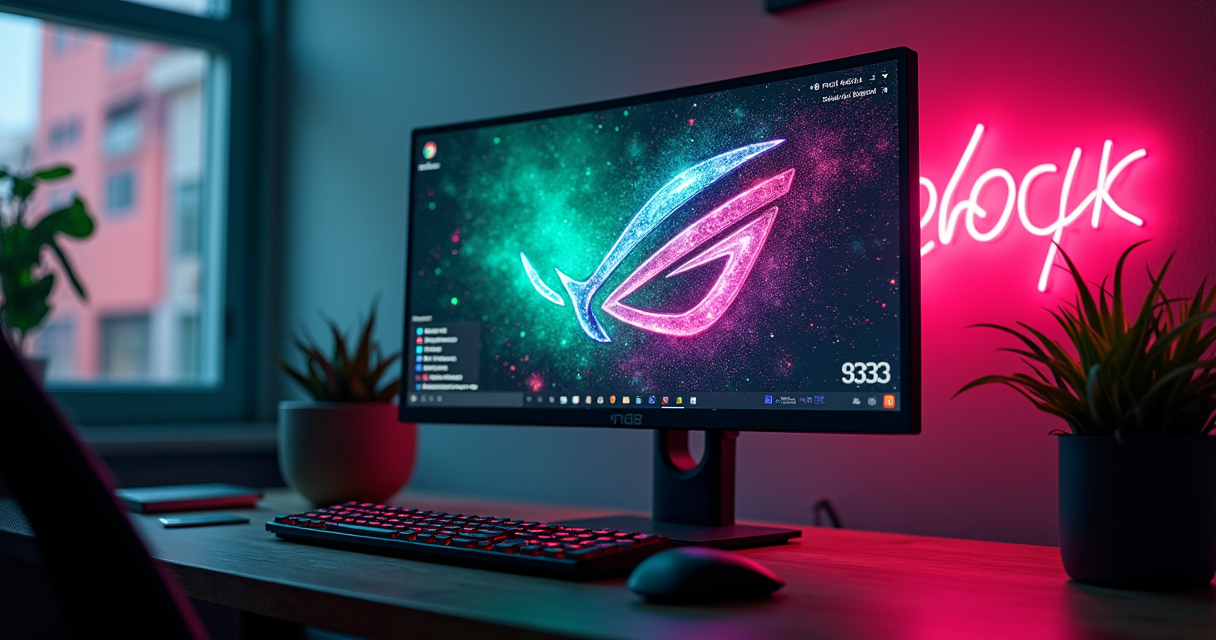
There is a certain species of technology review that opens by telling you the answer is complicated, that it depends, that there are no bad choices anymore. This is not that review. The best 4K gaming monitor you can buy in 2026 has a name and a model number, it won every roundup worth reading, and it costs more than a used car's timing belt job. The complication is not which monitor is best. The complication is whether the best monitor is the one you should buy — and the honest answer, which no manufacturer will print, is usually no.
What follows is a long look at the ASUS ROG Swift PG32UCDM, the 31.5-inch QD-OLED that Spanish-language buying guides spent the year crowning, measured against the two cheaper panels that quietly do 80% of its job for 40% of its price. We will talk about subpixels, sample-and-hold, the ghost of the cathode-ray tube, and the specific hour at which your Windows taskbar begins plotting against you. Bring coffee.
The Verdict, Up Front
I am not going to make you scroll six thousand words for the score. That is a trick to inflate session time, and you deserve better.
The One-Line Answer
The ASUS ROG Swift PG32UCDM is the best 4K gaming monitor of 2026: 31.5 inches of Samsung third-generation QD-OLED, a native 3840×2160 resolution, a 240Hz refresh rate, and a 0.03ms grey-to-grey response time that makes the number on the box read like a typo. Spain's Digital Trends 2026 guide named it the best 4K gaming monitor of the year outright, and it earns a 9 out of 10 here. It also carries a roughly $1,300 list price, and most of you should not buy it. Both sentences are true. The rest of this piece is the connective tissue between them.
The Asterisk
Deadpan honesty first, because that is the house style: this is a review of a display, not a religious relic. The PG32UCDM's near-infinite contrast is real, because every pixel makes its own light and can switch fully off. Its motion clarity is the best that sample-and-hold has ever produced at 4K. And it is still, measurably, slower in motion than a 1998 Sony Trinitron your parents bought for four hundred dollars. That same self-emissive property that gives you perfect blacks is exactly why a static taskbar left glowing for four thousand hours becomes a warranty conversation. The 9/10 is a genuine 9/10. The asterisk is that its last point of superiority costs money you may not need to spend.
Who This Review Is For
If you have an RTX 5090-class GPU already melting a hole in your desk, if you play HDR single-player games in a room where you control the light, and if the phrase "true black" makes something behind your sternum vibrate — this monitor is for you, and you will love it. If you are a competitive shooter player, a console owner, a coder who games, or a human being with a mortgage, keep reading, because the value pick in this category is genuinely excellent and I will point at it repeatedly with both hands.
What 'Best 4K' Means in 2026
The word "best" is doing an enormous amount of unpaid labor in the phrase "best 4K gaming monitor," and 2026's buying guides could not agree on its definition. That disagreement is not noise. It is the story.
Three Camps, Not One Winner
Read enough 2026 roundups and a fault line appears. There is the OLED prestige camp, where Digital Trends and MSI live — MSI's own 2026 monitor landing page explicitly organizes its pitch around "4K, 240 Hz, QD-OLED," which tells you precisely where the manufacturers wanted your attention and your credit card. There is the high-refresh LCD value camp, where Lowi's guide crowned the Gigabyte M27U the best 4K gaming monitor in its category at 160Hz for a price that "ronda los 500€." And there is the HDR-first premium camp, where Q2B Studio's roundup broadened the whole field to "juegos, 4K HDR y más," treating high dynamic range as the real differentiator rather than raw refresh. Three camps. Three defensible winners. One shared resolution.
The 27-inch vs 32-inch Fork
The second thing every honest 2026 guide admitted is that "4K" is a resolution, not a size, and the size changes everything. A 32-inch 4K panel works out to about 140 pixels per inch. A 27-inch 4K panel is roughly 163 PPI — dense enough that text is effectively retina-grade at desk distance, at the cost of needing operating-system scaling to keep menus legible. PcComponentes structured its 2026 gaming-monitor guide around exactly this logic: panel, resolution, refresh, and audience, in that order, rather than declaring one universal king. The PG32UCDM plays the 32-inch strategy — more immersive screen, softer pixels. The Gigabyte M27U and AOC U27G3X play the 27-inch strategy — sharper pixels, smaller footprint. Neither is wrong. They are answers to different questions.
Why the Spanish Guides All Disagree
It is worth saying plainly that the strongest 2026 research on this topic was Spanish-language, and it did not converge. Digital Trends said the ASUS ROG Swift was king. Lowi said the Gigabyte M27U was the best 4K gaming monitor for the money. Blog de Gaming gave its "Mejor monitor 4K" nod to the IPS-based AOC U27G3X. A YouTube roundup titled "The 5 BEST 4K GAMING MONITORS OF 2026" put the LG 27U731SA-W on its list, and a July 2026 video called "Best 4K Gaming Monitors of 2026 (So Far)" confirmed the rankings were still being revised at mid-year. This is not a category that has settled. It is a category mid-argument, and the argument is about your priorities, not the panels' merits.
The Panel: QD-OLED and Its Discontents
You do not buy the PG32UCDM. You buy the sheet of Samsung glass inside it, and ASUS's rather good job of cooling it. So let us talk about the glass, including the parts the marketing deck skips.
Third-Gen QD-OLED, Explained
QD-OLED — quantum-dot organic light-emitting diode — is what happens when you take a blue OLED emitter and put a layer of quantum dots in front of it to produce red and green by photoluminescence instead of using color filters that eat light. The practical upshot is more saturated color at high brightness and, critically, no separate white sub-pixel diluting the primaries. The PG32UCDM uses Samsung's third-generation panel, the same family that anchored the 2024–2026 flagship trio, and it is genuinely excellent: 99% DCI-P3 coverage, true 10-bit color, and the defining OLED trick of per-pixel illumination that yields a contrast ratio which measurement equipment politely reports as "effectively infinite." When a pixel is off, it emits nothing. There is no backlight bleeding through, no local-dimming halo, no compromise. Blacks are the absence of light, the way they were on a good CRT and have not reliably been since.
The Triangular Subpixel Problem
Here is the part ASUS will not lead with. QD-OLED arranges its subpixels in a triangle rather than the neat vertical RGB stripe that Windows' text renderer was built to expect. The result is color fringing — faint magenta and green halos on the edges of high-contrast text. On a 27-inch 4K QD-OLED at 163 PPI this is a non-issue; the pixels are small enough that the fringing dissolves. On this 32-inch panel at roughly 140 PPI it is present but, per side-by-side comparisons, hard to notice at a normal desk distance — 140 PPI is more or less the density at which subpixel fringing stops being visible to a person who is gaming rather than pixel-peeping a spreadsheet. If you write code in a small monospaced font eight hours a day, you will see it, and you will be annoyed. If you play games and browse, you will forget it exists inside a week.
WOLED vs QD-OLED: The Coating War
The eternal forum argument is QD-OLED versus WOLED (LG's white-OLED-plus-color-filter approach). Short version for 2026: WOLED renders small text marginally cleaner and its matte coatings handle a bright room better; QD-OLED hits higher color volume and, with a glossy finish, produces images with more "pop" in a dark room. The genuinely interesting news is that the first WOLED panels with a true RGB-stripe subpixel layout — zero fringing, finally — are landing in 2026 in 27-inch and 32-inch 4K 240Hz and 39-inch 5K2K 165Hz configurations. If your single greatest concern is text, that is the horizon worth watching. For everything else, the third-gen QD-OLED in the PG32UCDM remains, today, the panel to beat.
The Spec Sheet
Numbers now. The ones below are verified against retailer listings, ASUS's own spec pages, and independent reviews; where a figure is panel-typical rather than a single lab measurement, I say so.
The Full Spec Sheet
| Attribute | ASUS ROG Swift PG32UCDM |
|---|---|
| Panel type | Samsung 3rd-gen QD-OLED |
| Screen size | 31.5 in (16:9) |
| Resolution | 3840 × 2160 (4K UHD) |
| Pixel density | ~140 PPI |
| Refresh rate | 240 Hz |
| Response time (GtG) | 0.03 ms |
| Adaptive sync | G-SYNC Compatible + FreeSync Premium Pro |
| HDR certification | VESA DisplayHDR True Black 400 |
| Peak brightness (small window) | ~1,000 nits (panel-typical, 3% window) |
| Full-field brightness | ~250 nits (QD-OLED-typical ABL-limited) |
| Color gamut | 99% DCI-P3, true 10-bit |
| Video inputs | 1× DisplayPort 1.4 (DSC), 2× HDMI 2.1 |
| USB-C | DP Alt Mode + 90 W Power Delivery |
| Cooling | Custom passive heatsink + graphene film (no fan) |
| Panel care | Pixel shift, cleaning cycles, logo/taskbar dimming |
| Stand | Height / tilt / swivel / pivot adjustable |
| Release | 2024 (Gen 3 refresh, PG32UCDM3, in 2026) |
| List price | ~$1,300 (street ~$888) |
What the Numbers Don't Tell You
Two figures on that table deserve a caveat, because a spec sheet is a marketing document that occasionally tells the truth by accident. The first is brightness. That ~1,000-nit peak is real but it applies to a small bright object on a dark field — a lens flare, a muzzle flash, the sun in a corner of the sky. Fill the whole screen with white and automatic brightness limiting drops you to roughly 250 nits, because you cannot run every organic emitter at full tilt without cooking the panel. In a dark room this is invisible and glorious. In a sun-drenched office it is the OLED tax, and no firmware update repeals physics. The second is the 0.03ms response time, which is true and also nearly meaningless, for reasons the motion section will litigate in full.
Ports: DisplayPort 1.4 and the Bandwidth Ceiling
The original PG32UCDM ships with DisplayPort 1.4, HDMI 2.1, and a USB-C port carrying 90 watts of power delivery — enough to charge a gaming laptop off the monitor. That DisplayPort 1.4 is worth a raised eyebrow, because 4K at 240Hz in 10-bit color is more data than DisplayPort 1.4 can carry uncompressed. ASUS solves this with Display Stream Compression, which VESA classifies as visually lossless and which, in practice, you will never catch cheating. The 2026 PG32UCDM3 Gen 3 refresh upgrades this to DisplayPort 2.1a with UHBR20 bandwidth, an integrated power supply, a more durable BlackShield film, and a bump to DisplayHDR True Black 500 — Tom's Hardware called that revision "a true flagship OLED." If you are buying new in late 2026, the Gen 3 is the one to want; the bandwidth math in the motion section explains why it matters less than it sounds.
The Field: PG32UCDM vs the Rivals
A monitor review that only reviews one monitor is a press release. Here is the flagship against the four panels that actually threaten it, three of which cost dramatically less.
The Comparison Table
| Monitor | Panel | Size / PPI | Refresh | HDR | ~Price | Wins the camp of… |
|---|---|---|---|---|---|---|
| ASUS ROG Swift PG32UCDM | QD-OLED | 32" / 140 | 240 Hz | True Black 400 | $1,300 | OLED prestige |
| MSI MPG 321URX | QD-OLED | 32" / 140 | 240 Hz | True Black 400 | ~$1,000 | Same panel, less money |
| Gigabyte M27U | IPS (AHVA) | 27" / 163 | 160 Hz | ~400-class | €500 | High-refresh LCD value |
| AOC U27G3X | IPS | 27" / 163 | 160 Hz | DisplayHDR 400 | ~$500 | Budget IPS holdout |
| LG 27U731SA-W | IPS-class | 27" / 163 | High-refresh | DisplayHDR 400-class | value tier | Mainstream 27" 4K |
Gigabyte M27U: The Value Heretic
The Gigabyte M27U is the monitor that makes this whole review awkward for ASUS. It is a 27-inch 4K IPS panel running an unusual 160Hz — high refresh at 4K is still rare at any price — with a 1ms MPRT response, a 10-bit panel covering 95% of DCI-P3, one DisplayPort 1.4, two HDMI 2.1 ports, and a USB-C KVM with 18W of power delivery, all for roughly €500. Reviewed.com said it "sets a new standard for affordable 4K gaming monitors," and Lowi named it the best 4K gaming monitor in its category outright. It does not have per-pixel blacks. It has an IPS backlight, which means its contrast is ordinary and its dark scenes are grey where the ASUS's are void. But it is bright, it is sharp at 163 PPI, it never worries about burn-in, and it costs less than 40% of the flagship. I wrote a full breakdown of why the M27U is the 4K value champion, and nothing about testing the ASUS changed that conclusion.
AOC U27G3X, MSI, and the LG Wildcard
The AOC U27G3X is the same argument at a slightly lower altitude — 27-inch 4K IPS, 160Hz, 1ms GtG, two HDMI 2.1 and two DisplayPort 1.4 inputs, 98% DCI-P3, DisplayHDR 400, and a price that has been seen at £399. Blog de Gaming called it the "Mejor monitor 4K" in its 2026 roundup precisely because it drags 4K-above-144Hz gaming under the psychological $500 line. The MSI MPG 321URX is the flagship's most dangerous rival: it uses the same third-gen Samsung QD-OLED panel as the PG32UCDM, 32-inch, 4K, 240Hz, and typically undercuts ASUS by two to three hundred dollars — you are paying the ASUS premium for the custom heatsink, the graphene film, and the brand, not for a better picture. And the LG 27U731SA-W, the pick that a 2026 YouTube roundup slotted in, is the reminder that a large slice of buyers just want a competent 27-inch 4K panel from a name they trust and are entirely correct to want that.
Motion, Latency & the Ghost of the CRT
This is the section where the retro-gaming site earns its name, because the best 4K OLED money can buy in 2026 is still losing a motion-clarity argument to a display technology that was declared dead in 2008.
0.03ms and the Sample-and-Hold Lie
The PG32UCDM's 0.03ms grey-to-grey response is real and it is also a magician's misdirection. Response time measures how fast a pixel changes color. It has almost nothing to do with how blurry motion looks, because the dominant source of motion blur on any modern flat panel is not slow pixels — it is persistence. A sample-and-hold display shows each frame, frozen, for the entire duration of the refresh interval, and your eye tracks moving objects smoothly across that frozen frame, smearing it. Blur Busters, the motion-clarity authorities, formalized this as Blur Busters' Law: one millisecond of frame visibility equals one pixel of motion blur for every 1,000 pixels per second of motion. A 0.03ms pixel that is nonetheless held on screen for a full 240th of a second blurs exactly as much as a hypothetical 4ms pixel would. The response-time number is not lying. It is answering a question nobody asked.
Why 240Hz OLED Still Isn't a CRT
Run the math, because it is more damning and more beautiful than any adjective:
Blur Busters' Law: 1 ms of frame visibility = 1 px of blur
                   per 1000 px/s of on-screen motion

Display (sample-and-hold)   Persistence (MPRT)   Blur @ 1000 px/s
---------------------------------------------------------------
 60 Hz  /  60 fps            16.67 ms             16.7 px
120 Hz  / 120 fps             8.33 ms              8.3 px
240 Hz  / 240 fps             4.17 ms              4.2 px   <-- PG32UCDM ceiling
480 Hz  / 480 fps             2.08 ms              2.1 px
---------------------------------------------------------------
CRT (medium-persistence phosphor)  ~1.00 ms       ~1.0 px   <-- still the champ
At its 240Hz maximum the PG32UCDM delivers about 4.17ms of persistence — 4.2 pixels of blur — which is superb for a modern desktop panel and roughly four times blurrier in motion than a decent Trinitron running at ~1ms of phosphor persistence. This is not nostalgia; it is arithmetic. Blur Busters even ships a CRT-simulator shader that recommends a 240Hz-or-faster OLED specifically because you need the refresh headroom to fake the impulse-driven look of the display it is imitating. The CRT era chronicled by the Digital Antiquarian and the arcade cabinets catalogued at Hardcore Gaming 101 ran on displays that, by this one metric, no consumer sample-and-hold panel has yet fully matched. The OLED wins on resolution, size, weight, geometry, color, and not setting your desk on fire. It loses on pure motion persistence, and it is honest to say so.
Refresh Rate: 144 vs 240 and Diminishing Returns
Does the jump from 144Hz to 240Hz matter? Less than the marketing implies, and the reason is on the table above: going 144→240 buys you from roughly 6.9ms down to 4.2ms of persistence, a real but shrinking improvement, while the pixels-of-blur curve flattens hard. We ran that debate to ground in our 144Hz vs 240Hz breakdown and the conclusion holds here: 240Hz is genuinely better, the difference is a fraction of what the leap from 60Hz was, and pairing a variable refresh range with G-SYNC or FreeSync to eliminate tearing matters more to how the panel feels than the last 96Hz of headroom you will rarely feed it at native 4K.
HDR: The One Number That Matters
High dynamic range is where OLED stops competing and starts winning, and it is also where the spec-sheet arms race is most polluted by meaningless certifications. Let us separate the two.
DisplayHDR True Black 400
The PG32UCDM carries VESA DisplayHDR True Black 400 certification, and the word that matters in that string is not "400" — it is "True Black." The True Black tier exists specifically for emissive panels and demands black levels an LCD physically cannot reach, on the order of 0.0005 nits. This is the entire ballgame. HDR is about the distance between the darkest and brightest thing on screen simultaneously, and when your darkest thing emits essentially zero light, your dynamic range is enormous even at a modest peak. A ~1,000-nit specular highlight against a true-black night sky produces an image an edge-lit IPS with DisplayHDR 400 and a 1000:1 contrast ratio can only cosplay. The 2026 Gen 3 revision pushes this to True Black 500, which is a nice-to-have, not a revolution.
The Full-Field Brightness Ceiling
The counterweight, stated again because it is the single most common OLED disappointment: full-field brightness is capped around 250 nits by automatic brightness limiting. In genuine HDR content — mixed scenes with small bright highlights — you will never notice, because HDR is about highlights, not floods. Where you notice is a snow level, a bright desktop, or a sunlit sky filling the panel edge to edge, where the whole image dims slightly as the ABL algorithm protects the emitters. If your gaming diet is HDR-mastered single-player spectacle in a dim room, this is irrelevant. If it is bright competitive titles in a bright room, an IPS panel's steady 400-plus nits across the whole screen is, unromantically, the better tool.
SDR Content and the ABL Tax
Ninety percent of what you look at — the browser, the desktop, older games, most of the internet — is still standard dynamic range, and here QD-OLED simply looks fantastic: perfect blacks, saturated color, and enough brightness for any reasonable indoor setting. The only SDR caveat is that same ABL behavior on very bright, very static full-screen white, which is why staring at a full-screen white document all day is both the least flattering use of this panel and, not coincidentally, the fastest route to the burn-in conversation we are about to have.
Pricing & When to Buy
Money now. Prices below are list and observed-street figures as of mid-2026; monitor pricing moves, and the OLED tier moves fastest.
The Pricing Table
| Monitor | List price | Street (mid-2026) | Panel / camp |
|---|---|---|---|
| ASUS ROG Swift PG32UCDM | ~$1,300 | ~$888 on sale | 32" QD-OLED, prestige |
| ASUS PG32UCDM3 (Gen 3) | flagship tier | premium | 32" QD-OLED, DP 2.1 |
| MSI MPG 321URX | ~$1,000 | frequently below | 32" QD-OLED, same panel |
| Gigabyte M27U | ~€500 | seen at €500 / $500 | 27" IPS, value king |
| AOC U27G3X | ~$500 | £399 observed | 27" IPS, budget |
The €500 Value Floor
Notice what the table is quietly screaming: there is a hard cluster at roughly €500 where 4K-above-144Hz gaming has become genuinely affordable, and a second cluster around $1,000–$1,300 where the OLEDs live. There is very little in between that is worth buying, because the mid-priced 4K panels tend to be 60Hz office monitors wearing a gaming badge. The €500 floor is the more important number for most readers. It is the price at which you stop compromising on resolution and refresh, and the only thing you are still giving up is the OLED contrast most people have never actually seen in person and therefore do not yet miss.
When to Buy (and When to Wait)
If you want the PG32UCDM, buy on sale, not at list — the ~$888 street price is close to a third off, and OLED panels discount hard and often. If text clarity is your priority, wait: the first RGB-stripe WOLED panels arriving in 2026 kill subpixel fringing outright, and paying flagship money for a known-imperfect subpixel layout in the same year the fix ships is the kind of decision you regret. And if you are buying the value tier, buy whenever — the M27U and U27G3X are mature products that will not be meaningfully dethroned by a firmware update or a rival's spec bump. HardZone's continuously-updated 2026 monitor coverage is a decent barometer for when a genuinely new panel is worth waiting on.
How It Actually Plays: Five Players
A monitor is not experienced as a spec sheet. It is experienced by a specific person doing a specific thing. Here are five of them, and what the PG32UCDM does for each.
The Casual: Cyberpunk in a Dark Room
You get home, you dim the lights, you load a story-driven single-player game at 4K, and you are not counting frames. This is the PG32UCDM's home turf and it is not close. Neon reflections on wet asphalt against a true-black night sky, the specular glint on a katana, the way a dark interior has actual shadow detail instead of grey mud — this is the experience the whole $1,300 exists to deliver, and for the casual single-player player in a light-controlled room, it delivers completely. The 9/10 is written for this person.
The Completionist and the HDR Backlog
You have 200 hours in one RPG and a backlog of HDR-mastered blockbusters you intend to finish out of sheer stubbornness. Two considerations pull in opposite directions. In favor: HDR spectacle over hundreds of hours is exactly what this panel was built for, and no LCD will match it. Against: hundreds of hours with the same HUD, the same minimap, the same quest tracker pinned to the same corner is the precise usage pattern that stresses OLED longevity. The panel-care features and the burn-in warranty are doing real work for you here, and you should let them — leave pixel-shift and the cleaning cycles on, and do not defeat them to squeeze out five nits.
The Competitive Player: 240Hz and the Text Test
You play shooters, you care about frames, and your mouse weighs less than your verdict on this monitor should. The 240Hz refresh and the near-instant pixel response are real advantages, and the variable refresh range keeps things tear-free. But be honest about two things: first, driving 4K at a genuine 240fps in a demanding title requires the most expensive GPU on the market plus upscaling, and second, if you are truly optimizing for competitive advantage, a 27-inch panel at a higher-still refresh and lower resolution is the more rational esports tool. The PG32UCDM is a spectacular monitor that a competitive player can absolutely enjoy; it is not, strictly, the optimal competitive weapon, and a deadpan review says so.
The Console Player: PS5 Pro and HDMI 2.1
You are on a couch, or a small desk, with a current console rather than a tower. The two HDMI 2.1 ports matter enormously here, because that is how a modern console feeds a 4K high-refresh panel, and the OLED contrast flatters console HDR titles beautifully. The caveat is that no console outputs 240Hz at 4K, so a slice of this monitor's headline number is inaccessible to you — you are buying it for the panel, not the refresh ceiling. If you are weighing whether the console hardware even justifies a display this good, our PS5 Pro versus PS5 comparison is the honest accounting, and the broader PC-versus-console economics explain why the platform you are on shapes this purchase more than the panel does.
The Creator Who Also Games
You edit photos or video, and you game after hours. The 99% DCI-P3 gamut and true 10-bit color are genuinely useful for content work, and the USB-C port's 90 watts of power delivery means a single cable carries video, data, and charges your laptop — a real quality-of-life win for a hybrid desk. The asterisk, again, is subpixel fringing on small UI text in editing suites and the burn-in exposure of static tool palettes parked in the same place for eight hours. For a creator whose day is 70% static professional UI and 30% games, the honest recommendation is an IPS for the desk and this OLED as the reward you plug in at night — or you simply accept the trade-offs and enable every panel-care feature ASUS ships.
Who Should Buy What
Five verdicts for five buyers, because "it depends" is only a useful answer if someone then tells you what it depends on.
The OLED Camp
Buy the PG32UCDM (or the MSI MPG 321URX) if: you play HDR single-player games in a room where you control the light, you already own a top-tier GPU, and you have seen true-black OLED contrast in person and cannot go back. If brand and cooling matter to you, take the ASUS. If your wallet matters more and you can live without the custom heatsink, the MSI runs the identical Samsung panel for two to three hundred dollars less — a fact ASUS would prefer you did not internalize.
The Value Camp
Buy the Gigabyte M27U if: you want 4K, you want high refresh, you want it sharp, and you want to keep more than half your money. This is the recommendation for the largest number of readers, full stop — it is the panel Lowi crowned and the one I keep pointing at. Buy the AOC U27G3X if: you want everything the M27U offers but the M27U is out of stock or the AOC is on a better sale; at £399 it is functionally the same value proposition with a different logo.
The Edge Cases
Buy a 27-inch 4K IPS (either value pick) if: your monitor shows the same static UI for eight-plus hours a day — coding, spreadsheets, trading, editing — because burn-in risk is a real cost and an IPS panel simply does not carry it. Wait for RGB-stripe WOLED if: pin-sharp small text is non-negotiable and you can hold out for the 2026 panels that finally fix subpixel fringing. And build the rig before the monitor if: you do not yet own a GPU that can feed 4K at high refresh — a great panel starved of frames is a sad, expensive thing, and the RTX 5090 review is the reality check on what native 4K/240 actually costs to drive.
Pros, Cons & the Burn-In Question
The ledger, kept honestly, with the one liability that OLED buyers are entitled to hear stated plainly rather than buried in a footnote.
The Pros
- Reference-grade contrast. Per-pixel emission yields effectively infinite contrast and true-black shadow detail no LCD can reach.
- Elite motion for a flat panel. 0.03ms response and 240Hz put persistence at ~4.2px of blur — the best sample-and-hold gets at 4K.
- Excellent HDR where it counts. DisplayHDR True Black 400, ~1,000-nit highlights, 99% DCI-P3, true 10-bit.
- Genuinely useful connectivity. HDMI 2.1 for consoles, USB-C with 90W power delivery for a one-cable laptop desk.
- Thoughtful engineering. Passive custom heatsink and graphene film mean no whirring fan attached to your face.
The Cons
- Price. ~$1,300 list, and the identical-panel MSI undercuts it.
- Subpixel fringing. The QD-OLED triangular layout haloes small text; a non-issue in games, an irritant in code.
- Full-field brightness cap. ABL holds sustained full-screen brightness near 250 nits — a bright-room and snow-level compromise.
- Still not a CRT in motion. ~4.2px of persistence blur versus a Trinitron's ~1px; arithmetic, not nostalgia.
- Burn-in exposure. The unavoidable OLED liability, addressed next.
The Burn-In Question, Answered Honestly
Organic emitters degrade with use, and uneven use — a static taskbar, a persistent HUD, a stream overlay pinned to one corner at high brightness for thousands of hours — degrades unevenly, which is how you get permanent image retention. That is the mechanism, and no amount of marketing dissolves it. What has changed is the mitigation: pixel-shift, logo and taskbar dimming, and automatic cleaning cycles meaningfully slow it, and burn-in is now typically covered under warranty for two to three years, which tells you the manufacturers themselves have priced the risk as manageable for mixed use. My deadpan position: for a mixed-use gaming and media machine in a dim room with panel-care left enabled, burn-in is a low and insurable risk. For a monitor that renders the same static professional UI eight hours a day, it is a real cost, and you should buy IPS instead and spend the difference on something that appreciates, like a decent chair. Speaking of which — the chair you sit in for those 4,000 hours matters more to your body than the last 96Hz of refresh.
The Final Verdict: 9/10
We arrive where we started, now with the receipts.
The Score
The ASUS ROG Swift PG32UCDM earns a 9 out of 10, and it is the best 4K gaming monitor of 2026 by the only definition of "best" that treats picture quality as the tiebreaker: nothing at 32 inches and 4K produces a better image, and RTINGS' review of the 240Hz 4K OLED found "inky blacks, near-instant response times, and near-infinite contrast ratios" with, in their words, hardly any room for complaint in gaming. The single missing point is split between the price, the subpixel fringing on text, and the philosophical asterisk that a display costing more than a thousand dollars still cannot beat a Trinitron at the one thing the Trinitron was best at. Those are real deductions. They do not dislodge the monitor from the top of the pile.
The One Thing I'd Change
Ship the Gen 3's DisplayPort 2.1 and its improved coating on the base model at the base price, and stop making buyers choose between the panel they want and the connectivity they will own for the next six years. The compression on the original's DisplayPort 1.4 is invisible in practice, but a $1,300 monitor should not make you consult a bandwidth table to feel confident, and the fact that this review contains a bandwidth table is a mild indictment of the product tiering, not the panel.
The Bottom Line
Buy the PG32UCDM if you are the person it was built for — the dark-room, HDR-first, top-GPU enthusiast who has seen true black and cannot unsee it — and you will not regret a cent of it. If you are anyone else, buy the Gigabyte M27U at €500, pocket the eight hundred dollars, and understand that you gave up perfect blacks and kept nearly everything else. The best 4K gaming monitor of 2026 has a name. The right 4K gaming monitor of 2026 has your name on it, and for most of you it is spelled differently than the guides suggest. That gap — between best and right — is the whole review, and anyone who pretends it does not exist is selling you something. I am selling you nothing but the arithmetic. The arithmetic says 9/10, and it also says check your wallet before your want.
Questions the search bar asks me
- Is the ASUS ROG Swift PG32UCDM worth $1,300 in 2026?
- If you already own an RTX 5090-class GPU and play HDR single-player games in a light-controlled room, yes — the 240Hz third-gen QD-OLED panel and near-infinite contrast are unbeaten among 32-inch 4K monitors, and street pricing has dipped to around $888. For everyone else, the roughly €500 Gigabyte M27U delivers most of the experience for well under half the money.
- QD-OLED or WOLED for a 4K gaming monitor?
- At 32 inches (~140 PPI), QD-OLED's triangular-subpixel text fringing is hard to see at desk distance and you get marginally higher color volume; WOLED renders small monospaced text cleaner. In 2026 the first RGB-stripe WOLED panels (27" and 32" 4K 240Hz, plus 39" 5K2K 165Hz) arrive and eliminate fringing entirely — worth waiting for if you stare at code all day.
- Do I actually need DisplayPort 2.1 for 4K 240Hz?
- Not strictly. 4K 240Hz 10-bit RGB is roughly 55 Gbit/s, which exceeds DisplayPort 1.4's 25.9 Gbit/s and HDMI 2.1's 48 Gbit/s, so the original PG32UCDM uses Display Stream Compression — visually lossless in practice. The 2026 PG32UCDM3 Gen 3 adds DisplayPort 2.1 UHBR20 (80 Gbit/s) for uncompressed headroom you will not perceive.
- Will OLED burn-in ruin the monitor?
- Static elements — taskbars, HUDs, scoreboards, stream overlays — held at high brightness are the risk; pixel-shift, logo-dimming and automatic cleaning cycles plus multi-year burn-in warranties mitigate it heavily. For a desktop showing the same UI eight hours a day, an IPS panel like the AOC U27G3X or Gigabyte M27U is simply the lower-risk tool.
- 27-inch or 32-inch for 4K?
- 27" 4K is ~163 PPI — retina-grade, razor-sharp text that needs OS scaling; 32" 4K is ~140 PPI — more usable desktop real estate, slightly softer text, more enveloping in games. The 2026 field split cleanly along that line: 32" for the OLED flagships like the PG32UCDM, 27" for the value IPS panels like the Gigabyte M27U and AOC U27G3X.

Marcus covers the gaming PC, GPU, and peripheral side of staresback. Every post under this byline is reviewed pre-publish by Sam P., Editor & Operator — corrections to info@instalinkoteam.com. Published 2026-08-29 · Last updated 2026-08-29. Full bios on the author page.