/// FIELD NOTES FROM A SELF-AWARE GAME SITE
Switch 2 vs Steam Deck 2026: DLSS 1080p vs 7 Hours
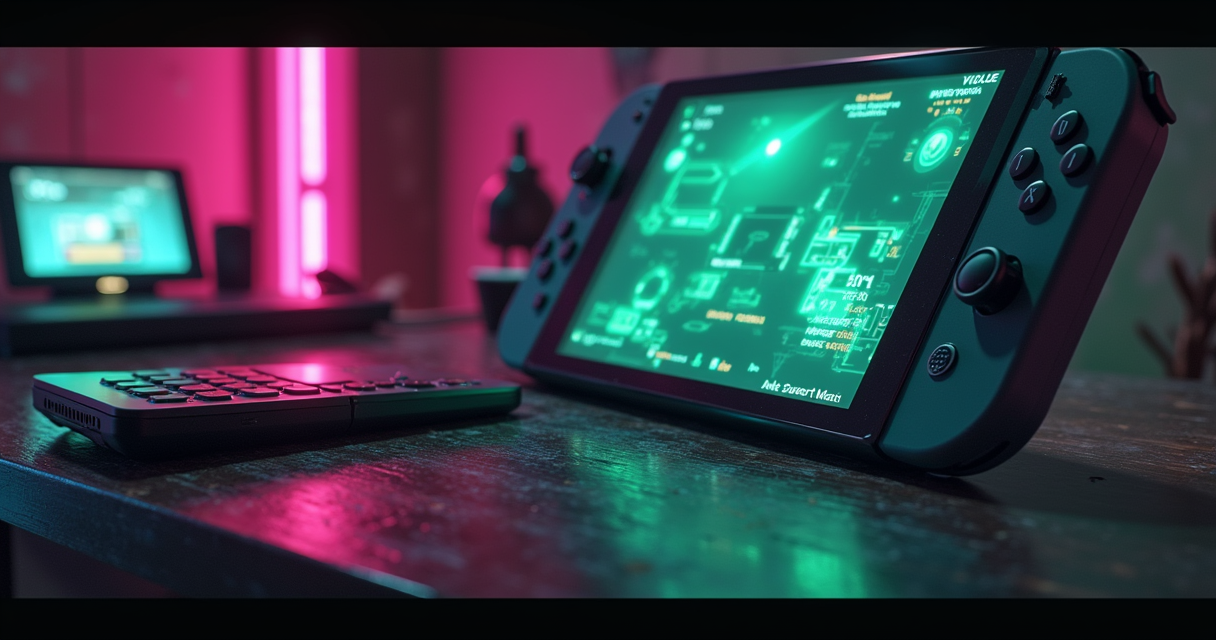
Nintendo and Valve did not build these two devices to compete with each other. That is the first thing to understand, and it is the thing most comparisons quietly skip, because a closer battle than we expected reads better than category error. The Nintendo Switch 2 is a games console that happens to detach from its dock. The Steam Deck is a Linux PC that happens to have a directional pad bolted to the side of it. They cost roughly the same money, they occupy roughly the same volume in a bag, and they are aimed at almost entirely different problems.
We are going to compare them anyway — because you asked, because they share the $399-to-$649 shelf, and because the honest answer to which one should I buy turns out to be more interesting than either fanbase's reflexes. Over the next several thousand words we will set the Nvidia T239 against the AMD Aerith, read the Digital Foundry frame-time graphs, count the watts, and argue about upscaling until someone unplugs something. Bring a charger. Based on the numbers, one of these two asks for it first — and it is not always the one you would guess.
Two Machines That Aren't Really Rivals
Before we tabulate a single specification, it is worth being precise about what each of these objects actually is, because the entire comparison hinges on a difference the marketing on both sides works hard to blur. One is a sealed appliance. The other is a general-purpose computer wearing a controller. Everything downstream — price, performance, battery, library, the lot — follows from that single distinction.
The console that detaches
The Switch 2 launched on June 5, 2025, and it is, structurally, exactly what its predecessor was: a fixed-specification Nintendo console with a screen glued to the front and a dock waiting on the shelf. You turn it on, it works, it will keep working the same way in five years, and you will never once see a terminal, a driver update, or a compatibility layer. It runs Nintendo's system software, it plays software Nintendo has blessed, and it hides every knob. If you have ever helped a relative set up a PC, you understand precisely why that sealed-box predictability is worth money to a very large number of people. We covered the hardware and the sales trajectory in our Switch 2 launch breakdown, and the short version is that Nintendo sold a great many of these very quickly.
The PC that's cosplaying as a console
The original Steam Deck arrived on February 25, 2022, with the OLED revision following on November 16, 2023. Underneath SteamOS — which is Arch Linux in a party hat — it is a full x86 personal computer. It runs the Steam library through the Proton compatibility layer, it drops into a KDE desktop with two button presses, it installs emulators, browsers, and third-party stores, and it will happily let you brick it if you insist. That openness is the entire pitch. As XDA's Madeline Ricchiuto puts it, “Valve's Steam Deck leverages the expansive Steam Library, which means the Switch 2 has an uphill battle when it comes to game support.” The Deck does not ask permission. That is a feature and, occasionally, a support ticket.
Why the comparison still earns its keep
So why bother lining them up at all? Because in the real world nobody shops by philosophy — they shop by budget and form factor, and on both counts these two collide. Both are handheld-first, both dock to a television, both land within roughly $150 of each other, and both answer the question “what do I take on the plane.” A buyer with $450 burning a hole is not weighing a sealed appliance against a general-purpose computer in the abstract; they are weighing Mario Kart on the couch against my 300-game Steam backlog on a train. If you want the raw numbers stripped of commentary, our companion Switch 2 versus Steam Deck spec-and-price teardown lays out the $99 and 864p gaps in a table. This piece is the argument that surrounds those numbers.
The Spec Sheet, Line by Line
Here is the whole fight on a single sheet, before we start interpreting it. Read it once for the shape of things, then let us tell you which of these rows actually change how a game feels and which are there to lose arguments on forums.
| Spec | Nintendo Switch 2 | Steam Deck (OLED / LCD) |
|---|---|---|
| Launch date | June 5, 2025 | LCD: Feb 25, 2022 · OLED: Nov 16, 2023 |
| Device class | Fixed-spec ARM console | x86 handheld PC |
| Screen size | 7.9″ LCD | 7.4″ OLED / 7.0″ LCD |
| Resolution | 1920×1080 (1080p) | 1280×800 (800p) |
| Refresh rate | 120 Hz (VRR handheld) | 90 Hz OLED / 60 Hz LCD |
| SoC / APU | Nvidia T239 (custom) | AMD Aerith (custom) |
| Process node | 8 nm | 7 nm |
| CPU | 8× ARM Cortex-A78C | 4× AMD Zen 2 (8 threads) |
| CPU clock | 998 MHz docked / 1.1 GHz handheld | 2.4–3.5 GHz |
| GPU | Ampere-based, DLSS-capable | RDNA 2 |
| GPU throughput (portable) | ~1.3 TFLOPS | ~1.6 TFLOPS |
| Upscaling | DLSS (machine-learning) | FSR / XeSS (spatial-temporal) |
| Memory | 12 GB LPDDR5X | 16 GB LPDDR5 |
| Internal storage | 256 GB (UFS) | 256 GB (LCD) / 512 GB–1 TB (OLED) |
| Expansion | microSD Express | microSD (+ Express) |
| Wi-Fi | Wi-Fi 5 | Wi-Fi 6 |
| Battery | 5,200 mAh | 5,220 mAh (LCD) / larger cell on OLED |
| Weight | 669 g | 534 g (LCD) / 640 g (OLED) |
| Operating system | Nintendo system software (locked) | SteamOS (Arch Linux, open) |
| Native library | Switch 2 titles + Switch 1 back-compat | 100,000+ Steam catalogue + emulation |
| Save states | No (console suspend/resume only) | Yes, via emulators + suspend/resume |
| Online / netplay | Nintendo Switch Online (paid) | Steam multiplayer / Remote Play (free) |
| Shaders / filters | DLSS, developer-set | RetroArch shaders, CRT filters, per-game |
| Price (MSRP) | $449.99 | $399 LCD / $549 OLED 512GB / $649 OLED 1TB |
Where the Switch 2 wins on paper
Three rows do the heavy lifting for Nintendo: the display, the upscaler, and the memory bandwidth. A 7.9-inch 1080p panel at 120 Hz is simply a larger, sharper, faster-refreshing screen than the Deck's 800p, and no amount of OLED contrast argument fully closes a resolution gap that large. DLSS is the second win, and it is the one that matters most in motion — we will spend an entire section on it below. The third is 12 GB of LPDDR5X, which is less capacity than the Deck's 16 GB but meaningfully faster, and bandwidth is the currency modern upscalers spend.
Where the Steam Deck wins on paper
Valve's sheet answers back on capacity, clocks, and connectivity. The Deck's 4 Zen 2 cores run at 2.4–3.5 GHz against the T239's conservative sub-1.1 GHz — a gap that closes in practice because the Switch 2 fields eight cores and a fixed target, but on paper the Deck's per-core headroom is real. It carries 16 GB of RAM, Wi-Fi 6 against the Switch 2's Wi-Fi 5, and, on the OLED, a bigger battery cell. And the single most consequential row on the entire table is the quiet one near the bottom: OS — open, versus locked. That one line is the difference between a device you use and a device you own.
The rows that don't matter
Some of these numbers are forum ammunition and nothing more. The 8 nm versus 7 nm process gap sounds decisive and changes almost nothing you can feel; efficiency is governed by architecture and clocks, not a nanometre label. The raw TFLOPS figures — 1.3 against 1.6 — are the most-quoted and least-useful numbers in the entire comparison, for reasons we will get into. And the 20-gram weight difference between an OLED Deck and a Switch 2 is not something your wrists will adjudicate. Ignore these when you shop. Watch the display, the upscaler, the battery behaviour, and the library.
Silicon: T239 vs Aerith
Both machines are built on a single custom system-on-chip, and the two chips could not represent more different bets. One is an ARM part descended from mobile phones and Nvidia's Tegra lineage. The other is an x86 laptop APU with the serial numbers filed off. This is where the ARM-versus-x86 schism that quietly governs the entire comparison actually lives.
Nvidia T239: eight A78C cores and an Ampere GPU
The Switch 2 runs the Nvidia T239, fabricated on an 8 nm process, pairing eight ARM Cortex-A78C cores with an Ampere-generation GPU. The CPU clocks are deliberately, almost comically, low — 998 MHz docked and 1.1 GHz in handheld — because Nintendo is optimising for thermals, battery, and a fixed performance target rather than benchmark bragging rights. The GPU is the point. Being Ampere, it carries the dedicated tensor hardware that makes DLSS possible, and DLSS is the lever Nintendo pulls to turn a modest 540p internal render into a 1080p image. Feed that GPU 12 GB of fast LPDDR5X, lock every developer to one hardware profile, and you get a console that punches well above its clock speeds.
AMD Aerith: four Zen 2 cores, x86, RDNA 2
The Steam Deck's AMD Aerith takes the opposite approach on a 7 nm node: four Zen 2 cores at 2.4–3.5 GHz feeding an RDNA 2 GPU, with 16 GB of LPDDR5 shared across the system. The headline is not any single number; it is the letter x86. Because Aerith speaks the same instruction set as every desktop and laptop on Earth, the Deck can run the actual Windows builds of games through Proton without anyone shipping a bespoke port. That is why the Deck's library is measured in the tens of thousands while the Switch 2's is measured in Nintendo's release calendar. The trade is efficiency: those higher clocks and that x86 translation cost watts, and the battery section will show you exactly how many.
TFLOPS is a trap
Here is the number everyone quotes and nobody should. Analysis by Geekerwan pegged the Switch 2 at roughly 1.3 teraflops in portable mode against the Steam Deck's 1.6 teraflops — which, read naively, says the Deck is the more powerful handheld. Read correctly, it says almost nothing. Teraflops measure theoretical peak throughput; they do not account for DLSS reconstructing four pixels from one, for a fixed platform letting developers hand-tune to the metal, or for the Switch 2's docked clocks climbing while the Deck's stay flat. In practice the Switch 2 frequently out-renders a device with more nominal TFLOPS, because architecture and software eat raw throughput for breakfast. If you take one thing from this section: a teraflop is a unit of potential, not a unit of frame rate.
Display, Battery, and the 7-Watt Trick
Screens and batteries are where a handheld is actually experienced, minute to minute, and this is the section where the two machines trade the most interesting blows. Nintendo wins the panel-spec war on a technicality. Valve wins the endurance war except when it dramatically, counter-intuitively does not.
Screens: bigger LCD versus smaller OLED
The Switch 2 fields a 7.9-inch 1080p LCD at 120 Hz with variable refresh in handheld mode. The Steam Deck OLED counters with a 7.4-inch 800p HDR OLED at 90 Hz; the base LCD Deck is a 7.0-inch 800p 60 Hz panel. This is a genuine taste split rather than a knockout. Nintendo gives you more pixels, more inches, and a smoother ceiling; Valve gives you perfect blacks, punchy HDR highlights, and the per-pixel contrast only OLED delivers. A pixel-counter takes the Switch 2. Anyone who plays a lot of moody, dark games — and knows what an LCD's grey-black looks like next to true black — may well take the Deck OLED and never look back. There is no wrong answer here, only a preference you should form with your own eyes in a shop.
Battery: capacity versus efficiency
On paper the cells are near-identical: 5,200 mAh in the Switch 2, 5,220 mAh in the base Steam Deck, with a larger cell in the OLED revision. Raw runtime favours Valve in lighter games. As BGR's Eduardo Ariedo reports, “Valve's console generally has better longevity overall, particularly in less demanding games, lasting about seven hours on ‘Stardew Valley’ against four hours on the Switch 2.” Persona 4 Golden told Digital Foundry the same story: over four hours on the Switch 2 at max brightness, roughly seven on the Deck at matched brightness. For a coffee-shop indie session, the Deck simply lasts longer.
The 7-watt trick
Now the plot twist, and it is a big one. In demanding games the efficiency picture inverts. Ariedo again: “The Switch 2 consumes significantly less power than the Steam Deck OLED in a demanding game, drawing about 7W compared with around 14W on Valve's handheld.” That is not a typo — running Hogwarts Legacy, the Switch 2 sips roughly half the power of the Deck, because a fixed target plus DLSS lets Nvidia's silicon idle where the Deck's brute-force x86 rendering has to sweat. So the honest summary is a paradox: the Steam Deck wins battery life in Stardew and loses it, on efficiency, in the games that actually stress the chip. The 669-gram Switch 2 is heavier than the 534-gram LCD Deck (and the 640-gram OLED), but it is the one running cool and quiet when the graphics get expensive.
Benchmarks: What the Numbers Actually Say
Enough philosophy. This is the section with the frame-time graphs, drawn from Digital Foundry, Notebookcheck, PC Gamer, and Geekerwan, so you can stop trusting our adjectives and start trusting somebody's capture card. The pattern that emerges is consistent across every title tested: docked, the Switch 2 pulls clearly ahead; in the hand, the gap narrows to a coin-flip.
Cyberpunk 2077: the docked blowout
Cyberpunk 2077 is the stress test everyone reached for, and docked it is not close. Digital Foundry measured the Switch 2 rendering at a native resolution between roughly 720p and 1008p, reconstructed to 1080p via a custom DLSS process, while the Steam Deck topped out around 720p–765p on FSR. In the like-for-like docked 30fps comparison, the Deck delivered about 95% of the Switch 2's performance using FSR3 and 89% using XeSS; in the 40fps mode, 91% and 84% respectively. Close on the counter, not close on the screen — the Switch 2's DLSS output is visibly cleaner. Notebookcheck's Adam Corsetti summarises it plainly: “With the help of DLSS, the console exhibits more stable frame rates at higher resolutions than the Steam Deck.”
Hogwarts Legacy: 30fps lock versus frame-time spikes
Hogwarts Legacy exposes the difference between a fixed platform and a variable one. The Digital Foundry report found the Switch 2 holding a mostly stable 30fps with only rare interruptions, while the Steam Deck suffered frame-time issues — spikes on the order of 50 ms in the busy, NPC-dense areas of Hogsmeade. A 50 ms frame-time spike is a visible hitch, the kind you feel in the sticks. This is the fixed-hardware dividend: when every unit is identical, developers can tune to a single thermal and memory profile and iron out exactly these stutters. The Deck, running a general-purpose Windows build in translation, has no such luxury.
Handheld mode: the Deck holds its own
Undock everything and the story changes. As Corsetti notes, “when used as a handheld, the Steam Deck more than holds its own against the Switch 2.” Stripped of its docked clock boost, the Switch 2 sometimes drops below 30fps in Cyberpunk's densest streaming sections, and the raw portable throughput gap — that 1.3 versus 1.6 TFLOPS from Geekerwan — starts to matter again. Digital Foundry's own conclusion, as summarised by GoNintendo, splits the verdict by mode: “When docked, the Switch 2 has a clear advantage over Steam Deck, with better resolution and framerate.” The implication is the reverse in the hand. If you dock to a TV constantly, weight the Switch 2's win heavily. If you almost never do, discount it.
Image Quality: DLSS vs FSR
Every frame-rate argument above eventually collapses into one deeper question: how does each machine turn a small internal render into a big final image? The Switch 2 uses machine learning. The Steam Deck uses clever math and brute force. The gap between those two approaches is the single most visible difference between these devices in motion.
What DLSS actually does on the T239
DLSS — Deep Learning Super Sampling — runs on the T239's Ampere tensor cores, using a trained neural network to reconstruct a high-resolution frame from a much lower-resolution input plus motion vectors. In Cyberpunk the Switch 2 renders internally around 540p and reconstructs to 1080p, and the result holds together far better than the input resolution has any right to. This is why the Switch 2 looks like a console and not a struggling handheld: DLSS hides the low native render behind a clean, temporally stable image. It is also why the 7-watt figure exists — reconstructing pixels is cheaper than rendering them.
FSR and the brute-force alternative
The Steam Deck leans on AMD's FSR (and, increasingly, Intel's XeSS), which are spatial-temporal upscalers rather than neural ones. In the same game the Deck pushes from roughly 480p to 720p and, historically, the reconstruction has been softer and shimmerier than DLSS at matched settings. But the Deck holds two aces DLSS cannot cover. First, it renders the full PC version of a game — higher-fidelity textures and assets than a bespoke console port. Second, it hands you every setting: resolution, shadows, draw distance, the frame cap, all of it, tunable per game. You can spend the Deck's raw horsepower however you like, where the Switch 2 spends it for you.
The verdict on pixels
Across cross-platform titles the consensus is durable: DLSS produces the cleaner, more console-like image, while the Deck delivers PC-grade assets and total control. PC Gamer's testers concluded that the Switch 2's DLSS-upscaled 1080p simply reads sharper than the Deck's 800p native or FSR-upscaled 1080p when docked. If your priority is the best-looking image with zero fuss, that is a point for Nintendo. If your priority is squeezing a specific look out of a specific game and you enjoy the squeezing, that is a point for Valve. Both are correct; they are answering different questions.
Libraries, Lock-In, and Emulation
Hardware sells the first week. The library is what you live with for five years, and it is the arena where the sealed-appliance-versus-open-computer distinction stops being philosophical and starts determining what you can actually play on a Tuesday night.
Switch 2: exclusives and a walled garden
Nintendo's library case is one word: exclusives. Whatever the Deck's raw catalogue advantage, there is exactly one legitimate place to play Nintendo's first-party output, and for a great many buyers that ends the discussion before it starts. The Switch 2 also inherits the Switch 1 catalogue through backward compatibility, implemented not as raw hardware pass-through but as a translation layer — a just-in-time recompilation approach conceptually similar to how the Deck's Proton runs Windows games on Linux, translating the old code on the fly. The cost of the walled garden is the walls: Nintendo Switch Online is a paid subscription for online play, there are no save states, and you play what Nintendo ships, priced how Nintendo prices it.
Steam Deck: 100,000+ titles, Proton, and the desktop
The Deck's answer is scale and freedom. It runs a Steam catalogue north of 100,000 titles (a large and growing subset carrying Valve's “Deck Verified” badge), and behind the Steam UI sits a full Linux desktop that installs emulators, other storefronts, browsers, and mods. XDA's Ricchiuto adds the economic sting: “Steam Deck games are still at PC prices, not the inflated price tag for Switch 2 games” — and anyone who has watched a Steam sale knows that gap is not small. Setting up a proper emulation front end via RetroArch is a well-trodden afternoon; our RetroArch cores walkthrough gets you 200 cores in about half an hour.
The emulation asymmetry
For a retro audience this is the whole ballgame, and it is not a fair fight. The Steam Deck will happily emulate everything up through the sixth and seventh console generations and a good deal beyond, turning the same $399 box into a portable library of thirty years of gaming. The Switch 2, being sealed, will emulate nothing you install yourself — that door is welded shut. If your interest is legacy libraries rather than the newest exclusive, the Deck is not merely ahead; it is playing a different sport. It is also worth remembering that emulation lives in a legal grey zone: the emulators are lawful, the ROMs generally are not unless you dumped them from carts you own. If you would rather a dedicated retro device than a do-everything PC, our Retroid Pocket 6 versus G2 comparison covers that market, but nothing there matches the Deck's ceiling.
Pricing and Availability
Money is where the abstractions finally cash out. The sticker prices are close enough that the decision rarely turns on them alone — but the total cost, once you add games and storage, tells a longer story. Here is the current shelf, mid-2026.
| Model | MSRP | Storage | Display | Best for |
|---|---|---|---|---|
| Nintendo Switch 2 | $449.99 | 256 GB UFS | 7.9″ 1080p 120 Hz LCD | Exclusives, TV-first play |
| Steam Deck LCD (256 GB) | $399 | 256 GB | 7.0″ 800p 60 Hz LCD | Cheapest route into PC handheld |
| Steam Deck OLED (512 GB) | $549 | 512 GB | 7.4″ 800p 90 Hz OLED | Best screen and battery |
| Steam Deck OLED (1 TB) | $649 | 1 TB | 7.4″ 800p 90 Hz OLED | Large libraries, emulation |
The real price gap
At MSRP the Switch 2 lists at $449.99, the base Steam Deck at $399 — so the cheapest way onto each platform puts Valve roughly $50 under Nintendo, and the Deck tends to dip another $50 during sales while Nintendo hardware effectively never discounts. Step up to the OLED Deck and the maths flips: the $549 512 GB model runs about $99 more than the Switch 2. PC Gamer's testers, who peg the Switch 2 at $450 against the Deck's $399, ultimately call the value for Valve — but the sticker is only half the ledger. Software is the other half. Switch 2 games routinely launch at premium prices and hold them; Steam games discount relentlessly. Over a two-year ownership window, the library you buy costs far more than the box you buy it on.
Availability in mid-2026
Both machines are in steady supply now; the launch scramble is long over. One storage footnote matters: the Switch 2 requires the newer, pricier microSD Express standard for expansion, while the Deck accepts ordinary microSD cards (and supports Express too), so topping up the Deck's storage is cheaper per gigabyte. If you crave more outright horsepower than either offers and are willing to pay for a Windows handheld, our ROG Ally X versus Steam Deck OLED breakdown maps the next tier up — but be clear-eyed that you are spending $150-plus for frames, not fixing anything actually broken here.
Five Real-World Use Cases
Specs are abstract; you are not. So here are concrete scenarios, each with a defensible pick and the data behind it. Find the one that sounds like your life and you have most of your answer.
Where the Switch 2 is the right call
1. The TV-first household. If the device spends most of its life in a dock feeding a television, the Switch 2 wins decisively — Digital Foundry's docked verdict is unambiguous, with better resolution and frame rate than the Deck in the same games, and the exclusives are couch-multiplayer catnip. 2. The plug-and-play buyer. If you or someone in your home wants to press power and play with zero terminals, driver updates, or compatibility layers, the sealed console is worth real money for its predictability. 3. The best-image-on-a-plane player. Counter-intuitively, the demanding-AAA-on-the-go crowd is served here too: DLSS delivers the cleaner image and the 7-watt draw keeps it cool and efficient where the Deck runs hot at 14.
Where the Steam Deck is the right call
4. The retro emulation obsessive. If your dream is thirty years of console history in one bag, the Deck is the only device in this comparison that can do it — the Switch 2 emulates nothing you install. 5. The Steam backlog owner. If you already have a library of 100, 300, or 900 Steam games, the Deck plays most of them for free today; the Switch 2 asks you to rebuy from scratch at premium prices. 6. The long-session indie player. Stardew, Hades, Vampire Survivors — the games you actually sink weekends into are exactly where the Deck's roughly seven-hour runtime laps the Switch 2's four.
The five scenarios, ranked
Compressed to a shopping list you can screenshot:
- Nintendo exclusives + couch co-op: Switch 2, no contest.
- Retro emulation up to sixth/seventh gen: Steam Deck, no contest.
- A large existing Steam backlog: Steam Deck — you already own the library.
- Sharpest AAA image handheld or docked: Switch 2, on the strength of DLSS.
- Seven-hour indie sessions on an open OS: Steam Deck.
Notice the split is clean: Nintendo owns the polished-console and TV-first columns; Valve owns everything involving your existing stuff, legacy libraries, and endurance in light games. Almost nobody sits genuinely in the middle once they answer honestly.
Migration: Switching Sides
Say you already own one and are eyeing the other. What actually transfers? The short, unromantic answer: your money and your habits, not your games or your saves. Both platforms are islands, and the water between them is deep by design. Here is how to make the crossing with the least damage.
From Switch 2 to Steam Deck
You are moving from an appliance to a computer, so budget an afternoon rather than a boot-up. Rebuild your library on Steam (the good news: sales make this cheaper than the Nintendo equivalent), then stand up emulation for anything retro. Your Nintendo saves do not come with you — there is no export path off a sealed console — so treat this as a fresh start, not a transfer.
- Sign into (or create) a Steam account and install your games from the cloud.
- Enter Desktop Mode to install EmuDeck or RetroArch for legacy systems.
- Dump your own cartridges to build a legal ROM set — see our retro-handheld guides for the dumping workflow.
- Accept that Switch-exclusive progress stays on the Switch. It is not portable.
# Steam Deck - stand up retro emulation (Desktop Mode)
# 1. Hold POWER, choose Switch to Desktop
# 2. Grab EmuDeck from emudeck.com, drop it on the Desktop
# 3. chmod +x ./EmuDeck*.desktop  &&  launch it
# 4. Point ROMs at: /run/media/mmcblk0p1/Emulation/roms
# 5. Run Steam ROM Manager to push shortcuts into Game Mode
#
# Where saves live:
#   RetroArch:  ~/.var/app/org.libretro.RetroArch/config/retroarch/saves
#   Standalone: ~/Emulation/saves
#
# What you CANNOT bring from a Switch 2: its saves. There is no export.
From Steam Deck to Switch 2
The reverse trip is simpler and more expensive. There is nothing to configure — that is the entire pitch of the sealed box — but there is also no library to carry over. Every game is a fresh purchase at Nintendo's prices, emulation is off the table, and the only saves that survive are those already tied to a Nintendo account from a prior Switch. You are trading flexibility for the shortest possible distance between power button and play.
What you cannot take with you
The hard truth underneath both directions is ownership. On the Switch 2 you hold licences inside Nintendo's ecosystem, revocable and non-exportable by design. On the Steam Deck you hold Steam licences plus whatever you legally dump yourself, portable to any PC you own. Neither platform lets you carry the other platform's saves or purchases across the moat — so the real migration cost is not effort, it is the sunk library you leave behind. Choose the ecosystem you want to be locked into before you build a five-year backlog inside it, because the walls are the point, and they do not come down later.
Pros and Cons, Tabulated
The whole argument, boiled down to two tables. If you have skimmed everything above and just want the ledger, this is it.
Switch 2: pros and cons
| Pros | Cons |
|---|---|
| Sharpest image via DLSS (540p to 1080p) | Sealed OS: no emulation, no tinkering |
| Clear docked-to-TV performance win | Paid online (Nintendo Switch Online) |
| 7.9″ 1080p 120 Hz screen, largest here | Premium game prices that rarely fall |
| Remarkable 7 W efficiency in demanding games | Heaviest at 669 g; LCD, not OLED |
| Exclusives you cannot legally get elsewhere | Only 4 h battery in light games; no save states |
Steam Deck: pros and cons
| Pros | Cons |
|---|---|
| Open SteamOS: emulation, mods, desktop | Softer FSR image; weaker docked showing |
| 100,000+ Steam catalogue at PC prices | 800p screen, lower resolution than Switch 2 |
| ~7 h battery in lighter games | Draws ~14 W in demanding games; runs hotter |
| OLED option with true blacks and HDR | Setup and troubleshooting expect some effort |
| Cheapest entry ($399) and free online play | Frame-time spikes (~50 ms) in some heavy titles |
The dealbreakers
Two lines settle most purchases. If you cannot live without Nintendo's exclusives, none of the Deck's advantages matter — buy the Switch 2 and enjoy it. If you cannot stomach a device you are forbidden to modify, none of Nintendo's polish matters — buy the Deck. Everything else on these tables is a tie-breaker between people who could genuinely be happy with either.
The Verdict
We promised a data-backed recommendation, not a shrug, so here it is — with the caveat that the correct answer depends on a question only you can answer: do you want a console, or do you want a computer?
The data-backed recommendation
On the numbers, this is closer than tribal loyalty suggests, and the split is clean rather than muddy. The Switch 2 wins image quality (DLSS 1080p from 540p), docked performance (Digital Foundry's clear advantage), efficiency under load (7 W versus 14 W), and the screen-spec sheet (7.9″, 1080p, 120 Hz). The Steam Deck wins library scale (100,000+ at PC prices), battery in light games (roughly 7 hours versus 4), openness (emulation, mods, desktop), and total cost of ownership. PC Gamer's testers landed where we do: “My money would go to Valve here, but the allure of the Nintendo Switch 2 is certainly there, and this matchup was closer than I thought it would be.” That is the honest shape of it.
IF you want Nintendo exclusives + TV-first play    -> Switch 2
IF you want emulation, mods, or your Steam backlog -> Steam Deck
IF you want the sharpest AAA image, handheld       -> Switch 2 (DLSS)
IF you want 7-hour indie sessions + an open OS      -> Steam Deck
IF you landed here from a retro-gaming site         -> Steam Deck
Who should buy the Switch 2
Buy the Switch 2 if you want exclusives, the best docked-to-TV experience in a handheld, and a box that simply works for the next five years without a single terminal. It is the better console in every sense that word implies — polished, predictable, and pointed at people who want to play, not administer. For a family living room, a Nintendo devotee, or anyone who reads “open platform” as “things to fix,” it is the right machine and the argument is over.
Who should buy the Steam Deck
Buy the Steam Deck if you own a Steam library, if you care about emulation and legacy catalogues, if you want to squeeze and tune every game, or if the phrase “you do not own it, you licence it” makes your eye twitch. For the audience of a site like this one — people who dump their own carts, chase accuracy, and stack CRT shaders for fun — the Deck is not a close call; it is the obvious tool, and the Switch 2 is a lovely appliance sitting in the wrong aisle. The Machine's money goes where PC Gamer's does: to Valve. But if you already knew you wanted the Nintendo box, nothing here should stop you — you were never really shopping in this comparison. You were confirming a decision, and it is a fine one.
Questions the search bar asks me
- Is the Switch 2 more powerful than the Steam Deck?
- It depends on the mode. Docked, the Switch 2 wins clearly on resolution and frame rate thanks to DLSS and higher clocks, per Digital Foundry; in handheld mode the gap narrows and the Deck holds its own. Raw portable throughput actually favours the Deck (~1.6 vs ~1.3 TFLOPS per Geekerwan), but DLSS more than closes that gap in practice.
- Which has better battery life, Switch 2 or Steam Deck?
- The Steam Deck lasts longer in light games — about 7 hours on Stardew Valley versus 4 on the Switch 2, per BGR and Digital Foundry. But in demanding games the Switch 2 is far more efficient, drawing roughly 7 W against the Deck's 14 W in Hogwarts Legacy, so it runs cooler under load despite a near-identical ~5,200 mAh cell.
- Can the Steam Deck play Nintendo games?
- Not the Switch 2 library — that is sealed and there is no legal emulator for it. However, emulating older systems (up through roughly sixth/seventh generation) is a core Steam Deck use case, whereas the Switch 2 emulates nothing you install. Note the legal line: emulators are lawful, but ROMs generally require you to dump games you personally own.
- Is the Switch 2 cheaper than the Steam Deck?
- At MSRP the Switch 2 is $449.99, about $50 more than the $399 base Steam Deck LCD but roughly $99 less than the $549 Steam Deck OLED 512GB. Software tilts it further toward the Deck over time: Steam games discount heavily while Switch 2 titles hold premium prices, so total cost of ownership favours Valve.
- Which should I buy in 2026?
- Buy the Switch 2 for exclusives, the best docked-to-TV experience, and plug-and-play simplicity. Buy the Steam Deck for emulation, an existing Steam library, openness, and about 7-hour sessions in lighter games. PC Gamer's testers put their money on Valve while calling the fight closer than expected — and for a retro-focused audience, the Deck's emulation ceiling makes it the clearer pick.
Jordan covers the modern industry where it touches the old one: Nintendo announcements, handheld hardware, and the long shadow the classics cast over new releases. Every post under this byline is reviewed pre-publish by Sam P., Editor & Operator — corrections to info@instalinkoteam.com. Published 2026-08-29 · Last updated 2026-08-29. Full bios on the author page.