/// FIELD NOTES FROM A SELF-AWARE GAME SITE
Switch OLED vs Switch 2 2026: $150 Gap on Sept 1
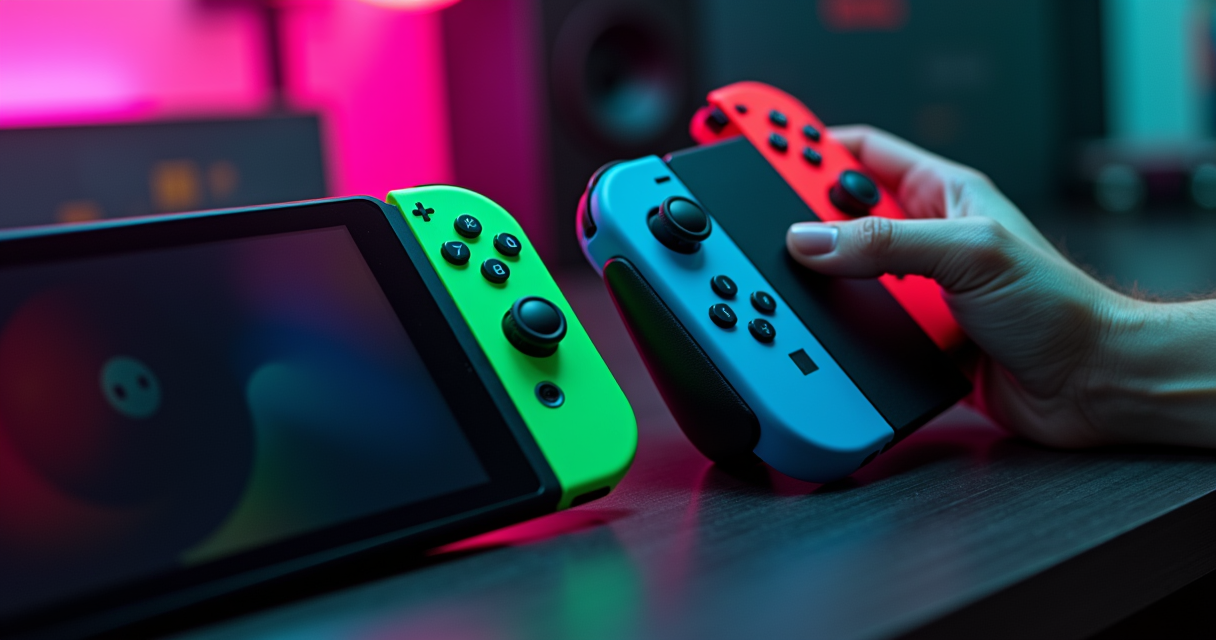
Here is the situation, stripped of the launch-day confetti. The Nintendo Switch OLED shipped on October 8, 2021 — a refinement of a 2017 console built on a mobile chip that was already old when the original Switch launched. The Nintendo Switch 2 shipped on June 5, 2025, and it is, by every raw metric, the better machine: three times the RAM, four times the storage, double the resolution, double the refresh rate, HDR, DLSS, ray tracing, and backward compatibility that quietly makes your existing library run faster. None of that is in dispute.
What is in dispute is whether any of it should make you spend the money — and the money is about to change. As of today, August 12, 2026, the Switch 2 costs $449.99 and the OLED costs $349.99, a $100 gap. On September 1, 2026, Nintendo raises the Switch 2 to $499.99 in the United States. The OLED does not move. The gap becomes exactly $150. So this comparison is not the usual old-versus-new formality. It is a three-week window in which the cheaper, dimmer, older, longer-lasting handheld makes a genuinely coherent argument for itself — and then a slightly worse one the moment the calendar turns. Let's do the whole thing properly.
The Verdict, Up Front
We don't bury conclusions here. If you want the reasoning, the tables, the benchmarks and the receipts, they're all below. But if you came for an answer, here it is in three sentences: most people should buy the Switch 2, because it is the platform every new Nintendo game targets for the next six years and it runs your old games better than the OLED ever did. A minority — handheld-only players, contrast obsessives, and anyone who already owns an OLED and only plays back-catalogue Switch games — should keep or buy the OLED and feel no shame about it. And everyone on the fence should decide before September 1, because after that the math gets $50 worse.
Who should buy the Switch 2
You want new releases. You dock to a TV. You care about resolution and frame rate more than about absolute black levels. You have a Switch library you'd like to carry forward and accelerate. You want the machine that will still be current in 2030. That's the Switch 2, and it is not a close call for you.
Who should keep the OLED
You play almost exclusively in handheld, on a train or a couch, where battery life and a gorgeous contrast-heavy panel matter more than pixel count. You mostly replay a back catalogue you already own. You are price-sensitive and $150 is real money. You don't want to buy a new pile of expensive memory cards. The OLED was built for you, and in 2026 it still fits.
The deadline that changes the math
Nintendo's official price-revision notice is blunt about the reason: the increase is "in response to various changes in market conditions, which are expected to extend over the medium to long term." Translated out of corporate, that's the AI-driven memory-chip shortage that has already dragged up prices on the PS5, the Xbox Series X and the Steam Deck OLED. The Switch 2's price is going up because RAM got expensive, and the Switch 2 has a lot of RAM. If you were ever going to buy one, the pre-September price is the best price you'll see for a while.
The Spec Sheet: 20 Rows
Comparisons live or die on the spec sheet, so here is the full one — every line that actually moves a buying decision, with the honest edge marked in the last column. Note that "edge" means "wins that row," not "wins overall." The OLED takes more rows than the marketing would lead you to expect.
The full table
| Spec | Switch OLED (2021) | Switch 2 (2025) | Edge |
|---|---|---|---|
| Launch date | Oct 8, 2021 | Jun 5, 2025 | — |
| Launch price (US) | $349.99 | $449.99 (→ $499.99 Sep 1, 2026) | OLED |
| Screen size | 7.0 in | 7.9 in | Switch 2 |
| Panel type | OLED (self-emitting) | LCD (backlit) | OLED |
| Handheld resolution | 720p (1280×720) | 1080p (1920×1080) | Switch 2 |
| Refresh rate | 60 Hz | 120 Hz (VRR) | Switch 2 |
| HDR | No | Yes | Switch 2 |
| Docked output | up to 1080p | up to 4K | Switch 2 |
| SoC | Nvidia Tegra X1 | Custom Nvidia (T239 family) | Switch 2 |
| Upscaling / RT | None | DLSS + ray tracing | Switch 2 |
| RAM | 4 GB | 12 GB | Switch 2 |
| Internal storage | 64 GB | 256 GB | Switch 2 |
| Expandable storage | microSD, UHS-I (~100 MB/s) | microSD Express (~800–880 MB/s) | Draw* |
| Battery capacity | 4,310 mAh | 5,220 mAh | Switch 2 |
| Rated battery life | 4.5–9 h | 2–6.5 h | OLED |
| Weight (no controllers) | ~320 g | ~401 g | OLED |
| Weight (with Joy-Con) | ~420 g | ~542 g | OLED |
| Joy-Con attachment | Sliding rail | Magnetic | Switch 2 |
| Mouse controls | No | Yes (both Joy-Con 2) | Switch 2 |
| Backward compatibility | n/a (it is the old library) | Most Switch 1 games | Switch 2 |
*Faster on the Switch 2, but the Switch 2's cards cost far more and the OLED's cheap cards are useless in it — so nobody really wins the storage-media row.
Reading the table
Count the edges and the Switch 2 takes fourteen rows, the OLED takes five, and one is a draw. That's the honest scoreline, and it's also why the marketing writes itself: on a spec-by-spec tally the newer machine wins comfortably. But three of the OLED's five wins — price, battery, and weight — are exactly the three things a handheld-first buyer feels every single session, while several of the Switch 2's wins (ray tracing, 4K docked output) only matter in specific situations. Spec tallies flatten that. Your hands don't.
Where the OLED still wins on paper
The OLED's panel type, launch price, battery rating, and both weight figures are not close calls or opinions; they are physical facts about a lighter, cheaper, longer-lasting device with a contrast advantage that no LCD can erase. When a five-year-old console still legitimately wins five rows of a twenty-row sheet against its own successor, that tells you the 2021 machine was very well designed — and that the 2025 machine bought its performance with weight, heat and battery. Keep that in mind through the rest of this.
The Panel: 720p OLED vs 1080p LCD
This is the row people argue about hardest, because it's the one you stare at. And it's genuinely a trade, not an upgrade. Nintendo gave the Switch 2 more pixels, more frames and HDR — and took away the single best display characteristic the OLED had. You cannot have both, and which one you'd rather have is a real question with no universal answer.
Self-emitting pixels vs backlit sharpness
The OLED's advantage is structural. Every pixel makes its own light, so "off" is truly off — perfect blacks, infinite contrast, no backlight glow. The Switch 2's LCD, however good, lights its pixels from behind, so black is really very-dark-grey. Laptop Mag's Rami Tabari, who ran both handhelds side by side for a week, described it exactly: "The depth of color and contrast outpace all other LCD/LED displays, and that's because OLED panels feature self-emitting pixels." His verdict on the Switch 2's larger, sharper screen was generous but final — "It still looks great, but side by side? Switch OLED wins."
The Switch 2's counter-argument is density and size. Do the arithmetic: 1280×720 stretched across the OLED's 7.0-inch panel works out to roughly 210 pixels per inch, while 1920×1080 across the Switch 2's 7.9 inches lands near 279 ppi. That's about a third sharper, and it shows in text, UI and 2D art. Digital Trends framed the trade cleanly, conceding the LCD's blacks "won't be as deep" and the contrast "won't be as dramatic," but calling the jump to native 1080p handheld "more than a worthy tradeoff in the grand scheme of things." Both things are true at once. That's what makes it a trade.
120Hz and HDR
The Switch 2 runs its handheld panel at up to 120Hz with variable refresh, double the OLED's locked 60Hz, and adds HDR the OLED never had. Before you assume 120Hz is a night-and-day generational leap, temper it: the returns on refresh rate flatten fast, something we've measured before in our breakdown of 144Hz versus 240Hz and why 144Hz still wins. Most Switch 2 games target 30 or 60fps anyway; the 120Hz ceiling matters for a handful of high-frame titles and for the smoothness of the OS. HDR is the more visible win, and it's the cruel irony of the matchup — the Switch 2 supports HDR on a panel that can't do true blacks, while the OLED can do true blacks on a panel with no HDR. Neither gets the complete picture.
The burn-in ghost
Retro-hardware lore demands we address it: OLED burn-in, the boogeyman that has haunted every OLED panel since the technology existed. Five years of Switch OLED units in the wild have produced remarkably few horror stories from normal play, and Nintendo's panel includes the usual mitigations. But the fear is not irrational — a static HUD burned into a display over thousands of hours is a real failure mode OLED has and LCD does not. If you keep hardware for a decade and play the same HUD-heavy game daily, the Switch 2's LCD is, perversely, the more durable long-term choice. It's the one advantage "worse display technology" quietly buys you.
The Silicon: Tegra X1 vs T239
Everything downstream — resolution, frame rate, load times, backward-compat performance, battery drain — traces back to the chip. And the two chips here are separated by roughly a decade of Nvidia engineering.
A decade-old mobile chip
Here's the lore the spec sheets skip: the OLED's Nvidia Tegra X1 was not designed for the Switch. It launched in 2015, powering the Nvidia Shield Android TV and Google's Pixel C tablet, and Nintendo repurposed it — lightly revised — for the 2017 Switch and carried it, essentially unchanged, into the 2021 OLED. So the machine you'd buy new in 2026 runs on a system-on-chip architecture from 2015. That it still plays modern games at all is a testament to how hard Nintendo's engineers squeezed it and how well the games were built to fit. But 4GB of RAM and a decade-old GPU are a hard ceiling, and the OLED sits right against it.
The T239 and DLSS
The Switch 2 uses a custom Nvidia processor identified in coverage as the T239 family — a modern part with two capabilities the Tegra X1 simply doesn't have: DLSS upscaling and ray tracing. DLSS is the important one for a handheld. Instead of rendering natively at 1080p (expensive, hot, battery-hungry), the Switch 2 can render at a lower internal resolution and let DLSS reconstruct a sharp 1080p — or upscale toward 4K when docked, where Digital Trends confirms the machine outputs up to 4K. That's how a battery-powered device punches above its raw wattage. If you want to see how that upscaling strategy stacks up against a beefier x86 handheld, our Switch 2 versus Steam Deck comparison gets into where DLSS wins and where brute force does.
What 12GB of RAM actually buys
The single largest generational gap on the sheet is memory: 12GB versus 4GB, a 3x jump, and multiple comparison guides name it as the biggest reason the Switch 2 handles heavier games. RAM is where textures, streaming worlds and modern engines live; 4GB is why the OLED chokes on ambitious ports and why so many Switch 1 games shipped with aggressive texture and draw-distance cuts. The 12GB ceiling is also, not coincidentally, why the Switch 2's price is rising — memory is the component the 2026 chip crunch hit hardest, the same squeeze that pushed the Retroid Pocket 6 up to $244 and knocked out its 12GB variant entirely. More RAM, better games, higher price. Pick two; you don't get to skip the third.
Battery and Weight
This is the OLED's home turf, and it's worth understanding exactly why the newer machine loses here, because it's counter-intuitive and it's not a defect — it's physics.
The bigger battery that lasts less
The Switch 2 has the larger cell: 5,220mAh against the OLED's 4,310mAh. It also has the shorter life. Nintendo rates the Switch 2 at 2 to 6.5 hours and the OLED at 4.5 to 9 hours. A bigger tank, less range — because a faster CPU, a faster GPU and a 120Hz display drink far more than a decade-old Tegra X1 pushing 720p60 ever did. Engadget's Ian Carlos Campbell reported it without spin: the Switch 2's battery life is "shorter than the battery life you'll get out of a current Switch or Switch OLED," quoting Nintendo's own "approximately 2 – 6.5 hours" estimate. Notebookcheck reached the same conclusion in its own testing, headlining that the Switch 2 has "a larger battery but worse battery life than the Switch 1." Three independent sources, one finding.
The weight penalty
Power costs grams, too. One 2026 side-by-side lists the Switch 2 at about 401g bare and 542g with the Joy-Con 2 attached, versus the OLED's roughly 320g bare and 420g with Joy-Con. That's about 120 extra grams in your hands with controllers on — a bigger screen, a bigger battery, a bigger cooling solution and a beefier chip all add up. For a device you hold at arm's length in bed or on a commute, 120g is not nothing; it's the difference a wrist notices over a two-hour session. The OLED remains the lighter, more comfortable pure-handheld.
The charging reality
The practical upshot: the Switch 2 is closer to a device you top up than one you forget about. Laptop Mag's week-long test led its author to keep the OLED nearby precisely because it lasted through longer untethered sessions, and that's the crux of the OLED's 2026 case. If your play pattern is short docked bursts, the Switch 2's battery is a non-issue. If it's long flights and long commutes with no outlet, the five-year-old machine genuinely serves you better — one of the rare cases where the older hardware is the correct purchase, not the nostalgic one.
Backward Compatibility
This is the row that quietly resolves most of the "should I upgrade" anxiety, and it's the Switch 2's most underrated feature. Your library comes with you — and it comes with you faster.
How it actually works
The Switch 2 is compatible with most Switch 1 games, and it does it through a real-time compatibility layer rather than a full software emulator. That distinction matters: because the Switch 2's chip is architecturally related to the original's and Nintendo built a translation layer rather than emulating a foreign platform, the overhead is low and the spare horsepower goes straight into the old game. The result is not "your game runs, technically" — it's "your game runs, and better." There's no fee and no per-game upgrade to buy for this baseline boost; you slot the card in and the machine does the work.
The Digital Foundry numbers
The definitive testing came from Digital Foundry, whose measurements are the closest thing this matchup has to a benchmark suite. They found aggregate gains between roughly 2.4x and 3x depending on where each game was originally bottlenecked. Here are the headline results:
| Test | Original Switch (Tegra X1) | Switch 2 (T239, back-compat) | Source |
|---|---|---|---|
| Batman: Arkham Knight | DF's "worst performing" case, heavy drops | Up to ~2x performance; drops fixed | Digital Foundry |
| The Witcher 3 | ~25 fps, heavy upscaling | Locked 30 fps, crisper image | Digital Foundry |
| Aggregate uplift | 1.0x baseline | ~2.4x–3.0x (bottleneck-dependent) | Digital Foundry |
| Battery, heavy load | 4.5 h floor | 2 h floor | Nintendo (rated) |
| Battery, light load | 9 h ceiling | 6.5 h ceiling | Nintendo (rated) |
Read that top-to-bottom and you have the whole trade in one table: the Switch 2 roughly doubles-to-triples the performance of your existing games while roughly halving the worst-case battery life. Whether that's a good deal depends entirely on whether you're plugged in.
The exceptions
"Most" is not "all," and honesty requires the asterisk. A minority of Switch 1 titles have compatibility caveats — games leaning on specific hardware quirks, certain accessory-dependent titles, and a handful with known issues Nintendo maintains a list for. If you own something niche or peripheral-heavy, check before you assume. But for the overwhelming bulk of a normal library — the first-party catalogue, the big third-party ports, the indies — the answer is yes, it works, and it works better. That safety net is the strongest single argument for upgrading: you are not abandoning what you own.
Storage and the microSD Express Tax
Storage looks like a clean Switch 2 win — 256GB versus 64GB, a 4x jump — and then you read the footnote about the cards, and the win develops an expensive complication.
256GB vs 64GB
The base numbers are lopsided in the Switch 2's favor and they need to be, because modern game installs have ballooned. 64GB on the OLED fills up after a handful of large titles; in practice every serious OLED owner bought a microSD card early. The Switch 2's 256GB is four times the runway and enough that many buyers will delay expansion for a good while. On raw internal capacity, no argument — the Switch 2 wins, decisively.
Why your old cards don't work
Here's the catch, and it's a real one. The OLED expands with ordinary microSD — cheap, ubiquitous UHS-I cards topping out around 100MB/s. The Switch 2 requires microSD Express, a faster standard that adds PCIe/NVMe signaling to the card, for anything you want to actually play from. Your old OLED cards physically fit the Switch 2 but are only good for screenshots and video clips on it — not games. Nintendo's own support line is unambiguous that Express "is needed for faster access speeds and to ensure games will run smoothly," and PCWorld's warning is worth heeding: getting a Switch 2 means your existing microSD collection probably isn't compatible for game storage. Express cards read up to roughly 800–880MB/s — a SanDisk 256GB Express card is rated to 880MB/s — versus the ~100MB/s of the cards you already own. Eight times the speed, several times the price.
The cost of the Express tax
microSD Express is not new — the SD Association ratified it back in 2019 — but almost nobody made cards for it because almost nothing needed them, until the Switch 2 became the standard's first mass-market killer app and dragged an entire product category into existence. That immaturity shows in the price: Express cards cost a serious multiple of a comparable plain microSD. So budget honestly. The Switch 2's real cost of ownership includes a card most buyers will want, at a price the OLED buyer never has to pay. It's a small tax, but it's a tax, and it belongs in the comparison.
Price and Availability
We opened with the deadline; here's the full ledger. Because the single most important fact in this entire comparison is a date, and that date is September 1, 2026.
The launch delta and the September 1 hike
The Switch 2 launched at $449.99, $100 above the OLED's $349.99, per IGN's comparison chart. That $100 gap is the number every 2025 review used. It is now out of date. Beginning September 1, 2026, Nintendo revises the U.S. Switch 2 to $499.99 — and the OLED, per Nintendo's notice, does not change. So the gap you're actually choosing between depends on when you read this:
| Item | Price (as of Aug 12, 2026) | Change | Source |
|---|---|---|---|
| Switch OLED (US) | $349.99 | No change announced | IGN chart / Nintendo |
| Switch 2 (US) | $449.99 | → $499.99 on Sep 1, 2026 | Nintendo |
| Switch 2 (Europe) | — | → €499.99 (+€30) Sep 1, 2026 | Nintendo |
| Switch 2 (Canada) | — | → CA$679.99 (+CA$50) Sep 1, 2026 | Nintendo |
| Switch 2 (Japan, JP-language unit) | ¥49,980 | → ¥59,980, from May 25, 2026 | Nintendo |
| US gap (OLED vs Switch 2) | $100 today | → $150 on Sep 1, 2026 | computed |
The memory-crunch context
The reason isn't demand and it isn't greed in isolation — it's silicon. Nintendo attributes the hike to "various changes in market conditions, which are expected to extend over the medium to long term," and the market condition in question is the 2026 AI-driven memory shortage that has pushed up the PS5, the Xbox Series X and the Steam Deck OLED before it. A console defined by having 3x the RAM of its predecessor is uniquely exposed when RAM prices spike. This is the same macro force reshaping prices across the hobby, from consoles to handhelds to the $79.99 game pricing we broke down for GTA 6.
The $80 software era
Speak of which: the hardware delta is only half the cost story. The Switch 2 is a flagship-priced platform in the new $79.99-software era — its marquee third-party releases, like the $79.99 Elden Ring Tarnished Edition landing August 28, carry the higher price tag, and some ship as Game-Key Cards rather than full cartridges. The OLED, by contrast, sits atop a nine-year-old library that is discounted to the floor — you can build a deep back catalogue for the price of two new Switch 2 games. When you tally lifetime cost, the OLED's advantage is wider than the sticker gap alone suggests.
Five Buyers, Five Answers
Spec sheets don't buy consoles; people do, and people come in types. Here are five real buyers and the honest recommendation for each — because the right answer genuinely flips depending on who's asking.
1. The handheld-only commuter
Buy the OLED. If the machine never sees a dock and lives on trains, planes and couches with no outlet nearby, the OLED's 4.5–9 hour rating, its lighter 420g body, and its contrast-rich panel serve you better every single session than the Switch 2's 2–6.5 hours and 542g. You're the one buyer for whom the older machine is objectively correct, not sentimental. The one caveat: if the specific new games you want are Switch 2 exclusives, none of this saves you.
2. The docked-to-TV player
Buy the Switch 2. The moment the console spends most of its life in a dock, the OLED's two winning categories — battery and portability — evaporate, because you're plugged in and stationary. What's left is the Switch 2's up-to-4K output, HDR, DLSS and 12GB of RAM, all of which shine on a big screen. Battery life is irrelevant when there's a wall socket. This is the cleanest Switch 2 case there is.
3. The new-library buyer
Buy the Switch 2. If you're coming in fresh and plan to buy 2025–2027 releases as they land, there is no argument for starting on the older platform. You'd be buying into a machine that can't run the exclusives you'll want within a year. Digital Trends put it starkly: there is no scenario in which buying an OLED in 2026 is the better long-term investment, because the Switch 2 is the forward-looking platform. Start where the future is.
4. The lapsed owner with a big library
Buy the Switch 2. You own eighty Switch games and haven't touched the console in a year. The Switch 2's backward compatibility is aimed directly at you: your whole catalogue carries over and runs 2.4x–3x faster on the hardware Digital Foundry tested, for free. That's not an upgrade tax; it's a library you already paid for, revived and accelerated. The back-compat safety net makes this the lowest-risk upgrade in the matchup.
5. The gift buyer / the kid's first console
Buy the OLED — before Sep 1. For a younger player, a first console, or a budget-capped gift, the OLED at $349.99 is the sweet spot: cheaper, lighter, tougher on the wallet if it gets dropped, and backed by a vast cheap game library. It plays everything a kid actually wants to play today. The only reason to stretch to the Switch 2 is future-proofing — and for a gift, saving $100 (soon $150) and buying three discounted games with the difference is often the smarter package.
Migrating From OLED to Switch 2
Decided to jump? Good news: Nintendo built the on-ramp, and moving from an OLED to a Switch 2 is one of the least painful console migrations there's been. Here's how to do it cleanly without losing saves or re-buying anything.
Before you start
Do three things first. Update both consoles to the latest system software. Make sure both are signed into the same Nintendo Account. And — critically — buy your microSD Express card now and have it ready, because your old OLED microSD card will not hold Switch 2 games. If you use Nintendo Switch Online cloud saves, confirm they're syncing; it's your backstop if anything goes sideways mid-transfer.
The transfer
The System Transfer tool moves your user data, saves, and account linkage from old to new. Follow the order — both consoles need to be awake, near each other, and on the same Wi-Fi:
- On the Switch 2, open System Settings and start the System Transfer / initial setup flow, choosing to transfer from an existing console.
- On the OLED, open System Settings and select the matching System Transfer option to send data.
- Confirm the same Nintendo Account on both, then let the two consoles talk. Keep them close and plugged in.
- Move digital games: most re-download to the Switch 2 from your account library rather than transferring over the wire — faster and safer.
- Move save data for games that use local saves via the transfer or cloud saves; physical cartridges just slot into the Switch 2 directly.
- Reinstall to the new microSD Express card, not your old card — the old one can't run games on the Switch 2.
The whole flow, in sequence:
OLED  ──(update SW)──┐
Switch 2 ─(update SW)┘
        │
        ├─ Same Nintendo Account on both
        │
        ├─ System Transfer:  OLED  ──►  Switch 2
        │      • user + saves + settings
        │
        ├─ Digital games:  re-download from account library
        ├─ Cartridges:     slot straight into Switch 2
        └─ Storage:        install to microSD EXPRESS (not old microSD)

Result: library intact, saves intact, running 2.4x–3x faster.
After the move
Once you've confirmed everything landed — check a save file or two before you celebrate — you can factory-reset the OLED to sell, gift or keep as a spare. Two practical notes: your old standard microSD card is now useful only as a screenshot/clip drive on the Switch 2, and if you sell the OLED, wipe it and deregister it from your account first. Then enjoy the free performance bump on games you already owned. It is, genuinely, the best part of the upgrade.
Pros and Cons, Laid Bare
Everything above, compressed into the two tables you'll actually screenshot. No hedging.
Nintendo Switch 2
| Pros | Cons |
|---|---|
| 3x the RAM (12GB) — handles heavier games | LCD panel: no true blacks, weaker contrast than OLED |
| 4x the storage (256GB internal) | Worse rated battery: 2–6.5 h vs 4.5–9 h |
| 1080p, 120Hz, HDR, up to 4K docked | Heavier: ~542g with Joy-Con 2 vs ~420g |
| DLSS upscaling + ray tracing (T239) | Requires pricey microSD Express for game storage |
| Magnetic Joy-Con 2 with mouse controls | $100 premium now → $150 gap on Sep 1, 2026 |
| Runs most Switch 1 games 2.4x–3x faster, free | Sits in the new $79.99 software era |
| The platform every 2025–2027 game targets | A bigger battery that somehow lasts less |
Nintendo Switch OLED
| Pros | Cons |
|---|---|
| Superior contrast: self-emitting OLED, true blacks | 720p, 60Hz, no HDR |
| Better rated battery: 4.5–9 hours | 4GB RAM ceiling chokes ambitious ports |
| Lighter: ~420g with Joy-Con | 64GB storage fills fast |
| Cheaper: $349.99, and it isn't going up | Decade-old Tegra X1 (2015-era) architecture |
| Uses cheap standard microSD cards | Cannot run Switch 2 exclusives |
| Mature, proven, huge discounted library | Sliding-rail Joy-Con (the drift-era design) |
| The correct pure-handheld in 2026 | A 2021 machine at a 2026 desk |
The tie-breakers
If the two tables leave you balanced, three questions break the tie. Do you dock? If yes, Switch 2 — the OLED's wins don't apply plugged in. Do you want new games? If yes, Switch 2 — the OLED can't run them. Is $150 a real constraint and do you play mostly handheld on the go? If yes, OLED — and buy before September 1. Answer those three honestly and the machine chooses itself.
The Machine's Verdict
Here's where the deadpan ends and the recommendation starts.
The recommendation
Buy the Switch 2, and buy it before September 1, 2026. Not because the OLED is bad — it's a superb handheld that wins five legitimate rows on the spec sheet and remains the right call for a specific, real minority. Buy the Switch 2 because it is the platform with a future: it runs every new game, it runs your old games 2.4x–3x faster for free per Digital Foundry, it has the RAM and storage headroom the OLED ran out of years ago, and the $100 pre-hike price is the best entry point you'll get before the memory crunch pushes it to $499.99. You are buying six years of relevance for a one-time premium that is about to grow.
The exception stands and it's not small. If you play almost entirely in handheld with no outlet in reach, if absolute contrast and a lightweight body matter to you more than pixel count, and if you mostly replay a library you already own — the OLED at $349.99 is the smarter, cheaper, longer-lasting choice, and anyone who tells you a five-year-old console can't be the right buy in 2026 hasn't looked at the battery ratings.
The decision tree
START
  │
  ├─ Do you play mostly DOCKED / on a TV?
  │     └─ YES ─────────────► SWITCH 2
  │
  ├─ Do you want NEW (2025+) games?
  │     └─ YES ─────────────► SWITCH 2
  │
  ├─ Big existing Switch library to carry forward?
  │     └─ YES ─────────────► SWITCH 2 (free 2.4x–3x boost)
  │
  ├─ HANDHELD-ONLY, no outlet, contrast + battery first?
  │     └─ YES ─────────────► SWITCH OLED ($349.99)
  │
  └─ Budget-capped gift / kid's first console?
        └─ YES ─────────────► SWITCH OLED (buy before Sep 1)

After Sep 1, 2026: Switch 2 = $499.99, gap = $150.
When unsure and you'll keep it 5+ years: SWITCH 2.
The one-line answer
The Switch 2 wins the war; the OLED wins the screen, the scale, and the wallet. For most people, in most rooms, over the next six years, the war is what matters — so get the Switch 2, and get it before the calendar makes the decision $50 more expensive. For the handheld purist on a budget, the OLED is not a compromise; it's a correct answer to a different question. Either way, decide before September 1. That's the only piece of this comparison with an expiry date.
Questions the search bar asks me
- Is the Switch 2 worth $100 more than the Switch OLED?
- For new games, three times the RAM (12GB vs 4GB) and four times the storage (256GB vs 64GB), yes. For a screen and battery, no. And the window is closing: on September 1, 2026 the Switch 2 rises to $499.99 while the OLED holds at $349.99, so the premium becomes $150 (Nintendo, official price revision).
- Does the Switch OLED have a better screen than the Switch 2?
- For contrast, yes. Its 7.0-inch 720p OLED uses self-emitting pixels for true blacks. The Switch 2's 7.9-inch 1080p LCD is sharper and adds 120Hz plus HDR, but Laptop Mag's Rami Tabari, who used both side by side for a week, concluded that on color depth 'Switch OLED wins.'
- Why does the Switch 2 have worse battery life with a bigger battery?
- Because the 5,220mAh cell has to feed a faster CPU and GPU plus a 120Hz display. Nintendo rates the Switch 2 at 2 to 6.5 hours versus the OLED's 4.5 to 9 hours. Engadget's Ian Carlos Campbell put it plainly: battery life is 'shorter than the battery life you'll get out of a current Switch or Switch OLED.'
- Can the Switch 2 play my old Switch games?
- Yes, most of them, through a real-time compatibility layer rather than a full software emulator. Digital Foundry measured gains between roughly 2.4x and 3x depending on the game's original bottleneck: Batman: Arkham Knight roughly doubled its performance and The Witcher 3 went from about 25fps to a locked 30fps, for free, with no paid upgrade.
- Do I need new microSD cards for the Switch 2?
- Yes, if you want to store games on it. The Switch 2 requires microSD Express (rated up to ~800-880MB/s) for game data; a standard UHS-I microSD card (~100MB/s) from your OLED works only for screenshots and video clips. A 256GB microSD Express card is the common first purchase, and it is not cheap.

Ben covers the hardware end of retro gaming: FPGA cores, real-cartridge dumping, capture setups, CRT vs scaler workflows, and the legal and physical preservation infrastructure that keeps old games playable. Every post under this byline is reviewed pre-publish by Sam P., Editor & Operator — corrections to info@instalinkoteam.com. Published 2026-08-29 · Last updated 2026-08-29. Full bios on the author page.