/// FIELD NOTES FROM A SELF-AWARE GAME SITE
Best Gaming Keyboard 2026: Wooting 80HE Wins, 9/10
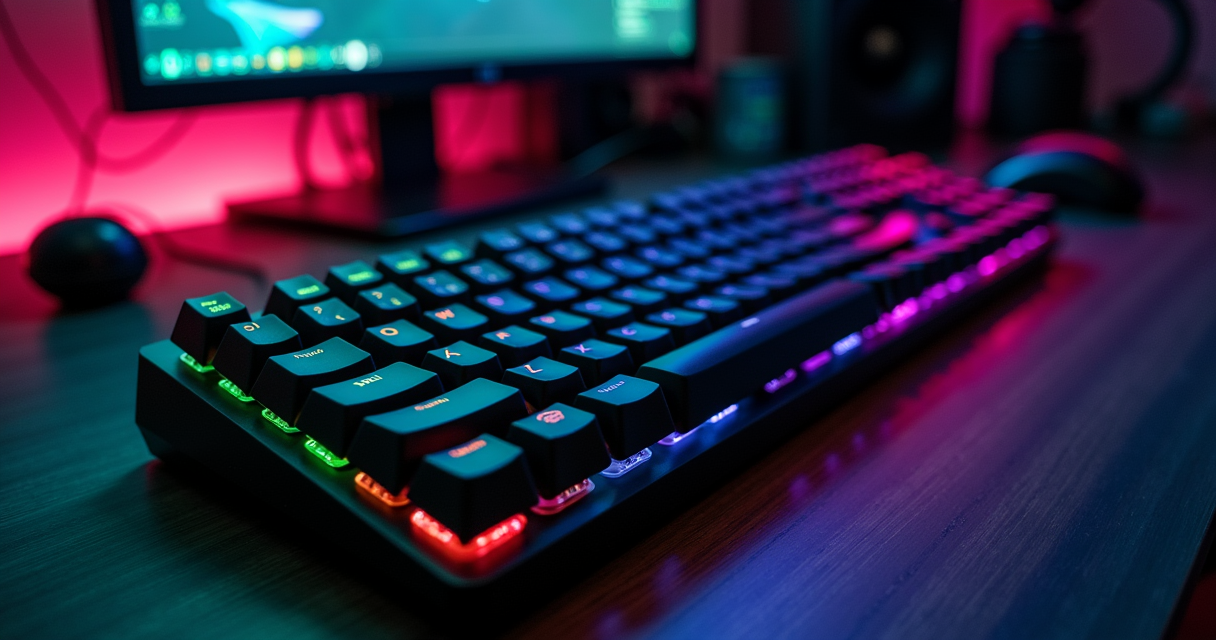
The best gaming keyboard of 2026 is a wired, 80-percent board from a Dutch company half your friends can't pronounce, built on a piece of physics from 1879, and its headline feature got people banned from Counter-Strike. That is the genuine state of the art. Everything else on the shelf is upholstery.
We will get to the verdict — it is a 9 out of 10, it is the Wooting 80HE, and it is not close — but the verdict is the least interesting thing here, because in 2026 the people paid to agree on this spectacularly failed to. Four major hardware desks tested the same field and crowned four different boards. That is not indecision. That is a market that finally split along the seams it always had: the wire against the radio, the magnet against the metal contact, the spec sheet against the thing your fingers can actually feel. This review is about which side won, why it won, and why the boards that lost are still the right answer for specific people — possibly you.
The Fractured Crown of 2026
Four outlets, four kings
Begin with the scoreboard, because it is genuinely funny. RTINGS updated its 2026 gaming-keyboard roundup on August 15, 2026 — the page itself carries an August 6 date, because RTINGS versions its articles like firmware — and named the Wooting 80HE its Best Gaming Keyboard. PC Gamer reached the same conclusion, installing the 80HE at the top of its guide on March 25, 2026 and reconfirming it in an August 15 refresh. Two of the most-read hardware desks in the English language, same answer, same wired Hall-effect board, case closed.
Then it comes apart. PCMag published its Best Gaming Keyboards for 2026 on May 18, 2026 and seated the Asus ROG Strix Scope II 96 — a wireless mechanical board — in first, a chair it has held at PCMag since June 7, 2025, when it evicted the Montech MKey. GamesRadar, updated August 20, 2026, calls the Corsair Vanguard Pro 96 its best overall, a verdict it first filed in a review dated November 19, 2025. And TechRadar, whose 2026 roundup went live June 2, runs a hardware page crowning the Razer Huntsman V3 Pro instead. Four outlets, four winners, zero agreement on the top step. If you were waiting for the internet to tell you what to buy, the internet has filed four minority reports and gone home.
Why the disagreement is signal, not noise
Here is the part nobody says out loud: they are all correct, because they are each answering a different question. RTINGS and PC Gamer are answering "what is the fastest, most tunable board a competitive player can buy," and the answer is a wired analog keyboard, full stop. PCMag is answering "what is the best keyboard for a person who also has to live at this desk," and it wants the thing wireless, quiet, and 96-percent so the number pad survives. GamesRadar weighted feel and features — the Vanguard Pro has a little screen and magnetic switches and sounds expensive. TechRadar likes Razer's optical actuation and ecosystem. The split is not the outlets being sloppy. It is the market having finally produced enough genuinely good keyboards that "best" stopped being a fact and went back to being an argument.
The retro angle: you have been here before
This is a retro site, so permit the long view. The keyboard is the one PC component that essentially refused to evolve for four decades. The IBM Model M, with its buckling-spring switches, shipped in 1985 and people are, unaccountably, still typing on salvaged ones in 2026. Cherry MX contacts arrived in the mid-1980s and defined "mechanical" for thirty years. Then, in the span of about five years, the whole category lurched twice: first into wireless that actually worked, then into analog magnetic sensing that changed what a keypress even is. The machine has a long memory, and its memory says that when a peripheral this stable suddenly moves twice, you should pay attention to which way it moved. It moved toward the magnet.
Hall Effect Isn't New. It's From 1879.
Edwin Hall, a graduate student, and a thin sheet of gold
In 1879, a graduate student named Edwin Hall ran a current through a thin gold leaf, placed it in a magnetic field, and measured a small voltage across the sheet, perpendicular to the current. That voltage — the Hall effect — is what happens when a magnetic field pushes moving charge sideways. It is named after Edwin Hall, it predates the commercial rollout of the light bulb, and it is roughly 140 years older than the marketing team that sold it back to you in 2024 as the future of gaming. When a Hall-effect switch descends, a magnet on the stem moves past a Hall-effect sensor on the board, the sensor reads the changing field as an analog value, and the firmware decides — continuously, not as a binary click — how far down the key is. That is the entire trick. Nineteenth-century physics, twenty-first-century microcontroller.
The Micro Switch era nobody remembers
The part that should embarrass the marketing departments is that Hall-effect keyboards are not even new as keyboards. Micro Switch, a division of Honeywell, built Hall-effect keyboards in the late 1960s and through the 1970s, precisely because a switch with no physical electrical contact does not bounce, does not corrode, and does not wear out. They went into aircraft, military hardware, and industrial control — places where a keyboard failing was not an inconvenience but an incident. They were also expensive, because in 1972 a Hall sensor per key was a luxury. So the world standardized on cheap metal-contact switches and forgot the magnet for fifty years. The technology did not get invented in 2024. It got affordable in 2024.
Why magnets finally beat metal
Two things changed. Hall sensors became pennies, and microcontrollers became fast enough to poll dozens of analog channels thousands of times per second and do real math on the results. Once both were true, the magnetic switch stopped being an aerospace curiosity and became the obvious enthusiast play, because it hands the firmware something a metal contact never could: the exact depth of every key, every instant. A mechanical switch tells your PC "pressed" or "not pressed." A Hall switch tells it "1.9 millimeters and descending at this rate." Everything the 2026 flagships do — adjustable actuation, Rapid Trigger, analog joystick emulation — falls straight out of that one difference. The magnet does not feel better than a good tactile mechanical switch. It feels the same. What it does is know more, and in a competitive game, knowing more is the entire ballgame.
How Analog Switches Actually Work
Actuation, and why 0.1 mm is the whole argument
On a normal mechanical keyboard, the actuation point is fixed by the switch: a Cherry MX Red fires at 2.0 mm of travel and there is nothing you can do about it. On a Hall-effect board, actuation is a software slider. The Wooting 80HE lets you set it anywhere from roughly 0.1 mm to 4.0 mm, per key, and change it whenever you like. Set it shallow — 0.3 mm — and the key fires the instant you breathe on it, which is glorious in a shooter and catastrophic when you are typing an email and your thumb grazes the spacebar. Set it deep and you get the opposite. The point is not that shallow is better. The point is that you decide, key by key, and you can give your movement keys a hair trigger while leaving the rest of the board typing-safe. No mechanical switch has ever offered that, because a metal contact only knows two states and a magnet knows all of them.
Rapid Trigger, explained without the hype
Rapid Trigger is the feature that sold a million analog boards, and it is simpler than the marketing implies. Normally a key resets — becomes ready to fire again — only after it travels back up past a fixed reset point. Rapid Trigger throws the fixed point away and resets based on direction: the moment you stop pressing down and start letting up, the key deactivates; the moment you press down again, it reactivates. Reset and re-fire track your finger's motion continuously, so rapid taps register as rapid taps instead of getting swallowed by a switch that had not climbed back to its reset height yet. In Counter-Strike terms, it makes counter-strafing — tapping the opposite direction to stop dead and shoot accurately — dramatically crisper. It is a real, measurable advantage. It is also, in one specific form, banned, which we will get to.
8,000 Hz polling and the other numbers you can't feel
The 2026 flagships advertise 8,000 Hz polling, and this is where the industry starts selling you arithmetic you cannot perceive. Polling rate is how often the keyboard reports its state to the PC. The math is not complicated:
Polling interval = 1000 ms / polling rate
   125 Hz  ->  8.000 ms   (old USB default)
  1000 Hz  ->  1.000 ms   (standard gaming rate)
  4000 Hz  ->  0.250 ms
  8000 Hz  ->  0.125 ms   # only 0.875 ms faster than 1000 Hz
Going from 1,000 Hz to 8,000 Hz shaves, at most, 0.875 milliseconds off the interval between reports. Your 240 Hz monitor draws a new frame every 4.16 ms. Your own reaction time, if you are a professional, is somewhere north of 150 ms. The 0.875 ms is real, it is measurable on an oscilloscope, and it is smaller than the jitter in your own nervous system. This is the keyboard equivalent of the resolution debate we covered in 1440p versus 4K: past a certain point the spec sheet keeps climbing and your senses stop coming along. Buy the 8 kHz board because it is also the best board, not because you will feel the 0.875 ms. You will not. Meanwhile, N-key rollover — the ability to register every key you press simultaneously — is the spec that actually matters and that every board here already nails, so nobody advertises it anymore.
The Champion: Wooting 80HE
What it is
The Wooting 80HE is an 80-percent (tenkeyless-plus) analog keyboard from Wooting, a small company in the Netherlands that has spent the better part of a decade being right about magnets before it was fashionable. It uses Wooting's own Lekker Hall-effect switches, which are hot-swappable — you can pull and replace them without a soldering iron — and it is configured through Wootility, a browser-and-app tool that stores your profiles onboard so the tuning travels with the keyboard, not the PC. It polls at 8,000 Hz, supports per-key adjustable actuation from about 0.1 to 4.0 mm, does Rapid Trigger, and can even emulate an analog gamepad axis, so a WASD press can behave like a gradual joystick tilt in games that read it. It is, in the most literal sense, the most configurable input device on this list.
How it feels
Feel is where analog boards have historically lost to good mechanicals, and the 80HE is the board that closed the gap. The chassis is dense and does not flex, the stabilizers are tuned so the big keys do not rattle, and Wooting shipped it with enough internal dampening that it sounds muted and expensive rather than hollow and plasticky. Nobody will mistake it for a hand-built gasket-mount enthusiast board that costs three times as much, but nobody will wince at it either. The Lekker switches are linear and smooth, and because actuation is software, the switch's physical feel and its firing behavior are finally decoupled: you get a pleasant, consistent keypress whose trigger point is whatever you programmed. After a week you stop thinking about the hardware, which is the highest compliment a keyboard can earn.
The catch, and the profile that matters
The catch is the cable. The Wooting 80HE is wired, USB-C, no radio, and that is not an oversight — 8,000 Hz polling over current wireless is not a solved problem, and Wooting chose the wire over the asterisk. For a competitive player that is the correct call and a non-issue. For someone who wants a clean desk it is a dealbreaker, and they should buy something else, which the rest of this review is about. Here is the profile that actually earns the board its reputation:
# Wootility - competitive FPS profile (Wooting 80HE)
Global actuation ........ 1.5 mm      # typing-safe default
Rapid Trigger ........... ON
  Sensitivity ........... 0.1 mm      # fastest possible reset
  Continuous ............ ON
WASD movement keys ...... 0.3 mm actuation, RT 0.1 mm
Polling rate ............ 8000 Hz     # wired only
SOCD / null-bind ........ OFF         # banned in CS2 and Valorant
Onboard profile slot .... 1 of 4      # travels with the board
Note the last two lines. The tuning that makes this keyboard a weapon lives one toggle away from the tuning that makes it a cheating device, and the line between them is not set by Wooting. It is set by the game publishers, and it is the most interesting law in gaming hardware right now.
The Specs, Line by Line
Reading the table
Below is the Wooting 80HE laid out completely, because a review that hides the spec sheet is hiding something. Read it as the argument for the 9/10: there is not a line here that a competitive player would trade away, except the one that says "wired," and that line is load-bearing.
| Specification | Wooting 80HE |
|---|---|
| Manufacturer | Wooting (Netherlands) |
| Category | Analog gaming keyboard |
| Form factor | 80% (tenkeyless-plus, no numpad) |
| Switch type | Lekker (Wooting) Hall-effect, hot-swappable |
| Sensing | Magnetic / Hall effect (analog) |
| Adjustable actuation | ~0.1 mm to 4.0 mm, per key |
| Rapid Trigger | Yes (down to 0.1 mm sensitivity) |
| Analog / gamepad output | Yes (axis emulation) |
| Polling rate | Up to 8,000 Hz |
| Connectivity | Wired USB-C only |
| N-key rollover | Full NKRO |
| Keycaps | PBT |
| Backlighting | Per-key RGB |
| Software | Wootility (onboard profiles) |
| Onboard profiles | Yes (travels with the board) |
| Price (2026) | ~$199.99 |
The numbers that matter, and the ones that don't
Three rows carry the board: the Hall-effect sensing, the per-key adjustable actuation, and Rapid Trigger. Those are the reasons it wins. The 8,000 Hz polling rate is a bragging right, not a felt one, as established above. Hot-swap sockets and PBT keycaps are the quality-of-life rows that separate a $200 board from a $60 one. And "wired only," the row everyone treats as the weakness, is the row that makes the 8 kHz honest — a tradeoff, not a flaw, and the entire premise of the verdict.
The Challengers: Asus, Corsair, Razer, Logitech
Asus ROG Strix Scope II 96: PCMag's king, and the wireless answer
If the Wooting's cable is your dealbreaker, this is your keyboard, and PCMag has said so twice — number one since June 7, 2025, reconfirmed in the May 18, 2026 guide. The Scope II 96 is a 96-percent tri-mode wireless mechanical board (2.4 GHz, Bluetooth, and USB) on Asus's ROG NX Snow switches, and the version buildwithpc lists at about $159 claims a frankly absurd 667 hours of battery life. It is not analog; it will not do Rapid Trigger; it keeps the number pad that the 80HE throws away. It is the board for the person whose desk is also an office, and it is a completely defensible "best keyboard" if wireless and a numpad are non-negotiable.
Corsair Vanguard Pro 96 and the Razer optical camp
GamesRadar's best overall, first reviewed November 19, 2025 and still on top as of the August 20, 2026 update, is the Corsair Vanguard Pro 96 at $229.99 — a magnetic (Hall-effect) board with, yes, a little LCD screen, which tells you Corsair is competing on features and finish rather than shaving milliseconds. It is the most expensive board on the list and it feels it. TechRadar, meanwhile, backs the Razer Huntsman V3 Pro, which uses Razer's analog optical switches — light-beam sensing rather than magnetic, a different route to the same adjustable-actuation destination — wrapped in the Razer ecosystem that a certain kind of buyer already lives inside. Both are genuinely excellent. Neither dethroned the Wooting at the two outlets that weight competitive performance hardest.
The Logitech low-profile play
Logitech is running a different race entirely: thin. Tom's Hardware, in a 2026 guide published June 17 and updated August 20, highlights the Logitech G515 Lightspeed TKL, which uses Logitech's low-profile GL switches — now with a POM cross-style stem for reduced wobble and a better typing feel. Its premium sibling, the Logitech G915 X Lightspeed TKL, is Newegg's premium wireless pick at $229.99. If you want a keyboard that sits nearly flush with the desk and disappears, Logitech owns that niche, and no analog board competes on profile. The cost is that low-profile switches give up the travel that Rapid Trigger needs to be dramatic, so you buy the Logitech for the silhouette, not the split-second.
| Keyboard | Switch / sensing | Size | Connectivity | Polling | Price (2026) | Crowned by |
|---|---|---|---|---|---|---|
| Wooting 80HE | Hall effect (Lekker) | 80% | Wired USB-C | 8,000 Hz | ~$199.99 | RTINGS, PC Gamer, MKB Guide |
| Asus ROG Strix Scope II 96 | Mechanical (ROG NX Snow) | 96% | Tri-mode wireless | — | ~$159–180 | PCMag (2025 & 2026) |
| Corsair Vanguard Pro 96 | Magnetic (Hall effect) + LCD | 96% | Wireless | — | $229.99 | GamesRadar, MKB Guide (premium) |
| Razer Huntsman V3 Pro | Analog optical | Full / TKL / Mini | Wired | 8,000 Hz | — | TechRadar |
| Logitech G915 X Lightspeed TKL | Low-profile mechanical (GL) | TKL | Wireless (Lightspeed) | — | $229.99 | Newegg (premium wireless) |
| Logitech G515 Lightspeed TKL | Low-profile GL (POM stem) | TKL | Wireless (Lightspeed) | — | — | Tom's Hardware highlight |
Notice what the comparison makes obvious: the two boards that win on raw competitive merit are wired, and the boards that win on living-with-it are wireless. The tech that made the magnet cheap is the same tech we watched dismantle another overpriced gatekeeper in the death of the G-Sync module tax — commodity silicon eating a premium feature until it is just a checkbox. Give the wireless side two years.
The Law: How Rapid Trigger Got Players Banned
Snap Tap, SOCD, and the null bind
Here is where the analog arms race outran the referees. On a keyboard you cannot physically press A and D — left and right — and have it mean anything useful; on a normal board the game just sees both and you stand still. But firmware that knows the exact state of every key can do something cleverer: when you press D while still holding A, it can automatically release A for you, so the newest input always wins with zero human reaction time. This is called SOCD resolution, or a null bind, and Razer productized a version called Snap Tap while Wooting shipped its own SOCD options. In a counter-strafe, it is the difference between a human hand and a machine — instant, perfect direction changes no unaided player can match.
Valve and Riot step in
In 2024, Counter-Strike 2 drew the line. Valve moved to ban inputs that let a single motion produce multiple resolved actions — the automatic A-releases-when-D-is-pressed behavior — declaring that any hardware or software registering these null-movement or Snap Tap tricks was not allowed. Riot Games followed for Valorant, treating the same auto-SOCD behavior as bannable. The features had names and marketing pages one month and were competitive-integrity violations the next. It is the rare case of hardware getting so good that the sport had to legislate against it, and it happened in public, fast.
What's legal on your keyboard in 2026
Draw the distinction clearly, because it matters and people get it wrong. Rapid Trigger — fast, motion-based reset on a single key — is generally allowed; it makes your own taps register faster but does not resolve inputs for you. Adjustable actuation is allowed. What is banned is the automatic resolution of opposing inputs: the board deciding, without you, that D beats A. On the Wooting, that is the "SOCD / null-bind: OFF" line in the profile above, and if you play CS2 or Valorant competitively you leave it off — not as a courtesy, but because leaving it on can get you banned. The keyboard is legal. One checkbox inside it is not. Know which is which before a tournament admin explains it to you.
How It Plays: Five Players, Five Verdicts
The competitive FPS player and the ranked grinder
For the person who lives in Counter-Strike, Valorant, or Apex, the Wooting 80HE is not a preference, it is the tool, and this is the audience RTINGS and PC Gamer built their verdicts for. Set WASD to a 0.3 mm actuation with Rapid Trigger at 0.1 mm, leave SOCD off, and counter-strafing tightens in a way you feel inside a day. The wired connection that annoys everyone else is a feature here — no wireless asterisk, no battery, no interference. If your rank is the point, buy the Wooting, tune the profile, and stop reading reviews. Verdict: 10/10 for exactly this person.
The writer who games and the completionist
For the person who spends eight hours a day in a text editor and unwinds with a 60-hour RPG, the calculus flips. You want a keyboard that types beautifully, keeps its number pad, and does not tether you to the tower, and here the Asus ROG Strix Scope II 96 or a good wireless mechanical is the smarter buy — PCMag's whole thesis. The completionist grinding a single-player campaign does not need 0.1 mm resets; they need comfort across a long session and a spacebar that does not fire when they rest a thumb on it. Analog is wasted on them, and that is fine. Verdict: get the wireless mechanical; the Wooting's superpowers never come up.
The streamer, the budget builder, and the console player
Three quick ones. The streamer wants the board to sound good on a microphone and look good on camera; the Corsair Vanguard Pro 96, LCD and all, was built for exactly that theater, and its price reflects the production values — pair it with a broadcast-grade headset like the Audeze Maxwell 2 and the desk photographs itself. The budget builder does not need any of this: a Keychron C3 Pro at about $44 or a Redragon K673 PRO at $49 to $64 plays every game competently, and the honest truth is that a good sub-$50 board in 2026 is better than a flagship from 2018. The console player should know most of this is moot — PS5 and Xbox restrict keyboard input in most games, analog features rarely pass through, and you are buying a keyboard for the menus and the chat, so buy on comfort and price, not polling rate.
Pricing and Availability in 2026
The pricing table
Here is the 2026 field by segment and price, from a $44 wired board to a $229.99 flagship. The spread is the story: the gap between the cheapest and the most expensive keyboard worth owning is under $190, which is less than a single mid-range graphics card costs to not be in stock.
| Model | Segment | Price (2026) | Notes / source |
|---|---|---|---|
| Wooting 80HE | Best overall (competitive) | ~$199.99 | Wired 8 kHz Hall effect; RTINGS + PC Gamer pick |
| Corsair Vanguard Pro 96 | Premium magnetic | $229.99 | LCD screen; GamesRadar best overall |
| Logitech G915 X Lightspeed TKL | Premium wireless | $229.99 | Newegg premium pick |
| Asus ROG Strix Scope II 96 (Wireless) | Best wireless mechanical | ~$159 | 667-hr battery, ROG NX Snow; buildwithpc |
| Corsair K65 Plus | 75% value | $159.99 | Compact wireless |
| Redragon K673 PRO | Budget wireless | $49–$64 | buildwithpc budget wireless slot |
| Keychron C3 Pro | Budget wired | ~$44 | Under-$50 wired; buildwithpc |
The sub-$50 revolution
The most important number in that table is $44. The existence of the Keychron C3 Pro as a genuinely good wired board under $50, and the Redragon K673 PRO as a wireless board at $49 to $64, means the price floor for "actually fine" collapsed in 2026. For most of keyboard history, cheap meant mushy rubber domes. It no longer does. If you are not chasing ranked FPS and you are not precious about it, you can spend $44 and be done, and no one at your skill level will ever be able to tell. The flagships are real, but the budget tier stopped being a compromise and started being a legitimate destination.
What you are actually paying for at the top
So what does the extra $155 between the Keychron and the Wooting buy? Adjustable actuation, Rapid Trigger, 8 kHz polling, hot-swap sockets, better keycaps, a denser chassis, and onboard profiles. For a competitive player, all of it earns its keep. For everyone else, some of it is the same MSRP-versus-reality theater we documented in the RTX 5090 review, where the sticker and the value quietly stop tracking each other. The difference is that a keyboard, unlike a $2,000 GPU, tops out around $230, so even the "overpriced" flagship is a rounding error next to the rest of the machine it plugs into.
Who Should Buy What
Match the board to the job
Five recommendations, because "it depends" is a cop-out and you came here for an answer.
- You play ranked Counter-Strike, Valorant, or Apex: Wooting 80HE, ~$199.99. The analog actuation and Rapid Trigger are a real edge, the wire is a feature, and both RTINGS and PC Gamer agree. Tune WASD to 0.3 mm, leave SOCD off, done.
- You want one keyboard for work and play, wireless, with a numpad: Asus ROG Strix Scope II 96, ~$159. Tri-mode, roughly 667-hour battery, PCMag's number one since 2025. The Wooting's tricks never come up in a spreadsheet.
- You stream and the desk is a set: Corsair Vanguard Pro 96, $229.99. Magnetic switches, an LCD, and the finish GamesRadar rated best overall. You are buying production value, and it delivers it.
- You want the thinnest possible board: Logitech G515 Lightspeed TKL (low-profile GL, POM stem) or the premium G915 X at $229.99. Nothing analog competes on silhouette; you trade the split-second for the slim profile.
- You are on a budget or buying for a second rig: Keychron C3 Pro at ~$44 wired, or Redragon K673 PRO at $49 to $64 wireless. In 2026 this is not a compromise. It is just enough keyboard.
Where the keyboard sits in the battlestation
One more piece of unsolicited advice: the keyboard is one seat at a table. A 9/10 board in front of a bad monitor, a worse chair, and tinny audio is a 9/10 board you will not enjoy. We have opinions on the gaming chair and the headset elsewhere, and they are load-bearing parts of the same decision. Spend on the two peripherals your body actually touches for hours — the chair and the keyboard — before you spend on the third RGB fan.
The upgrade nobody needs to make
And the anti-recommendation: if you already own a good mechanical board from 2022 or 2023 and you do not play ranked shooters, you do not need any of this. Analog is a genuine advance for a specific use case and a party trick for everyone else. The market wants you to feel behind. You are not behind. You are holding a keyboard that still works, which is more than can be said for most of what gets sold as an upgrade.
Pros, Cons, and the Verdict
What the Wooting 80HE gets right
- Per-key adjustable actuation (~0.1–4.0 mm): the single most useful feature on any 2026 keyboard, and no mechanical board can match it.
- Rapid Trigger done properly: motion-based resets that make counter-strafing tangibly crisper.
- 8,000 Hz polling and full N-key rollover: the spec-sheet maximums, even if you cannot feel the polling.
- Hot-swap Lekker switches and PBT keycaps: repairable, customizable, and built to outlast the fad.
- Onboard profiles via Wootility: the tuning lives on the board, not the PC.
- Endorsed where it counts: RTINGS (Aug 15, 2026) and PC Gamer (Mar 25, 2026) both put it first.
What it gets wrong
- Wired only: no 2.4 GHz, no Bluetooth. Correct for competition, wrong for a clean desk.
- No number pad: the 80-percent layout drops the numpad; spreadsheet users will miss it.
- $199.99 is real money: and most of its advantages are wasted on non-competitive players.
- The SOCD footgun: one setting can get you banned in CS2 or Valorant if you do not understand it.
- It photographs plainer than a Corsair with an LCD, if that is what you are buying for.
The final rating: 9/10
The Wooting 80HE is the best gaming keyboard of 2026 because it is the best at the thing keyboards are now for — turning the exact depth of every key into a competitive edge — and it does it without feeling like a science project. It loses its tenth point on the wire and the missing numpad, which are not defects so much as deliberate exclusions that will genuinely rule it out for a lot of people. That is why RTINGS and PC Gamer crowned it while PCMag, GamesRadar, and TechRadar each crowned something wireless, feature-rich, or ecosystem-bound instead. They are not wrong. They are answering a different question. But if the question is "what is the best gaming keyboard in 2026," singular, no asterisk, the answer is a wired Dutch board running on a magnet trick from 1879 that got so good the game publishers had to write rules against it. Nine out of ten. Buy the cable.
Questions the search bar asks me
- What is the best gaming keyboard in 2026?
- The Wooting 80HE, a wired 80% Hall-effect board at about $199.99. RTINGS (updated Aug 15, 2026) and PC Gamer (since Mar 25, 2026) both rank it first, and we score it 9/10. Note the split: PCMag picks the wireless Asus ROG Strix Scope II 96, GamesRadar the Corsair Vanguard Pro 96, and TechRadar the Razer Huntsman V3 Pro.
- Is the Wooting 80HE wireless?
- No. It is wired USB-C only, because 8,000 Hz polling over wireless is not yet a solved problem, so Wooting chose the cable. If you need wireless, the Asus ROG Strix Scope II 96 (~$159, roughly 667-hour battery) or the Logitech G915 X Lightspeed TKL ($229.99) are the better buys.
- What is Rapid Trigger, and is it banned?
- Rapid Trigger resets a key based on finger motion instead of a fixed point, making rapid taps and counter-strafes register faster; it is generally allowed. What got banned in 2024 is automatic SOCD resolution — the Snap Tap or null-bind that auto-releases the opposite key for you — which Counter-Strike 2 and Valorant both prohibit.
- Hall effect or mechanical: which is better for gaming?
- Hall-effect (magnetic) switches give per-key adjustable actuation (~0.1 to 4.0 mm) and Rapid Trigger, a real edge in competitive FPS, which is why RTINGS and PC Gamer crown the Wooting 80HE. Mechanical still wins on wireless options, feel variety, and price, which is why PCMag prefers the Asus ROG Strix Scope II 96. The underlying physics dates to Edwin Hall in 1879; it only got cheap in the 2020s.
- What is the best budget gaming keyboard in 2026?
- The Keychron C3 Pro at about $44 is the standout wired option under $50, and the Redragon K673 PRO at $49 to $64 covers budget wireless, per buildwithpc's 2026 guide. Step up to the Corsair K65 Plus at $159.99 for a 75% wireless board. A good sub-$50 board in 2026 outperforms a 2018 flagship.

Marcus covers the gaming PC, GPU, and peripheral side of staresback. Every post under this byline is reviewed pre-publish by Sam P., Editor & Operator — corrections to info@instalinkoteam.com. Published 2026-08-29 · Last updated 2026-08-29. Full bios on the author page.