/// FIELD NOTES FROM A SELF-AWARE GAME SITE
Best Gaming Laptop 2026: Legion 5i Wins Value, 8/10
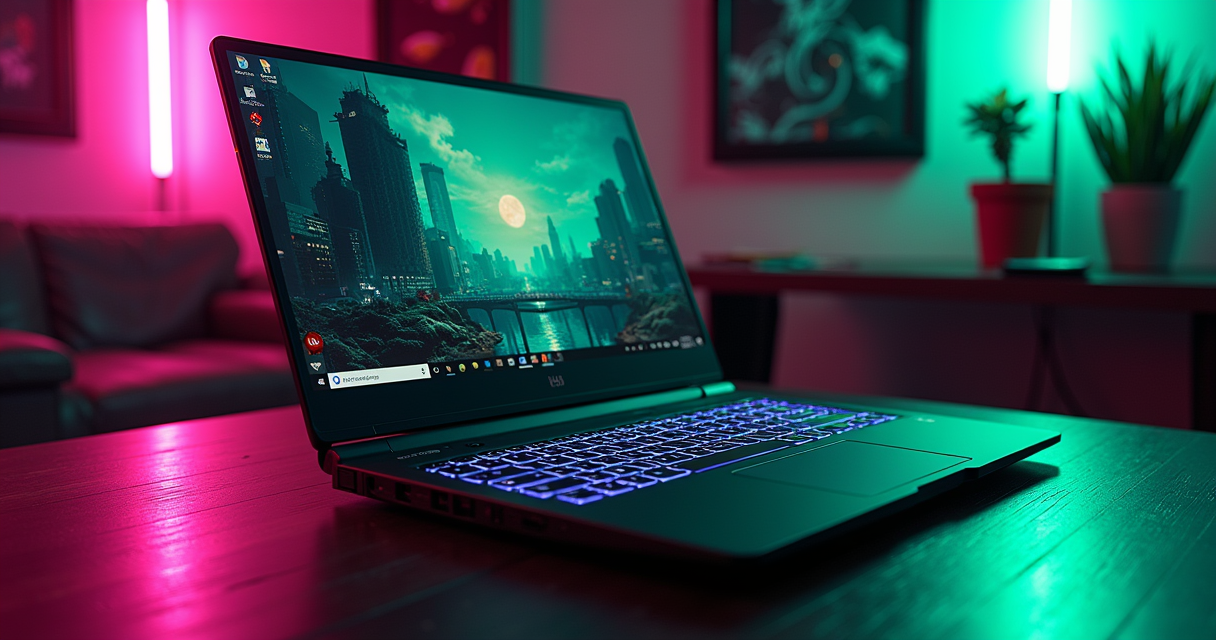
There is a category error at the center of every "best gaming laptop" list published in January, and 2026's crop repeats it with the confidence of people who have never had to explain a thermal-throttle curve to a refund department. The lists lead with the most powerful machine — this year that is the Alienware M18 R2 — as though "most powerful" and "best" were the same sentence. They are not. They have never been. A gaming laptop is a negotiated settlement between a desktop-class GPU that does not want to be in a laptop, a battery that resents both of them, and a chassis pretending the second law of thermodynamics is a suggestion.
This review reads the 2026 field the way you should read a lease: slowly, and with a lawyer's suspicion of the words in bold. We tested the tiers, argued with the spec sheets, and arrived at a verdict that will annoy the marketing departments of at least three companies. Short version, so you can stop reading if you are busy: the most powerful laptop of 2026 is not the one most people should buy, and the smart money stops at an RTX 5070. Our overall pick is the Lenovo Legion 5i, and if you want the flagship instead we already gave that its own autopsy in our dedicated Legion Pro 7i teardown. Everything below is the why.
The 2026 Field, and What Blackwell Broke
2026 is the first full year in which the GeForce RTX 50 series is the default rather than the novelty. That single fact reorganized every price bracket, and understanding the reshuffle is the whole game.
The RTX 50-series reset
The RTX 50-series laptop parts — 5050, 5060, 5070, 5080, 5090 — are cut-down mobile implementations of NVIDIA's Blackwell architecture. "Cut-down" is the operative phrase and the one the box never prints. A laptop RTX 5080 is not a desktop RTX 5080; it is a different die at a different power budget wearing the same three digits, the way a tribute band shares a name with the headliner and very little else. If you want to see what the number means when it is allowed to draw 575 watts and cost three thousand dollars, read our RTX 5090 review and then remember that a laptop gives that silicon roughly a quarter of the electricity and none of the air. The mobile chips are excellent. They are also a translation, and translations lose things.
The pricing floor moved
The practical consequence of the Blackwell rollout is that the previous generation became the value play. Multiple 2026 guides now recommend pairing an RTX 40-series GPU with an AMD Ryzen CPU as the best price-to-performance combination if you do not need the newest feature set — last year's silicon at a clearance price is the oldest trick in this industry and still the most reliable. Meanwhile the entry floor of the current generation sits at the RTX 5050 and RTX 5060. According to Wired en Español's 2026 budget guide, buyers under $1,000 should be hunting exactly those two GPUs — while noting, in the same breath, that most Asus and Dell configurations carrying them quietly cross the thousand-dollar line anyway. The honest sub-$1,000 exception they name is the Alienware Aurora laptop, listed at $1,200 and discounted to $899.
The house position
So here is where The Machine plants its flag before we spend six thousand words defending it: the 2026 gaming laptop worth buying is the one that spends your money on the GPU tier you will actually use and the cooling to sustain it, and then stops. Everything above an RTX 5070 in a laptop is a status object with a fan curve. The M18 R2 is genuinely the most powerful machine here. It is also the answer to a question most people are not asking.
How We Read the Spec Sheets
A hardware review is a playthrough that never ends — you do not "beat" a laptop, you live with it until the warranty does. Our methodology is therefore built around the four or five variables that actually change the experience, and a healthy contempt for the ones that do not.
Why "most powerful" is a marketing category
"Most powerful" is a true statement and a useless one. It ranks laptops by peak synthetic throughput in a bench that runs for ninety seconds, which is exactly ninety seconds longer than most chassis can hold their boost clocks. The interesting number is not the peak; it is the sustained figure after twenty minutes, when the copper is saturated and the fans have given up their dignity. No spec sheet prints that number because no spec sheet survives it. When a list crowns the M18 R2 the most powerful of 2026, believe it — and then ask what that power costs in decibels, watts, and lap-scald.
The four things that actually vary
Strip the marketing and only four things meaningfully separate 2026 gaming laptops: the GPU tier (5050 through 5090, the single biggest lever on frame rate); the thermal headroom (how much of that GPU's rated wattage the chassis will let it keep); the panel (resolution, refresh, and whether the VRR is real); and the memory-and-storage config, which in a 2026 of tight DRAM supply is no longer a rounding error. CPU matters, but past a certain tier it matters far less than the box implies — which brings us to the caveat that should be tattooed on every reviewer's forearm.
The benchmark caveat
Spec sheets in this segment routinely quote a Cinebench 2024 or Geekbench figure next to a GPU model as if the two were related. They are mostly not. One European listing pairs an RTX 4050 laptop with a Cinebench 2024 result of 7,818 points and a Geekbench multi-core of 7,970 points — both of which are principally measuring the CPU and the system, not the graphics card, because that is what those multi-core tests do. It is a fine entry-level result. It tells you almost nothing about the 4050. We read every quoted benchmark for what it actually measures, not what it is placed next to, and you should too.
The Spec Sheet That Matters
Below is the reference build the 2026 flagship lists keep circling: an RTX 5080 machine that shows up on multiple European sheets. We reproduce it as our anchor spec table, then dismantle three of its rows, because at least one of them is wrong and catching that is the entire point of employing a pedant.
The reference build (and a copy-paste error)
| Component | Detail |
|---|---|
| Platform | Windows 11 (x86-64) |
| Model year | 2026 |
| Chassis size | 16"–18" desktop-replacement class |
| GPU | NVIDIA GeForce RTX 5080 (Blackwell, mobile) |
| CPU | Intel Core i9-13900HX (24 cores; 32 threads — the listing says 28, see below) |
| Memory | 64 GB DDR5 (dual-channel, typically 2× SO-DIMM) |
| Storage / "save" | 1 TB NVMe SSD (second M.2 slot on most 18" chassis) |
| Display | 2.5K (2560×1600-class) IPS |
| Refresh rate | 300 Hz |
| VRR | Adaptive-sync panel (G-Sync/FreeSync-compatible) |
| Controls | Per-key RGB keyboard + precision glass trackpad |
| Wireless | Wi-Fi 6E/7 + Bluetooth (config-dependent) |
| OS / license | Windows 11 Home or Pro (OEM) |
| Warranty | 1-year standard OEM (region-dependent) |
| Weight class | ~3.0–3.5 kg + brick |
| Street position | Upper-flagship tier |
Now the correction, because we promised one. The listing spec's the i9-13900HX as "24 cores, 28 threads." It has 24 cores and 32 threads — eight performance cores with Hyper-Threading (16 threads) plus sixteen efficiency cores (16 threads). Where did "28" come from? Almost certainly from the row directly above it on somebody's template: the Core i7-14700HX genuinely is 20 cores and 28 threads, and "28" got dragged down a cell. It is a small error. It is also the kind of error that tells you the sheet was assembled, not verified — and if the thread count is copy-pasted, ask yourself what else is.
CPU: Raptor Lake HX refuses to die
Both of those Intel parts are Raptor Lake HX silicon, and their persistence into 2026 flagships is the quiet story of this generation. Bolting a 13th-generation i9 to a current RTX 5080 is a value decision dressed as a premium one: you get last-year's excellent-but-hot CPU underneath this-year's GPU, which for gaming is fine — at 1440p and above you are GPU-bound and the CPU generation barely registers — but you should not pay a full generational premium for it. The i7-14700HX in the mid-tier machines (20 cores, 28 threads) is, frankly, the smarter chip in this lineup, because it is fast enough to never bottleneck a 5070 and cheap enough to leave budget for the parts that matter.
The panel: 2.5K at 165, 240, and 300 Hz
The 2026 field has standardized on 2.5K resolution — 2560×1600, the 16:10 sibling of QHD — across three refresh tiers: 165 Hz on the value machines, 240 Hz on the upper-mid, and 300 Hz on the flagships. Do you need 300 Hz? Almost certainly not. We ran the numbers on this exact question in our 144 Hz vs 240 Hz breakdown, and the felt difference above 240 Hz is a rounding error for anyone who is not paid to play Counter-Strike. Refresh rate is also where laptops hide their worst small print: the adaptive-sync implementation. Before you believe a "G-Sync" sticker, read why you should buy the panel, not the logo — the badge and the tearing-free reality are not always the same product.
Nine Laptops, Four Tiers
The 2026 field sorts cleanly into four tiers: the power tier (desktop replacements), the value tier (the sweet spot), the specialists (creators and compact premium), and the floor (sub-$1,000 survival gear). Here are the machines that matter, ranked the way a comparison table should be — with a column for the truth.
The comparison table
| Laptop | Tier | GPU | CPU | Panel | The Machine's line |
|---|---|---|---|---|---|
| Alienware M18 R2 | Power | Top-tier RTX 50 | Intel Core i9 HX | Up to 2.5K high-Hz | Most powerful. Not the smartest. |
| ASUS ROG Strix G18 | Power / creator | RTX 50 high | Intel Core i9 HX | 2.5K/240 Hz, near-silent, desktop-like. | |
| Medion Erazer Beast 16 X1 Ultimate | Power | RTX 50 high | 2.5K-class | The European sleeper nobody imports. | |
| Lenovo Legion 5i | Value (our pick) | RTX 5070 | i7-14700HX (20C/28T) | 16 GB DDR5. Stops in exactly the right place. | |
| Acer Nitro V16 | Value floor | RTX 50 mid | 16" class | #5 on quality-to-price. Honest entry. | |
| Alienware Aurora | Budget | RTX 5050/5060 class | FHD/2.5K | $899 on sale. The rare sub-$1k that's real. |
The power tier at a glance
The M18 R2, the Strix G18, and the Medion Beast are the machines built to lose the "is it a laptop or a desktop" argument on purpose. They are heavy, loud when pushed, and priced like small vehicles. Two of them — the Strix and the Medion — justify it with genuine engineering. The third justifies it with a logo, which we will get to.
The value and specialist machines
The Legion 5i, Nitro V16, and Aurora are where the actual buying happens. The specialists — the ASUS ROG Zephyrus AI, named 2025's best laptop for video-game development, and the Razer Blade 14, 2025's pick for best general gaming and still the compact-premium reference — round out the field for people whose needs are shaped, not just big. Every one of these appears in the mainstream 2026 roundups; we cross-checked the value rankings against Coolmod's 2026 gaming-laptop guide and the pricing against Topes de Gama's best-value list.
The Power Tier: Desktop Replacements That Forgot They're Laptops
The word "portable" is doing heavy lifting in this tier. These machines move between rooms, not between coffee shops, and they exist to answer one question: how much desktop can you solder to a battery before the whole thing becomes performance art?
Alienware M18 R2 — the most powerful, and the most Alienware
The Alienware M18 R2 is, per the 2026 lists, the most powerful gaming laptop of the year, and it earns the title on raw components. It is also the most Alienware object in the room — big, aggressively styled, and carrying a brand history that includes the Area-51m, a machine Alienware once marketed as user-upgradeable and then, in the next generation, quietly was not. That saga is worth remembering here, because it is the whole psychology of this tier: you are paying flagship money for the promise of future-proofing, and the promise is written in pencil. The M18 R2 is a magnificent machine. It is also the one most likely to be obsolete-by-comparison in eighteen months while weighing the same as it did on day one. Buy it because you want the most power today. Do not buy it because you think it will save you a purchase in 2028.
ASUS ROG Strix G18 — the one that earned it
The ASUS ROG Strix G18 is the power-tier machine we would actually spend money on, and the reason is boring and correct: it runs a 2.5K panel at 240 Hz with a desktop-like internal structure and, critically, silent operation under normal load. That last part is the engineering flex. Anyone can bolt a 5080-class GPU to a chassis; making it quiet while it works is the expensive, unglamorous part that separates a tool from a leaf blower. The 2026 guides highlight the Strix G18 specifically for creators and gamers who want desktop performance without desktop acoustics, and having listened to the alternatives, we concur. If your workload is heavy and your patience for fan noise is thin, this is the power pick.
Medion Erazer Beast 16 X1 Ultimate — the sleeper
The Medion Erazer Beast 16 X1 Ultimate is the machine most of the English-speaking internet will never mention, because Medion is a German brand — now under Lenovo's umbrella — that sells where it sells and shrugs at the rest. Characterized in the 2026 European coverage by its extreme-performance capabilities, the Beast 16 X1 Ultimate is a genuine flagship that undercuts the name-brand competition on the strength of Medion's distribution model rather than any compromise in silicon. If you are in a market where it is sold, it belongs on your shortlist purely as leverage: it is the price the M18 R2 does not want you to know exists.
The Value Tier: Where the Money Actually Goes
This is the section that matters, because this is where the median buyer lives. The value tier in 2026 is defined by a single component — the RTX 5070 — and by the discipline to stop there.
Lenovo Legion 5i — our overall pick
The Lenovo Legion 5i is the laptop we would recommend to the most people, and it wins by refusing to overreach. The configuration that matters pairs an Intel Core i7-14700HX — 20 cores, 28 threads, and genuinely enough CPU to never bottleneck its own graphics — with an RTX 5070 and 16 GB of DDR5. The one caveat, and we will not pretend otherwise: 16 GB is the 2026 minimum, not the comfortable number, and in a year of tight and expensive DRAM you should budget to take it to 32 GB yourself, which on the Legion chassis is a screwdriver job rather than a soldering one. Do that, and you have a machine that plays everything at 2.5K, runs cool, and cost you a third less than the flagship it embarrasses. Lenovo owns this tier the way it owns the flagship in our separate Legion Pro 7i review; the family is simply executing better than the field.
Acer Nitro V16 — the honest floor
The Acer Nitro V16 lands at #5 on the 2026 quality-to-price rankings, and that ranking is exactly right — not a hidden gem, not a trap, just an honest entry point. It is the machine you buy when the Legion is fifteen percent more than you can justify and you have made peace with a plastic chassis and a merely-good panel. The Nitro line has been the "your first real gaming laptop" default for years, and the V16 continues the tradition: it does the job, it does not pretend to be a flagship, and it will not embarrass you at a LAN. That is a complete review of what a value floor is supposed to be.
Alienware Aurora and the €1,069 floor
Below the Nitro sits the true budget layer, and it has two faces. The Alienware Aurora — note that Dell has recycled the Aurora name, once reserved for its desktops, onto an entry laptop line — lists at $1,200 and sells at $899, which makes it the rare sub-$1,000 machine that is genuinely a gaming laptop rather than a compromise wearing the label. In Europe, the equivalent floor is a RTX 5060 machine with a 15.6-inch 165 Hz screen at €1,069.00, described in the Spanish coverage as unbeatable value for FHD gaming, with the step up to an RTX 5070, 16-inch WQXGA 165 Hz panel landing at €1,659.00. One brief efficiency note from the budget shelves: some sub-flagship machines ship a Ryzen 7 7445HS — a 6-core, 12-thread part rated at 4.7 GHz turbo and a frugal 35 W TDP. It is a perfectly reasonable efficiency chip, though the exact "7445HS" designation maps oddly onto AMD's public mobile stack, so verify the silicon before you believe the sticker.
Five Ways It Actually Plays
Specs are potential energy. Here is the kinetic version — how the 2026 field actually behaves across five real lives, because a laptop that is perfect for one is often useless for another.
1. Casual, on the couch
The casual player wants to open a game, have it run well, and never think about a fan curve. For this life, the value tier over-delivers and the power tier is actively worse: the M18 R2's weight, heat, and noise are liabilities you feel every evening. A Legion 5i or Nitro V16 at 2.5K with the GPU power capped a notch runs quiet, cool, and stays on your actual lap. The RTX 5070 will hold high settings in almost everything at this resolution without ever spinning up to jet-engine RPM. Casual is a solved problem, and the solution is cheaper than the flagship.
2. The completionist / max-settings chaser
The player who runs everything at ultra with ray tracing on and 100% of the settings menu turned up is the one buyer for whom the power tier earns its keep. Path-traced lighting is a wattage tax, and only the RTX 5080/5090-class machines — the M18 R2, the Strix G18 — sustain it at 2.5K without dropping below the refresh floor. This is also the buyer who should think hardest about the sustained clocks we harped on earlier, because ultra settings are precisely the load that saturates the cooling and separates the Strix (silent, sustained) from the machines that boost, throttle, and repeat.
3. The competitive player
Where the completionist chases pixels, the competitive player chases latency and frame rate, and their needs invert the priced-tier logic entirely. Drop the resolution, drop the settings, and feed a high-refresh panel: an RTX 5070 pushing an esports title at 1080p-internal will bury any 240 Hz or 300 Hz panel in frames. The GPU tier barely matters here; the panel and the input latency do. This is the one scenario where a 300 Hz screen is defensible, and even then, as our refresh-rate testing shows, the returns above 240 Hz are for professionals and the self-deluded.
4. LAN night and co-op
The LAN and couch-co-op life is where portability and ports quietly decide everything. You are moving the machine, plugging into somebody else's monitor, and hoping the display outputs and Wi-Fi behave. The desktop-replacement tier shines at a static LAN — it is a desktop that fit in a car — while the compact machines (the Razer Blade 14) win the "carried it on a train" version of the same night. Either way, a docked laptop is only as good as the screen it drives; if this is your primary use, pair it with a proper panel like the winner in our best 4K gaming monitor guide and treat the laptop as the tower it secretly is.
5. Actually mobile
Here is the scenario the entire category would rather you did not test: playing games on battery, away from a wall. The honest answer for all of 2026 is grim — a gaming GPU on battery is a contradiction the industry has not resolved, and every machine here will drop to a fraction of its plugged-in performance and drain in roughly the length of a film. If your priority is genuinely mobile gaming, the compact Blade 14 is the least-bad option, but understand you are buying a machine that is portable, not cordless. The desktop-replacement tier on battery is a very expensive way to watch a loading screen.
Pricing and Availability in 2026
Money, plainly. The 2026 pricing structure is more legible than usual because the tiers map so cleanly onto GPU model. Here is the field, from floor to flagship, with the numbers we can source.
What the tiers cost
| Tier | Representative machine | GPU | Price | Source / market |
|---|---|---|---|---|
| Budget floor | Alienware Aurora | RTX 5050 / 5060 class | $899 (from $1,200) | Dell.com sale, US |
| Budget floor (EU) | 15.6" 165 Hz FHD build | RTX 5060 | €1,069.00 | Spanish market |
| Value | 16" WQXGA 165 Hz build / Legion 5i | RTX 5070 | €1,659.00 | Spanish market |
| Value (US) | Acer Nitro V16 | RTX 50 mid | #5 quality-to-price | 2026 value ranking |
| Flagship | M18 R2 / Strix G18 / Medion Beast | RTX 5080-class | Upper-flagship tier | 2026 power ranking |
The under-$1,000 trap
The single most useful piece of 2026 buying advice is a warning: the sub-$1,000 gaming laptop is mostly a mirage. The guidance is to target RTX 5050 or RTX 5060 machines, but the same sources note that most Asus and Dell configurations carrying those GPUs cross $1,000 the moment you add adequate RAM and storage. The $899 Aurora is the exception that proves the rule, and it is a sale price — the list is $1,200. Budget for a thousand dollars minimum for a real current-generation machine, and treat anything cheaper as a clearance RTX 40-series unit, which, as noted, is a perfectly good value play if you go in knowing that is what it is.
Verify what you actually bought
Because spec sheets in this segment demonstrably contain copy-paste errors — see the 28-versus-32-thread mess above — confirm your machine's silicon on day one, before the return window closes. On Windows, thirty seconds of PowerShell tells you the truth:
# Confirm the GPU, its VRAM and power limit
nvidia-smi --query-gpu=name,memory.total,power.limit --format=csv

# Confirm CPU cores AND threads (catch the 28-vs-32 lie)
Get-CimInstance Win32_Processor | Select Name, NumberOfCores, NumberOfLogicalProcessors

# Confirm the panel's real refresh rate
Get-CimInstance Win32_VideoController | Select Name, CurrentRefreshRate
Import math
One note for cross-market buyers: the euro prices above (€1,069 and €1,659) are not the dollar prices with a currency swap — European retail includes VAT and different distribution costs, so do not convert them naively and assume you are being overcharged at home. Compare like for like, tier for tier, GPU for GPU. The Medion Beast is the sharpest illustration of why: it exists precisely to exploit these regional pricing seams.
Who Should Buy What
The whole review, compressed into decisions. Six buyers, six answers.
Best overall and best value
Best overall / best value: Lenovo Legion 5i. The i7-14700HX-plus-RTX-5070 configuration is the correct amount of laptop for the largest number of people. Add your own RAM to 32 GB and it is close to unimprovable at its price. Best honest budget: Acer Nitro V16 (#5 quality-to-price) for the buyer fifteen percent short of the Legion, and the Alienware Aurora at $899 for the genuine sub-$1,000 case.
Best for creators and game development
Best for creators / desktop-like work: ASUS ROG Strix G18. The 2.5K/240 Hz panel and near-silent operation make it the machine you can render on and game on without noise-cancelling headphones. Best for video-game development specifically: ASUS ROG Zephyrus AI, which took that exact crown in 2025 and carries the relevance into 2026 — a creator-first machine that games as a side effect rather than the reverse.
Best compact, best budget, and most powerful
Best compact premium: Razer Blade 14 — 2025's best-for-general-gaming pick and still the reference for a machine you carry rather than transport, with the build quality that Razer has spent a decade making its signature. Most powerful, full stop: Alienware M18 R2 — for the buyer who has read every caveat above, does not care, and wants the top of the chart on their desk. It is the correct answer to the wrong question, and some people genuinely want the wrong question answered. That is allowed.
The Pros, the Cons, the Fine Print
A ledger for the category, because a review that only lists winners is an advertisement with footnotes.
What the 2026 field gets right
- The value tier is genuinely excellent. An RTX 5070 machine like the Legion 5i does 90% of what the flagship does for roughly two-thirds of the money.
- Blackwell scales down well. Even the RTX 5050/5060 floor is a real gaming experience at 1080p, and the RTX 40-series clearance play makes last year's silicon a legitimate bargain.
- Panels have matured. 2.5K at 165–240 Hz is now standard, not premium, and the high-refresh options are real rather than marketing.
- Quiet is finally an option. The Strix G18 proves you can have sustained power without a jet engine — an engineering bar the whole segment can now be held to.
What it still gets wrong
- Battery gaming remains a lie. Every machine here is portable, not cordless. Unplugged performance collapses across the board.
- 16 GB is the floor in a bad DRAM year. The default RAM config is a screwdriver-fixable annoyance you should budget around, not celebrate.
- Flagship pricing is unmoored. The gap between "most powerful" and "best value" is the largest it has been, and the top tier is increasingly a status object.
- Spec sheets are unreliable. If a published sheet can't count a 13900HX's threads correctly, verify everything before the return window shuts.
The fine print
Two clauses deserve a lawyer's read. First, the upgradeability promise: history — the Area-51m in particular — teaches that "user-upgradeable" on a gaming laptop is a claim with an expiry date; assume the GPU is soldered and permanent, because it is. Second, the warranty and OS license: these ship with a one-year OEM warranty and an OEM Windows 11 license tied to the board, region-dependent, and the value-tier machines are far easier and cheaper to open, service, and RAM-upgrade than the sealed flagships — a point that quietly reinforces the entire verdict.
The Verdict
We began with a category error and we will end by refusing to repeat it. The best gaming laptop of 2026 is not the most powerful one. It is the one that spent your money where the frames are and stopped before the ego.
The winner: Lenovo Legion 5i — 8/10
The Lenovo Legion 5i takes it, and it takes it at 8 out of 10 — the same score we gave its flagship sibling, because Lenovo is simply reading the 2026 assignment correctly at both ends of the range. The i7-14700HX and RTX 5070 are the exact right components; the chassis is serviceable and coolable; the only real demerit is the 16 GB starting RAM in a year that makes memory expensive, and that is a demerit you can fix yourself in ten minutes. It is not the most powerful laptop of 2026. It is the best one, which is a different and more useful thing to be.
The runners-up
The ASUS ROG Strix G18 is the power-tier winner and the machine to buy if your workload genuinely needs a 5080-class GPU that stays quiet — call it the creator's flagship. The Alienware M18 R2 holds its title as the most powerful machine here and earns a place on exactly one shortlist: the buyer who wants the top of the chart and has read every caveat. And the Alienware Aurora at $899 remains the one sub-$1,000 recommendation we can make without an asterisk large enough to need its own review.
The one-line answer
Buy the Legion 5i, upgrade the RAM to 32 GB, cap the GPU power a notch for silence, and spend the money you saved on the desk, the chair, and the monitor. The most powerful laptop of 2026 will be a discount by 2027. The right one will still be doing its job — quietly, on your actual lap, which is more than the flagship can say. Consider the case closed.
Questions the search bar asks me
- What is the best gaming laptop in 2026?
- On raw power, the Alienware M18 R2 tops the 2026 lists. On value — which is what most people should optimize for — our pick is the Lenovo Legion 5i (Core i7-14700HX, RTX 5070, 16 GB DDR5), which we score 8/10. For the majority of buyers, an RTX 5070 is the correct place to stop.
- How much should a gaming laptop cost in 2026?
- The RTX 5060 floor starts around €1,069 (15.6", 165 Hz FHD); a proper RTX 5070 machine with a 16" WQXGA 165 Hz panel runs about €1,659. Under $1,000 you should target RTX 5050/5060, but most Asus and Dell configs cross $1,000 — the Alienware Aurora at $899 (down from $1,200) is the rare genuine exception.
- Is a laptop RTX 5080 worth it over an RTX 5070?
- Only if you max out 2.5K at 300 Hz with ray tracing on. A representative RTX 5080 build pairs 64 GB DDR5, a 1 TB SSD and a 300 Hz 2.5K panel — but it's often bolted to a last-gen Core i9-13900HX (24 cores / 32 threads, despite sheets that misprint it as 28), so you pay flagship money for a generation-behind CPU.
- RTX 40 or RTX 50 series in 2026?
- RTX 50-series (Blackwell) is the current generation; RTX 40-series is the clearance-value play. Pairing an RTX 40 GPU with an AMD Ryzen chip gives the best price-to-performance if you don't need the newest features. The RTX 4050 remains the true entry floor — roughly a 7,818 Cinebench 2024 and 7,970 Geekbench multi-core at the system level, both CPU-bound scores.
- Which gaming laptop is best for game development or content creation?
- The ASUS ROG Zephyrus AI was named 2025's best for video-game development and carries into 2026. For desktop-like, near-silent creator work the ROG Strix G18 (2.5K / 240 Hz) is the pick, and the Razer Blade 14 — 2025's best-for-general-gaming machine — remains the compact premium all-rounder.

Ben covers the hardware end of retro gaming: FPGA cores, real-cartridge dumping, capture setups, CRT vs scaler workflows, and the legal and physical preservation infrastructure that keeps old games playable. Every post under this byline is reviewed pre-publish by Sam P., Editor & Operator — corrections to info@instalinkoteam.com. Published 2026-08-29 · Last updated 2026-08-29. Full bios on the author page.