/// FIELD NOTES FROM A SELF-AWARE GAME SITE
Best Gaming Laptop 2026: Legion Pro 7i Wins at 8.5/10
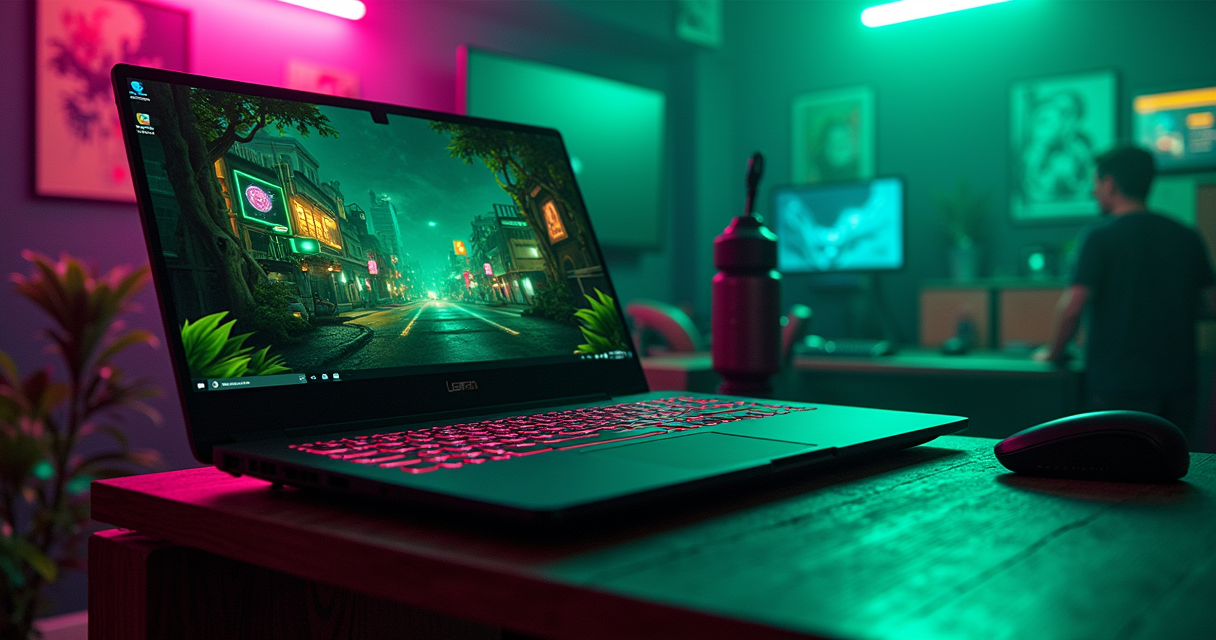
There is a specific kind of dishonesty that only a spec sheet can commit, and in 2026 the gaming laptop industry committed all of it at once. A GPU named after the most powerful desktop card ever made is, in a laptop, a completely different and smaller piece of silicon. A machine advertised as thinner and lighter than last year costs two hundred dollars more than last year while carrying a weaker graphics chip. And the price of the memory soldered to the board has less to do with gaming than with the datacenters training the very models that write breathless listicles about which laptop to buy. So before we crown anything, understand the terrain: this was the year the marketing and the physics openly disagreed, and the physics does not care what is printed on the lid.
The Verdict, Up Front
We are not going to make you scroll six thousand words for a number. This is a review, and reviews have verdicts, and burying yours at the bottom is a habit that belongs to the content mills, not to us.
The one-line answer
The best gaming laptop of 2026 is the Lenovo Legion Pro 7i Gen 10, and it is not especially close. It is the fastest 16-inch gaming laptop that has been put in front of reviewers this cycle, it wears a genuinely excellent 2560x1600 OLED panel at 240Hz, it has one of the best keyboards ever bolted to a gaming chassis, and — the part everyone forgets to mention — it undercuts every thin-and-light halo machine by a thousand dollars or more while beating them at the one thing a gaming laptop is nominally for. PCWorld called it 'the new king of gaming laptops.' LaptopMedia, less poetically, called it 'the fastest gaming laptop we've ever tested.' We agree with the coronation and would only add that the throne weighs about three kilograms and comes with a 400-watt power brick the size of a paperback.
Why the halo machines lost
The laptops everyone photographs — the ASUS ROG Zephyrus G16, the Razer Blade 16, the Alienware 16 Area-51 — are lovely objects, and every one of them is a worse buy than the Legion in the summer of 2026. The Zephyrus is thermally strangled, capping its RTX 5090 at 115 watts. The Blade 16 is a battery-life world record wrapped around a mid-pack gaming result and a five-thousand-dollar price. The Alienware and the ROG Strix SCAR 18 are magnificent desk anchors that solve a problem — 'I want a desktop but refuse to buy a desktop' — that a desktop solves better. None of them is bad. All of them are beaten by a chunkier machine that costs less.
The rating, and what it is a rating of
The Legion Pro 7i Gen 10 earns an 8.5 out of 10. It loses the last point and a half to three things that are only half its fault: mediocre battery life (about five and a half hours of office work with the discrete GPU asleep), a weight-and-brick combination that makes 'laptop' an aspirational noun, and the fact that it exists inside a 2026 pricing environment that has made the entire category harder to recommend to a human being with a budget. The machine is a 9. The year it was born into is a 7. Split the difference and you get the truth.
The 2026 Memory Tax
You cannot evaluate a single laptop this year without first explaining why all of them got more expensive, because the reason is not greed, or not only greed. It is the same reason your desktop RAM upgrade suddenly costs what a used car cost your grandparents.
The AI memory crunch, briefly
Through 2026, Samsung, SK Hynix, and Micron redirected an enormous share of their DRAM manufacturing capacity toward high-bandwidth memory — the HBM stacks that feed AI accelerators in datacenters. HBM sells at a premium that consumer DDR5 and LPDDR5X cannot match, so the fabs followed the money, and the money went to the machines that are, with some irony, writing product roundups. The consumer-facing result was a supply squeeze. A 64GB kit of LPDDR5X that cost under $120 a year ago now runs somewhere between $300 and $500. Multiply that across every laptop with soldered memory and you have a category-wide surcharge that no amount of thermal engineering can offset.
The $4,799 that costs more than last year's flagship
The clearest single artifact of this tax is the 2026 ROG Zephyrus G16. ASUS priced the new model — with an RTX 5080 Laptop GPU, an Intel Core Ultra 9 386H, and 64GB of that suddenly-precious LPDDR5X — at $4,799 in the United States. The 2025 model of the same laptop, carrying the more powerful RTX 5090, sold for $4,599. Read that twice. The new laptop with the lesser graphics card costs two hundred dollars more than the old laptop with the better one. The Next Web documented it; TechRadar noted the price hikes were 'so painful some thought they were an April Fool'; and the commenters at VideoCardz rendered their verdict in four words: 'They have lost their minds.' The $4,799 figure is a $1,100 jump — twenty-nine percent — over the same chassis with an RTX 5070 Ti.
What the tax means for a buyer
It means two things. First, last year's hardware is frequently the smarter purchase this year, because it was priced before the crunch and is now being cleared out; a 2025 Zephyrus G16 with an RTX 5090 discounted to $3,799 at Best Buy is, absurdly, a better deal than its own 2026 successor. Second, it means the sweet spot has moved down the stack. The RTX 5090 configuration of any given laptop costs $500 to $1,000 more than the RTX 5080 configuration for, as we will see, a five-to-fifteen-percent performance improvement. In a normal year that is a bad trade. In 2026, with memory prices inflating the whole bill of materials, it is an insulting one.
The RTX 5090 Naming Lie
Now the fun part, the part where we get to be pedantic, because the pedantry here is worth roughly a thousand dollars of your money. The single most important thing to understand about 2026 gaming laptops is that the graphics card on the box is not the graphics card you think it is.
It is a desktop RTX 5080 die
The desktop GeForce RTX 5090 is built on NVIDIA's enormous GB202 processor and draws 575 watts, rising to 600 in overclocked trim. The laptop 'RTX 5090' is built on GB203 — the identical silicon that powers the desktop RTX 5080. It carries 10,496 CUDA cores and 24GB of GDDR7, which is genuinely a lot, but its die is a full tier below the desktop card whose name it borrowed. NVIDIA did not invent this shell game in 2026; mobile GPUs have carried desktop-flagship names for smaller chips for years. But the Blackwell generation stretched the gap wider than usual, and the marketing did not shrink to match.
Fifty percent slower, and the benchmark that proves it
Notebookcheck put the two cards on the same test bench — a Razer Blade 16 with the laptop RTX 5090 against a Zotac desktop RTX 5090 — and the result was not subtle. In Dota 2 Reborn at ultra settings, the laptop managed 137 frames per second; the desktop managed 291. That is a fifty-three percent drop, which is why Digital Trends ran the headline 'Nvidia's new laptop GPU is 50% slower than desktop' and did not have to qualify it much. The desktop card these laptop numbers should really be compared against — for a proper sense of what that flagship silicon does with a real power budget — is the one we cover in our look at the desktop RTX 5090 in 2026. The laptop version lives in a different weight class wearing the champion's robe.
TGP is the only number that matters
The reason is power, and power is where the whole category lives or dies. The laptop RTX 5090 tops out at a 150-watt Total Graphics Power, plus a 25-watt Dynamic Boost, for 175 watts absolute maximum. The desktop card runs 575. A laptop cannot grow a bigger cooler every year the way a desktop tower can, and several manufacturers spent 2026 making their machines thinner, which cuts thermal headroom and forces the GPU down to a smaller sustained wattage. This is why two laptops with the identical 'RTX 5090' sticker can differ by twenty percent in real games: a chip fed 150 watts in a thick chassis obliterates the same chip choked to 115 watts in a slim one. When you shop, the model name tells you almost nothing. The sustained TGP tells you everything. Ask for it. If the manufacturer buries it, that silence is the answer.
Reading the Spec Sheet
If you take one skill away from this review, let it be the ability to read a 2026 gaming laptop spec sheet without being lied to. There are only four things that matter, and three of them are not the ones the ads emphasize.
The GPU ladder, decoded
NVIDIA's Blackwell mobile line, announced at CES in January 2025 and shipping in laptops from March, runs from the RTX 5050 to the RTX 5090. Here is the honest hierarchy, cores and memory and power range, so you can see where the value actually sits.
| Laptop GPU | CUDA cores | VRAM | Die | TGP range |
|---|---|---|---|---|
| RTX 5090 | 10,496 | 24GB GDDR7 | GB203 | 95-150W (+25W Boost) |
| RTX 5080 | 7,680 | 16GB GDDR7 | GB203 | 80-150W |
| RTX 5070 Ti | 5,888 | 12GB GDDR7 | GB205 | 60-115W |
| RTX 5070 | 4,608 | 8GB GDDR7 | GB206 | 50-100W |
| RTX 5060 | 3,328 | 8GB GDDR7 | GB206 | 45-100W |
| RTX 5050 | 2,560 | 8GB GDDR6 | GB207 | 50-100W |
Note the ugly truth in the VRAM column: the 5050, 5060, and 5070 all ship with just 8GB, which in 2026 is the bare minimum and already a bottleneck at high texture settings in several new titles. The 12GB on the 5070 Ti is the point where the memory stops being a compromise. That single step is worth more than the modest core-count bump above it.
The CPU question: AMD's cache versus Intel's core count
Two chips dominate the flagship tier, and they represent opposite philosophies. Intel's Core Ultra 9 275HX (Arrow Lake-HX) fields 24 cores — eight performance, sixteen efficiency, no hyper-threading — and boosts to 5.4GHz. AMD's Ryzen 9 9955HX3D counters with 16 cores and 32 threads, the same 5.4GHz ceiling, and a slab of 3D V-Cache that gives it, by Notebookcheck's measure, roughly 256 percent more L3 cache than the Intel part. In multi-threaded work the AMD chip runs about 12 percent ahead; in games, its V-Cache makes it the faster gaming CPU outright, which is the whole reason 3D V-Cache exists. If you undervolt — and on chips this hot you should, a process we walk through in our CPU undervolting guide — either one behaves better. A third option arrived mid-year: Intel's Panther Lake Core Ultra 9 386H, which trades raw multi-threaded muscle for extraordinary efficiency, and which we will meet again when we get to the Razer Blade.
The display, and what DLSS 4 actually does
The panel is the part you look at for every one of the thousand hours you will own the thing, and 2026's flagships finally standardized on 16-inch OLED at 2560x1600 and 240Hz. That resolution is deliberate: it is sharp enough to matter and light enough to drive, which is the argument we make at length in 1440p versus 4K. As for the refresh rate, 240Hz is lovely, but the returns above 144Hz are thinner than the spec implies — see our breakdown of 144Hz versus 240Hz before you pay a premium for the headline number. The frames themselves increasingly come not from raw rendering but from DLSS 4 with Multi Frame Generation, launched alongside the RTX 50 series in January 2025 and exclusive to it. It generates up to three additional frames for every traditionally rendered one, multiplying frame rates by as much as 8x, and it is available in more than 250 games. It is also, candidly, the only reason the mobile 5090 posts the numbers it does — the same Razer Blade platform gained only 6 to 11 percent moving from the RTX 4090 to the RTX 5090 in raw rendering. The generational leap this year is a software leap. Keep that in mind before you pay for the hardware halo.
Verifying the TGP yourself
Because manufacturers hide sustained wattage, here is how to check the enforced power limit on any Windows gaming laptop you already own or are testing in a store, using NVIDIA's own command-line tool:
nvidia-smi --query-gpu=power.limit,power.max_limit,clocks.gr --format=csv

# power.limit     = the wattage currently enforced
# power.max_limit = the ceiling this laptop's firmware allows
# clocks.gr       = live core clock under load
#
# Run it under a sustained load (loop a benchmark) and watch
# power.limit. If a '150W RTX 5090' never crosses ~115W, you
# are looking at a thermally limited chassis, not a 150W part.
The Winner: Legion Pro 7i Gen 10
Enough context. Here is the machine that wins, examined the way a machine that wins deserves to be examined.
What Lenovo actually built
The Legion Pro 7i Gen 10 is a deliberate reversal of the industry's thinness fetish. Where ASUS and Razer spent 2026 shaving millimeters, Lenovo made this year's Legion Pro thicker than last year's, specifically to give the Arrow Lake-HX and Blackwell hardware the airflow they need to run at full tilt. It pairs the 24-core Core Ultra 9 275HX with your choice of RTX 5070 Ti, 5080, or 5090, feeds the whole affair from a 400-watt power adapter, and cools it with a vapor chamber that Notebookcheck summarized as delivering '400 W power supply with almost no compromises.' The chassis is a premium metal build; the keyboard is, per Tom's Hardware, 'one of the best keyboards on any gaming laptop,' with the kind of key travel that has been quietly disappearing from thin machines. And the display is the quiet triumph: a 16-inch OLED running 2560x1600 at 240Hz that is one of the few panels on the market to combine that high native refresh with Windows VRR, DisplayHDR 1000, and G-Sync in a single screen.
The performance
This is where the coronation is earned. Across the reviews, the Legion Pro 7i Gen 10 posts the highest sustained gaming frame rates of any 16-inch machine this generation, because it is the one that lets its GPU actually draw the wattage it was rated for. To calibrate expectations, consider what a fully-fed laptop RTX 5090 does in the current stress test, Cyberpunk 2077 at 1600p. On the punishing Ray Tracing Overdrive preset it manages a grim 24fps natively; switch on DLSS 4 and it becomes playable at 77fps; enable frame generation and it hits 147; turn on full Multi Frame Generation and it reaches 254. On the more sensible Epic preset it runs 42 to 44fps native, 62 to 72 with DLSS Quality, and 110 to 120 with frame generation layered on. Those numbers describe the ceiling; the Legion, running its silicon hot and unrestrained, sits at the top of that band rather than the bottom, which is exactly where the thin machines end up. This is not a subtle advantage. It is the entire point of the laptop.
The catch: it is a brick
Honesty requires the counterweight. The Legion Pro 7i Gen 10 is heavy — a shade under three kilograms for the laptop alone, and the 400-watt adapter is a genuine second object in your bag, not an afterthought. Battery life is what you would expect from a machine engineered around a wall socket: roughly five and a half hours of light office work with the discrete GPU disabled, and a small fraction of that under any real gaming load. Tom's Hardware's own headline for its review called it a 'pricey and luxurious gaming laptop,' and both adjectives are load-bearing. This is a desktop that folds. If that sentence sounds like a criticism to you, buy something else; if it sounds like a feature, you have found your machine.
Full Specifications
Below is the complete accounting for the configuration we would actually spend money on, followed by the caveats that a spec table can never hold.
The configuration we would buy
Skip the RTX 5090 halo trim. The RTX 5080 configuration — around $3,204 to $3,400 depending on the day and the retailer — is the intelligent purchase: it carries the same GB203 die as the 5090, 16GB of GDDR7 rather than 24, and gives up single-digit performance for a four-figure saving. If your budget is tighter, the RTX 5070 Ti base model at roughly $2,619 is the value anchor of the entire flagship class, and its 12GB of memory keeps it honest.
The full spec table
| Specification | Detail |
|---|---|
| Model / year | Lenovo Legion Pro 7i Gen 10 (16-inch, Intel) — early 2025, on sale through 2026 |
| CPU | Intel Core Ultra 9 275HX (Arrow Lake-HX), 24 cores (8P + 16E), up to 5.4GHz |
| GPU (as-reviewed) | NVIDIA GeForce RTX 5080 Laptop; RTX 5070 Ti and RTX 5090 also offered |
| GPU die / architecture | GB203, Blackwell, TSMC 4N process |
| GPU max power (TGP) | Up to 175W (150W + 25W Dynamic Boost) |
| Graphics memory | 16GB GDDR7 (RTX 5080); 24GB on RTX 5090, 12GB on RTX 5070 Ti |
| System memory | 32-64GB DDR5 (SO-DIMM, user-upgradeable) |
| Display | 16-inch OLED, 2560x1600, 240Hz, DisplayHDR 1000 |
| Adaptive sync | NVIDIA G-Sync + Windows VRR |
| Storage | 1-2TB PCIe 4.0 NVMe (dual M.2, user-upgradeable) |
| Cooling / adapter | Legion vapor chamber; 400W power adapter |
| Keyboard | Per-key RGB; rated 'one of the best keyboards on any gaming laptop' (Tom's Hardware) |
| Weight | ~2.7kg (laptop); the 400W brick is a meaningful addition |
| Battery | ~5.5 hours office use with dGPU disabled; minutes under gaming load |
| Ports | HDMI 2.1, USB-C (Thunderbolt-class), USB-A, Ethernet, SD reader |
| Operating system | Windows 11 |
| Price (as-configured) | RTX 5070 Ti ~$2,619 / RTX 5080 ~$3,204-3,400 / RTX 5090 ~$3,999 |
What is missing
No spec sheet captures acoustics, and a 400-watt machine under load is not a library companion; plan on a headset, which is a decision we have opinions about elsewhere. It also cannot capture the intangible that the reviews keep circling — that this is a machine built by people who prioritized the result over the silhouette, in a year when almost nobody else did. That is not a row you can tabulate. It is the reason it wins.
The Four Contenders
The Legion won, but it won a real field, and depending on what you value, one of these four might be the machine for you specifically. Here is each on its merits and its embarrassments.
ASUS ROG Zephyrus G16 — the beautiful compromise
The Zephyrus G16 is the most desirable object in the category: a slim 0.59-inch, roughly four-pound aluminum slab with a stunning ROG Nebula OLED, liquid-metal cooling, and a design that would not embarrass a MacBook Pro in a meeting. It is also, at the sharp end, thermally compromised — the RTX 5090 in the G16 is capped at 115 watts, well below the 150 the chip can take, which is the tax you pay for the profile. Tom's Guide spent a month with the RTX 5080 version and concluded it 'falls short' on power; PC Gamer, reviewing the 2025 model, admitted it is 'still a very capable and desirable gaming laptop' but said they would steer a buyer to a similarly priced Razer Blade 16 instead. When your own reviewer recommends the competitor, that is worth noting. The 2025 RTX 5090 model ran $4,599; the 2026 RTX 5080 refresh, as covered above, somehow runs $4,799.
Razer Blade 16 (2026) — the battery record-holder
Razer spent two years reinventing the Blade 16 and produced something genuinely novel: the gaming laptop you can leave the charger at home for. The 2025 model was the first Blade with an AMD chip, a low-power 28-watt Ryzen AI 9 HX 370, and the thinnest Blade ever at 17mm. The 2026 model swapped in Intel's Panther Lake Core Ultra 9 386H and, per Tom's Hardware, posted a staggering 12 hours and 46 minutes of battery life — besting the previous AMD Blade by over five hours and the Alienware 16 Area-51 by more than nine. Tom's verdict was precise: the Blade 16 'can hang with its peers in gaming performance, blows them away in battery life, but comes up short in multi-threaded productivity tasks.' The catch is the bill: the review unit, with an RTX 5090, 32GB, and a 2TB SSD, costs $4,899.99. That is a lot of money for a thin machine that ties on gaming and loses on productivity, redeemed by an endurance figure no gaming laptop has any business posting.
Alienware 16 Area-51 and ROG Strix SCAR 18 — the big iron
The last two contenders are for people who have made peace with the word 'luggable.' The Alienware 16 Area-51 is a genuinely strong 16-inch performer — 24-core 275HX, RTX 5070 Ti through 5090, near-instant 240Hz panel — starting at $2,749.99 and reaching $4,049.99 for the 5090; its mid-tier RTX 5080 build tells the 2026 story perfectly, having risen from $3,250 to $3,680 on the memory shortage alone. The ROG Strix SCAR 18 goes bigger in every dimension: an 18-inch Mini LED panel at 2.5K, 240Hz, and 1,200 nits of peak HDR brightness, up to 64GB of RAM, and the full flagship silicon, laddering from $2,699.99 for a 1TB base, to $3,399.99 for a 2TB RTX 5080, to $4,499.99 with the RTX 5090. Both are excellent. Both are things you carry in two hands. Here is the whole field at a glance.
| Laptop | CPU | Top GPU (max TGP) | Display | Battery (rated) | From |
|---|---|---|---|---|---|
| Lenovo Legion Pro 7i Gen 10 | Core Ultra 9 275HX | RTX 5090 (150W) | 16in OLED 2.5K 240Hz | ~5.5h office | $2,619 |
| ASUS ROG Zephyrus G16 | Core Ultra 9 285H / 386H | RTX 5090 (115W) | 16in OLED 2.5K 240Hz | Longer than Legion | $4,599 (5090) |
| Razer Blade 16 (2026) | Core Ultra 9 386H | RTX 5090 (150W) | 16in OLED 2.5K 240Hz | 12h 46m (record) | ~$3,000 |
| Alienware 16 Area-51 | Core Ultra 9 275HX | RTX 5090 | 16in 240Hz | Under 4h class | $2,749.99 |
| ASUS ROG Strix SCAR 18 | Core Ultra 9 275HX | RTX 5090 | 18in Mini LED 240Hz 1,200 nits | Desk-bound | $2,699.99 |
Pricing and Availability
Prices in this category move weekly in 2026, dragged around by memory costs and clearance cycles, so treat these as mid-year snapshots rather than commandments. But the shape of the market is stable enough to plan around.
The flagship tier
| Model / config | GPU | Price (mid-2026) | Note |
|---|---|---|---|
| Legion Pro 7i Gen 10 (base) | RTX 5070 Ti | ~$2,619 | Value anchor of the class |
| Legion Pro 7i Gen 10 | RTX 5080 | ~$3,204-3,400 | The one to buy |
| Legion Pro 7i Gen 10 | RTX 5090 | ~$3,999 | Diminishing returns |
| Zephyrus G16 (2025) | RTX 5090, 64GB | $4,599 (seen at $3,799) | Discounts beat the 2026 model |
| Zephyrus G16 (2026) | RTX 5080, Panther Lake | $4,799 | More than last year's 5090 |
| Razer Blade 16 (2026) | RTX 5090, 2TB | $4,899.99 | Battery king, price to match |
| Alienware 16 Area-51 | RTX 5080 | $3,680 (was $3,250) | Memory tax, visible |
| ROG Strix SCAR 18 | RTX 5090 | $4,499.99 | 18in Mini LED |
The sensible middle
The entire argument of this review lives in that table. The Legion Pro 7i with an RTX 5080 at roughly $3,300 delivers the best sustained gaming performance in the class for fifteen hundred dollars less than the thin machines with the same or lesser silicon. If you want a flagship gaming laptop in 2026 and you are spending your own money rather than a corporate card's, that is the row. Everything above it on the price axis is buying thinness, a battery record, or a bigger screen — real things, but not gaming things.
The budget floor, and the 8GB problem
Below the flagships sits a healthy value tier that the memory tax has bruised but not killed. The ASUS TUF Gaming A16 with an RTX 5060 hovers around $1,200 and is the sane 1080p pick; ASUS's ROG Strix G16 with an RTX 5070 sits under $1,500 with a 240Hz QHD panel; Lenovo's own Legion 5i-class machines with an RTX 5060 fill the middle. Buy carefully here, because this is where the 8GB VRAM ceiling bites — the 5050, 5060, and 5070 all carry only 8GB, and in 2026 that is already forcing texture compromises in new releases. If you can stretch to a 5070 Ti and its 12GB, do; that memory step will age better than any core-count difference on the shelf below it.
How It Actually Plays
Specifications are a promise; behavior is the truth. Here is how the Legion Pro 7i Gen 10 — and by extension the flagship class it leads — actually lives across five different kinds of player.
The casual player and the AAA maxer
For the casual player who wants a big beautiful screen and does not care about frame counters, this machine is wild overkill in the best way — every game you throw at that OLED looks superb, and you will never see the fans work. For the AAA completionist who intends to finish Cyberpunk with the ray tracing turned up and the settings maxed, this is the correct tool and possibly the only honest one, because it is the machine most willing to run its GPU at full 150-watt tilt. You will lean hard on DLSS 4 — at 1600p Ray Tracing Overdrive, remember, native is 24fps and Multi Frame Generation is what carries you to 254 — but that is the deal every 2026 laptop offers, and the Legion offers the best raw floor underneath the AI frames.
The competitive and esports player
If you live in Valorant, CS2, or Overwatch, your priority inverts: you do not care about ray tracing, you care about the 240Hz panel and the lowest possible latency, and here the flagship silicon is almost wasted on you. An RTX 5070 Ti will already pin those titles against the refresh ceiling. What matters is the display's response time and the input chain, and this is where a good external mouse earns its place — see our current pick in the best FPS mouse of 2026, because the fastest laptop in the world cannot fix a mushy trackpad in a ranked match. For this player, buy down the GPU stack and put the savings into peripherals.
Co-op, couch, and LAN
The desktop-replacement class shines at the old ritual of hauling a machine to a friend's house. The Legion's full port array — HDMI 2.1 out, USB-A for a real mouse and keyboard, Ethernet for a LAN that does not drop — makes it a better couch and living-room machine than any thin ultrabook-adjacent design, precisely because it did not amputate its I/O to lose a millimeter. Plug it into a television, pair a controller, and it is a console that also does your taxes. The 400-watt brick is annoying to pack, but for co-op sessions that live near an outlet, it is a non-issue.
The commuter and the student
This is the one scenario the Legion loses, and loses badly. Five and a half hours of office battery with the GPU asleep — and far less if you actually game — is a machine that lives tethered to walls. If your reality is a train, a lecture hall, a coffee shop, and a bag you carry all day, the winner is not the Legion at all; it is the Razer Blade 16 (2026) and its 12-hour-46-minute Panther Lake battery, or a lighter machine entirely. Do not buy a 400-watt desk anchor and then resent it for behaving like one. Match the machine to the outlet situation, and the outlet situation to your life.
Who Should Buy What
Five buyers, five answers. Find yourself.
Buy the Legion, or buy down the stack
1. The performance-per-dollar buyer: Lenovo Legion Pro 7i Gen 10, RTX 5080 configuration, roughly $3,300. The best sustained gaming laptop of the year at a four-figure discount to the halo machines. This is the default recommendation and the one most people should take.
2. The value-flagship buyer: the same Legion in its RTX 5070 Ti base trim near $2,619, or an ASUS ROG Strix G16 with an RTX 5070 under $1,500. Both play everything at high settings on their native panels; the 12GB on the 5070 Ti is the smarter long-term bet if you can reach it.
Consider a contender instead
3. The traveler: Razer Blade 16 (2026). If you will carry this machine daily and charge it rarely, its record-setting battery and Panther Lake efficiency are worth the premium that its gaming-mid-pack result would otherwise not justify. It is the only flagship that is genuinely a laptop first.
4. The big-screen desk-dweller: ROG Strix SCAR 18 or Alienware 16 Area-51. If the machine will mostly sit on a desk and you want maximum panel and maximum cooling, the 18-inch Mini LED SCAR or the strong-value Area-51 make sense. You are buying a desktop that can, in emergencies, move.
Do not buy a new 2026 laptop at all if…
5. The patient buyer: if none of the above is urgent, the single best value in the summer of 2026 may be last year's hardware. A 2025 Zephyrus G16 with an RTX 5090 clearing out at $3,799 was priced before the memory crunch and outguns its own more expensive 2026 successor. When the new generation costs more for less, the previous generation is not a compromise — it is the informed choice. Watch the clearance racks. The tax you avoid is real money.
Pros and Cons
The Legion Pro 7i Gen 10, tallied honestly, and then the category around it.
What the winner gets right
- Class-leading sustained performance — the fastest 16-inch gaming laptop this generation, because it feeds its GPU the full 150 watts.
- Superb OLED display — 2560x1600 at 240Hz with DisplayHDR 1000, G-Sync, and VRR in one panel, a rare combination.
- Genuinely excellent keyboard — real travel, praised across reviews as among the best in any gaming laptop.
- Aggressive pricing — undercuts the thin-and-light flagships by a thousand dollars or more for equal or better silicon.
- Upgradeable — SO-DIMM memory and dual M.2 slots, which the soldered thin machines cannot offer.
What it, and the category, get wrong
- Battery life — around five and a half hours of office work, a fraction of that gaming; a wall-tethered machine.
- Weight and the 400W brick — nearly three kilograms plus a substantial adapter; 'laptop' is generous.
- Acoustics under load — a 400-watt machine at full tilt is not quiet; budget for a headset.
- The category-wide memory tax — every 2026 laptop costs more than physics alone justifies, and some cost more than last year's better hardware.
- The naming lie — you are buying a 'RTX 5090' that is a desktop 5080 die running at a quarter of the desktop's power. Know it going in.
The Final Word
We opened with the claim that in 2026 the marketing and the physics openly disagreed. Here is where that leaves the ranking, the rating, and the recommendation.
The ranking
For raw gaming value: Legion Pro 7i Gen 10, first and decisively. For portability and battery: Razer Blade 16 (2026), a special-purpose champion. For the most desirable object regardless of sense: ASUS ROG Zephyrus G16, priced for people who are not counting. For the biggest screen: ROG Strix SCAR 18. For a strong all-rounder that quietly absorbed the memory tax: Alienware 16 Area-51. Every one of these is a competent machine. Only one of them is the machine to buy, and it is the chunky one that costs the least.
The rating
The Lenovo Legion Pro 7i Gen 10 earns 8.5 out of 10. It is the best-executed gaming laptop of the year, and it would score higher if it were lighter and lasted longer, and higher still if it had been born into a year when a flagship gaming laptop did not cost as much as a used motorcycle. The point and a half we withhold is a tax on the calendar as much as on the machine. Judged purely as engineering, it is a nine. Judged as a purchase you have to make in the actual market of 2026, memory crunch and naming games and all, it is an eight and a half, and the most honest recommendation we can give.
The Machine's bottom line
Buy the Legion Pro 7i Gen 10 with the RTX 5080 and never think about the RTX 5090 configuration again. Ignore the thin machines unless you specifically need to leave the charger at home, in which case the Panther Lake Blade is your one exception. Read the sustained TGP, not the sticker; run the nvidia-smi check if the manufacturer goes quiet. And if you can wait, watch last year's flagships fall onto the clearance racks at prices this year's models cannot touch. The best gaming laptop of 2026 is a very good machine sold in a very silly market. Know which parts are the machine and which parts are the market, and you will spend your money like someone who read the spec sheet instead of the ad.
Questions the search bar asks me
- Is the RTX 5090 laptop GPU the same as the desktop RTX 5090?
- No. The laptop 'RTX 5090' uses NVIDIA's GB203 die — the identical silicon as the desktop RTX 5080 — not the desktop 5090's larger GB202. Notebookcheck measured the laptop version at 137fps in Dota 2 Reborn versus 291fps on the desktop card, a 53% gap, largely because the laptop caps at 150W TGP against the desktop's 575W.
- What is the best gaming laptop of 2026?
- The Lenovo Legion Pro 7i Gen 10. PCWorld called it 'the new king of gaming laptops' and LaptopMedia 'the fastest we've ever tested.' It runs the RTX 5070 Ti (~$2,619), RTX 5080 (~$3,300), or RTX 5090 (~$3,999), with a 2560x1600 240Hz OLED. We rate it 8.5/10, docking it for weight and ~5.5-hour battery.
- Why are 2026 gaming laptops so expensive?
- The AI memory crunch. Samsung, SK Hynix, and Micron shifted DRAM capacity to high-bandwidth memory for AI datacenters, so a 64GB LPDDR5X kit jumped from under $120 to $300-500. The 2026 ROG Zephyrus G16 with an RTX 5080 now costs $4,799 — $200 more than the 2025 model that had the more powerful RTX 5090.
- How much slower is a laptop RTX 5090 than the desktop version?
- About 50%. The laptop tops out at 150W TGP (175W with Dynamic Boost) versus the desktop's 575W. In Cyberpunk 2077 at 1600p Ray Tracing Overdrive it manages just 24fps native, relying on DLSS 4 Multi Frame Generation to reach 254fps. Versus the previous laptop RTX 4090, the raw gain was only 6-11%.
- Which 2026 gaming laptop has the best battery life?
- The 2026 Razer Blade 16 with Intel's Panther Lake Core Ultra 9 386H. Tom's Hardware recorded 12 hours 46 minutes — over 5 hours more than the 2025 AMD Blade and 9 more than the Alienware 16 Area-51. The trade-off is price (about $4,899 as tested with an RTX 5090) and weaker multi-threaded productivity.

Marcus covers the gaming PC, GPU, and peripheral side of staresback. Every post under this byline is reviewed pre-publish by Sam P., Editor & Operator — corrections to info@instalinkoteam.com. Published 2026-08-29 · Last updated 2026-08-29. Full bios on the author page.